
Comparison

VClar vs Grammarly: Which Is Better for Fixing Spoken Grammar?

Grammarly is most likely already installed in your browser. Maybe on your phone too. At some point last week, or yesterday, you probably asked yourself: Can it do anything about my voice messages?

It can't. Not really.

Not a knock on Grammarly. It wasn't created for audio. You can transcribe a voice message and paste it in. The audio is still there, though, filled with "ums" and unfinished sentences and grammar that would make your old English teacher's face drop. Grammarly corrects the transcript. VClar corrects the actual recording.

Two different problems. Two different tools. Let's break down which one you actually need.

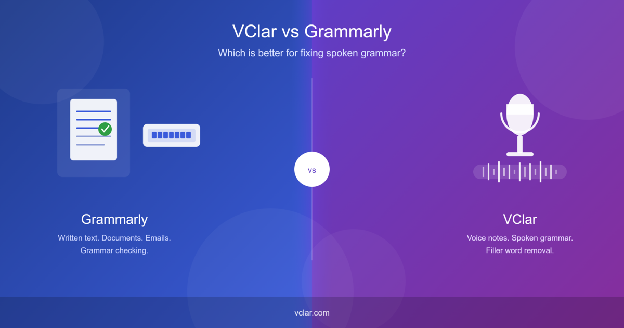
VClar vs Grammarly comparison

The Short Version

Use Grammarly

emails, essays, documents, anything you type

Use VClar

Voice note grammar checker, audio messages, spoken grammar correction tool, filler word removal

What Is Grammarly?

If you haven't used Grammarly before, you've almost certainly heard it recommended. It's been around long enough that it has become the default answer when someone asks, "How do I write better?"

What it actually does is catch the stuff your brain glosses over when you're writing fast. Wrong tense. Subject-verb mismatch. A sentence that's technically correct but poorly phrased. It runs in real time inside Google Docs, Word, email clients, and most browser text fields, quietly pointing things out as you type.

The premium version goes deeper. It will let you know if your tone sounds too aggressive for a professional email or if you've leaned too heavily on the passive voice. It isn't magic, but it's genuinely useful for anyone who regularly writes on a screen.

According to grammarly.com, Grammarly is an AI communication assistant designed to help people communicate with more clarity and confidence in writing. That last word, "writing," is the important one.

What Is VClar?

VClar takes spoken English grammar correction to the next level.

The idea is simple: you recorded something, and it came out messy. Filler words everywhere. A grammar mistake or two. Sentences that ramble or double back on themselves. Instead of re-recording the whole thing, which most people never actually do, this AI speech polishing tool removes filler words from audio, and you can get a cleaned-up version back.

VClar is an AI voice message enhancer that fixes grammar, removes filler words, improves clarity, and shows what changed so users can improve their speaking over time while keeping their natural voice.VClar is an AI tool to fix spoken grammar.

That last part matters more than it sounds. A lot of people worry that running their voice through an AI tool means getting back something robotic or weirdly over-polished. VClar keeps your accent, your rhythm, your phrasing; it just strips out the noise.

It's built for the kinds of messages people actually send: WhatsApp voice messages, Slack updates, sales follow-ups, quick team briefings. The stuff that goes out fast and represents you, whether you like it or not. You can see exactly what it does at vclar.com and check vclar.com/pricing for pricing.

Written Grammar and Spoken Grammar Are Not the Same Thing

This is worth slowing down on, because it's the whole reason these two tools exist separately.

When you write something, you're in control. You type a sentence, realize you hate it, and delete it. You reread the paragraph three times before sharing. There's spell-check, autocorrect, and all the time in the world to fix things before anyone sees them. Written grammar rules correct tense, proper articles, punctuation, and work cleanly in this environment because the text just sits there waiting to be edited.

Speaking is chaos by comparison.

Your brain moves faster than your mouth. You start a sentence without knowing how it ends. You say "um" and "like" not because you're unintelligent, but because those sounds are placeholders; they keep the listener waiting while your thoughts catch up. Highly educated native speakers do this constantly. Read any unedited interview transcript if you don't believe me. It's almost unreadable.

So, when someone records a voice message that goes: "So basically I was thinking um, as we should probably maybe push the deadline back because, you know, the client keeps changing the scope, and it's just not really fair to us at this point," what do you do with that?

Grammarly can't touch it. There's no text field to type into. Even if you transcribe it, you end up with a corrected transcript and an unchanged audio file. You'd still have to re-record.

VClar processes the audio directly. It removes filler words, corrects grammar, tightens sentences, and returns a cleaner version of the original recording. No re-recording. No transcribing. Just a better message.

Grammarly vs VClar, Side by Side

Feature VClar Grammarly
Best forVoice notes, spoken communicationWritten text, documents, emails
Input typeAudio recordingsText
Output typeCleaned audio fileCorrected text
Grammar correctionYes – spoken grammarYes – written grammar
Filler word removalYesNo
Spoken sentence cleanupYesNo
Written text improvementNoYes
Audio outputYesNo
Natural voice preservationYesNot applicable
Learning from correctionsYes – shows exactly what changedYes – inline suggestions
Best usersRemote workers, sales reps, non-native speakers, and foundersWriters, students, and anyone doing written communication

When Grammarly Makes Sense

Grammarly earns its place when the work is written. Full stop.

Drafting a client proposal? Run it through Grammarly. Sending a cold email that sounds confident without being pushy? Grammarly will catch tone issues you might not notice. Writing a LinkedIn post, a cover letter, or a report that your manager will actually read all of it benefits from a second pair of eyes, and Grammarly is a pretty good second pair.

It's also quietly useful for people who write fast and edit rarely. If you're the type to hit send before rereading, Grammarly acts as a last-second check. The number of embarrassing typos it catches is genuinely underrated.

When VClar Makes Sense

VClar is built for people who talk more than they type.

If you send WhatsApp voice messages to clients, VClar cleans them up before they go out. If your team runs on async Slack messages and half of them are voice recordings, a polished update lands better than a rambling one. Sales teams using audio follow-ups will find that a clear, professional-sounding message performs noticeably better than one full of hesitations.

This AI tool for Non-native speakers gets something especially valuable here. You can speak in your natural accent and voice, and VClar handles the spoken English grammar correction without trying to make you sound like someone you're not. The tool supports speakers across multiple languages, which makes it genuinely practical rather than just useful in theory.

There's also a learning angle that most people miss. VClar shows you exactly what it changed, which means you can see your own patterns. If "basically" appears in every recording you make, you'll eventually notice. That kind of feedback loop is rare in spoken communication tools, and it's one of the things that set VClar apart from a simple filler word remover.

Real Examples, Before and After

Reading about filler word removal is one thing. Seeing it is another.

Here's a founder sending a project update to their team:

Before
“So basically um I think we should maybe delay the launch because the client changed the scope and we were still waiting for final approval. I mean like they just decides to add all these extra stuffs at the very last minute, you know, and it literally don't make no sense for us to rush it right now.”
After VClar
“I think we should delay the launch because the client changed the scope, and we are still waiting for final approval. They added extra requirements at the last minute, so it does not make sense to rush the release right now.”

What changed: Removed filler words, fixed tense, corrected grammar, and shortened the message.

Here's a sales rep following up on a proposal:

Before
“Hey i it's just checkings like if you would see the proposals and if we cans maybe moving forwards this week because um we is run much lates on it and i wants for make sure we doesn't miss as nothing importances you knows.”
After VClar
“Hey, I wanted to check whether you saw the proposal and if we can move forward this week. We are running a little late, and I want to make sure we do not miss anything important.”

What changed: Fixed grammar, removed filler words, make voice messages sound professional.

Here's a language learner describing their day:

Before
“Yesterday i go to class and teacher explain the topic but i don't understood properly like um she was talked so much fast and writes many thing on board you knows i tries for listenings to her but my brain is just like stop works completely.”
After VClar
“Yesterday, I went to class, and the teacher explained the topic, but I did not understand it properly. She spoke very quickly and wrote many things on the board. I tried to listen, but my brain just stopped working completely.”

What changed: Fixed past tense, corrected grammar, removed filler words, improved flow.

The gap between the before and after versions isn't subtle. It's the difference between a message that gets taken seriously and one that makes the listener work harder than they should.

VClar Also Translates Voice Messages, Not Just Cleans Them

Here's something Grammarly has no answer for at all: VClar doesn't just fix what you said, it can translate it too, while keeping your own voice.

Say you record a quick voice message in English, but the person you're sending it to speaks French. Normally, that means typing it out, running it through a translator, and either re-recording it yourself in broken French or sending a flat, robotic text-to-speech version that sounds nothing like you. VClar skips all of that. It cleans the message first, removing filler words and fixing grammar, then translates it into the target language and hands you back a version that still sounds like you said it.

It currently supports 10 languages: English, Japanese, Russian, Spanish, French, German, Korean, Portuguese, Italian, and Chinese, which works out to 90 possible language combinations. So a founder can record a client update in English and send a clean, natural-sounding version in Korean. A teacher can record feedback in Spanish and have it land in German. The feature was released yesterday, so this is brand new.

This pushes VClar further outside Grammarly's lane than even the filler-word removal does. Grammarly was never built to translate anything, let alone preserve a speaker's tone and voice while doing it. VClar's pitch here is simple: record once, in your own language, and send it clearly in someone else's.

Is VClar a Grammarly Alternative?

Not exactly, and it's worth being clear about this.

VClar can't replace Grammarly for editing emails and documents. It's an AI grammar checker for audio. It doesn't operate on typed text at all. VClar is not a "Grammarly killer"; it's a different tool built for a different medium.

What VClar actually is: a Grammarly-equivalent for spoken communication: same underlying logic, different medium. Grammarly applies grammar rules, catches errors, and returns a cleaner output for writing. VClar does the same thing for voice.

Most people who communicate through both written and spoken channels would get real value from using both. They don't overlap. They don't compete. They cover different parts of how you come across to other people.

For Non-Native Speakers

Writing in a second language is hard. Speaking in one is harder.

Grammarly helps with writing, catching the kinds of errors that don't feel wrong when you're composing in a language that isn't your first. The wrong preposition. The slightly awkward phrasing that a native speaker would immediately reword. Over time, seeing those corrections in context builds better writing instincts.

VClar covers the speaking side, which is where most non-native speakers feel most exposed. When you're recording a message, you can't stop and look something up. Grammar errors happen in real time, and by the time you've noticed one, you're already three sentences ahead. VClar corrects that grammar, fixes the tense, and cleans the sentence structure after the fact, all while preserving your natural accent and voice. It doesn't try to make you sound like a native speaker. It just makes what you said clearer and more accurate.

For non-native speakers trying to communicate professionally in English across both channels, these two tools together cover most of the gaps. You can see specifically how VClar handles spoken grammar at vclar.com/fix-grammar-in-voice-message.

For Founders, Sales Teams, and Remote Workers

These three groups send more voice messages than almost anyone else — and have the most to gain from cleaning them up.

Founders record investor updates, client check-ins, and team briefings. When those messages are polished, they project competence. When they're filled with "ums" and double negatives, they undermine the message, no matter how good the underlying idea is.

Sales teams live and die by how they come across. A voice follow-up that sounds confident and clear is a completely different experience for the listener than one that wanders. The filler word remover feature alone eliminates one of the most common credibility killers in spoken sales communication.

Remote workers sending async voice updates, replacing meetings, and leaving context for teammates in different time zones are essentially broadcasting. Tighter, clearer messages mean less re-listening and fewer follow-up questions.

Final Recommendation

Grammarly is the right tool if you're fixing something written. It's one of the best in that category, and if you're not using it for emails and documents, you probably should be.

VClar is the right tool if you're fixing something spoken. It corrects your grammar, removes filler words, and makes your voice messages sound like you meant every word — because after it's done, you kind of did.

Try VClar free and fix your first voice message.

Frequently Asked Questions

Is VClar better than Grammarly?
It depends on what you're doing. Grammarly is better for written text. VClar is the best AI tool for voice messages and spoken communication because it fix grammar in voice messages. Comparing them directly is like comparing a dishwasher to a washing machine; they're not built to do the same thing.
Can Grammarly fix voice messages?
Not directly. Grammarly works on text. You could transcribe a voice message and run the transcript through it, but the audio file stays unchanged. If you want the actual recording cleaned up, filler words removed, and grammar fixed, that's not what Grammarly was built to do.
Is VClar like a Grammarly alternative for voice messages?
Yes, that's a good way to think about it. VClar does for spoken messages what Grammarly does for written ones, same concept, different medium.
Which tool is better for non-native speakers?
Both help, but in different ways. Grammarly is better for written work. VClar is better for spoken messages, and it keeps the speaker's natural voice and accent while correcting grammar.
Does VClar remove filler words?
Yes. Words like "um," "uh," "like," "basically," and "you know" are removed from the audio. You can see exactly how it works at vclar.com/filler-words-remover.
Does VClar change my voice?
No. VClar is designed to preserve your natural voice, tone, rhythm, and accent. It cleans the message; it doesn't change the person delivering it.
Can I use both Grammarly and VClar?
Yes, and it makes sense to. Use Grammarly for written communication and VClar for spoken communication. They solve different problems and don't overlap.

Your voice, just better.

Record once. Sound clearer. Learn what to improve.

Try VClar Free