
Remove filler words from audio instantly while keeping your tone intact. Speak once, sound professional.
Cancel anytime
Click the button below to start recording your voice
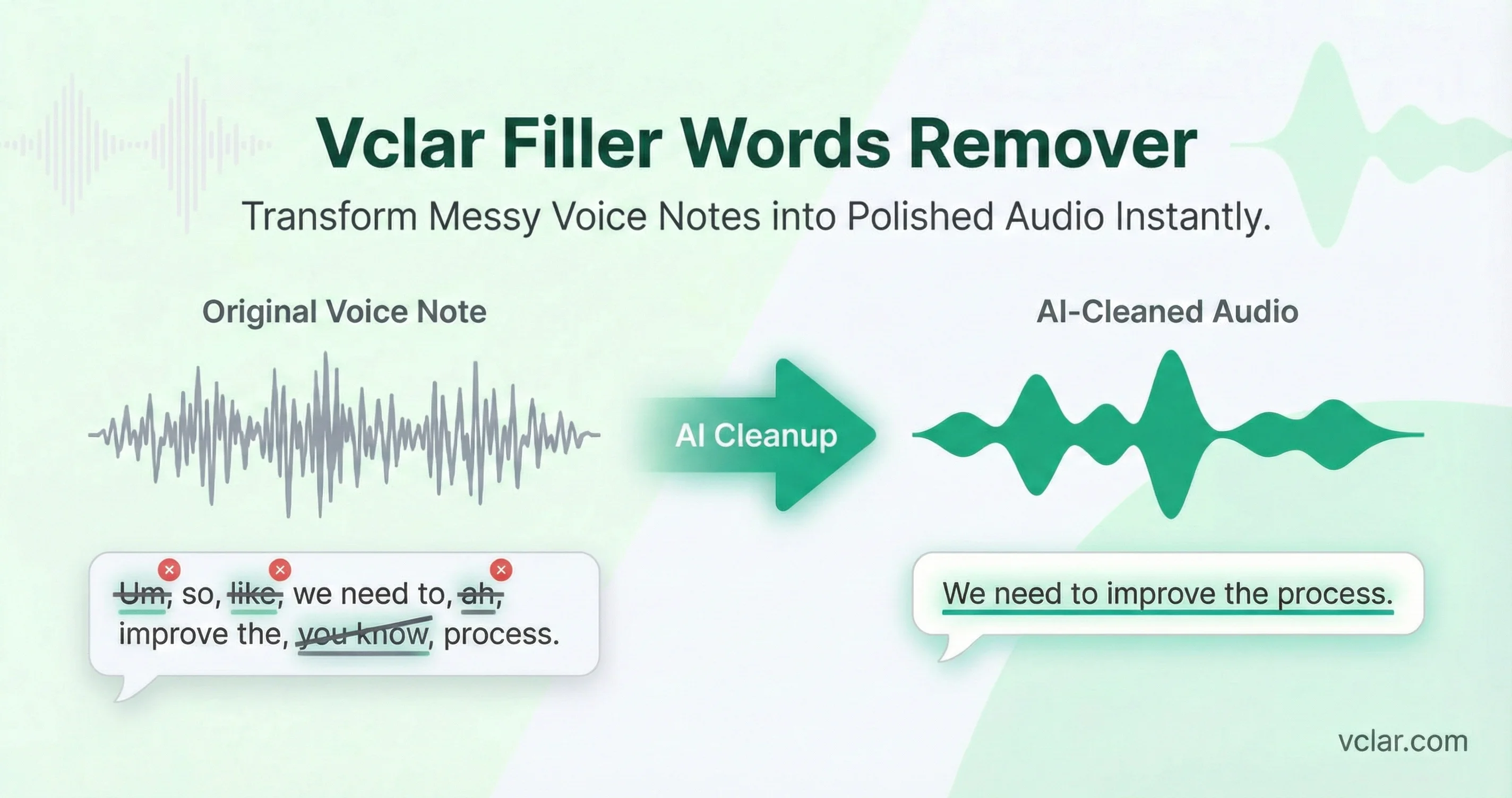
Filler words are not inherently wrong. In everyday conversation, they serve a cognitive purpose. They buy time while the brain formulates thoughts. Linguists refer to them as disfluencies. In relaxed dialogue, they are normal. In professional voice messages, however, they can signal uncertainty or lack of preparation.
Frequent "um," "like," and repetition are forms of speech disfluency that increase cognitive load for the listener. Research in communication psychology consistently shows that speech disfluency affects perceived confidence. Listeners subconsciously associate repeated verbal fillers with hesitation. Even when the content is strong, delivery influences credibility.
Excess filler words increase listener cognitive load, making your message harder to follow. Every extra word adds mental effort. When verbal clutter accumulates, comprehension slows. In asynchronous communication such as voice messages, you do not get a second chance to clarify tone in real time. That makes clarity even more important.
What You Said
So um I wanted to like follow up on the proposal because you know the client said they basically want to uh move forward but like with some changes.
Improved Wording
I wanted to follow up on the proposal because the client said they want to move forward but with some changes.
Record directly in the browser or upload an existing voice message. You're ready in seconds.
Instantly remove filler words from audio and tighten repeated phrasing while keeping your natural flow.
Listen before and after. Download or share a cleaner voice message that still sounds like you.
You get cleaner delivery, clearer wording, and fewer fillers, without sounding robotic.
VClar keeps your tone and meaning intact while removing verbal clutter that distracts from your message.
We refine speech without changing who you sound like. Listeners hear improved clarity and flow, not editing artifacts or a different voice.
Speech has texture. It carries micro-variations in tone, pacing, and emphasis that make communication human. VClar removes the clutter while preserving the natural rhythm that makes your voice yours.
Remove filler words from voice messages and audio for any role. Whether you are a founder, sales leader, remote worker, educator, or part of an async team, our filler words remover helps you sound clear and confident without re-recording or manual editing. Built for everyone who communicates by voice daily.
Strategic updates to investors and team. Concise, decisive delivery.
Avg -35% filler wordsPersonalized follow-up voice messages that sound authoritative and prepared.
Avg -42% filler wordsCoordinate across time zones with recorded instructions that are clear and concise.
Avg -30% filler wordsClient updates and onboarding messages that reflect professionalism.
Avg -38% filler wordsBoard updates, all-hands messages, and stakeholder communications that command attention.
Avg -40% filler wordsFeedback and check-in voice messages that sound clear and supportive without rambling.
Avg -33% filler wordsCandidate outreach and debrief voice messages that feel polished and professional.
Avg -36% filler wordsCheck-in and escalation voice messages that build trust and clarity with clients.
Avg -34% filler wordsQuick voice briefs and collaboration notes that stay on message and on brand.
Avg -37% filler wordsStand-ups, stakeholder updates, and spec voice messages that are crisp and actionable.
Avg -35% filler wordsFeedback and lesson voice messages that sound clear and authoritative for students and trainees.
Avg -32% filler wordsEnhance speech in lessons, course videos, and lecture recordings so students can focus on the explanation instead of the recording conditions.
Avg -33% filler wordsClean audition tapes, client reads, and narration recordings so listeners focus on the performance instead of filler words and rough delivery.
Avg -36% filler wordsClient updates, status voice messages, and async check-ins that sound professional from anywhere.
Avg -31% filler wordsCompare outcomes: cleaner delivery, clearer message, and a faster path from “record” to “send”.
| Manual Editing | Generic Audio Tool | VClar | |
|---|---|---|---|
| Remove filler words from audio | Slow, manual | Usually no | One tap |
| Keeps your meaning | If you edit carefully | Can distort | Context-aware cleanup |
| Fix grammar in voice message | No | No | Included |
| Keeps your tone | Preserved | Preserved | Natural voice kept |
| Before/after preview | No | No | One-tap preview |
Quantifying improvement helps users evaluate value. When filler words are removed intelligently, several measurable metrics shift.
Filler words removed
Word count reduction
Clarity score improvement
When someone searches remove filler words from audio, they are not looking for theory. They want a practical solution. In professional settings, voice messages are often recorded quickly. You leave a message for a client. You send a product update to your team. You summarize a meeting while walking between calls. Speed matters. So does clarity.
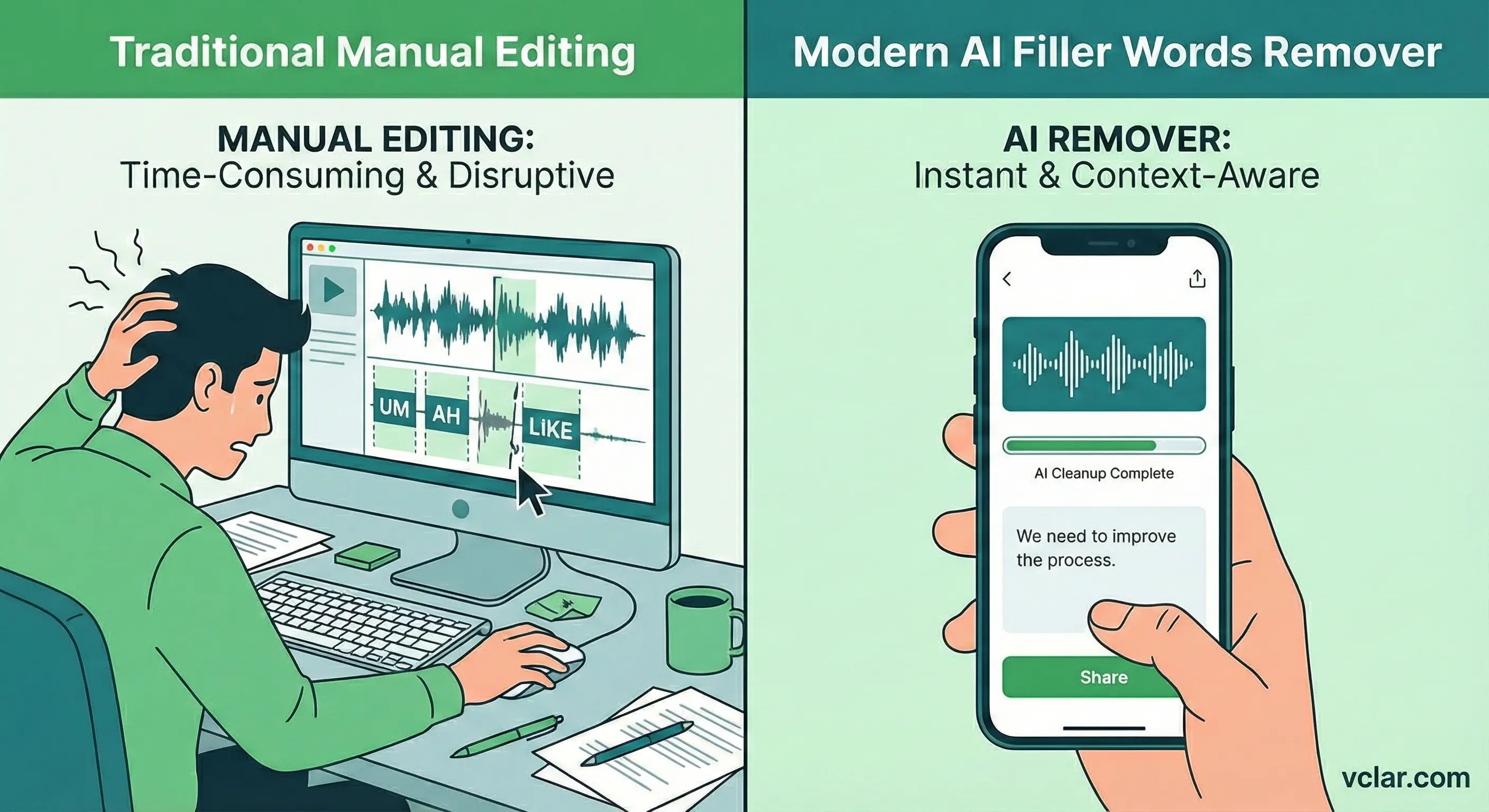
The traditional solution is manual editing. That means recording the note, importing it into an audio editor, trimming every um and awkward repetition, and exporting the final version. For most professionals, that routine is unrealistic. It interrupts momentum and creates friction.
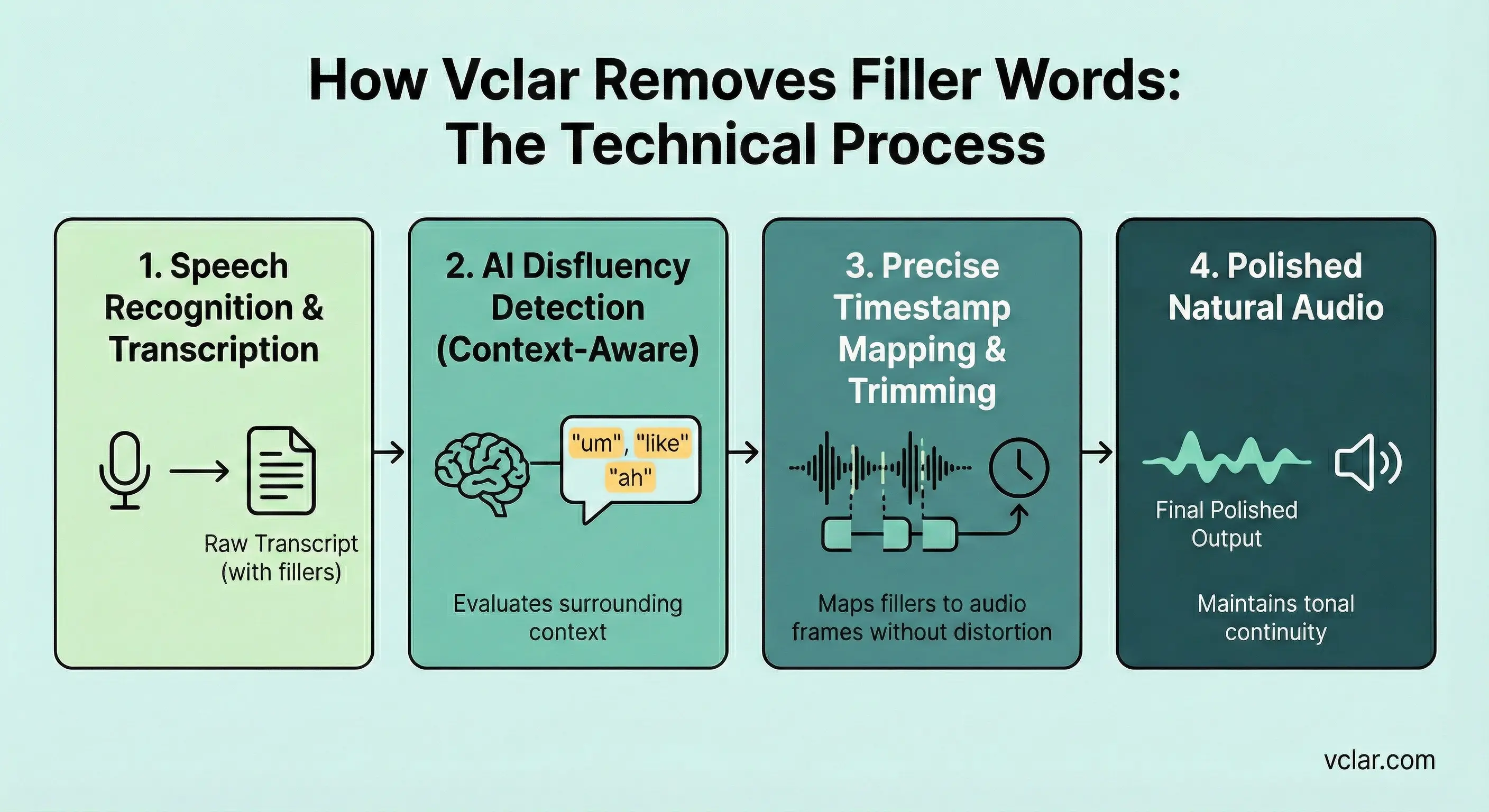
A modern filler words remover keeps things simple. Speak once, tap Enhance, and get a cleaner version that still sounds like you. This voice message enhancer acts like an AI speech corrector: it removes filler words from audio, tightens repeated phrasing, and improves clarity without making your voice feel edited.
The critical difference between a generic audio cutter and a voice message specific solution is context awareness. Removing filler words blindly can damage flow. Removing them intelligently can elevate clarity. That distinction defines the difference between amateur editing and professional speech cleanup.
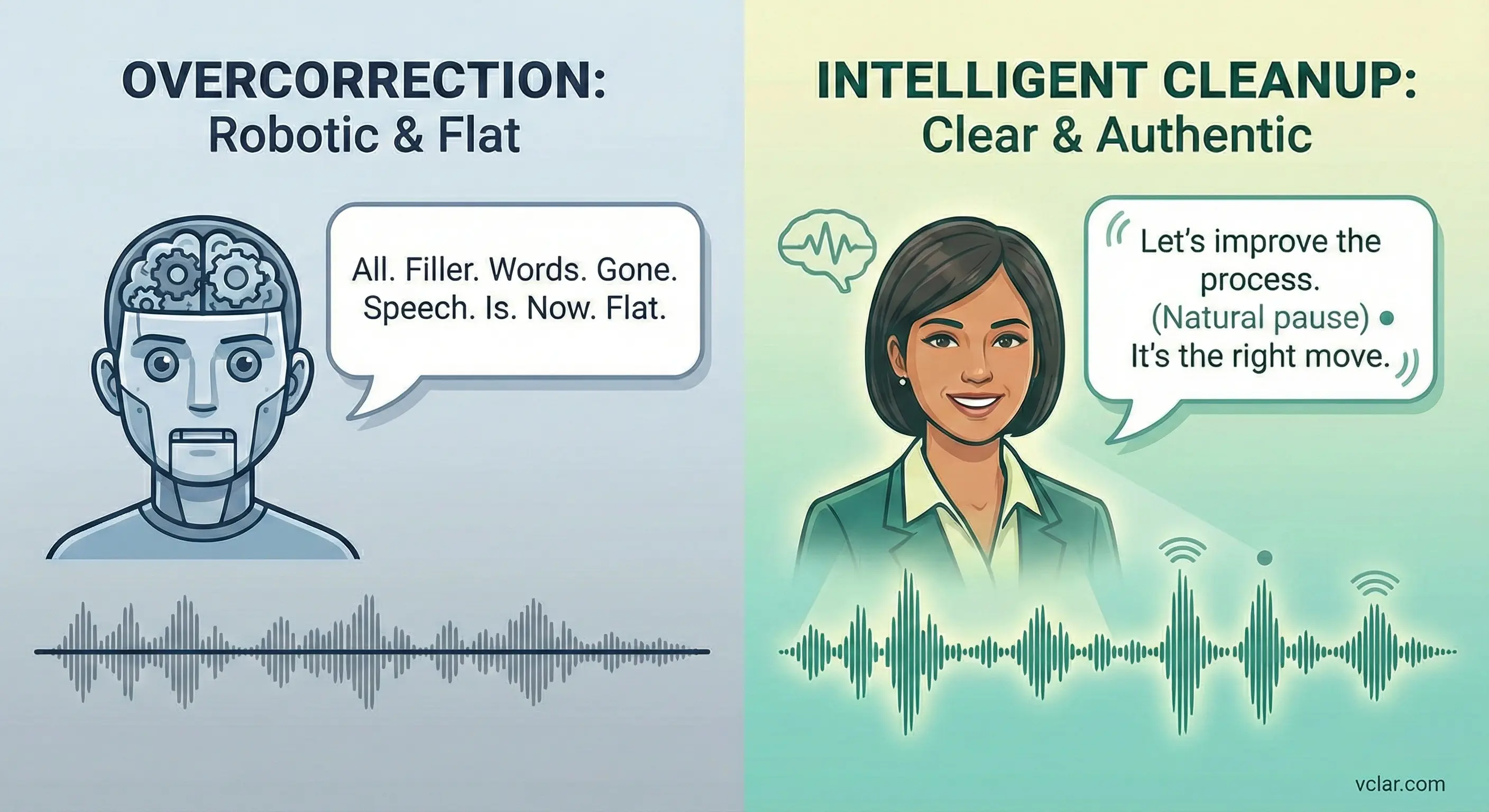
A common fear with any automated filler words remover is overcorrection. Professionals do not want to sound scripted or robotic. They want to sound clear and confident while still sounding like themselves.
Speech has texture. When a tool removes filler words from voice messages, the goal is not to flatten expression. Intelligent voice cleanup maintains natural pauses that signal thoughtfulness while trimming repeated verbal clutter that signals hesitation.
VClar intelligently removes filler words from voice messages, preserving your natural pauses and personality so you don't sound robotic.
A common fear with any automated filler words remover is overcorrection. Professionals do not want to sound scripted or robotic. They want to sound clear and confident while still sounding like themselves. The distinction is subtle but important.
Speech has texture. It carries micro-variations in tone, pacing, and emphasis that make communication human. When a tool removes filler words from voice messages, the goal is not to flatten expression. It is to eliminate unnecessary friction that distracts from the core message.
Preserving personality requires careful balance. If a system aggressively compresses speech, it can distort rhythm. If it deletes segments without smoothing transitions, the audio may feel abrupt. Intelligent voice cleanup maintains natural pauses that signal thoughtfulness while trimming repeated verbal clutter that signals hesitation.
For founders and sales professionals, this balance directly impacts outcomes. A pitch delivered with fewer fillers sounds decisive. A client update delivered with clean structure feels prepared. Yet the voice still carries personal tone. That combination strengthens credibility without sacrificing authenticity.
An overlooked advantage of a modern filler words remover is educational feedback. Beyond cleaning audio, it can highlight what was changed and why. This transforms a passive tool into an active learning aid.
By reviewing flagged filler words and repeated structures, users gain awareness of their speech patterns. They may notice a tendency to rely on specific discourse markers or to restart sentences mid-thought.
When the system explains that a particular phrase was removed because it did not add semantic value, the user begins to internalize that insight. Over time, this feedback loop reduces reliance on filler words even before cleanup occurs.
This learning dimension differentiates advanced voice AI platforms from basic deletion tools. Instead of merely fixing speech, they help users improve delivery. The combination of immediate cleanup and long-term communication growth creates deeper value.
Removing filler words addresses one dimension of clarity. Grammar refinement addresses another. Professional voice messages often contain spoken grammar that feels natural in conversation but less polished in structured communication.
Pair filler removal with the fix grammar in voice message to get cleaner wording and a more confident delivery.
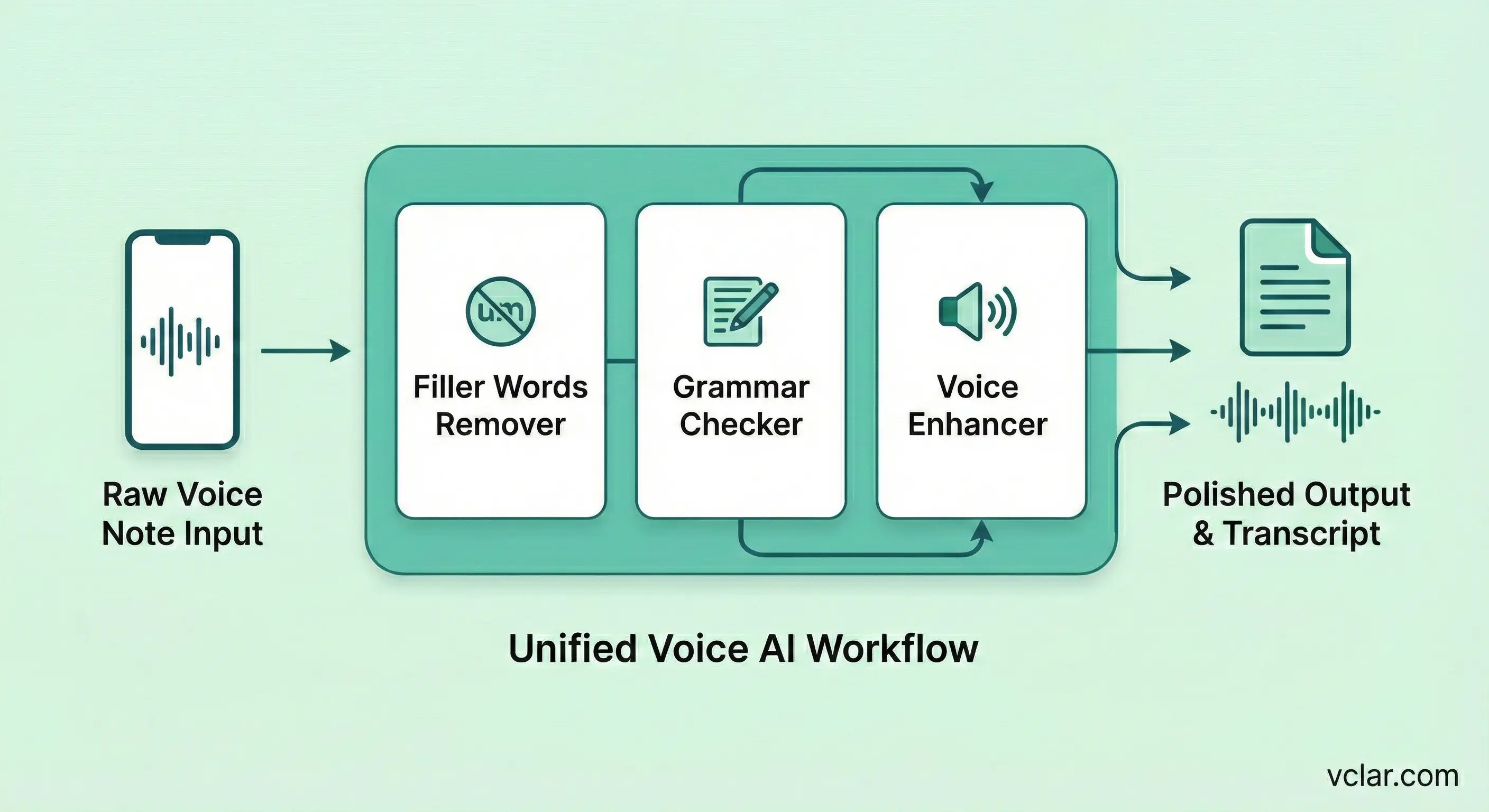
The integration between Filler words remover and Fix grammar in voice message creates a cohesive enhancement suite. Instead of using separate tools for disfluency cleanup and grammatical refinement, users get everything in one place.
Filler words are not random. They often appear when the brain is working through what to say next. When speakers search for phrasing or structure, they use short verbal bridges to maintain conversational flow. In casual conversation, this is normal. In professional communication, it can undermine perceived confidence.
Research in communication studies consistently shows that disfluencies affect audience perception. Frequent um and repeated phrases can signal uncertainty even when the content is strong. Listeners may subconsciously associate filler-heavy speech with lack of preparation.
A filler words remover addresses this perception gap. It does not change ideas. It clarifies delivery. When a message flows smoothly, listeners focus on substance rather than distraction.
Over time, exposure to cleaned audio also trains the speaker. Hearing a refined version of one's own voice reinforces how concise phrasing sounds. That feedback loop can reduce dependency on filler words even before AI cleanup is applied.
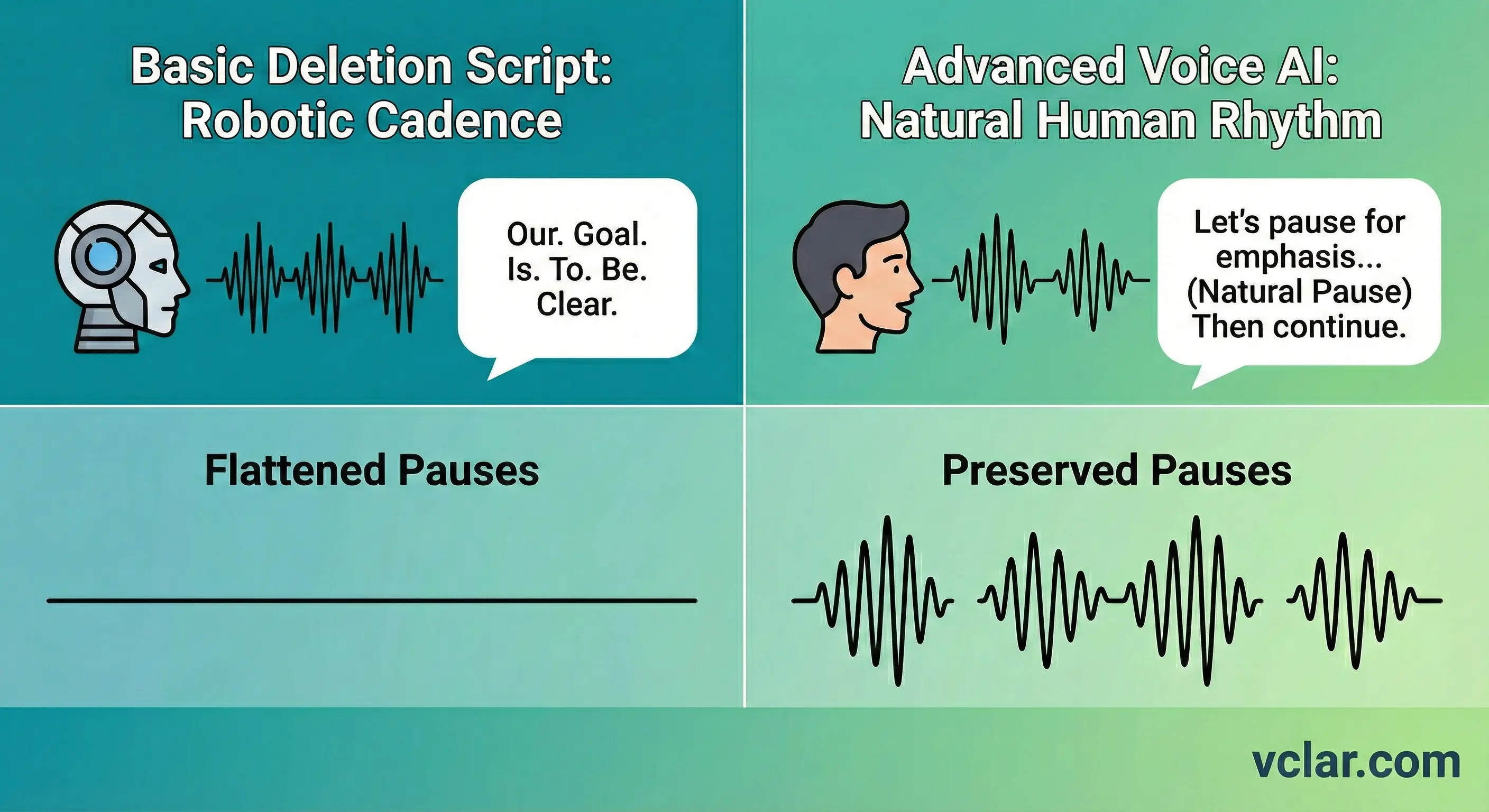
One misconception is that removing filler words means removing all pauses. That approach produces robotic cadence. Natural pauses serve rhetorical functions. They signal emphasis, create space for reflection, and separate ideas.
Effective voice AI distinguishes between semantic pauses and disfluency. A pause after a key statement may strengthen impact. A pause filled with um or repeated restarts may weaken clarity.
VClar keeps the pauses that add meaning and removes the fillers that add noise, so your message still feels human, just cleaner.
This nuance differentiates professional-grade tools from basic deletion scripts. The result feels human. The rhythm remains intact. Only the noise is removed.
Shorter, cleaner audio increases the probability that listeners will consume the full message. In business settings, partial listening can lead to misunderstandings. If a prospect stops halfway through a rambling voice message, key details may be missed.
When filler words are removed and sentences tightened, overall message duration often decreases. Even a reduction of ten to fifteen percent can significantly improve engagement.
Clarity also affects recall. Listeners understand information more efficiently when sentences are structured and without unnecessary repetition. That efficiency reduces cognitive load and improves comprehension.
For founders communicating strategy or for managers delegating tasks, improved retention translates directly into execution quality.
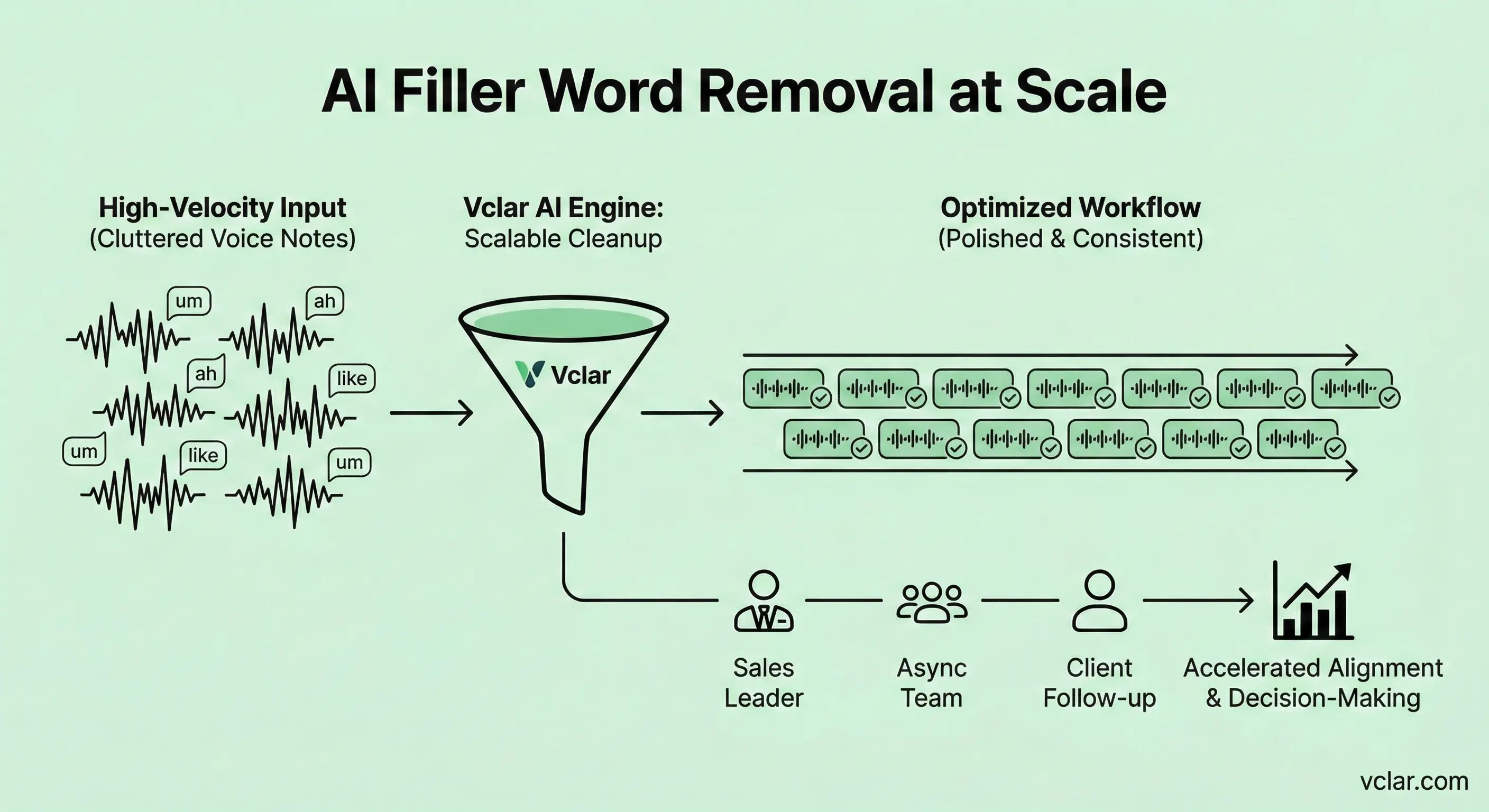
In high-velocity environments, a single polished voice message is useful. But consistency across dozens of messages per week is transformative. Async teams rely on voice messages for project updates, task delegation, and client follow-ups. Small inefficiencies compound quickly.
Imagine a sales leader sending fifteen personalized voice messages per day. If each note contains unnecessary repetitions and filler words, the cumulative listening burden on prospects increases. Removing verbal clutter from each message shortens duration and strengthens authority.
At scale, a filler words remover becomes a communication infrastructure tool rather than a novelty feature. It reduces friction across entire teams. Cleaner speech accelerates alignment and decision-making.
For organizations exploring broader voice AI adoption, this feature integrates naturally with grammar checking and voice message enhancement. Instead of treating each message as an isolated event, teams can build standards around clarity and professionalism.
VClar is a voice message enhancer built for real-world communication: quick updates, client follow-ups, and async team notes. You get a cleaner message without losing your personality.
Preview before and after, keep what you like, and send with confidence. If you also want deeper polish, pair it with Fix grammar in voice message to fix grammar in voice message recordings the same voice-first way.
The search results for filler words remover reveal a competitive environment. Many tools focus on written-only cleanup or generic editing. Few are built to improve how your voice message actually lands when someone presses play.
The best filler cleanup pages stay practical: show the outcome, explain what changes in the audio, and make it easy to try the workflow on a real voice message.
At the same time, the content should remain human and conversational. Professionals do not respond to abstract jargon. They respond to clear explanations that connect technology to real outcomes.
Supported languages
VClar supports transcription and grammar workflows for English, French, Japanese, Korean, German, Russian, Portuguese, Spanish, Italian, and Chinese. That means the filler words remover can fit multilingual teams, creators, founders, students, and professionals who switch between languages in everyday communication.
Language support matters because filler words are not identical everywhere. Each language has its own rhythm, hesitation patterns, and natural pauses. VClar is designed to improve clarity while preserving tone, cadence, and identity, so the cleaned voice message still sounds like you.
Hindi
Voice AI supported
English
Voice AI supported
French
Voice AI supported
Japanese
Voice AI supported
Korean
Voice AI supported
German
Voice AI supported
Russian
Voice AI supported
Portuguese
Voice AI supported
Spanish
Voice AI supported
Italian
Voice AI supported
Chinese
Voice AI supported
Browse all 11 supported languages · 110 translation directions
A filler words remover does not exist in isolation. Explore how speech enhancement, grammar refinement, and audio clarity improvements work together.
Upload a recording, remove filler words from audio instantly, and experience the difference in how your message lands. Cleaner speech is not about perfection. It is about precision.
Remove Filler Words Instantly