
Creative breakthroughs happen at 150 words per minute, but typing caps you at 40. VClar turns spontaneous spoken thoughts, video hooks, podcast monologues, and editor notes into polished audio and clean text transcripts—eliminating verbal stumbles without ever replacing your authentic voice.
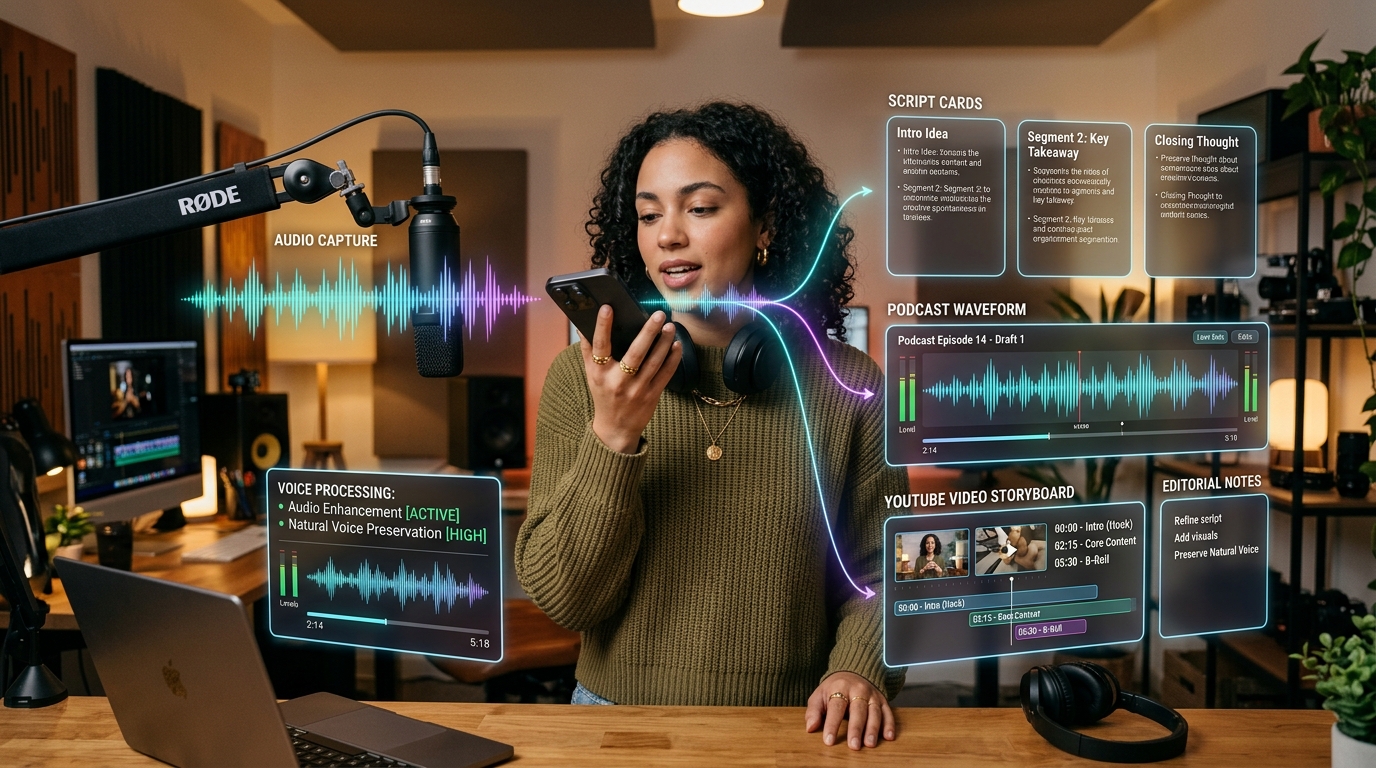
Direct Answer: Modern digital audiences build deep parasocial loyalty with creators based on acoustic authenticity—the specific tone, organic pacing, and genuine emotional inflection of the human voice. Cloned synthetic voices and robotic text-to-speech tools trigger audience fatigue and distrust. However, speaking off-the-cuff often introduces distracting verbal fillers (um, uh, like), awkward pauses, and disjointed sentence grammar that harm video watch time and podcast listener retention.
VClar solves this creative bottleneck by acting as an intelligent vocal editor: it strips hesitations and corrects conversational grammar while 100% preserving your natural vocal identity. Creators can speak uninhibitedly while walking or brainstorm in the studio, instantly generating crisp, broadcast-ready audio and scannable transcripts for teleprompters, newsletters, and collaborator briefs.
Why relying on manual typing or synthetic cloned audio limits creative output, and how voice AI provides the highest velocity for modern media builders.
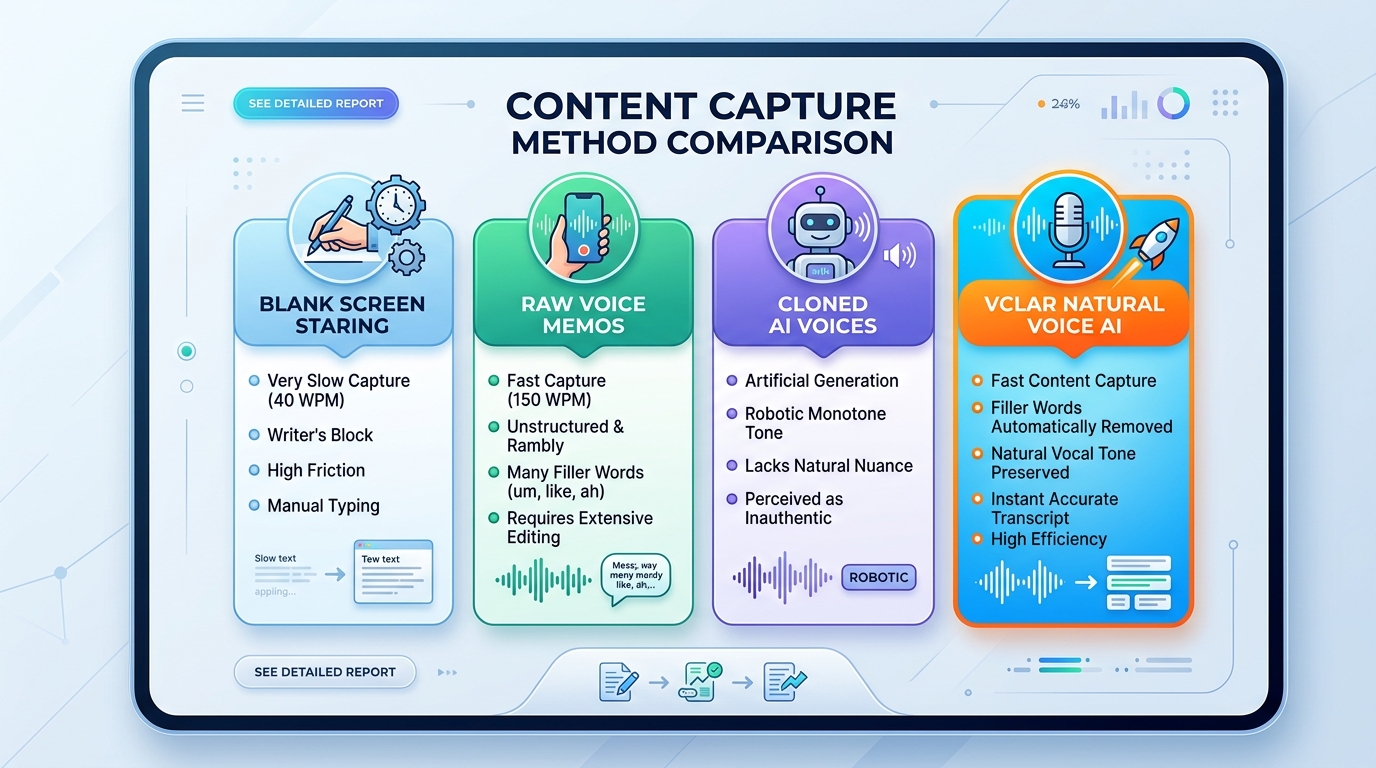
| Capture Method | Ideation Speed | Vocal Authenticity | Production Friction | Audience Retention Impact |
|---|---|---|---|---|
| Blank Screen Typing | Slow (30–45 WPM) | N/A (written text only) | High (writer's block, overthinking) | Neutral (text formats feel formal) |
| Raw Smartphone Voice Memo | Fast (130–160 WPM) | 100% Real Voice | Heavy (full of filler words, requires hours of manual editing) | Low (stutters and rambling cause viewer drop-off) |
| Synthetic Cloned AI Voice | Instant Generation | Artificial & Monotone | Moderate (prompt engineering required) | Severe Drop (audiences penalize fake AI voices) |
| VClar Natural Voice AI | Fast (150 WPM capture + 15s AI) | 100% Natural Human Timbre | Zero (auto-cuts fillers & grammar stumbles) | Maximum (crisp vocal presence drives retention) |
Curious about your speaking tempo? Measure your words-per-minute with our Speech Speed Test or calculate exact video run-times using the Words to Time Calculator.
How independent creators, YouTubers, podcasters, and media founders deploy VClar across their daily content production pipelines.
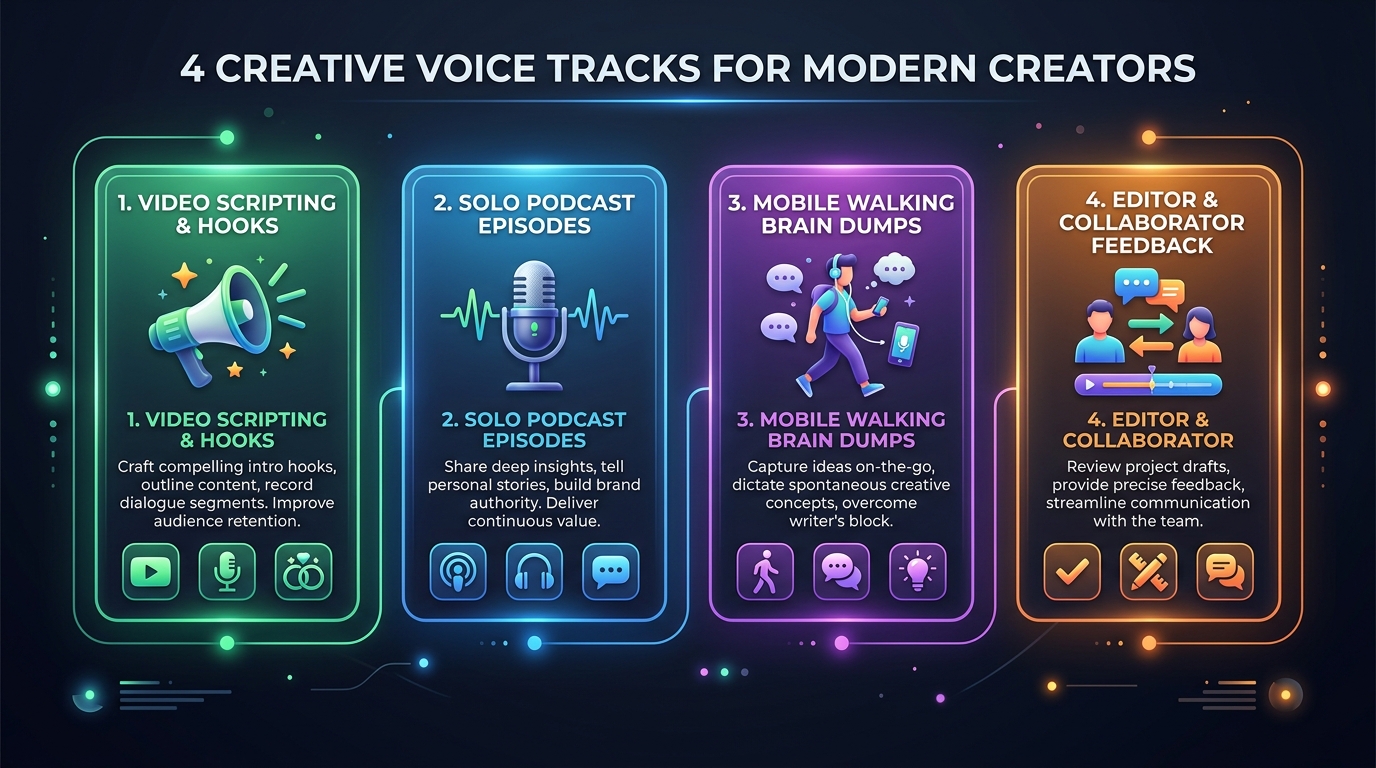
The biggest friction in video creation is the transition from an idea in your head to a written script on screen. Writing in a word processor encourages perfectionism and formal prose that sounds stiff when spoken on camera. As highlighted in Descript's research on modern creator production workflows, spoken script outlining cuts pre-production time by up to 60% compared to traditional keyboard drafting.
With VClar, you speak your video hook and outline aloud. Talk through your examples, story arc, and conclusion exactly as you would to a friend. VClar removes verbal stumbles and outputs an articulate, conversational transcript ready for your teleprompter or Notion storyboard.
Solo podcasting is mentally taxing because there is no co-host to pass the conversation to. Whenever a solo host stumbles on a sentence, they frequently restart the recording, spending 45 minutes to record a 10-minute segment.
VClar allows you to record continuous audio without restarting. Simply pause when you stumble, restate your thought, and keep speaking. VClar isolates and strips verbal repetitions and filler words using our Filler Words Remover, delivering broadcast-ready audio in a single pass.
According to creative workflow research published by Nieman Journalism Lab, creative breakthroughs and compelling journalistic hooks rarely occur while seated statically in front of a keyboard. They occur during walks, commutes, showers, and physical movement.
Capture those lightning-bolt ideas immediately on your mobile browser. Talk through your newsletter thesis, upcoming course curriculum, or tweet thread while walking. VClar fixes sentence structure and grammar, producing clean editorial copy before you even return to your studio desk.
Giving creative direction to a video editor or thumbnail designer over written Slack messages is notorious for misinterpretations. Written notes often come across as cold, harsh, or vague, causing defensive reactions or repeated revision rounds.
Send a 45-second VClar voice note instead. Your editor hears your genuine vocal appreciation, warmth, and exact visual nuances ("tighten the B-roll at 02:14 by two seconds"). VClar strips out conversational rambling, giving your collaborator articulate creative direction they can execute immediately.
A 6-step method engineered for modern YouTubers, podcasters, and digital writers to turn unfiltered vocal thoughts into production-ready assets.
Start your voice memo with the viewer's core payoff. State the primary transformation, curiosity gap, or controversial insight before discussing anything else.
"In this video, I'm breaking down why 90% of creators quit within 6 months and the 3 systems that keep top channels producing..."
Let your thoughts flow without self-censoring. Speak through supporting examples, anecdotes, and technical details without stopping to fix grammar or syntax stumbles.
Tap Enhance. VClar's acoustic engine cuts hesitations (um, uh, like), cleans verbal restarts, and fixes spoken syntax without touching your authentic vocal tone.
Conclude your audio with an unambiguous conclusion: the primary call-to-action for the audience or the exact action item required from your video editor.
Review the generated companion transcript. Because VClar cleans spoken grammar using our Spoken Grammar Corrector, the text reads like polished editorial prose rather than raw spoken dialogue.
Deploy your output across your media stack: use the audio for podcast intros, voiceovers, or collaborator Slack notes, and drop the text transcript into Notion, YouTube descriptions, or Substack newsletters.
Record these proven 45-to-60 second scripts directly into VClar to test video hooks, editor directions, and newsletter concept brain dumps.
Creative Goal: Hook the viewer within 10 seconds, state the primary question or stakes, and tease the final unexpected payoff to maximize viewer retention and average percentage viewed (APV).
// Verbatim Audio Script to Record into VClar:
"Most creators assume that growing on YouTube requires a ten-thousand-dollar studio setup and daily uploads. But last month, we tested a completely contrarian posting schedule on a brand new channel with zero subscribers—and the results completely shocked our entire production team. In the next eight minutes, I'm breaking down the exact 3-part retention framework we discovered, the single pacing mistake that kills video watch time before the thirty-second mark, and how you can replicate this setup with nothing more than your smartphone. Let's dive in."
Creative Goal: Celebrate what worked in Draft 1, pinpoint exact visual adjustments with timestamps, and keep editor enthusiasm high for Draft 2.
// Verbatim Audio Script to Record into VClar:
"Hey Daniel, huge shoutout on the first rough cut—the pacing in the first three minutes is insanely punchy, and the sound design around the chapter transitions is spot on. I have just two quick visual tweaks for Draft Two. First, at minute 04:15, where I explain the retention graph, let's punch in on a 1.2x digital zoom to emphasize the metric drop. Second, around the six-minute mark, the background ambient track gets slightly loud over my voiceover, so let's duck the audio down an extra three decibels there. Everything else is ready for color grade. Appreciate your fast turnaround on this!"
Creative Goal: Unload a complex conceptual idea while walking, capturing organic conversational insights that form the basis of a 1,000-word written essay.
// Verbatim Audio Script to Record into VClar:
"Here's the core thesis for Thursday's newsletter: Most creators think the creator economy is about audience size, but in reality, it's about audience intimacy and trust density. When you build with synthetic cloned tools and automated generic content, you might pick up views, but your conversion to paying subscribers or loyal fans drops to zero. Real leverage in 2026 comes from personal, unmediated human voice—the subtle pauses, the raw conviction, and the genuine point of view. Let's structure the essay around three shifts: audience size vs. affinity, synthetic noise vs. human signal, and how small creator businesses out-earn generic media farms."
According to media research from Think with Google and YouTube Creator Insights, audience drop-off spikes significantly during the first 30 seconds of a video if the vocal delivery feels synthetic, disengaged, or robotic.
Human listeners subconsciously evaluate micro-cues in spoken audio: the warmth in a creator’s vocal resonance, subtle micro-pitch variations, and authentic emotional enthusiasm. Cloned AI text-to-speech engines—no matter how advanced—fail to replicate these organic acoustic dynamics, leading to listener alienation and reduced watch time.
However, raw unedited human audio often includes vocal flaws that hurt listener focus: repetitive filler words, mid-sentence stuttering, and meandering thoughts. VClar provides the ideal equilibrium: it eliminates conversational noise while strictly retaining your natural vocal personality.
Avoid these common spoken communication habits that derail audience retention and multiply your editing hours.
Stopping and restarting the recording whenever you stumble on a word ruins conversational flow and drains creative energy before the video even starts.
Using synthetic text-to-speech to save time results in cold, robotic delivery that alienates viewers and prevents personal brand loyalty.
Typing scripts creates formal, literary sentences with overly complex syntax that sound robotic and unnatural when read on camera or into a podcast microphone.
Typing brief feedback notes in Slack like "This cut doesn't work, redo the intro" lacks nuance, triggers defensiveness, and creates friction with editors.
Waiting until you sit at your computer to brainstorm leads to creative block. Spontaneous ideas during walks or workouts are quickly forgotten if not recorded.
Global Media Growth
VClar supports transcription, spoken grammar correction, and voice-to-voice translation across 10 major global languages: English, French, Japanese, Korean, German, Russian, Portuguese, Spanish, Italian, and Chinese (90 directional pairs).
Looking to scale your media brand into Latin America, Japan, or Europe? Record your video hook or podcast intro in English and let VClar deliver fluent audio in Spanish, Japanese, or Portuguese—keeping your authentic vocal enthusiasm intact.
Explore all 90 supported language pairsHindi
Voice AI supported
English
Voice AI supported
French
Voice AI supported
Japanese
Voice AI supported
Korean
Voice AI supported
German
Voice AI supported
Russian
Voice AI supported
Portuguese
Voice AI supported
Spanish
Voice AI supported
Italian
Voice AI supported
Chinese
Voice AI supported
Browse all 11 supported languages · 110 translation directions
Creator voice memo enhancement is just one part of VClar's productivity ecosystem. Explore our specialized audio enhancement tools or review plan quotas on VClar pricing.
Practical answers for YouTubers, podcasters, writers, and solo creators streamlining their voice workflows.
No. VClar is fundamentally engineered to preserve 100% of your genuine vocal tone, unique timbre, emotional energy, and personal accent. Unlike synthetic text-to-speech tools or robotic AI voice clones that sound sterile and impersonal, VClar enhances your actual acoustic recording by excising verbal stumbles and smoothing cadence while keeping you completely authentic.
Most creators speak at 150 words per minute but type at only 40 words per minute. By recording spoken stream-of-consciousness video outlines into VClar, creators produce a complete 1,500-word video draft in 10 minutes. VClar cuts filler words and outputs both articulate audio and a clean transcript ready to drop into a teleprompter or Notion document.
Yes. Creative feedback is notoriously difficult over written Slack messages because text frequently sounds harsh, blunt, or ambiguous. A 45-second VClar voice note conveys your warm, encouraging tone while eliminating awkward hesitations, giving your editor crystal-clear creative direction with an accompanying verbatim transcript.
Solo podcast recording often triggers perfectionism: podcasters stop and re-record an intro 15 times whenever they stumble over a syllable. With VClar, you record straight through without stopping. VClar seamlessly cuts filler words and verbal resets, delivering broadcast-ready solo monologues in a single take.
Yes. Creative breakthroughs almost always happen away from your desk—on walks, in transit, or between studio shoots. VClar runs directly in mobile Safari on iOS and Chrome on Android with zero app download required. Record on the go, tap enhance, and review clean audio and transcripts instantly.
Yes. VClar supports voice translation across 10 global languages: English, Spanish, French, German, Japanese, Korean, Portuguese, Italian, Russian, and Chinese (90 directional pairs). You can speak in English and generate fluent spoken audio and text in Spanish or Japanese to engage global fans while maintaining your vocal style.
Yes. Every new account receives 2 lifetime minutes at $0 with no credit card required. You can record a test video hook, podcast intro, or editor feedback note right now to experience the speed boost firsthand.
Record ideas at 150 words per minute. Cut filler words, polish grammar, and protect your authentic voice across every episode, hook, and creative draft.
No credit card required. Starter tier includes 2 lifetime minutes. Instant export in MP3, WAV, and text.
