
When students struggle through online lessons, it is rarely because the subject matter is too difficult—it is because poor audio conditions, verbal fillers (“um, uh, like”), and broken sentence structures exhaust their attention. VClar acts as your automated instructional sound engineer: teach naturally in a single take, let AI eliminate distractions and tighten syntax, and deliver crystal-clear lectures in your authentic teaching voice.
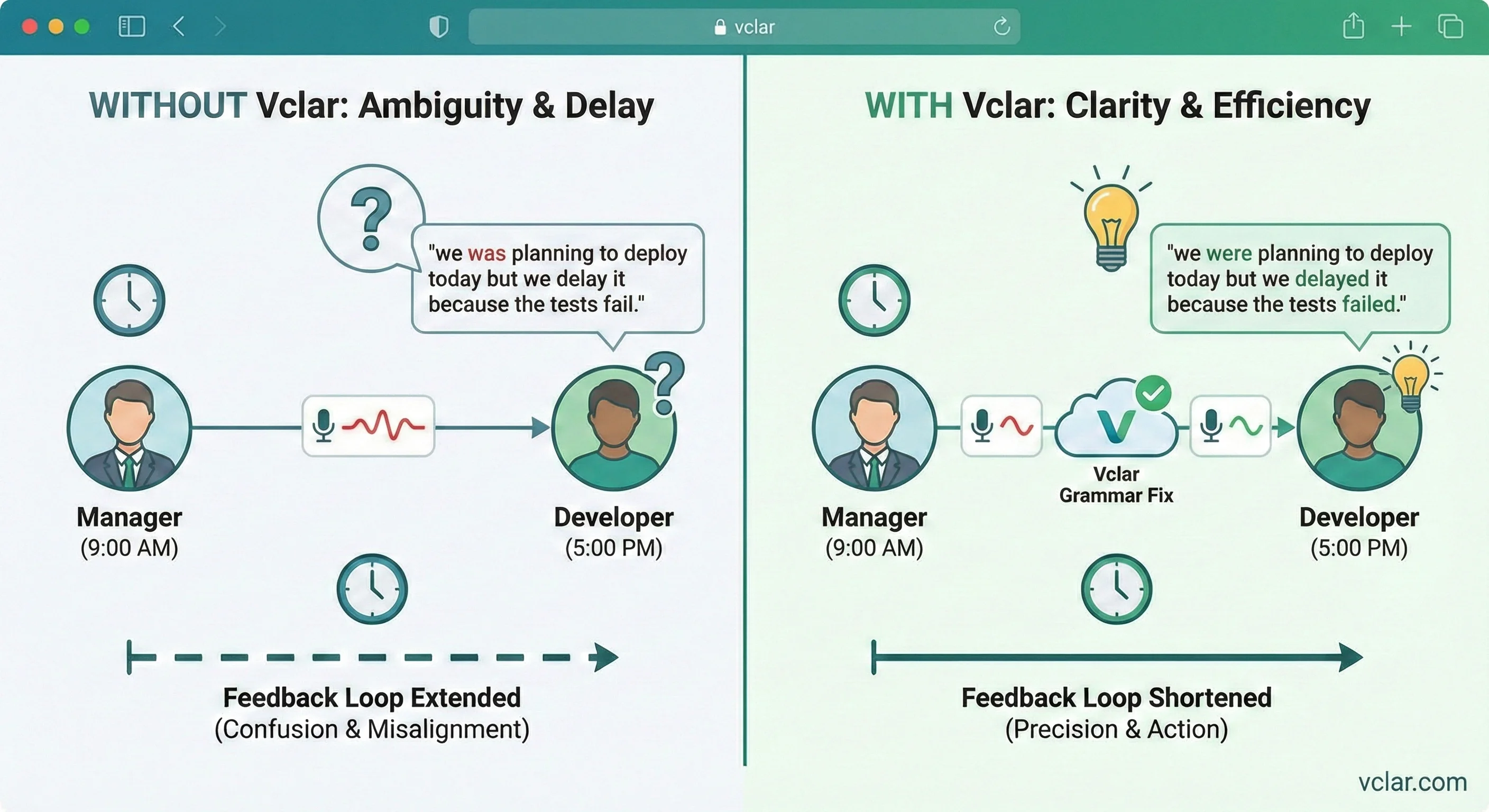
According to Cognitive Load Theory (Sweller) and Richard Mayer’s Cognitive Theory of Multimedia Learning, human working memory has strictly limited processing capacity. When a lesson recording contains verbal clutter (repeated “um”s, “er”s, false starts) or acoustic flaws (room echo, HVAC hum, uneven volume), students suffer from heavy extraneous cognitive load. Their brains must burn significant mental energy filtering out acoustic and linguistic noise rather than encoding the core instructional concept into long-term memory.
VClar solves the cognitive load bottleneck at the source. By surgically removing verbal hesitation sounds, repairing conversational syntax slips, and balancing pacing while preserving 100% of the instructor’s authentic vocal identity, VClar eliminates extraneous auditory friction. Students experience uninterrupted explanatory flow, report higher engagement, score higher on comprehension assessments, and finish online courses at significantly higher rates.
Online education suffers from an industry-wide crisis: average completion rates for asynchronous digital courses hover between 5% and 15%. Research reveals that poor audio delivery is the single largest contributor to student disengagement.
When an instructor hesitates, repeats crutch words (“like, basically, you know”), or speaks with uneven cadence, the student’s auditory cortex must constantly re-parse the sentence structure. After just 12 to 15 minutes of video lectures, cognitive fatigue sets in, causing students to pause, close the tab, and never return.
Creating curriculum is creatively demanding. When instructors stumble over a technical definition in minute seven of an eight-minute lesson, they either restart the entire recording or spend hours manually slicing waveforms inside complex digital audio workstations like Audacity or Premiere.
Attempting to solve the recording headache with robotic AI voice actors or synthetic avatars backfires catastrophically. Students demand genuine human connection, mentorship, and vocal passion. Synthetic voices sound sterile and uncanny, destroying learner trust and emotional engagement.
“Effective educational video design requires minimizing extraneous cognitive load while maximizing germane processing. Clear, conversational audio without extraneous speech artifacts significantly enhances conceptual transfer.”
How does VClar’s neural speech enhancer compare against manual digital audio workstations (DAWs), robotic text-to-speech clones, and unedited raw lecture recordings?
| Production Method | Time per 10-Min Lesson | Filler & Grammar Polish | Instructor Authenticity | Technical Complexity | Student Engagement |
|---|---|---|---|---|---|
| Manual DAW Editing (Audacity/Audition) | 45–60 mins editing | Manual razor cuts; cannot fix syntax | 100% natural voice | Very High (spectral editing) | High (if edited well) |
| Robotic Synthetic AI Voices | 15–20 mins scripting | Generated from text script | 0% authentic (sterile avatar) | Medium (script generation) | Very Low (uncanny, boring) |
| Unedited Raw Recordings | 10 mins (zero editing) | 0% polish (fillers, stumbles intact) | 100% authentic | Zero complexity | Low (causes mental fatigue) |
| VClar Pedagogical Speech Enhancer | 10 mins record + 30s AI polish | Automatic filler cut + grammar polish | 100% authentic instructor voice | Zero (one-click browser workflow) | Maximum (authoritative & warm) |
To maximize conceptual retention and eliminate extraneous cognitive load, follow this 5-stage audio optimization workflow designed specifically for course creators, bootcamps, and faculty.
Automatically excise crutch words (“um, uh, like, you know”), repetitive throat clears, and dead-air pauses that pull student attention away from your core explanation.
Repair spontaneous sentence fragments, false starts, and tense drift mid-explanation, transforming freeform spoken lectures into crisp, textbook-grade pedagogical clarity.
Preserve 100% of your genuine vocal timbre, unique accent, and teaching enthusiasm. Never replace yourself with robotic text-to-speech or synthetic avatars.
Smooth out irregular conversational pacing. Tighten runaway run-on sentences while preserving intentional pedagogical pauses after key cognitive definitions.
Deliver polished studio audio paired with synchronized, verbatim text transcripts, ensuring full Universal Design for Learning (UDL) and WCAG 2.1 compliance.
From pre-recorded commercial video courses on Teachable to one-on-one audio grading on Canvas, VClar adapts seamlessly across the instructional spectrum.
Independent course creators selling premium $200–$1,000 video programs live and die by student reviews. When screen recording software tutorials, code walkthroughs, or business case studies, re-recording full 10-minute videos because of minor verbal slips destroys production schedules.
University professors adopting flipped classroom pedagogy pre-record 15-minute concept modules so in-person class time can be devoted to interactive problem solving. Unedited lecture capture recordings with room echo and rambling degrade student preparation.
Grading 60 essays or coding assignments by typing feedback takes 20+ hours and often sounds harsh or transactional. Spoken voice feedback conveys nuance, encouragement, and constructive critique in one-third the time.
Modern learners listen to course materials while walking, commuting, or exercising. Audio-first courses and micro-lessons require exceptional acoustic clarity and tight, engaging delivery to prevent listeners from tuning out.
Examine how VClar transforms real lesson recordings—repairing spoken grammar slips, cutting filler sounds, and elevating instructional authority while preserving genuine teaching persona.
“Uh, okay class. So, um, if you look at line fourteen, like, basically we are writing a list comprehension instead of a for loop. And, er, the reason why you want to do this is because, you know, list comprehension it is not only more concise, but it also run faster in Python because the bytecode is optimized in C level. So, um, actually, you don't need to allocate memory for each iteration like you do in traditional loop.”
Errors Detected: 11 filler sounds (“uh, um, like, basically, er, you know”), repetitive phrasing “the reason why... is because”, subject pronoun redundancy “list comprehension it is”, subject-verb concord “it also run” (runs), missing preposition “in C level” (at the C level).
“On line fourteen, we implement a list comprehension instead of a standard for-loop. List comprehensions are not only more concise, but they also execute faster in Python because their bytecode is optimized at the C level, eliminating individual memory allocations per iteration.”
Result: Crisp technical precision, cut 30 seconds of filler dead air, corrected grammar, and preserved the instructor's natural enthusiastic cadence.
“Um, welcome back everyone. So, today we are going to discuss about terminal value in DCF models. And, uh, what students often get confused is, like, they forget that terminal value represent over sixty or seventy percent of the total enterprise value. So, you know, if your WACC calculation have even a fifty basis point error, your final valuation will, er, basically be completely wrong.”
Errors Detected: Transitive redundancy “discuss about”, pseudo-cleft error “what students get confused is... they forget”, subject-verb agreement “terminal value represent” (represents) and “calculation have” (has), 13 filler words destroying executive gravitas.
“Welcome back, everyone. Today we will examine terminal value within discounted cash flow models. Students often overlook that terminal value accounts for sixty to seventy percent of total enterprise value. Consequently, an error of just fifty basis points in your WACC calculation will significantly distort your final valuation.”
Result: Authoritative academic gravitas, eliminated all 13 hesitations, repaired financial terminology syntax, and preserved the professor’s natural distinguished tone.
“Hi Marcus. Uh, I finished reading your draft on post-war European cinema. Um, overall, your central thesis regarding Italian neorealism is, like, very compelling. But, er, in section three, you kind of jump from Bicycle Thieves to French New Wave without, you know, explaining the transitional influences. So, actually, I recommend that you add one paragraph connecting Rossellini's style to Godard.”
Errors Detected: Informal hedging “kind of jump”, 9 filler sounds, repetitive sentence connectives, loose colloquial phrasing detracting from academic mentorship.
“Hi Marcus, I reviewed your draft on post-war European cinema. Your central thesis regarding Italian neorealism is exceptionally compelling. However, in section three, your transition from Bicycle Thieves to the French New Wave needs more historical scaffolding. I recommend adding a short paragraph connecting Rossellini’s stylistic innovations directly to early Godard.”
Result: Warm, constructive, and intellectually rigorous feedback that leaves the student energized to revise, delivered in half the listening time.
Instructors are educators, not professional audio engineers. Splicing out fifty "ums", forty-two mouth clicks, and room echo in Audacity or Adobe Audition drains the mental energy you need for lesson planning and curriculum development.
Never stop and restart when you fumble a sentence. Simply pause for two seconds, restate the point clearly, and keep going. VClar cuts the fumble and stitches the take into a seamless delivery.
Teaching from a home office or shared campus department? VClar suppresses HVAC hum, PC fan whine, and room reflection without introducing the metallic underwater artifacting of generic noise gates.
Explore our standalone filler words remover technology for processing batch course archives and long-form lecture recordings.
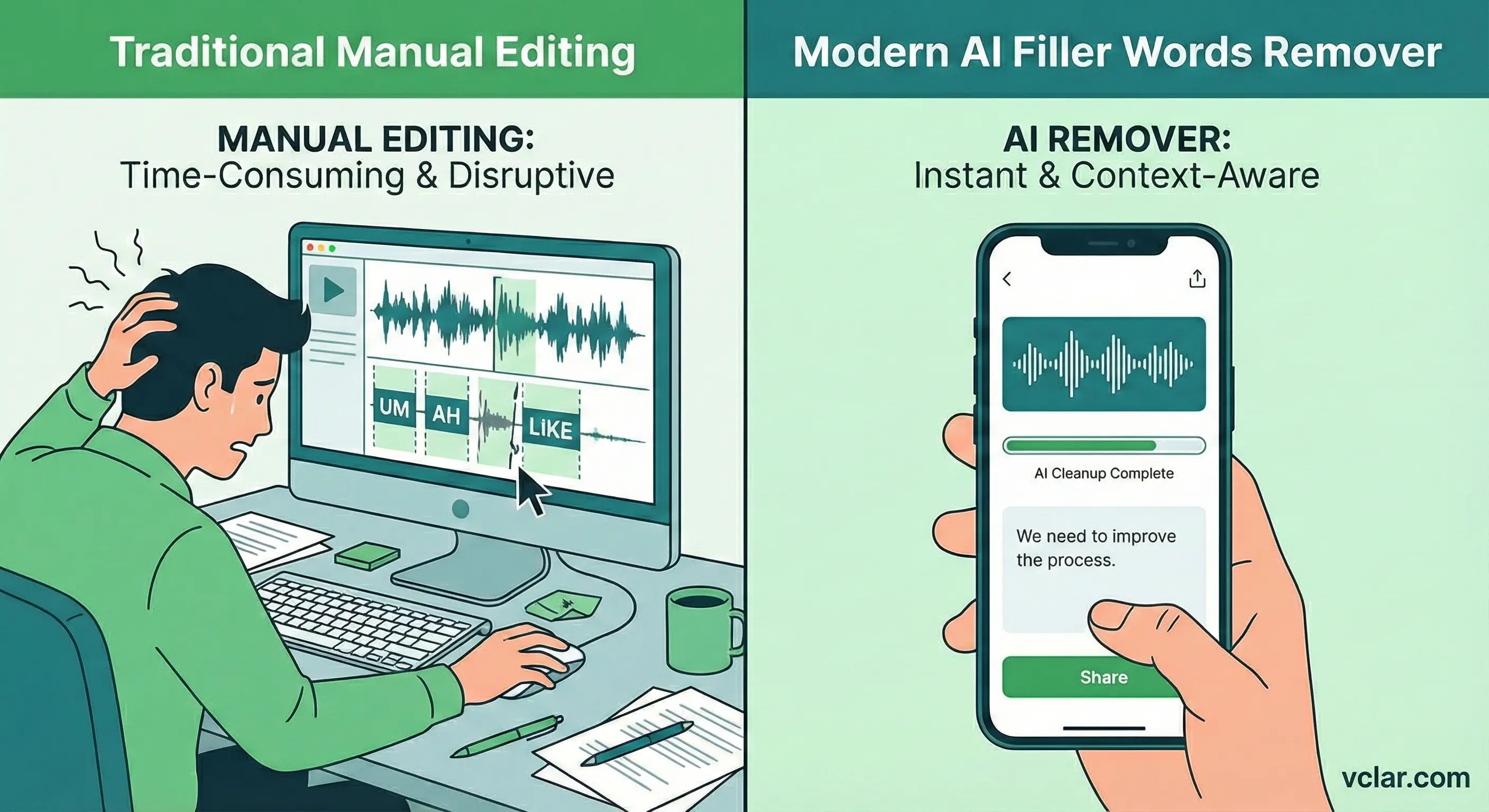
Online students encounter dozens of digital distractions while studying. When instructional audio exhibits any of these five flaws, cognitive friction causes immediate drop-off.
Instructors thinking on their feet default to repetitive filler clusters (“so, um, basically, you know”) every ten seconds. Students begin mentally counting the fillers instead of absorbing the concepts.
Starting a definition, realizing it is unclear, backing up, and restarting mid-sentence forces students to erase what they just took notes on, generating confusion and frustration.
Hard floors, bare walls, and air conditioning hum produce acoustic reverb that masks subtle consonant sounds (like /t/, /d/, /s/), forcing non-native students to strain to understand.
Explaining complex mathematics or coding algorithms consumes working memory. Instructors frequently commit tense shifts and subject-verb mismatches that diminish perceived authority.
Course creators who generate lectures using synthetic text-to-speech AI sound cold and monotone. Students quickly notice the lack of genuine human insight, resulting in 1-star reviews.
VClar eliminates all five distractions simultaneously. Deliver engaging, articulate lesson audio in one take without expensive studio gear or tedious manual editing.
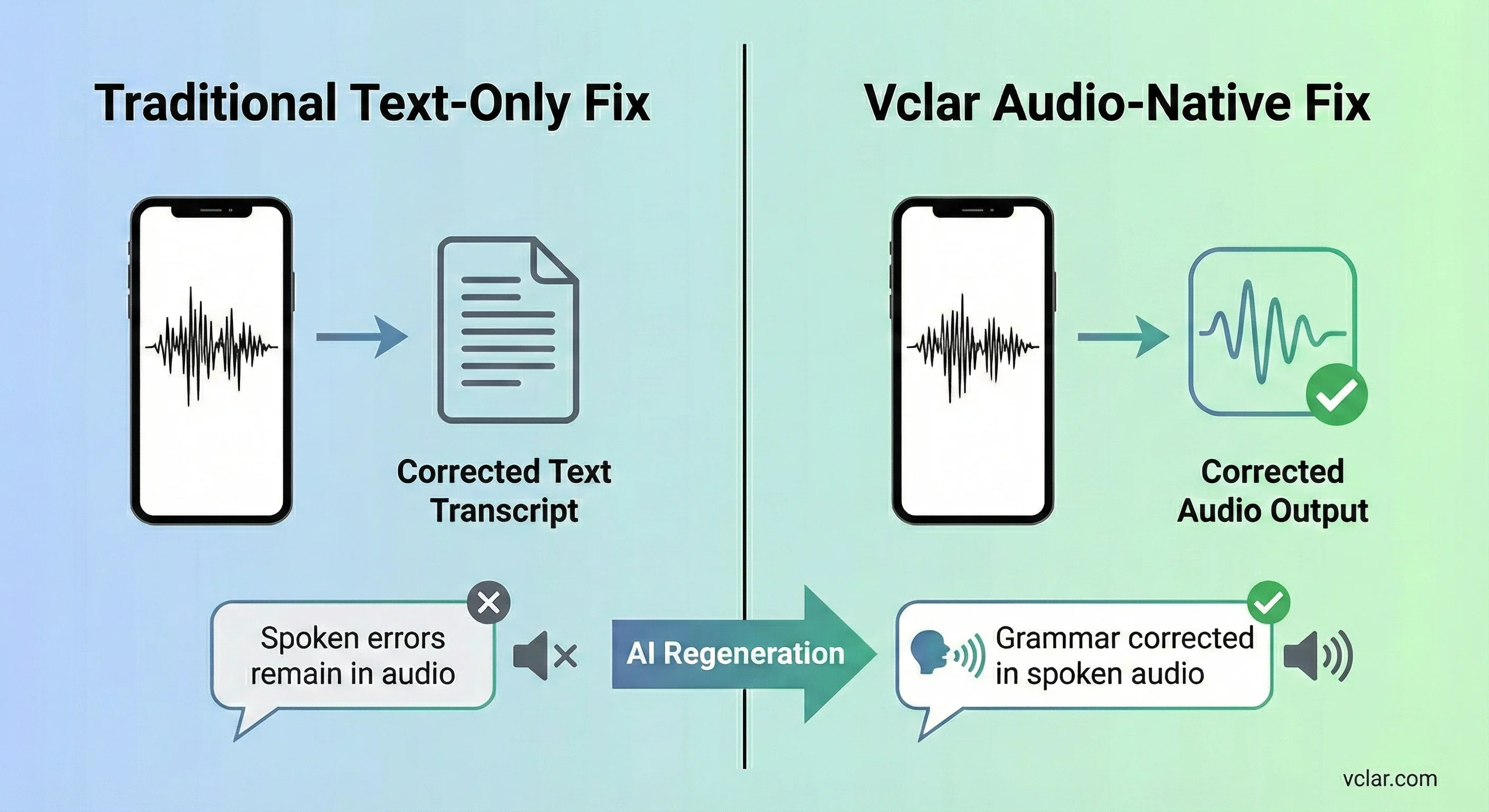
Modern accreditation standards and institutional guidelines require digital curriculum to satisfy Universal Design for Learning (UDL) frameworks. Providing only audio or only text disadvantages significant segments of your student body.
Over 35% of students in global online courses are non-native English speakers. Providing clean, grammatically accurate transcripts allows them to follow complex technical vocabulary alongside the audio track.
Paste the generated transcripts directly into Canvas, Teachable, or Notion course wikis so students can quickly CTRL+F to locate exact lecture definitions during exam revision.
Discover how asynchronous voice notes, automated grammar correction, and filler excision power communication across education, remote teams, founders, and solopreneurs.
Everything you need to know about video lecture audio enhancement, student privacy, LMS integration, and teaching voice preservation.
Cognitive science and educational technology research consistently demonstrate that students will tolerate 720p or 1080p video, but poor audio quality causes rapid cognitive fatigue and course abandonment. Muffled speech, echo, and frequent filler words ('um', 'uh') force the brain to expend extraneous cognitive load deciphering acoustic input rather than processing the lesson's conceptual material.
No. VClar strictly preserves 100% of your genuine vocal identity, pitch, timbre, and teaching persona. It does not replace you with a synthetic robotic text-to-speech actor. Students hear your authentic personality, vocal enthusiasm, and natural cadence—just without the distracting verbal stumbles and hesitation sounds.
Yes. Audio grading is widely recognized as more empathetic and efficient than typing lengthy written critiques. With VClar, instructors can record 45-to-90 second spontaneous feedback notes on student essays, code submissions, or design portfolios in one take. VClar polishes the speech and generates a clean transcript that can be pasted directly into Canvas, Blackboard, Moodle, or Slack.
Non-native professors and international instructors frequently experience fatigue when lecturing in English. VClar automatically rectifies preposition slips, article omissions, and tense shifts while 100% preserving the instructor's natural accent and cultural identity, boosting teaching confidence and student comprehension.
Universal Design for Learning (UDL) emphasizes multiple means of representation. VClar simultaneously produces studio-grade audio and a high-accuracy, grammatically clean text transcript. This ensures compliance with WCAG 2.1 AA accessibility guidelines for hearing-impaired learners and non-native students who rely on written companions.
Yes. VClar supports cross-language voice translation across 10 major global languages: English, Spanish, French, German, Japanese, Korean, Portuguese, Italian, Russian, and Chinese (Mandarin), enabling course creators to localize curriculum across 90 directional language pairs.
Yes. Every registered user receives 2 lifetime minutes at $0 with zero credit card required. Instructors can record a test lesson explanation or student feedback memo right now and experience the one-take audio polish firsthand.
Eliminate verbal fillers, polish lecture syntax, and deliver engaging courses in a single take—with your authentic teaching voice and human rapport intact.
No credit card required. Starter tier includes 2 lifetime minutes. Instant export in MP3, WAV, and text.
