Fix grammar in audio without re-recording. Check grammar in voice recordings instantly while preserving your natural tone.
Cancel anytime
Click the button below to start recording your voice
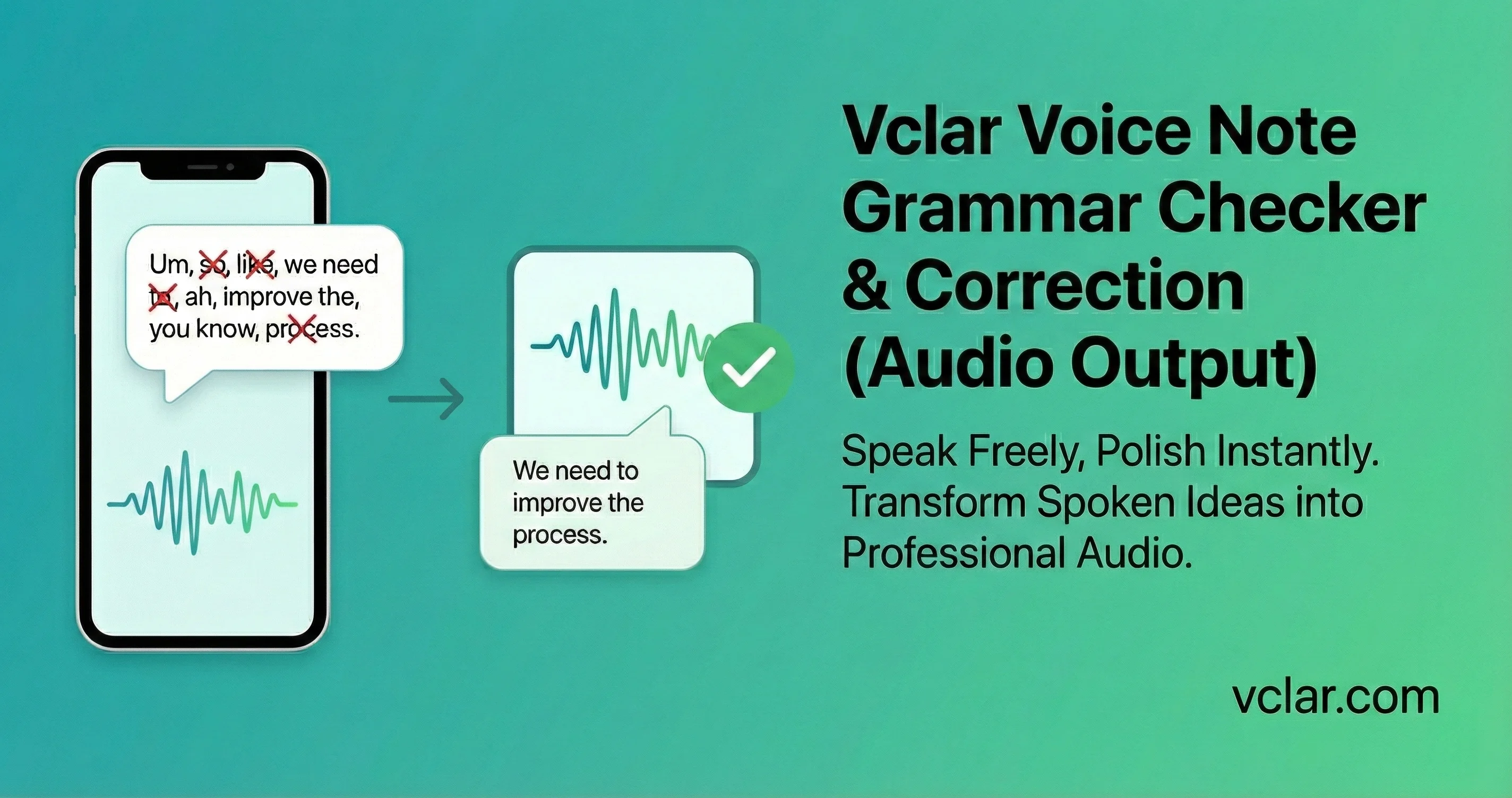
Spoken language naturally contains imperfections. That is part of conversation. However, in professional settings, certain grammatical patterns can signal hesitation or lack of preparation. Many spoken mistakes, especially related to subject-verb agreement, happen when people think faster than they structure sentences. Repeated tense inconsistencies, incorrect subject-verb agreement, or incomplete sentence structures can affect how the message is received.
Frequent pauses and repetition are known forms of speech disfluency that increase listener cognitive load. Communication research has consistently shown that listeners use subtle cues to evaluate authority. Speech disfluency, even when minor, can influence perceptions of competence. A voice message that contains structural grammar errors may still convey useful information, but the listener must work harder to interpret it.
This increased cognitive load matters. When recipients review business updates or technical explanations, clarity supports comprehension. Grammar errors interrupt that flow. They introduce small moments of confusion that accumulate across a message. That is where Fix grammar in voice message becomes more than a convenience.
What You Said
The team are working on the update and we was hoping to ship it by Friday but the client change the spec so now I thinks we need more time.
Improved Wording
The team is working on the update and we were hoping to ship it by Friday but the client changed the spec so now I think we need more time.
Record directly in the browser or upload an existing audio file. Works with common formats like MP3, WAV, and M4A.
Use Fix grammar in voice message to fix grammar in voice message recordings while keeping your tone. For deeper context, see how context-aware language models support modern writing quality.
Listen before and after. Keep what you like, then download or share the improved version with confidence.
We correct structure and clarity in your voice messages while keeping your natural tone and rhythm intact.
Speech isn’t the same as writing. We’re built for how people actually talk, with mid-sentence restarts, informal phrasing, and all, so corrections feel natural, not stiff.
We fix grammar without flattening your delivery. Pauses, emphasis, and pacing stay true to you, so you sound like yourself, just clearer.
One common concern with AI speech tools is identity shift. VClar keeps your tone, rhythm, and presence intact while delivering a clearer, more confident version of your message.
Fix grammar in voice messages and voice messages for any role. Whether you are a founder, sales leader, remote worker, educator, or part of an async team, Fix grammar in voice message helps you sound clear and confident without re-recording. Built for everyone who communicates by voice daily.
Investor updates and team briefings with precise grammar that signals preparation.
Avg 4 fixes per noteSpontaneous follow-up voice messages that sound polished and authoritative.
Avg 5 fixes per noteAsynchronous instructions across time zones with clear grammar that prevents misalignment.
Avg 3 fixes per noteClient updates and onboarding voice messages that reflect grammatical precision.
Avg 4 fixes per noteBoard updates and stakeholder communications that command attention with clear structure.
Avg 3 fixes per noteFeedback voice messages that sound clear and grammatically precise without over-editing.
Avg 3 fixes per noteStand-ups and spec voice messages with consistent tense and agreement for actionable clarity.
Avg 4 fixes per noteLesson feedback and instructional voice messages with authoritative, clean grammar.
Avg 3 fixes per noteEnhance speech in lessons, course videos, and lecture recordings so students can focus on the explanation instead of the recording conditions.
Avg 4 fixes per noteClean audition tapes, client reads, and narration recordings so listeners focus on the performance instead of filler words and rough delivery.
Avg 4 fixes per noteCandidate outreach and debrief voice messages that feel polished and grammatically sharp.
Avg 4 fixes per noteCheck-in and escalation voice messages that build trust and clarity with grammatically clear messaging.
Avg 3 fixes per noteQuick voice briefs and collaboration notes with correct grammar that stay on message and on brand.
Avg 4 fixes per noteClient updates, status voice messages, and async check-ins that sound professional and grammatically clear from anywhere.
Avg 3 fixes per noteSpoken practice notes with automated syntax repair and dual transcripts. Explore voice notes for language learners.
Avg 5 fixes per noteSpeak naturally and polish grammar while keeping your authentic accent. Discover voice notes for non-native speakers.
Avg 4 fixes per noteKeep your tone, get a clearer message, and preview the improved version in one tap.
| Text Grammar Tool | Audio Enhancer | VClar | |
|---|---|---|---|
| Fix grammar in voice message | Words on a page | Not the focus | Voice-first |
| Spoken context | Written rules | Not the focus | Voice-first |
| One-tap preview | Manual edits | No preview | Instant before/after |
| Audio output | Text only | Noise cleaned | Improved voice message audio |
| Remove filler words from audio | No | Sometimes | Included |
Quantifying improvement helps users evaluate value. Cleaner wording, smoother flow, and time saved are all measurable outcomes.
Grammar errors reduced
Sentence coherence gain
Saved per voice message
Most tools ranking for fix grammar in voice message queries operate primarily as text editors. They show a written version of what you said and polish it. While that can improve readability, it often stops short of improving how the message sounds when someone presses play.
There is a meaningful distinction between correcting grammar on a page and correcting grammar in audio. When users search for fix grammar in audio or fix grammar in voice message, they are looking for a solution that impacts how their message sounds when someone presses play.
Fix grammar in voice message closes that gap. It refines your wording for clarity and confidence, then delivers an improved voice message ready to send.
This difference matters in real-world moments. A founder leaving a board update from the car does not have time to rewrite messages. A sales leader following up after a meeting needs to respond quickly. The ability to check grammar in voice recording and instantly produce an improved audio version preserves speed without sacrificing clarity.
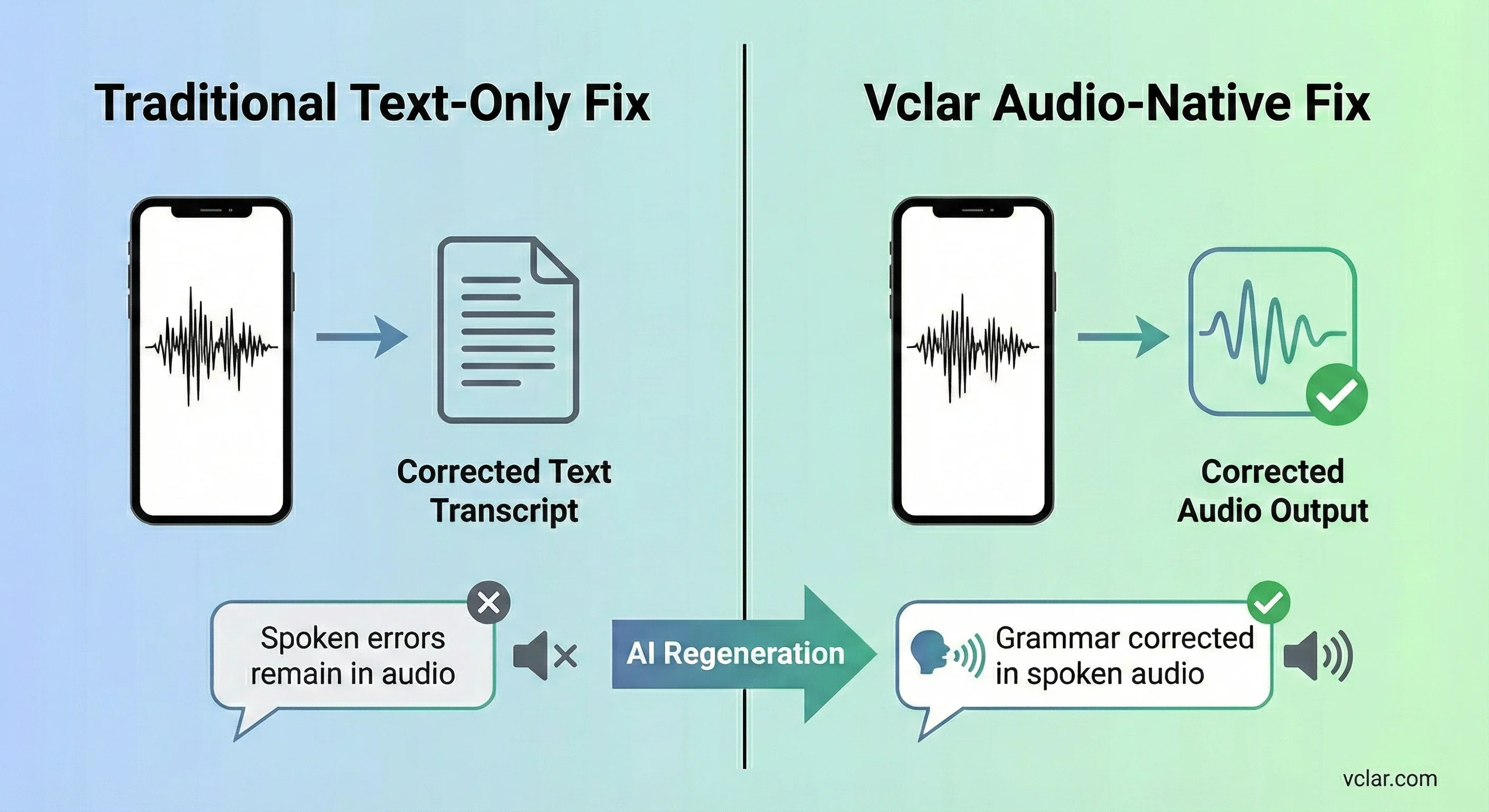
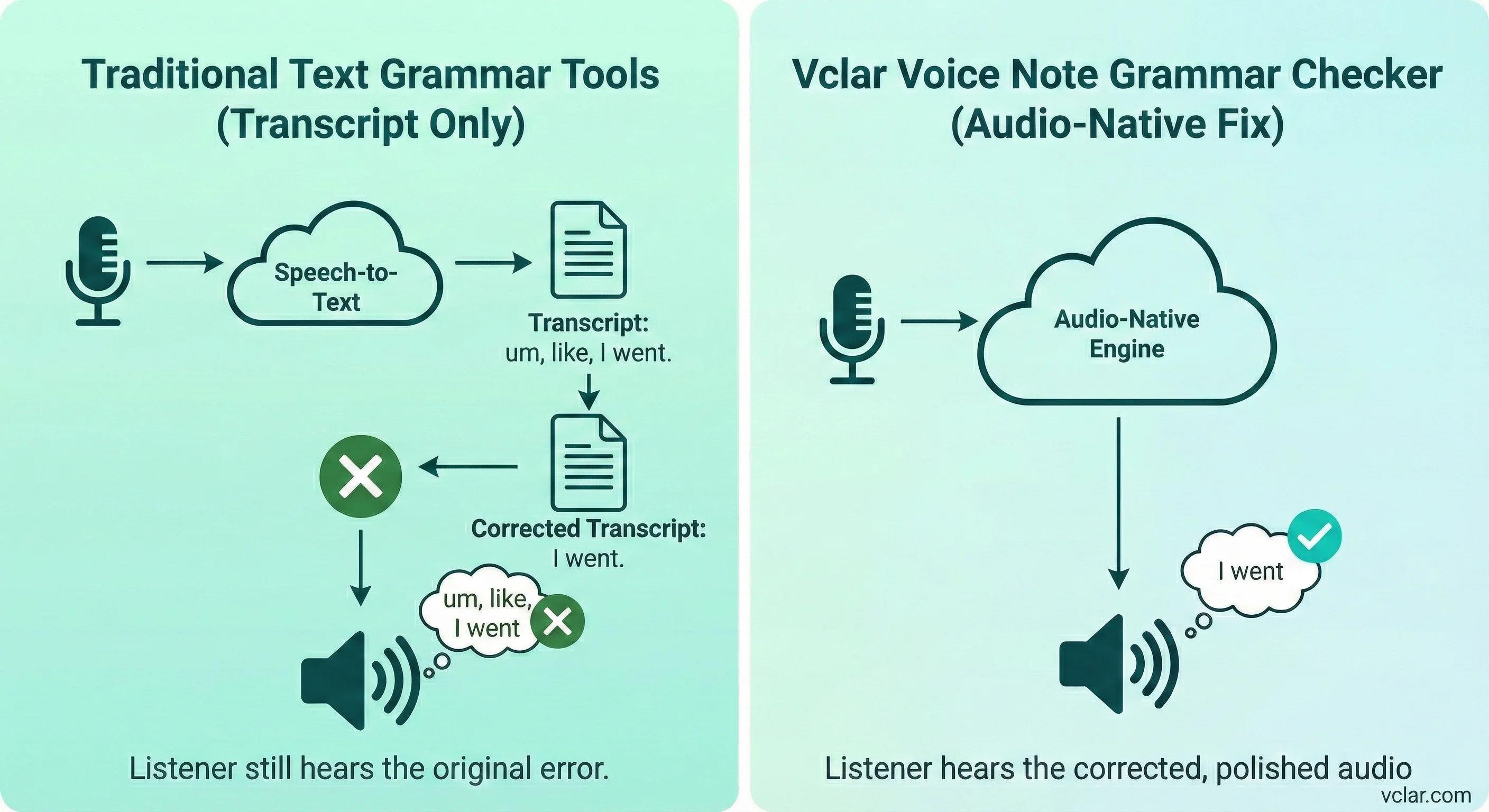
Text grammar platforms are optimized for typed communication. They evaluate sentence structure, punctuation, and style in a written context. However, spoken communication carries different characteristics. Speech often contains incomplete thoughts that resolve in the next clause.
Another limitation is the disconnect between writing cleanup and delivery. If a user cleans up wording on a page but does not re-record, the listener still hears the original version. The writing is cleaner, yet the audio remains unchanged. For voice-first communication, that defeats the purpose.
It improves what you said and delivers an updated voice message you can send immediately.
One of the strongest patterns across top ranking results for fix grammar in voice message queries is an emphasis on correction accuracy. Accuracy is important, but it is only part of the equation. Authenticity carries equal weight in spoken communication.
When users attempt to fix grammar in audio, they are often concerned about sounding overly edited or artificial. Spoken language contains rhythm, subtle pauses, and tonal variation that signal personality. If correction flattens those characteristics, the message may technically be cleaner yet emotionally weaker.
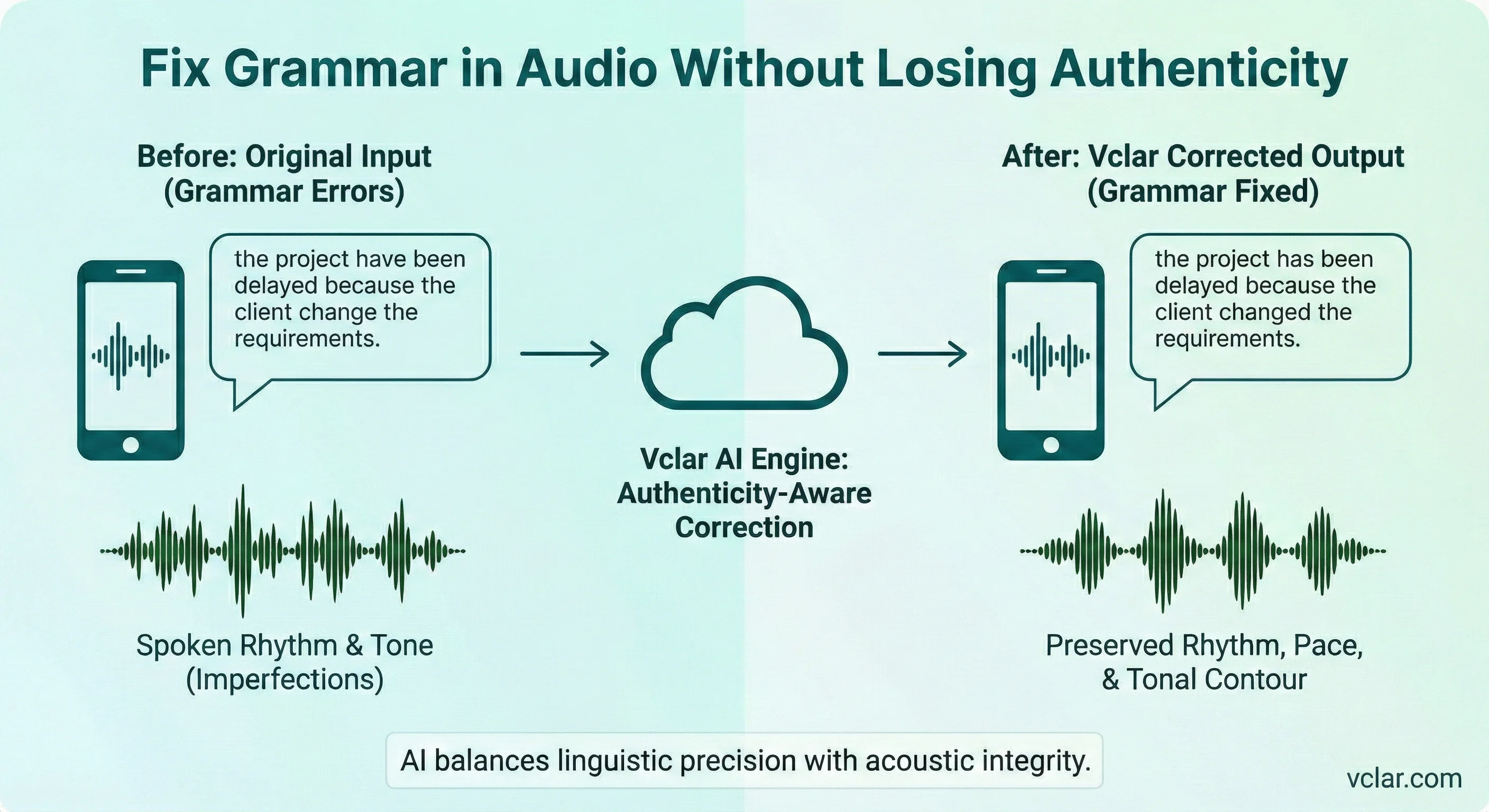
It keeps your rhythm and tone so you sound like you, just clearer.
For example, a speaker might say, "the project have been delayed because the client change the requirements." The improved version sounds clearer and more confident, without losing the speaker’s natural tone.
Fast voice messages often include small patterns that make a message feel less confident: tense drift, agreement mix-ups, and mid-sentence restarts. In casual conversation that’s normal, in professional updates it can cost clarity.
VClar helps you fix grammar in audio while keeping the message yours. You get cleaner wording and smoother delivery without sounding over-edited.
Use the before/after preview to see what you said vs the improved version, then send the updated voice message immediately.
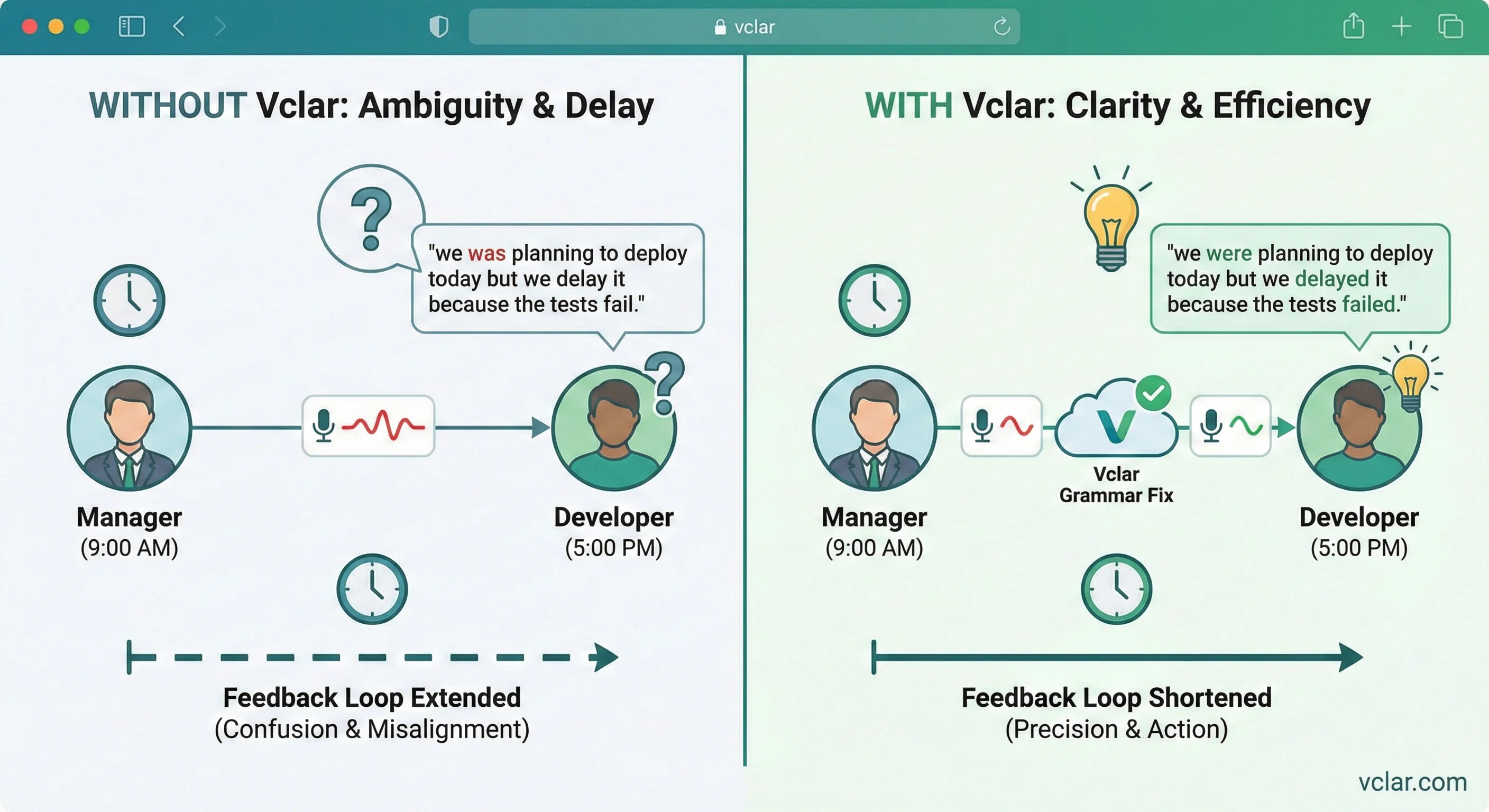
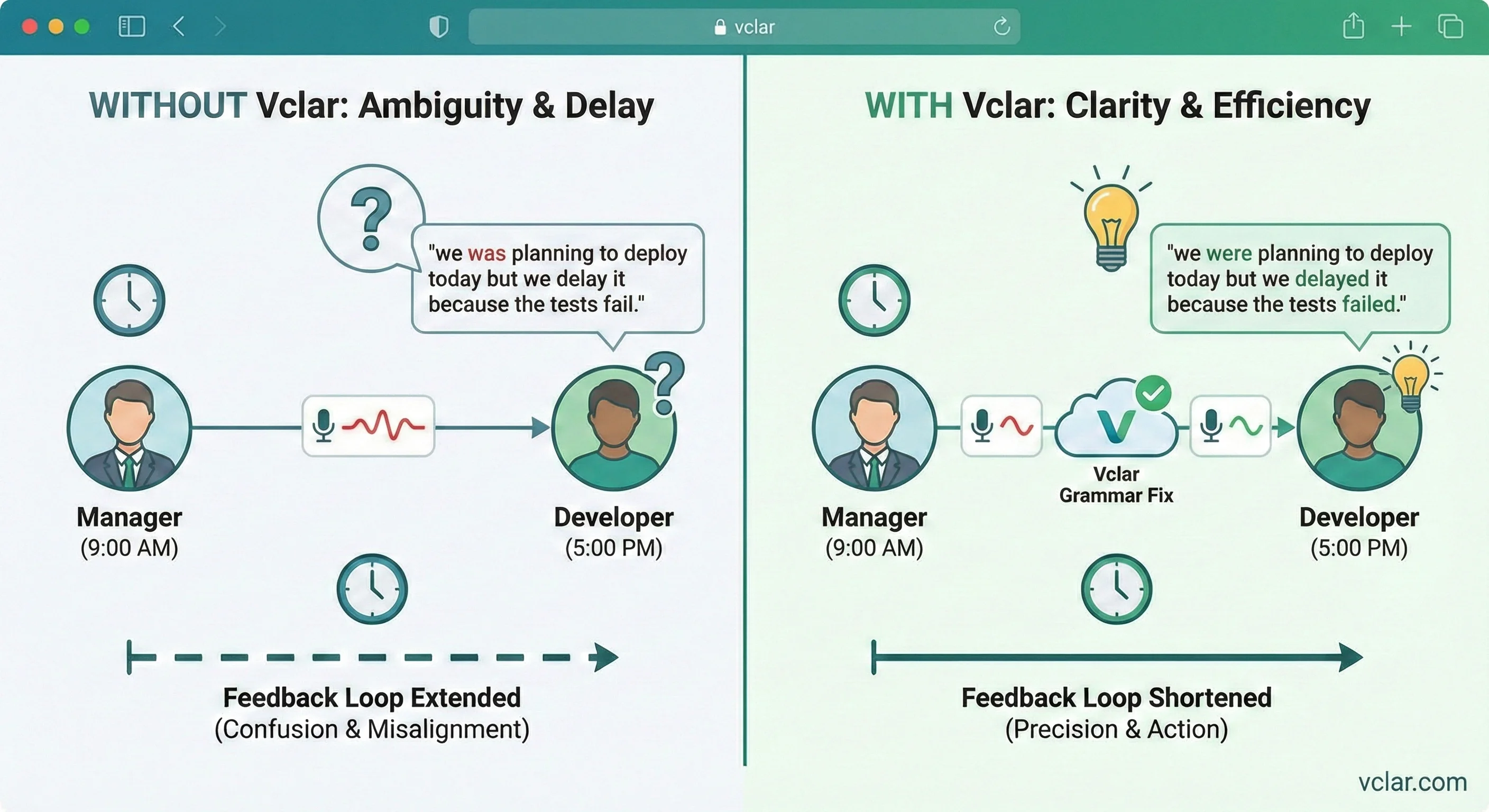
Asynchronous communication removes the safety net of immediate clarification. When a voice message contains ambiguous phrasing or incorrect tense, the listener cannot interrupt to ask for explanation. They interpret what they hear and respond later. Any confusion extends the feedback loop.
For remote teams managing product releases, deadlines, or technical requirements, precision in language prevents misalignment. A clearer voice message reduces interpretation risk. It ensures that actions are understood as intended.
Consider a scenario where a manager records an update saying "we was planning to deploy today but we delay it because the tests fail." A refined version communicates clearly that deployment has been delayed because tests failed. The difference seems small but becomes significant when repeated across dozens of interactions.
Fixing grammar in audio strengthens asynchronous clarity without requiring additional meetings. That efficiency compounds across distributed teams.
Audio data often contains sensitive information. Business updates may include financial projections, client details, or internal strategy. Fix grammar in voice message must handle recordings securely and treat data responsibly.
Modern web-based tools typically encrypt uploads during transmission and restrict access to saved files. Clear retention terms build trust. Users evaluating fix grammar in voice message solutions often consider not only accuracy but also confidentiality.
By communicating transparent privacy practices, a platform strengthens credibility. Documentation should clarify what is stored, for how long, and how users can delete content.
Grammar correction and filler word removal address complementary aspects of clarity. Grammar correction improves structural accuracy. Filler word removal reduces verbal clutter. Together they produce concise, coherent speech.
Many people who use Fix grammar in voice message also need to remove filler words from voice messages. Structure and flow work together: the sentence can be correct, but the delivery may still feel cluttered.
For instance, a voice message may contain both tense inconsistencies and repeated filler transitions such as "you know" or "basically." Correcting grammar alone leaves residual clutter. Removing fillers without addressing agreement errors leaves structural weakness. Combining both yields a sharper result.
Beyond grammar and filler words lies overall enhancement. A voice message enhancer can make your recordings sound clearer and more polished, while keeping your tone and delivery natural.
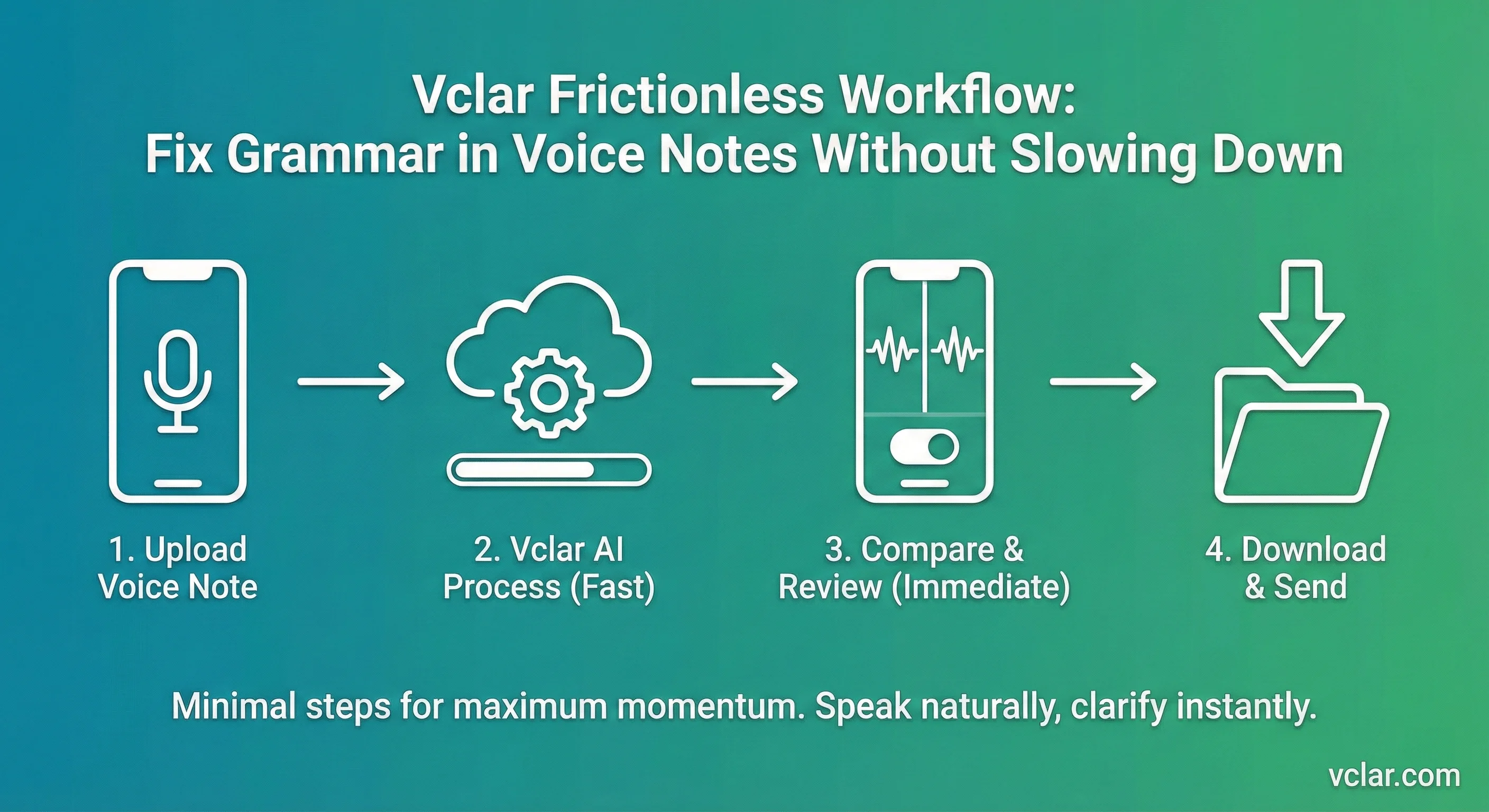
Speed is central to voice communication. People choose voice messages because typing feels slower. Any grammar correction flow that adds friction undermines the reason voice is used in the first place.
An effective interface keeps the steps minimal. Upload. Enhance. Compare. Download. Each step should feel intuitive. Progress indicators reassure users that work is underway. Playback toggles make evaluation immediate.
Fix grammar in voice message supports spontaneous communication. Users can speak naturally, preview cleaner wording, and send the improved voice message in seconds.
This approach aligns with the expectations of modern professionals. They do not want to become editors. They want to communicate clearly without sacrificing momentum.
In professional environments, communication quality influences outcomes. Clear updates reduce misalignment. Precise sales explanations build trust. Structured voice messages convey preparation and authority.
Grammar correction within audio supports this clarity. It removes structural inconsistencies that might otherwise distract listeners. The message remains authentic. The delivery becomes sharper.
For teams operating across time zones, asynchronous voice updates often replace meetings. In that context, the recording must stand on its own. There is no immediate opportunity to clarify confusion. Grammar accuracy enhances that independence.
As voice communication continues to expand, tools that operate directly within audio rather than only on text transcripts are likely to define the next phase of productivity software.
Supported languages
VClar supports transcription and grammar workflows for English, French, Japanese, Korean, German, Russian, Portuguese, Spanish, Italian, and Chinese if your team sends voice messages across regions.
Grammar correction is most useful when it respects how people naturally speak. VClar helps improve sentence structure, clarity, and flow while keeping the recording human, so corrections feel polished instead of robotic.
Hindi
Voice AI supported
English
Voice AI supported
French
Voice AI supported
Japanese
Voice AI supported
Korean
Voice AI supported
German
Voice AI supported
Russian
Voice AI supported
Portuguese
Voice AI supported
Spanish
Voice AI supported
Italian
Voice AI supported
Chinese
Voice AI supported
Browse all 11 supported languages · 110 translation directions
Fix grammar in voice message is not the whole story. Explore how grammar correction, filler word removal, and audio enhancement work together, or compare plan limits on VClar pricing.
Upload a recording, preview the improved version, and send it with confidence. Fix grammar in voice message is not about perfection. It is about clarity in real-world communication.
Fix My Voice Message Now