
You've re-recorded the same 45-second voice note four times, and it's still not right. Founders, sales reps, and consultants routinely lose 15 minutes to this loop, time that erases the entire speed advantage of sending audio instead of typing. A voice note cleanup checklist before sending fixes this by turning one rough take into a message you'd actually stand behind.
You're right to care: messy audio kills credibility faster than a typo in an email. The good news is you don't need a studio or a second take. This checklist walks you through five checks, content, fillers, pacing, tone, and acoustics, each taking under 30 seconds with the right tool.
Here's the roadmap: a quick-reference version of all five checks, then a deep dive into each one. Stick around for the fifth check, it's the one most people skip, and it's exactly where VClar's audio cleanup capability earns its keep.
The 5-Point Voice Note Checklist (Quick Reference)
Run these five checks in order, content first, acoustics last, before you hit send. Each takes under 30 seconds with the right tool, and together they eliminate the re-recording loop entirely.
- Does the message get to the point? Listen for false starts, circular phrasing, and "basically" loops that delay your core point. If the message is under 30 seconds and clean, send it as-is, don't over-polish a note that already works.
- Are filler words cluttering the message? Scan for ums, ahs, "like," "you know," and repeated false starts that dilute authority. Remove them from the audio timeline so the message sounds decisive, not hesitant.
- Is the pacing natural and consistent? Check for awkward pauses, rushed segments, or trailing-off endings that make listeners replay the note. Adjust pacing so the message flows at conversational speed without dead air.
- Does the tone match your intent? Confirm the message sounds like you, same cadence, accent, and energy, not like a scripted robot or an accidental apology. Authentic tone builds trust; flat delivery erodes it.
- Is the audio free of acoustic distractions? Listen for background noise, echo, mouth clicks, and volume spikes that pull attention away from your words. Clean acoustics are the final pass most people skip, and the one listeners notice first.
This checklist works as a standalone pass/fail framework: if a check fails, fix that single issue and move on. You don't need to re-record the whole message when only one element is off. Tools like VClar handle checks two through five automatically, leaving you to focus on whether the content itself lands.
Check 1. Does the Message Get to the Point?
This check confirms your voice note delivers its core point without rambling detours. You'll need your recorded message and about 30 seconds of focused listening.
- Play back the message once at normal speed. Don't pause or rewind, listen the way your recipient will. You should hear your main point emerge within the first 10-15 seconds.
- Listen for three specific rambling patterns. False starts (beginning a sentence, abandoning it, starting again), circular phrasing (saying the same idea twice with different words), and "basically" loops (repeatedly resetting the sentence with filler transitions). Mark each occurrence mentally.
- Count how many seconds pass before your core message lands. If the point arrives after 20 seconds, the note needs trimming. If it lands within 10 seconds, the structure is solid.
- Decide: send, trim, or re-record. If the message is under 30 seconds and free of the three patterns, send it as-is. If one pattern appears, cut that segment and re-listen. If two or more patterns appear, re-record with a one-sentence outline in front of you.
Success looks like a message where every sentence advances the point, no loops, no restarts, no filler scaffolding. Once the content passes, move to the next check: Check 2, Are Filler Words Cluttering the Message?
Check 2, Are Filler Words Cluttering the Message?
Filler words are the verbal static that dilutes an otherwise clear voice note. If you count more than 3 fillers per 30 seconds of audio, the message needs cleanup before you hit send.
Prerequisites: A recording of your voice note and a pair of headphones. Total time: under 5 minutes.
- Play back the recording at normal speed. Listen for ums, ahs, "like," "basically," "you know," and repeated false starts. You should hear each filler as a distinct interruption in your sentence flow.
- Count fillers in any 30-second window. Use a timer or the playback counter on your phone. If the count exceeds 3, the density is high enough that listeners will notice the clutter before they absorb your point.
- Mark the worst 10-second stretch. Replay that segment once. You should be able to identify the exact words that add no meaning.
- Upload the audio to remove filler words from your voice note. VClar detects and removes verbal fillers while preserving your natural delivery, so the cleaned version still sounds like you, just more decisive.
- Compare the before and after side by side. The cleaned version should sound tighter, with no awkward gaps where fillers used to sit.
One founder recorded a 60-second product update and counted 11 fillers, nearly one every five seconds. After cleanup, the same update ran 41 seconds and landed with her team as a clear directive instead of a rambling status check. The filler density test is the fastest way to know whether your voice note needs work: over 3 fillers per 30 seconds signals cleanup, and VClar's filler word remover handles it without flattening your tone.
Check 3. Does the Grammar Hold Up in Transcription?
Spoken grammar is the structural integrity of your voice note once it becomes text, and it is where most voice messages quietly fall apart. Run the transcription test: read the auto-generated transcript of your message. If it reads like a mess, the listener hears a mess.
Think of spoken grammar like a handrail on a staircase. You don't notice it when it's solid, but the moment a step wobbles, a sentence fragment, a subject that drifts away from its verb, the listener stumbles. Common breaks include trailing sentence fragments ("So when we looked at the numbers...") and subject-verb drift ("The team are" instead of "The team is").
Most people never do this check. They record, hit send, and assume the transcript will sort itself out. Competitors in the voice note space ignore spoken grammar entirely, treating audio cleanup as a noise problem rather than a language problem. VClar takes the opposite approach: it corrects spoken grammar in the audio itself, so the transcript and the voice note match. If your transcript shows fragments or drift, use fix grammar in voice message to repair the delivery without re-recording.
Spoken grammar breaks fall into two main patterns: sentence fragments, where a thought trails off before reaching a verb, and subject-verb drift, where the speaker changes the grammatical subject mid-sentence. Both are invisible in the moment and obvious in transcription. A quick transcript check before sending catches them in under a minute.
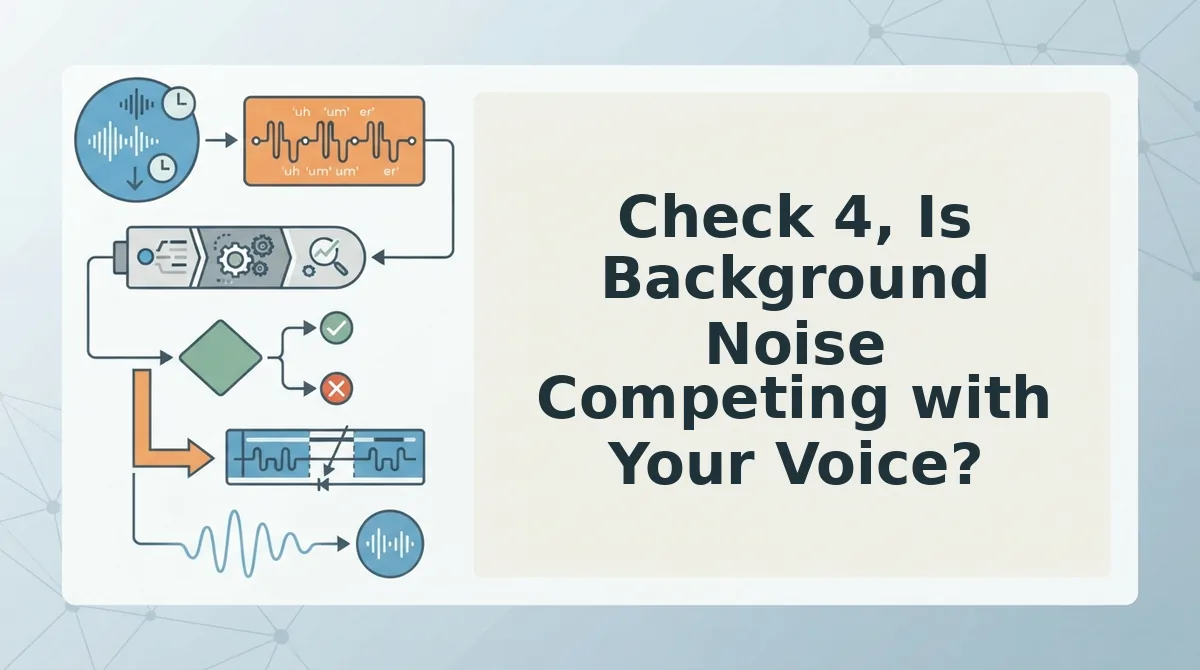
Check 4, Is Background Noise Competing with Your Voice?
Background noise is anything in your recording that isn't your voice, room rumble, keyboard clicks, traffic, or a fan. The headphones test reveals what phone speakers hide: listen to your voice note with headphones, and you'll hear the noise floor that a casual speaker playback masks.
Prerequisites: A pair of headphones and your recorded voice note. Total time: 2 minutes.
- Put on headphones and play the voice note at 70% volume. You should hear room rumble, hum, or echo that the phone speaker didn't expose.
- Listen to the first 5 seconds in silence. That window is pure background, if you hear anything besides your voice, the noise floor is competing with your message.
- Note any moment where you strain to hear a word. Those are the spots where background noise wins. You should be able to list them in one pass.
- Upload the audio to VClar and run noise removal. The engine strips acoustic distractions while keeping your voice's timbre and cadence intact, noise removal does not make your voice sound robotic.
- Replay the cleaned version on headphones. You should hear your voice clearly against a quiet background, with no metallic or synthetic artifacts.
Two Waves Lab's before/after demo shows the same principle: cleanup removes room noise while the speaker's vocal identity stays recognizable. If your voice note sounds like it was recorded in a hallway, the listener's attention splits between your words and the room. That split is exactly what the next check addresses, whether the pace of your delivery matches the weight of the message.
Check 5. Does the Pace Match the Message?
Pace is the speaking speed and rhythm of your voice note, and it directly shapes how confident and clear you sound. A rushed message signals anxiety; a dragging one signals uncertainty. The sweet spot depends on the message type.
Think of pacing like driving on a highway: too slow frustrates everyone behind you, too fast causes accidents, and the right speed gets you there without drama. For async project updates, aim for 45-90 seconds. For quick confirmations like "I'll send the file by 3," stay under 30 seconds.
At the simple level, check whether you can state the core point in one breath. If not, the message is doing too much. At the intermediate level, listen for speed changes, people naturally accelerate when nervous, which compresses key details. At the advanced level, compare your pace against the listener's likely context: a founder scanning messages between meetings needs a tighter pace than a creative collaborator reviewing a detailed brief.
One take plus cleanup beats three takes plus fatigue. Re-recording drains energy and makes each version sound flatter. A single well-paced take, cleaned of fillers and noise, reads as more authoritative than a technically perfect but tired third attempt.
Voice Note Cleanup FAQ
What should I check before sending a voice note?
Run a five-point check: Does the message get to the point? Are filler words cluttering it? Does the grammar hold up in transcription? Is background noise competing with your voice? Does the pace match the message? Each check takes under 30 seconds with the right tool.
How do I remove filler words from a voice note without re-recording?
Use an AI cleanup tool like VClar to detect and remove fillers such as "um," "like," and "you know" directly from the audio timeline. The result sounds like you recorded it cleanly the first time, with no re-recording required.
Does background noise removal make my voice sound different?
No. Modern noise removal isolates your voice frequencies and removes competing sounds like traffic, keyboard clicks, or room echo. Your tone, accent, and cadence stay intact, only the acoustic distractions disappear.
How long should a professional voice note be?
Aim for 45-90 seconds for async project updates and under 30 seconds for quick confirmations. Longer messages work only when the listener expects detailed context, such as a creative brief or a cross-border negotiation summary.
Can I translate a voice note before sending it?
Yes. You can translate a voice note into another language while preserving your original vocal identity. The listener hears your voice, tone, and cadence in their language, not a synthetic text-to-speech clone.
Send the Take You Already Have
The five-point checklist isn't a gate you have to pass before recording, it's a filter you apply after. That distinction changes everything. You don't need a perfect take. You need a take, then a cleanup pass.
Skip the re-recording loop. The message you already recorded likely contains everything the listener needs; it just needs the fillers removed, the grammar tightened, the noise stripped, and the pace checked. Each check takes under 30 seconds with the right tool, which means the entire cleanup costs less time than one failed re-record.
Run the checklist on your next voice note, then let VClar handle the automated cleanup. One take, cleaned once, sent with confidence, that's the workflow that scales.