
You already know voice memos beat email for follow-ups, prospects hear your voice, not another templated wall of text. But the moment you hit record, the "ums" creep in, the sentence trails off, and you're re-recording for the fourth time. That's the exact friction point where VClar vs AudioPen for sales voice memos becomes a decision worth five minutes of your time.
Both tools promise to clean up your spoken notes. The catch: they solve fundamentally different problems. AudioPen converts your voice into a text summary. VClar keeps your voice, just without the fillers, false starts, and rambling. If you're sending voice notes for sales, that distinction changes everything about how your prospect receives the message.
Here's what you'll get: a plain-English breakdown of what each tool actually outputs, a side-by-side comparison built around the question "does the prospect hear me or read me?", and a clear recommendation for your specific follow-up workflow. One finding might surprise you: the tool that saves you the most time may also cost you the most connection.
What VClar and AudioPen Actually Do
VClar is an AI voice message translator and speech enhancer that cleans up your spoken audio while preserving your authentic voice, tone, and cadence. AudioPen is a voice-to-text tool that converts your spoken thoughts into written summaries. Both start with your voice. Only one ends with it.
Think of the difference like a tailor versus a transcriptionist. A transcriptionist listens to you speak and hands back a typed document, accurate, but the sound of you is gone. A tailor takes the same garment you walked in with and removes the loose threads, tightens the seams, and hands it back still unmistakably yours. VClar is the tailor. AudioPen is the transcriptionist.
Here's the workflow breakdown for a sales rep recording a follow-up after a discovery call:
- AudioPen workflow: You speak your follow-up notes aloud to AudioPen transcribes and summarizes them into text to you copy that text into an email, Slack message, or CRM note. The prospect reads your words. They never hear your voice.
- VClar workflow: You record your voice memo to VClar removes filler words ("um," "like," "basically"), corrects spoken grammar, and cleans acoustic distractions to you send the polished audio message. The prospect hears your voice, just tighter, clearer, and more decisive. You also get a transcript if you need one.
Does AudioPen output audio? No. AudioPen's output is text only, a written summary of what you said. Does VClar output audio? Yes. VClar's primary output is a cleaned-up voice message that still sounds like you, with an optional transcript alongside it.
For a deeper breakdown of how these two tools stack up across every dimension, see the full VClar vs AudioPen comparison. The short version: if your goal is a written note, AudioPen gets you there. If your goal is a voice message that sounds like you on your best day, VClar is built for exactly that, including filler word removal that works seamlessly on the audio timeline, not just in the transcript.
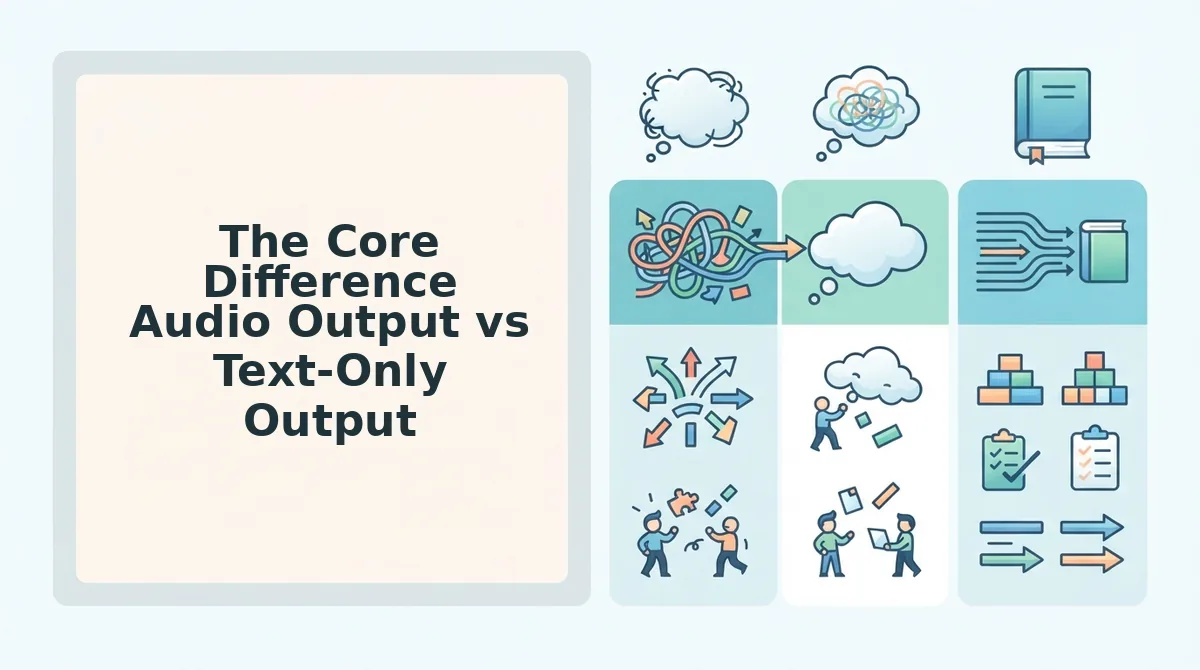
The Core Difference Audio Output vs Text-Only Output
AudioPen delivers a text block. VClar delivers a voice message that sounds like the rep on their best day. That single distinction determines which tool fits your sales workflow, and it's the first question every rep should ask before choosing.
Picture this: you just finished a 25-minute discovery call with a prospect who mentioned budget concerns, a Q3 timeline, and a competitor they're evaluating. You want to send a follow-up that lands with warmth and authority. With AudioPen, you speak your recap, get a clean text summary, and paste it into an email. The prospect reads it, but the tone, the confidence, the human inflection that built rapport on the call? Gone. Text summaries can strip the personal connection that makes voice follow-ups effective in the first place.
With VClar, you record the same follow-up as a voice memo. The tool removes every "um," "you know," and false start, tightens your grammar, and delivers a 45-second voice message that sounds like you, just sharper. The prospect hears your voice, your cadence, your conviction. That's the difference between being read and being heard.
To be fair, AudioPen does its job well. If you need meeting notes, CRM summaries, or a written recap for internal use, AudioPen's text output is fast and useful. It's genuinely good at turning rambling speech into readable prose. The limitation isn't quality, it's format.
| Feature | AudioPen | VClar |
|---|---|---|
| Primary output | Text summary | Polished audio + optional transcript |
| Prospect hears your voice | No | Yes |
| Removes filler words | In text only | In audio timeline and transcript |
| Preserves tone and cadence | N/A (text output) | Yes |
| Best for | Reps who need written notes, CRM logs, or email drafts | Reps who send voice follow-ups and want to sound polished in one take |
Best for sales reps who send written follow-ups: AudioPen. If your workflow ends in email, Slack, or CRM notes, a text summary is exactly what you need. Best for sales reps who send voice memos: VClar. If the prospect is going to hear you, they should hear the version of you without the "ums" and false starts, not a text block that erases your presence.
The decision comes down to one question: does the prospect need to hear your voice, or read your words? If the answer is "hear," the tool you choose has to output audio. Next, let's look feature-by-feature at what each tool actually does with your voice once you hit record.
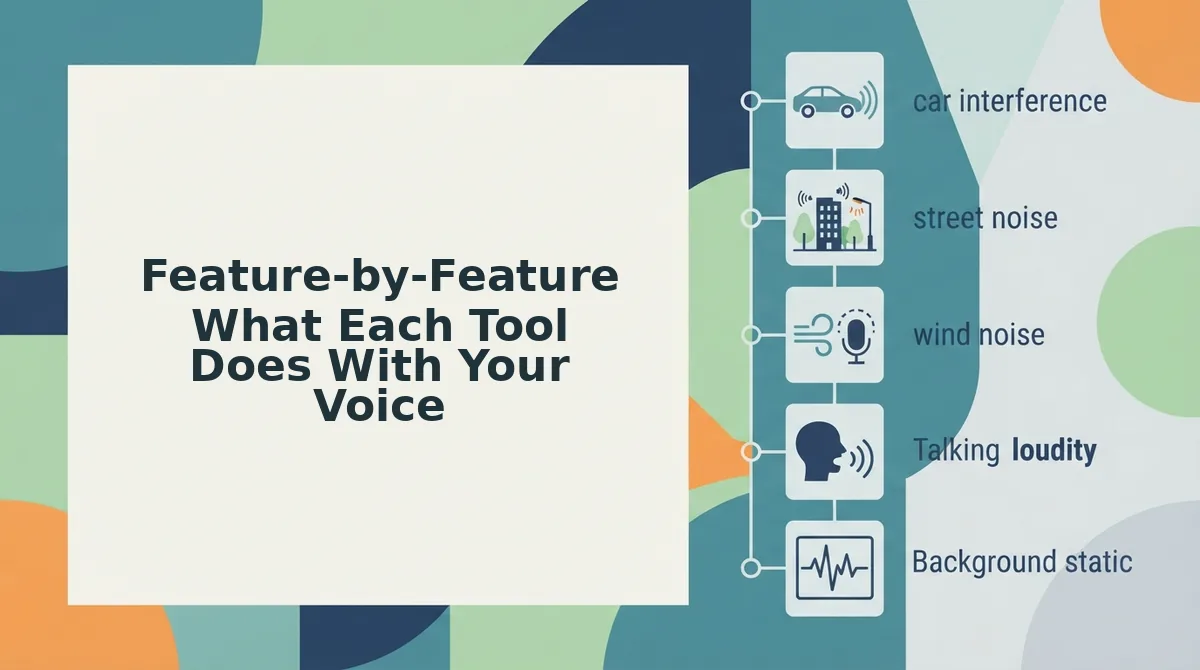
Feature-by-Feature What Each Tool Does With Your Voice
VClar and AudioPen handle raw voice memos in fundamentally different ways: VClar cleans and returns your actual voice as polished audio, while AudioPen converts speech to text and stops there. Here is the feature-by-feature breakdown, ordered by what matters most in a sales follow-up.
- Filler word removal: VClar removes them from the audio; AudioPen removes them from the text. VClar detects and deletes ums, ahs, "like," and false starts directly from the audio timeline, so the voice message you send sounds decisive in one take. AudioPen's AI strips fillers from the written transcript only, meaning the original audio, if you ever shared it, would still carry every hesitation. For sales reps, VClar's approach means you can remove filler words from audio without re-recording.
- Spoken grammar correction: VClar fixes grammar in the voice itself; AudioPen fixes it in the text output. VClar corrects spoken grammar errors, subject-verb slips, run-on phrasing, awkward tense shifts, while preserving your vocal timbre and cadence. AudioPen applies the same cleanup to its text transcript, but the spoken version remains untouched because no audio is produced. If your follow-up needs to sound polished out loud, VClar is the only option that can fix grammar in voice message audio.
- Background noise cleanup: VClar removes acoustic distractions from the audio; AudioPen ignores them in transcription. VClar's engine strips out background noise, traffic, keyboard clatter, cafe chatter, so the delivered voice message sounds like it was recorded in a quiet room. AudioPen's transcription model is trained to hear through noise, but the noise itself never matters because no audio is delivered. For reps recording between meetings or from a car, VClar's noise removal is the difference between a professional memo and an amateur one.
- Translation: VClar translates the spoken message into another language as audio; AudioPen translates text only. VClar can translate a voice memo across languages while keeping the speaker's authentic voice, tone, and cadence intact in the target language. AudioPen translates the transcript, producing a text block in the new language with no spoken counterpart. Cross-border sales teams that need a prospect to hear the message, not just read it, get a capability from VClar that AudioPen does not offer.
- Audio output: VClar delivers a polished voice message; AudioPen delivers none. VClar's entire output model is built around returning enhanced audio that sounds like you on your best day, same voice, same accent, same energy, minus the friction. AudioPen converts speech to text but does not output audio in any form. If your sales motion relies on voice notes, this single difference decides the tool.
- Transcript output: Both tools produce text, but for different purposes. AudioPen's transcript is the final deliverable, a clean, readable summary you copy into an email, CRM, or Slack. VClar also generates a transcript, but it functions as a companion to the polished audio, useful for logging, search, or accessibility. Reps who need both a sendable voice message and a written record get both from VClar; AudioPen gives you only the record.
- Voice preservation: VClar keeps your vocal identity; AudioPen discards it. VClar is designed to preserve natural tone, personal cadence, accent, and speaker intent, the audio sounds like you, just cleaner. AudioPen reduces your voice to words on a screen, which strips away tone, warmth, and the personal connection that voice carries. For sales follow-ups where trust and rapport matter, that loss is not cosmetic, it is strategic.
If your workflow ends at "get the words down," AudioPen covers it. If your workflow is "send a message that sounds like me and closes the deal," VClar is the tool built for that job.
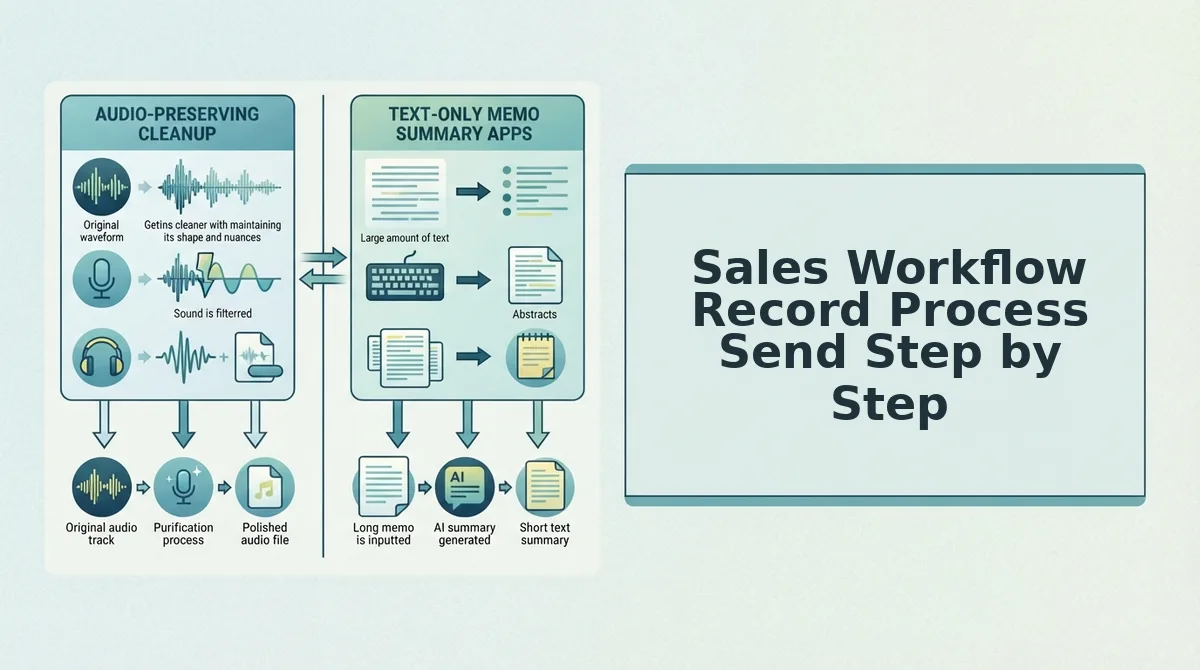
Sales Workflow Record Process Send Step by Step
The core workflow is the same in both tools, record, process, send, but VClar's pipeline extends two steps further than AudioPen's. Here is exactly what each path looks like for a sales rep sending a quick memo after a call or meeting.
Prerequisites: A smartphone or laptop with a microphone, an account on either VClar or AudioPen, and the prospect's contact channel (email, CRM, or messaging app) ready.
- Open the app and tap Record. In AudioPen, you tap the record button and speak your voice note naturally, no need to script or self-edit. In VClar, the same action starts a voice memo capture. Expected outcome: a raw audio file with all your natural hesitations, fillers, and background noise intact. Time: 30-90 seconds depending on message length.
- Stop recording and let the AI process the file. AudioPen converts your speech to text, removing fillers and cleaning grammar in the written output. VClar runs a multi-step audio pipeline: it detects and removes verbal fillers from the audio timeline, corrects spoken grammar, and strips background noise. Expected outcome: AudioPen shows a clean text block; VClar shows a polished audio file plus a matching transcript. Time: 10-30 seconds.
- Review the output. In AudioPen, you read the text and make any manual edits before copying. In VClar, you listen to the cleaned audio to confirm it still sounds like you, same voice, same cadence, no fillers, and optionally check the transcript. Expected outcome: a final version you are confident sending. Time: 15-30 seconds.
- Copy and paste (AudioPen) or attach and send (VClar). AudioPen's workflow ends at text: you copy the transcript and paste it into an email, CRM note, or Slack message. VClar's workflow continues: you export the polished audio file and send it directly to the prospect via voice message, email attachment, or your CRM. Expected outcome: AudioPen delivers a text block; VClar delivers a voice message that sounds like you on your best day. Time: 20-60 seconds.
The friction difference is at step 4. AudioPen asks you to translate your voice into text and hope the tone survives. VClar lets you send the voice itself, cleaned, corrected, and ready for the prospect to hear.
What Your Prospect Actually Receives
A voice memo follow-up is the message your prospect hears or reads after you hit send, and the format of that message changes how it lands. Think of it like the difference between receiving a handwritten note and a typed summary of that note: both carry the words, but only one carries the person.
With AudioPen, your prospect receives a text block in their inbox or CRM. It reads like a summary, clean, grammatically correct, and efficient, but stripped of your voice, tone, and energy. The warmth of a spoken "great talking with you" becomes flat text that could have come from anyone. For sales follow-ups, that loss of personal connection is real: a text block feels like a report, not a conversation.
With VClar, your prospect receives a voice message that sounds like you on your best day. VClar preserves vocal timbre, the unique tonal quality of your voice, while removing fillers, correcting grammar, and cleaning background noise. The prospect hears your actual voice, your accent, your cadence, and your intent, just without the ums and false starts. A polished voice message feels like a conversation; a text block feels like a summary.
AudioPen converts to text only, so the personal signal in your voice never reaches the prospect. VClar keeps that signal intact and removes only the noise around it. If your follow-up is meant to build rapport, the format is the message.
Still deciding which tool fits your sales motion? These answers cover the most common questions.
FAQ
Quick answers to the questions sales reps ask most when comparing VClar and AudioPen for voice memo follow-ups.
Does AudioPen output audio?
No. AudioPen converts your spoken input into a text summary or rewritten note. It does not generate an audio file you can send to a prospect. If your follow-up needs to be heard, not read, AudioPen cannot deliver that output.
Which tool keeps my voice sounding like me?
VClar preserves your voice, tone, and cadence while cleaning fillers and grammar. AudioPen does not keep your voice at all, it converts speech to text. For vocal presence in sales follow-ups, VClar is the only option that retains your authentic delivery.
Can I send a polished voice memo right after a sales call?
Yes, with VClar. Record your memo, let VClar remove fillers and correct grammar, then send the polished audio immediately. AudioPen produces a text note instead, which means your prospect reads your follow-up rather than hearing your voice.
Is AudioPen built for sales or note-taking?
AudioPen is built for note-taking and idea capture. It turns spoken thoughts into organized text summaries. VClar is designed for polished audio follow-ups, making it the stronger fit for sales reps who rely on vocal presence to build trust and close deals.
Why does audio output matter for sales follow-ups?
Audio carries tone, urgency, and personality that text cannot replicate. A prospect who hears your voice after a call gets a stronger impression of confidence and attentiveness. VClar delivers that audio advantage; AudioPen reduces your message to words on a screen.
Which Tool Should You Choose for Sales Voice Memos
The decision comes down to what your prospect receives. AudioPen turns your spoken memo into a text summary, useful for internal notes, but it strips away the vocal presence that builds rapport. VClar outputs polished audio that preserves your voice, tone, and cadence while removing the fillers and grammar slips that undermine authority.
If your follow-ups depend on being heard, VClar is the tool that keeps your voice in the conversation. If you only need text notes for yourself, AudioPen works. For sales reps, the choice is clear: send audio that sounds like you, just sharper.
Next step: record a rough voice memo in VClar and hear the difference in one pass. Your prospect will hear it too.