
You finish recording a critical async project update, hit playback, and realize the office HVAC unit turned your entire background into a muddy, vibrating roar. It is maddening to scrap an otherwise articulate take because ventilation noise drowned out your points.
Using a modern ai voice message translator and speech cleaner allows you to salvage spontaneous notes instantly without touching a complex digital audio workstation. Spoken dialogue fundamental frequencies range from 100 Hz to 300 Hz, overlapping directly with residential HVAC compressor rumble at 40-120 Hz. This guide shows you how to eliminate mechanical hum while keeping vocal identity intact.
What causes standard audio repairs to make your voice sound hollow? Later in this guide, we reveal why standard high-pass filtering often strips away the natural authority in your tone.
Consider this standard one-take workflow:
- Situation: You record a 60-second status update while sitting directly beneath a noisy ceiling vent.
- Action: You upload the raw audio to clean up voice memos by targeting continuous acoustic distractions.
- Outcome: The ambient motor drone disappears, leaving crisp spoken dialogue and a clean, reliable transcript ready to share.
This technique applies strictly to steady-state mechanical drone and does not resolve severe reverberation or acoustic room flutter.
Why Air Conditioning Drone Degrades Spoken Clarity
Air conditioning drone degrades spoken clarity by masking critical vocal frequencies across two distinct acoustic bands, obscuring speech consonants while inflating low-end rumble. Ventilation drone is continuous background acoustic interference produced by motorized heating, ventilation, and air conditioning equipment operating inside an enclosed recording environment.
When speakers encounter background hum, their natural instinct is often to increase the microphone input level. Boosting input gain to overpower ambient noise backfires because it amplifies mechanical HVAC rumble twice as fast as vocal volume, pulling low-frequency distortion directly into your speech track. Think of ventilation drone like a sheet of translucent tracing paper placed directly over a detailed pencil sketch: it dulls the sharpest lines and smudges fine outlines before you can read the message.
The problem stems from how environmental climate control systems generate sound across two conflicting frequency zones:
- Low-frequency resonance: Mechanical compressor resonance concentrates between 30 Hz and 120 Hz, generating persistent sub-bass hum that rattles desk surfaces and microphone diaphragms.
- Broadband turbulence: Duct register turbulence disperses broadband pink noise across 500 Hz to 2,500 Hz, directly competing with the core vowel formants and consonant transitions that human ears require to separate distinct words.
Why does this dual-spectrum acoustic interference ruin voice notes so thoroughly? Standard noise gates apply a blunt on-and-off volume switch, cutting off the natural decay of your sentences while leaving the underlying ventilation rumble intact whenever you speak. Because duct turbulence overlaps the exact 500 Hz to 2,500 Hz spectrum where vocal intelligibility lives, simple volume thresholds treat register airflow and human speech as the same signal. Listeners end up straining to decipher muffled consonants, leading to listener fatigue, misheard details, and discarded voice memos.
To capture clean audio in unconditioned rooms without manual timeline repairs, rely on dedicated acoustic distraction cleanup that separates mechanical airflow from natural human speech, preserving your authentic tone while stripping out room interference in a single take.
Step 1: Apply the 3 to 1 Distance to Duct Acoustic Rule
The 3 to 1 distance to duct acoustic rule is a physical positioning method where your microphone must remain at least three times closer to your mouth than it is to the nearest active ventilation source. Applying this rule eliminates steady low-frequency rumble before the signal reaches your recording app, saving clean signal clarity without aggressive digital filtering.
The 3 to 1 distance to duct acoustic rule is an acoustic geometry principle that establishes optimal signal-to-noise ratios by maximizing mouth-to-capsule proximity relative to HVAC air displacement. Under the inverse square law, doubling mouth-to-mic proximity yields a 6 dB acoustic advantage over continuous ambient room drone. By exploiting this physical drop-off, speech volume dominates the microphone diaphragm while steady mechanical air currents fall below the audible threshold.
Before beginning, you need a mobile phone or laptop with an onboard microphone and a quiet 30-second window to position your workspace.
- Locate the primary air return vent or duct output (Time: 15 seconds): Look up at your ceiling or along baseboards to identify where active airflow enters the room. You should hear and feel the direct path of moving air.
- Pivot your seating position 45 degrees off-axis from the airflow (Time: 10 seconds): Turn your chair so your back or shoulder angles away from the ceiling vent. This orientation uses your own torso as a physical acoustic shield to break direct air velocity.
- Reposition your device 5 inches from your mouth (Time: 5 seconds): Bring the phone capsule up toward your chin rather than leaving it flat on a desk. Halving the air gap between your lips and the microphone delivers an immediate 6 dB gain in direct voice capture over the room's ventilation drone.
- Inspect your input meter levels (Time: 15 seconds): Open your recording tool and speak a test phrase at your natural conversational volume. You should see voice peaks registering clearly while the room noise floor stays pinned at the bottom of the signal meter.
What happens when you record an update while pacing past an overhead register?
Your phone capsule captures air displacement as low-end rumble, forcing listeners to strain through continuous white noise. Repositioning a phone 5 inches from the mouth while turning 45 degrees away from a ceiling return vent secures 12 dB of natural rejection before software processing takes over. For busy operators recording async updates, clean physical placement keeps voice notes for founders crisp, decisive, and ready to share in a single take.

Step 2: Choose Between High-Pass Filters and Neural Voice Isolation
Choosing between a high-pass filter and neural voice isolation depends on the acoustic profile of the HVAC noise, as traditional frequency filters cannot silence broadband airflow without thinning the fundamental warmth of the human voice.
Neural voice isolation is a computational processing method that separates complex speech harmonics from ambient environmental noise without carving away specific audio frequencies.
Conventional audio production advice usually suggests applying a simple 80 Hz to 100 Hz low-cut curve to tame rumbling machinery. Pushing the frequency cutoff higher into 120 Hz to 160 Hz destroys vocal chest resonance, rendering deeper vocal tones hollow and artificial.
Air conditioning creates a dual-layer acoustic challenge: heavy low-frequency compressor vibration below 100 Hz, paired with turbulent white noise rushing through metal vents across the 500 Hz to 4 kHz range. Because speech intelligibility lives inside this exact midrange, standard equalizers face an impossible trade-off between hum reduction and speech clarity. Neural models analyze the non-stationary patterns of chaotic air movement versus human vocal tract formants, subtracting the entire ventilation profile while maintaining natural cadence and volume.
| Cleanup Method | Acoustic Coverage | Vocal Timbre Impact | Best For |
|---|---|---|---|
| High-Pass Filter (Low-Cut EQ) | Sub-100 Hz mechanical hum only | Strips low-end warmth if pushed past 100 Hz | Studio Engineers: Removing mechanical desk vibration and handling thump |
| Spectral Noise Subtraction | Predictable, continuous room tones | Introduces watery phase artifacts and robotic ringing | DAW Editors: Restoring steady audio files with static room tone samples |
| Neural Voice Isolation | Full-spectrum rumble, air turbulence, and fan hum | Preserves authentic vocal identity and dynamic range | Founders & Operators: Quick voice notes in home offices or imperfect rooms |
Which approach solves your workflow bottleneck?
- Choose a high-pass filter if you are editing a long-form multitrack project in a DAW and simply need to eliminate mechanical desk thumps.
- Choose spectral subtraction if you have recorded in a controlled room and have time to isolate an isolated noise profile before rendering.
- Choose neural voice isolation if you need to salvage speech recorded directly under an active air duct without hollow EQ degradation.
Our recommendation for fast, everyday spoken communication is neural voice isolation. It eliminates invasive ventilation noise in one take without requiring technical plugin tweaking. If you communicate asynchronously, tools like VClar clean acoustic distractions so you can share pristine updates, strip verbal fillers, and deliver crisp voice messages with total confidence.
Step 3: Clean Mobile and Browser Voice Notes in One Take
You can clean mobile and browser voice notes in one take by processing the raw recording through browser-based neural noise suppression instead of relying on default phone filters. Native mobile voice memo enhancers use broad spectral subtraction that introduces watery phase artifacts when HVAC noise exceeds -18 dBFS.
Before beginning, you need a recorded audio file from iOS Voice Memos, WhatsApp, or a web recorder, along with an active browser window. If you speak rapidly against persistent background noise, you can measure your speaking rate to ensure your pacing remains intelligible before processing.
- Export the raw voice note from your mobile app by tapping the share sheet and selecting your file destination. You should see a standard audio file, such as an M4A or WAV container, saved to your device. (Estimated time: 5 seconds)
- Upload the unedited recording directly into the browser-based speech enhancer interface. The upload progress bar should complete and display the loaded waveform immediately. (Estimated time: 5 seconds)
- Select acoustic noise cleanup to strip persistent environmental hum while preserving authentic vocal timbre. The processing indicator will activate as the engine separates human vocal cords from continuous mechanical drone. (Estimated time: 10 seconds)
- Download the finished audio file and verify the accompanying clean transcript. You should hear clear, resonant speech with zero background duct rumble and see a formatted text memo ready for distribution. (Estimated time: 5 seconds)
Why waste twenty minutes re-recording in a silent closet when your initial thoughts were already articulate?
Consider this workflow: a remote professional records a 60-second project briefing on a mobile phone while an overhead office ventilation fan runs continuously. The raw audio contains a low-frequency drone that muddles key action items. Instead of opening a multitrack timeline editor, the speaker uploads the file to the browser tool. In under 30 seconds, the engine eliminates the steady fan hum, smooths conversational phrasing, and outputs broadcast-level audio ready for immediate executive delivery.
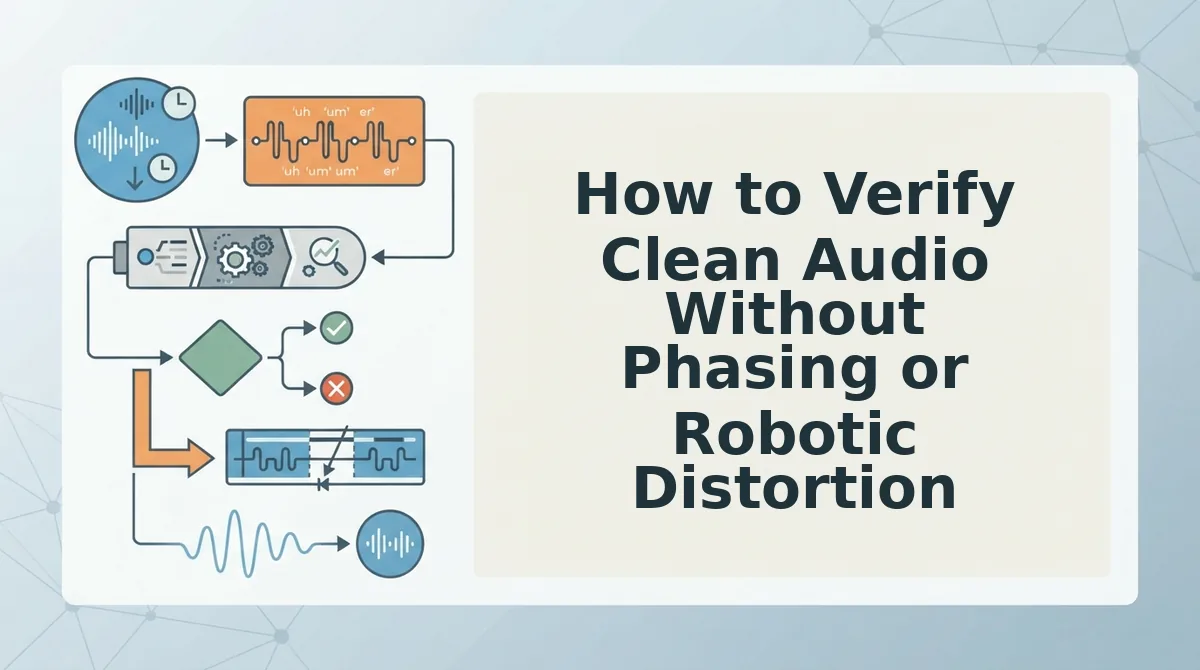
How to Verify Clean Audio Without Phasing or Robotic Distortion
You can verify audio integrity after drone suppression by auditioning vocal tails and formant stability against the unprocessed recording to ensure noise isolation did not introduce phase cancellation. Comb filtering is an acoustic distortion caused when identical audio signals combine out of phase, creating notched frequency cuts that leave speech sounding hollow, metallic, or submerged underwater.
How can you immediately tell if your noise removal tool made your voice sound hollow, metallic, or submerged underwater? Run these diagnostic checks directly through studio monitors or wired reference headphones to isolate processing artifacts before sending your message.
- Execute the tail check method. This technique requires monitoring the 300 ms silent decay immediately following sentence endings to detect audible noise gate pumping. Aggressive suppression algorithms abruptly drop the noise floor to complete silence between words, producing a jarring breathing sensation. Listen at high volume during natural pauses to ensure the background air decays smoothly rather than cutting out like a hard switch.
- Inspect lower-mid chest resonance. This step examines the 100 Hz to 300 Hz frequency band where vocal warmth and authority live. Overzealous high-pass filters designed to strip ventilation rumble frequently cut into fundamental vocal frequencies, leaving deep voices sounding tinny and detached. Toggle your processed voice against the raw note to confirm your natural vocal weight remains intact.
- Detect comb filtering across sustained vowels. This check targets swirling or metallic artifacts that appear when filtering algorithms smear continuous vocal formants. Sustained sounds like long "ah" or "oh" vowels reveal artificial flanging and watery textures faster than fast consonants. Play an extended vowel phrase on repeat to catch robotic modulation before publishing the note.
- Evaluate sibilance and fricative clarity. This quality check monitors unvoiced consonant sounds like "s," "t," and "sh" across the 4 kHz to 8 kHz region. Phase distortion from aggressive de-noising blurs sharp consonant transitions, turning decisive speech into muffled lisping or harsh chirping. Verify that rapid consonant transitions remain crisp and intelligible without harsh digital sizzle.
- Run volume-matched A/B comparisons. This diagnostic balances the loudness of your processed note against the raw draft to eliminate the psychoacoustic bias that louder audio sounds clearer. Level-match both tracks to identical peak volume and switch between them in rapid four-second loops. If the cleaned track sacrifices intelligible vocal detail simply to achieve silence, back down the filter threshold.
Frequently Asked Questions About Ventilation Noise in Audio
Ventilation drone is eliminated by attenuating steady low-frequency mechanical rumble below vocal fundamental frequencies without removing authentic vocal resonance.
What frequency cutoff removes ventilation rumble without thinning speech?
A high-pass filter cutoff of 80 Hz safely strips HVAC hum for male voices, while 100 Hz to 120 Hz works best for female voices without audible thinning. These thresholds target steady mechanical fan motor vibration while preserving natural vocal fundamental frequencies.
How do I stop ventilation noise on native phone recordings?
Position your smartphone microphone within six inches of your mouth and face away from active airflow vents. Mobile hardware captures audio omnidirectionally, so reducing mouth-to-mic distance sharply increases your voice signal against ambient low-end mechanical hum.
Why does background fan noise make audio sound robotic after filtering?
Aggressive spectral subtraction strips essential vocal overtones alongside the drone, introducing unnatural digital artifacts:
- Phase smearing that hollows out spoken vowels.
- Musical noise spikes from uneven frequency suppression.
How can software remove HVAC hum without re-recording?
Software removes HVAC hum by isolating speech harmonics from continuous acoustic drone during post-processing with neural voice algorithms. This lets speakers rescue spontaneous voice memos in a single take without booking a soundproof studio.
Mastering Fast Audio Notes Without Environmental Drone
Eliminating ventilation drone from spoken voice notes requires immediate acoustic isolation rather than tedious post-production editing. Spending twenty minutes inside desktop audio software defeats the productivity advantage of sending async voice notes in the first place.
When you strip mechanical rumble without flattening your authentic pitch, listeners focus entirely on your core message rather than room acoustics.
Adopt a permanent single-take recording routine with two practical adjustments:
- Position your phone capsule perpendicular to continuous duct airflow to minimize directional wind turbulence.
- Process spontaneous recordings through the Starter plan with 2 lifetime minutes to remove residual low-end rumble while preserving natural voice dynamics.
Clear asynchronous communication relies on capturing decisive human speech in a single take, not wasting billable hours scrubbing background room noise.