
You tap stop on an urgent client update, play back the recording, and hear an electric space heater buzzing loudly behind your words. Falling into an exhausting re-record loop costs valuable working time, especially when your spontaneous thoughts were articulated clearly on the very first try.
Adopting an ai voice message translator and speech cleanup workflow eliminates this ambient rumble without compromising your natural tone. In this guide, you will learn how to remove space heater hum from voice recordings, preserve vocal presence, and send polished voice notes in one take.
Standard noise gate and denoiser presets hollow out speech clarity within the 300Hz to 3kHz band. This dynamic strips body from your voice while leaving harsh background noise behind. We will explore why conventional filters fail on low-end fan drone and reveal an unexpected acoustic trade-off that makes manual EQ cuts introduce robotic artifacts.
Here is how this cleanup workflow resolves background noise in practice:
- Situation: You record a spontaneous project memo in an imperfect home office while a fan-forced heater runs continuously on the floor.
- Action: Rather than wasting ten minutes re-recording multiple takes, you process the audio through an acoustic cleanup platform that isolates background interference.
- Outcome: The low-frequency motor rumble is cleanly extracted, keeping your authentic timbre, cadence, and clarity fully intact.
Understanding the dual-frequency mechanics of this disturbance is essential before attempting to adjust equalizer curves or apply noise reduction plugins.
Why Space Heater Noise Ruined Your Spoken Audio
Space heater noise ruins voice recordings because it generates a dual-layered acoustic interference pattern that actively masks fundamental vocal frequencies rather than remaining a passive background sound. While listeners often perceive the appliance as a simple ambient drone, it simultaneously attacks both the bottom and middle bands of your spoken audio.
A space heater noise profile is a dual-layered acoustic signature combining mechanical motor hum with wideband aerodynamic air rush. Think of this acoustic interference like driving an open convertible past heavy roadwork: your microphone is forced to register the heavy mechanical thrum beneath the chassis while simultaneously fighting the chaotic rush of turbulent wind across the windshield.
What makes space heater noise uniquely destructive to spoken audio is this dual-acoustic heater profile: 50Hz/60Hz cyclic motor rotation vs 250Hz - 4kHz broadband aerodynamic turbulence. The 50Hz or 60Hz hum originates from the electrical current driving the fan motor, producing an unrelenting low-frequency drone that muddies speech. At the same time, the physical blades forcing air across heating elements and protective grilles generate chaotic friction across the 250Hz to 4kHz spectrum. Because human speech intelligibility lives inside that exact 250Hz to 4kHz window, the turbulent airflow directly blankets critical vocal formants, flattening consonants and swallowing natural inflection.
Standard high-pass filters fail because electric heaters do not stay confined to a single problem frequency:
- The 50Hz/60Hz mechanical drone: Cyclic motor vibration vibrates desks and microphone stands, injecting continuous low-end rumble directly into the audio capsule.
- The 250Hz - 4kHz aerodynamic turbulence: Wideband rushing air blankets the core frequencies where your spoken vowels and consonants separate themselves from silence.
When basic noise gates or blunt equalizers attempt to carve out this widespread turbulence, they inevitably gut your vocal warmth, leaving behind hollow, robotic artifacts. You can test clean voice demos to hear how modern acoustic distraction cleanup separates chaotic air turbulence from authentic vocal cadence without manual frequency slicing.
Tackling this complex acoustic signature requires a systematic, multi-stage cleanup strategy starting with the lowest sub-audible frequencies.
Step 1: Eliminate Sub Audible Motor Rumble with a High Pass Filter
To eliminate sub-audible space heater rumble, apply a high-pass filter with an 18dB/octave or 24dB/octave slope set strictly below the lowest frequency of the speaker's vocal pitch. This removes continuous mechanical motor vibrations from floorboards and heater housings without stripping the natural resonance from your voice.
A high-pass filter is an audio equalization tool that permits frequencies above a designated cutoff point to pass through while attenuating frequencies below that threshold.
Picture this: you recorded an urgent three-minute async update for your team, but your desk microphone absorbed mechanical motor vibrations directly through the floorboards. The fan blades produced an intense, low-end drone that overwhelms your recording levels before you even speak.
Prerequisites: You need your raw audio file and any digital audio workstation or parametric equalizer plugin that supports adjustable filter slopes.
Total time required: 2 minutes.
- Open your equalizer interface and select an empty band on the track containing your voice recording. You should see a flat frequency response curve across the spectrum display from 20Hz to 20,000Hz.
- Select the High-Pass Filter (HPF) or Low-Cut curve type from the filter shape dropdown menu. The frequency line at the far-left edge of the display will bend downward toward silence.
- Set the filter slope to 18dB/octave or 24dB/octave to ensure a steep, clean attenuation of mechanical noise. A sharper roll-off slope terminates mechanical heater rumble immediately below the cutoff without bleeding into your spoken syllables.
- Type the appropriate cutoff frequency based on your vocal register:
- For male speakers: enter a cutoff frequency between 75Hz and 85Hz, which preserves the male fundamental vocal pitch range of 85Hz to 155Hz.
- For female speakers: enter a cutoff frequency between 90Hz and 110Hz, which protects the female fundamental vocal pitch range of 165Hz to 255Hz.
- Play the isolated voice track and monitor the low end through headphones to verify clear speech. The heavy cabinet thumping will be absent, and the speech will sound crisp, balanced, and free of low-frequency masking.
Once you cut out sub-audible mechanical thudding, the next step is eliminating the electrical current resonance resonating directly through the heater elements.
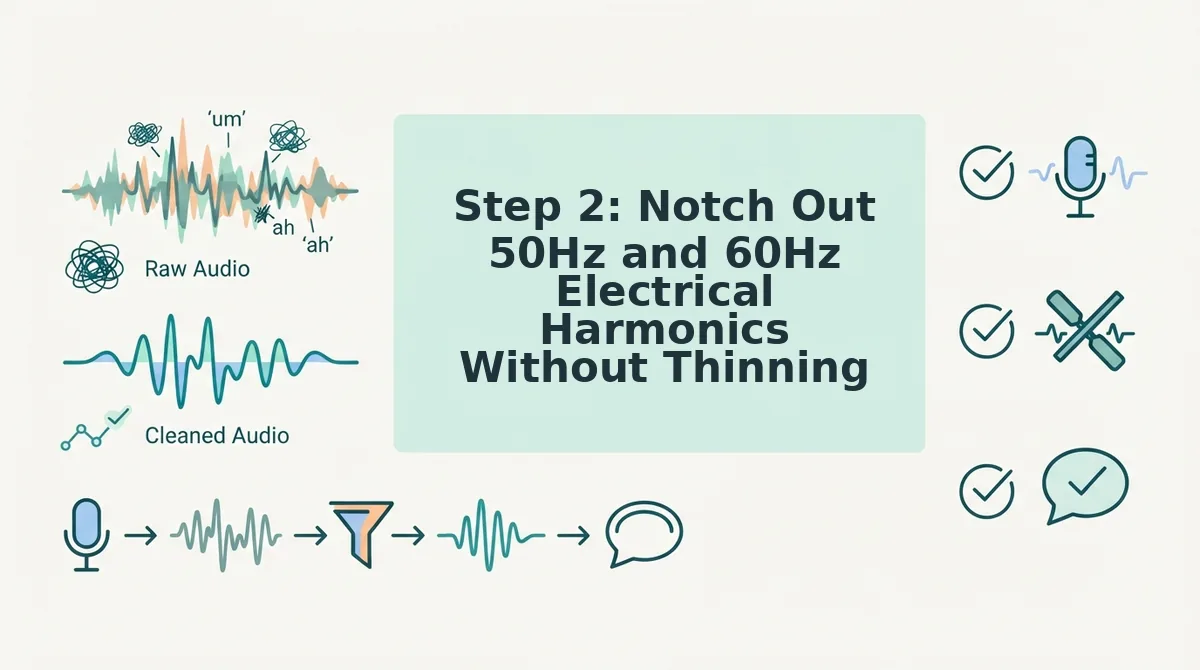
Step 2: Notch Out 50Hz and 60Hz Electrical Harmonics Without Thinning Voice Warmth
To notch out 50Hz and 60Hz electrical harmonics without thinning vocal warmth, apply surgical parametric filters with narrow bandwidth settings targeted strictly at the fundamental mains tone and its direct integer multiples. A notch filter is an audio equalization band with an ultra-narrow bandwidth designed to attenuate a specific target frequency while leaving adjacent audio tones untouched.
When dealing with space heater coil noise, alternating current introduces a fundamental hum at either 50Hz or 60Hz alongside sequential harmonics calculated by the mathematical progression formula f(n) = n × f. Eliminating these interfering frequencies without thinning vocal warmth requires setting the filter quality factor (Q value) above 14.0, which cleanly excises electrical coil buzz while fully protecting chest resonance and natural vocal body.
Think of a standard broad equalizer like a blunt kitchen knife chopping off half an apple to remove a bruised spot. A high-Q notch filter acts like a precision scalpel, lifting out the defect while keeping the fruit intact.
Space heater heating elements act as crude acoustic transducers that vibrate in synchronization with wall power lines. When utility current alternates at 60Hz (or 50Hz in international regions), the wire coils radiate mechanical sound across an ascending mathematical progression: 120Hz, 180Hz, and 240Hz.
Applying wide cuts across these frequencies triggers the Comb-Filter Hazard Matrix, which damages speech clarity:
- 120Hz harmonic: Strips fundamental warmth and low presence from masculine chest resonance if Q sits below 10.
- 180Hz harmonic: Hollows out core lower-midrange punch, creating an unnatural, tinny acoustic footprint.
- 240Hz harmonic: Depletes spoken body, flattening your vocal weight into a synthetic, hollow profile.
To preserve your authentic vocal identity, configure parametric EQ bands to constrain the notch bandwidth with a Q value strictly above 14.0 at every harmonic step. Once background electrical hum is cleanly extracted without phase artifacts, you can share crisp audio notes or fix grammar in voice message recordings in a single confident take.
After excising the steady electrical resonance, you must confront the rushing aerodynamic hiss generated by the heater's blower fan.
Step 3: Remove Broadband Air Blower Hiss in Audacity Without Phasing Artifacts
To eliminate broadband air blower hiss in Audacity without watery phasing artifacts, apply spectral subtraction using a dedicated noise profile with modest attenuation settings. Audacity is an open-source, multi-track audio editor used for recording and processing spoken dialogue. Calibrating Noise Reduction to 10 - 12 dB, Sensitivity to 5.0 - 6.0, and Frequency Smoothing bands to 3 removes continuous fan hiss while protecting the natural timbre of your spoken voice.
You recorded an urgent client update in your home office, but your portable space heater blasted air directly into the microphone capsule. Before beginning this four-minute fix, you need the Audacity desktop application installed and your uncompressed WAV or AIFF voice file loaded onto the timeline with at least one to two seconds of isolated background room tone.
- Select a section of pure heater noise on the timeline by dragging your cursor across 1 to 2 seconds of silence where you are not speaking. Expected outcome: The selected audio highlight turns light blue, isolating the room tone without any vocal transients. (Time: 30 seconds)
- Open the noise profiling tool by clicking Effect in the top menu bar, selecting Noise Removal and Repair, and choosing Noise Reduction. Expected outcome: The Noise Reduction dialogue box appears displaying Step 1 and Step 2 controls. (Time: 15 seconds)
- Click the Get Noise Profile button inside the dialogue box. Expected outcome: The pop-up window closes automatically as Audacity captures the spectral fingerprint of the space heater blower. (Time: 5 seconds)
- Select your entire recording by pressing Ctrl + A (or Cmd + A on macOS). Expected outcome: The entire waveform across the voice track highlights light blue. (Time: 5 seconds)
- Reopen the tool by clicking Effect, navigating to Noise Removal and Repair, and clicking Noise Reduction. Expected outcome: The dialogue reopens, keeping the captured noise profile active in memory. (Time: 15 seconds)
- Type the calibrated values into the Step 2 fields: set Noise Reduction (dB) to 12, set Sensitivity to 6.0, and set Frequency Smoothing (bands) to 3. Expected outcome: The sliders reflect conservative reduction values that suppress steady hiss without inducing bubbly, underwater spectral distortion. (Time: 45 seconds)
- Click the OK button to apply the subtraction across the timeline. Expected outcome: The progress bar finishes, the background noise floor visually flattens, and voice playback remains crisp and intelligible. (Time: 30 seconds)
Worked Example: Recovering an Office Voice Memo
A founder records an async team update while a ceramic space heater runs three feet away on high fan speed. The resulting audio contains constant broadband rushing noise behind the speech. The founder highlights 1.5 seconds of empty heater noise before the first spoken phrase, captures the noise profile, and selects the full track. By applying 10 dB of reduction at 5.0 sensitivity with 3 smoothing bands, Audacity drops the ambient blower noise below the threshold of distraction. The voice memo retains its original vocal presence and conversational cadence without chirping or metallic phase cancellation.
While manual Audacity processing delivers dependable results, weighing dedicated editing suites against browser-based automation clarifies which tool matches your everyday speed requirements.
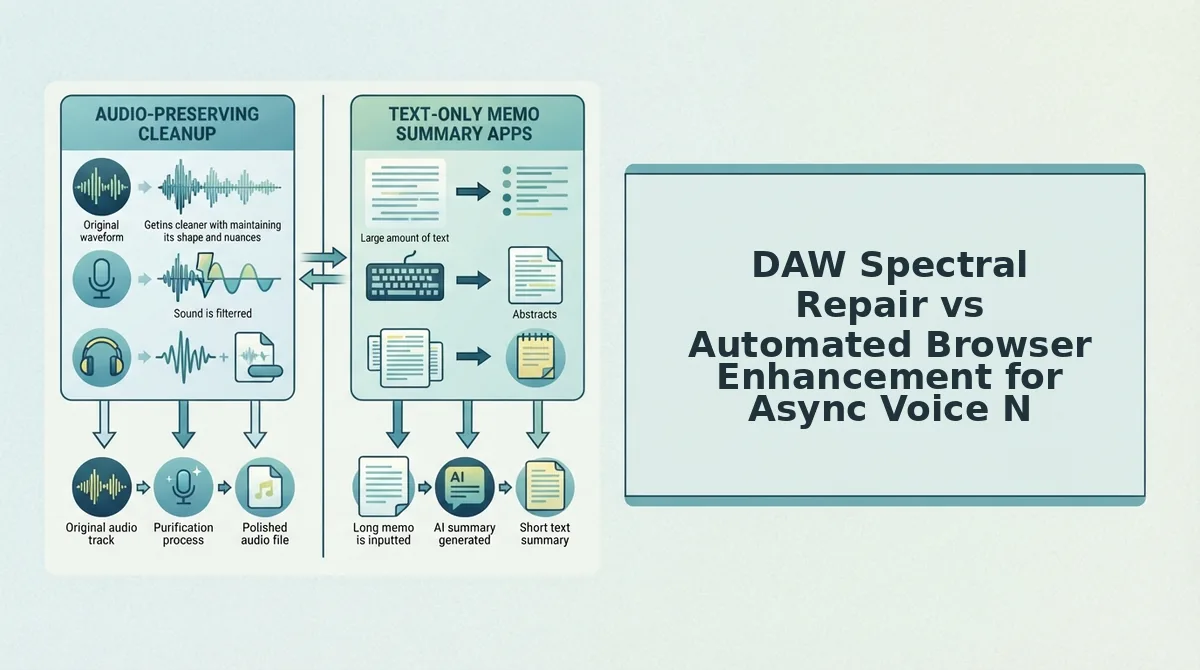
DAW Spectral Repair vs Automated Browser Enhancement for Async Voice Notes
Manual DAW spectral repair provides surgical acoustic control for long-form studio masters, whereas automated browser enhancement strips background noise instantly for rapid, asynchronous voice notes. Spectral repair is an audio engineering technique that visually isolates and removes specific frequency bands from a recording timeline. While manual notch filtering and multi-band expansion yield granular control, spending twenty minutes cleaning a sixty-second voice memo creates unsustainable operational drag.
Traditional audio workstations like Audacity or Descript excel at long-form production, but async workplace communication demands speed over manual timeline editing.
| Workflow Dimension | Manual DAW Spectral Repair | Automated Browser Enhancement |
|---|---|---|
| Turnaround Latency | 12 to 25 minutes per recording | Under 10 seconds |
| Required Expertise | Acoustic engineering knowledge (FFT sizes, notch Q factors) | Zero technical setup |
| Secondary Voice Polishing | Manual splicing and crossfading | Can automatically remove filler words from audio |
| Best For | Studio podcasters and commercial voiceover artists | Founders, sales executives, and cross-border teams |
Choose manual DAW spectral repair if you are mastering a permanent audio product where you must manually audition individual harmonic frequencies. Audio engineers benefit from adjusting high-pass slopes by hand to match a specific studio microphone profile.
Choose automated browser enhancement if you communicate through quick spoken updates and cannot afford 20 minutes of multi-track editing per message. Re-recording voice memos or tweaking parametric curves wastes hours when your primary goal is clean, decisive communication.
Our recommendation: For daily operational messaging, automated browser enhancement is the practical choice. Digital audio workstations offer unmatched surgical precision, but browser-based neural enhancement strips space heater rumble in seconds without degrading natural vocal warmth. If you depend on daily voice notes for founders and team updates, clean your ambient environment instantly with VClar to maintain one-take confidence and eliminate acoustic distractions.
Regardless of whether you use manual DAW repairs or rapid automated tools, establishing a structured quality audit confirms your spoken delivery remains intact.
How to Verify Your Spoken Audio Is Clean and Natural
To verify that your spoken audio is clean and natural after noise removal, audit the file for speech transient distortion, ambient breathing artifacts, and tonal balance shifts across speech pauses. This inspection confirms that eliminating low-frequency heater hum has not compromised your authentic vocal cadence or timbre.
Picture sending a high-stakes voice message to an executive, only to discover an aggressive filter turned your delivery into a hollow, robotic whisper. Did the cleanup protect your spoken authority, or did it butcher your vocal presence?
- Run the consonant sibilance test: Sibilance preservation is the retention of crisp, high-frequency articulation across unvoiced speech sounds. Aggressive spectral subtraction blunts delicate "s", "t", and "ch" transient frequencies, transforming sharp speech into muffled, lisped audio with watery metallic ringing. Solo your vocal track through monitoring headphones and scrub directly to words featuring hard consonants to verify the attacks remain distinct without swishing artifacts.
- Audit room tone decay during speech pauses: Ambient decay inspection is the evaluation of background sound in the silent intervals between spoken sentences. Overly clamped noise gates cause jarring noise pumping, where residual space heater hum abruptly rushes in while you speak and cuts out when you pause. Inspect the raw waveform gaps in your editor to verify that background room tone decays smoothly instead of snapping into jarring, unnatural dead air.
- Perform an A/B volume-matched bypass comparison: Volume-matched testing is the process of toggling between the raw recording and the denoised track at identical perceived loudness. The human ear routinely mistakes louder playback for higher clarity, masking thinned low frequencies and hollowed fundamentals caused by improper high-pass filtering. Match both tracks using a peak meter and switch between them every two seconds to verify your vocal chest resonance remains full and intact.
- Conduct a smartphone speaker mono check: Mono playback validation is assessing processed voice audio through a basic mobile speaker rather than studio hardware. Premium studio monitors often conceal subtle phase cancellation and comb filtering that sound thin, raspy, or hollow on consumer phones. Play the finished audio through an ordinary mobile handset at mid-volume to guarantee the voice cuts through clearly in real-world listening environments.
Before standardizing your processing workflow, reviewing the technical reasons why common physical and software fixes fail will help protect your audio chain.
Frequently Asked Questions About Removing Space Heater Noise
Eliminating space heater noise requires targeting mechanical rumble and air turbulence without stripping human vocal warmth. Space heaters routinely generate 50 decibels of ambient sound, how much bleeds into your microphone?
What frequency ranges make up space heater noise?
Space heater noise concentrates in three bands: motor rumble between 20 Hz and 80 Hz, electrical line hum at 50 Hz or 60 Hz, and fan turbulence from 1 kHz to 5 kHz. Isolating these distinct bands prevents filters from stripping adjacent vocal warmth.
Why does a foam pop filter fail to stop heater hum?
A foam pop filter cannot eliminate heater noise because it only disperses direct vocal plosives like "p" and "b" sounds. It lacks the acoustic mass needed to attenuate ambient airflow or mechanical rumble. Fan turbulence passes straight through open-cell foam into the capsule.
Why does voice audio sound hollow after noise removal?
Spoken audio sounds hollow when aggressive noise reduction strips frequencies shared by the voice and the heater. Because human chest resonance sits between 100 Hz and 250 Hz, heavy subtraction in this range introduces comb filtering and phase cancellation, leaving the remaining voice thin, metallic, or underwater. Traditional broadband noise gates exacerbate this by abruptly cutting low-level room tone between spoken words, creating an unnatural pumping artifact.
Executing an integrated multi-plugin chain preserves vocal fundamentals while eradicating stubborn fan interference from existing audio files.
How to Remove Space Heater Hum from Voice Recordings Without Distortion
The most effective method to eliminate heater noise from prerecorded audio is a staged combination of high-pass filtering, targeted notch filtering, and multi-band spectral repair rather than a single heavy-handed denoiser.
- Engage a high-pass filter (HPF): Set a 12 dB or 18 dB per octave high-pass filter between 75 Hz and 85 Hz. This instantly eliminates sub-audible HVAC rumble and mechanical duct vibration without degrading fundamental vocal frequencies.
- Notch out electrical mains hum: Apply an ultra-narrow parametric bell filter (Q factor of 15 to 30) cut by 6 dB to 12 dB specifically at 60 Hz (North America) or 50 Hz (Europe), along with its first harmonic at 120 Hz or 100 Hz.
- Train a spectral denoiser: Use tools like iZotope RX Voice De-noise or Cedar Studio to capture a 1-to-2-second noise profile of the room without speaking. Set the reduction threshold between 6 dB and 9 dB. Pushing reduction past 12 dB introduces audible musical artifacts.
- Deploy dynamic EQ for airflow turbulence: Place a dynamic EQ node across the 2 kHz to 4.5 kHz range. Set the threshold so the EQ attenuates hiss only when the speaker stops talking, preserving vocal brightness during active speech.
- Layer subtle room tone: Mask digital gating artifacts by blending clean, synthetic room tone at -45 dB beneath the processed track to restore a natural acoustic bed.
While software processing cleans up files after the fact, implementing physical acoustic safeguards at the recording stage prevents heater hum from penetrating your audio in the first place.
Hardware techniques to block heater noise before it hits the capsule
Physical isolation and polar pattern management eliminate up to 18 dB of ambient heater noise at the hardware stage, bypassing the need for destructive post-production processing.
| Isolation Method | Expected Attenuation | Primary Frequency Target | Best Practice Implementation |
|---|---|---|---|
| Cardioid Null Positioning | 15 dB to 25 dB | Broadband (100 Hz - 10 kHz) | Angle the dead rear axis (180°) of the microphone directly at the heating vent. |
| Elastic Shock Mount | 8 dB to 14 dB | Low-end rumble (10 Hz - 100 Hz) | Decouples the mic chassis from floorboards and desk vibrations caused by furnace blowers. |
| Heavy Moving Blankets (Acoustic Baffles) | 4 dB to 6 dB | Mid-to-high hiss (1 kHz - 6 kHz) | Hang high-density blankets (minimum 8 lbs per dozen) between the heat register and the mic. |
| Proximity Effect Exploitation | 6 dB per halved distance | Signal-to-Noise Ratio (SNR) | Move within 3 to 5 inches of the mic capsule to lower input gain and bury the noise floor. |
How does microphone polar pattern choice impact heater isolation?
Microphone polar patterns determine off-axis rejection efficiency, directly dictating how much furnace noise reaches the recording diaphragm. A standard cardioid capsule features maximum sound rejection at 180 degrees directly behind the mic, providing up to 25 dB of passive reduction. A supercardioid or hypercardioid capsule shifts the null points to 126 degrees and 110 degrees off-axis respectively, offering tighter front pick-up but exposing a small rear lobe that can capture duct noise bouncing off rear walls. Setting an omnidirectional microphone anywhere near an active heater ruins vocal clarity, as it accepts air velocity equally across a full 360-degree sphere.
Pairing strategic microphone placement with automated vocal enhancement guarantees that room noise never undermines your professional communication.
Reclaim Your Audio Clarity and Vocal Authority
Restoring compromised voice notes requires eliminating persistent acoustic interference while safeguarding fundamental vocal frequencies. Picture sending an urgent asynchronous update to a high-stakes client from a freezing home office, entirely confident that low-end motor drones and abrasive fan turbulence will never dilute your credibility.
The technical challenge introduced between raw clarity and natural presence resolves when you execute three sequential stages: high-pass containment below 80 Hz to purge sub-audible motor rumble, surgical harmonic notching at 50 Hz or 60 Hz to silence electrical line buzz, and dynamic isolation to dissolve broadband air hissing without hollow phasing artifacts.
Why waste twenty minutes tweaking parametric equalizer bands inside a complex digital audio workstation just to send a sixty-second voice memo?
Take control of your async workflow by running your notes through an AI voice message translator to scrub ambient distractions, remove verbal false starts, and polish spoken syntax in one operation. Upload your raw recording directly to isolate your authentic message while preserving personal pitch and cadence.
True vocal authority in remote communication depends not on pristine studio isolation, but on preserving the authentic human timbre beneath everyday background noise.