
You hit record to send a 45-second audio memo, stumble over verbal hesitations, delete the take, and spend 12 minutes recording four frustrating iterations. Executive ideation runs at 150 words per minute, while spontaneous linear speech hesitates under context switching. Founder communication requires velocity, yet unpolished audio creates hesitation and doubt.
Asynchronous audio should accelerate operations, not trigger endless re-recording loops. Using an ai voice message translator and speech cleaner allows you to communicate decisively by stripping verbal stumbles while strictly preserving your authentic vocal cadence, accent, and tone. This guide focuses on internal async communication and client updates rather than scripted public keynotes, detailing how to eliminate filler words in founder voice notes while refining voice notes for founders.
You will also discover why conventional advice about deliberate pausing often backfires during high-speed context switching, and how to bypass the problem entirely.
Here is how a single-take founder workflow functions in practice:
- Situation: You record an off-the-cuff product direction memo from a noisy street, creating sentence fragments, circular phrasing, and multiple verbal fillers like "you know" and "basically."
- Action: Instead of discarding the memo to re-record, you upload the raw audio to remove verbal fillers and repair conversational syntax automatically.
- Outcome: The engine cleans ambient noise, removes repeated false starts, and outputs crisp, authoritative audio paired with an executive transcript.
Reviewing side-by-side comparisons of your original recordings and cleaned transcripts provides an educational feedback loop, helping you pinpoint speaking habits and master confident, single-take delivery over time.
To fix this dynamic without slowing down operations, it helps to understand why your brain defaults to vocal placeholders in the first place.
Why Founders Overuse Verbal Fillers in Async Audio
Founders overuse verbal fillers in async audio because strategic cognition operates faster than spontaneous articulation, forcing the vocal tract to insert sound placeholders while the brain sequences complex decisions.
Filler words are not a vocabulary deficiency; they are vocal placeholders inserted while executive working memory buffers linear commands.
The 150-to-40 Disconnect is the operational latency between formulating abstract ideas at 150 words per minute and translating them into structured, actionable directives. When delivering unscripted roadmapping or delegating critical decisions via async voice memos, an operator's executive working memory juggles technical dependencies, resource constraints, and downstream risks simultaneously. Because silent dead air feels socially risky or incomplete on an audio recording, the speaker unconsciously injects verbal fillers like "um," "basically," or "you know" to signal active transmission. These vocal crutches act as acoustic loading indicators while the subconscious mind organizes raw strategic concepts into clear syntax.
Think of conversational buffering like a digital video player handling high-bitrate data over an unstable network. When the rendering engine stalls while waiting for the next data packet, it displays a spinning progress wheel to show the connection remains open rather than dropping the feed entirely.
In asynchronous voice notes, founders lack the immediate non-verbal feedback of in-person interactions, such as eye contact or nodding listeners. This visual vacuum heightens the pressure to eliminate pauses, compelling leaders to produce continuous vocal output rather than allowing constructive silence while planning their next phrase.
How Cognitive Buffering Triggers Acoustic Latency
During unscripted executive delegation, working memory executes three conflicting tasks simultaneously:
- Strategic synthesis: Projecting architectural constraints, edge cases, and business tradeoffs.
- Grammar serialization: Assembling freeform business ideas into coherent, grammatically complete sentences.
- Delivery regulation: Pacing volume, cadence, and clarity for remote team members.
When mental synthesis runs faster than vocal serialization, speech mechanics temporarily stall. Operators who communicate spontaneously can calculate speech pace in WPM to measure their individual articulation rate against standard comprehension baselines.
As cognitive friction escalates during architectural delegation or rapid project roadmapping, this mechanical buffering gap inevitably widens. Recognizing the mechanical root of this disconnect clarifies that spoken hesitations are not structural communication failures, but functional side effects of high-velocity executive reasoning.
Once you recognize that conversational buffering is purely mechanical, you can retrain your physical delivery to handle the latency silently.
How to Eliminate Filler Words in Founder Voice Notes with the Pre-Commitment Protocol
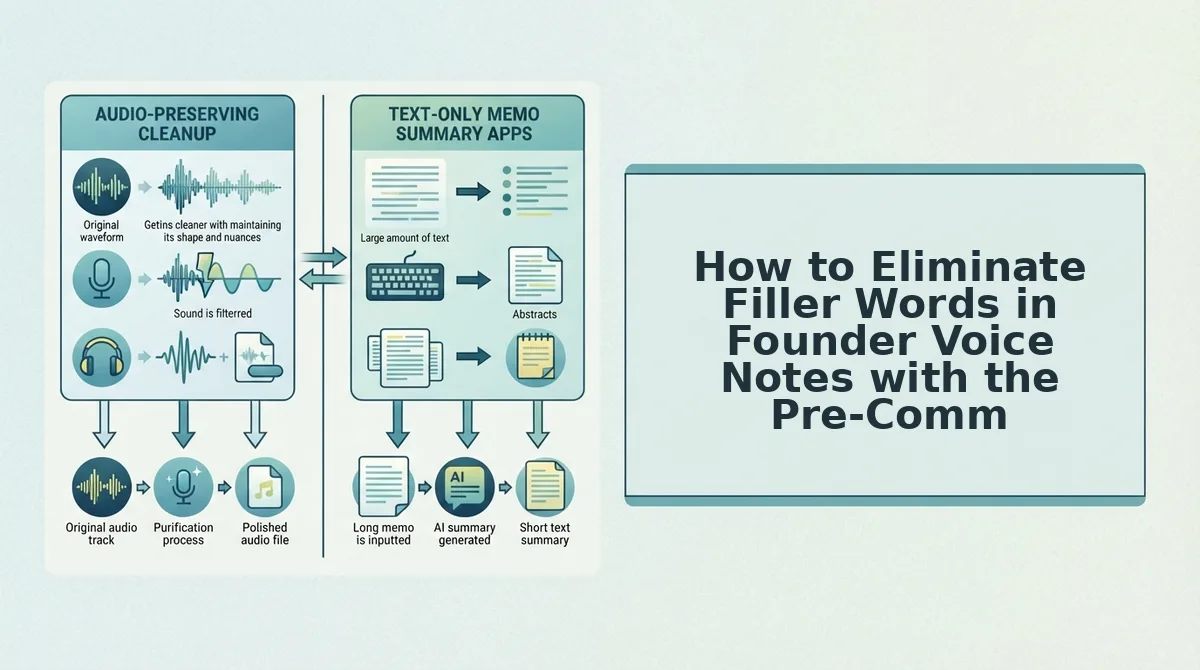
Eliminating filler words from founder voice notes requires replacing unconscious verbal stalls with intentional micro-pauses before audio capture begins. The Pre-Commitment Protocol is a structured delivery routine that converts conversational hesitation into authoritative silence during one-take voice recordings.
What happens when you replace the urge to say "basically" with three seconds of pure, deliberate silence? In executive communication, intentional micro-pauses read as authority rather than hesitation, giving your listener time to process complex decisions without conversational clutter.
Prerequisites: A browser or mobile recording interface, an outline of your single key directive, and a target message duration between 45 and 90 seconds.
- Anchor your closing takeaway before pressing record. Formulate the exact decision or action item you need from your recipient before your finger touches the input screen. Spending five seconds defining the final sentence prevents your brain from generating circular phrasing while searching for a conclusion. You should have a clear endpoint in mind before starting the capture.
- Lock physical airflow whenever a filler word surfaces. Press record and speak your opening point, but close your lips and inhale through your nose the moment you feel the urge to insert "um," "ah," or "you know." Holding this micro-pause for one to two seconds anchors your pacing and signals control rather than uncertainty. You should hear total acoustic silence on the track instead of vocalized stalling.
- Release the record button immediately upon delivering the core metric. State your final call to action and terminate the session without adding sign-off padding like "so, yeah" or repeated false starts. Concluding the take within 45 to 90 seconds ensures your message remains direct and decisive. You should see a finished, self-contained audio file ready for dispatch.
Relying purely on behavioral discipline during high-pressure workdays is rarely foolproof. If spontaneous updates still contain accidental stumbles, VClar processes your raw audio to strip out filler words, fix sentence fragments, and remove acoustic noise while strictly maintaining your natural cadence, accent, and vocal identity.
However, choosing the right automated approach is critical, because not all speech processing tools handle executive voice memos with the same respect for acoustic fidelity.
Automated Audio Remediation vs Synthetic Voice Clones
Automated audio remediation cleans native voice recordings by slicing out verbal hesitations, whereas synthetic voice clones replace human speech entirely with artificial text-to-speech audio. Preserving the speaker's original acoustic timeline retains leadership credibility, while generative clones risk alienating teams through unnatural, robotic delivery.
Automated audio remediation is the algorithmic extraction of filler words, false starts, and background noise from recorded speech without altering the speaker's vocal timbre, cadence, or accent.
Synthetic voice engines produce audio by transcribing speech, modifying the text, and feeding the transcript through an artificial model. While synthetic generation suits scripted multimedia voiceovers, it eliminates the spontaneous micro-inflections that communicate executive intent and empathy. When team members detect synthetic pacing in an internal memo, it creates emotional distance. Splicing the original recording ensures that the founder's authentic tone, accent, and natural authority remain intact.
A polished voice note must sound like the speaker on their best take, not a digital avatar reading an edited script. Systems engineered to remove filler words from audio identify hesitations like "um," "like," and repeated phrases on the acoustic timeline, joining the clean audio segments seamlessly. The result sounds decisive without compromising personal vocal identity.
| Remediation Method | Vocal Timbre & Tone | Production Effort | Trust Retention | Best For |
|---|---|---|---|---|
| Raw Voice Note | 100% natural, but burdened by pauses and clutter | Zero post-processing; high cognitive load for listeners | Moderate (rambling can undermine decisiveness) | Casual, low-stakes peer chats |
| Automated Timeline Remediation | Original voice preserved; verbal hesitations removed | Instant processing; single-take recording | High (sounds articulate, decisive, and authentic) | Startup founders and async executives |
| Generative Voice Clones | Synthetic mimicry; risks uncanny, robotic delivery | Requires script generation and manual transcript review | Low (triggers team skepticism toward automated leadership) | High-scale marketing voiceovers and audiobooks |
Can executive leadership survive the uncanny valley of an artificial voice?
- Choose raw voice notes if you are sending quick check-ins to close collaborators where hesitations create zero risk to clarity.
- Choose generative voice clones if you need scalable voice talent for localized marketing assets, training simulations, or synthetic customer service agents.
- Choose automated timeline remediation if you need one-take efficiency for strategic updates, investor briefs, and cross-functional team delegation.
Our Recommendation
We recommend automated timeline remediation for all founder-led communication. Spoken leadership depends on authentic inflection, cadence, and human presence. Extracting verbal clutter while retaining your actual acoustic profile protects executive velocity without surrendering organizational trust to a synthetic avatar.
Even with advanced remediation algorithms, establishing a repeatable quality check ensures your audio never loses its human edge.
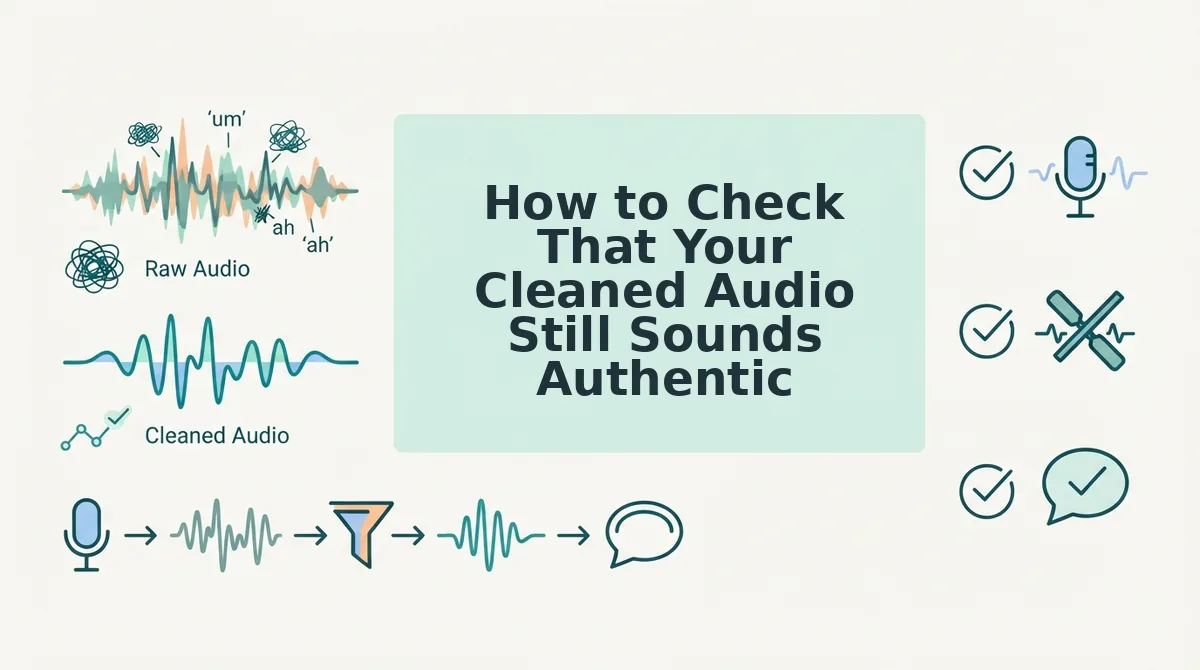
How to Check That Your Cleaned Audio Still Sounds Authentic
To verify that cleaned voice notes sound authentic, conduct an auditory side-by-side check focusing on natural inhalation rhythms, continuous ambient tone, and conversational cadence. A cleaned recording must sound like a founder speaking with decisive focus rather than a synthetic script reading.
Picture this scenario: you just dictated an unpolished product roadmap memo between investor meetings, and an automated cleaner stripped out eight stumbles and three false starts. Before dispatching that audio to your engineering leads, run through this five-point audit to ensure your natural presence remains intact.
- Preserve natural inhalation pauses between major thoughts. Human speech relies on rhythmic breathing gaps to signal transition between complex concepts. Over-editing that slices out every physiological breath creates an unnatural, machine-paced delivery that exhausts the listener. Play your audio at normal speed and ensure small breathing spaces remain intact before major tactical pivots.
- Audit sentence attack transients for clipped consonant sounds. An attack transient is the initial acoustic burst of energy produced when your vocal cords and mouth form the first syllable of a word. When automated trimming cuts too close to a speech boundary, words starting with hard consonants like "p", "t", or "k" sound clipped or muffled. Zoom in on the opening second of each restructured sentence to verify the initial consonant retains its full acoustic envelope.
- Verify seamless room-tone continuity across edit boundaries. Room tone is the low-level ambient sound baseline present in any recording space, from a quiet office to a moving car. Aggressive noise gates cause robotic room-tone dropouts where the background acoustic texture abruptly plunges into dead digital silence between words. Listen with headphones to confirm ambient noise remains a level, continuous bed rather than cutting in and out.
- Check that syntactic corrections preserve your actual conversational intent. Cleaning speech should clarify your core message rather than rewrite your personality into rigid, formal prose. When platforms repair conversational grammar, your spontaneous vocabulary, idioms, and natural emphasis should remain fully recognizable. Compare the cleaned memo against your original thought to confirm your core tone remains uncompromised.
- Retain deliberate conversational pauses used for dramatic emphasis. Not every silent gap in an audio memo is an accidental hesitation or an unvoiced filler word. Founders routinely pause for half a second to let a strategic metric or directive land with the team. Flag any tool that treats strategic dead air as dead weight, ensuring intentional rhetorical pacing stays untouched.
Understanding these acoustic nuances resolves the technical side of post-processing, but founders often encounter practical edge cases when deploying clean voice memos across distributed teams.
Frequently Asked Questions About Eliminating Filler Words
You eliminate filler words from founder voice notes by replacing vocalized processing gaps with silent pauses or using automated audio cleanup that preserves authentic vocal timbre.
Can you remove filler words without making your voice sound clipped or robotic?
Automated speech enhancement eliminates verbal hesitations while preserving ambient room tone and natural vocal cadence. Unlike synthetic text-to-speech generators, modern timeline remediation cleanly extracts tokens like "um" or "like" directly from the recorded audio. Your original timbre, pacing, and organic tone remain intact without robotic digital distortion.
How do mobile voice memos differ from studio audio editing?
Mobile voice notes prioritize executive velocity and immediate clarity over heavy studio-grade multi-track post-production. Founders record unscripted updates in cars, streets, or home offices with unpredictable background noise. Streamlining async audio requires lightweight browser processing that removes acoustic distractions and hesitations instantly without manual timeline scrubbing.
How do I stop using filler words when speaking at high speeds?
You reduce verbal fillers by training yourself to replace vocal hesitations with structured micro-pauses. When formulating your next strategic thought:
- Close your lips completely between sentences.
- Breathe through your nose instead of vocalizing.
- Start the next phrase only when fully formed.
Strategic silence projects executive authority.
Why do founders use more filler words in voice notes than live conversations?
Speaking asynchronously removes visual cues and listener reactions, causing speakers to instinctively fill dead air. Founders often process strategic decisions at 150 words per minute while dictating updates on the fly. Without an active conversational partner to mirror, speakers use fillers like "basically" or "you know" to hold conversational space.
Addressing these behavioral triggers transforms voice messaging from an operational bottleneck into your highest-leverage management habit.
Master One-Take Executive Voice Notes Without Re-Recording
Mastering one-take executive voice notes requires replacing real-time self-editing with brief behavioral pauses and automated timeline enhancement. This structural shift achieves the elimination of the 12-minute operational drag per async memo that founders routinely waste inside iterative re-recording cycles.
Async voice updates lose velocity when leaders treat spontaneous team notes like studio recordings. Separating raw vocal ideation from final timeline polish ensures your team hears clear, authoritative direction rather than wandering sentence fragments, audible ums, or conversational hesitation.
How do you implement this one-take protocol immediately?
- Anchor thoughts before pressing record, leaning into comfortable silence rather than filling gaps with "basically" or repeated false starts.
- Process raw audio with targeted timeline enhancement that eliminates verbal stumbles while preserving your authentic vocal identity and pitch.
- Ship crisp, polished memos directly into Slack or WhatsApp channels without losing focus to playback audits.
To immediately bypass recording loops and elevate your async updates, refine your next voice note with the Starter plan with 2 lifetime minutes.
Executive gravitas does not stem from rehearsed verbal perfection, but from communicating authentic, decisive intent with zero operational friction.