
You've nailed the take, the tone, the pacing, the energy, and then you play it back and hear a tiny wet tick every few seconds. One YouTube creator's "30-second fix" video for this exact problem has racked up 64,000 views, which tells you how many people are frantically searching for a way to remove mouth clicks from a voice recording without re-recording the whole thing.
You're right to be frustrated: mouth clicks aren't just a dryness problem. They come from saliva adhesion, the tongue sticking to the roof of your mouth and popping free, which is why chugging water mid-session often does nothing. The good news is you can fix this. Below, you'll learn what actually causes clicks, how to prevent them before you hit record, and how to clean them from audio you've already captured. One of these fixes works even when the click is buried inside a word, and it's not the one you'd expect.
If you're working with voice messages rather than studio takes, tools like VClar's AI voice message translator can clean up filler sounds and clicks in a single pass, so a rough memo still lands as a polished message.
What Causes Mouth Clicks in Voice Recordings?
Mouth clicks are short, percussive sounds created when your tongue separates from the roof of your mouth (the palate), producing a small suction pop that your microphone amplifies. The wetter and thicker your saliva, the louder that pop becomes.
Think of it like pulling a suction cup off a glass window. A dry suction cup peels away almost silently. A wet one, or one coated in something sticky, releases with a sharp snap. Your tongue works the same way against your palate. When saliva is thick or stringy, it acts like glue between the two surfaces, and every time your tongue moves to form a consonant, it breaks that seal with an audible click.
This is why hydration advice often fails. Drinking water during a recording session doesn't give your body time to absorb it and thin out your saliva. The water just sits in your stomach while your mouth stays sticky. To actually reduce clickiness, you need to drink water 20 to 30 minutes before you record, giving your salivary glands time to produce thinner, less viscous saliva.
Microphone placement also plays a role. When your mic sits closer than 6 inches from your mouth, it picks up every subtle tongue movement, including clicks that would be inaudible in normal conversation. Keeping the mic at least 6 to 8 inches away, and slightly off-axis, so you're not speaking directly into the capsule, dramatically reduces click pickup without sacrificing vocal presence.
In short: clicks are a mechanical problem (tongue-palate suction) amplified by two factors, saliva viscosity and mic proximity. Fix those, and most clicks disappear before they're ever recorded.
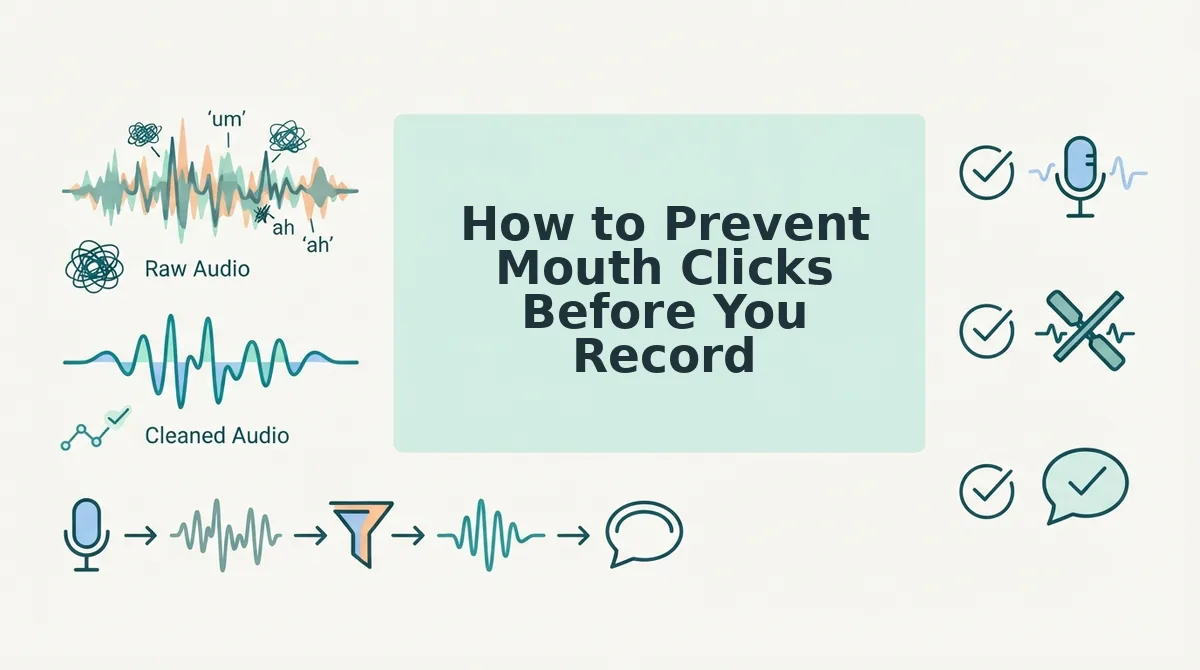
How to Prevent Mouth Clicks Before You Record
The most effective way to handle mouth clicks is to stop them at the source. Follow these steps in order, each one builds on the last, and together they eliminate the vast majority of clicks before you ever hit record.
Prerequisites: A glass of water, a green apple (optional but highly effective), and a microphone positioned at least 6 inches from your mouth.
- Drink a full glass of water 20-30 minutes before recording. This gives your body time to absorb the water and thin your saliva. Expect your mouth to feel naturally lubricated, not sloshy, by the time you start. If you only drink right before recording, you'll still click.
- Eat a few slices of green apple 5-10 minutes before you record. Green apples contain malic acid, which temporarily thins saliva and reduces the stickiness that causes tongue-palate suction. You should notice your mouth feeling cleaner and less "tacky" within a few minutes. This is a favorite trick among voiceover artists and YouTubers for a reason.
- Position your microphone 6-8 inches from your mouth, angled slightly off-axis. Point the mic toward the corner of your mouth rather than dead-center on your lips. This reduces the direct plosive and click energy hitting the capsule while keeping your voice full and present. You should hear noticeably fewer mouth noises on a test recording.
- Do a 15-second test take and listen specifically for clicks. Record a few sentences that include T's, K's, and D sounds, these consonants force the most tongue-palate contact. If you still hear clicks, take another sip of water, wait 5 minutes, and test again before committing to the full take.
If you've already recorded audio with clicks baked in, don't delete the take, the next section covers how to remove them from an existing file.
How to Remove Mouth Clicks from an Existing Recording
You can remove mouth clicks from an existing recording using browser-based AI cleanup, dedicated de-clicker plugins, or manual spectral editing, and the right choice depends on how much control you need versus how much time you're willing to spend.
Each method below works on already-recorded audio, so you don't need to re-record a take just because of clicks. The trade-off is always effort versus precision.
| Method | Cost | Effort | Precision | Best for |
|---|---|---|---|---|
| VClar acoustic cleanup | Browser-based, no timeline editing | Low, upload and process | High for voice memos and spoken messages | Founders, sales teams, and anyone sending async voice updates who needs a clean take fast |
| Adobe Audition DeClicker | Subscription (Creative Cloud) | Medium, select clip, apply effect, adjust threshold | High for single-track voice and podcast audio | Podcasters and editors already working inside Adobe's ecosystem |
| iZotope RX Mouth De-click | $399+ for RX Standard | Medium, module-based processing with sensitivity controls | Very high, purpose-built for mouth noise | Professional audio engineers and voiceover editors who need surgical control |
| Manual spectral editing | Free with tools like Audacity | High, identify and attenuate each click individually | Highest, removes only the click, nothing else | Audio purists and engineers working on critical, irreplaceable recordings |
Do you need expensive software? No. Browser-based tools like VClar's acoustic cleanup remove mouth clicks from voice memos without any timeline editing, keeping your original take intact. If you're sending voice messages or async updates, you don't need a $399 plugin to sound professional.
Adobe Audition's DeClicker is a solid mid-tier option. Mike Russell's tutorial walks through selecting the clip, opening the DeClicker effect, and adjusting the threshold until clicks disappear without dulling the voice. It's effective but requires manual parameter tweaking per recording.
iZotope RX Mouth De-click is the pro standard for a reason: it isolates and removes mouth noise with minimal artifacts, and its sensitivity controls let you preserve natural consonants. The $399+ price tag reflects that it's built for engineers who process audio daily, not for someone sending a quick voice memo.
Manual spectral editing in Audacity or similar tools is the most precise method, you visually spot each click as a thin vertical spike in the spectrogram and attenuate it individually. It's also the slowest, making it impractical for anything beyond short, high-stakes clips.
If your goal is a polished voice message without rebuilding your workflow, start with automated cleanup. If you're mastering a podcast or audiobook, invest in RX or learn spectral editing.
Mouth Click Removal for Different Use Cases
Mouth click removal isn't one-size-fits-all, the right approach depends on what you're recording and why the take matters. Here's how to handle clicks for the three most common reader types.
- Voiceover artists: preserve the one-take performance. Re-recording a voiceover because of mouth clicks loses the energy, pacing, and emotional nuance of the original take. Use a de-clicker that removes clicks without altering your vocal character, and only re-record when the performance itself needs another pass, not when the audio just needs cleanup.
- Podcasters: batch process for consistency. Mouth clicks vary across episodes depending on hydration, mic distance, and speaking fatigue. Apply the same de-clicker settings across all episodes in a batch to keep your show sounding consistent, and save manual spectral editing for guest tracks where you can't control the recording environment.
- Founders and sales teams: prioritize speed over timeline editing. Voice memos and async updates need to go out in minutes, not hours. Use browser-based acoustic cleanup that removes clicks automatically, then remove filler words from the same recording in one pass, no timeline scrubbing, no plugin learning curve, just a clean message that sounds like you.
Frequently Asked Questions About Mouth Clicks
Do I need expensive software to remove mouth clicks?
No. Browser-based tools like VClar remove mouth clicks from voice recordings without requiring a $399 plugin or a professional DAW. Expensive software like iZotope RX offers more surgical control for engineers, but automated cleanup is sufficient for voice memos, podcasts, and most spoken audio.
Why do I get mouth clicks even when I'm hydrated?
Mouth clicks come from saliva viscosity and tongue-palate adhesion, not just dryness. Even well-hydrated speakers produce clicks when the tongue separates from the roof of the mouth or when thick saliva bubbles burst. Hydration helps, but it doesn't eliminate the mechanical cause.
Can I remove mouth clicks without re-recording?
Yes. De-clicker tools and spectral editors remove clicks from existing audio in post-production, so you don't need to re-record a take. This is especially important for voiceover artists and anyone whose first take captured the best performance.
What's the difference between a de-clicker and a de-esser?
A de-clicker targets short, broadband transients caused by mouth noise, while a de-esser reduces sibilance, the harsh "s" and "sh" frequencies. They solve different problems and are often used together on the same vocal track.
How long does it take to remove mouth clicks from a voice memo?
With automated browser-based cleanup, processing takes under a minute for a typical voice memo. Manual spectral editing can take 10-30 minutes per minute of audio, depending on click density and how precise you need to be.
Prevention Is the Long Game, Cleanup Is the Shortcut
You now have two paths: hydrate, position your mic, and train yourself out of the click habit before you hit record, or run your existing audio through a cleanup pass that removes clicks without degrading the voice underneath. The fastest fix for recordings you already have is acoustic cleanup, and VClar's engine is built to strip mouth clicks, smacks, and saliva pops from the timeline while preserving your natural tone, cadence, and accent.
Here's the payoff from the start of this guide: mouth clicks are not a recording-ruining flaw you have to live with. They are a mechanical artifact with mechanical solutions.
Your next step: upload a click-heavy recording to VClar and run acoustic cleanup on it. Expect a timeline where the distracting pops are gone and the message sounds like you, just drier, cleaner, and more authoritative. No re-recording, no editing marathon, no synthetic voice replacement.
For more on tightening up your voice workflow, browse more voice recording tips.
A clean voice message isn't about having a perfect mouth, it's about having the right cleanup between the mic and the message.