You record a 90-second voice memo, listen back, and hear a sentence that sounds like it was assembled by someone running through a hallway. You delete it. You record again. Same problem, different hallway. If you've ever tried to restructure spoken sentences without re-recording, you know the loop: record, cringe, delete, repeat.
Here's the thing most advice misses: spoken sentences break differently than written ones. Written syntax is planned; spoken syntax is emergent. That's why grammar rules you learned for essays don't map cleanly onto voice memos.
This guide gives you a post-recording workflow, not another "speak more clearly" pep talk. You'll learn why spoken sentences fracture in predictable ways, how to fix them after the fact, and the three-step process that turns a rough voice note into a polished message in one pass. VClar's filler word removal and spoken grammar correction handle the heavy lifting, so you keep your voice and lose the broken syntax.
By the end, you'll also see why one common assumption about AI audio editing is backwards, and it changes how you record from now on.
Why Spoken Sentences Break (and Written Ones Don't)
Spoken syntax is the real-time grammatical structure of speech, produced without the planning time that writing allows. Written syntax is planned, revised, and edited before anyone sees it. Spoken syntax emerges live, which is why it breaks in ways written sentences rarely do.
Think of spoken syntax like cooking without a recipe while someone watches. You start with an idea, adjust mid-sentence, and sometimes abandon one ingredient for another. Written syntax is cooking from a tested recipe, you can erase, reorder, and rewrite before serving.
Here are the most common spoken syntax breaks:
- False starts: "I think we should, I mean, the budget...", the speaker begins one sentence structure, abandons it, and starts another.
- Fragments: "The client meeting. Tomorrow. Probably morning.", no verb, no complete thought, but the meaning is clear in context.
- Circular phrasing: "The thing about the thing is...", the speaker loops around the subject before landing on it.
- Mid-sentence topic shifts: "The client loved the demo, oh and we need to update the deck.", a new thought interrupts the current one.
These breaks aren't failures of intelligence. They're the natural byproduct of thinking at speaking speed. The problem is that voice messages preserve them, and listeners have to decode around the noise.
Here's the counterintuitive part: trying to speak in perfect sentences makes things worse. When you force planned syntax into a spontaneous medium, you slow down, sound stiff, and trigger more re-recording loops. The fix isn't better live speaking, it's better post-recording cleanup.
The 3-Step Workflow to Restructure Spoken Sentences
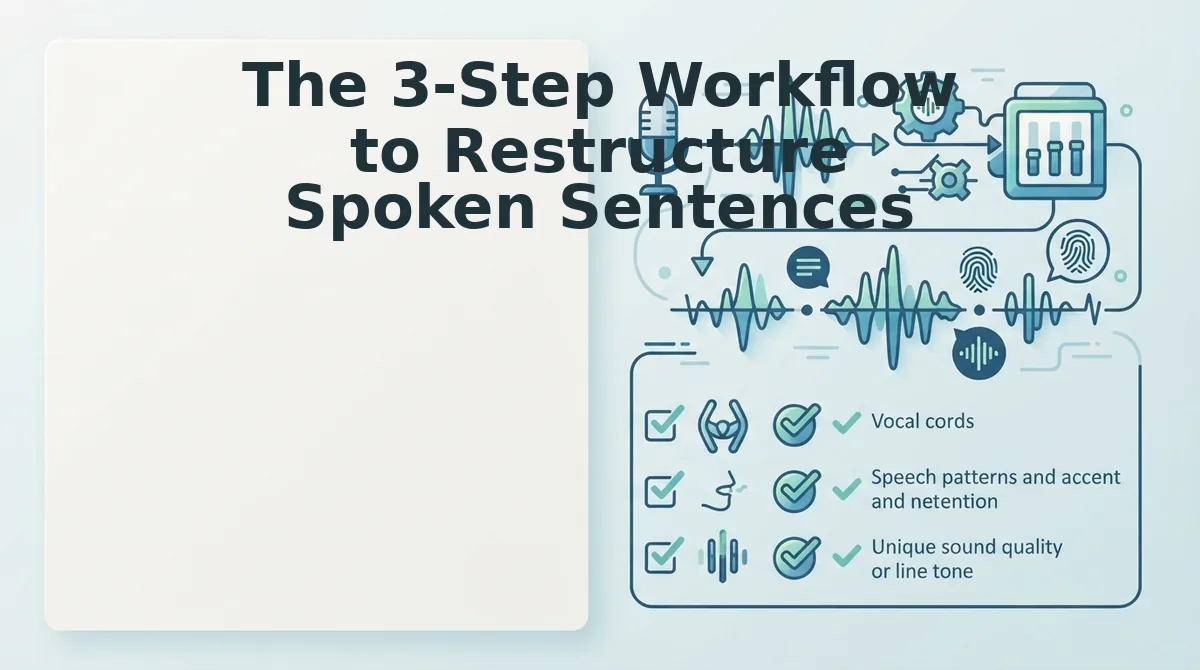
You don't need to re-record to fix broken spoken syntax. Follow this three-step workflow: identify the breaks, restructure the audio with AI-powered grammar correction, and export a polished message that still sounds like you.
Prerequisites: A raw voice memo or audio file, and a tool that can fix grammar in voice messages without altering your vocal identity.
-
Listen for the three break types. Play back your recording and mark every false start, fragment, and topic shift. You're not judging content, just flagging where the sentence structure collapses. Expect to find 3-5 breaks per minute in spontaneous speech. Success looks like a list of timestamps, not a rewrite.
-
Restructure without re-recording. Upload your audio to VClar. The engine detects broken syntax, false starts, circular phrasing, mid-sentence shifts, and rebuilds the sentence structure while preserving your tone, cadence, and accent. You should hear the same voice, but with sentences that land. This step takes under a minute for a typical voice memo.
-
Export the polished audio and transcript. Download the cleaned audio and the matching transcript. Play both back once. The final message should sound like you on your best take, decisive, direct, and free of verbal debris. If a sentence still feels off, run that segment through again rather than re-recording the whole message.
VClar's spoken grammar correction works on the audio timeline itself, so you're not splicing together takes or settling for a robotic text-to-speech clone. The result is one continuous take, restructured after the fact.
Next, let's look at what AI can and can't fix in spoken sentences, and where human judgment still matters.
What AI Can (and Can't) Fix in Spoken Sentences
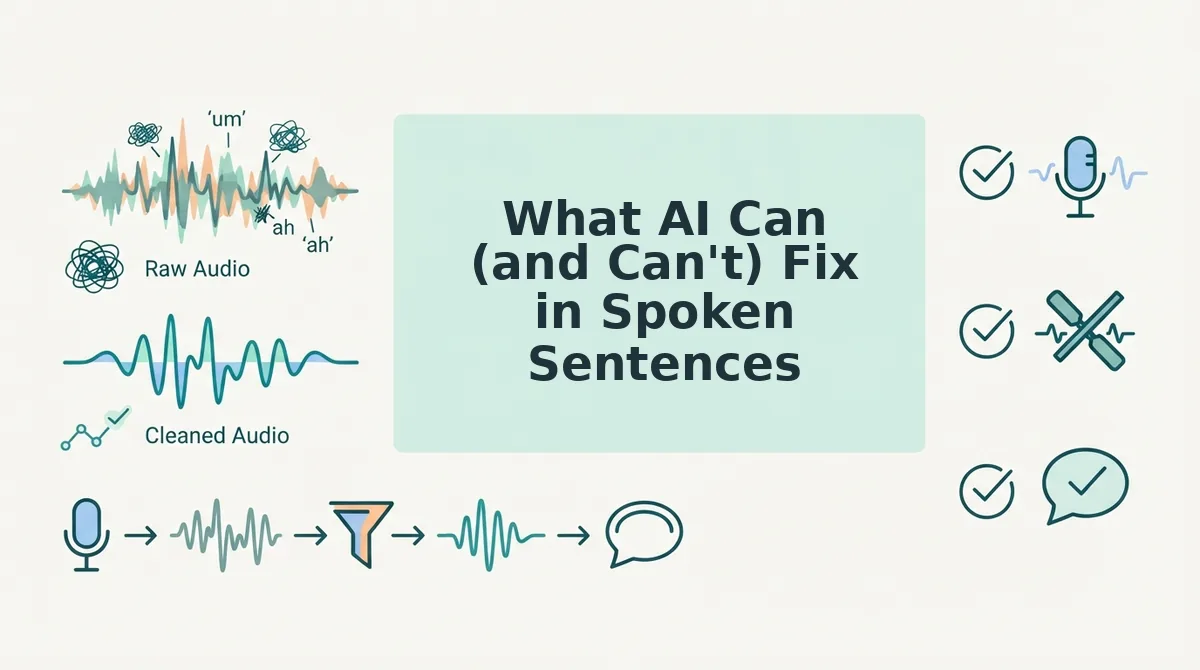
AI speech restructuring reliably fixes structural problems, sentence fragments, filler words, circular phrasing, and run-on sentences, but it should never replace your vocal identity, alter your accent, or make you sound like someone else.
Here's an honest breakdown of what current tools handle well, where they fall short, and which option fits your workflow.
| Capability | AI Audio Restructuring (VClar) | Manual Editing (DAW) | Text-Based Grammar Tools |
|---|---|---|---|
| Removes filler words (um, ah, like) | Yes, automatic, seamless | Yes, time-intensive, frame-by-frame | No, requires transcription first |
| Fixes sentence fragments and run-ons | Yes, directly in audio | Partial, you must re-record or splice | Yes, but only in text form |
| Preserves vocal tone, cadence, accent | Yes, core design priority | Yes, but only if you don't re-record | No, output is text, not audio |
| Changes your accent or vocal identity | No, by design, it shouldn't | No, unless you hire a voice actor | N/A, no audio output |
| Handles audio input natively | Yes | Yes | No, separate transcription step required |
Best for founders and sales teams: AI audio restructuring. You record once, and the tool cleans fragments and fillers without a re-recording loop.
Best for podcast editors: Manual DAW editing. You need frame-level control over pacing and room tone that automated tools don't offer.
Best for writers polishing transcripts: Text-based grammar checkers. They excel at written syntax but can't return audio to you.
If your restructured audio sounds choppy, the issue is usually aggressive filler word removal, not the grammar correction itself. Back off the removal sensitivity before assuming the tool failed.
Spoken Sentence Restructuring vs. Written Grammar Checkers
Written grammar checkers and spoken sentence restructuring solve fundamentally different problems: one polishes text, the other repairs audio without losing your voice.
- Written checkers assume planned syntax; spoken syntax is emergent. Grammarly and similar tools flag run-ons and fragments against rules built for composed writing. Spoken language is generated in real time, so its "errors" are often just thinking made audible, and need a different correction model.
- Text-based tools can't process audio without a separate transcription step. You'd need to transcribe the memo, fix the text, then re-record or use synthetic TTS, which loses vocal nuance, pacing, and emphasis in the process.
- VClar corrects grammar directly in the audio timeline. Fragments, fillers, and circular phrasing are repaired while preserving your tone, cadence, and intent. The output is still your voice, just clearer.
- Written checkers strip context that audio carries. Emphasis, hesitation, and emotional tone are information. Text tools discard them; audio-native restructuring keeps them intact.
- Re-recording is the hidden cost of text-first workflows. Fixing grammar in text means you still need to produce corrected audio. VClar eliminates that second step entirely.
For a detailed breakdown of how these approaches differ, see VClar vs. Grammarly.
FAQ: Restructuring Spoken Sentences Without Re-Recording
How do you restructure spoken sentences without re-recording the entire voice memo?
Use an AI audio restructuring tool that detects fragments, fillers, and run-ons directly in the audio timeline. It repairs the sentence structure while preserving your original vocal delivery, so you record once and skip the re-recording loop entirely.
Can AI fix sentence fragments in voice memos?
Yes. AI restructuring tools identify incomplete thoughts and merge or complete them into coherent sentences without changing your tone. The correction happens in the audio itself, not in a separate text transcript.
Does restructuring spoken sentences make you sound robotic?
No, when the tool preserves your vocal identity, cadence, and accent, the output still sounds like you. Robotic results typically come from aggressive filler removal or synthetic text-to-speech, not from grammar correction in the audio.
Why do written grammar checkers fail on voice memos?
Written checkers assume planned syntax, but spoken syntax is emergent. They also can't process audio natively, you'd need a transcription step that loses vocal nuance, emphasis, and pacing before any correction happens.
Stop Trying to Speak Better. Start Restructuring After You Record.
The entire premise of "fixing how you talk" is backwards. You don't need to master sentence patterns, rehearse transitions, or memorize grammar rules before hitting record. The trick isn't speaking better, it's restructuring after you speak.
That's the open loop from the start of this article, and here's the payoff: one-take confidence comes from knowing the cleanup happens later, not from performing perfectly in the moment. Your rough first take is the raw material. The polished message is the output.
Here's what changes when you adopt this workflow:
- Record once, restructure once. Stop the re-recording loop entirely.
- Speak at natural speed. Fillers and false starts are no longer failures, they're editable artifacts.
- Keep your voice. VClar preserves your authentic tone, cadence, and accent while it fixes grammar and removes fillers.
Your next step is simple: record your next voice memo the way you actually speak, then run it through VClar's spoken grammar correction. You'll hear the same voice, just cleaner, more decisive, and grammatically sound. No re-recording. No script. No second take.
The best sentence structure isn't the one you plan before speaking, it's the one you shape after.