
You record a voice note in 30 seconds, then spend five minutes staring at two transcripts side by side, the raw one and the cleaned one, wondering if the "fixes" actually made you sound better or just erased your personality. That hesitation is where transcript comparison mistakes in voice notes quietly eat your afternoon.
If you've ever re-recorded a memo three times because the transcript looked messy on screen, you already know the trap: written text makes conversational speech look broken, even when it sounds perfectly natural out loud. Knowledge workers lose real cycles second-guessing voice memos because of this visual bias against spoken syntax.
You're right to care about accuracy. But comparing transcripts the wrong way pushes you toward over-sanitized audio that strips out your cadence, your emphasis, and the exact tone that makes voice notes for founders land with investors and teammates.
This guide walks you through the comparison mistakes that distort your judgment, the prerequisites for evaluating transcripts fairly, and a step-by-step audit method that separates real errors from harmless conversational texture. Along the way, you'll see how a tool like VClar removes filler words and fixes grammar in voice messages without flattening your authentic delivery.
One surprising finding ahead: most of what looks like a "transcript error" in your voice note isn't an error at all, and the fix that makes text prettier often makes audio worse.
What Are Common Transcript Comparison Mistakes in Spoken Voice Notes?
Transcript comparison mistakes in voice notes are judgment errors you make when evaluating a cleaned transcript against the original spoken audio, treating every textual difference as a defect instead of distinguishing between genuine transcription errors, harmless conversational markers, and intentional semantic cleanup.
Transcript comparison mistakes in voice notes are the judgment errors people make when they treat every difference between a raw transcript and a cleaned version as a defect. A raw transcript captures phonetic verbatim speech, every "um," false start, and grammatical stumble exactly as spoken. A cleaned transcript applies conversational semantic cleanup: removing filler words, correcting grammar, and smoothing sentence flow while preserving meaning and tone. The mistake is assuming the raw version is the "correct" baseline and any deviation from it is a loss. In reality, spoken language contains redundancy and repair mechanisms that serve the speaker during real-time formulation but add noise for the listener. When you compare transcripts side by side, you're not comparing two equally valid texts, you're comparing a rough draft against a finished message, and the differences between them are often improvements, not errors.
Think of it like comparing a chef's prep station to the plated dish. The prep station has onion skins, trimmed fat, and scattered utensils, all necessary for cooking, none of which belong on the plate. A raw transcript is the prep station. A cleaned transcript is the dish. Judging the dish for "missing" onion skins is a category error.
These mistakes fall into two broad buckets. Mechanical acoustic errors come from the transcription engine itself: misheard words, dropped syllables, or background noise bleeding into text. Behavioral reviewer editing traps come from you, the human comparing transcripts: over-correcting grammar that was fine in speech, deleting emphasis markers, or flattening sentence rhythm because it looks "wrong" on a page.
Most people conflate the two. You see "gonna" in the raw transcript, "going to" in the cleaned one, and flag it as an error, when it's actually a stylistic choice that may or may not matter depending on your audience. The fix isn't to reject all changes or accept all changes. It's to audit them with a clear rule set, which is exactly what fix grammar in voice message workflows are designed to support.
Prerequisites for Accurate Side-by-Side Transcript Evaluation
Before you compare any two transcripts, you need a consistent baseline, clear evaluation criteria, and a defined tolerance for what counts as an acceptable difference. Skipping these setup steps is the single fastest way to manufacture false errors.
- Separate phonetic verbatim text from conversational semantic cleanup. A phonetic verbatim transcript captures every sound you made, including fillers, false starts, and self-corrections. A semantically cleaned transcript removes those artifacts while preserving your intended meaning. Decide which one you're evaluating against before you open the comparison view, mixing the two standards guarantees you'll flag legitimate cleanup as data loss.
- Define your critical entity list before reviewing. Write down the names, numbers, dates, product terms, and brand-specific phrases that must survive any cleanup unchanged. These are non-negotiable. Everything else, "um," "like," "you know," repeated sentence openings, is expendable verbal hesitation. This rule-of-thumb separation keeps you from defending filler words as if they were brand assets.
- Listen to the audio while reading the raw transcript first. Your ear is the ground truth, not the text. Play the original voice note and follow along with the raw transcript to catch mechanical acoustic errors, misheard words, dropped syllables, noise artifacts, before you even look at the cleaned version. This isolates engine errors from editing choices.
- Set a tolerance threshold for stylistic changes. Decide in advance which grammar and phrasing shifts are acceptable. Contractions expanding ("gonna" to "going to"), sentence splits for clarity, and filler removal are typically fine. Changes to your terminology, tone markers, or emphasis words are not. Write this threshold down so you apply it consistently across every comparison.
- Use a tool that preserves vocal identity during cleanup. The whole point of comparing transcripts is to verify that cleanup improved clarity without flattening your delivery. A tool like VClar's remove filler words from audio capability cleans the audio timeline seamlessly, so the cleaned transcript reflects what the listener will actually hear, not a text-only edit that diverges from the audio.
- Compare in short segments, not full-document sweeps. Reviewing a 90-second voice note in one continuous pass causes attention fatigue, and by the end you're rubber-stamping changes you'd reject at the start. Break the comparison into 15-20 second chunks and audit each one fully before moving on.
- Document your decisions for recurring phrases. If you accept "gonna" once and reject it later in the same transcript, you've introduced inconsistency that undermines the entire evaluation. Keep a running note of how you handle repeated patterns so your comparison stays coherent from first word to last.
With these prerequisites in place, you're ready to start the actual audit, beginning with how conversational inversions get over-polished when reviewers mistake natural speech patterns for grammar errors.
Step 1: Audit Conversational Inversions Without Over-Polishing
Conversational inversions, sentences where the subject lands after the verb or where a prepositional phrase leads the thought, are not errors in voice notes. They are how humans actually talk. The goal of this audit is to flag structural problems that obscure meaning while leaving natural spoken syntax intact.
Prerequisites: A raw voice note transcript, the original audio file, and a side-by-side diff view (any text comparison tool works). Budget 15 - 20 minutes per 3-minute voice note.
- Open your transcript diff view and filter to sentence-level changes only. In most comparison tools, select the Sentences toggle under View Options to hide punctuation-only noise. You should see a clean list of changed sentences, not a wall of red characters.
- Read each flagged sentence aloud from the original transcript, then from the cleaned version. If the cleaned version sounds like a press release and the original sounds like you, the edit likely over-polished. You should be able to identify at least one sentence where the "fix" flattened your natural rhythm.
- Mark any inversion where the subject is still identifiable within two seconds of listening. Spoken prepositions like "on that call, we decided" or topical fronting like "the Q3 numbers, they came in low" feel human across async team channels. If a listener can follow the thread without rewinding, keep the inversion. You should see roughly 70 - 80% of inversions survive this test.
- Flag only inversions that create genuine ambiguity. An example: "the client, after the demo, they asked about pricing" is fine. "Pricing, the client, after the demo, asked" is not. Type AMBIGUOUS next to these rare cases in your notes. You should end up with fewer than 5% of sentences flagged.
- Run the flagged sentences through a spoken english grammar cleaner to confirm whether the structure is a true error or a dialectal pattern. Paste the sentence into the tool and review the suggestion. If the tool proposes a reordering that preserves your cadence, accept it. If it proposes a full rewrite, reject it. You should see a recommendation that respects your original word order in most cases.
Over-polishing voice note transcripts destroys speaker warmth and listener engagement. A transcript that reads like a corporate memo loses the very signal that made the voice note worth sending. The audit succeeds when you can defend every deletion with a clarity argument, not a style preference.
If you are spending more time deciding what to keep than recording the note itself, VClar's filler and grammar engine handles the mechanical cleanup so your audit focuses only on meaning-level decisions.
Step 2: Detect Entity Discrepancies and Multi-Language Blindspots
Entity discrepancies, wrong names, mangled product terms, or phonetic stand-ins for loanwords, are the most damaging transcript errors because they silently corrupt meaning. Automated side-by-side runs often miss these because the text looks grammatically correct even when the entity is wrong.
Prerequisites: A list of known entities (client names, project codenames, tool names, mixed-language terms) and the raw audio. Budget 10 - 15 minutes per voice note.
- Open your entity list and the cleaned transcript side by side. Create a two-column view with your known terms on the left and the transcript on the right. You should be able to scan each entity in under 30 seconds.
- Search the transcript for each entity using the Find control (Ctrl+F or Cmd+F). Type the exact spelling from your list. If zero results appear, the engine likely substituted a phonetic approximation. You should catch at least one misspelled entity per multilingual voice note.
- Play back the audio at the timestamp where each entity appears. Click the timestamp link in your transcript tool to jump to the exact moment. Listen for loanwords and project codenames, speech engines frequently confuse "cache" with "cash," "SaaS" with "sauce," or render a codename like "Project Kite" as "Project Kate." You should hear the discrepancy within two seconds of playback.
- Correct the entity manually in the transcript, then re-listen to the surrounding 10 seconds. Type the correct spelling directly into the text field. Confirm the fix does not disrupt the conversational flow around it. You should see the sentence still reads naturally with the corrected entity in place.
- For mixed-language voice notes, run the transcript through a voice note translator to verify cross-language entity integrity. Upload the audio and select both source and target languages. Compare the entity spellings in the output against your list. You should see proper nouns preserved across the language boundary.
Phonetic confusion patterns emerge most often when speakers mix loanwords or project codenames into otherwise monolingual speech. An engine trained on English phonetics will hear "rendezvous" as "ron-day-voo" and "niche" as "nitch", both plausible English renderings that are wrong for the speaker's intent. The fix is not to avoid these words but to audit them explicitly.
Manual correction protocols should preserve technical accuracy without degrading surrounding conversational flow. Correct the entity in place, do not rewrite the sentence. A one-word fix keeps the speaker's cadence intact; a full sentence rewrite introduces new errors and strips the voice note of its original rhythm.
Step 3: Separate Acoustic Fillers from Intentional Pauses
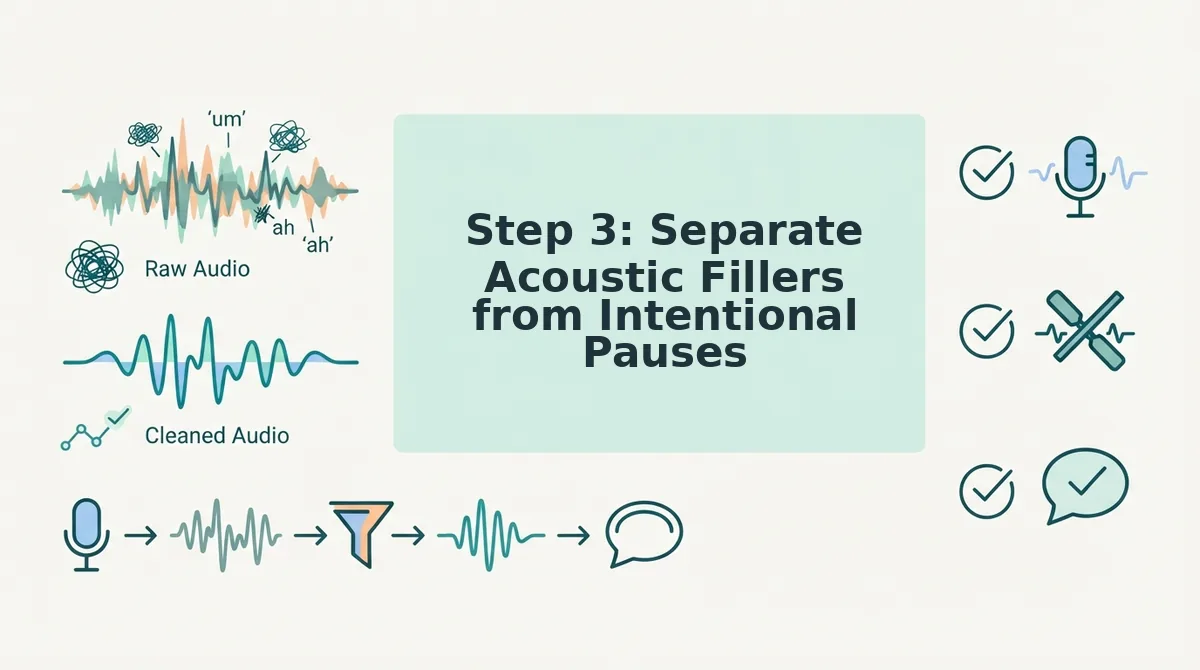
Not every silence or hesitation is a filler word. Intentional pauses, the beat before a key number, the breath after a hard question, carry rhetorical weight. This audit step aligns audio playback with text deletions so you remove only what dilutes the message.
Prerequisites: The original audio, the cleaned transcript with deletions marked, and headphones. Budget 10 minutes per voice note.
- Open the audio file and the deletion-marked transcript in a split view. Position the audio player above the text diff so you can see timestamps while listening. You should see each deletion highlighted with its corresponding timestamp.
- Play the audio at the first deletion point. Click the timestamp to jump directly to the moment. Listen for whether the removed sound is a verbal filler ("um," "like," "you know") or a silent pause. You should hear the difference within one second.
- Mark each deletion as FILLER or PAUSE in your notes. Type the label next to the timestamp. If the deletion removed a silent gap longer than 0.5 seconds, label it PAUSE. You should see a clear split emerge, most deletions will be fillers, but intentional pauses will cluster before numbers, names, and conclusions.
- Restore any pause that precedes a high-stakes statement. Select the deletion in your diff tool and click Restore. A pause before "the budget is $40,000" or "we're pushing the launch" signals deliberation and builds authority. You should feel the restored pause land with more weight than the stripped version.
- Run the audio through an automated filler word remover and compare its silence handling against your manual labels. Upload the file and review the processed output. If the tool stripped pauses you marked as intentional, adjust its sensitivity setting. You should see the tool preserve dramatic pauses when configured correctly.
Vocal cadence mapping, aligning acoustic playback with text deletions, is the only reliable way to safeguard conversational pacing. A text diff alone cannot tell you whether a removed "um" was a nervous tic or a deliberate beat. The audio always has the answer.
Automated silence strippers overreach when they treat every gap as noise. A 0.8-second pause before a pricing figure is not dead air; it is emphasis. Deleting it makes the speaker sound rushed and the number sound rehearsed, which distorts listener comprehension and trust.
Once you have separated fillers from pauses, the next step is confirming your entire audit held up, which is where the CADENCE Matrix comes in.
How to Verify Your Transcript Audit Worked with the CADENCE Matrix
The CADENCE Audit Matrix is a 7-parameter verification framework for confirming that a side-by-side voice transcript comparison preserved speaker intent while removing only genuine distortions, not authentic cadence, accent, or conversational rhythm.
Most transcript audits fail silently: you finish comparing two versions, feel satisfied, and miss that the "clean" transcript stripped a regional phrasing that carried meaning. The CADENCE Matrix turns that gut feeling into a repeatable checklist. It scores each parameter from 1 (unacceptable distortion) to 5 (faithful preservation), and any parameter scoring below 3 flags a re-edit.
The CADENCE Audit Matrix: 7 Verification Parameters
| Parameter | What It Checks | Pass Threshold |
|---|---|---|
| Context retention | Does the edited transcript keep the original situational meaning, including implied references and conversational shorthand? | No listener would need the raw audio to understand the message |
| Accent and cadence markers | Are regional pronunciations, natural pauses, and rhythmic speech patterns preserved in the audio timeline? | Playback still sounds like the same person, not a scripted read |
| Data entity accuracy | Are names, numbers, dates, currencies, and product terms identical across both transcripts? | Zero entity mismatches between raw and edited versions |
| Emotional tone | Does the edit retain urgency, warmth, hesitation-as-honesty, or emphasis that the speaker intended? | Tone shifts only where the speaker explicitly wanted cleanup |
| Noise vs. signal separation | Were acoustic distractions removed without deleting intentional pauses, breaths, or emphasis beats? | Removed elements are all non-communicative |
| Cross-language fidelity | For translated voice notes, does the target language preserve idioms, honorifics, and cultural context? | No literal translations that flatten meaning |
| End-to-end coherence | Does the final transcript read as one continuous, natural message, not stitched fragments? | A cold read sounds like one take, not an edit job |
Post-Edit Validation: Two Checks That Catch What the Matrix Misses
Run the CADENCE Matrix first, then apply two playback validations. Reading aloud the edited transcript without the audio reveals whether the written version flows naturally or reads like a sanitized script. Synchronized playback testing, playing raw and edited audio side by side, exposes timing drift, clipped words, and unnatural gaps that visual comparison hides.
How VClar, Descript, and Manual Auditing Compare for CADENCE Verification
Each approach has genuine strengths depending on your workflow. Manual auditing gives you total control but scales poorly. Descript offers strong timeline-based editing for podcast and video producers. VClar automates the CADENCE-relevant cleanup, filler removal, grammar correction, and translation, while preserving the original vocal identity, which matters most for voice-message workflows.
| Option | Strengths | CADENCE Fit | Best For |
|---|---|---|---|
| Manual side-by-side audit | Full control, zero tooling cost, no learning curve | High if you have time; error-prone at volume | Occasional voice notes where precision outweighs speed |
| Descript | Powerful timeline editing, multi-track support, strong for scripted content | Strong on E (end-to-end coherence) and N (noise separation); weaker on preserving spontaneous cadence without manual tweaks | Podcasters and video editors who need granular timeline control |
| VClar | Automated filler removal, grammar correction, and translation that keeps the speaker's voice, tone, and cadence intact | Built around C, A, D, and E parameters; designed for one-take voice messages | Founders, sales teams, and cross-border operators who send voice notes daily and can't afford re-recording loops |
If your priority is granular, frame-level editing for produced content, Descript's timeline is a legitimate strength. If your priority is sending a clean, authentic voice message in one take without a post-production pass, VClar's automated preservation approach fits the CADENCE framework more directly. For a deeper feature-by-feature breakdown, see our VClar vs Descript comparison.
Frequently Asked Questions About Voice Note Transcript Audits
Why do voice note transcriptions misinterpret casual spoken grammar?
Speech-to-text engines are trained primarily on written language patterns, so they struggle with conversational structures like trailing clauses, subject omission, and mid-sentence topic shifts. Casual spoken grammar often lacks the punctuation cues that transcription models rely on, causing the engine to insert incorrect sentence boundaries or "correct" phrases the speaker never intended to formalize.
How do I compare two audio transcripts without third-party timeline software?
Place both transcripts side by side in a two-column document and read them aloud in alternating order, marking any sentence where the edited version changes meaning, tone, or entity details. For audio-level comparison, play the raw and edited clips back-to-back on any device and note timing gaps, clipped words, or unnatural pauses that the text alone won't reveal.
Does background audio noise degrade side-by-side alignment engines?
Yes. Background noise, traffic, keyboard clicks, overlapping voices, introduces false word boundaries and misaligned timestamps, which causes alignment engines to match the wrong segments between two transcripts. Clean audio input or pre-processing that removes acoustic distractions before alignment significantly improves comparison accuracy.
What is the difference between a filler word and an intentional pause in a voice note?
A filler word is a non-communicative verbal placeholder like "um," "ah," or "like" that carries no meaning. An intentional pause is a silent or breath-marked beat that signals emphasis, hesitation-as-honesty, or a transition between ideas. Removing fillers improves clarity; removing intentional pauses can flatten emotional tone and make the speaker sound scripted.
How do I know if my transcript edit over-sanitized the original message?
Read the edited transcript aloud without the audio. If it sounds like a corporate memo rather than something you would actually say in conversation, it's over-sanitized. A faithful edit should preserve your natural sentence rhythm, regional phrasing, and emotional emphasis while removing only genuine distortions like fillers, false starts, and acoustic noise.
Mastering One-Take Voice Note Accuracy
The transcript comparison mistakes that cost you the most aren't the obvious ones, they're the silent failures: over-sanitization that strips your personality, entity stripping that changes a client's name or a dollar figure, and auditing that happens only in your head without a repeatable framework. The CADENCE Matrix exists to make those failures visible before you hit send.
Here's the payoff the intro teased: the reason most voice note audits go wrong isn't a lack of tools or time. It's that people compare transcripts the way they compare documents, looking for textual differences, when voice notes demand you compare meaning, tone, and identity across both text and audio simultaneously. Once you audit with that lens, the re-recording loop collapses.
Your next step: run your next voice note through the CADENCE Matrix once, then send it. If the audit takes longer than recording the message itself, switch to a tool that automates the cleanup without flattening your voice. Clean voice memos online with VClar and stop re-recording messages you already said right the first time.