
You nailed the emotional read on take one, then stumbled over "basically" for the third time and had to start over. If you're a voice over artist comparing VClar vs AudioPen for voice over artists, you already know the math: a 60-second spot with 8 filler words and 3 grammar stumbles means 4-6 retakes at 90 seconds each, burning roughly 9 minutes per take. That's studio time, client patience, and vocal stamina you can't get back.
You're right to be frustrated. Retake loops aren't a talent problem, they're a cleanup problem, and the right tool can solve it in one pass.
This guide breaks down exactly how VClar and AudioPen handle voice over takes differently, which cleanup depth each one actually delivers, and the surprising reason one of them can't fix your audio at all. By the end, you'll know which tool fits your workflow, and how to rescue a take without stepping back into the booth.
VClar removes filler words and fixes spoken grammar directly in your audio timeline while preserving your authentic vocal tone and cadence. Keep reading to see where AudioPen falls short for performance work.
What Is the Core Difference Between VClar and AudioPen?
VClar cleans and enhances the actual audio recording you deliver; AudioPen converts your voice into a text summary and discards the audio entirely. That single distinction determines which tool belongs in a voice over artist's workflow.
Voice over cleanup is the process of removing verbal fillers, correcting spoken grammar, and reducing acoustic distractions from a recorded performance while preserving the speaker's authentic vocal timbre, accent, and cadence. Text summary, by contrast, is a written condensation of spoken content, useful for notes, but useless when the deliverable is the voice itself.
Think of it like film editing versus writing a movie review. A film editor cuts bad takes, tightens pacing, and removes unwanted noise while keeping the original footage intact. A reviewer describes what happened in the film but produces no watchable footage. VClar is the editor; AudioPen is the reviewer.
For a voice over artist, this gap is decisive. Your client isn't paying for a summary of what you said, they're paying for a clean, broadcast-ready audio file with your voice on it. VClar works at the audio timeline level, detecting and removing fillers like "um," "uh," and "you know" without altering your delivery. AudioPen's output is text only, which means the performance, the thing you were hired to produce, is gone.
Here's the workflow contrast in practice:
- VClar path: Record one take to upload raw audio to VClar removes fillers and fixes grammar in the audio to download polished audio with your voice intact to deliver to client.
- AudioPen path: Record one take to upload audio to AudioPen generates a cleaned-up text transcript to you still need to re-record the audio yourself to deliver to client.
Which is better for voice over artists, VClar or AudioPen? For voice over artists whose deliverable is an audio performance, VClar is the clear choice because it preserves and enhances the actual recording, removing filler words, correcting spoken grammar, and cleaning acoustic noise without changing your vocal identity. AudioPen is better suited for note-taking, brainstorming, and capturing ideas as text, not for producing client-ready voice over audio. If your income depends on the sound of your voice, a tool that throws away the audio cannot serve your core workflow.
VClar's filler word removal works directly on the audio timeline, so your take sounds decisive without a single re-record.
How Deep Does Each Tool Clean Your Voice Over Takes?
VClar cleans at the audio level, removing fillers, fixing spoken grammar, and reducing noise while keeping your voice intact. AudioPen cleans at the text level only, polishing a transcript that no longer represents a usable audio deliverable.
To be fair, AudioPen does one thing well: it turns rambling spoken thoughts into tidy written summaries. If you're a voice over artist using voice notes to outline character choices, script annotations, or session notes, AudioPen's text cleanup is genuinely useful. It's fast, simple, and removes the friction of typing out your thoughts after a long booth session.
But when the deliverable is the take itself, AudioPen's cleanup depth stops at the transcript. It cannot remove a filler word from your audio because the audio no longer exists in its output. It cannot fix a grammar stumble in your spoken delivery because it has no audio timeline to edit. It cannot reduce mouth clicks, room tone, or background hum because those live in a file it has already discarded.
VClar operates on the audio you actually recorded. It detects and removes fillers like "um," "uh," "like," "basically," and "you know" directly from the timeline, splicing the audio seamlessly so the edit is inaudible. It corrects spoken grammar, fixing subject-verb disagreements, tense slips, and awkward phrasing, while preserving your vocal timbre, accent, and natural cadence. The result is a take that sounds like you, just sharper and more decisive.
| Capability | VClar | AudioPen |
|---|---|---|
| Removes filler words from audio | Yes, edits the audio timeline directly | No, removes fillers from text only |
| Fixes spoken grammar in audio | Yes, corrects grammar while preserving voice | No, cleans up transcript wording only |
| Reduces acoustic distractions | Yes, removes noise from the recording | No, no audio output exists |
| Preserves vocal timbre and cadence | Yes, authentic voice remains intact | No, voice is replaced by text |
| Output format | Polished audio + transcript | Text summary only |
| Best for | Voice over artists delivering client-ready audio | Creators capturing ideas and notes as text |
Best for working voice over artists: VClar. If you're recording commercial spots, e-learning modules, audiobook chapters, or character dialogue, you need a tool that fixes the take you already performed, not one that asks you to perform it again from a cleaned-up script.
Best for note-takers and brainstormers: AudioPen. If your voice notes are internal, session prep, script ideas, client feedback summaries, and you just want tidy text without typing, AudioPen's simplicity is a legitimate strength.
VClar's grammar correction for voice messages works on the spoken word itself, so a stumble in your read becomes a clean sentence without losing the performance underneath.
Ready to see what that looks like on a real 60-second spot?
How to Clean a 60-Second VO Spot Without Re-Recording
You can clean a 60-second voice over spot in under two minutes using VClar's automated cleanup pipeline, no DAW, no timeline scrubbing, and no retake loop required.
Prerequisites: A recorded take (WAV, MP3, or M4A), a VClar account, and a quiet recording environment. Your raw take can contain fillers, false starts, and minor grammar slips. VClar handles all three.
Cost context: A typical retake loop for a 60-second spot runs 4-6 takes at roughly 90 seconds per take, burning 6-9 minutes before you even start editing. VClar collapses that into a single pass.
- Upload your raw take. Open the VClar dashboard and click Upload Audio. Select the 60-second file from your device. You should see a processing indicator appear within seconds.
- Let the AI detect fillers and stumbles. VClar automatically scans the timeline for ums, ahs, "like," "basically," and repeated false starts. The detection panel lists every flagged instance with timestamps. Expect 8 fillers and 3 stumbles to appear as removable items.
- Review the flagged items. Click each flagged filler or stumble to preview the removal point. You can uncheck any item you want to keep, for example, a deliberate pause that adds dramatic weight. The audio timeline updates in real time.
- Enable grammar correction. Toggle Fix Grammar in the processing panel. VClar corrects spoken grammar errors, subject-verb mismatches, tense slips, and awkward phrasing, without altering your vocal timbre or cadence.
- Download the polished audio. Click Export Audio and choose your format. You should receive a clean, deliverable file with fillers removed and grammar corrected, ready for client delivery. No DAW session required.
This workflow is the core of the voice over artist workflow VClar was built around: one take in, one polished file out.
AudioPen, by contrast, converts your take into text only. You would still need to re-record or manually edit the audio in a DAW to get a deliverable file, which puts you right back in the retake loop VClar eliminates.
When Does AudioPen Make Sense for Voice Over Artists?
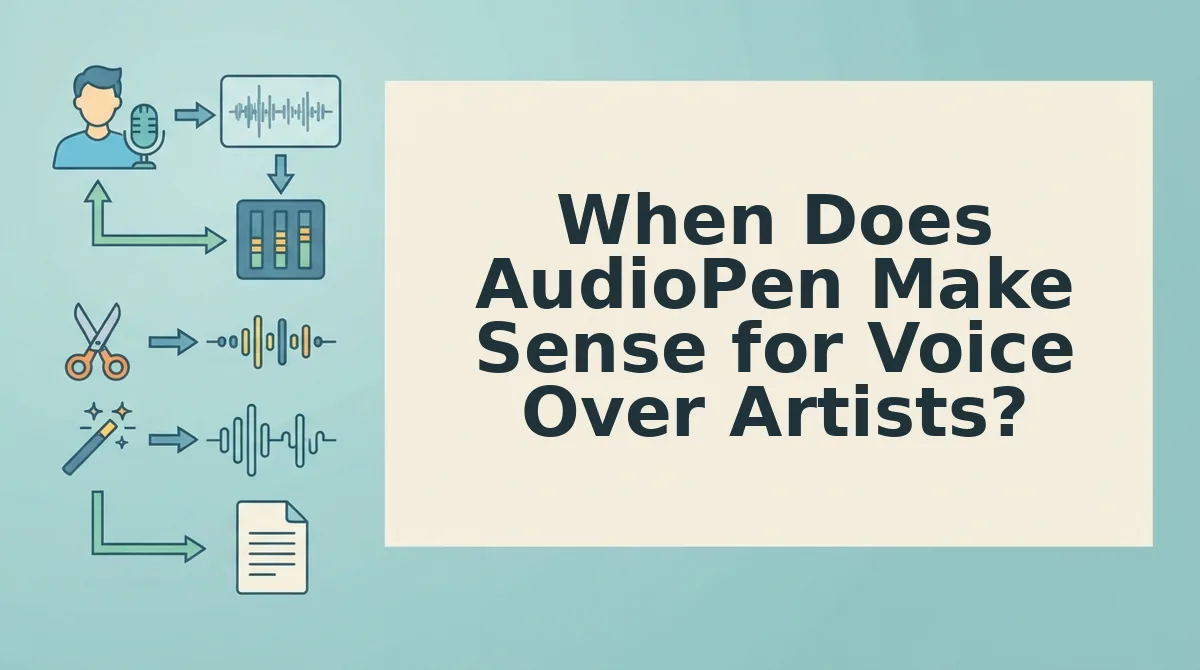
AudioPen earns its place when you need text, not audio. It is a voice-to-text note tool, not an audio cleanup or delivery platform, and that distinction defines every use case below.
- Script annotation and take notes. AudioPen transcribes your spoken notes about a take, pacing issues, pronunciation flags, client direction, into clean, shareable text. Use it to annotate scripts without typing, but know the underlying audio file remains untouched and undeliverable.
- Meeting and direction capture. AudioPen converts client calls and direction sessions into summarized text notes. This is valuable for keeping a searchable record of feedback, but it does not produce any audio you can send to a client.
- Idea capture for future scripts. AudioPen turns spontaneous voice memos into organized text drafts. For VO artists who brainstorm character voices or ad concepts on the go, this is a fast capture layer, but the output is a text file, not a usable voice asset.
- Transcribing takes for review. AudioPen can transcribe a raw take so you can read the script alignment and mark problem lines. This helps you identify what to fix, but you still need a separate tool, or a retake, to actually fix the audio.
- Text-based client communication. AudioPen converts your spoken client updates into polished text messages or emails. This saves typing time on administrative work, but it has zero impact on your audio deliverables.
Best for: AudioPen suits VO artists who need a fast voice-to-text layer for notes, scripts, and client communication. It does not serve audio delivery, cleanup, or review workflows.
If your primary need is turning rough spoken ideas into shareable text, the same use case covered in our voice notes for founders guide. AudioPen is a solid fit. If you need a deliverable audio file, VClar is the only tool in this comparison that produces one.
Frequently Asked Questions About VClar and AudioPen for VO Work
Direct answers to the questions voice over artists ask most when comparing VClar and AudioPen for take review and cleanup.
Does AudioPen output audio or just text?
AudioPen outputs text only. It transcribes and summarizes voice memos into written notes, but it does not produce, clean, or export an audio file. VClar outputs enhanced audio, fillers removed, grammar corrected, vocal identity preserved, ready for client delivery.
Can VClar clean up voice over takes without changing my voice?
Yes. VClar preserves your vocal timbre, accent, and cadence while removing fillers and correcting spoken grammar. The output sounds like you on your best take, not a synthetic clone or text-to-speech rendering.
Is VClar faster than editing in a DAW?
Yes. VClar automates filler removal, stumble cleanup, and grammar correction in a single upload pass. Manual DAW editing for the same result typically requires 10-20 minutes of timeline scrubbing per 60-second take. VClar completes the same cleanup in under two minutes.
What's the best tool for removing filler words from voice over recordings?
VClar is purpose-built for audio-level filler removal without synthetic processing. It detects and removes ums, ahs, "like," and false starts directly on the audio timeline while keeping your natural delivery intact. AudioPen cannot remove fillers from audio because it only processes text.
Can VClar translate voice over takes into other languages?
Yes. VClar's voice note translator converts spoken takes across languages while preserving your original vocal characteristics. This lets VO artists deliver multilingual versions of a spot without re-recording in a second language or hiring a separate translator.
These answers cover the core workflow questions, the final call on which tool fits your VO pipeline comes down to one thing: whether you need text or audio.
The Verdict for Voice Over Artists: VClar or AudioPen?
If your deliverable is audio, the choice is already made. AudioPen converts your spoken take into text and discards the recording, which means it cannot fix a single breath, stumble, or room tone in the file your client actually receives. VClar works on the audio itself, removing fillers and false starts from the timeline while preserving your original performance, cadence, and emotional delivery.
That distinction closes the loop from the start of this comparison: the tool that keeps your voice is the tool that serves voice over artists. AudioPen has a place for script drafting and note capture, but it ends where your job begins.
Here is the one-take confidence framework in practice:
- Record once. Stop looping retakes over a single "um" or a mistimed breath.
- Clean the take you already nailed. VClar removes the verbal debris without flattening the performance.
- Deliver the audio. Your client hears your voice, your pacing, your read, just sharper.
Voice over artists do not get paid for transcripts. They get paid for takes. Try VClar for voice over cleanup and keep the take you already delivered emotionally, now technically clean.
AudioPen turns your voice into text; VClar turns your voice into a finished take.