
You think at roughly 150 words per minute, but typing a client pitch takes ten times longer, and re-recording a voice memo because you said "um" three times burns another twenty minutes. Freelancers live in this gap every day: the message is clear in your head, but the delivery keeps getting in the way. The VClar vs AudioPen for freelancer pitches decision isn't about which tool is "better", it's about whether your client needs to hear you or read you.
You're right to be frustrated with the re-recording loop. Here's what you'll learn: exactly how VClar and AudioPen differ at the output level, when a voice pitch outperforms a text pitch, and a side-by-side breakdown of what each tool produces from the same 60-second recording. By the end, you'll know which one to reach for before your next client conversation, and one capability difference that flips the decision for most freelancers.
The Core Difference: Audio Output vs Text Output
VClar produces enhanced audio with your voice intact plus a transcript, while AudioPen produces a text summary only. That single distinction determines which tool fits which pitch scenario.
A voice pitch is a spoken message you send to a client, either as an audio file or a voice note, where your tone, pacing, and personality carry part of the persuasion. An audio enhancement is the process of cleaning up a recording without changing the speaker's voice: removing filler words, reducing background noise, and smoothing awkward pauses. A text transcription is the written version of spoken words, which can be edited, summarized, or pasted into an email.
Think of VClar like a photo editor for your voice: it removes the blemishes, the "ums," the road noise, the false starts, but the face in the picture is still unmistakably you. AudioPen is more like a sketch artist: it captures the idea and produces a clean written version, but the original voice never reaches the client.
Here's the workflow difference in practice. A freelancer records a 45-second pitch in the car, ten minutes before a client meeting. With VClar, she uploads the raw audio, and the tool removes road noise and filler words, then outputs a polished audio file she can send immediately, her voice, her cadence, just cleaner. With AudioPen, she gets a text summary of what she said, which she then has to paste into an email, format, and send. The audio is gone.
For freelancers who close deals on personality and trust, that missing audio is the whole pitch. For freelancers who need a quick written follow-up, the text summary is enough. The tool you choose should match the medium your client actually receives.
When Voice Pitches Beat Text Pitches
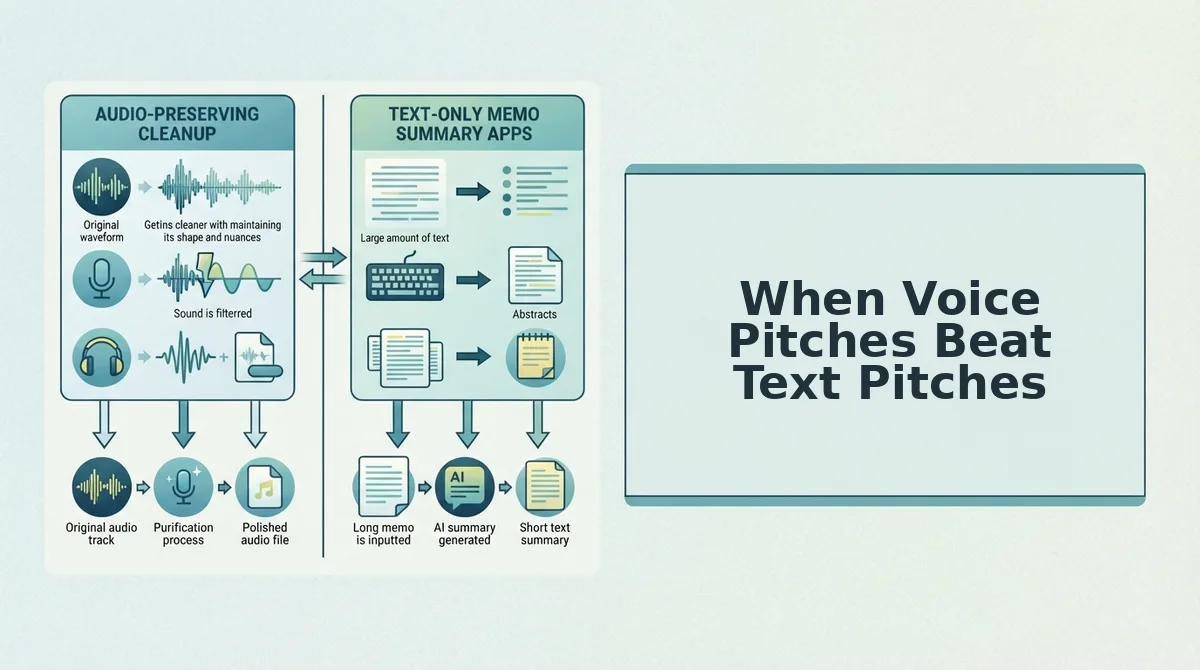
A pitch medium is the format, voice or text, through which you deliver a client proposal, and the right medium depends on how much trust already exists between you and the recipient.
Voice pitches outperform text for warm leads and existing clients because they hear tone, confidence, and personality, the same signals that make an in-person conversation persuasive. Think of a voice pitch like a handshake: it carries weight because it's physical, immediate, and hard to fake. A text pitch is more like a business card: clean and skimmable, but emotionally flat.
Cold outreach still favors text. A prospect who doesn't know you yet wants to skim your message in five seconds, not listen to a 60-second audio file. Text lets them control the pace. Voice demands their time before you've earned it.
So the rule is simple: warm lead, use voice. Cold lead, use text. VClar fits the first scenario, it preserves your voice while removing the friction that makes voice pitches risky. If you're a founder or freelancer who regularly sends voice notes for founders, you already know how much faster a spoken update lands than a typed one.
Next, let's see exactly what each tool produces from the same 60-second pitch.
Side-by-Side: VClar vs AudioPen for a 60-Second Pitch
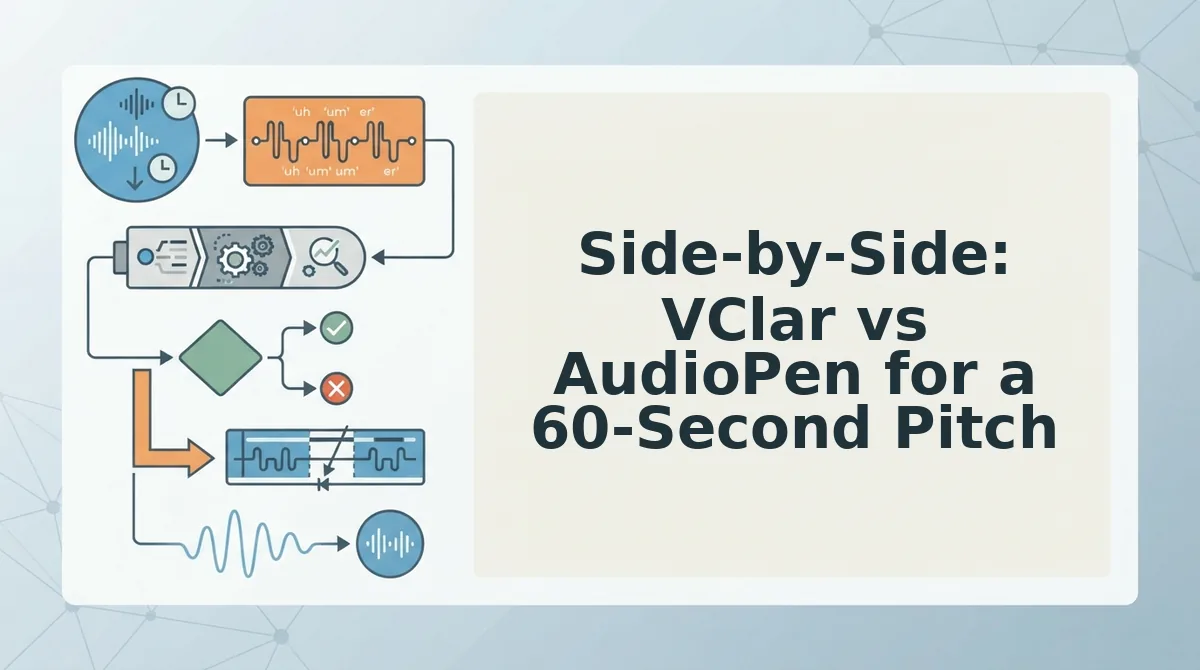
For a 60-second client pitch, VClar produces a polished audio message in three steps, record, enhance, send, while AudioPen produces a clean text summary in three steps, record, transcribe, copy. The right choice depends entirely on whether your client needs to hear your voice or read your words.
Both tools start the same way: you speak a rough, unedited thought into your phone or browser. That is where the similarity ends. VClar processes the audio itself, stripping filler words from the timeline, correcting spoken grammar, and delivering a voice message that sounds like you on your best day. AudioPen converts your speech into text, removes filler words from the transcript, and hands you a clean written note you can paste anywhere.
Here is the workflow comparison for a single 60-second pitch:
| Capability | VClar | AudioPen |
|---|---|---|
| Workflow | Record to enhance to send audio | Record to transcribe to copy text |
| Output format | Polished audio message | Clean text note |
| Voice preservation | Yes, your tone, cadence, and accent stay intact | No, output is text only |
| Filler word removal | Removed from the audio itself | Removed from the text transcript only |
| Grammar correction | Corrected in the spoken audio | Corrected in the written text |
| Translation | Yes, translates voice notes while preserving your voice | Not available |
| Delivery method | Send the audio file directly to a client | Copy and paste text into email, Slack, or a doc |
AudioPen is genuinely excellent at what it does. If your goal is to turn a rambling voice memo into a tidy text summary for your own notes or a written follow-up, it is fast and reliable. It does not claim to do anything with audio delivery, and it does not need to.
Best for voice-first freelancers: VClar suits freelancers who pitch through voice notes, Loom-style videos, or audio messages on WhatsApp and want to sound decisive without re-recording. Best for text-first freelancers: AudioPen suits freelancers who think out loud but deliver everything in writing and just need a fast transcription cleanup.
If you need to remove filler words from audio rather than from a transcript, VClar is the only option in this comparison that does so.
What VClar Fixes That AudioPen Can't
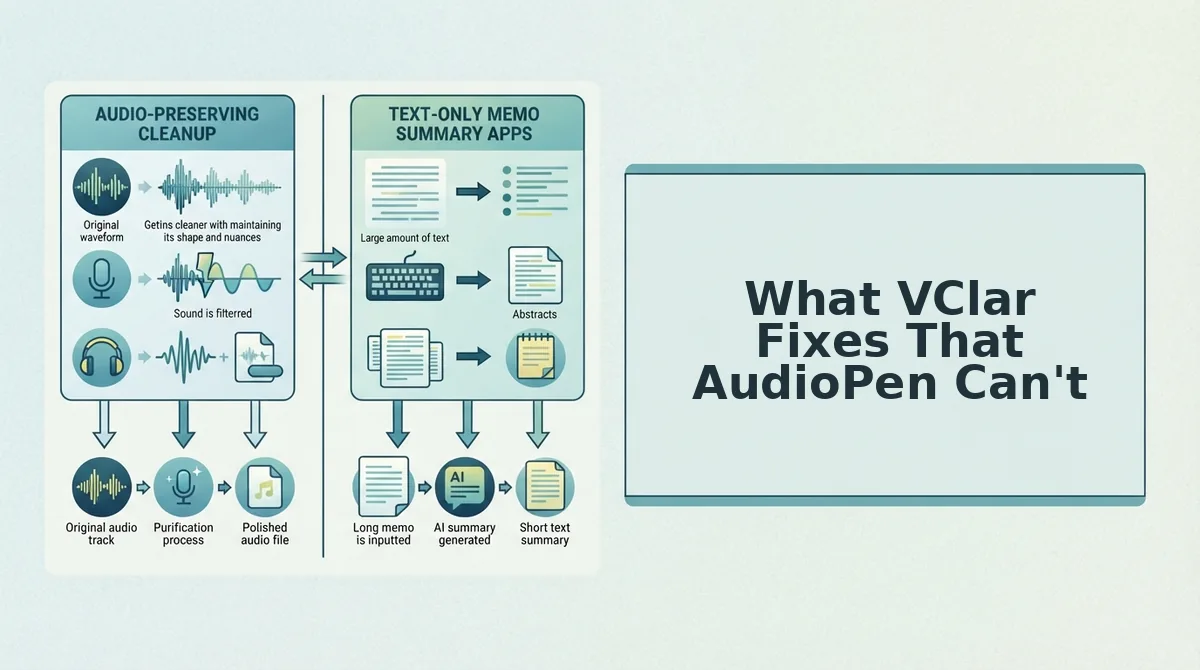
VClar operates on the audio itself, while AudioPen only operates on the text transcript. That single architectural difference creates five capabilities AudioPen cannot match.
- Filler word removal from the audio timeline. VClar detects and deletes ums, ahs, "like," and false starts directly from the recording, so the delivered voice message sounds decisive from the first second. AudioPen removes those same fillers from the text only, the original audio still contains every hesitation. Use VClar when the client will hear your voice, not read a summary.
- Spoken grammar correction without robotic delivery. VClar corrects grammar in the audio itself, fixing subject-verb slips and tangled sentence structures, while preserving your natural tone, cadence, and accent. The result sounds like you, just sharper. AudioPen can clean up grammar in text, but it cannot touch how you sound. If you want to fix grammar in voice messages without sounding scripted, VClar is the only tool in this comparison that does it.
- Voice-preserving translation for international clients. VClar translates voice notes into other languages while keeping your vocal identity intact, same tone, same cadence, different language. AudioPen has no translation capability at all. Freelancers pitching clients across borders can translate voice notes and deliver a message that still sounds like them.
- One-take confidence for audio pitches. Because VClar cleans the audio after recording, you do not need to re-record a pitch five times to eliminate a stray "um" or a botched opening. Record once, let the engine handle the cleanup, and send. AudioPen solves this problem only for text output.
- Delivery-ready audio output. VClar produces a finished audio file you can send directly to a client via voice note, email attachment, or messaging app. AudioPen produces text you must copy, paste, and format elsewhere. For freelancers whose clients prefer hearing a voice, VClar removes the entire editing step from the workflow.
Decision Matrix: Which Tool for Which Pitch
The choice between VClar and AudioPen comes down to one question: does your client need to hear you, or read you? If audio delivery matters, VClar is the only option in this comparison that improves the recording itself.
| Pitch scenario | Use this tool |
|---|---|
| You send voice notes on WhatsApp or Telegram to warm leads | VClar, polished audio with fillers removed |
| You pitch international clients in their native language | VClar, voice-preserving translation |
| You record Loom-style video intros and want clean spoken audio | VClar, grammar and filler correction in the audio |
| You want to sound decisive in a one-take audio pitch without re-recording | VClar, record once, enhance, send |
| You need a quick text summary of a rambling idea for your own notes | AudioPen, fast transcription cleanup |
| You deliver all client communication in writing and never send audio | AudioPen, text output is all you need |
| You want a clean written follow-up after a call, not an audio message | AudioPen, paste the transcript into email or Slack |
Best for voice-pitch freelancers: Choose VClar if you need polished audio, voice preservation, filler word removal, grammar correction, or translation. Best for text-pitch freelancers: Choose AudioPen if you only need a text summary of a rambling thought and do not care about audio delivery.
If your freelance workflow already includes voice notes for freelancers, VClar plugs directly into that habit, record the note, let the engine clean it, and send it without a second take.
Still weighing the tradeoffs? The FAQ below covers the most common questions freelancers ask before choosing.
FAQ: VClar vs AudioPen for Freelancer Pitches
VClar produces a polished audio message in your own voice, while AudioPen converts your spoken thoughts into clean text. The right tool depends on whether your client needs to hear you or read you.
Does AudioPen output audio?
No, AudioPen converts voice to text only. It transcribes and cleans up your spoken notes into written form, but it does not generate an audio file you can send to a client.
Can VClar translate voice pitches into other languages?
Yes, VClar translates voice notes across languages while preserving your vocal timbre, cadence, and tone. You record once in your language, and the client receives the pitch in theirs with your authentic voice intact.
Which is faster for a quick client pitch?
AudioPen is faster if you need a text summary of a rambling thought. VClar is faster when you need a send-ready audio pitch, because it removes fillers and corrects grammar in one pass without re-recording.
Will my voice sound robotic after VClar processing?
No, VClar preserves your vocal timbre, accent, and natural cadence. It removes hesitations and acoustic distractions while keeping your delivery authentic, so the result sounds like a more polished version of you.
Why do freelancers choose VClar over AudioPen for voice pitches?
Freelancers choose VClar when the pitch needs to sound like them. AudioPen is a text tool, so it cannot deliver the warmth, tone, and personal presence that a voice message carries in client relationships.
The Verdict: VClar Wins for Freelancer Pitches That Need Your Voice
VClar is the better choice when your pitch needs to sound like you. AudioPen wins when you need a text summary of a rambling thought. The deciding factor is output format: audio carries tone, warmth, and personal presence that text cannot replicate, and only VClar delivers that in a polished, send-ready file.
If your freelance business depends on building trust through voice, the choice is straightforward. Record your next pitch in one take, let VClar remove the fillers and fix the grammar, and send it without a second thought.
Your voice is your competitive edge. Stop re-recording and start sending pitches that sound like the best version of you.