
You've recorded the same 60-second investor update four times, and every take still sounds like you're thinking out loud instead of leading a company. The re-record loop is real: raw voice memos carry verbal fillers, awkward pauses, and disjointed grammar that quietly undermine your authority, whether you're a founder sending updates to investors or a B2B sales rep following up with an enterprise buyer. If you're weighing VClar vs Descript for cleaning voice notes, you're not comparing two versions of the same tool. You're comparing a one-take cleanup engine against a full studio editor.
Here's what this guide covers: how each tool actually processes a voice note, the step count difference that matters when you're recording from a car, and which workflows each one is built for. By the end, you'll know exactly which tool fits voice notes for founders and voice notes for sales, and one finding about Descript's learning curve may surprise you.
VClar vs Descript: The 30-Second Answer
VClar is a purpose-built AI voice message cleaner that removes filler words, fixes spoken grammar, and reduces background noise in one upload, no timeline editing required. Descript is a full audio and video studio editor with cleanup features layered into a multi-step editing workflow.
For quick voice notes under 90 seconds, VClar wins on speed: upload to done, two steps total. Descript requires import to select clip on timeline to apply Studio Sound to manually review filler word removal to export, a five-plus-step process designed for podcast and video projects, not one-off voice messages.
Think of it like this: VClar is a drive-through car wash, you pull in, and 60 seconds later the car is clean. Descript is a detailing garage with every tool on the wall. You can absolutely clean a car there, but you'll spend time learning the equipment and working through each station yourself.
The practical takeaway: if you're sending investor updates, sales follow-ups, or team voice notes and need them to sound decisive in one take, VClar's two-step flow is the faster path. If you're producing a podcast episode or editing video with multiple tracks, Descript's studio environment earns its complexity. One more thing worth knowing: the existence of full-length tutorials on Descript's audio cleanup, including a dedicated 2026 guide, signals that its cleanup workflow isn't self-explanatory. VClar's remove filler words from audio tool, by contrast, is built to require no instructions at all.
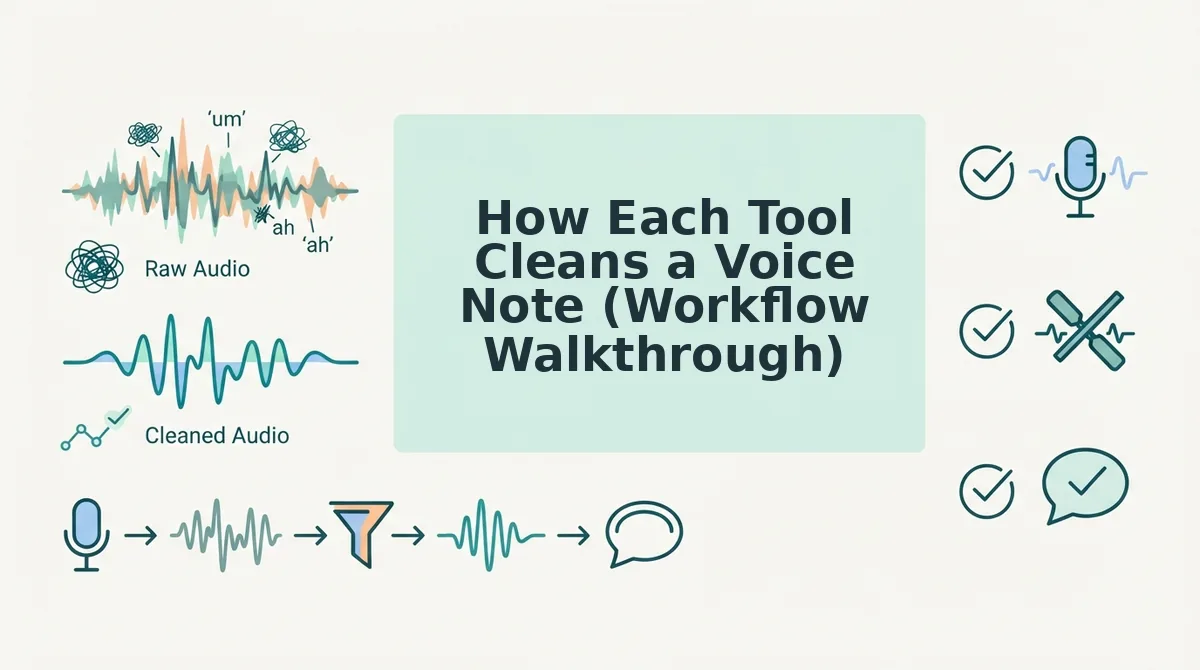
How Each Tool Cleans a Voice Note (Workflow Walkthrough)
The fastest way to see the difference is to walk the same scenario through both tools. Imagine a founder sitting in a parked car, recording a 60-second investor update on a phone. Background hum from the engine, a few "ums" and "you knows," one false start on the revenue number. Here's what happens next in each tool.
VClar Workflow: Upload to Done
Prerequisites: a recorded voice note on your phone or computer. No account setup beyond a basic sign-in.
- Upload your voice note. Open VClar, drag or select the audio file from your phone or desktop. The upload takes a few seconds for a 60-second clip.
- Wait for the AI to process the audio. VClar's engine detects and removes fillers like "um," "ah," and "you know," corrects spoken grammar, tightens phrasing, and reduces background noise, breath sounds, and mouth clicks, all while preserving your natural tone, accent, and cadence. Processing typically completes in under a minute.
- Download or send the cleaned audio. You get back a polished voice note that still sounds like you, just decisive and direct. Send it to investors or drop it into your CRM without a second take.
Success looks like this: you play the cleaned clip and hear your own voice, minus the engine hum and every filler word, no timeline, no sliders, no export settings.
Descript Workflow: Import to Edit to Export
Prerequisites: a Descript account, the desktop or web app open, and a basic understanding of timeline editing. The existence of a full-length "How to Clean Up Audio in Descript" guide for 2026 exists precisely because this workflow isn't obvious on first use.
- Import your audio. Open Descript, create a new project, and drag your voice note into the media bin. Descript transcribes the audio automatically.
- Select the clip on the timeline. Click the audio track to select it. This is where Descript's editor interface comes into play, you're now working in a multi-track timeline designed for podcasts and video.
- Apply Studio Sound. Find the Studio Sound toggle in the audio panel and enable it. This reduces background noise like the car engine hum, but it's a separate step from filler removal.
- Manually review filler word removal. Descript can identify filler words in the transcript, but you review and remove them one by one, or use bulk removal and then check each edit. This step is where the learning curve shows up: you're editing a transcript, not just cleaning audio.
- Export the audio. Click Export, choose your audio format and quality settings, and download the file. Total time for a first-time user: easily 10-15 minutes, even for a 60-second clip.
Success looks like this: you've navigated five-plus steps and now have a clean export, but you've also spent more time editing than recording. For a founder sending a quick update from a car, that's the difference between one take and a production session. VClar's filler words remover collapses this entire sequence into a single upload, which matters when your next meeting starts in four minutes.
Now that you've seen the workflows side by side, the real question is what each tool actually does to your audio, and where the trade-offs show up.
Feature Comparison: What Each Tool Actually Does to Your Audio
VClar and Descript both clean voice audio, but they operate on opposite ends of the editing spectrum: VClar automates cleanup for short, one-take voice messages, while Descript gives you a full timeline editor for video and podcast production. Here's how each feature area breaks down.
| Feature | VClar | Descript |
|---|---|---|
| Filler word removal | Automatic detection and removal of ums, ahs, "like," and false starts | Automatic detection, but you manually review and remove each filler word on the timeline |
| Grammar correction | Automatically fixes spoken grammar in the audio itself | No dedicated spoken grammar cleaner; you edit the transcript manually |
| Noise cleanup | Reduces background noise, breath sounds, and mouth clicks while preserving natural tone | Studio Sound removes background noise, but breath and mouth click cleanup requires manual editing |
| Voice preservation | Always keeps your original voice, tone, and cadence | Can generate synthetic voice clones via Generate Speech, which replaces your original delivery |
| Translation | Translates cleaned voice messages across 11 languages | Offers transcription and captions, but not voice message translation |
| Output format | Polished audio and transcript from a single take | Multi-track video, podcast, and caption exports |
Descript's strengths are real and worth naming: it's a full-featured video and podcast editor with captions, collaborative editing, and Studio Sound noise reduction. If you're producing a multi-track interview or a YouTube video, that timeline control is exactly what you need.
VClar's advantage is narrower but deeper for voice messages. Instead of asking you to review every detected filler word, VClar removes them automatically and fixes grammar in voice messages without a manual pass. The audio you send is the audio you recorded, just cleaner.
The voice authenticity gap matters most here. Descript's Generate Speech can create synthetic voice clones, which is powerful for scripted content but changes what your recipient hears. VClar never replaces your voice; it preserves your accent, tone, and rhythm while cleaning the rough edges. For cross-border teams, VClar's voice message translator adds another layer Descript doesn't offer: cleaned, translated audio in 11 languages from a single recording.
Best for podcasters and video editors: Descript, because you need timeline control, captions, and multi-track editing for long-form content.
Best for founders, sales teams, and remote workers: VClar, because you need a polished voice message in one take without touching a timeline.
When Descript Is the Right Tool (And When It's Overkill)
Descript is a legitimate powerhouse for long-form audio and video production. VClar is built for a different job: turning a rough voice note into a polished message in seconds. Here's when each tool earns its place in your workflow.
- You're editing a multi-track podcast or video. Descript's timeline editor, captions, and collaborative editing features make it the clear choice for long-form content with multiple speakers. VClar isn't designed for timeline-based editing, so forcing it into this workflow will frustrate you.
- You need captions or subtitles for published video. Descript generates captions directly from your transcript, which is essential for YouTube or social video. VClar focuses on audio and transcript output for messages, not caption files for video platforms.
- You're collaborating with a team on a scripted edit. Descript's collaborative editing lets multiple people review and refine a project. For voice messages, that level of collaboration is unnecessary overhead.
- You're sending a voice note under 90 seconds. VClar is the right tool here. You record once, and VClar removes fillers, fixes grammar, and cleans noise automatically, no timeline, no manual review, no re-recording loop.
- You need polished audio output, not just a transcript. VClar delivers cleaned audio you can send immediately. Descript's transcript-first workflow is powerful, but it's overkill when your goal is a quick, clear voice update.
- You're communicating across languages. VClar translates cleaned voice messages across 11 languages, which Descript doesn't offer for voice messages. For cross-border teams, this is the difference between a message that lands and one that gets lost.
- You're a creator or freelancer sending client updates. VClar fits the voice notes for creators and voice notes for freelancers workflow: record once, send a polished message, move on to the next task.
The takeaway: Descript is a studio. VClar is a microphone that cleans itself. Use the studio when you're producing something; use VClar when you're communicating something.
The Decision Framework: 3 Questions to Pick Your Tool
Here's a simple framework to decide between VClar and Descript in under a minute. Answer three questions, and the right tool becomes obvious.
- Is your message under 90 seconds? If yes, you're in voice message territory, not production territory. VClar is optimized for short, one-take messages; Descript's timeline editor is built for longer projects where you need to move clips around. If your message runs longer than 90 seconds, consider whether you're actually producing content rather than communicating.
- Do you need audio output, not just text? If your recipient needs to hear your voice, tone, emphasis, warmth. VClar delivers cleaned audio that still sounds like you. Descript's transcript-first workflow is excellent for text and captions, but its audio output often involves synthetic voice generation, which changes what your recipient hears.
- Do you want to avoid timeline editing? If the thought of scrubbing through a waveform to remove every "um" makes you put off sending the message, VClar is your answer. It automates filler removal, grammar fixes, and noise cleanup in one pass. If you enjoy fine-grained control over every edit, Descript's timeline is a feature, not a bug.
If you answered yes to all three, VClar is the tool for your workflow. If you're editing multi-track video or a podcast, Descript is the right call. For a deeper dive into how these tools stack up, see the full VClar vs Descript comparison page.
Still weighing the tradeoffs? The FAQ below answers the most common questions about choosing between VClar and Descript for cleaning voice notes.
FAQ: VClar vs Descript for Cleaning Voice Notes
VClar removes filler words, fixes grammar, and cleans background noise from voice messages in two steps without a timeline editor. Descript is a full audio/video studio that can do the same, but requires learning a multi-track interface. The right tool depends on whether you send quick voice notes or produce polished media.
Can Descript clean a 45-second voice note without me learning a timeline editor?
No. Descript requires you to open a project, import audio, and work within a timeline editor to apply filler word removal and Studio Sound. VClar cleans a 45-second voice note in two steps: upload or record, then download the cleaned audio. No timeline, no manual editing, no learning curve.
Does Descript's Studio Sound preserve my natural voice, or does it sound processed?
Studio Sound applies aggressive noise reduction and normalization that can flatten vocal character, especially on casual phone recordings. VClar removes background noise, breath sounds, and mouth clicks while preserving your natural tone, accent, and cadence. The output sounds like you on a good day, not a studio-processed version of you.
Which tool removes ums and ahs from audio without me manually cutting them?
Both tools automate filler word removal, but the workflow differs. Descript detects fillers and lets you delete them from a transcript, which edits the audio. VClar automatically detects and removes ums, ahs, "like," "basically," and false starts during processing. You never see a timeline or transcript unless you want one. For a dedicated remove filler words from audio workflow, VClar is the faster path.
Is Descript overkill if I only send voice messages, not podcasts or videos?
Yes. Descript is built for multi-track podcast editing, video production, and screen recording. If you only send voice messages to clients, teammates, or followers, you are paying for and navigating features you will never use. VClar does one thing: clean and translate voice messages fast.
How do I clean a voice note before sending it on WhatsApp or Slack?
Record your message in VClar or upload the audio file. VClar removes fillers, fixes spoken grammar, and reduces background noise in one pass. Download the cleaned audio and send it through WhatsApp, Slack, or any messaging app. The whole process takes under a minute.
The Bottom Line: Pick the Tool That Matches Your Message
The open loop from the start of this comparison resolves to one finding: the faster tool is not the one with more features. It is the one with fewer steps between your voice and a clean message. VClar cleans voice notes in two steps while preserving your natural voice. Descript is a studio editor for podcasts and video, not quick messages.
Use the decision framework from earlier: under 90 seconds, audio-only output, no timeline editing. That is VClar. Over 90 seconds, multi-track production, video or podcast editing. That is Descript.
Your next step: try VClar free and clean your next voice note in under a minute. If you work across languages, explore VClar's translation features for cross-border teams. Stop re-recording. Send the first take.