
You've just recorded a 45-second voice memo explaining a pricing change to a client in Mexico City. The audio has three "ums," one false start, and a sentence that trails off mid-thought. Now you need it in Spanish, and you need it sent before your next meeting. The question isn't whether AI can help. It's whether you open Descript, a full video production studio, or VClar, a tool built for exactly this moment.
Here's the tension nobody addresses: YouTube creators cover Descript's video dubbing workflow extensively, but none of them measure how long it takes to translate a quick voice memo. That's the gap this VClar vs Descript for voice translation comparison fills.
You're not wrong to consider both. Descript is a powerful editing suite, and VClar is a focused voice message translator. But the tool that wins for a 60-second memo may not be the one you expect. By the end, you'll know exactly how many steps each workflow requires, what happens to your voice in translation, and which tool gets a memo out the door faster. One specific finding about processing speed will likely change which tab you keep open.
What Is the Difference Between VClar and Descript for Voice Translation?
VClar is a voice memo translator that converts spoken audio into translated audio and text in roughly three steps, while Descript is a video and audio editing suite that offers translation as one feature inside a multi-step project workflow. The core difference is scope: VClar optimizes for speed on short voice messages; Descript optimizes for creative control on longer productions.
Think of it like the difference between a drive-through car wash and a full detailing garage. The car wash gets your car clean in three minutes with zero decisions. The detailing garage can do more, polish, wax, interior shampoo, but you book an appointment, drop off the keys, and wait. For a quick voice memo, VClar is the drive-through. Descript is the garage.
Here's the workflow breakdown. With VClar, you upload the memo, select the target language, and download the translated audio and transcript. Three steps, browser-first, no timeline to navigate. VClar preserves your timbre, cadence, and accent, the translation sounds like you speaking another language, not a synthetic voice.
With Descript, you create a project, import the audio file, select the clip on a timeline, apply the dubbing or translation feature, then export the result. That's five or more steps before you have a usable file. Descript's translation options are also different in kind: its AI dubbing generates synthetic voices, while its subtitle translation changes only the text, not the audio itself.
For a 60-second memo, VClar processes the translation in under a minute. Descript requires project setup and rendering time that scales with your familiarity with the interface. The distinction matters most when you're sending quick updates, client instructions, or team briefs across languages, the exact use case where a full editing suite becomes overhead rather than advantage.
| Factor | VClar | Descript |
|---|---|---|
| Primary purpose | Voice memo translation | Video and audio editing suite |
| Workflow steps | 3 (upload to translate to download) | 5+ (project to import to select to dub to export) |
| Voice output | Preserves timbre, cadence, accent | Synthetic AI dubbing or text-only subtitles |
| Speed for 60-second memo | Under 1 minute | Varies with project setup and rendering |
| Best for | Quick cross-language voice messages | Multi-track video and podcast production |
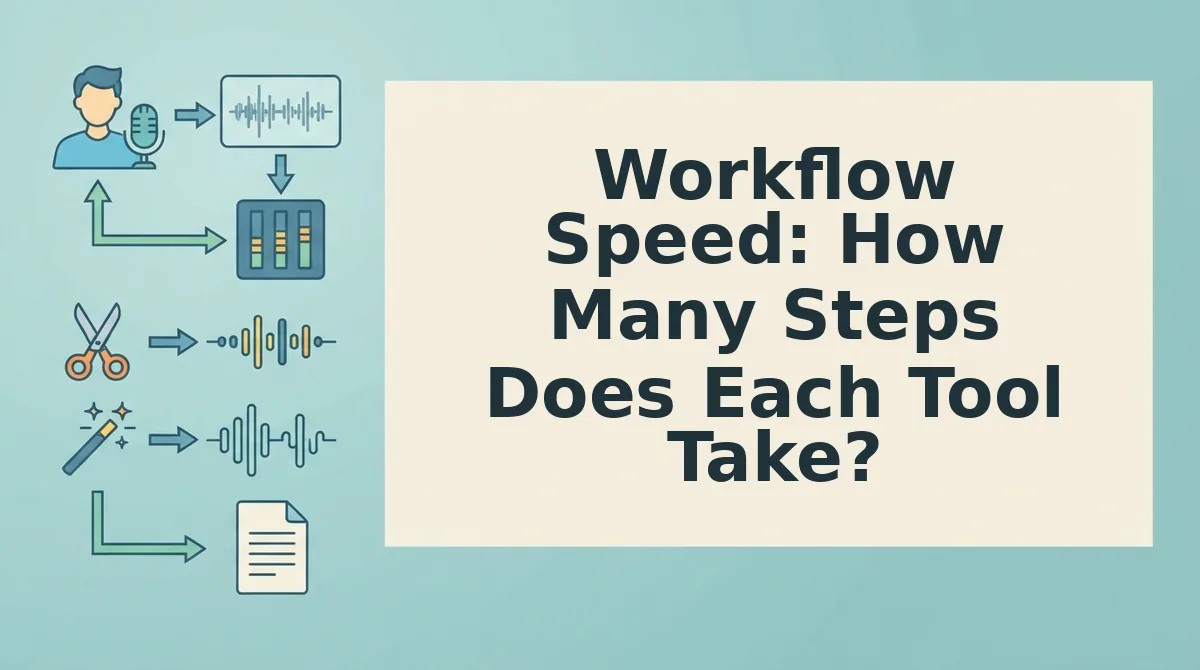
Workflow Speed: How Many Steps Does Each Tool Take?
VClar takes three steps to translate a voice memo; Descript takes five or more. If your goal is sending a translated voice note before your coffee cools, the step count is the deciding factor.
Both workflows assume you already have a recorded voice memo on your device. No additional software installation is required for VClar, which runs in the browser. Descript requires either the desktop app or a browser session with project creation.
VClar: 3 Steps to a Translated Voice Memo
- Upload your memo. Open VClar in your browser and drag your audio file into the upload area. You should see the file appear with a processing indicator.
- Select the target language. Choose the language you want the memo translated into from the language selector. VClar preserves your original voice, tone, and cadence in the translated output.
- Download the result. Click download to get the translated audio and transcript. A 60-second memo processes in under a minute, so you should have the file ready almost immediately.
Descript: 5+ Steps to a Translated Clip
- Create a new project. Open Descript and click New Project. Name the project and wait for the workspace to load.
- Import your audio. Drag the memo file into the project media bin or use the Import button. The file must finish uploading before you can proceed.
- Select the clip on the timeline. Click the audio clip in the timeline to highlight it. This activates the editing and translation tools in the right sidebar.
- Apply dubbing or subtitle translation. Open the dubbing or translation panel, choose the target language, and confirm. Descript's AI dubbing generates a synthetic voice; subtitle translation changes only the text layer.
- Export the result. Click Export, choose your format and quality settings, and wait for rendering to complete. Rendering time varies with clip length and project complexity.
The gap is structural, not cosmetic. VClar removes the timeline entirely because a quick memo doesn't need one. Descript's timeline is its core interface, so even a 45-second clip inherits the full project overhead. If you regularly translate voice notes for clients or teammates, the three-step path compounds into hours saved each month.
Next, the question that matters more than speed: does the translation actually sound like you?
Voice Preservation: Does Translation Keep Your Original Voice?
VClar preserves your original voice, timbre, cadence, and accent during translation, while Descript offers either synthetic AI dubbing or subtitle-only translation, not a true voice-preserving audio translation.
The core difference comes down to what each tool does with your audio after translation. VClar's engine cleans and translates the speech timeline itself, keeping your vocal identity intact. Descript takes a different route: it can generate a synthetic dubbed voice or display translated subtitles over your original audio, but it does not translate your actual spoken voice while preserving it.
| Feature | VClar | Descript |
|---|---|---|
| Preserves speaker's timbre | Yes, original voice retained | No, synthetic dubbing replaces voice |
| Preserves cadence and accent | Yes, natural pacing and accent kept | No. AI voice lacks original accent |
| Translation output format | Translated audio in your voice | Subtitle translation or synthetic voice dub |
| Grammar correction during translation | Yes, cleans grammar without altering voice | Limited, focuses on transcription editing |
| Best for | Founders and sales teams sending cross-border voice memos | Video creators producing multilingual content with lip-synced dubbing |
Consider a founder sending weekly voice updates to a manufacturing partner in Shenzhen. With VClar, she records a 90-second memo in English, and the partner receives a Mandarin voice message that still sounds like her, same energy, same pauses, same vocal identity. The partner hears her voice, not a robot. With Descript, she would need to either accept a synthetic Mandarin dub that sounds nothing like her or send subtitles that require the partner to read instead of listen.
VClar's grammar correction works alongside translation without touching your voice. The engine can fix grammar in voice messages and remove filler words from audio while keeping your natural delivery, a combination Descript does not offer for spoken translation.
Best for founders and cross-border operators: VClar, when your voice is part of the relationship and you need translated audio that still sounds like you.
Best for video producers and podcasters: Descript, when you need lip-synced dubbing for video content and are comfortable with a synthetic voice.
If you send voice memos across borders and want the recipient to hear you, not an AI stand-in. VClar's voice-preserving translation is the workflow that matches how you already communicate.
When Descript Is the Right Tool (And When It's Overkill)
Descript is the right tool for long-form video and podcast production with multi-track editing needs; VClar is the right tool for quick voice memos that need translation or cleanup in under a minute.
Both tools solve real problems, but they solve different ones. Here is when each earns its place in your workflow.
- Descript wins for 20-minute podcast episodes with lip-synced video. Descript's timeline editor, multi-track support, and AI dubbing are built for long-form content. If you produce a weekly video podcast and need to dub it into Spanish with lip-sync, Descript's synthetic dubbing workflow is purpose-built for that job.
- VClar wins for 60-second voice memos. When you need to send a quick translated voice note to a client or teammate, VClar's browser-based flow takes one recording and returns a clean, translated message in your own voice. No project setup, no timeline scrubbing, no clip selection.
- Descript is desktop-oriented; VClar is browser-based. Descript's full feature set lives in a desktop app with a project-based workflow. VClar runs in the browser, which means you can record, clean, and translate a voice memo from your phone between meetings without opening a heavy editor.
- Descript is overkill for simple voice note translation. Importing a 45-second memo into Descript means creating a project, waiting for transcription, selecting the clip, and then choosing between subtitles or synthetic dubbing. VClar does the same job in one step.
- VClar is underpowered for multi-speaker video editing. If you need to edit a panel discussion with four speakers, cut video scenes, and generate studio-quality captions, Descript's editor is the stronger choice. VClar is not built for timeline-based video production.
If your day is filled with short voice messages that need to sound polished and translate across borders, VClar's one-take workflow matches the speed you already work at. If your week is filled with long-form video production, Descript earns its learning curve.
FAQ: VClar vs Descript for Voice Translation
VClar translates voice messages while preserving your original voice in a browser-based one-step flow; Descript translates via synthetic dubbing or subtitles in a desktop project workflow. Here are the most common questions users ask when comparing the two.
Can Descript translate a 45-second voice note without timeline editing?
No. Descript requires importing the audio into a project, waiting for transcription, and selecting the clip before translation options appear. VClar translates a 45-second voice note in a single browser-based step without any timeline work.
Which tool is faster for translating voice messages on mobile?
VClar is faster on mobile because it runs entirely in the browser with no desktop app required. Descript's full translation and dubbing features are desktop-oriented, making quick mobile voice note translation slower and more cumbersome.
Is Descript overkill for simple voice note translation?
Yes. For quick memos under two minutes, Descript's project setup, transcription wait, and clip selection add unnecessary steps. VClar's one-take recording and instant translation workflow is designed specifically for short voice messages.
Does Descript compare to ElevenLabs for AI voice quality?
Descript focuses on video dubbing and podcast editing with synthetic voices built for lip-sync, while ElevenLabs specializes in high-fidelity voice cloning. For a detailed breakdown of how VClar stacks up against ElevenLabs, see our VClar vs ElevenLabs comparison.
Why does VClar keep my original voice but Descript does not?
VClar's engine cleans and translates the existing audio timeline, preserving timbre, cadence, and accent. Descript replaces your voice with a synthetic dubbed voice or adds translated subtitles, neither of which retains your original vocal identity in the translated audio.
The Bottom Line: Pick the Tool That Matches the Message
If you're translating a quick voice memo, VClar is the faster path. If you're translating a video with lip sync, Descript earns its complexity. The decision isn't about which tool is better overall, it's about which one removes the most friction for the specific message in front of you.
Here's the decision logic in plain terms:
- Translating a voice memo? to VClar.
- Translating a video with lip sync? to Descript.
- Translating a podcast episode? to Descript.
- Translating a WhatsApp voice note? to VClar.
That's the whole flowchart. Voice-only messages don't need a video editor. Video projects don't need a voice memo tool. The overlap is smaller than most comparisons suggest.
Your next step: open the voice message translator, record a rough memo in your native language, and send the translated result. You'll know within one take whether the workflow fits.
If you're editing a talking-head video or a multi-speaker podcast, Descript's timeline and dubbing tools justify the steeper learning curve. But for the dozens of short voice notes you send every week, VClar gets you from spoken thought to translated message without opening a project file.
The core insight: Voice translation tools are converging on quality, so the real differentiator is whether the tool matches the container your message already lives in.