
You record a 90-second voice memo, listen back, delete it, and start over. Three takes later, you've burned 20 minutes on a message that should have taken two. The verbal habits to check in a voice memo before sending are the difference between one-take confidence and a re-recording loop that eats your afternoon.
If you're a founder or sales rep who thinks at 150 words per minute but loses hours re-recording, you're not alone. Most people don't realize their voice memo app already has the tools to fix the problem, 9to5Mac's video shows Voice Memos is far more powerful than users realize, yet almost nobody audits their audio before hitting send.
This guide walks you through a practical pre-send checklist: which verbal habits to check in a voice memo before sending, how to rank them by distraction severity, and how to fix them without losing your authentic voice. You'll also learn why voice notes for founders fail more often from false starts than from fillers, a finding that surprises most people and one we'll unpack below.
By the end, you'll have a repeatable 5-second audit you can run on any message. And if you want the fastest path, VClar removes fillers, false starts, and rambling automatically while keeping your voice intact.
What Verbal Habits Should I Check in a Voice Memo Before Sending?
Run a 5-Second Pre-Send Audit in this order: fillers to false starts to rambling to grammar to tone. This sequence ranks habits by distraction severity, so you catch the biggest credibility killers first.
You need your voice memo app open and the recording ready to play. Set playback to 1.5x speed, your ear skips habits at normal speed that jump out when accelerated. Here's the step-by-step audit:
- Listen for filler words first. Play the first 10 seconds at 1.5x speed and count every "um," "ah," "like," "basically," and "you know." If you count more than three, the message needs cleanup. Fillers are high-frequency but low-distraction, they erode authority gradually rather than derailing the message instantly.
- Hunt for false starts. Replay the recording and mark every moment you begin a sentence, stop, and restart. False starts are low-frequency but high-distraction, one "I think we should, actually, what I mean is, " makes you sound unsure even if the rest is flawless. You should catch at least one false start per 60 seconds of raw audio.
- Check for rambling. Listen for any 15-second stretch where you circle the same point without adding new information. If you can delete the stretch and the message still makes sense, it's rambling. Cut it.
- Verify grammar in spoken sentences. Pay attention to subject-verb agreement and tense shifts. Spoken grammar errors are common when you think faster than you talk, and they read as sloppy in a transcript.
- Assess tone consistency. Confirm the message sounds like you, same cadence, same accent, same energy. If you sound rushed or flat compared to your normal speaking voice, re-record only that section, not the whole message.
Success looks like this: after the audit, you can identify every habit by timestamp and decide whether to fix it manually or run the audio through a cleanup tool. The Verbal Habit Severity Matrix helps you prioritize: high-frequency/low-distraction habits like fillers are annoying but survivable, while low-frequency/high-distraction habits like false starts do the most damage to how competent you sound. Fix the high-distraction habits first, then sweep the fillers.
Filler Words: The High-Frequency, Low-Distraction Habit
Filler words are the verbal placeholders, "um," "ah," "like," "basically," "you know", that your brain inserts while it searches for the next word. They're the most common habit in voice memos, but they rank low on the distraction scale because listeners unconsciously filter them out in small doses.
Think of fillers like static on a radio station. A little background hiss doesn't stop you from hearing the song, but too much static makes you change the channel. The same applies to voice memos: one or two fillers per minute go unnoticed, but a steady stream chips away at your authority. One sales rep sent a 90-second pitch with 14 fillers, roughly one every six seconds, and the prospect's attention drifted before the value proposition landed.
The practical detection method is simple: play your recording at 1.5x speed and tally every filler on a notepad. At accelerated playback, fillers sound like audible hiccups that your ear normally glosses over at normal speed. If the tally exceeds three in the first 30 seconds, the message needs a cleanup pass. You can manually re-record, or you can remove filler words from audio automatically with VClar, which detects and deletes them from the timeline without altering your voice, tone, or cadence.
Once fillers are under control, the next habit to check is far more damaging: false starts.
False Starts: The Low-Frequency, High-Distraction Habit
A false start is a spoken sentence you begin, abandon mid-thought, and restart with different wording. Unlike filler words, which listeners can filter out as background noise, false starts force the listener to discard one mental model and rebuild another from scratch.
Think of a false start like a driver who signals left, turns the wheel, then jerks back into the right lane. The passenger braces for one direction, then has to recalibrate. Fillers are potholes; false starts are sudden lane changes.
Here is a real before/after example:
- Before: "So I was thinking we could, I mean, the timeline might need to, what I'm trying to say is we should push the launch to Thursday."
- After: "We should push the launch to Thursday."
False starts appear far less often than fillers in most recordings, but each one costs the listener a full reset of attention. In a voice memo audit, flag every false start before you worry about a single "um."
Rambling: The Habit That Kills Attention Fastest
Rambling is the single fastest way to lose a listener. Most voice memos hold attention best between 45 and 90 seconds; beyond that, recipients start skimming mentally or stop listening entirely. Here are the rambling signals to check before you hit send.
- Circular phrasing. You restate the same idea in different words without adding new information. It signals uncertainty and doubles your runtime. Cut every sentence that repeats a point you already made.
- Repeated points. You return to a topic after moving on, often because you forgot you covered it. It forces the listener to rewind mentally. Delete the second mention and keep the stronger version.
- Trailing sentences. You start a thought and let it fade without a clear ending. It leaves the listener hanging and weakens your authority. End every sentence on a complete, decisive point.
- Over-explaining context. You spend 30 seconds setting up background the recipient already knows. It buries your actual message. Lead with the ask or the news, then add only the context that changes the decision.
- Thinking out loud. You narrate your own decision process instead of delivering the conclusion. It wastes time and invites confusion. State the outcome first, then offer reasoning if asked.
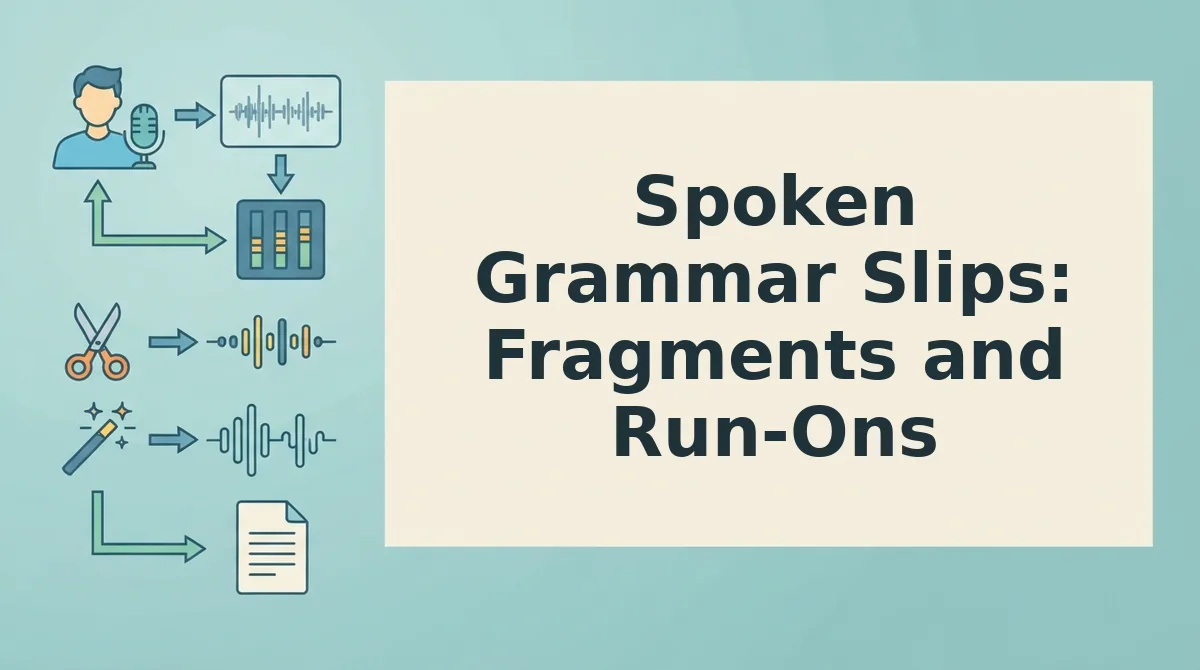
Spoken Grammar Slips: Fragments and Run-Ons
A spoken grammar slip is any sentence structure that confuses a listener, and it works differently in voice than in writing. Fragments are natural in speech because tone and pause carry meaning; run-ons are the real problem because they chain too many ideas without a break.
Think of a run-on like a train with no station stops. The listener cannot get off, process, or reboard. A fragment, by contrast, is a short local stop that actually helps spoken rhythm.
Before: "The client loved the demo and then they asked about pricing and I said we'd follow up and they want a proposal by Friday and also they mentioned the enterprise tier."
After: "The client loved the demo. They asked about pricing and want a proposal by Friday. They also mentioned the enterprise tier."
If you routinely catch run-ons in your recordings, use VClar to fix grammar in voice message audio without re-recording. Next, check the habit most people never audit: tone and cadence.
Tone and Cadence: The Habit No One Checks
Pacing, uptalk, and monotone delivery are delivery habits, not word habits, and they shape how your message lands before the listener processes a single word.
- Pacing: speak at 130-150 words per minute. Rushing signals anxiety and buries key points, while dragging loses attention. Use the playback speed controls in Voice Memos to listen back at 1.5x and catch where you accelerate.
- Uptalk: end declarative sentences on a down note. Rising inflection on statements makes you sound unsure and invites pushback. Listen for question-like endings on facts and re-record those lines with a firm drop.
- Monotone delivery: vary pitch on the one word that matters. Flat delivery erases emphasis and makes every sentence equal weight. Identify the single most important word per sentence and raise or lower pitch on it deliberately.
- Cadence gaps: pause before your main point, not after. A half-second silence before a key phrase creates anticipation and signals confidence. Pausing after the point sounds like you are searching for words.
- Trailing volume: keep the last word audible. Dropping volume at sentence ends makes you sound fatigued or dismissive. Check the waveform in Voice Memos for shrinking peaks and re-record endings at full breath support.
- Breath placement: inhale at punctuation, not mid-phrase. Audible gasps mid-thought break the listener's flow and read as nervousness. Mark commas and periods in your mental script as breathing points.
- Emotional flatline: match tone to content. Delivering bad news and good news in the same register confuses listeners about urgency. Adjust your energy level to the message's stakes before hitting record.
9to5Mac notes that Voice Memos has underused playback and editing features that help users check cadence, use them before sending anything important.
The One-Stumble Rule: When to Send vs. Re-Record
One stumble is humanizing and acceptable; three or more signals a re-record or cleanup. Use this threshold to stop the perfectionist re-recording loop.
- Record your voice memo in one take. Open Voice Memos or your messaging app and speak naturally without stopping. You should have a complete first draft in under 90 seconds.
- Play back the memo once at 1.5x speed. Tap the playback speed control and listen for stumbles, fillers, and false starts. You should hear every verbal slip clearly at accelerated speed.
- Count the stumbles. Tally ums, ahs, false starts, and repeated words. One stumble means the memo is ready to send, it reads as authentic, not sloppy.
- Send the memo if you counted one stumble or fewer. Hit send without re-recording. You should feel confident that the single stumble adds a human touch rather than undermining clarity.
- Re-record only if you counted three or more stumbles. Delete the take and record again, focusing on the specific spots where you stumbled. You should hear a cleaner second take with one stumble or fewer.
Troubleshooting: If every take has a stumble, stop re-recording. Upload the audio to VClar instead, the engine removes fillers and false starts while preserving your voice, so you send the first take without the loop.
FAQ: Voice Memo Verbal Habits
Direct answers to the most common questions about cleaning up voice memos before you hit send.
How do I stop saying um and like in voice memos?
Listen back to your recordings at 1.5x speed and count every filler word you hear. Awareness is the first fix, most people use 3-5 fillers per minute without noticing. Then record with a deliberate half-second pause where you would normally say um or like. The pause sounds confident and gives your brain time to form the next phrase.
Should I re-record if I stumble once in a voice memo?
No, one stumble is humanizing and signals authenticity, not incompetence. Listeners tolerate a single verbal slip without noticing it. Re-record only when you hit three or more stumbles, fillers, or false starts in one memo. That threshold means the message is hard to follow, not just imperfect.
How long should a voice memo be before it rambles?
Keep voice memos between 45 and 90 seconds. Under 45 seconds often lacks necessary context; over 90 seconds loses listener attention and invites rambling. If your message runs longer, split it into two memos or use a voice note translator to tighten the transcript before sending.
Why does my voice memo sound unprofessional even when my words are fine?
Delivery habits, pacing, uptalk, monotone pitch, and trailing volume, shape perceived professionalism more than vocabulary does. A grammatically perfect memo delivered in a flat monotone reads as disengaged. Check your cadence by playing back at 1.5x speed and listening for pitch variation and sentence-ending inflection.
Does removing filler words make me sound robotic?
No, removing fillers makes you sound decisive, not robotic, as long as your natural tone and cadence remain intact. The problem is over-editing that strips pauses and inflection. Tools like VClar remove ums and false starts while preserving your authentic vocal delivery, so the result sounds like you on your best day.
Send It, or Fix It, Then Move On
The 5-Second Pre-Send Audit and the One-Stumble Rule solve the same underlying problem: re-recording loops that eat your time and erode your confidence. Run the audit. Apply the rule. Send.
Here's the synthesis most people miss: you are not fixing your voice, you are removing friction between your thought and your listener. Filler words, false starts, rambling, and grammar slips are not character flaws. They are processing artifacts. The goal is not perfection. It is clarity in one take.
What changes when you adopt this sequence?
- You stop treating every voice memo as a performance.
- You trust your first coherent take instead of chasing a flawless one.
- You send more messages, faster, with less self-editing anxiety.
If a memo still carries too many stumbles after one pass, run it through clean voice memos online. VClar removes the fillers, tightens the grammar, and preserves your actual voice and cadence. One upload. One clean result. No re-recording.
Your spoken words already carry the intent. The habits you check are just noise around the signal. Audit fast, stumble once, and send with the confidence that your message sounds like you, only clearer.