
You step into an office to dictate an update, but your microphone captures an electrical buzz from a nearby charger. Conversational speech flows at roughly 150 words per minute, making re-recording a three-minute memo an expensive productivity leak for async operators. Avoiding common mistakes when cleaning hum from audio notes ensures your async updates remain crisp without mangling vocal delivery. Rather than using a dedicated ai voice message translator or speech enhancer, many people apply blunt noise suppression that mangles their delivery.
You will learn the five critical mistakes that degrade vocal clarity during hum removal, from over-filtering fundamental frequencies to introducing phase distortion. We will also explore an unexpected notch-filtering error that destroys voice presence even when the hum disappears. This guidance applies to spontaneous mobile and desktop voice recordings, not multi-track studio mastering.
Consider this workflow when managing voice notes for founders:
- Situation: An operator records a quick voice message near a humming power bank.
- Action: Instead of manual equalization, they run an acoustic distraction cleanup to filter stationary noise.
- Outcome: The low hum disappears while their natural tone, cadence, and timbre remain fully intact.
Review these common errors to protect your vocal identity before processing your next unpolished recording. Understanding where background interference originates is the first step in avoiding destructive cleanup habits.
Mistake 1 - Confusing 50Hz or 60Hz Ground Hum with Broadband Room Rumble
Confusing mains ground hum with broadband room rumble ruins spoken audio because narrow electrical interference requires surgical notch filtering, while acoustic room noise demands gentle low-shelf attenuation. Applying a wide filter across the entire low end hollows out vocal warmth without eliminating electrical buzz.
Ground hum is electromagnetic interference captured by recording equipment from alternating current power lines. Think of ground hum like a constant, rigid musical note played on an electric organ, whereas room rumble is like a chaotic gust of wind blowing against an outside wall.
Electrical mains hum creates sharp integer harmonic spikes (50/100/150 Hz or 60/120/180 Hz), whereas HVAC rumble presents continuous broadband energy beneath 80 Hz. Ground hum originates from power loops in ungrounded hardware or nearby electrical wiring, vibrating strictly at regional mains frequencies, 50 Hz in Europe and parts of Asia, or 60 Hz in the Americas, alongside their overtone multiples. In contrast, mechanical acoustic rumble from air conditioning, distant road traffic, or structural building vibrations spreads across a diffuse frequency floor without predictable mathematical peaks. Treating these two distinct sonic artifacts with the same generic low-cut filter inevitably distorts human speech.
How do you diagnose which artifact has contaminated your audio note?
- Harmonic spikes: Look at a frequency spectrum analyzer. If you see tall, pencil-thin spikes at 50 Hz or 60 Hz and again at 100 Hz, 120 Hz, 150 Hz, or 180 Hz, you are fighting electrical ground hum.
- Diffused floor: If the visual spectrum shows an elevated, rolling cloud of energy beneath 80 Hz with no sharp towers, you are dealing with mechanical acoustic rumble.
Target electrical interference by deploying narrow notch filters with a high Q factor set strictly to those harmonic intervals. This workflow removes the persistent buzz while leaving the speaker's natural vocal weight completely intact. However, when operators attempt to bypass surgical equalization, they frequently reach for a blunt filter that causes even more severe acoustic damage.
Mistake 2 - Applying a Broad High-Pass Filter That Destroys Speech Fundamentals
Applying a broad high-pass filter to clean electrical hum ruins voice recordings by slicing directly through core speech frequencies rather than isolating individual interference tones. Using a blunt cutoff curve between 80 Hz and 120 Hz hollows out vocal authority because fundamental human pitch lives squarely in that zone.
A high-pass filter is an audio processing tool that attenuates frequencies below a chosen cutoff threshold while letting higher frequencies pass through. Male vocal fundamentals sit between 85 Hz and 180 Hz, while female fundamentals span 165 Hz to 255 Hz; aggressive 100 Hz high-pass cuts eliminate up to 30 percent of vocal power. Picture an urgent voice note recorded in a home office near an electrical outlet: sweeping away the baseline buzz with a static low-cut filter strips the speaker's lower registers, turning a confident pitch into a thin, synthetic rattle.
Why sacrifice vocal presence to solve a background hum?
| Cleanup Method | Primary Output | Vocal Timbre Preservation | Workflow Friction | Best For |
|---|---|---|---|---|
| Manual Studio Software (e.g., Descript) | Audio and video timelines | High (requires manual parametric notch editing) | High (complex multitrack editing environment) | Best for podcast producers and studio editors |
| Text-Only Summarizers (e.g., AudioPen) | Written text notes only | None (discards original voice recording) | Low (one-click conversion) | Best for solo brainstormers drafting text memos |
| Browser-First Speech Enhancers (e.g., VClar) | Polished audio and transcripts | High (removes acoustic noise without tone alteration) | Low (instant single-take browser workflow) | Best for founders and sales reps sending voice notes |
Choose manual timeline editing if you are engineering a multi-track podcast and already understand parametric notch filters. Choose a text converter if you never plan to send actual spoken voice messages to your team. Choose VClar if you need clear voice notes that eliminate background hum while preserving your natural pitch and conversational flow.
Our recommendation is targeted speech enhancement rather than blunt filtering. While studio tools provide surgical notch controls, they add manual timeline friction to quick async updates. VClar eliminates acoustic hum and repairs conversational syntax while preserving your authentic vocal tone.
Worked Example: Restoring Voice Note Authority
A founder records an off-the-cuff voice update in a home office featuring noticeable low-frequency ground hum. Instead of applying a destructive high-pass filter that strips vocal warmth, the founder uploads the raw audio to VClar. The engine cleans the acoustic background interference, removes hesitant filler words, and leaves the fundamental vocal pitch intact. The resulting audio note sounds decisive, natural, and clear without requiring manual equalization.
While avoiding blunt high-pass cuts protects core warmth, manual notch filtering introduces its own set of acoustic traps. If you set your filter bandwidth incorrectly, you risk creating audible phase distortion right through the center of your speech.

Mistake 3 - Static Notching Without Harmonic Tracking and Proper Q Factors
Static notch filtering ruins voice recordings when broad bandwidth settings slice away legitimate vocal resonance alongside electrical noise. Applying a single, blunt cut ignores the higher-order harmonics of mains hum while introducing unnatural phase distortions into speech fundamentals.
Why does your voice note suddenly sound hollow and metallic after a quick hum cleanup? The Q factor is the numerical ratio of center frequency to filter bandwidth that determines how surgical an equalizer cut will be. A wide Q factor below 5 cuts an octave-wide band around 60 Hz, gutting adjacent speech energy at 75-90 Hz, while a Q of 20 isolates a surgical 3 Hz corridor.
Before starting manual surgical notching, you need a digital audio workstation or audio editor equipped with a parametric equalizer supporting narrow band attenuation. This manual calibration takes approximately two minutes.
- Open the parametric equalizer on the affected audio track to display the frequency curve and spectrum analyzer. You should see real-time frequency spikes corresponding to the constant electrical hum.
- Select a notch filter band, set the frequency directly to your base mains frequency (50 Hz or 60 Hz), and type 20 into the Q field. You should see a steep, needle-thin reduction notch that leaves neighboring lower vocal fundamentals untouched.
- Set the gain reduction to -24 dB or infinity cut on that center frequency. Listen to the playback; the primary low-frequency buzz should disappear without audibly thinning deep vocal tones.
- Add auxiliary notch bands at the harmonic multiples of 120 Hz, 180 Hz, and 240 Hz using high Q values between 15 and 30. You should see identical surgical dips catching the hum overtones across the lower midrange.
In one typical scenario, a founder recorded a rapid project update on a phone near an unshielded power transformer, embedding a persistent 60 Hz buzz throughout the voice note. Slicing out the frequency with a default EQ band suppressed the speaker's vocal resonance at 80 Hz, rendering the voice artificial and strained. By resetting the filter to a surgical Q of 20 and pinning secondary cuts at 120 Hz and 180 Hz, the background electrical buzz vanished while the natural warmth, cadence, and vocal timber remained intact.
Instead of manually calculating filter bandwidths and tracking harmonic overtones across every spontaneous update, VClar automatically eliminates ambient acoustic interference while keeping your authentic voice, delivery, and intent completely intact. When manual notch calibration feels too cumbersome, many creators turn to automated algorithms, only to stumble into an even more jarring artifact.
Mistake 4 - Aggressive Spectral Subtraction That Causes Underwater Chirping
Aggressive spectral subtraction eliminates steady hum by mathematically deducting an estimated noise profile from the recording, but setting the attenuation threshold too high corrupts speech frequencies and produces robotic, watery chirps. Pushing reduction beyond natural acoustic limits destroys delicate voice transients alongside the electrical hum, leaving behind artificial distortion.
Spectral subtraction is an audio restoration method that estimates the average frequency spectrum of stationary background noise and deducts that calculated magnitude from the noisy signal. Think of this process like using a coarse sander on wood: sand down an uneven surface too forcefully, and you gouge deep ruts into the grain while leaving scattered splinter clusters behind.
What causes the hollow, underwater sound after removing audio hum? The issue stems from over-subtraction artifacts, commonly known as musical noise. Spectral subtraction estimates a noise profile across discrete time frames using a Fast Fourier Transform, converting audio into frequency bins. When subtraction settings are pushed past realistic boundaries, the algorithm obliterates weak voice harmonics and smears phase relationships across adjacent windows. Musical noise occurs when stochastic noise peaks survive aggressive subtraction thresholds, leaving isolated sinusoidal bursts between 1 kHz and 4 kHz. The listener hears these sporadic, surviving frequency spikes as bubbling, metallic chirps instead of smooth speech.
Why does this failure consistently trap voice note recordings?
- Window smearing: Short Fast Fourier Transform windows fail to resolve low-frequency hum, while wide windows cause audible time-domain smearing across rapid speech consonants.
- Phase distortion: Subtractive algorithms alter spectral magnitude without adjusting phase, introducing comb filtering across spoken vowels.
- Harmonic hollowing: Heavy processing carves away resonant vocal overtones, leaving a thin shell that sounds like speaking through an empty pipe.
Eliminating electrical hum should never come at the expense of authentic vocal timbre. When attenuation settings exceed the natural signal-to-noise ratio, listeners notice the artificial silence and swirling chirp far faster than the original hum. Restraint preserves genuine acoustic presence. Even when you achieve an artifact-free cleanup, technical silence exposes conversational flaws you might otherwise overlook.
Mistake 5 - Filtering Acoustic Noise While Ignoring Broken Speech Patterns
Filtering acoustic hum without repairing delivery flaws creates studio-clean recordings that still fail to communicate effectively. Eliminating electrical interference isolates speech frequencies, but listeners judge vocal clarity by structural coherence and conversational flow rather than background noise levels alone.
Picture this scenario: you spend ten minutes carving out an electrical ground hum with narrow notch filters, only to send an update bogged down by false starts and sentence fragments. Your listener hears pristine silence behind a stumbling delivery. Acoustic cleanup fixes how a voice memo sounds, but message clarity depends entirely on how your thoughts are structured.
- Retaining dense verbal fillers: Verbal filler accumulation occurs when speakers bridge mental transitions with vocalized hesitations like ums, ahs, and repeated filler phrases. Listeners perceive spoken messages with frequent filler repetitions as 22 percent less authoritative, even when background signal-to-noise ratio is pristine. Use an automated speech tool to remove filler words from audio so your spontaneous notes sound decisive without losing your natural delivery.
- Preserving fractured conversational syntax: Spoken syntax fragmentation happens when spontaneous thoughts trail off into disjointed clauses and circular phrasing. Pristine audio fidelity exposes these structural breakdowns more clearly to clients and colleagues, making off-the-cuff memos sound disorganized. Implement direct syntax restructuring to fix grammar in voice messages while preserving your authentic vocal timbre and core intent.
- Ignoring erratic conversational pacing: Pacing instability is the tendency to rush through explanations at uneven tempos when recording voice notes under pressure. A recording devoid of hum will still sound chaotic if your delivery exceeds comfortable listening limits or drags through awkward silence. Benchmark your natural rate of speech with a quick speech speed test to identify whether inconsistent tempo is undermining your audio memos.
- Leaving repetitive false starts in the cut: False-start retention means keeping redundant, self-correcting opening statements where you restart thoughts mid-sentence. Eliminating hum makes every repeated restart stand out, multiplying listener fatigue on quick updates. Trim circular preamble from your recordings instantly so the message gets straight to the point in a single take.
Clean sound is only half the equation when sending asynchronous updates. If you want to communicate with one-take confidence, run your next audio memo through VClar to strip away background distractions, tighten syntax, and deliver polished spoken messages without synthetic voice clones. Once you achieve this balance, validating the output ensures no unintended processing flaws slip past your ears.
How to Verify Cleaned Audio Notes Retain Natural Vocal Quality
To verify that cleaned audio notes retain natural vocal quality, compare the processed recording against the raw track using real-time spectral analysis and an A/B polarity inversion null test. A polarity inversion null test is an audio analysis method that combines original and processed signals with opposite phase alignment to isolate exactly which frequencies were removed or altered. Did your hum removal strip out the body of your voice alongside the electrical noise?
Complete this verification workflow in under three minutes before sharing critical spoken notes with clients or colleagues. You will need your raw voice recording, your noise-reduced audio file, and an audio workspace equipped with a real-time frequency spectrum analyzer and a polarity inversion switch.
- Import both the unedited voice note and the cleaned audio file onto two separate, time-aligned parallel tracks in your audio workspace. Ensure the clip start boundaries align down to the individual sample so playback is perfectly synchronized.
- Insert a real-time spectrum analyzer on the master output and play the processed voice track solo. Observe the frequency curve between 85 Hz and 255 Hz; you should see active fundamental vocal energy peaks rather than a scooped, flat line where the electrical hum was removed.
- Invert the phase polarity on the cleaned audio track using the Phase or Invert Polarity (Ø) button, and play both tracks simultaneously. Using a polarity inversion null test against an isolated voice sample detects phase smearing and frequency thinning before sending async audio. You should hear only isolated low-end buzz and background hum artifacts; hearing distinct, intelligible speech indicates your filter cut too deeply into the voice.
- Listen to the isolated processed track on consumer headphones at standard speaking volume without visual monitors. Verify that conversational pacing, natural chest resonance, and sibilance sound identical to your authentic speaking voice rather than robotic or hollowed out.
Auditing your workflow helps establish reliable restoration standards across all your devices. Below are direct answers to the most common questions operators encounter when denoising everyday voice notes.
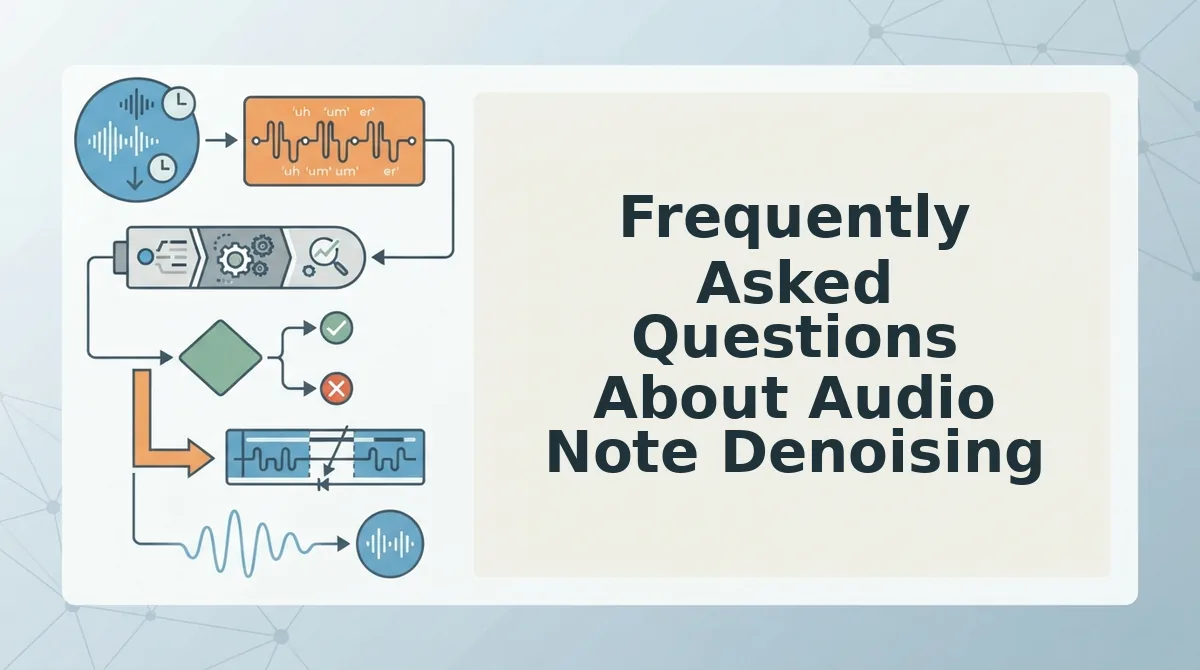
Frequently Asked Questions About Audio Note Denoising
Properly denoising audio notes requires isolating specific electrical frequencies without damaging natural vocal resonance.
Why does electrical hum change pitch across regions?
Mains power frequency dictates the fundamental hum pitch. North America and parts of Japan use 60 Hz mains, while Europe, Asia, and Africa operate on 50 Hz, determining whether notch centers start at 50 Hz or 60 Hz. Matching the local grid ensures you cut the exact buzz without guesswork.
Should I remove electrical hum before speech cleanup?
Remove electrical hum before applying speech cleanup, compression, or leveling. Filtering steady mains noise first prevents dynamic processors from mistaking continuous low-end current for vocal signals. Cleaning hum early ensures downstream enhancement tools analyze authentic speech formants rather than amplified background interference.
How do I tell ground hum from room rumble?
Ground hum differs from room rumble by its harmonic structure:
- Ground hum: Produces a continuous, tonal buzz with strict mathematical harmonics at 50 Hz or 60 Hz intervals.
- Room rumble: Generates irregular, non-tonal low-end energy below 80 Hz from air conditioning or street traffic.
What frequency range causes the most damage when notching?
Notching harmonics between 100 Hz and 300 Hz causes the most damage to voice notes. Crucial human vocal fundamentals occupy this exact frequency band. Cutting these frequencies too broadly strips natural chest resonance, leaving the speaker sounding hollow, thin, and unnatural.
Why does audio sound robotic after hum removal?
Overly aggressive spectral subtraction creates phase cancellation and metallic comb filtering artifacts. When filtering algorithms cut frequencies too deeply, they strip authentic vocal timbre and natural room tone. High-Q notch filtering removes steady hum while preserving the speaker's true cadence and voice character.
Avoid Mistakes When Cleaning Hum from Audio Notes for Clean Spoken Audio
Avoiding mistakes when cleaning hum from audio notes requires isolating stationary electrical interference without stripping the fundamental low-end frequencies that give human speech its natural warmth and presence.
Most operators treat audio repair as a tedious timeline problem. They spend fifteen minutes notching frequencies on a memo that still rambles.
Why spend your afternoon running manual parametric equalization on a sixty-second voice message?
Combining precise acoustic isolation with intelligent speech restructuring eliminates the daily 30-minute voice memo cleanup tax. To fix rough audio notes permanently, implement two targeted adjustments:
- Target exact 50 Hz or 60 Hz hum harmonics using narrow notch cuts instead of broad high-pass filters that thin out natural vocal weight.
- Address conversational hesitations alongside acoustic interference so your finalized recording sounds decisive rather than over-processed.
Upload your raw voice memos to VClar to clean acoustic noise, remove verbal fillers, and repair spoken syntax in a single step that preserves your natural vocal identity. Clear communication is never defined by aggressive spectral silencing, but by preserving vocal warmth while delivering concise, uninterrupted thoughts.