
You record an urgent voice message next to a loud air conditioner, run a standard de-hum filter, and realize your delivery sounds hollow and robotic. Scrubbing persistent electrical buzz should never compromise your natural spoken presence. To test voice note clarity after hum removal easily, verify speech intelligibility and tonal balance before uploading files to an ai voice message translator or sending them to colleagues.
This guide shows you how to identify phase distortion and verify clarity across three vital checkpoints:
- Fundamental chest resonance
- High-frequency consonant definition
- Intact pacing without flutter
Watch closely for subtle high-frequency phase smearing, an overlooked filtering artifact detailed later in this guide that quietly destroys listener retention far faster than baseline room hum.
Consider preparing urgent client follow-up voice memos in a room with heavy appliance buzz. A founder records a spontaneous update, applies aggressive notch suppression, and checks the file across standard phone speakers. When traditional filters create a hollow, underwater tone, acoustic distraction and noise cleanup restores crisp clarity while strictly preserving personal vocal cadence and authentic tone in one take. Understanding why this acoustic damage happens in the first place is the first step toward protecting your vocal presence.
Why Hum Removal Makes Voice Notes Sound Hollow or Thin
Hum removal makes voice notes sound hollow because standard noise filters indiscriminately slice away low-end vocal resonance alongside electrical interference. Achieving absolute background silence rarely means clarity improved; it usually signals that the filter excavated the physical warmth of your voice.
Mains hum is continuous low-frequency electrical interference generated by alternating current power distribution running at 50 Hz or 60 Hz. When you record a voice note near chargers, display monitors, or ungrounded wall circuits, this electromagnetic cycle bleeds directly into the microphone capsule.
Think of basic audio filtering like using heavy pruning shears to remove an invasive vine wrapped around a rosebush. If you snip blindly through the cluster to clear the vine, you inevitably sever the thickest stems that support the plant.
While fundamental mains hum vibrates at 50 Hz in Europe or 60 Hz in North America, alternating current does not remain isolated. It radiates energetic harmonics upward at 100 Hz, 120 Hz, 180 Hz, and 240 Hz, entering the core frequency range of conversational speech.
Acoustic hollowing happens when cleanup tools cannot separate electrical noise from human speech across overlapping frequency bands. Electrical hum harmonics at 100 Hz, 120 Hz, and 180 Hz directly collide with male vocal fundamental frequencies, which span 85 Hz to 180 Hz. When aggressive notch filters carve out these frequencies to silence the drone, they simultaneously excise the body of the voice. The resulting audio loses its acoustic foundation, leaving the speaker sounding thin, metallic, and distant.
Listeners detect this loss instantly. When conversational speech lacks its lower fundamentals, the human ear works harder to decode consonants, increasing cognitive fatigue during async updates.
Does your filtered voice note sound unnatural? Look for these clear indicators:
- The voice takes on a hollow, cupped-hands quality reminiscent of a low-bandwidth telephone line.
- Vowel sounds lose chest resonance, making authoritative statements sound weak and disembodied.
- Syllable tails drop off abruptly because the filter misinterprets trailing speech energy as residual mains noise.
Preserving natural vocal timbre requires isolating speech characteristics instead of applying brute-force frequency suppression. True clarity maintains conversational warmth while pushing electrical interference below audibility. To ensure your cleanup process strikes this exact balance, you need an objective evaluation routine before sending audio to your team.
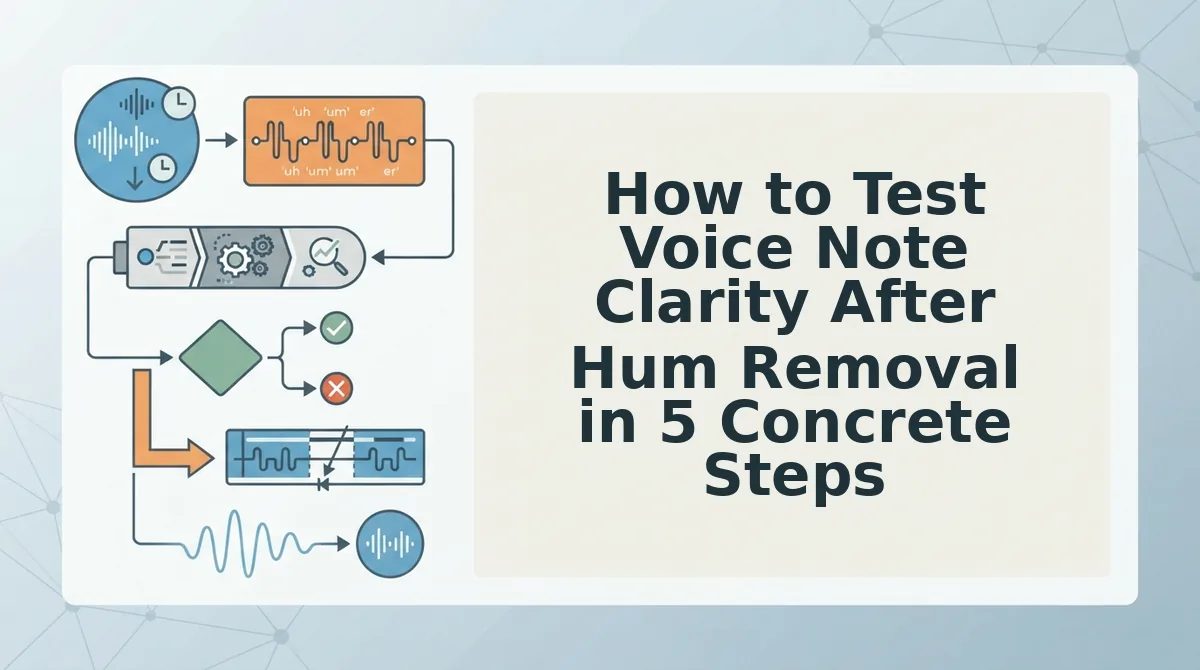
How to Test Voice Note Clarity After Hum Removal in 5 Concrete Steps
You can test voice note clarity after hum removal by conducting an A/B listening audit that matches perceived loudness, isolates vocal fundamentals, and evaluates consonant crispness on standard headphones. This rapid audit verifies that your filter eliminated steady electrical droning without thinning your voice or creating robotic phase distortion.
Equal-loudness matching is the practice of balancing the perceived volume of two audio files to prevent volume differences from distorting qualitative judgment. In audio verification, peak normalization masks tonal degradation by making processed files perceived as louder and subjectively crisper, tricking your ears into overlooking lost low frequencies.
Prerequisites: Have your original audio, the processed track, and a standard pair of wired earbuds or headphones ready. When you clean up voice memos, completing this entire sequence takes approximately 90 seconds.
- Level-match both recordings manually (15 seconds). Open both audio files in your playback tool and lower the volume slider of the processed track until its spoken peaks sound identical in loudness to the raw clip. You should hear both clips at an even volume level without the filtered track sounding artificially boosted.
- Audit the lower vocal register for body (20 seconds). Play back the first five seconds of each version back-to-back, paying strict attention to vowel resonance in your chest voice. You should hear the exact same warmth in your natural timbre rather than a hollow, tinny, or telephone-like tone.
- Inspect consonant transients and sibilance (20 seconds). Listen closely to hard consonants like "p," "t," and "s" across a complex sentence to detect comb-filtering artifacts. You should hear crisp, natural word boundaries without swishing, metallic chirping, or clipped syllables.
- Verify conversational pacing against the baseline (15 seconds). Check that automated filtering did not introduce awkward timeline gaps or truncated word tails, especially if you measure your speaking rate during rapid delivery. You should observe smooth, continuous speech transitions that reflect your authentic speaking cadence.
- Conduct a low-volume intelligibility test (20 seconds). Lower your headphone output to 30 percent volume and play the cleaned message through once without looking at the transcript. You should understand every sentence clearly on the first pass without straining to decode muffled phrases.
Are your spoken words instantly recognizable at low volume? If so, the hum extraction preserved your authentic voice while removing ambient distractions. While manual listening confirms real-world audibility, many creators wonder if visual software meters offer a faster verification shortcut.

Spectrogram Visuals vs Critical Listening for Voice Memo Quality
Visual spectrograms pinpoint persistent background frequencies, but real-time critical listening on mobile speakers remains the true test of voice memo clarity. High mathematical clarity scores on aggressively denoised audio frequently sound hollow, metallic, and unacceptably robotic to human recipients in messaging apps.
Spectrogram analysis is visual frequency mapping that displays acoustic energy across time, allowing operators to spot constant electrical hum or mechanical whine as flat horizontal bars. While visual tools confirm whether a 50 Hz or 60 Hz hum was physically carved out of a file, they cannot measure perceptual speech warmth. An algorithm can eliminate visible visual interference while stripping the natural low-end fundamentals that make a speaker sound confident. Acoustic evaluation requires balancing objective signal cleanup with how human ears process natural cadence through tiny smartphone transducers.
| Testing Method | Primary Strength | Key Blind Spot | Best For |
|---|---|---|---|
| Algorithmic Scores (PESQ / STOI) | Objective, repeatable measurement of speech intelligibility in laboratory environments. | Fails to detect subtle digital phase artifacts that make familiar voices sound synthetic. | Speech processing researchers and audio algorithm developers. |
| Audacity Spectral View | Quick visual identification of stationary noise bands and sharp acoustic cuts. | Cannot reveal whether natural consonants and vocal timbre were damaged during filtering. | Podcast editors and studio engineers diagnosing fixed ambient hum. |
| Real-Time Mobile Ear Audit | Tests the exact listening environment, hardware limits, and playback volume of recipients. | Subjective and dependent on the reviewer's current acoustic environment. | Founders, sales representatives, and async team communicators. |
Which assessment method should you rely on before sending an important update?
- Choose algorithmic metrics if you are benchmarking processing models across thousands of automated test files.
- Choose spectral analysis if you need to identify the exact resonant frequency of an air conditioner or electrical line.
- Choose mobile listening audits if your recipient will open the note on WhatsApp, Slack, or Apple Voice Memos while walking through an airport or driving.
Visual spectral analysis confirms noise reduction; ear checks confirm human trust.
Our Recommendation
For everyday voice notes, we recommend skipping complex software plots and conducting a five-second playback check directly on a smartphone speaker at mid-volume. Audio that looks pristine on an audio visualizer can still fatigue the listener if conversational overtones are scrubbed away. If the speaker sounds natural and authoritative without strained volume, the message is ready to send. To streamline this evaluation during busy workdays, you can compress your listening routine into three specific acoustic checkpoints.

The 3-Point Acoustic Check to Confirm Natural Speech Intelligibility
The 3-point acoustic check confirms natural speech intelligibility by isolating silence gaps, vowel resonance, and high-frequency fricatives across your recording. Evaluating these three zones reveals whether hum reduction removed unwanted mains noise or accidentally degraded vocal clarity with synthetic phase artifacts.
Consonant blunting is the unintended loss of crisp transient definition in spoken words caused by over-aggressive spectral subtraction. When background cleanup alters your voice note too heavily, speech recognition engines fail and human listeners experience cognitive fatigue trying to decode your meaning.
Can a rapid diagnostic audit protect your spoken delivery? Yes, if you evaluate your voice memo against these three sequential checkpoints.
- Silence intervals for phase chirping: Inspect the natural pauses between your spoken phrases to catch swirling, musical artifacts left behind by dynamic frequency gating. Incomplete suppression creates fluttery acoustic bursts in the gaps where room tone should sound consistent and natural. Play back a two-second conversational pause through standard earbuds to verify that the ambient baseline remains stable rather than watery.
- Sustained vowels for comb filtering: Audit extended vowel sounds such as "ah," "oh," and "ee" to confirm that the lower midrange frequencies retain their full acoustic body. Narrow notch filters deployed against electrical hum frequently hollow out chest resonance alongside electrical interference, leaving speech sounding boxy or detached. Check the warmth of your core vowels against the raw memo to ensure your natural vocal timbre remains intact.
- High-frequency fricatives for consonant blunting: Measure transient clarity above 4 kHz on sharp /s/, /t/, and /k/ sounds to ensure speech recognition and listener comprehension remain effortless. Excessive noise processing often dulls these upper-register consonant bursts, transforming crisp enunciation into muffled or slurred phrasing. Replay high-friction words with immediate consonant transitions to verify that edge frequencies retain their original punch.
Diagnosing vocal clarity should never force you into complex timeline editing software. When you remove filler words from audio and eliminate background acoustic interference, VClar protects your natural cadence and voice profile without synthetic distortion. Run your voice notes through VClar to send clear, professional audio with complete one-take confidence. If an earlier filter pass has already damaged your recording, simple EQ corrections can quickly restore lost body.
How to Restore Vocal Warmth Without Re-Recording Your Voice Note
You can restore vocal warmth lost during hum removal by narrowing aggressive notch cuts, applying subtle low-end shelving, and running the audio through targeted speech enhancement. These adjustments recover natural chest resonance without reintroducing low-frequency background electrical hum.
Dynamic equalization is an audio processing method that adjusts specific frequency bands automatically based on the incoming signal level. When static filtering strips out critical speech frequencies, the voice quickly sounds thin and hollow. To begin restoration, you will need your filtered audio file, an equalizer, and monitoring headphones.
- Open the filtered voice memo in your equalizer or digital audio workstation (Estimated time: 1 minute). Inspect the low-end frequency spectrum between 50Hz and 300Hz where vocal fundamentals normally sit. You should see an unnatural spectral dip where the original hum filter carved away vocal energy.
- Adjust your notch filter to a bandwidth setting of Q=14 or higher (Estimated time: 2 minutes). Narrow Q-factor adjustments limit cuts strictly to electrical hum frequencies, because limiting notch bandwidth to Q=14 or higher avoids dragging down adjacent vocal formants. You should hear the natural vocal body return while 50Hz or 60Hz mains hum remains suppressed.
- Apply a gentle low-shelf boost between 120Hz and 200Hz (Estimated time: 2 minutes). Raise the gain by 1.5dB to 2.5dB with a smooth curve to rebalance thinned speech frequencies. The audio should immediately sound more grounded and authoritative rather than small or distant.
- Upload the adjusted file to an AI speech enhancer (Estimated time: 1 minute). Process the track to repair phase artifacts and smooth uneven frequency transitions automatically. You should receive a warm, intelligible voice note that preserves your natural tone and cadence.
What does this remediation workflow look like when rescuing real audio?
A 45-second business memo recorded in a home office suffered from a hollow, thin tone after an aggressive 60Hz notch filter stripped away its vocal foundation. Instead of discarding the take, the creator applied a corrective 2dB low-end shelf at 150Hz and processed the recording through speech enhancement. The rescued voice note restored authentic acoustic body and conversational clarity in under five minutes, eliminating the friction of re-recording. Applying these restorative steps solves most processing issues, but specific listening scenarios often introduce additional practical questions.
Frequently Asked Questions About Voice Note Clarity Post-Cleanup
Testing voice note clarity requires verifying consonant crispness and checking for watery background artifacts across standard mobile playback hardware.
Why does a cleaned voice note sound worse on a phone speaker than in headphones?
Phone speakers accentuate phase swirling because their tiny transducers lack low-end bass and sharply project midrange frequencies where digital artifacts gather. High-end headphones separate frequencies across wide stereo channels, masking phase cancellations that mono phone drivers instantly amplify.
What is the fastest way to detect over-processed audio artifacts?
Listen to the tail ends of words and quiet breath pauses at medium volume. Over-processing manifests as metallic chirping, sudden volume drops during word transitions, or a synthetic, hollow timbre that strips the natural resonance from your spoken vowels.
Why does hum removal cause an underwater phase effect?
Aggressive filtering strips out essential phase information alongside ambient electrical interference. When an algorithm cuts overlapping harmonic frequencies too steeply, it destabilizes adjacent vocal overtones, producing an audible, watery swirl known as musical noise.
How do you verify spoken clarity without specialized software?
Check intelligibility using a simple physical playback routine:
- Play the note on a mobile loudspeaker held at arm's length.
- Verify that soft consonants like "p," "t," and "s" remain sharp.
If words remain effortlessly clear without straining, the audio is ready to send. Mastering these quick listening checks turns quality control into an effortless, second-nature habit before sharing updates.
Deliver Clear Spoken Audio with One-Take Confidence
Testing voice note clarity comes down to confirming that background hum removal leaves your authentic vocal resonance intact rather than carving out essential low-end frequencies. Preserving vocal weight ensures your async memos sound confident and conversational across phone earpieces and laptop speakers alike.
Remember the golden rule of acoustic cleanup: 10 dB of hum reduction with natural vocal presence always outperforms 30 dB of noise suppression with robotic artifacts. Over-filtering trades ambient electrical hum for thin, phasey speech that instantly distracts your listeners.
Before hitting send on your next client update, perform this quick reality check:
- Toggle between the raw recording and the filtered track at normal listening volume.
- Confirm your natural cadence and consonants sound crisp without metallic ringing.
If you want to eliminate background interference and polish conversational flow in one pass, test your recordings using VClar's Starter plan with 2 lifetime minutes.
True audio clarity is not the aggressive eradication of ambient room sound, but the effortless intelligibility of your authentic speaking voice.