
You hit record, speak for ninety seconds, and hit send. Then you read the auto-caption and cringe: Did I really say "um" fourteen times? That moment of embarrassment is actually the most useful diagnostic tool you have. When you compare raw audio transcripts with edited speech side by side, every filler, false start, and abandoned sentence becomes visible, and fixable.
Raw transcripts expose fillers, false starts, fragments, and circular phrasing that speakers don't notice while talking. VClar processes thousands of voice messages and sees the same disfluency patterns repeat across users, from founders pitching investors to sales reps leaving follow-up voicemails. The good news: you don't need a linguistics degree to spot them.
This guide gives you a repeatable 3-pass method for comparing your raw transcript against an edited version. You'll learn what a raw transcript actually reveals, how to mark disfluencies systematically, and how to verify that your message survived the cleanup intact. One surprising finding: most speakers overestimate how much editing changes their meaning, and underestimate how much it changes how they're perceived.
Start by pulling a raw transcript of your last voice message. If you want the cleanup handled automatically, VClar removes filler words and repairs grammar while preserving your vocal identity, but the comparison method below works with any transcript you have.
What a Raw Transcript Reveals About Your Speech
A raw transcript is a word-for-word capture of spontaneous speech, including every "um," repeated word, and abandoned sentence start. An edited transcript removes disfluencies and repairs syntax while preserving the speaker's vocal identity and intent. The gap between the two is where you find your speech patterns.
Think of a raw transcript like an X-ray of your speaking habits. Just as an X-ray shows bone structure you can't see from the outside, a raw transcript exposes the verbal scaffolding, fillers, false starts, fragments, and circular phrasing, that your brain filters out while you're talking. You don't hear yourself say "like" seven times in a row, but the transcript shows it.
Start simple: read your raw transcript once and circle every filler word. "Um," "uh," "like," "you know," and "basically" are the most common. Count them per minute. Most spontaneous speakers produce 2 to 5 fillers per minute without noticing.
Next, look for false starts, places where you begin a sentence, stop, and restart. "I think we should, actually, what I mean is, we need to move faster." The transcript captures both attempts. Fragments are similar: incomplete thoughts that trail off without a verb or object.
At the advanced level, examine circular phrasing. This is when you say the same idea three different ways before committing to one. "We need to improve onboarding. Like, make it better. You know, smoother for new users." A raw transcript makes this redundancy undeniable.
One self-contained answer worth bookmarking: What is a disfluency? A disfluency is any interruption in the flow of speech that doesn't carry meaning, fillers, repetitions, false starts, and prolonged sounds. Disfluencies are universal across languages and typically increase under cognitive load, which is why you hear more "ums" when you're explaining something complex or speaking to someone senior. Removing disfluencies doesn't change what you said; it removes the friction between your ideas and your listener's comprehension.
Vocal timbre, the unique tonal quality of your voice, stays intact when disfluencies are removed. That's the difference between editing speech and replacing it: you keep the sound of you, minus the noise.
The 3-Pass Method for Comparing Transcripts
The 3-pass method is a structured way to compare a raw transcript with an edited version: Pass 1 marks fillers, Pass 2 identifies fragments and false starts, Pass 3 verifies intent survived the edit. You'll need two documents side by side, your raw transcript and an edited version, either manually cleaned or generated by a tool like VClar.
Before you start, gather your raw transcript and an edited version of the same audio. If you don't have an edited version yet, you can fix grammar in voice messages with VClar to generate one automatically, or clean it yourself by hand.
- Pass 1: Highlight every filler word and count per minute. Open your raw transcript and highlight every instance of "um," "uh," "like," "you know," "basically," and repeated words ("the the," "I I"). Count the total fillers, then divide by the audio length in minutes. You should see a clear number, anything above 3 fillers per minute is noticeable to listeners. In the edited version, confirm every highlighted word is gone. Success looks like a raw transcript covered in highlights and an edited version with none.
- Pass 2: Bracket fragments and false starts. Go through the raw transcript again and put square brackets around every abandoned sentence start and incomplete thought. Example: [I was thinking that we could, ] or [So the thing about, ]. Also bracket fragments that trail off without completing a grammatical sentence. In the edited version, check that each bracketed section was either removed entirely or merged into a complete sentence. Success looks like a raw transcript with visible brackets marking dead ends, and an edited version where every sentence has a subject and a verb.
- Pass 3: Read the edited version aloud and check intent. Read the edited transcript out loud, at your normal speaking pace. Ask two questions: Does the core message match the original? Does the emotional tone match, urgency, warmth, hesitation, confidence? If the edited version sounds like a different person or loses a key nuance, the edit went too far. Success looks like an edited transcript that sounds like you on your best day, not a stranger reading your notes.
One self-contained answer worth saving: How do you compare a raw transcript with an edited version? Place both documents side by side and work in three passes. First, mark every filler word in the raw transcript and verify none remain in the edit. Second, bracket all false starts and fragments in the raw version and confirm the edit resolves each one into a complete sentence. Third, read the edited version aloud and check that the core message and emotional tone match the original. This method takes about 10 minutes for a 2-minute voice message and turns subjective "does this sound better?" into a repeatable checklist.
Once you've completed all three passes, you'll have a clear before-and-after picture of how editing changes your speech. Next, see what that comparison looks like on a real transcript.
Before/After: A Real Transcript Comparison
Comparing a raw voice note transcript against its edited version shows exactly what changes, and what stays. The table below breaks down a single sentence into three columns: the original spoken words, the cleaned version, and the specific edits applied.
| Raw Transcript | Edited Transcript | What Changed |
|---|---|---|
| "So, um, I was thinking that, like, we should basically, you know, move the deadline to Friday." | "I think we should move the deadline to Friday." | Removed "so," "um," "like," "basically," and "you know." Repaired the false start "I was thinking that" to "I think." Tightened the sentence from 19 words to 10. |
| "Uh, the thing is, I mean, we need to, ah, circle back on the, like, Q3 numbers before, you know, the board call." | "We need to circle back on the Q3 numbers before the board call." | Deleted "uh," "the thing is," "I mean," "ah," "like," and "you know." Removed the redundant "to" after "need to." |
| "Basically what I'm trying to say is that, um, the client, like, wants a faster turnaround, you know, on the proposal." | "The client wants a faster turnaround on the proposal." | Stripped the throat-clearing opener "Basically what I'm trying to say is that." Removed "um," "like," and "you know." |
Automated tools handle this cleanup in seconds, but manual comparison has a distinct advantage: it trains your ear. You see your own verbal patterns in writing, which makes them easier to catch in real time. A human editor or transcription service can also do this work, but at a slower pace and higher cost per minute of audio.
For a 1-minute voice note, expect roughly 15-25 filler words and 2-4 false starts in raw speech.
Best for founders and sales reps who send multiple voice notes daily and need a fast, consistent cleanup without re-recording: an automated AI voice message translator handles the repetitive work. Best for creators and podcasters who want full editorial control over every word and pause: manual transcript comparison gives you granular oversight. Best for teams with compliance requirements who need a human-reviewed audit trail: a professional transcription service with manual editing remains the safest option.
How to Use the Comparison to Improve Future Takes
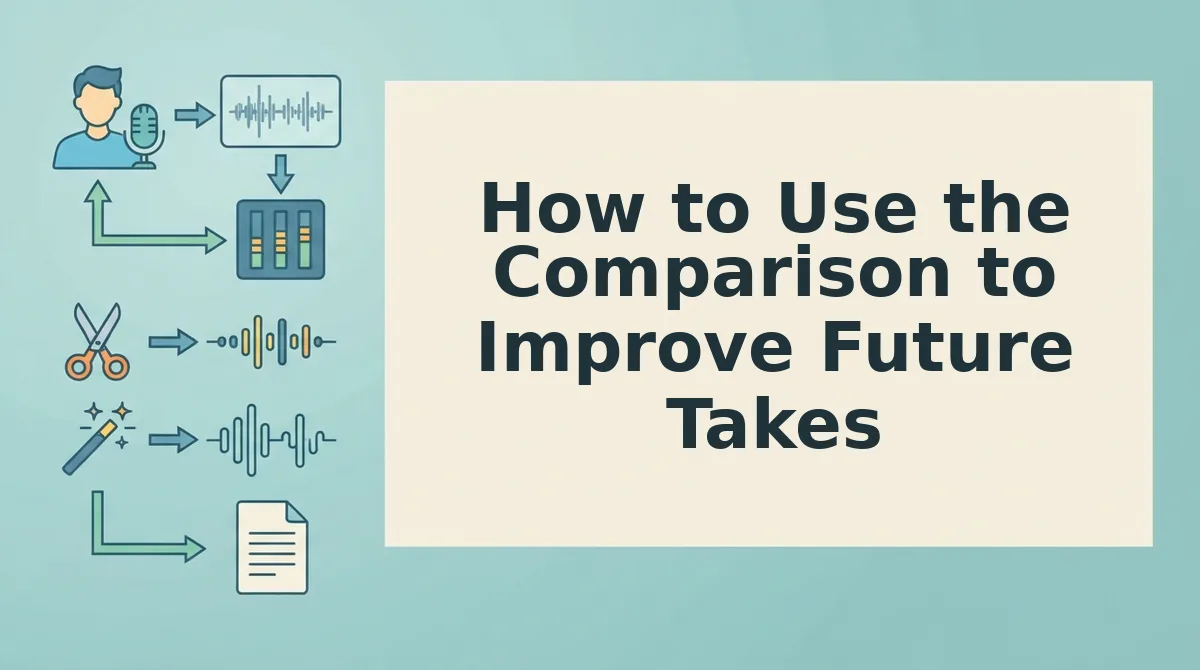
Transcript comparison works best as a diagnostic tool, not an editing chore. Use it to spot recurring patterns, set a measurable target, and fix the problem at the source, your speaking habits.
Prerequisites: a raw voice note transcript, an edited version of the same note, and a simple two-column document or VClar's side-by-side view.
- Open both transcripts side by side. Paste the raw and edited versions into a two-column document. Highlight every difference. You should see a clear pattern emerge within 2-3 minutes.
- Count your top 3 filler words. Tally how many times "um," "like," "basically," or similar words appear per minute of audio. Write down the number. A sales rep comparing a 45-second follow-up voice note noticed "basically" appeared 6 times; after one week of conscious practice, the next note had zero fillers.
- Set a measurable target. Aim for fewer than 2 fillers per minute of recorded speech. Track this number across your next 5 voice notes. You should see a downward trend within one week.
- Practice the fix at the source. Before recording, pause for one second instead of saying "um." Record the note in one take. Compare the new raw transcript against your baseline. You should see fewer highlights in the difference column.
- Automate the cleanup while you build the habit. Use VClar's filler word remover to remove filler words from your audio automatically, so outgoing messages stay polished while your speaking skills catch up.
FAQ: Comparing Raw and Edited Transcripts
How do I compare two transcripts side by side?
Paste both versions into a two-column document, raw on the left, edited on the right, and highlight every difference. Focus on filler words, false starts, and sentence length. The visual contrast makes recurring patterns obvious within minutes.
Does automated editing change how my voice sounds?
No. Automated editing preserves vocal timbre, accent, and cadence. It removes only disfluencies like "um" and "like" and repairs syntax, so the message sounds like you speaking at your best, not a synthetic voice clone.
How long does the 3-pass transcript comparison method take?
The 3-pass method takes 5-10 minutes for a 1-minute voice note once you practice. The first pass scans for filler words, the second for false starts, and the third for sentence tightening. Speed improves with repetition.
Why does my raw transcript look so different from how I think I speak?
Spontaneous speech contains disfluencies your brain filters out in real time. Reading a raw transcript exposes fillers, repeated words, and incomplete sentences you never noticed while speaking. This gap is normal and fixable with practice.
Can I clean up transcripts without losing my personal speaking style?
Yes. The goal is removing verbal noise, not rewriting your voice. Keep your word choices, sentence rhythm, and personality intact. A spoken English grammar cleaner can repair syntax while preserving your authentic delivery.
Your Next Take Is the Point
Comparing raw transcripts with edited speech is not the goal. The next take is. Every side-by-side pass you run teaches you where your verbal habits cost you clarity, and that knowledge compounds faster than any editing tool alone.
Start with one manual comparison: record a 60-second voice memo, read the raw transcript, and mark every filler, false start, and grammar slip. Then re-record the same message once, applying what you just saw. That single exercise usually cuts filler density in half on the second take.
When you want the cleanup automated without losing your voice, VClar removes fillers, repairs grammar, and translates voice messages while preserving your tone, cadence, and accent. The comparison becomes instant, raw on one side, polished on the other, same speaker.
Your voice is the asset. The transcript is just the mirror.