
You hit record, speak for ninety seconds, and then play it back, only to hear yourself say "um" seven times, restart a sentence mid-thought, and trail off into a fragment that made sense in your head but nowhere else. That discomfort is the friction most people avoid by never listening to their own voice memos at all. But if you review voice memo transcripts side by side against your intended message, that same discomfort becomes a measurable, repeatable improvement loop.
You already know your spoken notes are rougher than your written ones. What you may not realize is that competitors stop at "get the transcript", none provide a review protocol for actually spotting the flaws. This article gives you that protocol: a three-pass framework that turns raw transcripts into a diagnostic tool, not just a text dump.
Here's the roadmap: first, why side-by-side comparison beats solo reading. Then, a step-by-step 3-pass method you can run on any voice memo today. Along the way, you'll see how tools like VClar's filler word remover and grammar correction fit into each pass, and why the third pass is where most people finally hear what everyone else hears.
Why Side-by-Side Review Beats Just Reading a Transcript
Side-by-side review is the practice of placing your raw voice memo transcript next to a cleaned or intended version of the same message and comparing them line by line. Your brain is wired to spot contrasts faster than it evaluates absolutes, a cognitive shortcut called difference detection, and that's exactly what makes this method more effective than reading a single transcript in isolation.
When you read one transcript alone, your brain fills in gaps automatically. You know what you meant to say, so you unconsciously "hear" the missing words, the corrected grammar, the smoother phrasing. The transcript looks fine because your memory is doing the editing for you. But place two versions side by side, raw versus cleaned, and the differences jump out: the filler word that appears in one but not the other, the fragment that only exists in the raw version, the run-on sentence you didn't notice while speaking.
Think of it like proofreading a photo against the original scene. You don't evaluate whether the photo is "good" in a vacuum; you look for what's missing, what's distorted, what doesn't match. Side-by-side transcript review works the same way. Keep both transcripts in the same font and line width so your eye catches differences faster, mismatched formatting adds visual noise that slows down the very contrast detection you're trying to leverage.
This approach matters because spoken pauses hide structural problems. A fragment that sounds natural when delivered with a pause and a gesture becomes glaringly obvious in transcript form, where the pause is just a period and the gesture doesn't exist. The transcript exposes what your delivery conceals, and the side-by-side layout makes those exposures impossible to ignore.
The 3-Pass Review Framework for Voice Memo Transcripts
The 3-Pass Review Framework is a structured method for auditing voice memo transcripts in three sequential passes: first marking fillers and false starts, then fixing grammar breaks and fragments, and finally assessing clarity and structure. Each pass isolates one category of flaw so you're not trying to catch everything at once.
Before you start, you'll need two things: your raw transcript (generated by any transcription tool) and a blank document or note app for your cleaned version. If you're using VClar, its filler word remover can produce the cleaned audio and transcript automatically, but the manual pass below works with any transcript you already have.
- Pass 1. Mark fillers and false starts (5 - 10 minutes). Open your raw transcript and highlight every "um," "ah," "like," "basically," "you know," and any sentence that restarts mid-thought. Fillers cluster at sentence starts, so pay extra attention to the first three words of every sentence. Expected outcome: a transcript visibly marked with every verbal hesitation and abandoned sentence opening. You should see a clear pattern, most fillers will sit at the beginning of sentences, not in the middle.
- Pass 2. Fix grammar breaks and fragments (10 - 15 minutes). Go through the marked transcript and rewrite each flawed section as a complete, grammatically correct sentence. Fragments are easier to spot in transcript form because spoken pauses hide them, what sounded like a full thought out loud is often just a noun phrase followed by a period. If you'd rather automate this step, VClar's grammar correction can fix grammar in voice messages while preserving your tone and cadence. Expected outcome: every sentence in your cleaned version is grammatically complete and reads as intentional.
- Pass 3. Assess clarity and structure (5 minutes). Read the cleaned transcript once, cold, and ask one question: would a colleague understand this without any context from the original conversation? If any sentence requires you to remember what you were thinking when you recorded it, rewrite it. This is the pass where most people finally hear what everyone else hears, the gap between what you meant and what you actually said. Expected outcome: a transcript that stands alone as a clear, self-contained message.
Run all three passes on your next voice memo and you'll have a repeatable audit routine that takes under 30 minutes. The next section shows what this looks like in practice with a side-by-side comparison table and a worked example.
Side-by-Side Comparison Table with a Worked Example
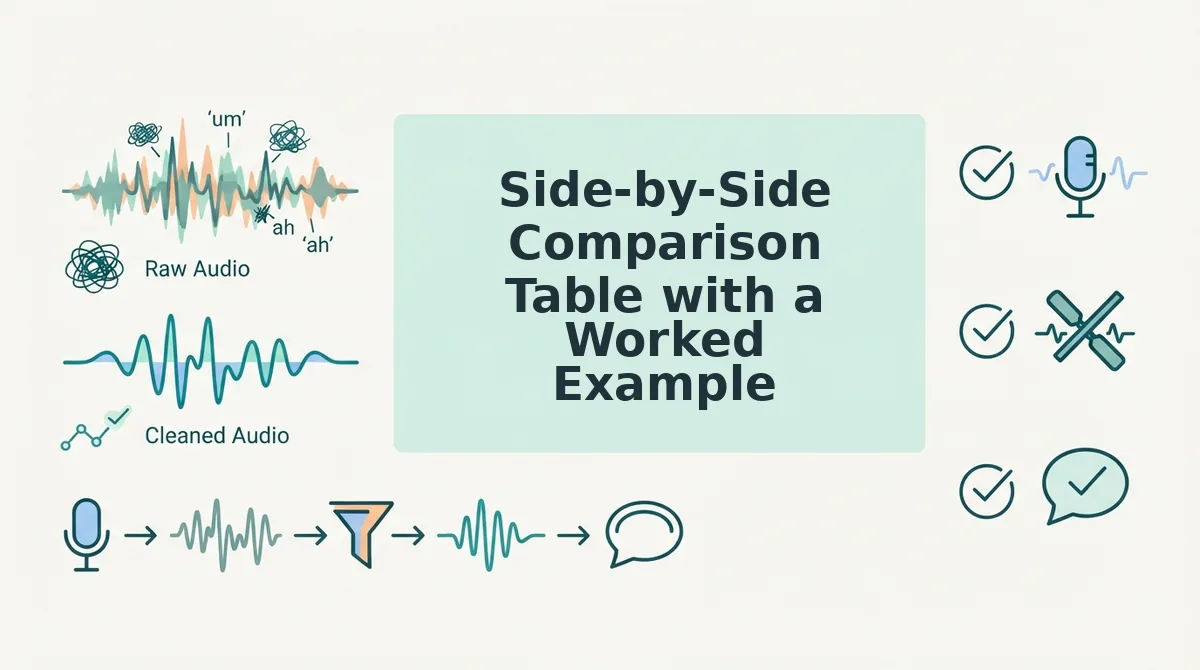
A side-by-side table turns abstract speaking flaws into visible, fixable patterns. The four-column format below gives you a repeatable template for auditing any voice memo transcript.
| Raw Phrase | Cleaned Phrase | Pattern Type | Fix Applied |
|---|---|---|---|
| "So, um, basically I think we should, like, move forward with the, uh, proposal." | "I think we should move forward with the proposal." | Filler words (um, like, uh) + hedge (basically) | Delete fillers; remove hedge to sound decisive |
| "The numbers are... they're actually pretty good, you know?" | "The numbers are strong." | False start + tag question (you know) | Merge fragments; replace vague "pretty good" with specific adjective |
| "We should probably, I mean, maybe circle back next week?" | "Let's circle back next week." | Hedging stack (probably, I mean, maybe) | Convert question to direct statement |
Here's how this plays out in practice. A founder reviewing a sales follow-up voice memo spots "basically" three times in 45 seconds. Each instance softens a recommendation that should land with authority. The table makes the pattern impossible to ignore.
For automated cleanup, VClar removes filler words and false starts while preserving your natural tone. Manual review tools like Apple Voice Memos transcription or ChatGPT work too, but require you to edit the text yourself. Best for founders and sales teams: VClar, because it fixes audio and transcript in one pass. Best for casual self-audits: Apple Voice Memos, since it's already on your phone. Best for deep text analysis: ChatGPT, if you want to study patterns before re-recording.
Turn Transcript Review into a Weekly Speaking Habit
Ten minutes a week is enough to see measurable improvement in how you speak. A consistent cadence beats an occasional deep dive because speaking patterns are reinforced through repetition.
- Pick one voice memo per week to review. Choose the memo where you felt least confident or most rushed. This is where your worst habits surface, and fixing them delivers the fastest confidence gain.
- Run the transcript through a side-by-side table. Copy the raw transcript into the four-column format from the previous section. Mark every filler, false start, and hedge you find.
- Track one metric: fillers per minute. Count total filler words and divide by memo length in minutes. Write the number down each week so you can see the trend line drop.
- Re-record the same message once, applying your fixes. This closes the loop between analysis and practice. You are not just spotting flaws; you are training your mouth to avoid them.
- Use VClar to clean voice memos online before sending important messages. Automated cleanup removes fillers and false starts instantly, so your outgoing audio is polished even while your speaking habits are still improving.
- Review your metric monthly and adjust your focus. If fillers per minute drops below two, shift attention to sentence fragments or hedging language. The habit stays the same; the target evolves.
- Keep a running list of your most common filler words. Knowing your personal top three makes you catch them in real time during live conversations, not just in recorded memos.
Reviewing voice memo transcripts weekly improves spoken communication over time because it creates a feedback loop between how you think you sound and how you actually sound. Ten minutes every Friday is enough to build this loop. The key is consistency, not intensity: one memo, one table, one metric, every single week.
Frequently Asked Questions About Reviewing Voice Memo Transcripts
Reviewing voice memo transcripts side by side means comparing your raw spoken words against a cleaned version to identify filler words, false starts, and hedging patterns. This method makes invisible speaking habits visible so you can fix them systematically.
Does Apple Voice Memos have transcription?
Yes, Apple Voice Memos includes built-in transcription on iOS 18 and later. Open any recording and tap the transcript icon to see a text version of your audio. You can copy that transcript into a side-by-side table for manual review.
Can ChatGPT clean up a voice memo transcript?
Yes, ChatGPT can produce a cleaned transcript from raw audio when you paste a rough transcription and ask it to remove fillers, false starts, and hedges. The output gives you a target version to compare against your original, though you will still need to re-record or edit the audio yourself.
How do I find filler words in my voice memos?
Search your transcript for common fillers like "um," "uh," "like," "basically," and "you know." Count how many appear per minute of audio. A rate above three fillers per minute signals a habit worth targeting in your weekly review.
Why does my voice memo transcript look worse than I sound?
Spoken language naturally contains fillers, false starts, and incomplete sentences that your brain filters out when listening but that appear glaring in text. Transcripts expose these patterns, which is exactly why side-by-side review is effective for improving spoken communication.
Can I translate a voice memo while reviewing it?
Yes, a voice note translator can convert your memo into another language while preserving your tone and cadence. This is useful for cross-border teams who want to review transcripts in multiple languages side by side.
Ready to put this into practice? Start your first side-by-side transcript review this week.
Start Your First Side-by-Side Transcript Review This Week
The 3-pass framework separates what you said from what you meant. That distinction is where real speaking improvement lives. You can start manually right now: record a voice memo, generate a transcript, and compare them line by line.
Here's the tiered path forward:
- Manual first: Run one voice memo through the 3-pass review. Mark fillers, flag grammar slips, and note where your spoken intent diverged from the transcript.
- Automate second: VClar automates side-by-side comparison and filler removal, so you spend your review time on meaning, not cleanup.
One question to anchor the habit: Would this transcript embarrass me if it were forwarded to a client? If yes, you have your next review target.
For deeper guidance on tightening your spoken grammar, explore the spoken English grammar cleaner resources. The payoff compounds: after three weeks of side-by-side review, most speakers cut filler words by half and catch grammar slips before they leave their mouth.
The transcript is a mirror, not a verdict. Review it side by side, and your next take will already sound closer to the message you meant to send.