
You tap record to send a 45-second client update, stumble over a conditional clause at second 38, abandon the take, and restart the cycle from zero. The friction of re-recording unpolished audio traps busy operators in endless loops. Learning how to correct spoken grammar errors does not require rehearsing rigid scripts or settling for robotic voice clones.
Unscripted speech occurs at an average rate of 150 words per minute, far exceeding real-time grammatical self-monitoring capacity without an editing buffer.
Why do articulate professionals consistently stumble through spoken syntax?
This guide explains how to repair sentence fragments, eliminate false starts, and retain one-take confidence in your audio notes. You will also discover a subtle cognitive trigger that derails sentence structures before you finish speaking.
Consider sending an off-the-cuff update where thoughts outpace speech, producing tangled clauses. Passing the audio through a speech enhancer repairs the broken syntax while preserving your authentic vocal timbre, accent, and conversational tone. You obtain a polished audio note paired with side-by-side grammar correction details that show exactly what changed.
Studying these side-by-side corrections allows you to refine your unscripted phrasing over time.
The gap between your vocal cords and your keyboard reveals why this disconnect happens so consistently.
Why Spoken Grammar Breaks Down Even When Your Writing Is Flawless
Spoken grammar breaks down because spontaneous speech forces your brain to conceptualize complex thoughts, retrieve vocabulary, and execute physical articulation simultaneously without an editing buffer. Making conversational slips is never an indicator of poor language competence, but an inevitable consequence of cognitive buffer overload during rapid lexical retrieval.
The Cognitive Load Speech Gap is the structural performance deficit between an individual's offline written grammar accuracy and their real-time ability to maintain syntactically clean speech during unscripted delivery.
In written communication, professionals rely on an offline processing buffer to review phrasing, repair fractured clauses, and reorganize sentences before publishing. Spontaneous voice recordings eliminate that revision buffer entirely. Working memory must simultaneously coordinate ideation, phoneme retrieval, and articulatory mechanics, causing systemic drops in auxiliary verbs and accidental sentence fragments. Because cognitive bandwidth strictly prioritizes transmitting semantic intent over structural polish, the executive brain sacrifices formal syntax to keep conversational tempo intact. Highly articulate writers stumble through voice recordings simply because working memory cannot run deep grammatical analysis while simultaneously steering ongoing vocal output.
Think of your working memory like a factory assembly line running at maximum speed. When writing, you can halt the conveyor belt to adjust imperfect components; when recording a spontaneous voice message, the belt never stops, forcing uninspected materials directly into the final delivery.
At an advanced neurological level, speech production relies on serial stages of planning that must execute within milliseconds. When high-speed ideation saturates cognitive buffers, the brain prioritizes rapid communicative payload delivery over grammatical surface structure. You transmit the raw conceptual payload, but structural fidelity collapses.
How does this cognitive strain degrade raw vocal delivery?
- Ideation outpaces motor output: Startup founders and consultants regularly formulate strategic concepts at 150 words per minute, outrunning the physical tempo of articulation and generating truncated thoughts.
- Syntactic repair mechanisms fail: Attempting to rephrase a clumsy clause mid-sentence forces working memory to restart the syntactic blueprint, which results in circular phrasing and false starts.
- Systemic omission of structural markers: To maintain forward speech flow, neural processing systematically discards auxiliary verbs and transitional prepositions in favor of core nouns and verbs.
Understanding this cognitive bottleneck clarifies why specific structural slips surface most frequently during professional recording.
4 Common Spoken Grammar Errors in Professional Voice Notes
The four most common spoken grammar errors in professional voice notes are abandoned false starts, circular clause syntax, terminal preposition stacking, and spontaneous tense drift. Conversational syntax is the informal grammatical framework speakers instinctively use during spontaneous, unscripted speech. When spoken delivery outpaces cognitive structuring, these structural lapses transform concise updates into disjointed audio memos that demand unnecessary mental effort from your team.
Do your voice notes suffer from the 'circular clause trap' where you begin a sentence three different times before landing on the predicate?
Consider a transcript diagnostic: recording "I was thinking, well, regarding the proposal, if we want to, let's review it" inflates a crisp 20-second message into a disjointed 65-second voice note cluttered with abandoned clauses.
- Abandoned false starts occur when a speaker launches a clause, abruptly drops the phrasing mid-thought, and restarts with new vocabulary. This syntax error fractures sentence boundaries and forces listeners to mentally filter out incomplete verbal fragments. Pause in deliberate silence when resetting an idea, or deploy dedicated software to remove filler words from audio and trim aborted starts automatically.
- Circular clause syntax occurs when a speaker nests multiple dependent clauses together without ever landing on an operative independent predicate. This winding construction obscures executive decisions beneath unnecessary qualifications like "regarding the proposal that we discussed earlier about the launch." Anchor the core idea with a direct subject-verb frame before recording to ensure your listener grasps the bottom line immediately.
- Terminal preposition stacking occurs when a speaker strings together excessive prepositional phrases at the conclusion of an otherwise complete statement. This counterintuitive error dilutes verbal authority by burying the active verb beneath phrases like "for the audit of the client by the team." Eliminate these compound endings by converting weak noun phrases into punchy, direct verbs that clarify exact accountability.
- Spontaneous tense drift occurs when an unscripted speaker fluctuates between past, present, and future verb forms inside a single update. This structural inconsistency creates chronological confusion for remote colleagues evaluating project milestones against current deliverables. Establish a fixed temporal anchor before recording by designating the memo strictly as a post-mortem review or an active forward-looking assignment.
Eliminating these structural flaws requires a dependable operational routine for recording and polishing spoken updates.
How to Correct Spoken Grammar Errors in Voice Notes Step by Step
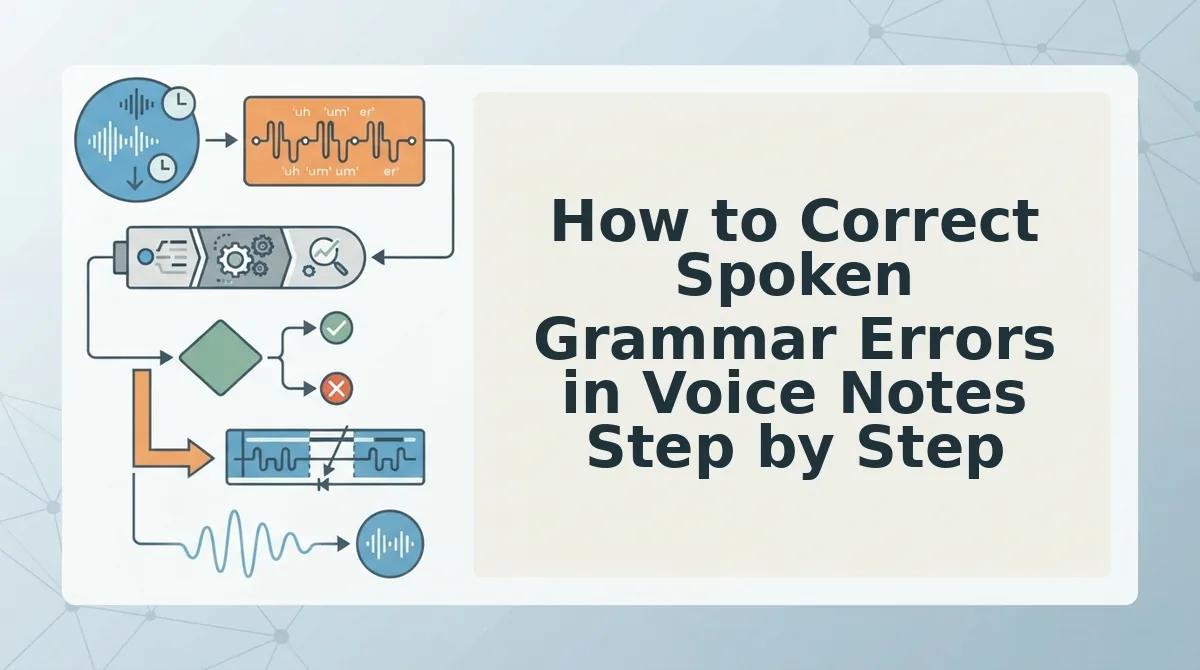
To correct spoken grammar errors in voice notes, record spontaneous thoughts without self-editing, run the raw audio through automated speech repair software, and verify the structured output before sending. This three-step workflow resolves broken syntax and sentence fragments while preserving your natural vocal identity.
Automated speech repair is an audio processing workflow that removes grammatical stumbles, conversational fragments, and filler words from voice recordings without replacing the speaker with a synthetic text-to-speech clone. Before beginning, ensure you have a standard microphone or smartphone voice recorder and a browser window open to your speech enhancement software.
- Record your spontaneous thoughts in one continuous take (approx. 45 to 90 seconds). Speak naturally at your normal conversational pace without stopping to restart when you stumble or use incomplete sentences. Expected outcome: A single, complete audio capture containing your core message, regardless of conversational syntax errors or false starts.
- Upload the raw audio to your speech enhancement tool. Click the upload button or record directly into the browser to fix grammar in voice message recordings. The automated processing engine reconstructs broken sentence fragments, cleans circular syntax, and eliminates hesitations while preserving authentic vocal prosody, formant profiles, and speaker cadence. Expected outcome: A processed audio playback interface appears alongside a polished, synchronized transcript.
- Review the side-by-side comparison to verify speaker intent (approx. 30 seconds). Play the enhanced audio note and skim the generated transcript to confirm the structural corrections match your original meaning. Expected outcome: A polished, grammatically sound voice note ready to share with clients or team members without re-recording loops.
Consider a sales rep sending an asynchronous follow-up after an unexpected client call. The rep records a 60-second note while walking, accidentally speaking in run-on sentences, trailing off mid-thought, and repeating phrases. Instead of deleting the memo and re-recording it three times, the rep uploads the file to VClar. The platform repairs the broken syntax, removes the false starts, and outputs a concise voice note that sounds authoritative and direct, preserving the speaker's natural tone alongside an error-free written summary.
Why waste valuable hours trapped in repetitive recording loops?
You can capture spontaneous updates with one-take confidence by letting VClar refine your audio into clear, professional messages that retain your authentic voice. For professionals looking to build better habits over time, understanding the trade-offs between manual rehearsal and software assistance is essential.
Real-Time Verbal Drills vs Automated Speech Repair Tools
Manual verbal drills build physiological speaking discipline over months of practice, whereas automated speech repair tools instantly correct syntax fragments and false starts in spontaneous recordings. When should you spend 20 minutes practicing verbal drills, and when should you simply let an async cleaner polish your audio for immediate client delivery?
A spoken english grammar cleaner is an automated speech utility that repairs conversational syntax, fragments, and hesitations without altering natural vocal timbre. Deciding between verbal training and automated repair depends entirely on whether your priority is long-term vocal conditioning or rapid operational communication.
Real-time verbal drills focus on muscle memory, breath control, and strategic pauses to reduce verbal stumbles before they happen. They are indispensable for live discussions and synchronous meetings where software cannot intervene. Conversely, automated speech repair targets asynchronous voice messages where turn-around speed and clarity take precedence over rehearsal. When an urgent voice memo demands clean grammar for a client, automated tools eliminate false starts and run-on phrasing in a single pass without forcing repeated takes.
| Approach | Immediate Turnaround | Long-Term Habit Formation | Acoustic Integrity | Best For |
|---|---|---|---|---|
| Manual Verbal Drills | Low (requires dedicated practice) | High (develops muscle memory over months) | Preserves 100% natural vocal delivery | Live keynote speakers and sales reps handling synchronous pitch calls |
| Studio Audio Editors | Low (requires manual timeline trimming) | None (edits errors post-recording) | High (offers granular control over wave edits) | Podcasters and media teams producing structured broadcast tracks |
| Automated Speech Cleaners | High (instant automated processing) | Moderate (exposes syntax flaws through comparison) | High (preserves cadence, accent, and natural timbre) | Founders, consultants, and cross-border teams sending async updates |
Choose manual verbal drills if you need to build spontaneous command for live conversations and unscripted negotiations. Choose an automated speech cleaner if you think faster than you type and need to send polished, one-take async memos right now.
Our recommendation is to separate vocal training from operational workflows: practice pacing drills during low-stakes rehearsal, but rely on automated repair software for business-critical client messages.
Understanding how these workflows function in practice raises several common questions about correcting spoken grammar in everyday audio notes.
Frequently Asked Questions About Spoken Grammar Errors
Spoken grammar errors in voice memos stem from rapid cognitive processing loads, but targeted pause protocols and speech enhancement software eliminate them without altering natural vocal identity.
How do I eliminate spoken grammar errors without freezing mid-sentence?
Practice the Strategic Pause Protocol by pausing silently for 1.2 seconds instead of filling dead air with false starts. This brief pause maintains conversational authority, lets your syntax catch up with your thoughts, and prevents syntactic breakdown while preserving your natural cadence.
Why do people make grammar mistakes when speaking but not writing?
Spoken grammar fails because spontaneous speech requires real-time formulation at roughly 150 words per minute without retroactive editing. While writing allows revision, unscripted speech forces the brain to manage vocabulary selection, acoustic tone, and syntactic structure simultaneously, leading to dangling clauses and circular phrasing.
How can you fix broken sentence fragments in voice recordings?
You can repair broken sentence fragments in audio recordings through two practical methods:
- Speech enhancement software: Restructures broken syntax and removes verbal hesitations automatically while preserving authentic vocal timbre.
- Structural retakes: Re-record the entire thought as an independent clause rather than attempting to patch isolated phrases.
Does correcting spoken grammar change how your natural voice sounds?
Modern speech enhancement tools preserve your authentic vocal identity, personal cadence, and accent while cleaning syntactical errors. They repair grammatical irregularities, false starts, and verbal hesitations across the recording timeline without replacing your natural delivery with a synthetic voice clone or robotic avatar.
What is the fastest way to stop using filler words in voice notes?
Replace conversational filler words like "um" or "basically" with deliberate silence before shifting topics. Audio cleaners can instantly eliminate verbal hesitations from completed recordings, but training yourself to embrace brief quiet intervals permanently reduces disfluencies across spontaneous professional communication.
Refining these conversational mechanics prepares you to deliver crisp audio updates on your very first take.
Master One-Take Clarity in Async Communication
Mastering one-take clarity in asynchronous communication requires abandoning real-time grammar perfectionism and optimizing for audience comprehension. Flawless spoken syntax on the first attempt is an unrealistic standard imported from written prose. The paradox introduced earlier, why brilliant thinkers stumble through voice memos, disappears when you stop forcing spontaneous speech into rigid editorial structures.
Eliminating the 3-take re-recording cycle saves async-first teams up to 45 minutes daily while elevating message authority. When you stop obsessing over verbal slips, you free up cognitive bandwidth to focus entirely on substantive ideas.
Adopt these pragmatic steps to protect your productivity:
- Speak freely without self-interrupting, trusting your natural speaking cadence.
- Process raw recordings through an ai voice message translator to repair sentence fragments and remove filler words automatically.
- Review the polished transcript alongside your audio to spot recurring verbal habits over time.
Upload your spontaneous audio to VClar to transform rough voice memos into clear, authoritative audio and professional transcripts in a single take.
True communication authority is not measured by flawless first takes, but by the absolute absence of friction between your thought and the listener's ear.