

You've recorded a voice note three times because the first two takes were full of "ums," half-finished sentences, and a grammar slip you caught too late. Now you're about to send it to a client in Tokyo, and you're wondering whether the translation tool will smooth things over. It won't. Translation engines preserve source errors, they don't repair them. A fragment in English becomes a mistranslated fragment in Hindi, and a garbled clause in German stays garbled in Japanese. If you want a clean, professional message on the other side, you need to fix grammar in voice message before translating. Here's the good news: you don't need to re-record anything. This guide walks you through why grammar errors compound in translation, a clean-first workflow you can run in minutes, and what happens when you skip the cleaning step. Along the way, you'll see why VClar's approach, cleaning the audio itself rather than generating a synthetic voice, changes the entire equation.
Why Grammar Errors Get Worse in Translation
Grammar errors in a source language don't survive translation unchanged, they multiply. Translation engines interpret intent first, then re-express it, which means a broken sentence forces the engine to guess what you meant before it can translate anything.
Think of it like photocopying a wrinkled page. Every copy preserves the wrinkle and adds slight blur. By the third copy, the text is harder to read than the original. Translation works the same way: the engine reads your intent through the noise of a grammar error, then rebuilds the sentence in a new language. If the engine guessed wrong, the error is now baked into the output, and often amplified.
Here's the contrarian part many people get wrong: translation tools do not fix grammar. They are not editors. Google Translate, DeepL, and similar engines treat your input as authoritative. If you feed them "Yesterday I go to the meeting and he tell me about the project," they will translate the tense errors and subject-verb mismatches faithfully into the target language. The output may be grammatically correct in the target language only if the engine's interpretation happens to align with your intent, which is not something you want to leave to chance.
The Compounding Errors framework explains why this happens. A translation engine works in two stages: first, it parses your source message to extract meaning; second, it generates a new sentence in the target language. Every ambiguity in stage one, a missing subject, a dangling modifier, a run-on clause, forces the engine to make an assumption. Each assumption is a coin flip. Two grammar errors mean two coin flips. The probability that both land in your favor drops fast, and the result is a translated message that sounds confident but says something you never meant.
Here's a concrete example. You record: "So basically the shipment, it arrive on Tuesday, but the invoice we haven't send yet." A translation engine might render this in French as a sentence that implies the shipment arrived and the invoice was sent, the opposite of your intent, because the tense confusion in the source forced a guess. Clean the grammar first, and the engine translates exactly what you meant.
Fix Grammar First, Then Translate: The Clean-First Workflow
If a voice message will be translated, clean the grammar first. Translation engines amplify grammatical errors, turning a minor stumble into a confusing or misleading sentence in the target language. If the message stays in its original language, cleaning is optional, but for translation, it's the difference between a clear message and a garbled one.
Quotable rule: Never translate a voice message you haven't cleaned first. The cost of a two-minute cleanup is always lower than the cost of a mistranslated deal.
What you need before starting
- A recorded voice message or raw audio file
- Access to VClar's filler word removal tool
- Your target language selected from the 11 supported languages
Clean-first workflow
- Upload your raw voice memo. Open VClar and drag in your audio file or record directly. You should see the audio waveform appear with a processing indicator.
- Run filler word removal. Use the filler word remover to strip ums, ahs, "like," "basically," "you know," and false starts. The timeline tightens and the message sounds decisive. Expect this to take under a minute for a typical 60-second memo.
- Review the cleaned transcript. Check that sentence fragments are now complete and grammatical errors are corrected. You should see a clean, readable transcript that matches your spoken intent.
- Select your target language. Choose from Hindi, English, French, Japanese, Korean, German, Russian, Portuguese, and the other supported languages. The cleaned audio is now ready for translation.
- Generate the translated output. VClar produces translated audio and transcript while preserving your natural tone, accent, and cadence. You should hear your own voice delivering the message in the target language, not a synthetic clone.
Worked example: raw to cleaned to translated
Imagine you record a voice memo for a client in Japan: "Um, basically, you know, the, the timeline for delivery is, ah, we can do it by Friday, like, if that works." The raw message has five fillers and a false start.
After running VClar's filler word removal, the cleaned version reads: "The timeline for delivery is we can do it by Friday, if that works." The grammar is tightened and the message is direct.
When translated to Japanese, the cleaned version produces a clear, professional statement. The raw version would have produced a fragmented, confusing translation that undermines your credibility.
If you're curious about what actually goes wrong when you skip this step, the next section shows the damage in detail.
What Happens When You Skip Grammar Cleaning
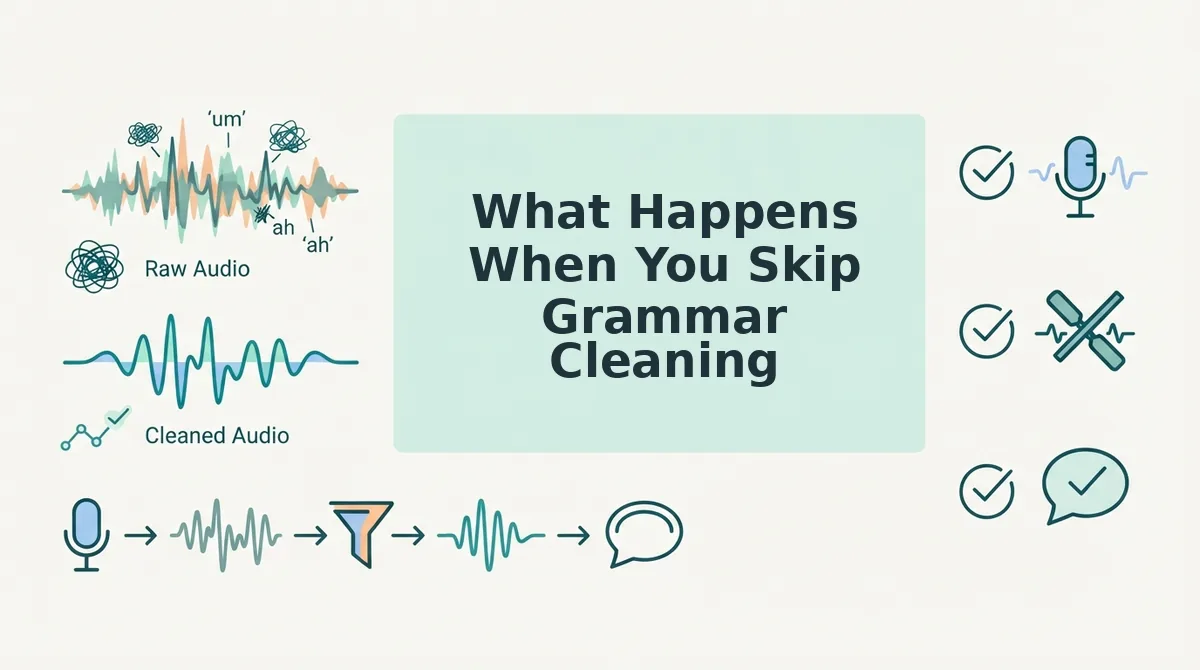
Skipping grammar cleaning before translation produces output that is grammatically broken in two languages at once, the original errors carry over and the translation engine amplifies them. The cost is highest in professional contexts where a single confusing message can stall a deal or damage credibility.
Here is a concrete example: a sales rep records a follow-up for a German-speaking buyer. The raw audio contains "um, basically we can, like, do the discount if you, you know, sign before Friday." Translated directly, the German output reads as hesitant, fragmented, and unprofessional, the filler words become literal translations and the false start becomes a grammatical error. The buyer hears uncertainty, not a confident offer.
| Workflow | What the German buyer receives | Perceived sender | Best for |
|---|---|---|---|
| Raw audio to direct translation | "Ähm, im Grunde können wir, wie, den Rabatt machen, wenn Sie, Sie wissen, vor Freitag unterschreiben." | Hesitant, unprepared, non-native | Casual chats with friends where precision does not matter |
| Grammar-cleaned audio to translation | "Wir können Ihnen den Rabatt gewähren, wenn Sie vor Freitag unterschreiben." | Decisive, professional, authoritative | Sales reps, founders, and freelancers sending voice notes for sales follow-ups |
| Re-recorded audio to translation | Clean output, but the sender spent 10-15 minutes re-recording and lost spontaneity | Polished but delayed | One-off formal messages where turnaround time is not a factor |
Direct translation tools like Google Translate and DeepL are excellent at literal accuracy, but they do not clean source audio, they translate what they hear, including hesitations and false starts. VClar's clean-first workflow removes those artifacts before translation, which is why the output reads as if the speaker was fluent in the target language from the start.
How to Fix Grammar in a Voice Message Without Re-Recording
You can fix grammar in a voice message without re-recording by running the audio through an AI cleanup tool that removes fillers, corrects spoken grammar, and preserves your original voice, accent, and rhythm. This eliminates the re-record loop entirely, no more deleting and starting over because you stumbled on one sentence.
Prerequisites: A recorded voice message (or the ability to record directly in the tool), and a voice message translator that offers grammar cleaning. Look for a tool that removes fillers, fixes grammar, preserves natural tone, and supports translation in one workflow.
- Record or upload your voice message. Open the tool and either record directly or upload an existing audio file. You should see the audio waveform appear with a processing indicator.
- Run the grammar and filler cleanup. Click the Clean or Enhance button. The tool detects and removes ums, ahs, false starts, and grammatical errors. Expect processing to take under a minute for a typical 60-second message.
- Review the cleaned transcript. Read the corrected text to confirm the meaning is intact. You should see a transcript with no filler words and grammatically complete sentences, while the audio still sounds like you.
- Export or translate. Send the cleaned audio as-is, or apply translation to any of the supported languages. The translated output should read as fluent and professional, with your original tone preserved.
If you are stuck in a re-record loop, recording the same 30-second message five times because of one stumble, the AI cleanup path is faster and preserves the authentic delivery that makes voice messages effective in the first place.
FAQ
Why does my translated voice message sound broken even when the original was fine?
Translation engines process every sound they detect, including filler words, false starts, and breath sounds. These artifacts become literal translations or grammatical errors in the target language. Cleaning the source audio first removes the artifacts, so the translation engine only processes clean, complete sentences.
Can I fix grammar in a voice message without re-recording it?
Yes. AI voice cleanup tools remove fillers, correct spoken grammar, and tighten phrasing directly from the existing audio file. The original voice, accent, and rhythm are preserved, so the cleaned message still sounds like you, without the time cost of re-recording.
What happens to filler words when a voice message is translated?
Filler words like "um," "like," and "you know" are translated literally or rendered as awkward pauses in the target language. In professional translations, they make the speaker sound hesitant and unprepared. Removing fillers before translation produces clean, decisive output in any language.
How long does it take to clean and translate a voice message?
For a typical 60-second voice message, AI grammar cleaning takes under a minute, and translation adds only a few seconds more. The entire clean-first workflow, upload, clean, review, translate, is faster than re-recording a single take.
Does grammar cleaning change how my voice sounds?
No. Grammar cleaning removes verbal hesitations and corrects sentence structure, but it preserves your natural tone, accent, cadence, and vocal identity. The cleaned audio sounds like a more polished version of you, not a synthetic voice.
Clean First, Then Translate, Every Time
The clean-first workflow isn't a nice-to-have. It's the difference between a translated message that lands and one that confuses. Record naturally, clean the grammar, translate, then review. That order removes the variables that break meaning across languages.
When you skip cleaning, every filler word and grammatical slip becomes a translation liability. When you clean first, the translator works with your clearest intent, not your raw hesitation.
Here's the pattern interrupt: most people think translation is the hard part. It isn't. Grammar cleaning is the leverage point. Fix that, and translation becomes mechanical.
Your next step: record one voice message today, run it through VClar to clean and translate in a single step, and compare it to your raw recording. The difference in clarity is immediate, no re-recording required.
A clean voice message translates itself; a messy one translates your hesitation.