
You hit record, speak for forty seconds, and play it back, only to hear a sentence fragment where a complete thought should be. The grammar you'd never botch in an email is suddenly missing from your voice note, and now you're wondering whether to re-record or send it and hope the client doesn't notice. You're not alone: spoken grammar falls apart for nearly everyone when they think out loud, and the anxiety of sending a rough client voice note is real. Here's the good news, you can fix spoken grammar in a client voice note without losing your natural delivery or spending twenty minutes on retakes.
This guide walks you through why your spoken grammar breaks down even when your writing is clean, which errors actually matter to a client, and a one-take workflow that lets you send polished voice notes with confidence. Along the way, you'll see why over-correcting every filler word can hurt more than it helps, and which single habit makes the biggest difference in how professional you sound.
If you want a faster path, VClar's AI voice message translator removes verbal hesitations and corrects spoken grammar while preserving your authentic tone, so a single take is all you need.
Why Spoken Grammar Breaks Even When Your Writing Is Clean
Spoken grammar is the set of structural patterns, fragments, false starts, and self-corrections, that naturally occur when speech is produced in real time, as opposed to the fully planned sentences of written grammar. You can fix most of these patterns in a client voice note once you understand where they come from.
Speech is planned in chunks, not full sentences. When you speak, your brain assembles language in short bursts of three to seven words, then pauses to plan the next chunk. Writing, by contrast, lets you revise a sentence before anyone sees it. That's why a fluent speaker can produce "we should, uh, circle back on the, the timeline" in a voice note while writing the same idea flawlessly in an email.
Think of spoken grammar like a live jazz performance versus a studio recording. The jazz musician improvises phrases in the moment, occasionally hitting a note that doesn't land perfectly before moving on. The studio recording gets edited until every note is clean. Your voice note is the live performance, and the fragments are part of how real-time speech works, not a sign that you don't know grammar.
At a deeper level, spoken grammar operates on a different rulebook. In conversation, incomplete sentences often carry meaning through intonation and context. A fragment like "the deadline. Friday, right?" is grammatically incomplete but communicatively clear. The problem arises when a voice note is replayed without the conversational back-and-forth that normally fills those gaps, leaving the listener to reconstruct your intent.
What to Fix vs What to Leave in a Client Voice Note
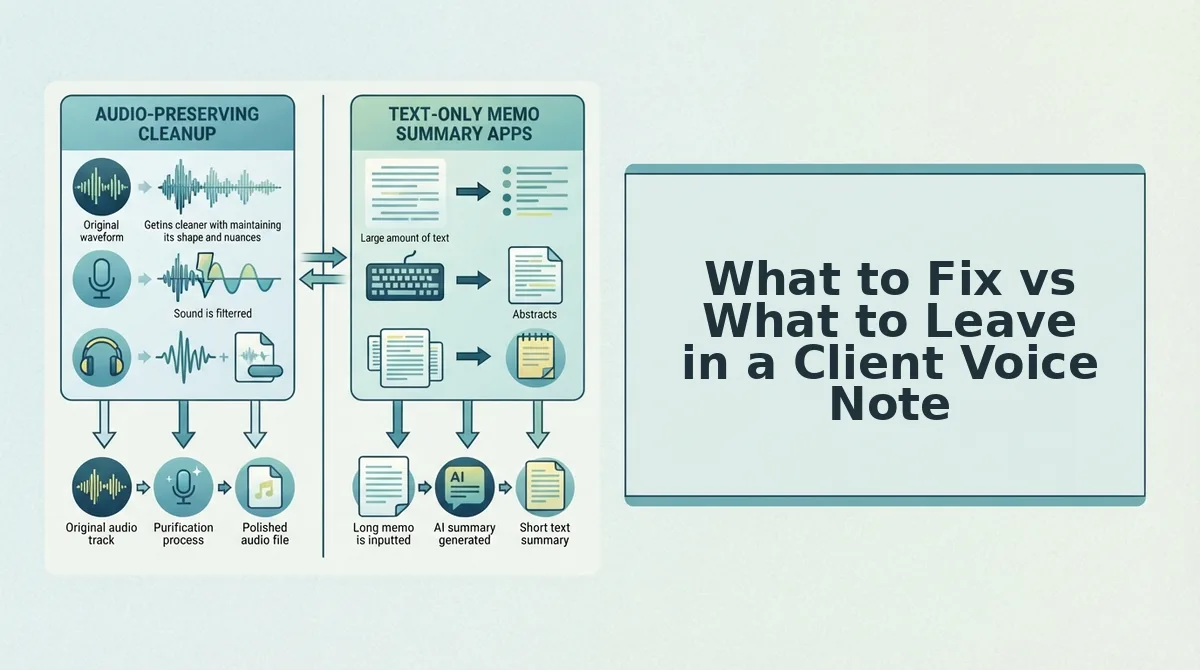
Not every spoken grammar slip deserves a re-record. Use this three-tier framework to decide what to correct in a client voice note: always fix errors that change meaning, fix client-facing distractions selectively, and leave natural speech patterns alone.
- Always fix subject-verb disagreements that change meaning. When a sentence like "the deliverables is ready" or "we was waiting on the contract" reaches a client, it signals carelessness about the work itself. Correct these in every client voice note because they undermine your credibility more than any other spoken error.
- Always fix incomplete sentences that create ambiguity. A fragment like "the budget, we need to discuss" leaves the client guessing whether you're asking a question, making a demand, or flagging a problem. Complete the thought so the note stands alone without conversational context.
- Fix filler words when the note is client-facing and formal. Ums, ahs, and repeated "like" or "you know" make a voice note sound hesitant. Remove them for project updates, proposals, or any message where decisiveness matters, but don't obsess over a single filler in a casual check-in.
- Fix false starts that interrupt the flow. When you begin a sentence, abandon it, and restart, "I think we should, actually, let's hold on the timeline", the client hears indecision. Trim the abandoned start and keep only the final, committed version.
- Leave natural cadence and pacing alone. The rhythm of your speech, including brief pauses between thoughts, is part of your authentic voice. Over-editing cadence makes a voice note sound robotic and erases the personality clients hired you for.
- Leave regional phrasing and conversational connectors intact. Phrases like "gonna," "wanna," or regional idioms are not grammar errors, they're dialect features. A client who speaks the same way will find over-corrected language stiff and impersonal.
- Leave minor self-corrections that don't change meaning. Saying "the report, the final report, is attached" is a natural speech pattern that most listeners filter out automatically. Fixing it adds editing time without improving client perception.
Once you know which errors matter, the next step is a repeatable process for recording clean voice notes in a single take.

The One-Take Workflow for Clean Client Voice Notes
You can fix spoken grammar in a client voice note without re-recording by running your first take through VClar's cleanup engine and reviewing the result side-by-side before sending. This workflow takes under three minutes total and requires only a phone or computer with a microphone, plus a VClar account.
- Record your message once, naturally. Open your voice recorder app or VClar's built-in recorder, then speak the full client note without stopping to correct yourself. Expect to hear fillers and false starts, that is fine. Success looks like a single unedited audio file, not a perfect take.
- Upload the raw audio to VClar. Click the upload button in your VClar dashboard and select the file. You should see a progress bar and a green checkmark when the upload completes, typically within 10-15 seconds for a one-minute note.
- Run the grammar and filler cleanup. Select the Clean Audio option, which detects and removes fillers like "um," "like," and "basically" while correcting spoken grammar errors. You can also remove filler words from audio as a standalone step if you only need that layer. Expect a processed file within 30-60 seconds.
- Review the side-by-side comparison. Open the comparison view to see the original transcript next to the corrected version. Listen to the cleaned audio and confirm your tone, pace, and intent are intact. You should see highlighted changes for every grammar fix and filler removal.
- Send or export the polished note. Click Export to download the cleaned audio or copy the corrected transcript into your client messaging app. Success is a message that reads and sounds decisive, with zero re-recording time spent.
The one-take workflow is unique to VClar and directly serves the time anxiety of professionals who cannot afford to re-record a client note three times to get it right. The side-by-side comparison concept is a differentiator that competitors do not describe: you see exactly what changed before anything reaches your client, so you never send a correction you did not approve.
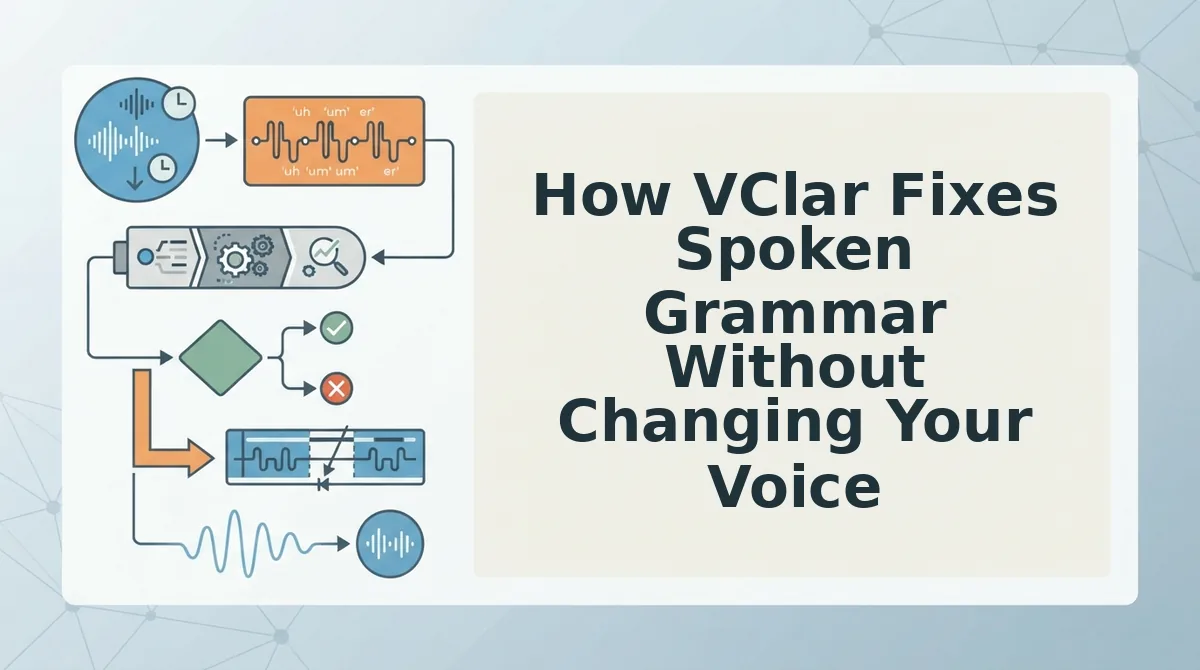
How VClar Fixes Spoken Grammar Without Changing Your Voice
VClar's grammar correction is a speech-enhancement process that repairs spoken errors in a voice note while preserving the speaker's authentic vocal identity, tone, and cadence. Think of it like a skilled editor who tightens your sentences on the page but never rewrites your voice, the words come out cleaner, but they still sound unmistakably like you.
At the simplest level, VClar detects and removes verbal fillers and false starts, then smooths the audio timeline so the remaining speech flows naturally. At an intermediate level, the engine corrects spoken grammar errors, subject-verb mismatches, tense slips, and awkward phrasing, directly in the audio and transcript. At the advanced level, VClar applies these corrections while preserving your accent, pacing, and emotional inflection, so the result sounds like a more polished version of the same speaker, not a synthetic clone.
The side-by-side comparison view shows the original and corrected versions together, which builds trust by letting you approve every change before sending. If you need to fix grammar in a voice message without losing your natural delivery, this workflow replaces the re-recording loop with a single review step.
How to Sound Professional in Voice Messages Beyond Grammar
Grammar is only one layer of a professional voice note. Pacing, structure, and clarity tips are often siloed in competitor content, but they belong together for voice-note professionalism. Here are the highest-value habits to pair with VClar's cleanup.
- Pause between ideas instead of filling silence. A half-second pause signals confidence and gives the listener time to absorb each point. It also gives VClar cleaner audio boundaries to work with, so the cleaned result sounds even more deliberate.
- State your ask in the first ten seconds. Clients decide whether to keep listening based on the opening. Lead with the action you need or the decision you are requesting, then provide context, this front-loads clarity and respects their time.
- Use a one-thought-per-message structure. A voice note that covers three unrelated topics is harder to act on than three short notes. Keep each message to a single decision or update, and let VClar handle the verbal cleanup so the structure stays visible.
- Match your speaking pace to your written tone. If your emails are concise and direct, your voice notes should be too. Speak at roughly 130-150 words per minute and avoid trailing sentences that dilute the main point.
- End with a clear next step and deadline. Close every client note with what you need, from whom, and by when. A vague ending forces a follow-up message; a specific one moves the work forward immediately.
One Take Is Enough
You don't need a second recording. The one-take workflow eliminates the re-recording loop entirely, record once, clean the grammar, send it.
Every hesitation, false start, or tangled clause you fixed in this article comes down to one shift: stop treating a voice note like a draft. A client voice note is a finished message the moment you stop speaking. The cleanup happens after, not during.
Here's the workflow in three moves:
- Record the note naturally, without self-editing mid-sentence.
- Run it through VClar to remove fillers and correct spoken grammar while keeping your voice intact.
- Send the polished result, no re-recording, no script, no second take.
Upload your next client voice note to VClar and hear the difference one pass makes. You'll send a message that sounds like you on your best day, decisive, clear, and grammatically sound, without ever hitting record twice.
Grammar in speech isn't a performance problem; it's a cleanup problem. And cleanup shouldn't cost you another take.