
You record a 90-second voice note to your team, play it back, and hear three false starts, a sentence that loops back on itself, and a "basically" where a decision should be. Founders think at roughly 150 words per minute, but voice notes often land as fragment piles, and the instinct to re-record only compounds the problem. You're not bad at speaking; you're using a workflow that punishes spontaneity.
This guide shows you how to fix spoken grammar in founder voice notes without scripting yourself into a robot. You'll learn why re-recording loops drain the exact energy that makes voice notes valuable, then get a one-take framework that cleans spoken grammar after you hit send, not before. Along the way, you'll see why the fix isn't discipline or elocution practice. It's a workflow change, and the surprising part is how little of your original delivery needs to change.
Why Founder Voice Notes Fail and Why Re-Recording Makes It Worse
A founder voice note is a spoken status update, decision, or request recorded on the fly and sent to a team, investor, or client without a script. It fails when the listener has to decode meaning through verbal debris, and re-recording multiplies the failure instead of fixing it.
Founder voice notes break down in predictable patterns. False starts happen when you begin a sentence, abandon it, and restart: "So the launch, what I mean is, the launch date moved." Fragment stacking piles incomplete clauses on top of each other: "The pricing page, which we updated, and then the checkout flow, which broke." Circular phrasing repeats the same point in slightly different words, filler chains string together "like," "basically," and "you know" into a verbal speed bump, and tense drift shifts between past and present mid-sentence. These aren't personal failings, they're what happens when thinking speed outpaces speaking speed.
Re-recording makes the problem worse because it trades authenticity for polish. Think of the first take like a live demo: it has energy, conviction, and the natural cadence your team recognizes as you. Each re-record is like re-shooting a scene until the actor memorizes the lines, technically cleaner, but emotionally flat. The hesitation that made the first take feel human gets replaced by a rehearsed monotone, and the listener can hear the difference.
For founders specifically, the cost compounds. A 45-second update that takes four takes consumes five minutes of focus, breaks your flow state, and still ships with the same grammar errors, because re-recording doesn't remove fillers, it just shuffles them to different positions. The solution is not to speak perfectly on the first take. It's to record once and clean the transcript and audio afterward, preserving the energy while fixing the structure.
The One-Take Founder Update Framework
The one-take founder update framework is a three-step workflow, record raw, clean grammar, send with transcript, that lets you capture a voice note in a single take and fix spoken grammar afterward without re-recording. You need a voice memo app or your messaging app's voice note feature, plus a tool that can fix grammar in voice message audio and transcripts, such as VClar.
- Record the raw voice note in one take. Open your voice memo app or messaging app, hit record, and speak the update as if you were telling it to a colleague across the table. Do not stop for mistakes. Do not restart sentences. Let the false starts and fillers happen, they're evidence of thinking, not failure. Aim for 30 to 90 seconds. You should end with a complete, if messy, spoken draft.
- Clean the grammar with an AI voice message translator. Upload the raw audio to VClar or a similar tool that removes filler words, corrects spoken grammar, and produces a polished transcript. The tool detects and removes "um," "ah," "like," "basically," and false starts from the audio timeline, then fixes tense drift and fragment stacking in the transcript. You should see a cleaned transcript that reads like a well-written Slack message, while the audio still sounds like you, same voice, same cadence, no verbal debris.
- Send the cleaned audio with the transcript attached. Export the polished audio and paste the transcript into your message alongside it. The transcript gives your team a skimmable version; the audio preserves your tone and intent. You should be able to send a founder update that took one take to record and under a minute to clean.
Worked example: A founder records a team update about a delayed launch. Raw transcript: "So basically the launch, what I mean is, the launch date, um, moved to next Thursday, and like the reason is, you know, the checkout flow broke, and we're fixing it, basically we're fixing it now." Cleaned transcript: "The launch date moved to next Thursday because the checkout flow broke. We're fixing it now." The audio keeps the founder's voice and energy; the transcript reads decisively.
What actually gets fixed in that cleaning step, and what stays untouched, is where the workflow gets interesting.
What Actually Gets Fixed and What Stays You
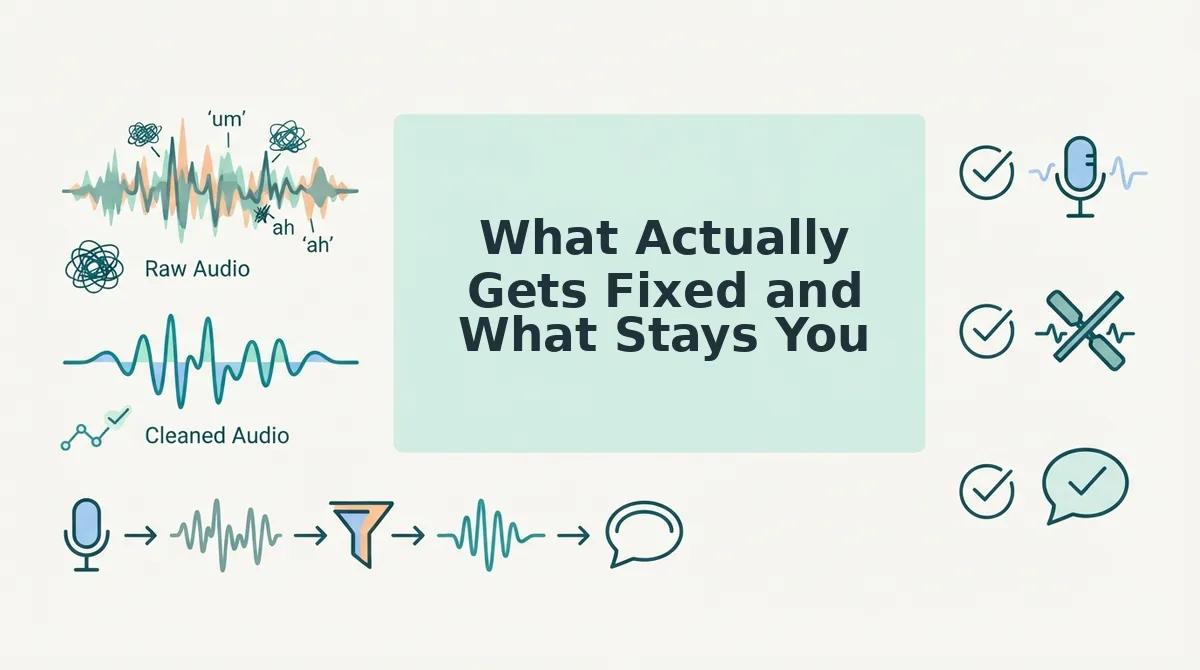
VClar fixes the grammar, filler words, and false starts in a founder voice note, but it does not touch your tone, accent, cadence, or vocal timbre. The result is a message that sounds like you on your clearest day, not a synthetic voice clone.
A fragment like "so basically we shipped the thing and um the numbers are good" becomes "We shipped the feature, and the numbers are good." A circular phrase like "what I'm trying to say is, the point I want to make is we need more time" becomes "We need more time." The sentence structure tightens; the delivery stays yours.
Competitors take different routes. Descript and Adobe Podcast offer strong studio-style editing and filler removal, but their workflows are built for podcast production, not one-take voice messages. Otter focuses on transcription accuracy and meeting notes, not spoken grammar repair. VClar's advantage is speed: it cleans and returns a polished voice note in under two minutes without manual timeline editing.
| Tool | What It Fixes | What It Changes | Best For |
|---|---|---|---|
| VClar | Grammar, fillers, false starts, acoustic noise | Nothing about voice identity | Founders sending one-take updates |
| Descript | Filler words, pauses, audio quality | Requires manual editing; studio-oriented | Podcasters and video editors |
| Otter | Transcription accuracy, speaker labels | Does not repair spoken grammar in audio | Meeting note-takers and journalists |
If you want to remove filler words without re-recording, VClar is the only option in this set built specifically for that job.
Script vs. Speak vs. Clean: A Decision Matrix for Founders
Three workflows cover nearly every founder voice note scenario. The right choice depends on formality, audience, and how much time you have before hitting send.
- Clean after recording, best for investor updates. Speak naturally, then run the audio through VClar to remove fillers and fix grammar. This preserves your authentic delivery while producing a message polished enough for stakeholders who judge precision.
- Speak raw, best for team standups. Internal teams tolerate imperfection and value speed. Send the unedited voice note, or run it through VClar only if you stumbled repeatedly. The goal is momentum, not polish.
- Script first, best for customer follow-ups. When the recipient is external and the stakes are formal, write three bullet points and speak from them. Then clean the recording to catch any drift from the script. This combines structure with natural delivery.
For more on building a repeatable founder voice note workflow, start with the clean-after-recording path, it delivers the highest quality per minute spent.
The One-Take Habit That Compounds
Every re-recorded voice note costs you momentum, and momentum is the one asset founders cannot buy back. The fix is not better scripting or more takes, it is a cleanup step that takes under two minutes.
Next time you owe someone an update, record it once, run it through VClar, and send a polished founder voice note in under two minutes. The grammar gets fixed; the voice stays unmistakably yours. That is the difference between sounding prepared and being prepared.