
You hit send on a voice message, replay it, and catch yourself saying "we was going to" or trailing off mid-sentence. The grammar error is already in your recipient's inbox. Here's the reality: your brain prioritizes speed over structure during spontaneous speech, so grammar breaks down even when you know the rules perfectly. You're not sloppy, you're human.
You're right to want a fix. Re-recording wastes time and rarely solves the problem, because the same cognitive pressure kicks in on take two. The actual solution is a repeatable three-step loop that cleans up the message and makes you a sharper speaker over time. Here's what we'll cover: a step-by-step method to fix grammar in voice message audio without re-recording, why spoken grammar fails in the first place, and how to tell which errors actually matter. Stick around, the third step reveals a pattern most people never notice about their own speech.
VClar handles the heavy lifting by correcting spoken grammar and phrasing while preserving your authentic voice, so one take is all you need.
How to Fix Spoken Grammar in a Voice Message Step by Step
You can fix spoken grammar in a voice message without re-recording by running the audio through VClar's grammar correction, which cleans up phrasing, removes filler words, and outputs both enhanced audio and a corrected transcript. The One-Take Fix framework below turns this into a repeatable loop that also improves your speaking over time.
Prerequisites: A smartphone or computer with a microphone, the VClar app or web tool open, and one raw voice message you recorded without self-editing.
- Record without self-editing. Open your voice recorder or messaging app and speak your message in one continuous take. Do not stop to correct yourself, restart sentences, or apologize for mistakes. Expected outcome: a raw audio file that captures your natural cadence and intent, typically 30-90 seconds long. You should see the recording saved with a timestamp and duration.
- Upload the audio to VClar. Click the upload button in the VClar dashboard and select your voice message file, or record directly into the tool. Wait for the processing indicator to complete, this usually takes under a minute. Expected outcome: a processed version of your audio with filler words removed from the audio and grammar errors corrected, alongside a clean transcript. You should see a green checkmark when processing finishes.
- Review the transcript to spot your patterns. Open the corrected transcript and compare it against what you remember saying. Look for recurring errors, subject-verb mismatches, sentence fragments, or circular phrasing. Expected outcome: a short mental list of your two or three most common spoken grammar slips. You should be able to identify at least one pattern you can consciously avoid in your next recording.
VClar removes unnecessary filler words, fixes spoken grammar and phrasing, and provides an enhanced audio plus transcript, so the message you send sounds decisive without losing your voice. The third step is where the real payoff hides: each review session trains you to catch errors before they leave your mouth, shrinking the gap between what you mean and what you say.
Why Spoken Grammar Breaks Down Even When You Know the Rules
Spoken grammar breakdown is the gap between your grammatical knowledge and your real-time speech output, caused by working memory limits during spontaneous speech. You know the rule, your mouth just can't keep up with your brain under time pressure.
Think of working memory like a kitchen counter with limited space. When you speak spontaneously, you're simultaneously planning the next sentence, monitoring what you just said, and managing tone, all while the words keep flowing. Written grammar gives you time to rearrange ingredients. Spoken grammar forces you to cook while customers are already eating. The planning-execution gap opens when your brain commits to a sentence structure, then changes direction mid-utterance, leaving a fragment or a mismatched verb behind.
Three failure modes dominate spontaneous speech. Sentence fragments happen when you abandon a structure halfway through, "So the meeting, which was supposed to be about budgets, anyway." Subject-verb disagreement under time pressure occurs when a plural noun sits between the subject and verb, and your brain grabs the wrong anchor, "The list of action items are ready." Circular phrasing is the verbal equivalent of pacing: you restate the same idea twice because you haven't planned the exit. Each of these is a working-memory artifact, not a knowledge gap.
Next, we'll separate the spoken grammar errors that genuinely confuse listeners from the ones only a pedant would notice.
Spoken Grammar vs. Written Grammar: What Actually Needs Fixing
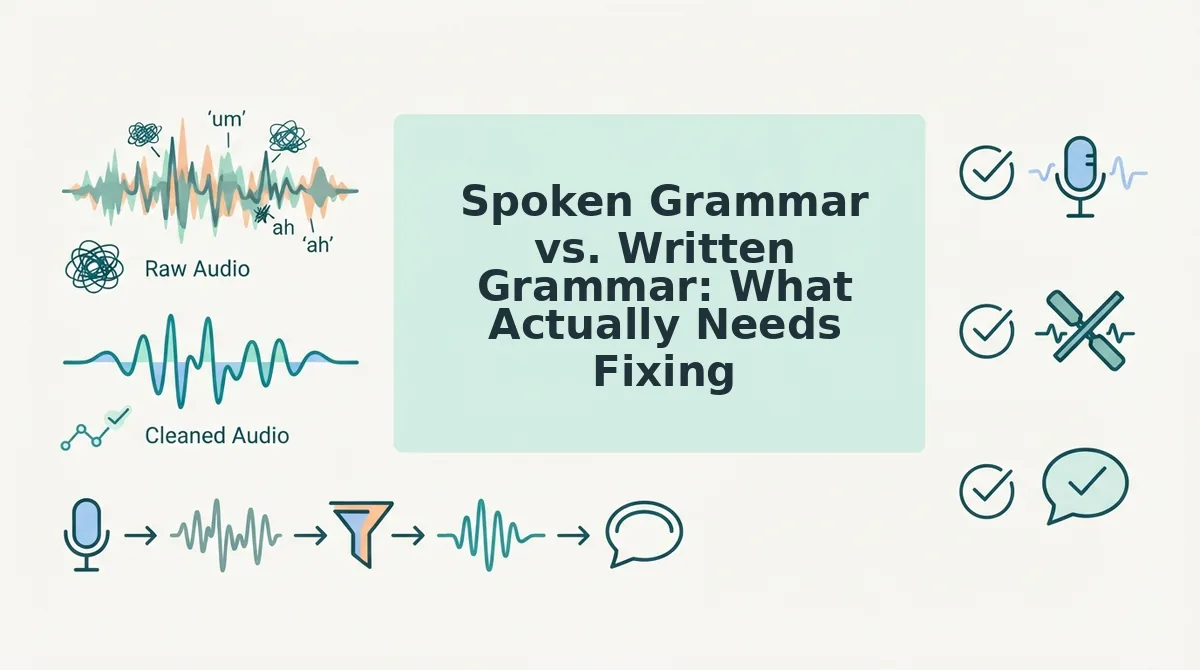
Spoken grammar and written grammar follow different rulebooks, what reads as an error on paper often sounds perfectly natural aloud, and what looks correct in writing can sound stiff when spoken. The goal in a voice message is not to produce a formal essay, but to sound clear, credible, and like yourself.
Most grammar checkers treat both identically, which is why over-correcting a voice transcript can make you sound robotic. The table below separates what actually needs fixing from what you should leave alone.
| Grammar Pattern | Written Standard | Acceptable in Spoken Voice Messages | What Actually Needs Fixing |
|---|---|---|---|
| Subject order | "John and I went" | "Me and John went", common and accepted in casual speech | Leave as-is unless the message is formal or client-facing |
| Subject-verb agreement | "There are three reasons" | "There's three reasons", frequent in natural speech | Fix for professional contexts; it can read as careless to listeners |
| Sentence fragments | Complete sentences required | Fragments add rhythm and emphasis | Fix only when fragments obscure meaning |
| Filler words | Removed entirely | Occasional fillers signal natural speech | Remove excessive or repeated fillers that distract |
| Ending with prepositions | Discouraged in formal writing | "What are you thinking about?" is standard speech | Leave as-is; forcing rewrites sounds unnatural |
Tools like Grammarly and ProWritingAid excel at formal written grammar, and for essays, reports, or published content, that rigor is a genuine strength. But applying written-grammar rules to voice messages over-corrects the wrong things. VClar takes a different approach: it targets only the spoken errors that undermine clarity, subject-verb mismatches, tangled syntax, false starts, while preserving the conversational patterns that make you sound human.
Best for written documents: Grammarly or ProWritingAid, if you need formal, publication-ready text. Best for voice messages: VClar, if you want spoken grammar cleaned without losing your natural delivery. If you send voice notes for non-native speakers, this distinction matters even more, over-correction can strip away the conversational confidence you are building.

Does Grammar Correction Change Your Voice or Accent?
Grammar correction is the process of fixing syntactic errors, word order, agreement, tense, while leaving the acoustic properties of your speech untouched. It does not have to change how you sound.
Think of it like editing a photograph: you can straighten the horizon and remove a distracting object without changing the person in the frame. VClar works the same way. It corrects syntax while preserving your vocal timbre, cadence, and accent, because those are identity features, not errors.
This matters most for non-native speakers, who often fear that cleaning up grammar means erasing their accent. Grammar correction and accent preservation are not mutually exclusive. A Spanish-accented English voice message with correct subject-verb agreement still sounds Spanish-accented, just clearer and more professional. For anyone sending voice notes for non-native speakers, this distinction is the difference between sounding polished and sounding like someone else.
If you have been avoiding grammar fixes because you worried about losing your voice, the workflow is simple: record your message naturally, let VClar correct the syntax, and review the transcript. Your accent stays. Your grammar improves. Both can be true at once.
The One-Take Fix: Grammar as a Habit, Not an Edit
Fixing spoken grammar is not a one-time cleanup, it is a feedback loop that makes you a better speaker with every cycle. The One-Take Fix works like this: record without self-editing, run the audio through VClar, and review the transcript to see exactly where your spoken grammar drifted. Each cycle trains your ear, so the next recording needs fewer corrections.
The real payoff is not a polished message. It is the confidence to record once and send, knowing the grammar will be handled without losing your voice. Start your next message at fix grammar in voice message and run your first recording through the loop. The sooner you stop re-recording, the faster your spoken grammar improves on its own.