
You hit record, speak for ninety seconds, and play it back only to hear your subject and verb disagree mid-sentence. The frustration is real: you don't talk the way you write, and fixing spoken grammar in a voice note usually means re-recording until the take feels stiff and unnatural.
You're not alone. A YouTube video titled "How to Speak English Without Making Grammar Mistakes" has racked up 364,475 views, proving how many people struggle with live spoken grammar. But here's the shift: you don't need to become a flawless live speaker. You need a post-recording fix that preserves your natural delivery.
This guide walks you through why spoken grammar breaks down in the first place, a one-take workflow for cleaning up voice notes without re-recording, and how AI tools like VClar can remove fillers and repair fragments while keeping your authentic voice intact. Stick around for the surprising reason your grammar errors actually signal something useful about how your brain processes speech.
Why Spoken Grammar Falls Apart in Voice Notes
Spoken grammar errors are the byproduct of real-time speech production, not a sign of poor language skills. When you speak, your brain assembles words at roughly 150 words per minute while simultaneously planning the next phrase, monitoring your listener, and managing breath. Written editing gives you unlimited revision time; voice notes give you none.
Think of spoken grammar like driving through an unfamiliar city without GPS. You make turns, double back, and occasionally dead-end into a fragment. Writing is like planning the route on a map first. The cognitive load of live navigation creates the errors, not a lack of driving skill.
Spoken grammar errors fall into four distinct categories that most tools treat as one monolithic problem:
- Fragments: Incomplete sentences abandoned mid-thought, like "So the meeting was... actually, let me back up."
- False starts: Beginning a sentence, stopping, and restarting with different wording, such as "I think we should, what I mean is we need to ship this week."
- Circular phrasing: Repeating the same idea in slightly different words before landing on the point, which dilutes the message.
- Subject-verb drift: Losing grammatical agreement across a long sentence, like "The list of action items from the client meeting are ready" instead of "is ready."
The contrarian insight: stop trying to speak like you write. The voice-note workflow removes live pressure entirely. You record naturally, then clean the grammar afterward. This separation of production and editing is what professional writers have always done, draft freely, revise separately. Voice notes finally make that workflow available to spoken communication.
The One-Take Voice Note Workflow
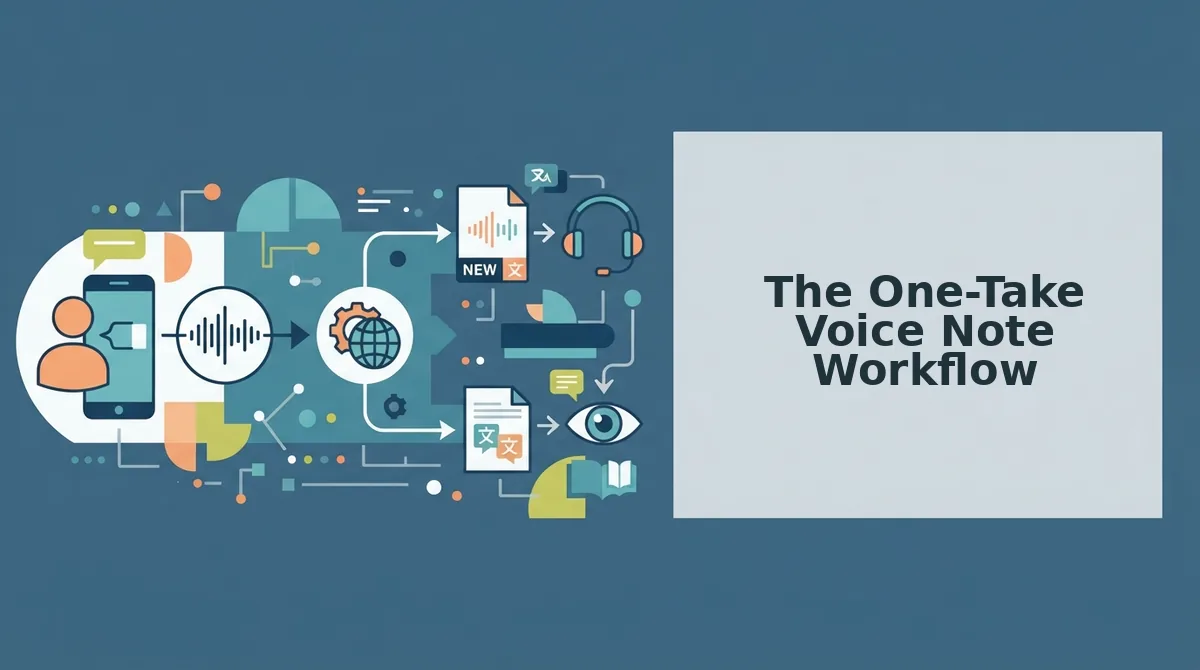
You can fix spoken grammar in a voice note without re-recording by separating recording from editing. This four-step workflow takes under five minutes and produces a polished message that still sounds like you.
Prerequisites: A voice note recording app on your phone or computer, and access to a grammar-cleaning tool like VClar that removes fillers and repairs fragments without altering your vocal identity.
- Record naturally without self-correcting. Hit record and speak as if you're leaving a message for a colleague. Don't stop to fix mistakes. Expected outcome: a raw voice note with fillers, fragments, and false starts intact, exactly what you want at this stage. Time: 30-90 seconds.
- Upload the audio to a grammar-cleaning tool. Open VClar, select your voice note file, and let the engine detect and remove fillers like "um," "like," and "you know" while repairing sentence fragments and subject-verb drift. Expected outcome: a cleaned audio timeline where the grammar is correct but your tone, cadence, and accent remain unchanged. Time: under 60 seconds.
- Review the cleaned version side-by-side with the original. Play both versions and compare. Listen for any spots where the repair changed your intended meaning. Expected outcome: you confirm the message is grammatically sound and still sounds like you, not a synthetic voice. This review step also builds long-term spoken grammar awareness, you'll start noticing your own patterns. Time: 60-90 seconds.
- Send with confidence. Export the cleaned audio or transcript and deliver it. Expected outcome: a decisive, grammatically correct voice note sent in one take, with zero re-recording loops. Time: 10 seconds.
If you want to fix grammar in voice messages without sacrificing authenticity, the key is separating the speaking act from the editing act. VClar handles the editing side: it removes verbal hesitations, corrects spoken grammar, and cleans acoustic distractions while preserving your natural vocal identity. You focus on getting the idea out; the tool makes it sound polished.
Next, let's look at how AI grammar repair works under the hood without flattening your voice into something robotic.
How AI Fixes Grammar Without Changing Your Voice
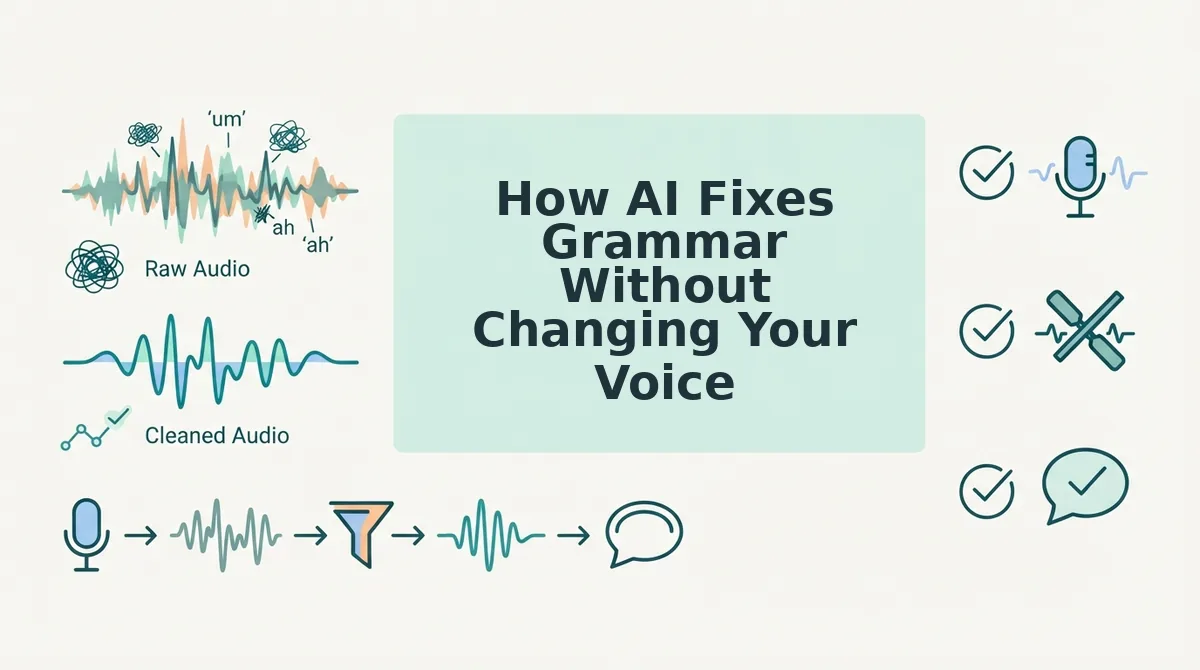
AI grammar correction for voice notes works on two distinct layers: the spoken audio itself and the text transcript. The key difference is whether the tool preserves your vocal timbre, the unique acoustic fingerprint of your voice, or only cleans up the words on a page.
Text-only transcription tools like Otter.ai and Rev fix grammar in the written output, but the audio remains untouched. If you send the transcript, it reads clean; if you send the audio, every fragment and filler stays. VClar corrects grammar directly in the audio timeline, removing false starts and smoothing sentence structure while keeping your tone, cadence, and accent intact.
| Tool Type | What Gets Fixed | What Stays the Same | Best For |
|---|---|---|---|
| Text-only transcription (Otter.ai, Rev, Descript text mode) | Grammar, punctuation, filler words in the transcript | Audio is untouched, original voice note keeps all flaws | Writers and note-takers who need clean text, not clean audio |
| Audio-first AI correction (VClar) | Grammar, fragments, circular phrasing, fillers in the audio itself | Vocal timbre, tone, cadence, accent | Founders, sales reps, and creators who send voice notes as the final message |
| Full synthetic regeneration (ElevenLabs, Play.ht) | Everything, grammar, pacing, delivery | Nothing, voice is cloned and re-synthesized, losing natural imperfections | Podcasters and video producers who need scripted, studio-grade narration |
Text-only tools are genuinely strong when your goal is a written record. But if the voice note is the deliverable, only audio-first correction solves the problem without replacing your delivery. VClar also pairs grammar cleanup with removing filler words from audio in the same pass, so you do not need two separate tools for one rough recording.
If you are tired of re-recording the same 40-second message three times, run it through VClar once and send the cleaned version.
Building Better Spoken Grammar Over Time
AI cleanup fixes the message you already recorded. These habits reduce how much fixing you need in the first place.
- Review your cleaned audio side by side with the original. Play both versions back to back and note exactly what the AI changed. This side-by-side review turns every voice note into a feedback loop, you see your recurring patterns instead of just hearing a polished result.
- Track your top three recurring grammar patterns. Most people repeat the same two or three spoken habits: run-on sentences, dropped subjects, or trailing clauses. Identify yours from the cleanup history, then focus on one per week rather than trying to fix everything at once.
- Pause for one second before each new sentence. Spoken grammar breaks down when your mouth outruns your brain. A deliberate one-second pause at sentence boundaries gives your brain time to structure the next thought before you voice it.
- End sentences with a downward pitch. Rising intonation at the end of declarative sentences signals uncertainty and invites run-ons. Practice dropping your pitch at the final word, it forces cleaner sentence boundaries naturally.
- Record a 30-second practice note daily. Pick one pattern from your list and record a short message focused on avoiding it. Run it through VClar and check whether the AI still needed to make corrections. The goal is progress, not perfection, fewer AI fixes over time is the metric.
- Use the cleaned version as a speaking model. Listen to your own corrected audio and mimic its pacing and structure. You are training your ear on your own voice, not someone else's, which makes the pattern stick faster.
- Accept that spontaneous speech will never be perfect. Even polished public speakers use fillers and fragments in casual conversation. The point is reducing the friction for your listener, not eliminating every imperfection from your natural delivery.
FAQ
Can AI fix grammar in a voice note and still sound like me?
Yes. Audio-first AI tools like VClar correct grammar, remove fillers, and smooth sentence structure directly in the audio timeline without altering your vocal timbre, tone, cadence, or accent. The result sounds like you speaking more clearly, not a synthetic voice clone.
What's the difference between fixing grammar in a voice note vs. a transcript?
Fixing a transcript only changes the written text; the audio keeps every fragment, filler, and false start. Fixing a voice note corrects the audio itself, so the message you actually send sounds clean. If the voice note is the deliverable, transcript-only fixes do not solve the problem.
How do I fix sentence fragments in voice memos?
Record your message, then run it through an audio-first AI tool that detects incomplete sentences and false starts. The tool removes abandoned clauses and stitches the remaining audio seamlessly. For long-term improvement, review what was removed to spot your recurring fragment patterns.
Does fixing spoken grammar remove my accent?
No. Grammar correction targets sentence structure, word order, and filler removal, not pronunciation or phonetics. Your accent, regional inflections, and natural speech rhythm remain intact. If you need cross-language communication, a voice note translator handles translation while preserving your vocal identity in the target language.
Fix the grammar, keep the take
Spoken grammar falls apart because you are thinking and speaking at the same time. The fix is not to become a flawless speaker overnight. The fix is to stop treating every voice note as a final draft.
Record once. Run it through clean voice memos online. Hear the difference immediately.
That is the one-take workflow in action: your cadence stays, your accent stays, your intent stays. The ums, false starts, and tangled clauses disappear. Progress you can hear beats progress you have to imagine.
Here is what changes when you adopt this habit:
- You stop re-recording. One take becomes the default, not the exception.
- You start trusting your first instinct. The message you meant to send is the message that gets sent.
- You hear yourself improve. Cleaner output reveals patterns you can fix at the source over time.
Upload your next voice note instead of deleting it. That single action is the entire workflow. The grammar gets fixed, the voice stays yours, and the message finally sounds like the person you are when you are not second-guessing yourself.
Spoken grammar is not a skill you master before you record, it is a result you get after you stop re-recording.