
You hit stop on a spontaneous three-minute voice memo for your executive team, dread the breathless delivery, and scrap it to re-record for the third time. Spoken English averages 140 to 160 words per minute, yielding compound multi-clause sentences that overwhelm listeners when unscripted. You can cleanly repair run on sentences in audio without restarting your recording or losing your natural vocal identity.
What breaks down when you speak off-the-cuff?
- Breath groups blur together without natural punctuation.
- Endless coordinating conjunctions turn quick updates into exhausting monologues.
This guide explains how to split rambling thoughts into clear, authoritative statements across short async voice notes. Later, we examine why deleting conjunctions directly often ruins spoken timing rather than fixing it.
Consider a typical workflow: a founder records a disorganized update while walking between meetings. Instead of spending ten minutes re-recording, they run the file through a spoken english grammar cleaner. The tool restructures the runaway phrasing into discrete sentences while preserving the original cadence, delivering a polished voice message and transcript ready to send.
Understanding the speech patterns behind these continuous clauses is the necessary starting point.
What Causes Run-On Sentences in Spoken Audio and What You Need Before Editing
Run-on sentences in spoken audio are acoustic chaining errors caused by continuous respiratory cycles and coordinating conjunctions rather than written grammar mistakes. While a written run-on joins clauses without punctuation, a spoken run-on occurs when a speaker chains independent thoughts together on a single outgoing breath to prevent conversational interruptions.
Spoken polysyndeton is the continuous vocal chaining of independent clauses using repeated connectives without downward vocal inflections. Think of conversational breathing like a delivery truck driving through red lights; instead of coming to a full stop between distinct packages, the engine keeps rolling forward so nobody takes its lane. Speakers maintain a level pitch and chain ideas using verbal glue, eliminating the physical pauses where full stops naturally belong.
Consider this 48-word sample update linking three strategic pivots: "We decided to abandon the enterprise outbound campaign and then we shifted our focus entirely toward inbound product signups and so basically we are restructuring the onboarding sequence this week to ensure activation metrics stay strong before we present the updated retention data to our lead investors on Friday morning."
Before attempting to repair these run-on sequences, you need two prerequisites: an uncompressed source recording without clipped vocal peaks and a clean separation between the speaker's vocal timbre and ambient noise. If background hum or street noise fluctuates underneath continuous speech, cutting the audio exposes obvious room-tone drops.
For high-velocity leaders recording async updates, learning how VClar repairs broken conversational syntax in voice notes for founders can show you how circular clauses separate into clear, complete sentences while preserving your original vocal cadence.
Simply splicing these chained conjunctions out of an audio timeline creates a severe acoustic problem at the boundary of each cut.
Why Cutting Spoken Run-On Sentences Sounds Unnatural Without Intonation Control
Cutting spoken run-on sentences sounds unnatural because human speech relies on pitch contour rather than silence to signal grammatical finality. When you slice out conjunctions or splice clauses without adjusting pitch, the brain perceives an unresolved phrase suspended in midair.
Why does a clean cut on zero-crossing lines still sound like a sudden mid-word glitch?
The answer lies in how conversational cadence functions. Intonation control is the precise management of fundamental frequency and acoustic decay at the boundaries of spoken phrases to signal whether a thought is continuing or complete. Think of conversational pitch like a ball bouncing down stairs: intermediate clauses stay suspended on higher steps, while a true sentence stop requires the ball to settle entirely on the floor. In a spontaneous voice memo, clauses usually connect with a flat or rising tone. Slicing the waveform at a pause preserves that elevated pitch, leaving the listener waiting for a second clause that never arrives.
The Intonation Curve Rule governs this auditory expectation. Under the Intonation Curve Rule, terminal cadence requires a 20-40 Hz pitch decline and a 120ms ambient air decay to register psycholinguistically as a completed sentence. Without this physiological decline, the brain rejects the edit as an unnatural drop-off, even if your edit point is mathematically pristine. A natural full stop is an acoustic curve, not a sudden silence.
When you edit continuous speech, the cut fails because three acoustic elements remain unresolved:
- Fundamental pitch: Mid-sentence conjunctions like "and" or "so" carry an elevated frequency that signals an unfinished idea.
- Micro-rhythm: The syllables preceding a connective word are spoken faster than those preceding a period.
- Room tone tail: Truncating the natural room reverberation creates an acoustic vacuum that exposes the splice.
Transforming an open-ended clause into an authoritative statement requires reshaping the voice's pitch envelope to simulate a true terminal fall. Understanding these pitch mechanics is essential before attempting physical edits across your recorded audio track.
How to Cut Run-On Sentences Manually in a Timeline Audio Editor
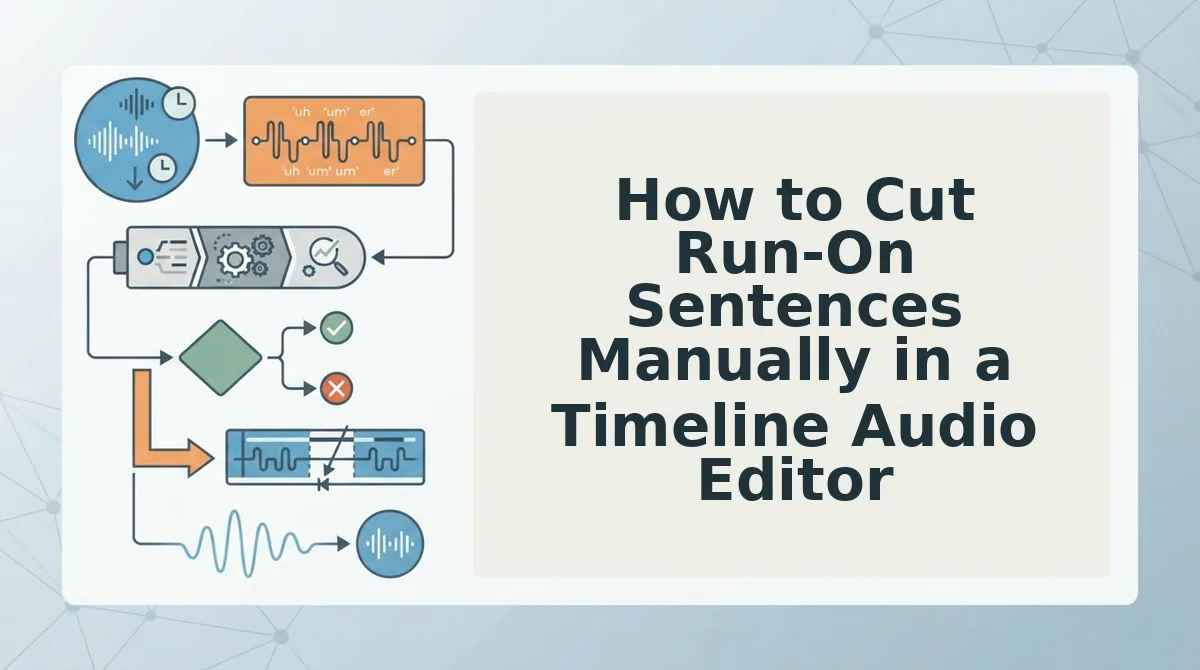
To cut run-on sentences manually in a timeline audio editor, isolate the connecting conjunction, splice the waveform during natural breath pauses, and bridge the edit with matching ambient noise. A room-tone bridge is a segment of silent background room acoustic captured from the same recording environment and used to fill gaps between spliced phrases. Inserting a 150-250ms room-tone bridge combined with equal-power 10ms crossfade thresholds at clause boundaries creates a natural acoustic pause without leaving dead air. This process separates linked clauses into distinct thoughts while preserving the speaker's vocal authenticity.
Before beginning, open a digital audio workstation such as Audacity or Reaper, import your speech file, and capture an isolated 500ms profile of room tone from an unvoiced portion of the track. Expect the editing process to take roughly five to eight minutes for every minute of recorded speech.
- Locate the conjunction binding the run-on sentence on the timeline by zooming in until individual word waveforms are clearly visible. In unscripted recordings, identify words like "and," "but," or rambling transitions that connect two separate ideas. You should see a clear dip in amplitude preceding the transitional word.
- Highlight and delete the unneeded connecting word or remove filler words from audio that pad the boundary. Cut directly at the zero-crossing line where the waveform meets the center axis to avoid introducing high-frequency clicks. The waveform display will now show two separated audio clips on the track.
- Paste a 150-250ms room-tone bridge directly into the timeline gap between the two clauses. Never leave empty space on the timeline track, because absolute digital silence sounds unnatural against recorded voice memos. The edit window should display continuous low-level ambient noise between the spoken blocks.
- Apply equal-power 10ms crossfade thresholds to both splice points where the room tone meets the spoken phrases. Select the boundary edges, open the crossfade menu, and select equal-power mode so perceived volume remains constant across the transition. The audio should transition cleanly without audible pops or sudden volume drops.
- Play the spliced section back with three seconds of preroll to evaluate the final cadential rhythm. The edit succeeds when the first clause resolves with natural falling intonation and the second starts fresh without a jarring silence gap.
Consider this practical scenario: an unscripted product update recording contains the run-on phrase, "we deployed the patch yesterday and then the latency dropped immediately." To fix this, cut the conjunction "and then" completely. Insert a 200ms room-tone bridge into the resulting gap, preserve the brief natural breath before "the latency," and apply 10ms equal-power crossfades across both seams. The edited recording cleanly presents two authoritative sentences without clipping the speaker's cadence or introducing unnatural silence.
Manual timeline surgery resolves acoustic boundaries, but it cannot fix the vocal pitch drops that accompany genuine full stops.
How to Restructure Spoken Run-On Sentences Using AI Voice Engines
Restructuring spoken run-on sentences with AI voice engines involves identifying run-on clause boundaries, inserting natural pauses, and adjusting pitch contours so each independent statement resolves naturally. You do not have to discard your spoken audio and settle for flat text summaries just to fix conversational syntax. Specialized voice tools preserve your cadence and timbre while splitting compound thoughts into distinct, grammatically sound statements.
An acoustic prosody realignment engine is an audio processing system that adjusts pitch contours and pause intervals to generate natural falling inflections at newly created sentence boundaries. Acoustic prosody realignment engines that synthesize natural terminal intonation contours on existing vocal prints prevent spliced audio from sounding abrupt or truncated.
Prerequisites: A raw voice memo containing compound thoughts, and a browser session opened to your speech enhancement tool.
- Upload your raw audio file into the workspace. Drag your recording into the upload container or speak directly into the recorder. You should see the waveform load alongside an editable transcript block within five seconds.
- Select the syntax correction module from the audio controls panel. Enable the option to fix grammar in voice message recordings to target run-on clauses and fragment chains. The interface will highlight rambling sentence structures in the generated transcript view.
- Process the speech restructuring pass. Click the Enhance Audio button to initiate syntactic restructuring and cadence repair. Processing typically finishes in 15 to 30 seconds, generating a newly segmented waveform.
- Review the terminal pitch contours in the output player. Click Play to listen to the newly introduced sentence endings. You should hear distinct full stops with downward pitch inflection, confirming that the voice preserves your personal vocal identity without synthetic artifacts.
Why compromise between clear grammar and genuine human presence? VClar turns spontaneous, rambling voice notes into polished messages and clear transcripts in one take, eliminating re-recording loops while preserving your natural tone.
Choosing between frame-by-frame waveform editing and automated prosody engines comes down to speed and precision.
Manual Timeline Surgery vs Automated Speech Restructuring
Manual timeline editing provides total control over every cut at the expense of heavy manual labor, whereas automated speech restructuring re-engineers spoken syntax and tone in seconds without manual waveform splicing.
Is 20 minutes of micro-fading in Audacity worth it for a two-minute voice memo?
Automated speech restructuring is an AI-driven process that identifies run-on syntax, repairs fragmented phrasing, and smooths vocal transitions while preserving authentic speaker cadence. Traditional timeline editors excel at long-form podcast post-production, multi-mic alignment, and surgical volume leveling where total creative control over raw tracks is mandatory. However, manual DAW micro-editing requires 6x to 8x the recording's run time versus automated restructuring taking under 30 seconds.
| Method | Turnaround Speed | Learning Curve | Inflection Preservation | Best For |
|---|---|---|---|---|
| Manual DAW Editing | 6x to 8x audio run time | High (waveform surgery, room tone matching) | Manual pitch shift required | Audio engineers and narrative podcasters |
| Studio Timeline Suites | 3x to 5x audio run time | Moderate (text-based cut interfaces) | Variable gap crossfades | Video creators and media producers |
| Automated Restructuring | Under 30 seconds | Zero (one-take upload or record) | Preserved authentic cadence | Founders and cross-border teams |
Decision Framework
Choose manual timeline editing if you are mastering commercial broadcast audio, managing multitrack bleed, or need exact frame-level authority over ambient noise profiles.
Choose automated speech restructuring if you think faster than you type and need to turn unscripted, rambling voice notes into concise voice messages without losing your natural timbre.
Our recommendation: For daily operational communication, automated speech restructuring delivers the ideal balance of natural voice preservation and immediate delivery without tedious razor-blade edits.
Once you select your editing approach, verifying the transition points ensures no jarring cuts make it to the listener.
How to Check That Your Audio Sentence Splice Worked Cleanly
To verify that an audio sentence splice worked cleanly, you must evaluate the cut across headphone playback, waveform zero-crossings, ambient room tone, and accelerated speech cadence. A clean splice leaves zero transient pops, preserves the natural decay of the speaker's vocal timbre, and sounds effortless to an untrained ear.
Zero-crossing alignment is the practice of placing an audio edit point precisely where the waveform amplitude rests at zero voltage. Without this alignment, sudden electrical jumps create audible clicks that reveal the edit instantly. Put on closed-back noise-canceling headphones, crank your monitoring volume up slightly, and audit your splice points against these five quality checks.
- Audit the waveform transition at zero-crossings: This step inspects the exact slice marker where two disconnected audio clips meet. If an edit cuts through an active wave peak rather than silence at the center line, your listener hears an unnatural digital snap. Zoom in to the single-sample level in your digital audio workstation and apply a 5-millisecond crossfade across the seam to smooth out abrupt amplitude jumps.
- Run the 1.5x speed playback stress test: This test evaluates conversational rhythm and breathless pacing by playing the edited track at accelerated playback. While normal-speed playback often masks awkward timing gaps, accelerating the audio instantly exposes cadence hitches, choppy pause durations, and unnaturally abrupt terminal inflections. Trigger 1.5x playback in your media player, close your eyes, and listen for moments where the cadence feels rushed or mechanically clipped.
- Check room tone continuity under high gain: This check verifies that ambient background hiss remains stable across the splice boundary. Background noise levels fluctuate wildly when you stitch together takes recorded seconds apart, producing noticeable dropouts where room presence suddenly vanishes. Isolate a two-second segment around the splice, boost track gain by 6 decibels, and verify that background ambience stays flat across the edit.
- Evaluate natural breath intake and decay: This inspection ensures your edit did not sever the trailing acoustic release of the preceding word or erase the natural inhalation before the next. Chopping a run-on sentence without preserving breath dynamics strips human warmth and creates an eerie, robotic delivery. Listen specifically for whether the speaker has sufficient air to logically support the next spoken clause, re-inserting a quiet breath sample if the transition feels choked.
- Perform the inverted mono phase cancellation test: This counterintuitive test uncovers subtle phase mismatches and stereo anomalies hidden in stereo voice recordings. Layering spliced tracks against original room profiles out of phase instantly highlights masking artifacts and frequency dips that mono speaker systems expose. Flip the phase on one channel using a utility plugin to confirm that vocal frequencies remain full, centered, and acoustically coherent.
Addressing these subtle acoustic artifacts ensures your voice messages remain convincing before you address broader edge cases.
Frequently Asked Questions About Editing Run-On Audio
Editing run-on audio cleanly requires matching vocal pitch contours and bridging edit boundaries with continuous background room tone.
How do I hide cut points when splitting a run-on sentence?
Apply an equal-power crossfade between 5 and 15 milliseconds across zero-crossing points to eliminate audible clicks. Splicing directly at zero amplitude prevents waveform distortion. If background ambience drops sharply between clauses, smooth the cut by pasting a continuous room tone bed beneath the boundary.
Why does editing run-on sentences make speech sound unnatural?
Cutting clauses abruptly disrupts the natural pitch fall that signals the completion of a statement. Spoken run-on sentences maintain continuous upward or flat inflection. When an audio splice interrupts that trajectory, the clipped syllable sounds unfinished, alerting listeners to the artificial edit.
How do I isolate continuous background room tone from speech tracks?
Isolate natural room tone by finding silent pauses between spoken words and duplicating the ambient profile across edits:
- Select 500 to 1,000 milliseconds of clean audio free from breath noises.
- Layer and crossfade the ambient clip under spliced boundaries to eliminate abrupt silences.
What is the best way to fix spoken grammar without re-recording?
AI speech restructuring engines fix spoken grammar automatically by repairing syntax while preserving natural vocal timbre, cadence, and accent. Instead of forcing manual cuts, these tools remove circular phrasing and repair fragments in one take, outputting clean spoken audio alongside accurate text transcripts.
Fixing disjointed clauses prepares your audio for clear communication across busy asynchronous channels.
Eliminate Rambling and Keep Your Natural Speaking Voice
Eliminating run-on sentences in voice notes does not require rigid scripting or tedious timeline slicing; it requires an automated post-capture workflow that preserves your vocal cadence while structuring your thoughts.
Confident async communication is never about delivering rehearsed talking points. It comes from speaking freely at full speed and letting intelligent processing resolve the structural drift.
Why stay trapped in an exhausting loop of endless re-recordings?
- Record raw thoughts in a single take without pausing to self-correct compound clauses.
- Rely on automated syntax restructuring instead of manually cutting waveforms in timeline editors.
Establishing this streamlined capture habit saves 15 to 25 minutes daily by eliminating re-takes and manual text transcript drafting.
Process your rough audio notes through the ai voice message translator at VClar to transform conversational rambling into concise, professional speech in seconds.
True communication clarity does not come from speaking like a script, but from giving your authentic voice a direct path to the point.