
You recorded a 90-second voice note in your natural cadence, then spent 20 minutes re-recording it because the first take had too many "ums," a garbled sentence, and a joke that only works in your native language. Now imagine doing that for 11 languages.
You're not alone. Creators are actively hunting for ways to translate creator voice note for global audiences, but most guides stop at "use a translation app" and skip the part that actually matters: cleaning the note before it ever touches a translator.
Here's the contrarian truth most creators miss, the order of operations changes everything. Translate a raw, filler-laden voice note and you export your hesitations into every language. Clean it first, and you export authority.
In this guide, you'll learn the clean-first translation workflow that preserves your tone, accent, and intent across languages. We'll cover why raw translation fails, the exact 3-step process, and how to keep your voice intact when switching between Hindi, Japanese, Spanish, and beyond. Stick around for the surprising finding about what actually survives translation, and what gets lost.
Why Translating a Raw Voice Note Is a Mistake
Raw voice note translation is the process of feeding an unedited, spontaneous audio recording directly into a translation engine without first removing verbal fillers, correcting grammar, or reducing background noise. It produces literal, often incoherent output in the target language.
Think of it like sending a rough draft with coffee stains and crossed-out sentences to a professional printer. The printer reproduces every stain and strikethrough faithfully, in higher resolution. Translation engines do the same thing with your "ums," false starts, and tangled phrasing. They don't know what to discard, so they translate everything.
Meta AI voice translation videos circulating on YouTube show that platform-native translation exists, but it operates inside a closed ecosystem and skips the cleaning step entirely. The result is a translated message that still carries the verbal clutter of the original, just in another language.
Here's the progression of the problem:
- Simple: A filler word like "basically" gets translated literally into languages where it has no conversational equivalent, creating awkward phrasing.
- Intermediate: Disjointed grammar, incomplete sentences, mid-thought pivots, confuses the translation engine, which then guesses at meaning and produces a message you never intended.
- Advanced: Background noise, breath sounds, and mouth clicks interfere with speech recognition accuracy, causing dropped words or misheard terms that compound across 110 translation directions.
Creators who think faster than they type often capture scripts, feedback, and spontaneous ideas as voice memos. Those raw memos contain verbal fillers, awkward pauses, and disjointed grammar that undermine authority and clarity, and the damage multiplies when translated.
VClar addresses this by cleaning the voice message first: removing filler words, fixing spoken grammar, tightening phrasing, and reducing background noise, breath sounds, and mouth clicks while preserving your natural tone, accent, and rhythm. Only then does translation make sense.
The Clean-First Translation Workflow in 3 Steps
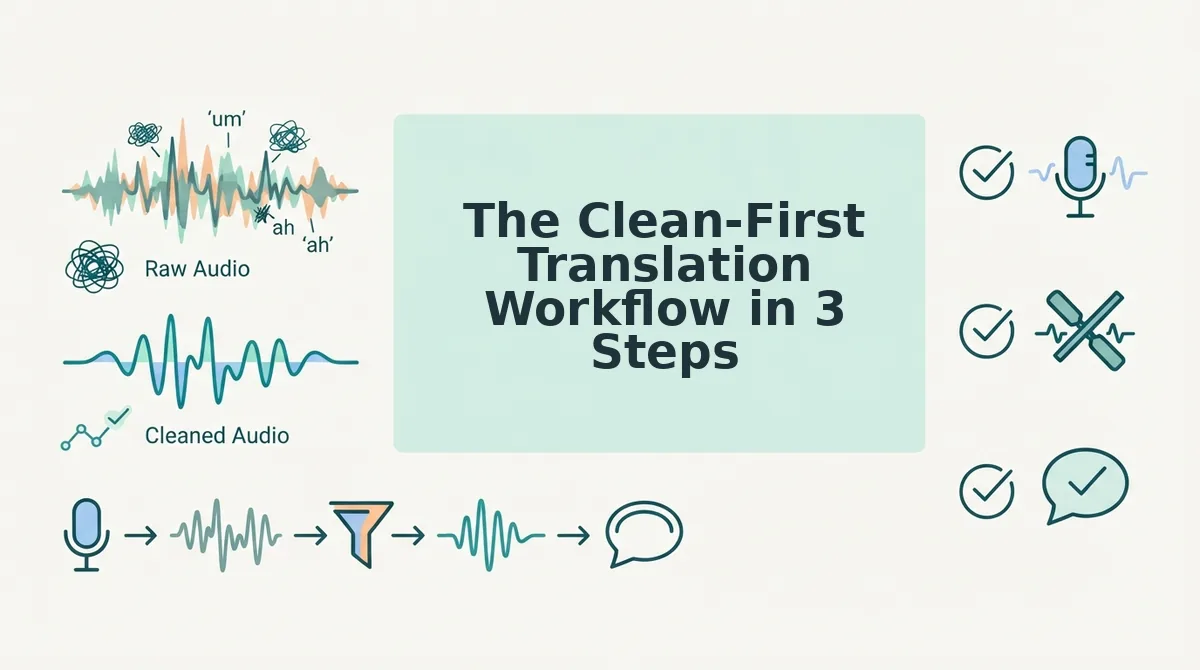
The clean-first translation workflow is a three-step process: record your voice note in one take, clean it with VClar to remove fillers and fix grammar, then translate the polished version into your target language. This order preserves intent and authority across every language.
Before you start, you'll need a voice note recorded on your phone or computer, a VClar account, and a clear idea of which language your audience speaks. Total time: under 5 minutes.
- Record your voice note in one take. Open your voice memo app and speak naturally, don't stop to fix mistakes. The point is to capture your authentic cadence without the re-recording loop. You should end up with a raw audio file that contains fillers, pauses, and imperfect grammar. That's expected and fine.
- Clean the note with VClar. Upload your raw audio to VClar. The engine detects and removes verbal fillers like "um," "ah," "like," and "basically," fixes spoken grammar, tightens phrasing, and reduces background noise, breath sounds, and mouth clicks, all while preserving your natural tone, accent, and rhythm. If you want to remove fillers from your voice note as a standalone step, you can do that first. Then fix grammar before translating to ensure the cleaned version reads as decisive and direct. You should hear a noticeably tighter, more authoritative version of your original message, same voice, no clutter.
- Translate the polished version. Select your target language from the 11 supported options. Hindi, English, French, Japanese, Korean, German, Russian, Portuguese, Spanish, Italian, or Chinese. VClar translates voice notes across 11 languages, covering 110 translation directions. You should receive a translated audio file and transcript that retains your vocal identity and intent, not a synthetic text-to-speech clone.
The clean-first order matters because translation engines amplify whatever you feed them. A cleaned note translates into clear, authoritative output in every language; a raw note exports your hesitations globally. Next, we'll look at how to preserve your voice when translating.
How to Preserve Your Voice When Translating
Voice preservation depends on choosing a translator that treats your audio as a performance, not a transcript. Run every tool through this five-point checklist before you publish a single translated note.
- Verify tone mapping, not just word mapping. A direct word-for-word translation flattens enthusiasm, sarcasm, and warmth. Check that the tool detects emotional register in the source audio and carries it into the target language, so a playful aside in English does not become a formal statement in Japanese.
- Confirm accent retention in the original language. If you translate an English note into Spanish, your English accent should remain intact in the English source. VClar preserves your natural accent and cadence rather than normalizing it into a synthetic standard voice, which keeps you recognizable to long-time followers.
- Test cadence and pacing preservation. Your speaking rhythm is part of your brand. Listen to a translated sample and confirm that pauses, emphasis, and sentence length mirror your original delivery instead of adopting a machine-generated tempo.
- Check that filler removal is selective, not aggressive. Removing ums and false starts should make you sound decisive, not scripted. Verify the tool deletes only disfluencies while keeping intentional pauses and conversational connectors that make your voice feel human.
- Audit intent preservation across languages. A joke, a call to action, or a subtle critique must land the same way in every language. Compare the translated output against your original intent and confirm nothing reads as colder, harsher, or more formal than you meant.
Creators often ask whether translation will make their voice sound robotic. The answer depends entirely on the tool's architecture. Systems that convert speech to text, translate the text, then synthesize new audio with a text-to-speech engine will always sound artificial because they discard your vocal fingerprint at step one. VClar takes a different path: it cleans and translates the audio timeline directly, preserving your tone, accent, cadence, and speaker intent without replacing your delivery with a synthetic clone. The result is still your voice, just understood by more people.
Which Languages Should Creators Prioritize?
Language priority should follow creator goals, not global population rankings. A creator chasing audience growth needs different languages than one closing international client work.
| Creator Goal | Priority Languages | Why This Order | Best For |
|---|---|---|---|
| Audience growth | Spanish, Hindi, Portuguese, English | Largest creator-economy audiences with high short-form video consumption and strong comment engagement. | YouTubers and TikTok creators monetizing through views and sponsorships. |
| Client work | English, German, Japanese, French | Highest concentration of paying clients in freelance, consulting, and B2B services markets. | Freelancers and consultants pitching international contracts. |
| Collaboration | Korean, Chinese, Italian, Russian | Strong creator-collab cultures and brand-partnership ecosystems in these regions. | Creators seeking cross-border brand deals and co-productions. |
VClar supports all 11 of these languages: Hindi, English, French, Japanese, Korean, German, Russian, Portuguese, Spanish, Italian, and Chinese. Founders running voice notes for cross-border teams often prioritize English, German, and Japanese for operational clarity, while creators chasing reach start with Spanish and Hindi. No single order fits everyone, and the right sequence is the one that maps to where your revenue or audience actually sits.
FAQ About Translating Creator Voice Notes
Direct answers to the questions creators ask most about voice note translation.
Will translation make my voice sound robotic?
No, if the tool preserves your original audio timeline instead of regenerating speech from text. VClar cleans and translates your actual voice recording, keeping your natural tone, accent, and cadence intact. Robotic output happens when a tool converts speech to text, translates it, then synthesizes new audio with a text-to-speech engine, which discards your vocal identity entirely.
Can I translate a voice note without retyping the transcript?
Yes. The clean-first workflow is one-take: record your note, let the tool remove fillers and fix grammar, then translate the cleaned audio directly. You never touch a transcript or re-record anything.
How do I keep my accent when translating to another language?
Your accent stays in the source language because the tool preserves your original recording rather than replacing it. The translation happens on the cleaned audio, so listeners hear your authentic voice speaking the target language with your natural delivery.
Why does my translated voice note sound different from how I recorded it?
It should not, if the tool preserves cadence and intent. Differences usually come from aggressive filler removal or text-to-speech regeneration. Verify the tool removes only disfluencies and keeps your pacing, emphasis, and emotional tone intact across languages.
Start translating your voice notes the right way.
Start Translating Your Voice Notes the Right Way
Platform-native translation tools process whatever you give them, ums, false starts, and all. The clean-first principle is what separates a message that lands from one that merely gets heard. When you remove filler words and tighten phrasing before translation, every language version inherits that clarity.
Here's the workflow that makes this repeatable:
- Record once. Don't loop. One spontaneous take is enough.
- Clean the audio. Strip fillers, fix grammar, reduce noise, without losing your cadence.
- Translate. Send the polished version across languages, voice intact.
Your next action is simple: record your next voice note, clean it, translate it, all in one take. The payoff is a message that sounds like you in every language, not a flattened machine approximation.
A voice note that's worth translating is worth cleaning first, clarity is the only universal language.