
You've recorded the same voice message to a Russian client three times. Each take has a new filler word, a different awkward pause, and a grammar slip that makes you sound less authoritative than you actually are. If you need to translate voice message to russian for clients without spending your afternoon in a re-record loop, the problem isn't your speaking, it's that raw voice memos carry verbal fillers, disjointed grammar, and acoustic noise that undermine authority before translation even begins.
You're right to care about this. Russian clients judge professionalism quickly, and a message riddled with "um" and false starts, even after translation, signals disorganization. This guide walks you through a three-step workflow: clean the audio first, translate with formality awareness, and verify the result. Along the way, you'll see why skipping the cleaning step produces translations that sound noticeably worse than you'd expect, and how a tool like VClar handles filler removal and Russian voice translation in one pass.
Why Translating Voice Messages to Russian Is Different from Text Translation
Russian voice translation is the process of converting spoken audio into Russian while preserving the speaker's tone, cadence, and intent, not just swapping words. Unlike text translation, voice translation must handle spoken grammar, fillers, and acoustic noise before any linguistic conversion happens.
Russian introduces three structural challenges that generic translation tools treat as afterthoughts. First, the ты/вы distinction: English has one word for "you," but Russian splits it into informal ты (for friends, peers, close colleagues) and formal вы (for clients, superiors, strangers). A generic tool that defaults to informal ты can make you sound presumptuous or even rude to a client you've never met. Second, gendered verb endings: Russian past-tense verbs change based on the speaker's gender, "я сказал" (male speaker) versus "я сказала" (female speaker). Tools that don't account for speaker gender produce grammatically incorrect output. Third, case endings: Russian nouns shift through six grammatical cases depending on their role in a sentence, so a word-for-word translation from English word order often collapses into awkward, unnatural phrasing.
Think of it like tailoring a suit. Text translation measures the fabric. Voice translation has to account for how the person moves inside it, the pauses, the hesitations, the rhythm. If you translate a raw voice memo with fillers intact, those fillers get translated literally. English "um" becomes Russian "эм," and "you know" becomes "знаешь", which carries informal ты energy even when the rest of the message is formal. The result is a message that reads like it was assembled by someone who has never spoken to a Russian client.
Most competitors treat Russian as just another language in a dropdown. The practical difference shows up in client-facing moments: a sales pitch that accidentally uses ты with a procurement director, or a project update where the speaker's gender is wrong in every past-tense verb. For a deeper look at how Russian voice translation handles these register and grammar issues, see the language-specific breakdown.
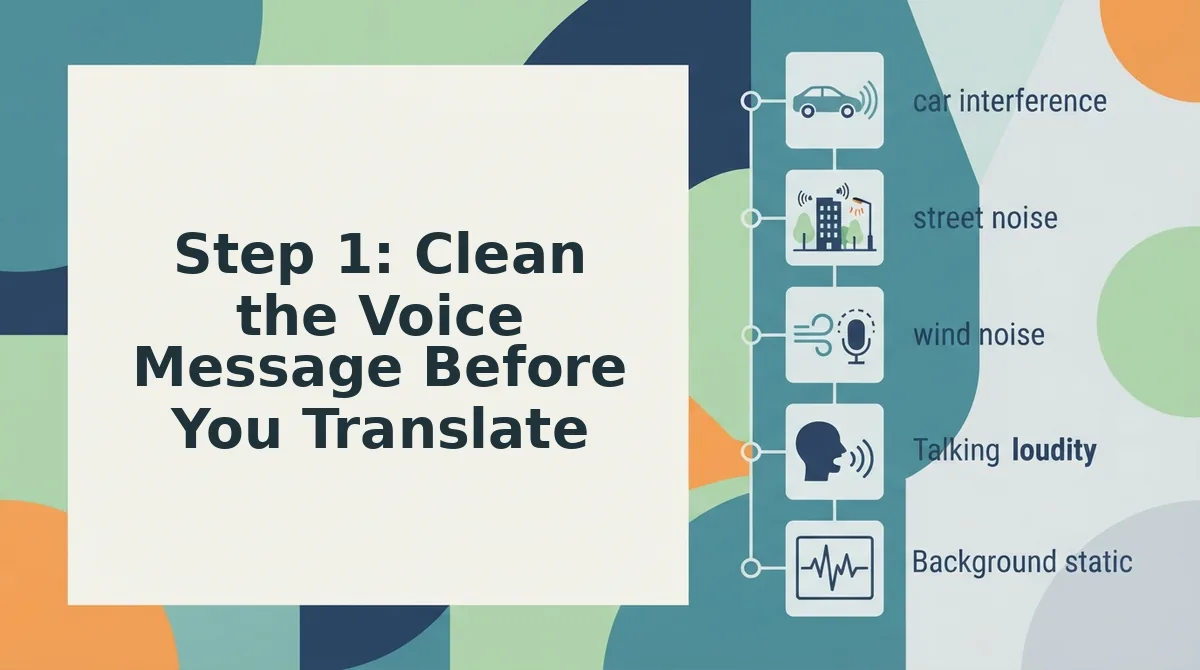
Step 1: Clean the Voice Message Before You Translate
Cleaning a voice message means removing verbal fillers, false starts, and acoustic distractions from the audio before translation. This step matters because Russian translation engines will translate fillers literally, producing awkward phrases like "ну" and "это" scattered through an otherwise professional message.
Before you start, you need a raw voice recording (your own memo or an uploaded file) and a cleaning tool that preserves your natural voice. VClar's filler word remover handles this without altering your tone or accent.
- Record or upload your raw voice message. Open your recording app or VClar's upload panel, then select the audio file. You should see the waveform load on screen within a few seconds.
- Run filler word detection. Click the Clean Audio button. The engine scans for English fillers, "um," "ah," "like," "basically," "you know", and flags them on the timeline. Expect this to take under 30 seconds for a 2-minute message.
- Review the flagged fillers. Check the list of detected words. If the tool flagged a word you intentionally said for emphasis, deselect it. You should see a preview of the cleaned timeline with gaps closed seamlessly.
- Listen to the cleaned output. Play back the result. The message should sound like you, minus the hesitations, same tone, same cadence, no robotic artifacts. If a sentence still sounds disjointed, re-record just that segment and run it through again.
Russian filler words follow the same pattern as English ones. Common Russian fillers include ну (well), э-э (uh), это (this, used as a stall), так сказать (so to speak), короче (in short), в общем (in general), and как бы (kind of). If you're recording directly in Russian, these fillers should be removed before translation or before sending. If you're recording in English and translating to Russian, removing English fillers first prevents them from being translated literally into Russian equivalents that sound unnatural in formal client communication.
Once your audio is clean, you're ready to translate it, which is where the formality and gender decisions come in.
Step 2: Translate the Cleaned Message to Russian
After cleaning, you translate the polished audio to Russian while keeping your original voice, tone, and cadence intact. A text-only translation loses the warmth and personal connection that client relationships depend on.
Prerequisites: A cleaned voice message from Step 1, a VClar account, and your target language set to Russian.
- Open the cleaned message in your VClar dashboard and click the Translate button. You should see a language selector appear on the right side of the screen.
- Select Russian from the dropdown menu. The system takes approximately 10-15 seconds to process a 60-second message. A progress bar should appear while the engine works.
- Review the translated transcript in the preview panel. VClar preserves your natural speaking rhythm, accent, and vocal identity in the translated audio, you should hear your own voice speaking Russian, not a synthetic clone.
- Click Play to listen to the full translated message. Confirm that your tone sounds natural and that no filler words or hesitations have crept back into the audio.
- Download or send the translated file using the Export button. You should see a confirmation message with options for audio, transcript, or both.
Voice preservation is the key advantage here. When you translate voice message audio with VClar, your client hears your authentic delivery, not a robotic text-to-speech output that strips away the personal connection you have built.
Step 3: Verify the Formality Register Before Sending
Russian has two formality registers, ты (informal) and вы (formal), plus gendered verb endings that must match the speaker. A quick verification pass prevents embarrassing client-facing mistakes.
Prerequisites: Your translated Russian message from Step 2 and a basic awareness of your client relationship status.
- Check the pronoun register in the transcript. New clients and formal business relationships require вы; long-term clients who already address you with ты expect you to match their register. You should see the correct form throughout the message.
- Verify gendered verb endings against your own gender. If you are female, past-tense verbs must end in -ла; if male, -л. The transcript should reflect your gender consistently.
- Listen to the audio for tone consistency. The message should sound like you, same pace, same warmth, just in Russian. If anything sounds stiff or overly formal for your relationship, adjust the register setting and re-run the translation.
- Run a final grammar pass using the fix grammar in voice message tool. You should see zero flagged errors before sending.
The formality decision matrix is simple: new client to вы; long-term client who uses ты to match their register. Getting this wrong can make you sound either cold and distant or presumptuously familiar, both of which undermine client trust in Russian-speaking markets.
FAQ: Translating Voice Messages to Russian for Clients
Direct answers to the most common questions about sending Russian voice messages to clients, covering voice preservation, formality, and workflow.
Can I translate a voice message to Russian and keep my own voice?
Yes. VClar translates the spoken content into Russian while preserving your original vocal tone, accent, and cadence. The output sounds like you speaking Russian naturally, not a synthetic text-to-speech voice. This keeps the personal connection intact for client relationships.
What's the difference between formal and informal Russian in client messages?
Formal Russian uses вы for "you" and is standard for new clients, senior contacts, and official business. Informal Russian uses ты and is appropriate only when the client has already switched to informal address with you. Matching their register shows cultural awareness.
How do I translate a Russian voice message from a client into English?
Upload the client's Russian voice message to a voice message translator like VClar, select English as the target language, and receive both a translated transcript and audio. The tool cleans filler words and background noise before translating, so you get a clear, accurate message.
Do I need to type my Russian client messages to sound professional?
No. A cleaned and properly translated voice message sounds just as professional as a typed one, often more so, because your authentic tone and warmth come through. The key is removing fillers and verifying the formality register before sending.
Why does my translated Russian message sound different from how I speak?
If the translation tool uses text-to-speech synthesis, it replaces your voice with a synthetic one. VClar avoids this by preserving your original vocal characteristics during translation. If your message still sounds off, check that you uploaded the cleaned version rather than the raw recording.
Send Your First Cleaned Russian Voice Message in the Next 5 Minutes
The entire workflow, clean, translate, verify register, takes less time than re-recording a single flubbed take. That's the payoff: you stop treating voice messages as disposable drafts and start treating them as client-ready deliverables.
Here's the one-take sequence that closes the loop:
- Record your message once, without stopping to fix mistakes.
- Let VClar strip fillers, tighten phrasing, and clean the audio.
- Translate to Russian and check the formality register before you hit send.
VClar supports 110 translation directions including Russian, so the same workflow scales to every client language you handle, not just this one. Your Russian-speaking clients hear a message that sounds like you, minus the hesitation, in their native language.
Try VClar's Russian voice translation on your next client message and send it within five minutes of reading this.
A polished voice message in your client's language isn't a translation, it's a signal that you respect their time enough to get it right in one take.