
You think at 150 words per minute, but you're losing hours re-recording voice notes for clients who speak another language, deleting, restarting, second-guessing every "um" and awkward pause. That gap between your spoken fluency and the polished message you want to send is where deals stall.
You're not alone. Founders and client-facing operators everywhere wrestle with the same friction: you can speak your expertise effortlessly, but the moment you need to send translated voice messages to clients, the workflow collapses into retakes and copy-paste translation tools that strip away your personality.
Here's what this guide will do: walk you through a one-take workflow that records, cleans, translates, and delivers your message, without losing your vocal identity. You'll learn the exact five-step sequence, why cleaning before translating matters more than you think, and how to decide when a client needs your voice versus translated text. Along the way, you'll see how voice notes for founders become a competitive edge, not a chore.
One step in this workflow, the pre-translation cleanup, is the contrarian move most tutorials skip entirely. Keep reading to see why it changes everything.
The One-Take Translation Workflow (Step-by-Step)
To send a translated voice message to a client in one take, you follow a five-step sequence: record your raw audio, clean out filler words and grammar issues, translate with voice preservation, review the output, and send. Each step takes under a minute once you know the flow.
Prerequisites: A quiet recording environment, a smartphone or computer microphone, and access to a voice message translator that preserves your vocal timbre, accent, and cadence during translation.
- Record your raw message (30-60 seconds). Open your voice recorder app or the VClar recording interface. Speak naturally as if leaving a voicemail for the client, don't script it. Expect a rough first take; that's the point. You should end with a complete thought, even if it contains fillers and false starts.
- Clean the audio before translating (10-20 seconds). Upload your recording and run it through a tool that can remove filler words from audio and fix grammar in voice message files. This is the step competitors skip: cleaning first prevents translation engines from faithfully translating "um," "like," and broken sentence fragments into the target language. You should hear a tighter, decisive version of your original message with your voice intact.
- Translate with voice preservation (10-30 seconds). Select the target language in your voice note translator. The engine translates the cleaned transcript and regenerates the audio so your vocal timbre, accent, and cadence remain recognizable. You should hear your own voice speaking the client's language, not a synthetic text-to-speech clone.
- Review the output (15-30 seconds). Play back the translated audio once. Check for tone, urgency, and any proper nouns that may need manual adjustment. If a phrase sounds off, re-run the translation on that segment rather than re-recording the whole message. You should feel confident the message sounds like you on a good day.
- Send the message (5 seconds). Export the translated audio and transcript, then deliver both to your client via your usual channel. WhatsApp, email, Slack, or your CRM. Sending audio plus transcript gives the client a choice: listen for tone and trust, or read for reference and documentation. You should complete the entire workflow in under three minutes.
For founders managing cross-border client relationships, this sequence turns a 20-minute re-recording loop into a single uninterrupted take. The cleaning step is the linchpin: a translation engine can only preserve what's already clear in the source audio. When you remove verbal hesitations before translation, the target-language output sounds decisive and authoritative, exactly the impression you want to leave with a client who can't hear your original phrasing.
Voice Preservation vs. Text Translation: What Your Client Actually Needs
Voice preservation keeps your vocal timbre, accent, and cadence intact when translating a spoken message, while text translation converts your words into written form in another language. The right choice depends on whether the client needs to hear you, your tone, urgency, and personality, or simply needs the information.
Text translation tools like Google Translate and DeepL are excellent at what they do: fast, accurate written conversion across hundreds of language pairs. They're free or low-cost, work offline in many cases, and are ideal for documentation, contracts, and reference material. What they can't do is convey how you sound when you say something, the warmth in a congratulations, the confidence in a pricing discussion, the urgency in a deadline reminder.
Voice preservation through an AI voice message translator addresses a gap that text-only tools ignore. YouTube tutorials and competitor demos show text translation workflows, but none address vocal identity preservation, the reason a client trusts your spoken word over a sterile written message. A Sponkly video demonstrates that voice messages can be played or read in translation, but it doesn't distinguish when each mode matters.
| Factor | Voice Preservation | Text Translation |
|---|---|---|
| Preserves vocal timbre, accent, cadence | Yes | No |
| Conveys tone, urgency, emotion | Yes | Limited (via word choice only) |
| Best for trust-building moments | Yes, negotiations, apologies, congratulations | No |
| Best for reference and documentation | No | Yes, contracts, specs, meeting notes |
| Client can listen or read | Both (audio + transcript) | Read only |
| Best for | Founders, sales leads, account managers closing deals | Operations teams, legal, documentation-heavy roles |
Best for founders and client-facing roles: Voice preservation. When you're building a relationship, negotiating terms, or delivering difficult news, your client needs to hear your voice, the pauses, the emphasis, the authenticity. A translated voice message that retains your cadence does what text cannot: it makes the client feel spoken to, not written at.
Best for documentation and reference: Text translation. When a client needs to file, search, or share information internally, written translation is faster to scan and easier to archive. Use text for what needs to be referenced; use voice for what needs to be felt.
Here's the decision matrix in practice: if the message changes how the client feels about working with you, send voice. If the message changes what the client knows, send text. Most founder-to-client communication falls into the first category, which is why cleaning up your voice note before translating matters more than you might expect.
Why You Should Clean Up Your Voice Note Before Translating
Voice cleanup is the process of removing verbal fillers, false starts, and grammatical errors from a spoken recording before it reaches the translation layer. Translating a messy voice note produces messy translated text, and the damage compounds with every language hop.
Think of translation like photocopying a document. If the original has coffee stains and smudges, every copy amplifies those defects. A filler word like "um" or "basically" doesn't just survive translation; it forces the translation engine to guess at sentence boundaries, which can scramble meaning in languages with different word orders, such as Japanese or German.
At the simple level, you remove obvious fillers, "um," "ah," "like", so the translator receives clean input. At the intermediate level, you correct spoken grammar errors like subject-verb mismatches or run-on sentences that would otherwise produce grammatically broken output in the target language. At the advanced level, you restructure false starts and repeated phrases so the translated message reads as a single coherent thought, not a transcript of hesitation.
No competitor addresses spoken-language cleanup before translation. Most tools pipe raw audio straight into a translation engine and hand the client whatever comes out. Remove filler words from audio first, then fix grammar in the voice message, and the translation layer receives a clean, decisive sentence, which is exactly what VClar's pipeline does before any language conversion begins.
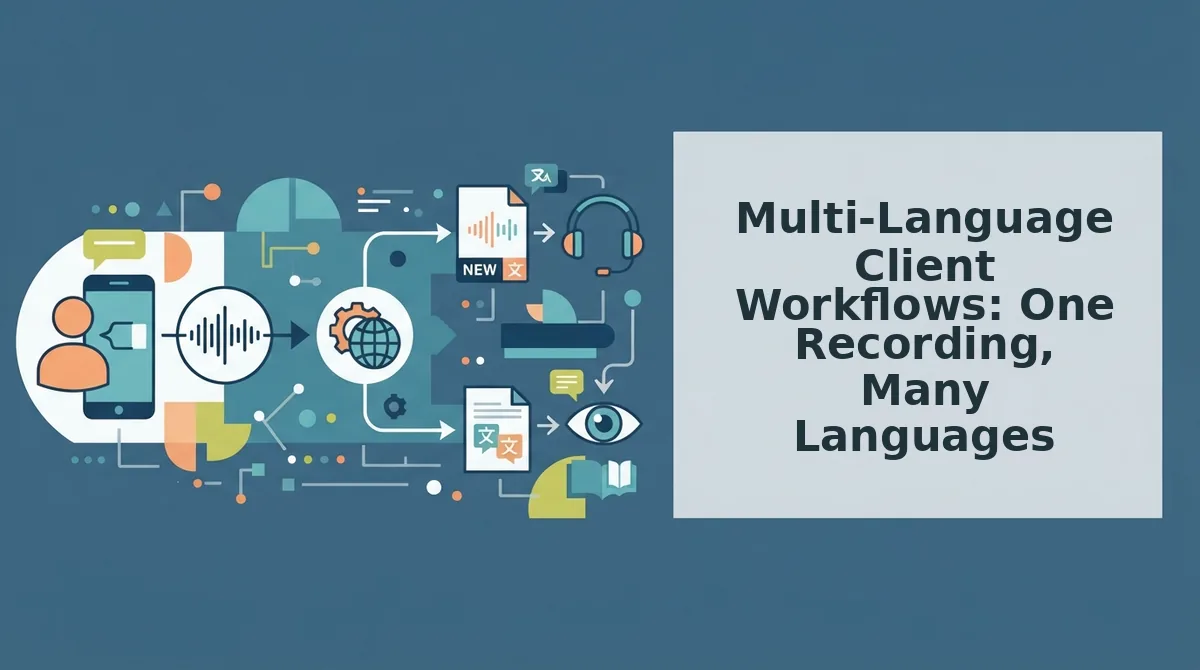
Multi-Language Client Workflows: One Recording, Many Languages
You can send the same voice message to clients in multiple languages without re-recording a single word. The workflow is: record once, clean once, translate into every target language, and deliver each version in your own voice.
- Record one master voice note in your native language. This is your single source of truth. Speaking in your strongest language lets you think clearly and deliver the message with natural confidence, which means fewer retakes and a cleaner recording from the start.
- Run the recording through filler-word removal and grammar correction. Cleaning the audio before translation prevents errors from compounding across languages. A grammatically broken sentence in English becomes structurally broken output in French, Spanish, or Mandarin, so fix it once, at the source.
- Translate the cleaned audio into each client's language using a voice note translator. The voice note translator converts your spoken message into the recipient's language while preserving your vocal tone, cadence, and accent, so each client hears you, not a synthetic robot voice.
- Send each translated version as a native voice message. Clients receive the message in their own language, spoken in your voice. This removes the friction of asking a client to read a translated transcript or open a separate app to understand what you said.
- Reuse the same master recording for follow-ups and new prospects. Once the master is clean and translated, you can repurpose it for onboarding calls, project updates, or sales outreach in any language, without re-recording or re-cleaning anything.
- Batch-translate for cross-border team announcements. Record one update, then deliver it simultaneously to team members or clients in five or ten languages. This turns a one-to-one voice message into a one-to-many communication channel.
- Track which language versions get the best response. When you send the same message in multiple languages, you can compare reply rates and engagement by language. This tells you which markets to prioritize for follow-up voice messages.
Cross-border teams face a pain point no competitor covers: multi-language client workflows from a single recording. Videos like the BirdViewArt demonstration show voice notes can be sent in the recipient's language, but most tools stop at text translation. VClar closes that gap by keeping the workflow audio-native from record to delivery.
FAQ: Sending Translated Voice Messages to Clients
Can I translate a WhatsApp voice note to English?
Yes. You can upload or record a voice note, run it through a voice message translator, and receive an English version that preserves your original vocal tone and cadence. The translated audio can then be sent back through WhatsApp as a voice message, not a text transcript.
Does voice translation preserve my accent and tone?
Yes, when the tool is built for voice preservation rather than text-to-speech cloning. VClar translates the spoken content while keeping your natural accent, pacing, and vocal identity intact, so the recipient hears you speaking their language, not a synthetic voice reading a script.
What's the fastest way to translate a voice message without typing?
Record the message once in your native language, let the tool remove fillers and correct grammar automatically, then select the target language. The translate voice message workflow delivers a translated audio file in seconds with zero typing required.
Can I send the same voice message in multiple languages?
Yes. Record one master voice note, clean it once, and translate it into as many languages as you need. Each client receives the message in their own language, spoken in your voice, without you re-recording or re-explaining anything.
Start Your First One-Take Translated Voice Message Now
The one-take workflow isn't a productivity hack, it's a communication standard. Every re-record loop you eliminate returns hours to your week, and every cleaned, translated message lands with the authority your client expects. The payoff from the intro is simple: you don't need a studio, a translator on retainer, or a second language to sound professional across borders.
Here's the sequence that makes it stick:
- Record once. Speak naturally. Let the fillers happen.
- Clean and translate with VClar's AI voice message translator. Your voice, your cadence, your accent, minus the noise.
- Send it. One recording, one take, one confident message.
Your next client message is the test. Record it the way you actually speak, run it through VClar for cleanup and translation, and send it without a second pass. The result you can expect: a message that sounds like you on your best day, in your client's language, delivered in the time it takes to think it.
You don't need more time to communicate clearly. You need a tool that stops wasting the time you already have.