
You're a founder. A client in Berlin sends you a 90-second voice note in German. You don't speak German. You paste the audio into a transcription tool, get back a wall of text, run it through a translator, and twenty minutes later you're still guessing whether the client is excited, annoyed, or about to churn. If that scenario feels familiar, you're not alone, and the way you translate client voice notes right now is probably costing you more than time.
Here's the problem: most advice stops at "here's how to translate one message." That's not a workflow. That's a band-aid. And text-only translation strips away urgency, politeness, and intent, the exact signals that tell you whether a deal is alive or dead. It's a silent relationship killer.
This article gives you a repeatable three-step method. Capture, Clarify, Convert, that preserves nuance, removes spoken noise, and keeps the speaker's authentic tone intact. You'll learn why cleaning grammar before translating matters more than you think, and how audio-to-audio translation changes the game for voice notes for founders who operate across borders. Stick around: the surprising part isn't the translation, it's what happens when you skip step two.
Why Text-Only Translation Fails Client Relationships
Text-only translation is the process of converting spoken audio into written words in another language without preserving vocal tone, pacing, or emotional emphasis. It gets the words right and the meaning wrong.
Think of it like reading a movie script instead of watching the film. The dialogue is all there, but the actor's delivery, the hesitation before a difficult question, the warmth in a greeting, the clipped rhythm of frustration, is completely absent. You're left with the plot but none of the performance.
For client relationships, that missing performance is where trust lives. A founder receives a voice note from an overseas client that sounds urgent in the original language. The speaker's pace quickens, their pitch rises slightly, and they pause before asking for a revised timeline. Run that through text-only translation and the output reads: "Send the updated timeline by Friday." Curt. Demanding. Cold. The founder responds defensively, and a salvageable situation turns adversarial.
Here's what gets lost in text-only translation of client voice notes. Deference markers, the polite softening phrases common in Japanese, Korean, and German business communication, often have no direct English equivalent and get dropped entirely. Enthusiasm, expressed through vocal energy rather than vocabulary, vanishes. And hesitation, which signals concern or uncertainty, reads as absence rather than meaning. A client who pauses before saying "yes" is telling you something important. Text can't hear that pause.
Cultural politeness markers are the spoken or written conventions that signal respect and social hierarchy in a given language. In text-only translation, these markers are frequently flattened or omitted because they don't map cleanly to the target language's grammar. The result is a message that sounds ruder than the speaker intended, and a client who feels misunderstood.
The fix isn't more accurate word-for-word translation. It's preserving the audio itself: the tone, the cadence, the pauses, the emphasis. When you translate the voice rather than just the words, the client's intent survives the language barrier intact.
How to Translate Client Voice Notes in 3 Steps
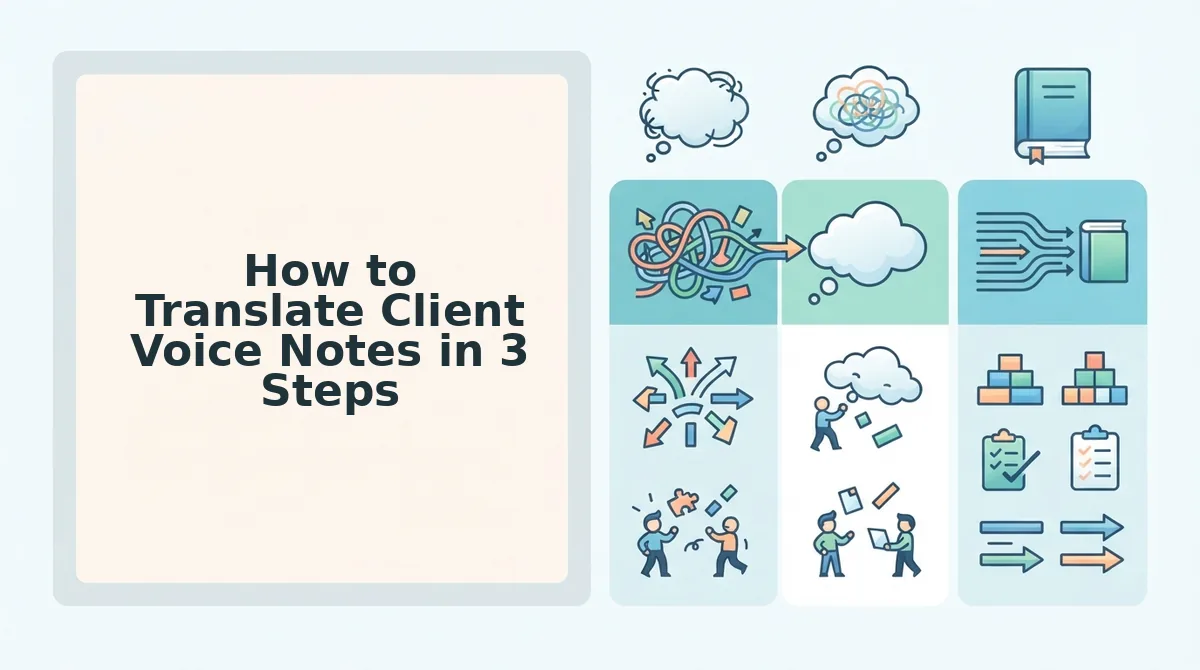
To translate client voice notes accurately and fast, follow a three-step workflow: capture the audio as clean text, clarify the grammar and remove spoken noise, then convert to the target language with voice preservation. Each step takes under two minutes with the right tools.
Prerequisites: You need the original voice note file (any common audio format works), a transcription tool, and a voice-preserving translation platform. No manual typing required.
- Capture. Transcribe the voice note. Upload the client's audio file to your transcription tool. Within 30-60 seconds, you should see a full text transcript of the spoken message, including any filler words, false starts, and grammatical fragments. Success looks like a complete transcript that matches the audio length, if the transcript is missing sentences, re-upload the file or check the audio quality.
- Clarify. Clean the spoken grammar before translating. Raw transcription reads like broken English because people don't speak in polished sentences. Fragments like "so basically we need, uh, the numbers by, you know. Friday if possible" confuse translation engines and produce garbled output. Use a tool to fix grammar in voice message audio and remove filler words from audio before translating. This step takes under a minute and dramatically improves translation accuracy. Success looks like a clean, grammatically sound transcript that still sounds like the original speaker.
- Convert. Translate with voice preservation. Run the cleaned audio through a voice note translator that supports audio-to-audio output. Instead of getting back only text, you receive the message in the target language with the speaker's original vocal timbre, cadence, and emotional tone intact. Success looks like hearing the client's message in your language, spoken in their voice, not a robotic text-to-speech clone.
Audio-to-audio translation is the process of converting spoken content from one language to another while preserving the original speaker's vocal characteristics, timbre, pitch, pacing, and emotional inflection. Unlike text-to-speech, which generates a synthetic voice reading translated text, audio-to-audio translation keeps the human voice intact so the message sounds like the same person speaking a different language. This matters for client communication because vocal identity carries trust signals that text cannot replicate: a warm tone signals goodwill, a measured pace signals confidence, and a slight hesitation signals honest concern. When a founder hears a client's voice note translated with these qualities preserved, they can respond appropriately, not just to the words, but to the person behind them.
Once you've mastered this three-step workflow, the next question is which tools actually deliver voice-preserving translation without flattening the speaker's identity.
Tools That Translate Voice Notes Without Erasing the Speaker
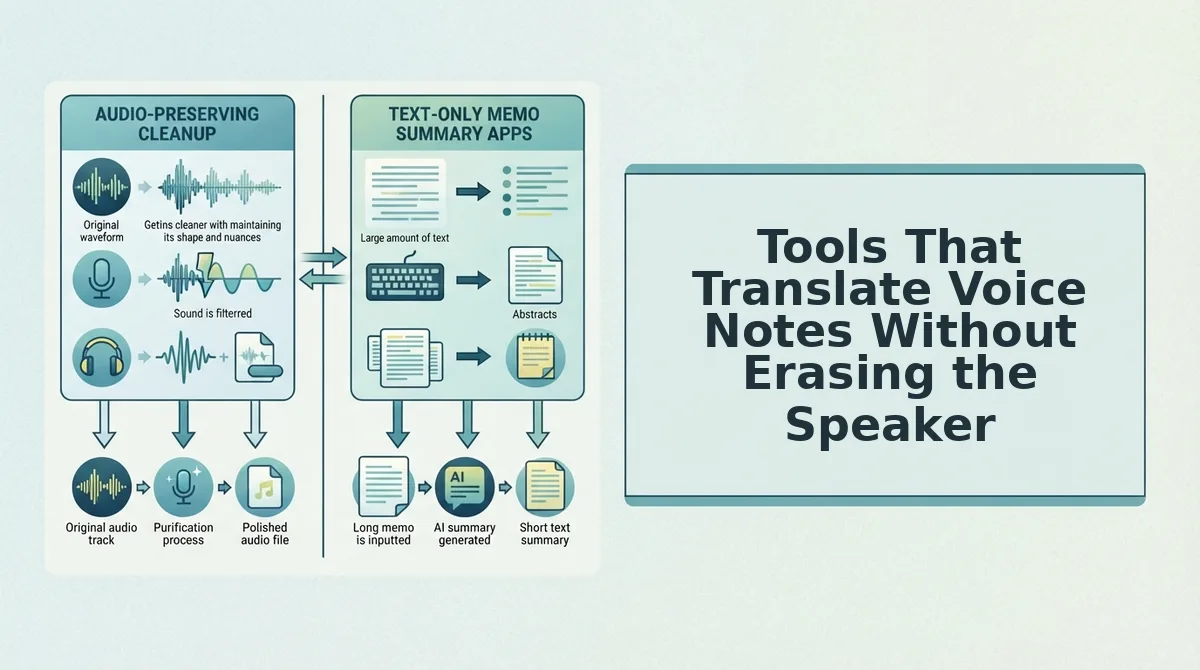
Voice note translation tools fall into two camps: those that convert speech to text and translate the transcript, and those that preserve the original audio while generating a translated version. The right choice depends on whether your client relationship depends on hearing your voice or just understanding your words.
Evaluation criteria that matter for client work: preserves vocal timbre, handles informal speech without breaking, and outputs both audio and text so you can archive or forward either format.
| Tool | Voice Preservation | Handles Informal Speech | Outputs Audio + Text | Best for |
|---|---|---|---|---|
| VClar voice message translator | Yes, keeps speaker's tone, cadence, and accent | Yes, removes fillers and corrects grammar before translation | Yes, translated audio and transcript | Founders and sales teams who send voice notes to clients across languages |
| WhatsApp built-in voice note transcription | No, text-only output, original audio stays untranslated | Partial, transcribes verbatim including fillers | No, text transcript only | Quick internal reference when you just need the gist of a message |
| Generic speech-to-text + machine translation stack | No, flattens tone into synthetic or text-only output | No, informal speech and false starts degrade accuracy | Rarely, typically text-only | One-off document translation where voice identity is irrelevant |
WhatsApp's transcription is genuinely useful for skimming a message you can't listen to. Generic translation stacks are fine for documents. Neither solves the core client problem: you need the client to hear a clear, translated version of what you actually meant, not a literal transcript of every "um" and false start. If your workflow is async and voice-first, pick a tool that cleans the message before translating it.
A Real Workflow: Translating a Client Voice Note in Under 2 Minutes
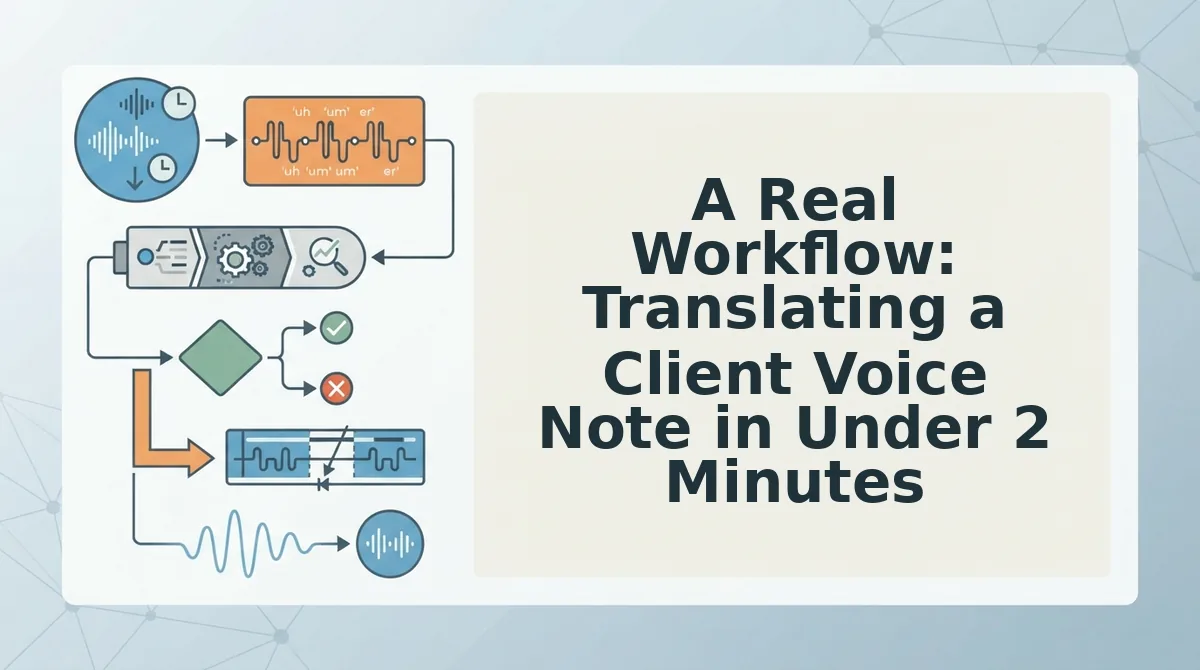
Here is an end-to-end async workflow for a founder who receives a foreign-language client voice note and needs to respond in one take. Each step preserves the speaker's voice while removing friction.
- Receive and upload the voice note. Save the client's audio file from WhatsApp, Slack, or email and upload it directly to your voice notes for founders workflow. No manual transcription or retyping is required, the tool ingests raw audio as-is.
- Clean the source message first. Let the tool remove fillers, false starts, and grammar slips from the original audio before translation. Cleaning first means the translated version carries the client's intent, not their hesitations.
- Translate with voice preservation. Generate the translated audio and transcript in the target language. The speaker's tone, cadence, and accent remain intact, so the client sounds like themselves in the new language.
- Review the transcript in 10 seconds. Scan the cleaned, translated text for any proper nouns or industry terms that need manual adjustment. This is a quick sanity check, not a rewrite.
- Record your response in one take. Reply in your own language, knowing the same pipeline will clean and translate your message before it reaches the client. No re-recording loops for filler words or grammar slips.
This loop, receive, clean, translate, respond, takes under two minutes per message and keeps both sides of the conversation sounding human.
FAQ: Translating Client Voice Notes
Can you translate a voice note without retyping it?
Yes. Upload the audio file directly to a voice message translator that handles speech-to-text, translation, and audio output in one pass. No manual transcription or retyping is required, the tool extracts speech, cleans it, and produces a translated version automatically.
Do translation tools keep the speaker's tone and accent?
Most text-only tools do not, they flatten speech into a transcript and lose vocal identity entirely. Tools designed for voice preservation retain the speaker's original timbre, cadence, and accent while translating the content, so the client still sounds like themselves.
How do you handle heavy accents or informal speech in voice notes?
Clean the audio before translating. Removing fillers, false starts, and grammar slips first improves both transcription accuracy and translation quality. Tools that skip this step produce literal, awkward translations that misrepresent the speaker's intent.
Why does my translated voice note sound different from how I speak?
Because most translation pipelines convert speech to text, translate the text, then generate new audio with a synthetic voice. Your original vocal identity is discarded. Voice-preserving translation keeps your recorded voice and applies the translation to it directly.
Translation Speed Means Nothing If the Relationship Gets Lost in Text
You can translate a client voice note in under two minutes using the three-step method: clean the audio, preserve the speaker's voice, then translate with tone intact. The cost of skipping step two is silent and compounding, text-only translation strips warmth, urgency, and trust from every exchange. Audio-preserving translation keeps the relationship intact while the words cross language barriers.
Here's the synthesis that matters: speed is a logistics problem, but trust is a retention problem. A fast, flat translation answers the question. A fast, voiced translation answers the client.
Three ways to move forward, depending on where you are:
- Start manual: Record your next client voice note, strip fillers by editing the timeline yourself, and run it through any translation tool. Note what breaks.
- Audit your workflow: Compare your current process against the three criteria, filler removal, voice preservation, translation accuracy. Score each step honestly.
- Remove the friction entirely: Use VClar to clean, preserve, and translate client voice notes in one take, so the message arrives clear and still sounds like you.
The client who hears your voice across a language barrier doesn't just understand you, they remember why they hired you in the first place.