
You hit record on a 60-second voice update, stumble over circular phrasing, scrap the draft, and repeat the loop four times. Most professionals speak at 150 words per minute yet lose minutes discarding spontaneous thoughts because conversational false starts feel unpolished. A side by side audio transcript comparison breaks this re-recording cycle by exposing exactly where spoken flow breaks down.
Visual alignment trains you to deliver clean, concise messages without drafting rigid scripts. This guide outlines how contrasting original speech with corrected text sharpens async communication, though these techniques focus strictly on verbal phrasing rather than clinical speech therapy. Later, we examine why auditory fatigue secretly tricks the brain into ignoring repetitive fillers during standard playback.
Can passive listening alone fix conversational habits?
Relying solely on your ears blinds you to unconscious verbal crutches. Consider a founder recording a 90-second voice memo filled with fragmented syntax and hesitations. Rather than deleting the recording, they examine the spoken grammar correction details placed directly against the audio playback. Seeing sentence fragments tightened into coherent phrasing allows the founder to diagnose subconscious habits and execute their next update in a single take.
Evaluating side-by-side speech correction details helps you build concise delivery while fully preserving your natural tone and cadence.
Understanding this visual feedback mechanism begins with how the layout functions.
What Is a Side by Side Audio Transcript Comparison?
A side by side audio transcript comparison is a visual evaluation method that pairs an unedited, verbatim spoken transcript directly against an edited, syntactically corrected version of the same message. Rather than measuring automated speech recognition accuracy, this side-by-side view contrasts your raw conversational delivery with polished grammar to show precisely where spoken phrasing falters.
Re-listening to your own voice recordings is the slowest, most biased way to audit speech. Your brain unconsciously fills in conversational gaps, glosses over repeated hesitations, and forgives tangled phrasing that a visual text comparison leaves bare.
Think of this comparison like the redline view in a document editor or a code difference checker. Instead of showing text changes between two writers, it contrasts raw acoustic speech against clear conversational grammar, highlighting discarded verbal fillers, repaired fragments, and tightened syntax across identical message points.
In standard speech technology, developers rely on ground-truth acoustic alignment to track transcription accuracy metrics like Word Error Rate (WER). A conversational speaking audit ignores automated recognition errors entirely and focuses on semantic diff analysis. This process aligns what you actually uttered word-for-word against an optimized sentence structure, isolating circular explanations without stripping your natural vocal delivery or cadence.
Reviewing these parallel texts trains your ear through your eyes:
- Left column (verbatim draft): Captures raw filler words, false starts, and fragmented thoughts exactly as spoken.
- Right column (polished memo): Displays direct syntax, complete thoughts, and professional phrasing while preserving authentic intent.
Seeing spoken drift highlighted line by line makes recurring communication habits impossible to miss.
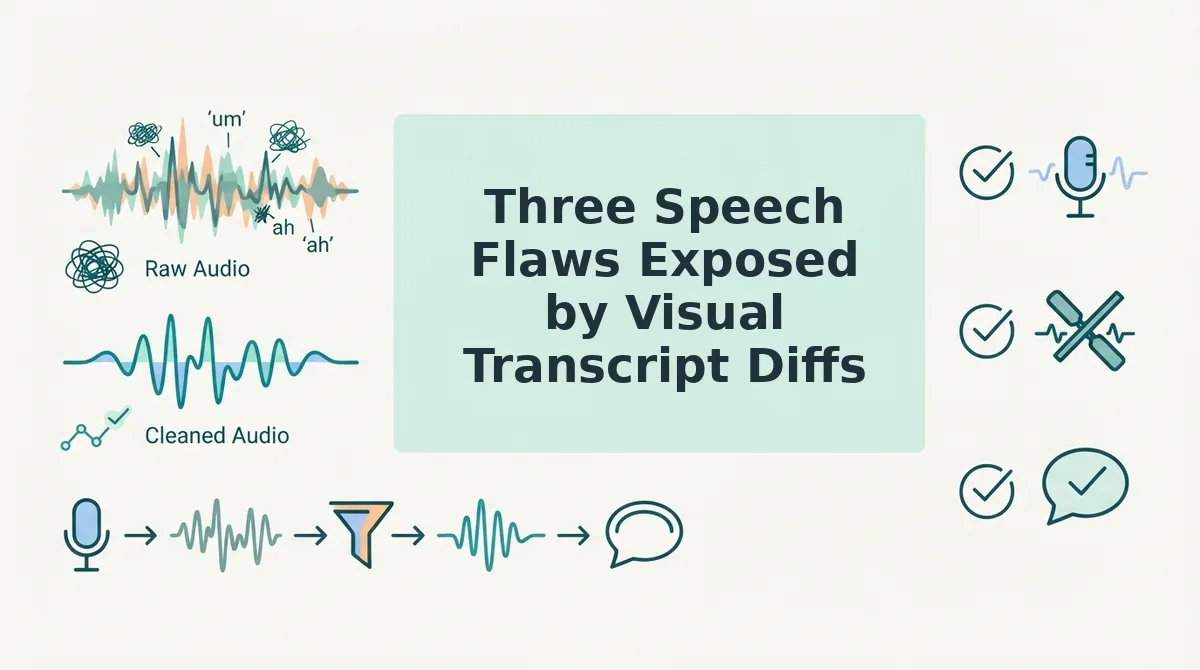
Three Speech Flaws Exposed by Visual Transcript Diffs
A visual transcript diff exposes spoken communication defects by highlighting structural syntax breaks, argumentative loops, and lexical filler clusters side by side against clean text. Placing raw speech transcripts directly alongside edited drafts reveals whether your verbal friction stems from vocabulary hesitation or fundamental thought organization.
Do you know whether your speaking weakness is vocal hesitation or structural sentence collapse?
The Verbal Crutch Taxonomy is a diagnostic framework that categorizes spoken delivery breakdowns into lexical, structural, and argumentative communication errors. Mapping spoken output against this taxonomy allows professionals who speak at 150 words per minute to identify the exact mechanical failure eroding their spoken authority.
- Structural Syntax Breaks that abandon core sentence grammar. This defect occurs when a speaker introduces unresolved subordinate clauses, switches subjects midway through an utterance, or drops essential predicates before finishing an idea. Leaving conversational clauses suspended forces listeners to mentally assemble fragments, destroying clarity in fast-paced executive updates and client memos. Run a side-by-side diff to trace where your independent clauses fracture, and enforce a strict one-thought-per-sentence constraint on your next voice note.
- Argumentative Loops that delay the central conclusion. This defect involves restating a contextual premise three times before finally stating the core point or decision. Circling an introductory premise dilutes executive presence and inflates recording length without delivering new informational value to your team. Highlight repeating assertions in your transcript diff to locate your actual thesis, then practice speaking the final recommendation in the opening five seconds of your audio.
- Lexical Fillers that interrupt conversational rhythm. This defect encompasses vocalized hesitations such as "um" and "ah," along with conversational crutches like "like," "basically," and "you know." These verbal intrusions clutter the audio timeline, signaling uncertainty and distracting listeners from high-value strategic observations. Review highlighted diff tags to isolate your primary vocalized crutches, and use an automated tool to remove filler words from audio so your natural vocal delivery sounds clean and decisive.
Pinpointing these three patterns visually shifts speech improvement from subjective guesswork into objective linguistic analysis.
Systematically identifying these patterns requires a consistent auditing method applied to your everyday voice messages.
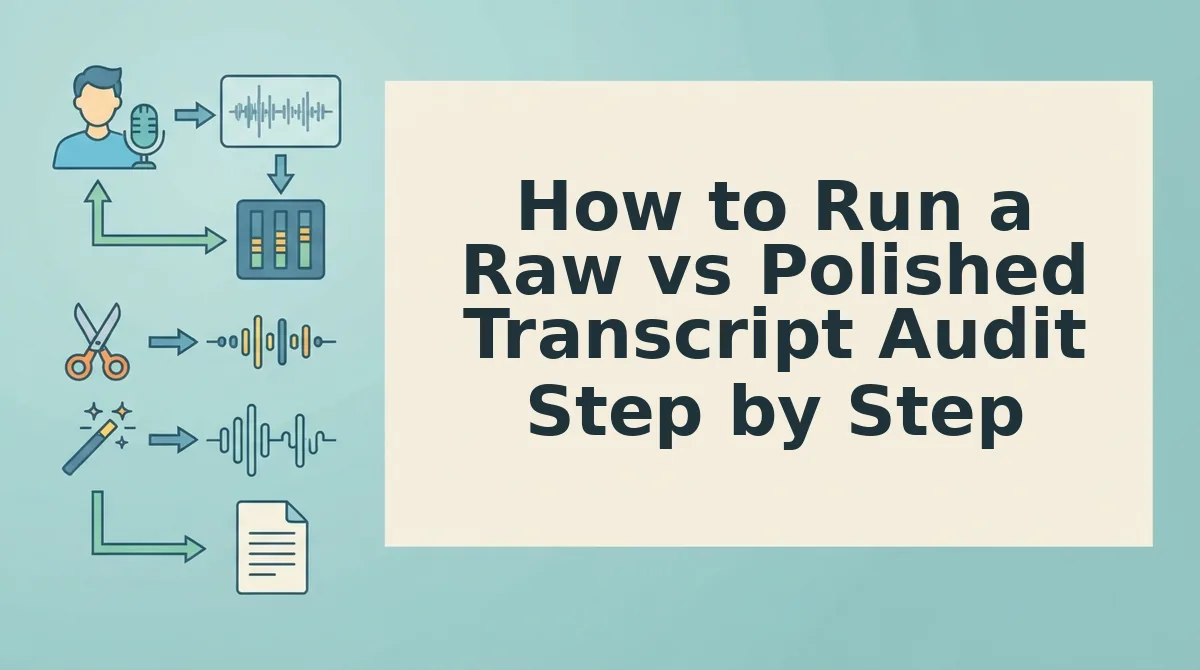
How to Run a Raw vs Polished Transcript Audit Step by Step
A spoken transcript audit is an iterative review process that maps verbatim speech against cleaned syntax to identify subconscious speaking habits. Running this audit requires generating an unedited speech-to-text transcript from spontaneous audio, placing it alongside a syntax-corrected version, and cataloging every removed hesitation.
Before beginning, you need an audio recording device, 45 to 90 seconds of spontaneous spoken audio, and a document or sheet to log patterns.
- Capture spontaneous one-take audio: Record 45 to 90 seconds of off-the-cuff speaking without pausing or restarting to ensure you capture authentic delivery. You should see a single raw audio file that contains all natural vocal pauses and hesitations. (Time: 2 minutes)
- Generate raw verbatim STT transcript: Run the audio file through a speech-to-text engine that preserves every uttered syllable without auto-formatting. You should see a transcript containing every spoken stumble, including "um," "ah," "like," and repeated false starts. (Time: 1 minute)
- Run visual diff against polished syntax: Process the same message through a platform designed to fix grammar in voice message audio, then view the outputs side by side. You should see an aligned comparison displaying eliminated verbal fillers, repaired sentence fragments, and restructured clauses. (Time: 1 minute)
- Catalog recurring verbal crutches on an audit sheet: Record your most frequent fillers, circular statements, and fragmented thoughts into categorized columns. You should see an organized list of specific phrasing habits to consciously avoid during future calls and updates. (Time: 3 minutes)
Consider a founder capturing a one-take product briefing for an async team update. In the raw transcript, the founder speaks at 150 words per minute and discovers circular phrasing: "We need to basically, you know, push the deployment because, well, the tests failed." The polished visual diff highlights the eliminated fillers and presents clean syntax: "We need to push the deployment because the tests failed." The speaker immediately spots the habit of cushioning technical decisions with conversational filler.
Side-by-side transcript audits prove that eliminating verbal hesitation does not require reading from a rigid script.
If you want clear, authoritative voice notes without re-recording multiple takes, use VClar to enhance spoken grammar, strip verbal fillers, and retain your natural vocal cadence.
Evaluating these transcript discrepancies naturally leads to choosing between text-based visual diff tools and full-scale audio editing software.
Visual Diff Viewers vs Heavy Timeline Audio Editors
Visual diff viewers expose conversational speech patterns faster than heavy timeline audio editors because text-based comparison highlights verbal clutter directly without requiring manual waveform scrubbing. A visual diff viewer is a comparative interface that displays side-by-side textual additions, omissions, and grammatical repairs between raw speech and polished output.
Heavy digital audio workstations and timeline-based editors like Descript provide essential capabilities for studio engineers and podcast creators who require granular multi-track control, video alignment, and frame-accurate timeline slicing. Yet manipulating complex playheads and acoustic boundaries introduces significant mechanical friction when your core objective is diagnosing everyday speech habits. Textual diffing strips away the distraction of waveform micro-editing so speakers can immediately identify recurring filler words, circular sentences, and broken syntax.
Analyzing a side-by-side text diff trains speakers to recognize conversational syntax errors instantly without getting lost in manual audio cuts.
| Approach | Setup Friction | Feedback Speed | Speech Habit Isolation | Preservation of Natural Cadence | Best For |
|---|---|---|---|---|---|
| Raw Text Diff Viewers | Low (copy and paste text) | Immediate | High (highlights text deletions clearly) | None (does not process or output audio) | Best for writers analyzing written transcript changes without audio playback |
| Timeline Audio Editors | High (project setup and media import) | Slow (requires manual timeline scrubbing) | Moderate (obscured by waveform and track controls) | Manual (depends on manual cut precision) | Best for podcast producers and video editors managing complex studio media |
| Automated Voice Enhancers | Low (direct recording or audio upload) | Instant (automated side-by-side processing) | High (clear view of syntax and filler removals) | Automatic (retains personal tone and vocal identity) | Best for founders, consultants, and teams refining spontaneous voice messages |
Why spend ten minutes slicing silence on a timeline when the real flaw is a circular sentence you repeat in every status update?
Use this decision framework to match the tool to your communication goals:
- Choose a timeline audio editor if you are producing an episodic podcast, balancing multi-channel microphones, or synchronizing video tracks that require millimeter-level timeline manipulation.
- Choose a raw text diff viewer if you only need to inspect written transcription edits and have no requirement to hear or export finished audio.
- Choose an automated speech enhancer with diff views if you need rapid, one-take voice messages that fix conversational grammar while providing side-by-side feedback to sharpen your future delivery.
Our recommendation is to separate studio engineering from personal communication training: reserve complex digital audio workstations for multi-speaker media projects, and rely on visual transcript diffs to eliminate spontaneous verbal clutter. Once you can see your linguistic habits laid bare on the screen, the next step is measuring your real-time performance.
How to Verify Delivery Improvements with the One-Take Calibration Protocol
To verify verbal delivery improvements objectively, you must track measurable decreases in spoken edits across your raw voice memos rather than relying on subjective intuition. The One-Take Calibration Protocol is an objective measurement framework that audits structural speaking improvements by logging edits between raw spoken audio drafts and final polished transcripts.
How do you mathematically prove your spoken delivery is improving week-over-week?
Think of this protocol like a runner's GPS watch: instead of guessing whether you ran faster, you review concrete pace data to confirm your progress. The system replaces vague self-perception with three repeatable metrics recorded during side-by-side transcript audits:
- Filler Word Density Index: Calculate the total count of verbal hesitations, such as ums, ahs, and repeated false starts, per 100 words spoken.
- Syntax Repair Count: Tally the number of structural conversational corrections required per minute of audio, including repaired sentence fragments and pruned circular phrasing.
- Take-to-Send Ratio: Divide total recording attempts by finished messages sent, strictly targeting 1.0 to eliminate the habit of re-recording drafts.
The One-Take Calibration Protocol establishes baseline communication telemetry by comparing original, spontaneous speech against structured outputs over consistent intervals. By recording unscripted notes and auditing side-by-side diff transcripts, speakers isolate specific verbal friction points. Tracking these three indices turns abstract vocal habits into clear operational data, showing how sentence structures tighten as hesitations fall. When the Take-to-Send Ratio holds at 1.0 while the Filler Word Density Index drops across weekly audits, speakers achieve true spontaneous fluency without second-guessing their delivery.
Apply this protocol advanced-style during async team updates or sales voice notes: log baseline numbers on Monday, review the automated transcript adjustments on Friday, and monitor how your natural phrasing aligns with cleaned syntax. Consistent tracking transforms off-the-cuff remarks into authoritative delivery without sacrificing personal vocal timbre.
Understanding the operational mechanics behind transcript data often raises practical questions about audio workflows and implementation details.
Frequently Asked Questions About Audio Transcript Comparisons
Audio transcript comparisons clarify delivery habits by contrasting verbatim spoken utterances against syntactically cleaned communication records.
How does a transcript diff differ from Word Error Rate (WER)?
Word Error Rate measures automated transcription accuracy against spoken acoustic data, whereas transcript diffs highlight structural improvements in conversational syntax. While WER counts substitutions, deletions, and insertions to test model precision, a comparative diff reveals spoken circular phrasing, sentence fragments, and removed verbal fillers to help speakers audit their verbal clarity.
Why does conversational syntax cleanup matter more than verbatim transcription?
Conversational syntax cleanup prioritizes listener comprehension over literal acoustic replication. Spoken speech typically contains false starts and fragmented thoughts that clutter written logs. Auditing a polished transcript against raw audio lets professionals identify verbal hesitations without losing their authentic vocal cadence, accent, or original intent across daily communication workflows.
How do multilingual teams calibrate phrasing using audio transcript comparisons?
Multilingual teams use transcript comparisons to isolate non-native grammatical idioms without flattening personal vocal delivery. By pairing source audio with a voice note translator, speakers evaluate syntactic adjustments side by side:
- Detecting awkward literal translations
- Verifying contextual vocabulary replacements
- Preserving natural conversational tone across borders
What is the fastest way to audit speech flaws using comparative transcripts?
The fastest audit method is reviewing highlighted deletion and substitution text diffs immediately after recording. By focusing on red strikethrough areas, you pinpoint repetitive crutch words and broken clauses instantly. This visual feedback loop trains your brain to self-correct during subsequent voice notes without requiring manual timeline editing.
Does cleaning spoken grammar change vocal identity in the final audio?
Polishing spoken grammar removes conversational friction while preserving your exact vocal timbre, tone, and pacing. Rather than deploying synthetic text-to-speech clones or robotic voice avatars, speech enhancement restructures raw spoken fragments into coherent statements. Listeners hear your natural voice speaking with deliberate, one-take executive clarity.
Mastering these comparative discrepancies transforms routine message review into lasting vocal precision.
Build One-Take Speaking Confidence Through Visual Auditing
Building one-take speaking confidence requires auditing the visual discrepancies between spontaneous thought and refined delivery, proving that clear communication does not require synthetic voice cloning or exhausting re-recording loops.
The goal of speech auditing is not robotic perfection, but speaking your mind in one take knowing your intent is communicated clearly. When you think at 150 words per minute, conversational stumbles and circular sentences are natural byproducts of fast thinking, not permanent flaws in your vocal presence.
How do you permanently close the gap between raw thought velocity and polished execution?
- Review your side-by-side transcript diffs to isolate your personal trigger words and recurring sentence fragments.
- Record spontaneous updates in a single take without stopping to self-edit mid-sentence.
- Use VClar to clean voice memos online, removing verbal fillers and broken syntax while preserving your natural vocal identity and cadence.
True vocal authority is not the absence of rough first drafts, but the certainty that your authentic voice will reach listeners with immediate structural clarity.