
You can write a crisp three-line email, but hit record on a voice memo and suddenly you're three minutes deep saying the same thing five different ways. Founders and sales reps lose hours re-recording messages that spiral instead of land. If you've ever listened back to a voice note and thought, "Why didn't I just say that the first time?", you're not alone. The problem isn't your thinking. It's that you can't spot circular phrasing in voice memos while you're speaking it.
Agree: rambling voice memos are a universal frustration, especially for people who sound articulate in writing but lose the thread out loud. Promise: this guide gives you a concrete, visual method, diff views, to catch loops you can't hear in real time. Preview: you'll learn what circular phrasing actually is, the four patterns to listen for, and how to use diff views to spot them before you hit send. The surprising part? Most people don't realize they're looping until they see their transcript side by side with a cleaned version, and that's exactly where the fix starts. If voice notes for founders are part of your daily workflow, VClar's filler-word removal and speech cleanup can turn a rambling first take into a decisive message without re-recording.
What Is Circular Phrasing in a Voice Memo?
Circular phrasing is repeating the same idea with different words without adding new information. It's the verbal equivalent of walking around the same block three times and calling it a journey.
Think of circular phrasing like a GPS that keeps recalculating the same route. You're not lost, you're just not moving forward. In a voice memo, this sounds like restating a point with synonyms, stacking examples that don't advance the argument, or summarizing what you just said as if you're wrapping up, then continuing anyway.
Here's a short transcript example showing a loop in three sentences:
"I think we should launch next week. What I'm trying to say is, the launch should probably happen soon. Basically, next week makes sense for the launch."
Three sentences, one idea, zero progress. Circular phrasing is distinct from filler words like "um" and "like," which are empty sounds you can delete without changing meaning. It's also different from sentence fragments, which are incomplete thoughts. Circular phrasing is grammatically complete, which makes it harder to catch, because every sentence sounds fine on its own. The problem only appears when you look at the sequence as a whole.
At an intermediate level, circular phrasing often hides behind transition phrases: "in other words," "what I mean is," "to put it differently." These signal that you're about to restate rather than advance. At an advanced level, loops can span entire paragraphs, where a speaker returns to an earlier point after a detour, creating a ring structure that feels intentional but is actually redundant. The key diagnostic: if you can delete a sentence and lose no information, that sentence is part of a loop.
4 Circular Phrasing Patterns You Can Hear (and See)
Circular phrasing in voice memos follows four recognizable patterns. Each one is audible in playback and visible in a transcript diff, where the original and cleaned versions sit side by side.
- Echo Restatement. The same idea repeated with synonyms or reworded syntax. It matters because it doubles your message length without adding substance. Use a diff view to spot near-duplicate sentences and delete every echo except the clearest one.
- Qualifying Loop. Adding exceptions and caveats that circle back to the original claim. It matters because it makes you sound uncertain and buries your main point under hedges. Use a diff view to identify where qualifications start and whether they actually change the decision your listener needs to make.
- Example Spiral. Stacking examples that don't advance the point. It matters because the third example rarely persuades more than the first, it just delays your conclusion. Use a diff view to mark each example and keep only the one that carries the most weight.
- Summary Trap. Restating what was just said as if concluding, then continuing to speak. It matters because it trains listeners to stop paying attention, they think you're done, and then you're not. Use a diff view to catch false endings and either cut them or make them actual endings.
These four patterns account for most circular phrasing in spontaneous voice memos. The challenge is that you can't hear them while speaking, your brain edits in real time and tells you each sentence is necessary. A diff view changes that by showing you, in writing, exactly which sentences carry information and which ones just orbit it. Here's how to set one up.
How to Spot Circular Phrasing Using Diff Views
Spot circular phrasing by recording a voice memo, generating raw and enhanced transcripts, then comparing them side by side in a diff view to flag repeated idea clusters, restated points, and loops that don't advance the message.
Prerequisites: A voice memo app on your phone, a VClar account, and 5 - 10 minutes per memo you want to audit.
- Record your voice memo as you normally would. Speak for 60 - 90 seconds on a single topic without editing or restarting. You should end with one raw audio file that captures your natural, unfiltered delivery.
- Upload the audio to VClar and generate the raw transcript. Open the VClar dashboard, click Upload, select your file, and wait for the transcription to complete. You should see a verbatim transcript that includes every filler word, false start, and repeated phrase.
- Generate the enhanced transcript from the same audio. Click Enhance on the same file. VClar removes fillers, corrects grammar, and tightens sentence structure while preserving your voice. You should see a second, cleaner transcript appear next to the first.
- Open the side-by-side diff view. Click Compare to place both transcripts in parallel columns. You should see highlighted differences where the enhanced version cut or restructured language.
- Mark repeated idea clusters in the raw transcript. Read the raw column and highlight any sentence that restates a point you already made. A founder recording a 90-second update spotted three repeated idea clusters in the diff view, two restatements of the same deadline and one redundant explanation of a feature, each visible as a block of near-identical text in the raw column with no meaningful counterpart in the enhanced column.
- Confirm each cluster is circular, not intentional emphasis. Ask whether deleting the repeated sentence changes the message. If the enhanced transcript already removed it without losing meaning, you have confirmed a loop.
This workflow, record, generate raw transcript, generate enhanced transcript, compare side by side, mark repeated idea clusters, turns an abstract listening problem into a visual one you can fix in under ten minutes.
The One-Take Audit: A 3-Pass Method to Catch Loops Before You Send
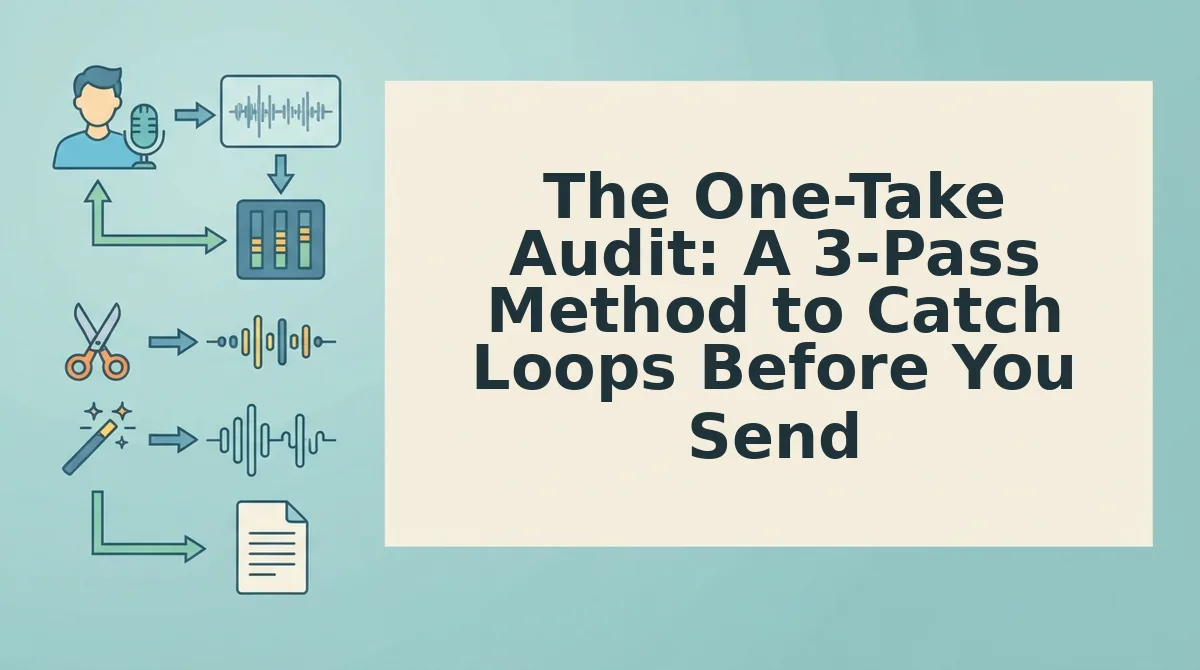
The One-Take Audit is a three-pass review method that catches circular phrasing before you hit send by marking repeated ideas, identifying filler clusters, and testing whether each sentence advances the message.
Prerequisites: One recorded voice memo, a raw transcript, and an enhanced transcript from VClar open in the diff view. Total time: 4 - 6 minutes per memo.
- Pass 1: Mark repeated ideas. Open the diff view and scan the raw transcript column only. Highlight every sentence that restates a point already made earlier in the memo. You should end with a shortlist of candidate loops, typically 2 - 4 per 90-second memo.
- Pass 2: Identify filler clusters. Switch your attention to the enhanced transcript and note where VClar removed multiple fillers in a single sentence. These clusters often sit directly before or after a circular restatement. You should see a pattern: loops and filler bursts co-occur at moments of uncertainty.
- Pass 3: Test if each sentence advances the message. Read the enhanced transcript aloud and ask one question per sentence: does this add new information, or does it rephrase the previous sentence? Delete any sentence that fails the test. You should finish with a transcript where every line moves the message forward.
Here is a before/after comparison from a typical audit. Before: "So the launch is on Friday, basically the launch is happening at the end of the week, you know, Friday is when we go live." After: "The launch is on Friday." The first version contains one idea restated three times with two filler clusters. The second version delivers the same information in six words.
A one-take audit answers the question "how do I catch loops before sending a voice memo" by turning listening into a structured, repeatable check that takes under six minutes and requires no editing skill, only a diff view and three focused passes.
How to Fix Circular Phrasing Once You Spot It
Fix circular phrasing by removing filler words, correcting grammar to restructure rambling sentences, and generating an enhanced version you can compare against your original to confirm the loop is gone.
- Remove filler words to cut verbal hesitations. Fillers like "um," "you know," and "basically" often pad the space around a restated idea. Use VClar's filler word removal to strip these from the audio timeline automatically, which tightens pacing and makes remaining loops easier to hear.
- Correct grammar to restructure rambling sentences. Circular phrasing frequently hides inside run-on sentences that double back on themselves. Use VClar's grammar correction to break long, looping constructions into direct, single-idea sentences without changing your tone.
- Generate an enhanced version for comparison. Run the full enhancement on your memo and compare the output against your raw transcript in the diff view. The enhanced version shows you exactly what a loop-free delivery sounds like in your own voice, giving you a concrete target for your next recording.
- Re-record only the fixed segment. If you prefer to send a fresh take, record just the corrected sentence or section rather than the entire memo. You save time and avoid introducing new loops elsewhere in the message.
Each fix connects to a VClar workflow: strip fillers, restructure grammar, compare enhanced output, and re-record only what changed. That closes the loop on circular phrasing without forcing you to script every word.
Still wondering whether a repeated point counts as emphasis or a loop? The answers below cover the most common questions.
FAQ
Direct answers to the most common questions about circular phrasing, rambling in voice memos, and how AI diff views help you catch and fix both.
Why do I ramble in voice memos but not in writing?
Working-memory load during spontaneous speech is the main cause. When you speak, you plan, monitor, and produce language simultaneously, which leaves less cognitive capacity for editing. Writing gives you time to revise before committing words, so circular phrasing rarely survives on the page.
Can AI detect circular phrasing in audio?
Yes. AI tools like VClar compare raw and enhanced transcripts in a diff view, highlighting repeated clauses, restated ideas, and looped sentence structures. The side-by-side view makes verbal loops visible the same way a code diff reveals redundant logic.
How do I stop repeating myself in voice messages?
Pause for two seconds before recording and state your conclusion first. If you catch yourself restating a point, stop and move to the next idea. A one-take audit with a diff view after recording shows exactly where loops occurred so you can target them next time.
What is the difference between filler words and circular phrasing?
Filler words are single verbal hesitations like "um" or "like." Circular phrasing is structural repetition: restating the same idea in different words, looping back to a previous point, or adding redundant qualifiers. Fillers are noise; circular phrasing is a logic problem.
Does circular phrasing translate poorly in voice note translations?
Yes. A voice note translator preserves sentence structure, so loops and restatements carry into the target language and compound confusion. Cleaning circular phrasing before translation produces a clearer, shorter message in any language.
How long should a voice memo be to avoid rambling?
Aim for under 60 seconds. Longer memos invite digression because you lose the thread of your original point. If a message exceeds 90 seconds, it likely contains at least one circular loop that a diff view would expose.
Stop Looping, Start Sending
Circular phrasing costs more than clarity. Every loop you catch after recording means a re-record, and every re-record burns minutes you could spend on the next message. The four patterns, diff-view method, and one-take audit give you a repeatable system for catching loops before they reach a client, teammate, or investor.
The real payoff is compounding: one clean take today becomes a habit tomorrow. Run your next voice memo through VClar's side-by-side enhancement view and see exactly which sentences loop, repeat, or stall. Then send the polished version in the same session.