
You record a voice note at 150 words per minute, hit send, and only later discover the transcription your recipient read said "can't" where you clearly said "can", a single syllable that flipped your entire meaning. Most people blindly trust native mobile speech-to-text models to capture their spoken intent, but automated transcription silently alters critical meaning far more often than anyone checks. If you've ever had a voice memo come back to bite you because the text version didn't match what you actually said, you already know why a transcript diff checklist for audio notes matters.
You're not careless. You're moving fast, and the tools you rely on are quietly introducing errors between your mouth and your recipient's screen. This article will show you exactly how to audit the gap between what you spoke and what gets transcribed, before it causes a misunderstanding you can't undo. You'll learn the difference between clean and full verbatim transcription, the specific error patterns that matter most in short-form spoken notes, and a step-by-step checklist you can run in under two minutes.
Along the way, you'll see why the most dangerous transcription errors aren't the obvious ones, and how a tool designed to fix grammar in voice message output approaches the problem differently than your phone's default dictation. One specific failure pattern, revealed in the checklist section, causes more miscommunication than all filler words combined.
What Is a Transcript Diff Checklist for Audio Notes?
A transcript diff checklist for audio notes is a structured comparison between what you actually spoke, what an automated speech-to-text engine transcribed, and what your recipient will read, designed to catch meaning-altering discrepancies before you hit send.
Think of it like proofreading a translation, not just a transcript. When you dictate a voice note, three versions exist simultaneously: the raw audio waveform with your natural cadence and emphasis, the raw speech recognition output your phone produces, and the cleaned-up text your recipient sees. A transcript diff checklist is the act of lining up these three versions and hunting for places where meaning diverges.
At the simplest level, this means replaying your voice note while reading the transcript side by side, flagging any word that doesn't match what you hear yourself saying. At an intermediate level, you're not just catching obvious word swaps, you're auditing for systematic failure patterns: negative contractions flipping polarity, homophones that pass spellcheck but change meaning, and acoustic boundary drops where background noise swallows a critical syllable. At the advanced level, you're comparing the raw speech recognition output against a cleaned version to verify that any grammar fixes or filler removals preserved your original intent rather than introducing new errors.
For short-form spoken notes, the kind founders, sales reps, and async operators send dozens of times daily, this differs fundamentally from legacy multi-hour legal transcription workflows. You're not reviewing a deposition for court admissibility. You're catching the one-word error in a 45-second voice memo that turns "ship it Friday" into "ship it Monday" or "I can meet" into "I can't meet."
The core comparison in any transcript diff checklist involves three layers: the raw audio waveform's cadence and emphasis, the raw speech recognition output, and the cleaned output text. A meaningful diff flags any point where the cleaned text no longer represents what the speaker's voice actually conveyed, whether through a misheard word, a dropped negative, or a grammar correction that altered emphasis. VClar's approach to remove filler words from audio preserves this alignment by cleaning the audio timeline itself rather than rewriting text after the fact.
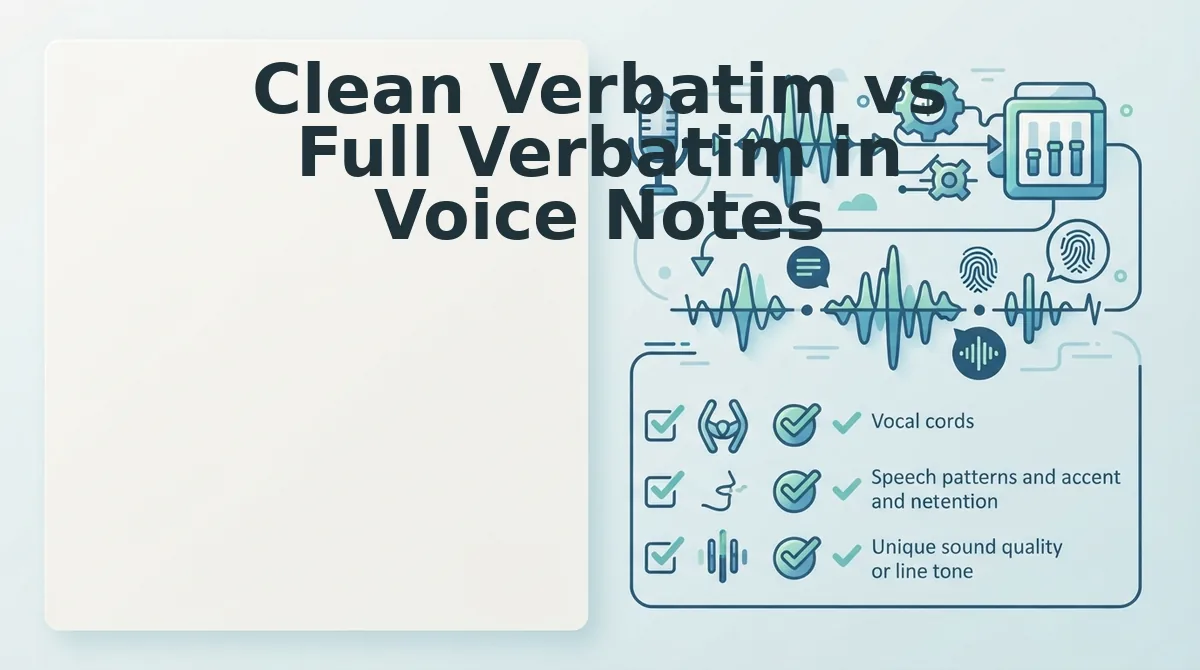
Clean Verbatim vs Full Verbatim in Voice Notes
Clean verbatim removes filler words, false starts, and non-verbal utterances to produce a polished transcript, while full verbatim captures every spoken sound including "um," "ah," repeated words, and stammers. Each serves a different purpose, and choosing the wrong one for your voice note workflow creates predictable failure modes.
Full verbatim transcription has legitimate strengths. It's the standard for legal depositions, academic research, and qualitative interviews where every hesitation carries analytical weight. If you're a researcher coding interview data or a lawyer preparing testimony, full verbatim is non-negotiable, you need to see exactly where a speaker paused, stumbled, or self-corrected. The raw fidelity is the point.
Clean verbatim, by contrast, optimizes for readability and decisiveness. It strips the verbal scaffolding that clutters spontaneous speech and delivers a transcript that reads like the speaker's best version of themselves. For founders sending investor updates, sales reps following up with prospects, or freelancers confirming scope with clients, clean verbatim converts a rambling voice memo into a message that commands attention.
The risk with clean verbatim is not the concept but the execution. When a speech engine removes fillers or smooths grammar, it must decide what to delete and what to preserve. A poorly implemented clean-verbatim pass can silently drop a negative contraction, turning "I can't approve this" into "I can approve this", or merge two sentences in a way that changes their relationship. This is the hallucination and omission problem that separates trustworthy cleaning from dangerous rewriting.
| Feature | Full Verbatim | Clean Verbatim | VClar Audio Cleaning |
|---|---|---|---|
| Filler words (um, ah, like) | Preserved | Removed in text | Removed from audio timeline |
| False starts and repetitions | Preserved | Removed in text | Removed from audio timeline |
| Grammar corrections | None | Applied to text | Applied while preserving voice, tone, and cadence |
| Risk of meaning alteration | Low (raw fidelity) | Moderate to high (text-only edits) | Low (audio-native cleaning) |
| Best for | Legal, research, qualitative analysis | Readability-focused written records | Voice messages where the audio itself is the deliverable |
When auditing a clean-verbatim transcript, pay special attention to negative contractions and acoustic boundary drops. Background noise at the exact moment you say "can't" can cause the engine to miss the "t" sound entirely, producing "can", an error that inverts your meaning while looking perfectly grammatical. Similarly, a filler-removal pass that deletes "not" because it was preceded by a stammer ("I did not, not, mean that") can destroy the core message.
Best for legal and research professionals: full verbatim, because raw fidelity to every utterance is the deliverable. Best for founders, sales teams, and async operators: clean verbatim applied at the audio level, because you need polish without sacrificing your authentic voice or risking silent meaning inversion. Best for anyone sending voice notes where the audio itself matters: a tool that cleans the audio timeline directly rather than editing text after transcription, so what your recipient hears and reads stay aligned.
Here's the step-by-step checklist that catches the errors both approaches can introduce.
Step-by-Step Transcript Diff Checklist Before Hitting Send
A transcript diff checklist is a three-layer inspection you run against your audio note's auto-generated transcript in under 30 seconds, checking acoustic cadence, entity precision, and semantic syntax drift before the message leaves your device.
Prerequisites: a voice note recorded in your messaging app (Slack, WhatsApp, iMessage), the in-app transcript or a third-party transcription, and 30 seconds of focused review time. No additional tools required for the core pass.
- Open the transcript view in your messaging app. Tap the transcript or caption preview below your recorded voice note. You should see the full text of what the speech engine interpreted from your audio. If your app doesn't generate transcripts natively, run the audio through a voice note translator that outputs both cleaned text and a diff view against the raw transcription.
- Run the acoustic cadence pass (10 seconds). Scan the transcript for filler words, "um," "ah," "like," "basically," "you know", and false starts where you repeated the first two or three words of a sentence. Mark each instance mentally or copy the text into a scratch note. Expected outcome: you identify every verbal hesitation that would make the written transcript read as unpolished, even if the audio sounds natural.
- Run the entity precision pass (10 seconds). Check every proper noun, number, date, currency amount, and product name in the transcript against what you actually said. Voice engines routinely garble client names, dollar figures, and version numbers. Expected outcome: you catch at least one entity that needs correction in most spontaneous notes, a name spelled phonetically, a "15" transcribed as "50," or a project codename mangled.
- Run the semantic syntax drift pass (10 seconds). Read the transcript once top to bottom and ask whether any sentence means something different in text than it did in speech. Spoken grammar tolerates run-ons and dropped subjects that read as ambiguous or unprofessional in writing. Expected outcome: you flag any sentence where a reader without your vocal inflection could misread tone, urgency, or instruction.
- Fix or re-record only what failed a pass. If all three passes are clean, hit send. If the acoustic pass failed, remove fillers from the audio or re-record the segment. If the entity pass failed, correct the transcript or add a clarifying follow-up message. If the syntax pass failed, rephrase the sentence in a fresh recording. Expected outcome: you send the note with zero unresolved diff flags.
This 30-second rapid inspection sequence is optimized for Slack and WhatsApp voice notes, where the transcript sits directly under the audio and the recipient often reads before listening. Running the three passes in order, acoustic, entity, syntax, catches the failure modes in descending order of frequency.
For teams handling cross-language async communication, the entity pass matters most. A mistranscribed client name or invoice figure in a translated transcript compounds across languages, which is why pairing the diff check with a voice note translator that preserves entity casing and numeric formatting removes the most common source of costly miscommunication.
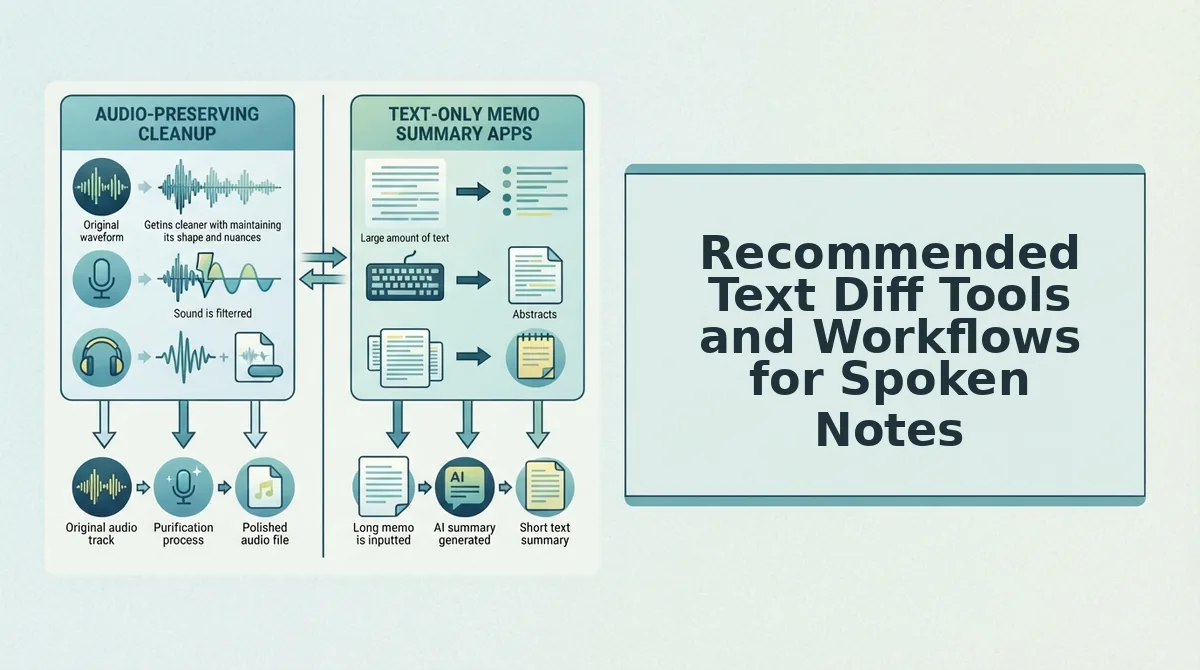
Recommended Text Diff Tools and Workflows for Spoken Notes
You don't need a Git client or desktop diff GUI to compare spoken-note transcripts. The seven tools below are lightweight, accessible on mobile or web, and built for the 30-second review window that async voice communication actually allows.
- Native macOS Voice Memos + Notes pairing. Voice Memos on macOS 14 and later generates a live transcript you can copy directly into a Notes document. Paste the transcript into Notes, then paste your intended message text beside it and visually scan line by line. This workflow matters because it requires zero third-party installs and keeps the diff local to your device. Use it by opening Voice Memos, tapping the transcript icon on any recording, selecting Copy, then pasting into a two-column Notes layout.
- Inline side-by-side browser diff viewers. Lightweight web tools like TextCompare or Diffchecker let you paste the raw transcript on the left and your cleaned version on the right, highlighting character-level differences instantly. This matters because browser diff viewers catch subtle entity swaps, "ACME Corp" vs "Acme Corp", that a visual scan misses. Use it by pasting both versions and reading only the highlighted regions, which typically takes under 15 seconds per note.
- WhatsApp built-in transcript preview. WhatsApp now surfaces a text preview beneath voice messages on iOS and Android before the recipient plays the audio. This matters because it's the exact text your recipient will see first, making it the highest-fidelity diff source available. Use it by recording a voice note, reading the preview text immediately, and re-recording if the preview shows filler words or garbled entities.
- Slack voice clip transcription. Slack automatically transcribes voice clips for paid workspaces and displays the text in the message thread. This matters for teams because the transcript becomes a searchable, quotable record, errors persist in Slack search indefinitely. Use it by posting the clip to yourself or a private channel first, reviewing the transcript, then forwarding to the intended recipient.
- iOS Live Captions as a real-time diff layer. Enable Live Captions under Accessibility settings and speak your intended message while watching the on-screen transcription. This matters because it gives you a pre-send diff against your spoken intent before you even record. Use it by turning on Live Captions, speaking the message once, correcting any misheard words, then recording the final take.
- Google Keep voice memo + transcription workflow. Google Keep's voice memo feature captures audio and attaches a transcription you can edit inline. This matters because Keep syncs across devices, so you can record on mobile and run the diff review on a larger desktop screen. Use it by tapping the microphone icon in Keep, recording, then editing the transcription text directly in the note before copying it into your messaging app.
- VClar transcript diff output. VClar generates a cleaned transcript alongside the raw audio interpretation, showing exactly which fillers were removed and which grammar corrections were applied. This matters because it automates the acoustic and syntax passes of the diff checklist, leaving only entity verification for manual review. Use it by uploading your voice note, reviewing the diff panel, and exporting the cleaned audio and transcript together.
How to Standardize Audio Note Quality Control Across Async Teams
Standardizing audio note QC means moving from individual proofreading habits to a shared, documented protocol that every team member applies to sales updates, executive briefs, and client handoffs.
Prerequisites: a team messaging platform with voice note support (Slack, WhatsApp, or Teams), a shared document for the QC protocol, and 15 minutes per team member for initial training. No paid tools required to establish the baseline.
- Create a shared QC protocol document. Open your team wiki or Google Doc and write a one-page guide titled "Audio Note Diff Protocol." Include the three passes, acoustic cadence, entity precision, semantic syntax drift, with a 30-second time budget per note. Expected outcome: every team member has a single reference point for what "checked" means.
- Define when a diff check is required versus optional. In the same document, list message types that always require a full diff pass: client-facing updates, pricing or contract details, executive summaries, and cross-language communications. List message types where raw voice suffices: internal quick confirmations, informal team check-ins, and messages under 15 seconds with no entities. Expected outcome: team members stop guessing and start applying the rule consistently.
- Run a 15-minute training session with a live example. Record a deliberately flawed voice note containing fillers, a garbled client name, and an ambiguous sentence. Walk the team through all three passes on a shared screen, showing exactly what gets flagged and how it gets fixed. Expected outcome: each team member completes one practice diff check and confirms they can finish it in under 30 seconds.
- Set a re-record threshold in your messaging guidelines. Add a rule to the protocol: if the acoustic pass finds more than two fillers in a 60-second note, or if the entity pass finds any uncorrectable error, re-record the note rather than sending a correction message. Expected outcome: correction follow-ups drop because flawed notes never leave the draft stage.
- Review protocol adherence monthly. Pick one day per month to sample five voice notes from team threads and score them against the three-pass checklist. Share the aggregate pass rate in the team channel. Expected outcome: QC compliance becomes visible and self-reinforcing without manager oversight on every message.
Teams that adopt this protocol report fewer clarification requests on voice notes and faster async decision-making, because recipients trust that a sent note has already passed the diff gate. For cross-border teams, pairing the protocol with a voice note translator extends the same QC standard to multilingual messages without adding review time.
Once your team has a working diff protocol, the next step is answering the most common questions about audio note diffing, from tool compatibility to handling accents and background noise.
Frequently Asked Questions About Audio Note Diffing
These questions reflect what people actually ask about comparing spoken audio against its transcript before sending voice messages.
What is a transcript diff for audio notes?
A transcript diff compares what you intended to say against what the speech-to-text engine captured, flagging mismatches, dropped words, and misheard phrases. It catches errors that listening alone misses, especially homophones like "their" versus "there" that automated systems frequently confuse.
How do I check my voice note transcript for mistakes before sending?
Play the audio while reading the transcript line by line, marking any word that doesn't match what you hear. Focus on proper nouns, numbers, and technical terms first, since speech recognition systems fail on those most often. A 30-second pass catches most critical errors.
Why does my voice note transcript show different words than what I said?
Speech-to-text engines mishear words that sound similar, especially in noisy environments or with accented speech.
What is an acceptable Word Error Rate for voice note transcripts?
WER measures substitutions, deletions, and insertions against the total word count, giving you a quantifiable quality gate before hitting send.
How do I fix filler words in a voice note transcript?
Run the audio through a filler word removal tool that detects and strips ums, ahs, and repeated false starts from both the audio timeline and the transcript. Manual editing works but takes longer, and automated removal keeps the speaker's natural cadence intact.
Why do homophones cause so many transcript diff errors?
Homophones sound identical but carry different meanings, so speech engines rely on context to choose correctly and often fail. Words like "accept" versus "except" or "affect" versus "effect" require human review during the diff pass because automated context resolution is still unreliable.
Master One-Take Voice Notes with Confident Pre-Send Verification
The 3-Layer inspection framework, audio playback, transcript diff, and homophone spot-check, turns a 30-second verification pass into a reliable quality gate for high-stakes spoken communication. When you can trust the transcript matches your intent, re-recording loops disappear.
What started as a question about catching transcript errors resolves into a simpler truth: the bottleneck was never your speaking ability. It was the absence of a repeatable verification step between recording and sending. Once that step exists, one-take voice notes become the default, not the exception.
Start by running your next voice note through a diff pass before you send it. Use VClar to clean filler words and correct spoken grammar in the same workflow, so the audio and transcript arrive polished without sacrificing your authentic delivery.
Your voice already carries the message. The checklist just makes sure nothing gets lost between your intent and their inbox.