
You hit record, speak for thirty seconds in your target language, and play it back, only to hear three "ums," a mangled verb ending, and a pause so long you forgot what you were trying to say. That moment of cringe is exactly why the vclar vs audiopen for language learners debate matters more than most comparison articles admit.
You're not alone. Language learners in YouTube comment sections constantly ask whether AudioPen gives audio feedback on pronunciation, because the answer isn't obvious from either tool's landing page. Here's the short version: AudioPen outputs text only. No corrected audio. No pronunciation model. No shadowing track.
This article will walk you through what each tool actually does for spoken-language practice, why the output format changes everything about how you improve, and which one fits your specific goal, writing better or speaking better. By the end, you'll know exactly which workflow to use for grammar internalization versus written fluency, and one capability VClar offers that changes how you practice out loud.
If you're already recording voice notes and want to hear your own grammar corrected in your own voice, keep reading, the distinction in Section 3 is the one most comparisons skip entirely.
What AudioPen Does for Language Learners
AudioPen is a voice-to-text tool that converts your spoken words into clean, organized written text. It listens to your voice note, strips out the verbal clutter, and returns a polished paragraph you can read, edit, or paste elsewhere.
Think of AudioPen like a fast transcriptionist who tidies up your sentences as they type. You speak a messy thought, and the tool hands you a neat written version. That's genuinely useful for writing practice, you can see how your spoken ideas look on paper and learn where your sentence structure falls apart.
Here's the workflow most language learners follow with AudioPen:
- Record a voice note in your target language, speaking naturally with all your hesitations and grammar slips.
- AudioPen processes the audio and returns a cleaned-up text version of what you said.
- You read the text, compare it to what you intended to say, and learn from the written corrections.
AudioPen is fast for capturing fuzzy thoughts and turning them into clear text, which helps writing practice but not pronunciation or spoken grammar internalization. The tool does not return audio, no corrected voice file, no playback of your sentence with the grammar fixed, no way to hear how the corrected version should sound in your own voice.
For a language learner, that's a significant gap. Reading "I have been living here since three years" corrected to "I have been living here for three years" teaches you the rule on paper. But it doesn't train your mouth, your ear, or your muscle memory to produce the correct form when you're mid-conversation and thinking at full speed.
If your goal is to remove filler words from audio and hear the cleaned-up result spoken back to you, AudioPen won't get you there, it stops at the text layer.
What VClar Does Differently
VClar is an AI voice message translator and speech enhancer that corrects your spoken grammar and returns both corrected audio and a transcript, in your own voice, with your own tone and cadence intact.
Think of VClar like a vocal coach who records your sentence, fixes the grammar on the spot, and plays the corrected version back in your voice so you can hear exactly what "right" sounds like coming out of your own mouth. That's the Audio Output Gap: AudioPen stops at text, while VClar closes the loop by giving you something to listen to and shadow.
Here's the workflow for spoken-language practice with VClar:
- Record a spontaneous voice note in your target language, hesitations, filler words, grammar mistakes and all.
- VClar detects and removes verbal fillers like "um," "ah," and "like," then corrects spoken grammar errors seamlessly in the audio timeline.
- You receive corrected audio you can play back and shadow, plus a clean transcript to review side by side.
VClar corrects spoken grammar and returns corrected audio you can shadow. Shadowing, repeating aloud immediately after hearing a model, is one of the most effective techniques for internalizing pronunciation, rhythm, and grammatical patterns. When the model is your own voice, the gap between what you said and what you should have said becomes tangible in a way text alone never achieves.
VClar preserves the speaker's authentic voice, tone, and cadence while removing hesitations and acoustic distractions. That means you're not listening to a synthetic robot voice or a native speaker you'll never sound like, you're hearing yourself, slightly better. For language learners, that's the difference between memorizing a rule and training a habit.
If you want to fix grammar in voice messages and hear the corrected version spoken back in your own voice, VClar is built for exactly that loop.
But why does hearing the correction matter more than reading it? That comes down to how spoken grammar differs from written grammar.
Spoken Grammar vs. Written Grammar: Why It Matters
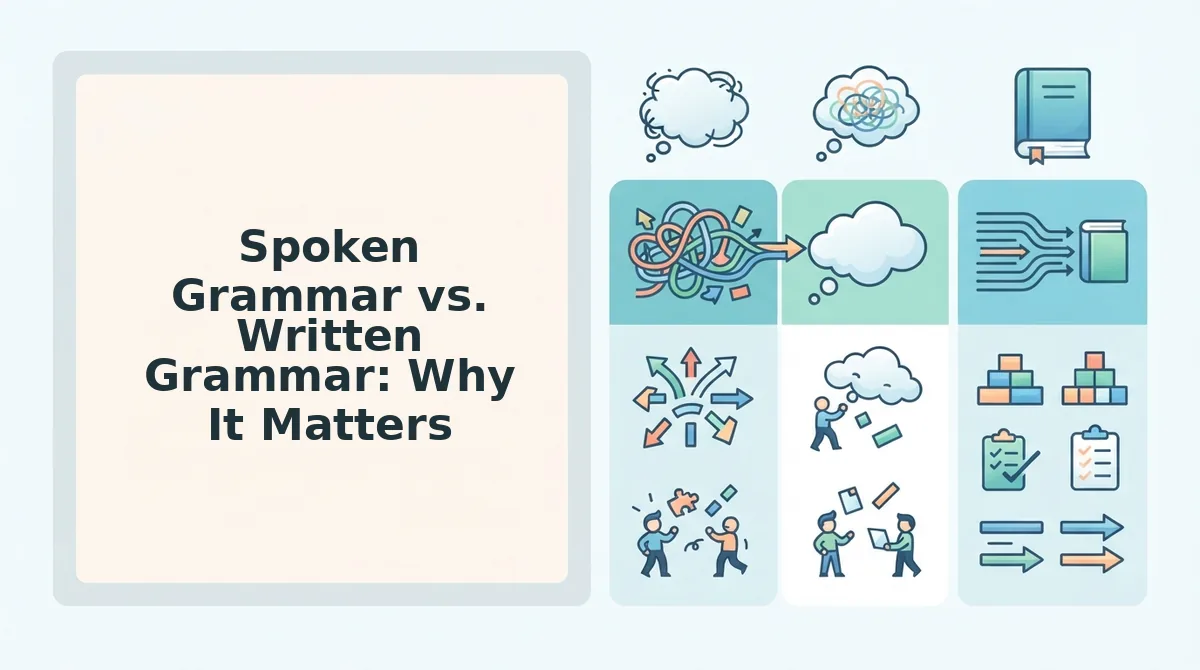
Spoken grammar is the set of structural patterns that emerge when people talk in real time, and it differs from written grammar in predictable, measurable ways. A tool built for spoken repair must handle these patterns differently than a text grammar checker.
Think of written grammar like a finished architectural blueprint: every line is deliberate, revised, and placed with intent. Spoken grammar is more like a sketch drawn while walking: lines double back, overlap, and sometimes trail off before the shape is complete. Both communicate, but they obey different rules.
At the simple level, spoken grammar includes filler words like "um," "ah," and "like" that rarely appear in typed text. At the intermediate level, you encounter false starts, sentences abandoned halfway and restarted, along with fragments that never reach a full subject-verb-object structure. At the advanced level, circular phrasing appears: the speaker loops back to restate the same idea three different ways before landing on the clearest version.
False starts, fragments, and circular phrasing are common in spontaneous speech but rare in writing. A text grammar checker flags a fragment as an error and suggests merging it with the previous sentence. A spoken repair tool must instead recognize that the fragment was a restart, discard the abandoned attempt, and keep only the completed thought, without making the speaker sound scripted.
For language learners, this distinction is critical. When you practice speaking, your errors are not typos; they are live processing artifacts. You need a tool that can fix grammar in voice messages by repairing the spoken structure itself, not by converting your speech into a written essay and correcting that instead.
Here is the core distinction in one pass: written grammar errors are mistakes of knowledge, you either know the rule or you don't. Spoken grammar errors are often mistakes of processing, you know the rule, but your mouth outruns your working memory. A grammar checker for writing assumes the first. A voice repair tool must assume the second, and that changes everything about how the correction is built and delivered.
The Language Learner's Practice Loop
VClar's value for language learners comes from a repeatable four-step loop: record a spontaneous voice note, hear your own errors, receive corrected audio in your own voice, and shadow that corrected version until the fix sticks. You need a phone or computer with a microphone, a VClar account, and about 10 minutes per session.
- Record a 30-60 second spontaneous voice note. Open the VClar recorder and speak about your day, a topic you're studying, or an opinion you hold, without scripting it first. Aim for natural, unpolished speech. You should hear your own hesitations and false starts on playback, which is exactly what you want to capture.
- Listen to your raw recording once. Play back the original audio before processing. Note where you stumbled, repeated yourself, or used a filler word. This self-monitoring step trains your ear to catch errors in real time, a skill that transfers directly to live conversation.
- Run the recording through VClar. Upload the audio or process it in-app. VClar removes fillers, repairs false starts, and corrects spoken grammar while preserving your voice, tone, and accent. You should receive two outputs: a cleaned audio file and a transcript showing the corrected phrasing.
- Shadow the corrected audio aloud. Play the corrected version and repeat each sentence immediately after hearing it, matching rhythm and intonation. Shadowing corrected audio helps internalize grammar and pronunciation fixes because you are physically practicing the corrected pattern, not just reading it. Repeat the shadowing pass two or three times until the corrected phrasing feels natural in your mouth.
The loop works best with short, spontaneous voice notes rather than scripted reading. Scripted speech bypasses the processing load that causes spoken errors in the first place, so you get less useful correction data. Ten minutes of spontaneous recording and shadowing beats thirty minutes of reading aloud from a textbook.
This practice loop is the core workflow for voice notes for language learners. Run it daily for two weeks and you will notice fewer fillers and cleaner sentence structure in live conversation, because you have trained your mouth, not just your eyes.
Side-by-Side Comparison
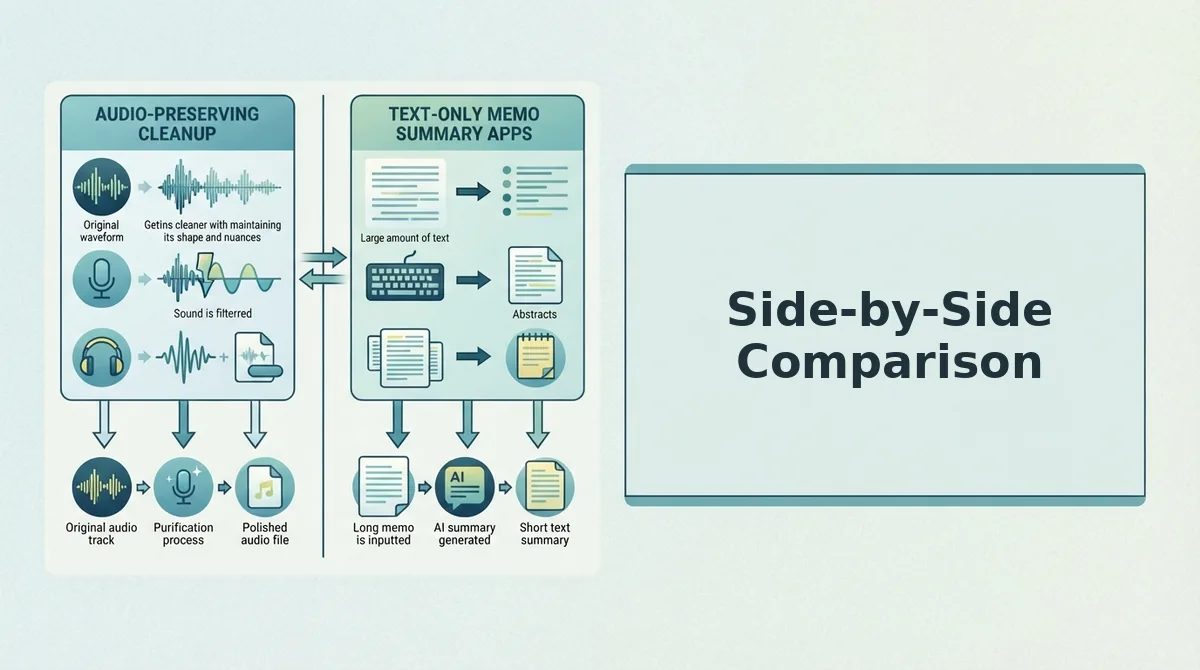
AudioPen and VClar both help you turn messy spoken thoughts into cleaner output, but they diverge on one decisive question: does the tool give you back audio you can hear and shadow? AudioPen returns text only. VClar returns corrected audio plus a transcript, in your own voice.
| Feature | AudioPen | VClar |
|---|---|---|
| Primary output | Text summary or cleaned transcript | Corrected audio + transcript |
| Audio feedback for shadowing | No, text only | Yes, corrected audio in your voice |
| Filler word removal | Removes fillers in text output | Removes fillers from audio timeline and transcript |
| Grammar repair approach | Text-based cleanup after transcription | Spoken-grammar repair on the audio itself |
| Preserves speaker's voice | Not applicable, no audio output | Yes, tone, cadence, and accent retained |
| Best for | Writers and note-takers who want clean text from voice memos | Language learners and speakers who need to hear corrected speech |
AudioPen's strength is honest and clear: it is excellent at turning rambling voice memos into tidy, publishable text. If your goal is a written note, a summary, or a draft, AudioPen does that job well and has earned its reputation among writers and productivity users.
The gap that matters for language learners is the audio output. When you are practicing speech, a text transcript tells you what you should have said, but it does not let you hear the corrected sentence spoken back in your own voice. VClar closes that gap by returning corrected audio you can shadow immediately, which is the step that turns passive correction into active pronunciation and grammar practice.
Here is the direct answer in one paragraph: AudioPen does not return audio, it outputs text only, so there is no corrected voice to listen to or shadow. VClar returns both corrected audio and a transcript, and the audio preserves the speaker's original voice, tone, and accent rather than synthesizing a new voice. For a language learner, that audio feedback loop is the difference between reading a correction and practicing it aloud until it becomes automatic.
Which one fits your workflow depends on what you need back from the tool, and that question leads directly into the next section.
Which Should You Choose?
Your choice depends on one question: are you practicing writing or speaking? If your goal is to turn spoken thoughts into clean written text, AudioPen is a strong, focused tool. If your goal is to hear your own voice deliver corrected grammar, VClar is the only option that closes that loop.
AudioPen earns its reputation for text cleanup. Language learners who want to dictate a journal entry, draft an email, or capture vocabulary notes will find it fast and reliable. It does not return audio, so pronunciation and spoken delivery remain unaddressed.
VClar targets the spoken side. It removes filler words from the audio timeline and returns corrected audio plus a transcript, so you hear the fixed sentence in your own voice. That auditory feedback is the difference between recognizing a mistake and internalizing the fix.
| Criteria | AudioPen | VClar |
|---|---|---|
| Primary output | Text only | Corrected audio + transcript |
| Filler word removal | Text-level cleanup | Audio timeline removal |
| Spoken grammar correction | Not designed for this | Core feature |
| Hear corrected version | No | Yes, in your own voice |
| Best for | Writing practice via dictation | Speaking practice with audio feedback |
Best for writing-first learners: AudioPen. If you dictate to produce written content and rarely replay your own voice, it handles the job cleanly.
Best for speaking-first learners: VClar. If you want to hear your corrected sentence spoken back to you, VClar is the better choice. Hearing the corrected version is the difference between recognizing a mistake and internalizing the fix.
If you're practicing writing, AudioPen works. If you're practicing speaking, VClar is the better choice. AudioPen converts speech to polished text but never lets you hear the result. VClar returns corrected audio and a transcript, so you can compare what you said with what you should have said. For language learners, that audio loop is the core advantage: grammar rules become muscle memory only when you hear them in your own voice. VClar is not a full language tutor replacement, but it closes the audio feedback gap for spoken grammar practice. AudioPen remains a solid pick for learners focused on written output.
If your workflow includes sending polished voice updates to teams or clients, the same correction loop applies to voice notes for founders.
FAQ
VClar returns corrected audio and a transcript, so you can hear your fixed sentence in your own voice. AudioPen returns text only. That single difference determines which tool fits your practice goal.
Does AudioPen give me audio feedback on my pronunciation?
No. AudioPen does not return audio; it is text-only. You can read the cleaned transcript, but you cannot hear how your corrected sentence should sound. Pronunciation practice requires a tool that outputs audio.
Can I hear my corrected sentence spoken back to me?
Yes, with VClar. VClar returns corrected audio and a transcript, so you can hear your fixed sentence in your own voice. This audio loop helps you internalize grammar fixes rather than just reading them.
What is the difference between AudioPen and VClar for language learners?
AudioPen converts speech to polished written text. VClar corrects the spoken audio itself, removing fillers and fixing grammar while preserving your voice. If you practice writing, choose AudioPen. If you practice speaking, choose VClar.
How do I practice speaking a new language with AI tools?
Record a short voice note, run it through VClar, then listen to the corrected audio and compare it with your original. Repeat the corrected version aloud. This loop builds spoken grammar habits faster than reading corrections on a screen.
Why does hearing my corrected sentence matter more than reading it?
Hearing the corrected version is the difference between recognizing a mistake and internalizing the fix. Audio feedback engages the same neural pathways you use in real conversation, which text alone cannot replicate.
Can VClar translate my voice notes into another language?
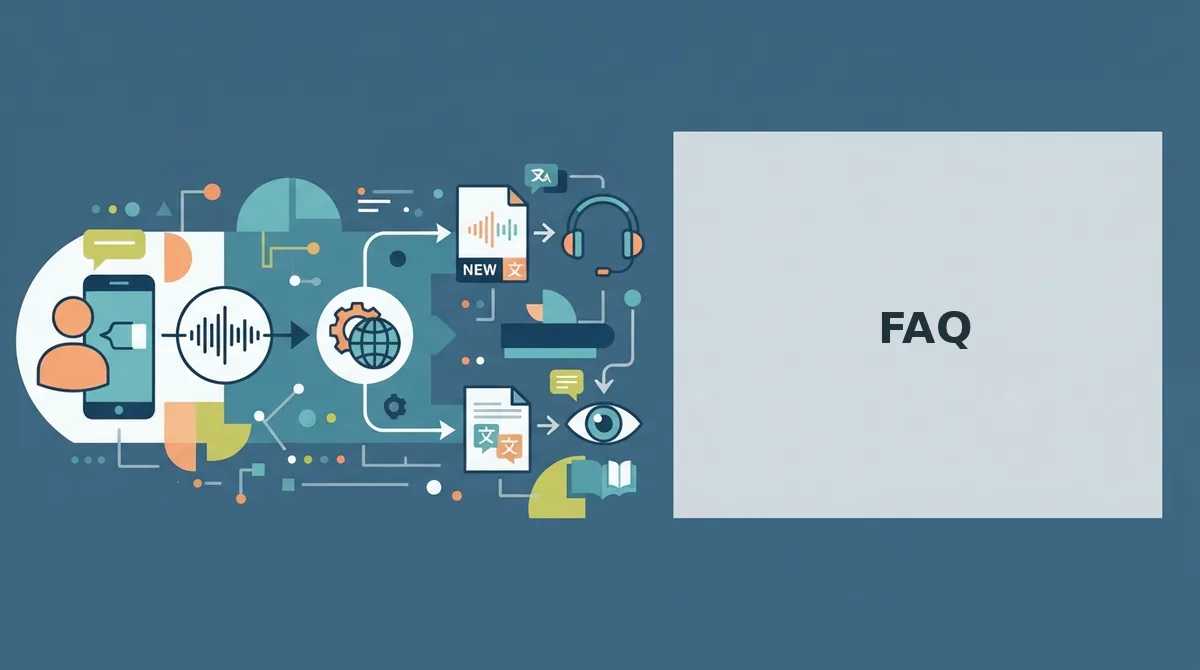
Yes. VClar functions as a voice note translator, translating speech across languages while preserving your authentic tone and cadence. This supports cross-language practice and real-world communication.
The Verdict: Close the Audio Loop
The open question from the start was simple: which tool actually helps you speak better? The answer is now clear. AudioPen sharpens your written output. VClar sharpens your spoken output. For language learners, that distinction is everything.
VClar is not a full language tutor replacement, but it closes the audio feedback gap for spoken grammar practice. No other tool in this comparison lets you hear your own voice deliver the corrected sentence. That loop, record, correct, listen, repeat, is where spoken fluency actually builds.
Your next step: record a 45-second voice note in your target language, run it through VClar, and listen to the corrected version. Starting with a short voice note is the fastest way to test the workflow. If you already send voice updates to teams, the same habit applies to voice notes for founders.
You do not need another writing tool. You need to hear yourself improve. That is the loop worth closing.