
You pace your office, tap record, stumble over a sentence, and delete the 45-second client update for the third time. If you need written summaries, AudioPen restructures rambling thoughts into text memos, but choosing an ai voice message translator like VClar fixes spoken grammar and verbal fillers while preserving your actual voice recording.
Knowledge workers speak at 150 words per minute but type at 40 words per minute, yet unstructured voice memos create friction for colleagues and clients. Breaking that re-recording cycle means matching your tool directly to how your listener expects to receive your message.
How do the two core approaches diverge?
- AudioPen: Synthesizes unpolished speech into structured written drafts, discarding your audio file entirely.
- VClar: Eliminates verbal hesitations, removes acoustic interference, and delivers polished spoken audio alongside exact transcripts.
Consider a consultant sharing a project update from a noisy coffee shop. Instead of wasting ten minutes re-recording four separate takes, processing the raw audio clip through the VClar voice message enhancer removes ambient clatter and repairs fragmented phrasing in a single take. Read on to compare output formats, conversational grammar cleanup, and an unexpected nuance in async delivery resolved later in this breakdown.
Quick Comparison between VClar and AudioPen
The primary difference between VClar and AudioPen is the final format: AudioPen converts voice notes into structured written summaries, whereas VClar cleans spoken grammar, strips verbal fillers, and enhances the original audio message while preserving your authentic voice identity.
AudioPen is an AI transcription tool designed to turn rambling monologues into structured text drafts. VClar is an AI voice message translator and speech enhancer built to produce polished, ready-to-send audio recordings alongside verbatim clean transcripts. Structurally, AudioPen operates as a text extractor discarding voice, whereas VClar operates as an acoustic speech polisher keeping voice identity intact.
AudioPen discards the recording after transcribing, making it suitable for solo ideation. In contrast, VClar removes filler words such as repeated starts, eliminates ambient noise, and corrects broken conversational phrasing directly within the audio timeline so your natural cadence remains authoritative.
Which format does your recipient expect: a written memo or a personal audio update?
| Feature | VClar | AudioPen |
|---|---|---|
| Core Output | Polished audio file plus transcript | Structured text summary |
| Voice Preservation | Keeps original tone, timbre, and accent | Discards vocal audio entirely |
| Hesitation and Filler Removal | Removes ums, ahs, and false starts from audio | Filters fillers out of written text |
| Acoustic Cleanup | Filters background noise and room echo | Not applicable |
| Best For | Founders, sales teams, and async collaborators | Writers, bloggers, and solo note-takers |
Choose AudioPen if: You want to speak your thoughts aloud to generate article drafts, journal entries, or structured summaries, and you have no intention of sending the actual audio note to a colleague.
Choose VClar if: You communicate via voice notes across platforms like WhatsApp or Slack, need to eliminate vocal stumbles in one take, and want your team or clients to hear your actual voice sounding clear and articulate.
Our recommendation centers on delivery intent. If your goal is generating written content from raw brainstorming, AudioPen delivers an efficient drafting workflow. However, if your professional relationships depend on direct, asynchronous spoken communication, VClar prevents the need for re-recording loops and keeps your voice front and center. To review technical specifications side by side, read our detailed feature breakdown.
How AudioPen Turns Spoken Brain Dumps into Written Notes
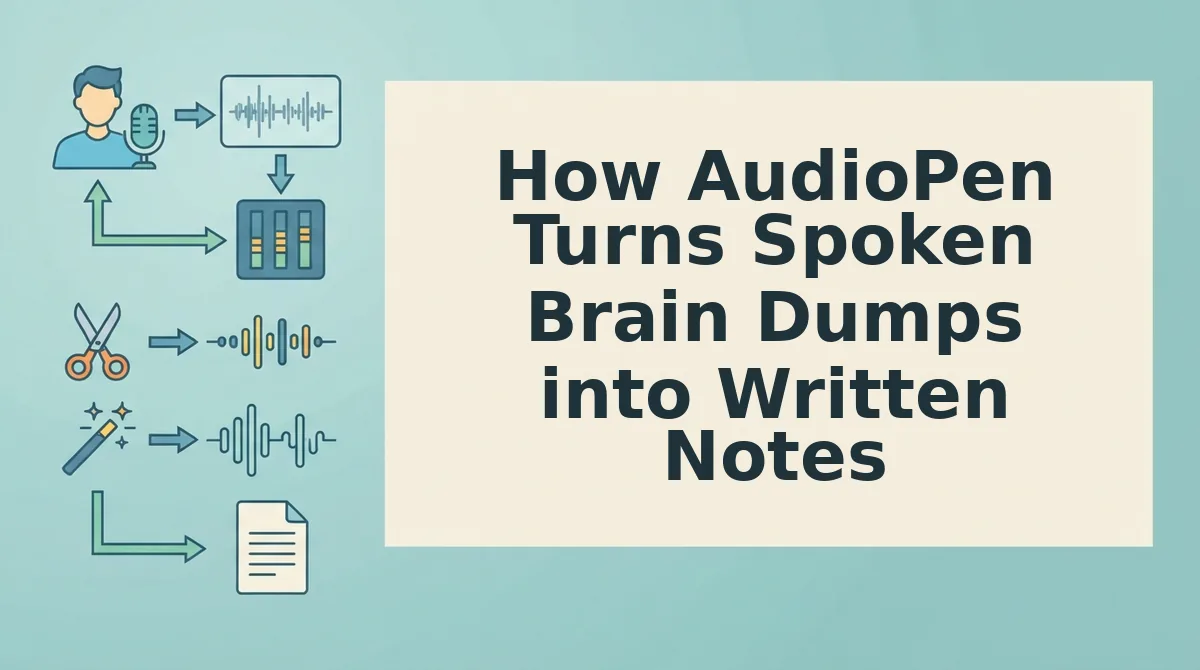
AudioPen converts unstructured voice recordings into organized text drafts by passing raw speech transcripts through large language model rewrite styles. It captures spontaneous speech and translates wandering trains of thought directly into structured written summaries, discarding the original voice recording once processing completes.
AudioPen is a voice-to-text writing tool that converts rambling verbal brain dumps into structured written notes. The platform functions like an executive ghostwriter sitting beside you in an office: you speak aloud without worrying about sentence structure, and the ghostwriter hands you a typed one-page memo that captures your intent while discarding every hesitation, detour, and verbal slip.
At a mechanical level, the workflow operates in three distinct stages:
- Speech capture: You record an off-the-cuff monologue directly into the interface without scripting or pausing to self-edit.
- LLM style reconstruction: AudioPen processes the transcription through predefined rewrite templates, rebuilding fragmented sentences into coherent paragraphs, blog outlines, or journal entries.
- Audio disposal: The system extracts the core semantic meaning, generates the cleaned text document, and discards the underlying audio file entirely.
This text-centric workflow provides real value when you need to bypass a blank page to draft an essay, an internal documentation outline, or a private retrospective. It excels whenever the final deliverable is meant to be read rather than heard.
Yet text transformation introduces an immediate limitation when your goal is direct human communication: can an AI-written summary truly replace the trust carried by your actual speaking voice?
Text summaries flatten conversational nuance. When a founder or sales representative sends a client update, a written rewrite eliminates vocal inflection, personal warmth, and authentic pacing. The recipient receives polished prose that sounds detached or generated by an algorithm. While AudioPen succeeds at converting internal thinking into structured reading material, discarding the audio timeline strips away the vocal presence required for high-trust outbound messaging.
How VClar Repairs Spoken Audio without Replacing Your Voice
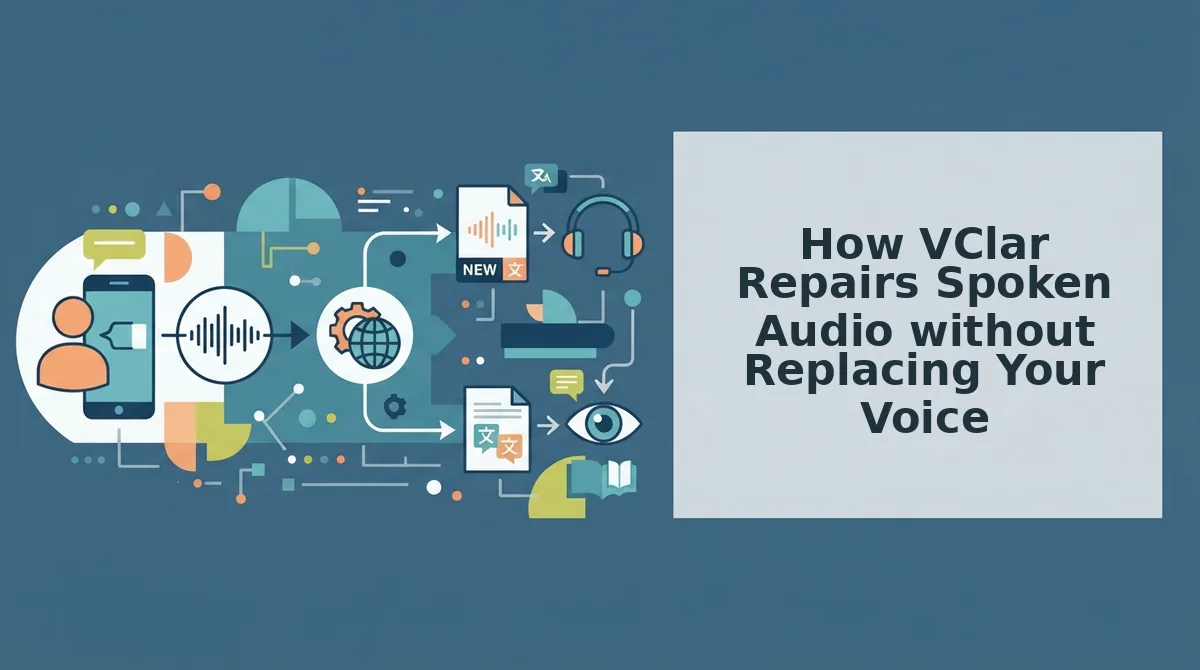
VClar repairs spoken audio by running recordings through an acoustic and grammatical enhancement pipeline that excises verbal hesitations and reconstructs fragmented sentences while preserving your original vocal timbre, cadence, and accent. The platform refines existing vocal recordings directly instead of generating synthetic text-to-speech clones or robotic voice avatars.
VClar is an AI voice message translator and speech enhancer designed to turn unpolished voice memos into clear, authoritative audio and transcripts. Preserving natural speaker intent and conversational delivery builds trust faster than synthetic voice generation.
Before beginning, ensure you have an active web browser and an internal or external microphone, or an existing unedited audio recording ready for upload.
- Record or upload your raw memo: Open the VClar browser interface and click the record button to speak off-the-cuff, or select an unedited voice file from your device. You will see an active waveform monitor confirming clear input levels during recording.
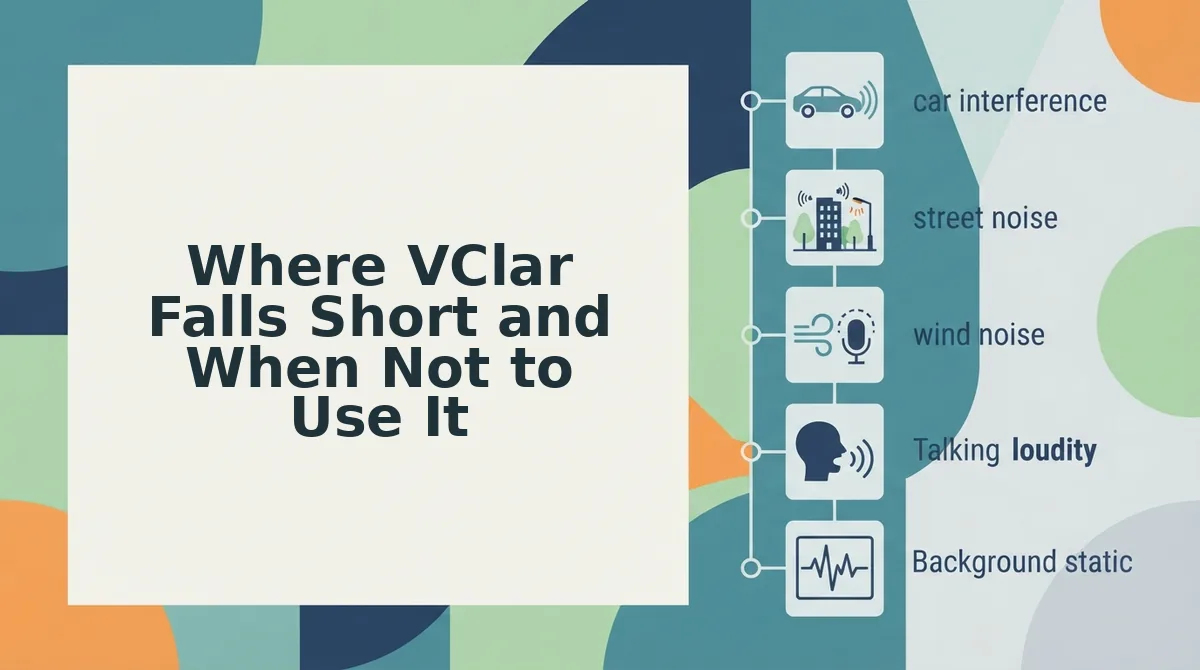
- Clean ambient background interference: Select the processing option to isolate your speech track. The processing engine filters out environmental noise from cars, busy streets, or home offices, leaving a dry, balanced vocal track in under 10 seconds.
- Excise verbal hesitations and false starts: Run the cleanup engine to remove filler words from audio files automatically. The system identifies ums, ahs, repeated phrases, and conversational stalls, seamlessly stitching the timeline so you sound direct and decisive.
- Restructure conversational phrasing: Apply speech enhancement to repair conversational grammar across your recording. VClar resolves broken syntax and sentence fragments while strictly maintaining your natural cadence and individual tone.
- Review the side-by-side comparison: Click play on the generated timeline to inspect the polished 45 to 90 second voice memo alongside the synchronized transcript. A dual-track playback screen shows the exact verbal adjustments made between your raw take and the finished recording.
Consider a typical workflow: A startup founder thinking at 150 words per minute records a 60-second spontaneous async update while sitting in a car. The raw note contains ambient street rumble, multiple false starts, and trailing sentence fragments. Processing the file through VClar eliminates the background interference, cuts the hesitation loops, and aligns the conversational grammar. The final delivery retains the founder's distinct vocal identity, producing a concise message and memo ready to share in a single take.
Stop wasting time re-recording conversational updates or typing long drafts. Experience one-take confidence by enhancing your natural voice messages on VClar today.
Where VClar Falls Short and When Not to Use It
VClar falls short when your primary goal is converting rambling spoken brain dumps into formatted written articles, summaries, or newsletters without needing the original audio. While the platform excels at repairing conversational grammar and delivering clear spoken recordings, it is not designed to replace text-only synthesizers, synthetic voice clones, or multitrack studio workstations.
Are you trying to generate text documents, or do you need to send a polished voice note? The answer determines whether VClar fits your stack.
- Drafting long-form written documents: VClar polishes spoken audio and generates an accompanying transcript rather than expanding raw thoughts into structured written articles or outlines. If you only want a rambling voice memo rewritten into bulleted documentation or blog sections, paying for vocal cleanup adds unnecessary friction. Use a text-first transformation tool like AudioPen to synthesize spontaneous brain dumps directly into formatted prose.
- Dictating high volumes on an unpaid plan: Free access is restricted to testing basic functionality rather than supporting ongoing daily dictation workflows. VClar caps its initial trial at a Starter plan with 2 lifetime minutes using 120 lifetime credits, which exhausts quickly if you record multiple voice memos per day. Rely on native device speech-to-text tools or upgrade to a dedicated plan if your operation requires ongoing zero-cost transcription.
- Generating synthetic voice clones: VClar explicitly preserves your authentic vocal timbre, accent, and conversational pacing while removing verbal pauses and syntax stumbles. If your project demands synthetic text-to-speech replacement, foreign-sounding voice doubles, or robotic avatars, the platform will deliberately retain your natural vocal identity instead. Choose dedicated synthetic speech engines whenever artificial vocal replacement is your intended deliverable.
- Editing multitrack studio productions: The browser workflow prioritizes one-take async voice messaging over granular timeline slicing or sound engineering. Creators who need multitrack DAW layers, music bedding, and heavy studio mastering will find the single-take processing interface overly constrained. Move your audio files into timeline-based production software like Descript when producing complex, multi-speaker podcast releases.
Which Voice Note Tool Fits Your Daily Workflow and Budget
The right tool depends entirely on whether your end deliverable is a clear audio recording for a recipient or written text for personal reference. VClar is engineered for professionals who need to send polished, authentic spoken audio alongside clean transcripts, while AudioPen is designed for thinkers who want rambling voice notes converted strictly into structured written summaries.
Consider the delivery channel. Sending an asynchronous WhatsApp update to an international client requires vocal authority, conversational nuance, and zero distracting background noise. In contrast, dumping raw personal thoughts into a Notion journal entry requires only readable text. AudioPen discards your recording to produce that text summary, whereas VClar repairs spoken syntax while keeping your actual voice intact.
A voice note enhancer is software that repairs conversational grammar and acoustic clarity while strictly preserving the speaker's authentic vocal identity. Speakers who think at 150 words per minute often stumble over accidental verbal fillers and false starts. Benchmarking your baseline delivery with a speech speed test helps identify whether verbal pacing or sentence fragmentation creates friction in your daily updates.
| Workflow Criterion | VClar | AudioPen |
|---|---|---|
| Primary Output | Polished audio file and clean transcript | Rewritten text summary |
| Vocal Identity | Preserved (cleans audio without synthetic voice cloning) | Discarded (audio cannot be exported or shared) |
| Cross-Border Support | 90 translation directions across 10 languages | Single-language text rewriting |
| Ideal Application | Client memos, sales updates, and async team notes | Solo journaling, drafting articles, and brainstorming |
- Best for founders and sales teams: VClar. When sending external memos, relying on voice notes for founders removes filler words and acoustic distractions without forcing you into endless re-recording loops.
- Best for solo writers and researchers: AudioPen. It effectively eliminates writer's block by turning unorganized, stream-of-consciousness monologues into structured text drafts ready for editing.
Our recommendation: Choose AudioPen if your voice is simply an alternative to the keyboard for private documentation. Choose VClar if your spoken voice is an outward-facing communication channel where clear pacing, authentic tone, and cross-language audio matter.
Frequently Asked Questions about VClar and AudioPen
The primary difference between VClar and AudioPen is that AudioPen creates written text notes, while VClar produces polished, enhanced voice audio alongside clean transcripts.
Does AudioPen allow you to download edited audio files?
No, AudioPen does not generate or export edited audio messages because it only produces written text summaries. The platform restructures spoken rambling into readable prose. If you need a shareable, polished voice memo with your original speech intact, you must use an audio enhancer rather than a text summarizer.
Does VClar use synthetic voice clones to fix spoken grammar?
No, VClar does not replace your speech with synthetic text-to-speech clones or robotic voice avatars. The software repairs broken conversational syntax and removes verbal fillers directly from your live recording. This preserves your natural accent, authentic vocal timbre, and personal cadence without generating artificial vocal doubles.
How do VClar and AudioPen handle foreign language translation?
AudioPen translates raw voice recordings solely into written text summaries, whereas VClar provides multilingual speech translation and synchronized transcripts. Cross-border professionals use VClar to deliver async voice messages directly in other languages without losing authentic tone, whereas AudioPen serves strictly as a tool for generating translated written documentation.
What are the limitations of the free tiers?
Both tools offer free entry tiers separated by output format:
- AudioPen restricts free users to short voice captures and basic text rewriting styles.
- VClar provides core filler word cleanup and spoken grammar correction for quick voice notes before requiring paid plans for advanced workflows.
Final Verdict on Choosing Between AudioPen and VClar
The choice between AudioPen and VClar comes down entirely to whether your end audience reads your ideas or listens to your voice. Choose AudioPen for written article drafts and private ideation; choose VClar whenever another human needs to hear your voice without verbal clutter, hesitations, or broken conversational grammar.
Text-only synthesizers flatten your speech into silent paragraphs, stripping away the vocal cadence and authority that drive modern async collaboration. Apply this direct rule to streamline your daily workflow:
- Process your recording through AudioPen when your target output is an outline, newsletter draft, or personal journal entry.
- Record your spoken message and test VClar with 2 free lifetime minutes when clients or team members require an authoritative, filler-free audio note that preserves your authentic vocal identity.
Converting messy voice memos into structured text solves an internal drafting bottleneck, but refining spontaneous speech into polished audio solves an external credibility bottleneck. Clear thinking deserves a clear voice, not just another silent transcript.