
You've just spent 22 minutes re-recording a 45-second voice note to a client. Sound familiar? Founders and sales reps lose 20+ minutes on a single message, chasing a take that doesn't sound rushed, rambling, or unprofessional. The real question isn't whether you should care about what to fix before sending a client voice note, it's why nobody gave you a checklist before now.
You're right to be cautious. A voice note carries your tone, your energy, and your credibility in one audio file. When it lands with filler words, background noise, or a vague ask, the client hears hesitation, not confidence. YouTube search data backs this up: 638,397 views on "How To Fix WhatsApp Voice Message Problems" (GuideRealm) prove the pain is widespread and persistent.
Here's what you'll learn: a 5-point pre-send audit you can run in under 90 seconds, the most common voice note mistakes that quietly erode client trust, and a simple decision rule for when to re-record versus when to clean. One surprising finding: most voice notes don't need a re-record at all, they need a targeted cleanup pass. Tools like VClar can remove filler words and fix grammar without touching your authentic voice.
The 5-Point Pre-Send Audit for Client Voice Notes
Run this five-step audit before every client voice note. It takes under 90 seconds and catches the mistakes that make you sound unprepared. You'll need your recorded voice note and either a quiet room for a re-record or a cleanup tool like VClar.
- Check the length, keep it under 60 seconds. Press play and glance at the timestamp. If you're past one minute, you're likely rambling. Clients skim voice notes the same way they skim emails. A sub-60-second message forces you to lead with the ask and cut the context dump. Success looks like a timestamp that reads 0:45 or less.
- Listen for filler words, ums, ahs, "like," "you know," "basically." Play the note at 1.5x speed and count every filler. Three or more in a 45-second note signals nervousness. Filler words are verbal hesitations that pad silence while your brain catches up. You can remove filler words from your voice note manually or let VClar strip them from the audio timeline without altering your delivery.
- Check for sentence fragments and grammar slips. Transcribe the note mentally or read a quick auto-caption. Spoken grammar breaks down when you think faster than you talk, dropped subjects, tense shifts, trailing clauses. A client won't flag it, but they'll feel it. Use a tool to fix grammar in a voice message while keeping your natural cadence intact.
- Scan for background noise, breath sounds, and mouth clicks. Listen once with headphones. Traffic hum, keyboard clatter, sharp inhales, and lip smacks all read as distraction. If you hear any of these, either re-record in a quiet space or run a cleanup pass that removes acoustic distractions without flattening your tone.
- Confirm the ask is explicit and singular. Replay the final 10 seconds. Can the client repeat your request in one sentence? If the note contains two asks or a vague "let me know your thoughts," cut it down. A voice note with one clear ask gets a faster reply than one with three soft suggestions.
Here's the core framework in plain terms: a client-ready voice note is under 60 seconds, free of filler words and sentence fragments, acoustically clean, and built around one explicit ask. Filler words are the ums, ahs, "like," "you know," and "basically" that pad your speech while you think. Sentence fragments are incomplete thoughts that trail off mid-idea, like "So if we could maybe look at the timeline and then, yeah." Both patterns signal hesitation. When you remove them, the same message sounds decisive without changing a single word of substance.
The Most Common Voice Note Mistakes with Clients
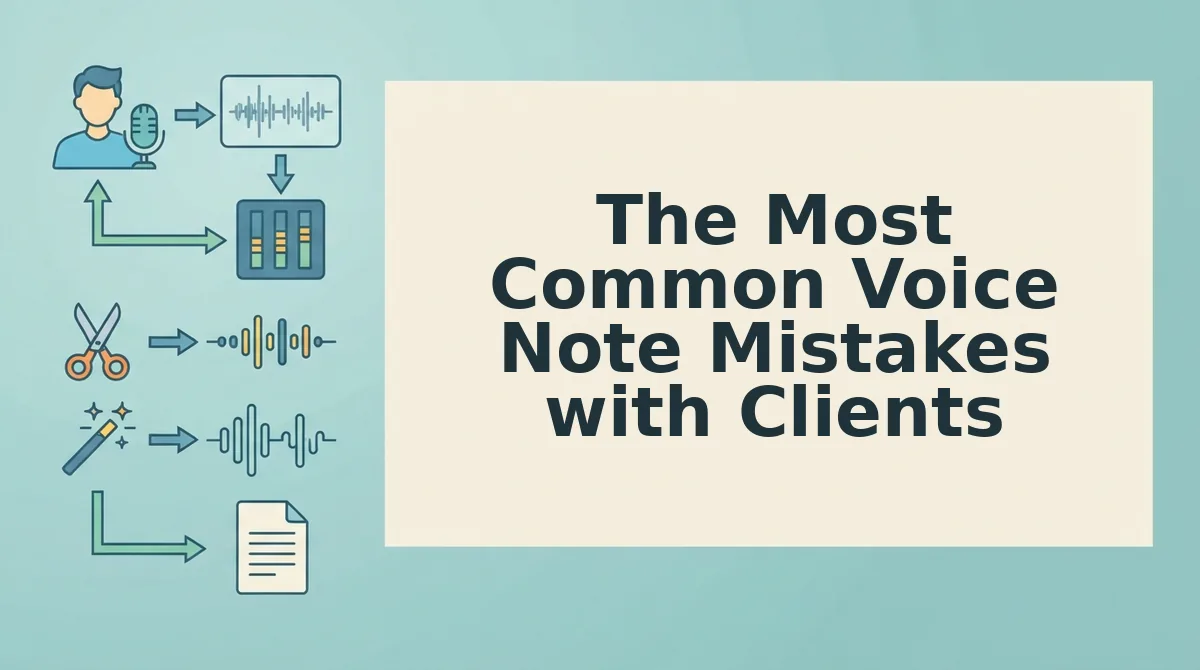
These are the five mistakes that consistently undermine client voice notes, ordered by how badly they damage your credibility. Each one is fixable in a single pass.
- Rambling past the 60-second mark. A voice note that drifts into backstory, context, and side thoughts buries your actual request. Clients stop listening attentively after the first 30 seconds, so anything past one minute is wasted breath. Cut to the ask first, then add only the context that changes the decision.
- Background noise and acoustic distractions. Traffic, coffee shop chatter, keyboard clatter, and breath sounds force the client to work to hear you. That friction transfers to their perception of your professionalism. Record in a quiet space or run a cleanup pass that removes noise while preserving your voice.
- Unclear or buried asks. A voice note that ends with "so yeah, let me know" gives the client no action to take. Without an explicit, singular request, the note becomes a monologue, not a communication. State the ask in the first 10 seconds and repeat it in the final sentence.
- Filler words and verbal hesitations. Ums, ahs, "like," "you know," and "basically" accumulate fast in spontaneous speech. Three fillers in 45 seconds reads as uncertainty, even when your content is solid. YouTube creators show users actively search for how to edit voice notes before sending (Techverse insights, 9,833 views), confirming the demand for cleaner delivery.
- Sentence fragments and grammar slips. Spoken grammar breaks when you think faster than you talk, producing trailing clauses and tense shifts. Clients may not name the problem, but they register it as sloppiness. A grammar cleanup pass tightens phrasing without making you sound scripted.
Every one of these mistakes is fixable without losing your authentic voice. VClar removes fillers, cleans noise, and fixes grammar while keeping your tone, accent, and cadence intact. That raises the real question: when should you re-record, and when should you clean?
Re-Record or Clean? A Simple Decision Rule
Most client voice notes don't need a full re-record, they need a cleanup pass. The decision comes down to one question: is the content wrong, or is the delivery messy?
If the message has 3+ filler words, 2+ sentence fragments, or audible mouth clicks and background noise, clean it. The core idea is intact; the surface is just rough. If the core message is unclear, the tone is off, or you're missing key context the client needs, re-record it. No amount of audio polish fixes a message that doesn't say the right thing.
Here's the contrarian insight: most people default to re-recording because they hear themselves stumble. But a re-record loop often produces worse takes, you get more self-conscious, more robotic, and you burn 10 minutes on a 40-second message. Cleaning preserves the energy of the first take while removing what made it sound unpolished.
| Option | What it fixes | What it can't fix | Time cost | Best for |
|---|---|---|---|---|
| Re-record | Wrong content, unclear message, missing context, wrong tone | Nervous delivery habits (they often get worse on retakes) | 2-10 minutes per take, often multiple takes | Founders pitching a new angle or correcting a factual error |
| Clean with VClar | Filler words, sentence fragments, background noise, breath sounds, mouth clicks | Core message problems, missing information | Under a minute after upload | Sales reps and freelancers sending routine updates, confirmations, or quick project status notes |
| Do nothing / send raw | Nothing | Everything | Zero | Internal team chats where polish doesn't matter |
Honest take: re-recording is the right call when you've genuinely changed your mind about what to say. But if you're re-recording because you said "um" three times, you're solving a 30-second problem with a 10-minute loop. Run the 5-point audit from earlier, if the only failures are filler words and fragments, clean it and send.

How to Sound Professional Without Losing Your Voice
Voice authenticity is the quality of sounding like yourself, your natural tone, accent, cadence, and phrasing, even after a message has been cleaned up for clarity.
Think of it like tailoring a suit: the tailor removes wrinkles and adjusts the fit, but the fabric, color, and style are still yours. Cleaning a voice note works the same way. You remove the verbal wrinkles, the "ums," the false starts, the mouth clicks, without replacing the voice underneath.
Start simple: record your message in one take, the way you'd actually say it to a colleague. Don't script it. Then run it through a cleaning pass that removes fillers and noise while preserving your natural rhythm. VClar does exactly this, it strips out hesitations and acoustic distractions but keeps your tone, accent, and pacing intact.
At the intermediate level, listen to the cleaned version once before sending. Check that the message still sounds like you, not a polished stranger. If a sentence got tightened too much, re-record just that segment and clean again.
Advanced users treat this as a feedback loop. A freelancer sending a weekly project update might record a rough note, clean it, and compare the before/after. Over time, they start self-correcting, fewer fillers in the raw take because they know what the cleaner will remove. The ICECITY MEDIA video highlights that users actively want to change and improve their voice for client communication, cleaning gives you that improvement without sacrificing identity. For founders building client relationships at scale, this workflow fits naturally into the voice notes for founders playbook.
Your Next Voice Note Doesn't Need a Retake
The open loop from the start of this article resolves simply: the reason most client voice notes feel risky isn't that you're bad at speaking, it's that you've been treating every stumble as a reason to start over. The 5-point audit shows you what actually matters. The decision rule tells you when to clean versus re-record. And the authenticity workflow proves you can sound sharper without sounding like someone else.
Here's the forward-looking shift: the professionals who win client trust in 2026 aren't the ones with perfect studio audio. They're the ones who send clear, decisive messages in their own voice, every time, in one take.
Run your next client voice note through the 5-point audit, clean it with VClar, and send it without the re-record loop.