

Guides
Voice vs Text: Choosing How to Communicate
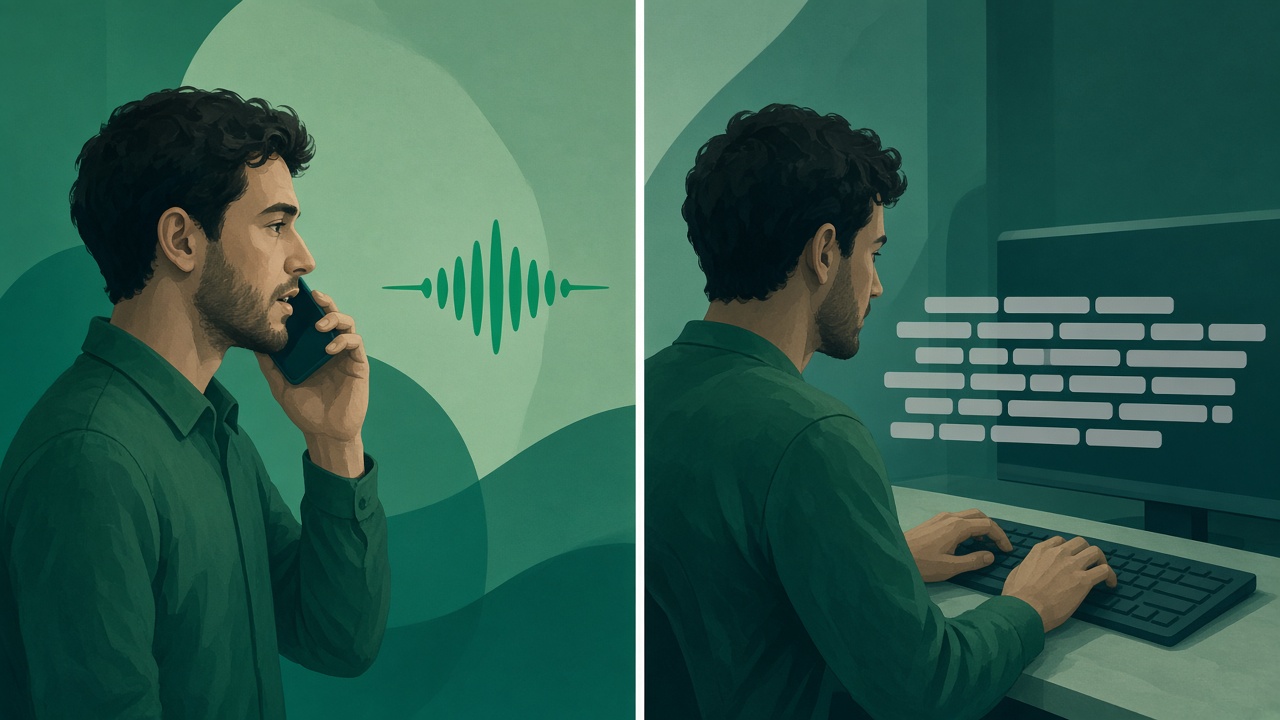
Speak when the listener needs your tone and you already know the point. Type when they need to scan, search, copy, or forward a fact. Many work updates need both, and a cleaned voice note is what lets the spoken half stand next to the written one.

The choice feels personal, and then it wastes a morning. You type a paragraph, delete the first sentence because it sounds cold, and record a voice note instead. You hear the “um,” delete that, and go back to the paragraph. The listener, who only wanted to know whether the launch moved, is still waiting. This page is the decision, not a personality test. Voice carries pace and stance. Text can be scanned, searched, copied, and forwarded. Each one fails at the other’s job. The useful habit is to pick the channel for the job in front of you, and to send both when the job is really two jobs.
VClar sits on the voice side of that choice. It does not replace email, chat, or the ticket. It cleans a spoken message so filler and broken grammar come out, the person’s tone, accent, rhythm, and speaking style stay, and the listener can also read what changed. A raw voice note pushes people back to text because it is hard to use. A cleaned one makes voice available in situations where you would otherwise have typed a flatter version of the same thought. The use-case hub is where that choice lands on a role: a founder, a salesperson, a support agent, an agency account lead. This page is the choice itself.
Voice and text, side by side
Four differences decide most messages. Time is how fast a clear version leaves you. Engagement is what the other person feels, including whether they can tell you are sure. Editability is whether a mistake can be fixed without a second performance. Search and forwarding is whether a third person can find the fact later without playing the file. Voice wins the first two when the words are already known and the relationship matters. Text wins the last two almost every time. Editability is the contested column: text is easy to revise and easy to sand into something you did not mean; voice is awkward to revise unless you can clean the take you already spoke.
| Voice message | Text message or email | |
|---|---|---|
| Time to produce | Fast when you already know the point. A minute of speech is a few hundred words. | Slower to draft, faster to fix a single word once it is written. |
| Tone and engagement | Pace, emphasis, and certainty travel with the words. | Tone is easy to miss, and easy to misread as colder than you meant. |
| Editability | A retake, or a cleanup that shows what changed and keeps your voice. | Delete a clause. Also easy to edit the stance out of the sentence. |
| Search and forwarding | Weak. A third person has to listen, unless a transcript sits beside the audio. | Strong. People scan, quote, and pass the line on. |
Pros of voice messages
Voice is the channel you already use in the room. The recommendation, the apology, the “here is what I heard you say” come out in the order you think them. Writing forces a second translation into a register that often sounds more distant than the meeting you just left. When the point of the message is the stance as well as the fact, that second translation is a loss.
Speed, with the fine print attached
People repeat a round pair, about 150 words a minute spoken and about 40 typed. The measurement to cite is tighter. In “Speech Is 3x Faster than Typing for English and Mandarin Text Entry on Mobile Devices,” researchers from Stanford, the University of Washington, and Baidu timed people entering short phrases on a phone. Mean English speech entry was 161.20 words per minute. Mean keyboard entry on the same task was 53.46. On that copying task, the speech error rate was also lower, 2.93 percent against 3.68 percent.
The setup matters before you promise yourself a threefold save on every email. Participants were copying phrases that already existed. They were not deciding what a contract allowed. The keyboard was a phone keyboard. A person composing a new explanation, choosing which fact matters, will be slower than 161 words a minute on either channel. The same paper cites an earlier IBM study, Karat and colleagues at CHI 1999, in which composing by speech produced 7.8 corrected words per minute and transcribing by speech produced 13.6, against 32.5 for keyboard and mouse, because repairing recognition errors ate the speed. Recognizers are not what they were in 1999. The operational lesson remains. Speaking is a head start when the words are known. A messy result that you re-record, or that the listener asks you to clarify, gives the time back.
The University of Minnesota’s open textbook on communication puts ordinary speech nearer 125 to 150 words per minute. That is the rate to use for a note you are composing out loud, not the 161 of a phrase-copying lab. Forty-five seconds at that rate is about 90 to 110 words. That is a complete work update: what changed, why, and the ask. Two minutes is a short meeting. If your update needs more than two minutes of audio, you probably needed a document, and the voice note should be the cover, not the document.
Tone that text keeps dropping
“Research: Type Less, Talk More” in Harvard Business Review reports experiments in which people undervalued the relational effect of using their voice and defaulted to typing. The researchers were not arguing that every email should become audio. They were showing that senders systematically forget what voice does to the relationship: the other person gets a better sense of you, and the exchange feels more human, than the sender predicts. At work, that gap shows up as a client who reads a correct email as indifference, or a teammate who reads a direct sentence as anger. The same words, heard, carry the calm or the urgency you actually had.

Tone is also where voice can go wrong. A listener cannot skim past the first thirty seconds of searching the way they skim a subject line. If those seconds are filler, a false start, and a sentence that repairs itself, the relational benefit is spent on decoding. A paper in the National Library of Medicine, “Inferring difficulty: Flexibility in the real-time processing of disfluency,” states the production side plainly: as cognitive load increases, speakers become more disfluent. Load rises while people plan an utterance, choose among options, or reach for an uncommon word. Listeners use that disfluency as a cue. They expect the next part to be something that was hard to plan: an object without a simple name, a less likely continuation, a point that needs a longer description.
In a conversation, that cue can be useful. The listener leans in because something difficult is coming. In a client update or a team handoff, the same cue can sound like doubt about the decision, when you were only searching for the name of the file. Cleaning the search noise lets the decision take the attention. Leaving every “um” in, because fillers are human, spends the listener’s effort on your planning. VClar’s job on this choice is the second case. Remove the clutter, repair the spoken grammar, and leave the voice that was doing the relational work the HBR research described.

Voice also travels across a gap in the day. You record when the thought is fresh. They play it when they have a minute. Nobody has to share a calendar for a two-minute point. That is the async advantage, and it is the same advantage text has, with the tone put back in. It fails when the recording is so tangled that the listener replays it or asks for a summary, which quietly converts your voice note back into the email you were trying not to write.
Pros of text messages
Text is the channel people can handle without stopping their ears. They can read it on a train, quote a sentence, drop a date into a calendar, and forward one line to someone who was not in the original conversation. Voice can do none of those without a second step. Pretending otherwise is how voice notes get a reputation for being selfish.
People scan writing. They cannot scan a recording.
Nielsen Norman Group’s article “How Users Read on the Web” reported that 79 percent of test users always scanned a new page, and only 16 percent read word by word. The study was about web pages, not about chat, and the group has repeated the scanning finding for years because it keeps showing up. The transfer to a work message is straightforward. A written update can be entered in the middle. A person looking for the date can spot the digit. A voice note plays from the start. There is no reliable way to jump to “the number” unless you already know the second it was spoken.
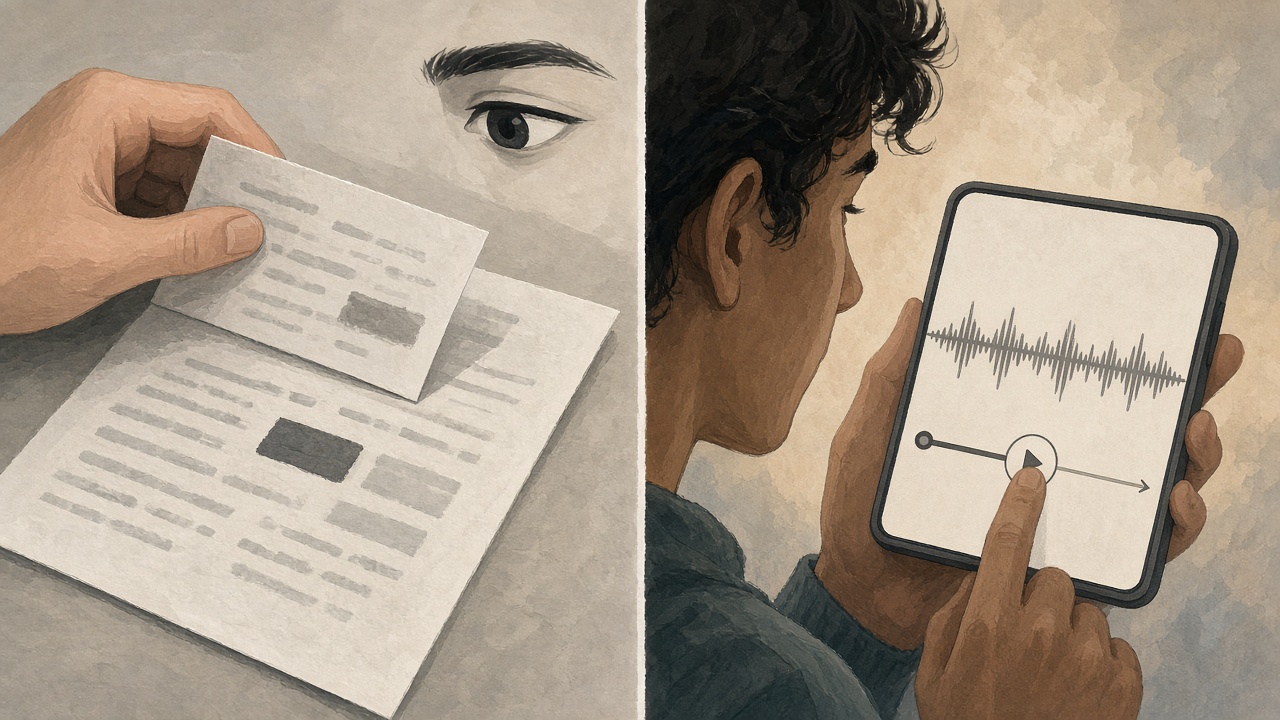
That is why a voice note that buries the ask at the end is a worse object than a short email with the ask in the first line, even when the voice note is warmer. The warmth does not help a person who needed the date and had forty seconds. The practical repair is not “never send voice.” It is “put the point first, and put the scannable fact in text.” The listener who wants the stance can press play. The listener who wants the date never has to.
Search is the same advantage stretched over weeks. A project thread full of audio is a pile of files. A project thread with the decision in words can be found on a Thursday when nobody remembers who said the launch moved. If you send voice, leave a written twin of the decision in the same place. VClar’s cleaned wording is one way to get that twin without typing the explanation again. The audio remains for the person who needs to hear you. The sentence remains for the person who needs to find you later.
Forwarding, quoting, and the third person
Work messages rarely have only two people in them. A manager forwards a line to a specialist. A client pastes a date into a deck. A support ticket is read by the next shift. Text survives that handoff. A voice note survives it only if the next person is willing to listen, or if someone has already written down what the audio said. When you are the only one who heard the nuance, you have created a private copy of a decision that other people need. That is the moment to type, or to attach the transcript to the audio before you forward anything.
Editing points the same direction. A wrong digit in a sentence can be replaced. A wrong digit in a recording is a retake, or a cleanup you have to check, because a fluent edit that changes “Thursday” to “Tuesday” is worse than the stumble. Text makes the correction obvious. Voice makes the correction something you must verify. The diff VClar shows is how a spoken correction stays visible. If you will not look at it, the safer channel for that particular fact is the keyboard.
Text also lets the recipient reply to one clause. They can say “yes to the date, no to the budget” without re-recording a whole answer. A voice thread of replies becomes a stack of monologues. For a negotiation with moving parts, writing is the kinder structure. For a single recommendation with a human reason, voice is the kinder structure. The mistake is using the kinder-feeling channel for a message that has five moving parts.
Typical scenarios
The scenarios below are the ones that actually show up in a workday. They are not a ranking of personality types. The same person will speak at 9 and type at 9:10, if the listener and the fact changed.
Remote teams and other time zones
Harvard Business Review’s guide to asynchronous communication describes teams that collaborate across time zones and have to leave a clear record for someone who is not in the room. A meeting is the wrong tool for a two-minute point. A message is the right tool, and the message can be voice or text. Voice helps when the point includes emphasis: this delay is real, this recommendation is the one to follow, this concern is not a crisis. Text helps when the person who wakes up six hours later needs to pull the date into their own note without headphones.
Remote teams get the most from voice when three things are true. The note is short. The next step is obvious in the first sentences. The recording is clear enough that nobody replays it twice and then asks for a written summary. A muddy voice note in a timezone gap is worse than silence, because the recipient cannot tap you on the shoulder. Cleaning the note is what makes the async choice fair. The remote teams guide is the handoff across the clock. The role pages still apply after you choose voice. A founder directing the company uses the founder guide. A status to a client uses the freelancer guide or the agency guide. “Remote” describes the clock. It does not pick the words.
When the fact has to move fast
Some moments get called emergencies because someone is blocked. A launch is down. A client is waiting on a number. A colleague needs the door code, the budget cap, or the name of the person to call. Those facts belong in text. They have to be copied exactly, forwarded to someone who is not you, and reread in a loud place. A voice note of a door code is a new problem: the listener writes it down wrong, or someone nearby hears it. Speak the meaning if the meaning needs your voice. Write the secret, the identifier, and the instruction.
A different kind of urgency is emotional and still not a substitute for emergency services. “I’m handling it, here is the next step, you do not need to escalate” can be voice, because the stance is the message and a typed version often sounds either panicked or numb. If the recipient is driving, in a meeting, or has told you they cannot play audio, the stance has to survive in a sentence too. Send the sentence. Offer the audio. Do not make the audio the only way to learn that the situation is under control.
Support teams live in this split all day. The ticket needs the order number in a field. The customer sometimes needs to hear that a person looked. The support guide is that workflow. The rule on this page is the same rule: the record is text, the explanation can be voice, and a voice explanation that hides the record is the wrong object.
When the relationship is the point
A recommendation after a hard conversation, feedback that could be read as an attack, a thank-you that would sound like a template, a correction to a client who is already tense: these are voice, if the person will listen. The HBR finding about undervaluing voice is aimed at exactly this moment. Senders retreat to text because it feels safer and more “documented.” The recipient then misses the care that would have made the document land. A forty-second note that states the point and sounds like you is often more professional than a careful email that took twenty minutes and still reads as distant.
The safety people want from text is still available. Put the decision in writing under the audio, in the same words. Then the relationship and the record are not competing. What you should not do is let the written version contradict the spoken one. If the audio says “I recommend we wait” and the email says “we are waiting,” you have made two decisions. Match them. The cleaned transcript is a way to paste the spoken decision without retyping it into a different stance.
When you should send both
Both is the default worth trying for anything that has a feeling and a fact. The feeling is the voice note: what you decided and why it is reasonable. The fact is the line underneath: the date, the link, the amount, the name of the file. People who want to hear you will press play. People who want to act will read the line. You recorded once. You did not maintain two conflicting messages.

Both fails when the audio is three minutes and the line underneath says “see above,” because there is no above on a voice file. Both fails when the transcript is the raw stumble and the audio is the cleaned version, and they disagree. Send the version you checked. If a stakeholder will only read, the text they read must be the decision, not a hint to go listen.
How VClar helps the voice half
The gap people actually feel is not “voice versus text” in the abstract. It is “casual voice versus a formal paragraph.” Raw speech sounds unfinished next to edited prose, so senders throw away the tone and type. Edited prose then sounds unlike the person. VClar is the bridge: the message you already spoke, with the clutter out and the voice still yours. You do not have to become a scriptwriter to earn the right to send audio.
The path is the same whatever the scenario. You record or upload. VClar removes filler words, fixes spoken grammar, and improves clarity. You see the original wording and the improved wording. If the listener needs another of the supported languages, the cleaned meaning can be translated, and the spoken delivery can stay recognizable. The languages are Hindi, English, French, Japanese, Korean, German, Russian, Portuguese, Spanish, Italian, and Chinese, in 110 directions. The workflow guide is that order for any role. The translation guide is the long version of clean-then-translate. The multilingual teams guide is the same order when the listeners work in another supported language. Clean first, so you do not translate a false start into a confident error.
What the product will not do is choose the channel for you. A cleaned voice note is still a poor place to hide a contract clause. A transcript is still a poor substitute for hearing that you are calm, if calm was the point. The filler guide and the spoken-grammar guide explain the edit. This page explains when the edit is worth making, which is whenever you were about to abandon voice because the first take sounded too human, and whenever you were about to abandon text because the paragraph sounded unlike you.
Choice stays with the sender and the recipient. Nothing here says a team must move to voice. A person who wants email should get email. A person who wants a short audio explanation should get one they can follow on the first play. Privacy follows the same idea of control. New accounts keep recordings, transcripts, and outputs until the person deletes them. Automatic deletion can be set to 14 days or 30 days. People can delete their data without closing the account, and they can delete the account from settings. The privacy policy is the document. Sending a voice note about someone else’s business still means you decide how long that file lives.
A worked comparison makes the bridge concrete. This is an illustration, not a customer recording.
| Typed, after three revisions | Spoken, then cleaned |
|---|---|
| Hi team, wanted to circle back on the timeline. After reviewing the latest inputs, we will proceed with Thursday as the target, assuming no further blockers. Please let me know if there are concerns. | We’ll keep Thursday. The latest inputs don’t change the plan, and I’ll only move it if someone raises a real blocker today. Tell me if that blocker is yours. |
The typed version is scannable and a little hollow. “Wanted to circle back” delays the decision. “Assuming no further blockers” hides who must speak up. The spoken version, once the fillers are gone, says the decision, the reason, and the ask in three sentences, in a voice the team already knows. The date still belongs in the calendar and in the first line of the thread, in digits, because “Thursday” spoken once is not a system of record. Together they are the message. Alone, each one is missing half.
Notice what the cleanup must not do. If you said “Thursday” while unsure, and the cleaned line sounds certain, the diff should make that certainty visible so you can put the hedge back if the hedge was real. Polish is not permission to sound more decided than you are. The HBR point about voice is that people can hear your real stance. A cleanup that invents a braver stance has thrown that advantage away. Read the change. Then send.
How to decide in under a minute
Use this sequence when you are staring at the record button and the compose box at the same time. It is a decision aid, not a house style.
- Name the listener’s job. Do they need to feel the stance, or extract a fact, or both?
- If they need a fact they will copy, forward, or search, put that fact in text. Do this even if you also send audio.
- If they need the stance, and they can listen, record the explanation in your own words. Lead with the point. Stay under two minutes unless they asked for the reasoning.
- Clean the recording if a restart or a filler would make the stance sound unsure. Check that names, dates, and the ask survived.
- If they have told you they want writing only, stop at the text. Preference beats your preference for voice.
- If the message has many moving parts, write the parts. You may still speak a single sentence that says which part matters most.
Run two messages through it. A founder telling investors that a hire slipped: the stance matters, the new date must be written, so both. The founder page is the longer version of that note. A list of three options for a client to pick from: text, because they will reply to option two and ignore the warmth. A support agent telling a customer the replacement left the hub: voice for the reassurance, the tracking detail in the ticket. An agency lead explaining why a budget moved: voice for the judgment, the sheet in the thread. The sequence does not change. The role pages change the examples.
Etiquette sits inside the same sequence. Say who you are if the audio might be forwarded. Do not send a voice note into a channel where the norm is one-line text unless the content earns the exception and you keep it short. Do not send a voice note at a time the person cannot listen and then treat silence as agreement. Do not use voice to avoid writing down a commitment you hope will be forgotten. The channel feels softer. The commitment is the same, and the transcript will show it.
Length is etiquette too. At 125 to 150 words a minute, a 30-second note is a tight update and a three-minute note is a demand. If you need the longer reasoning, write it and speak the conclusion. Listeners owe you the conclusion. They do not owe you the workshop. The scanning research is the reminder: people already skip words that are written down. They cannot skip words that are only in a file they must play. The best-practices guide is the recording floor under this choice: plan the point, keep a routine note short, listen once, and polish when the facts are already right.
Questions people ask before they hit record
The questions below are the ones that sit above any single role. The use-case guides stay specific to founders, sales, support, agencies, and the other listeners. These answers stay on the choice between speaking and typing.
Should I send a voice message or a text?
Send a voice message when you already know the point and the listener needs your tone: a recommendation, a reassurance, a correction that could sound harsh in writing. Send text when the listener must scan, search, copy, or forward a fact: a date, a link, a price, a list of options. Many real updates need both. Speak the explanation. Type the fact beside it. If the voice note is full of restarts, clean it before you send it, or the listener will wish you had typed.
Are voice messages professional?
They are professional when the note is short, the point is in the first sentences, and the listener can play it. A client, a teammate, or a manager can hear care and certainty in a voice that a paragraph often flattens. They stop being professional when the recording rambles, when the person asked for email, or when the only copy of a number lives in the audio. Professional is a match between the channel and the job, not a rule that one channel is always formal.
When should I use a voice note instead of email?
Use a voice note when you would explain the thing more clearly out loud than in a draft you will revise three times, and when the reader benefits from hearing that you mean it. Use email when the message will be quoted, filed, or checked line by line. A useful pattern is a short voice note for the recommendation and an email, or a few lines under the audio, for the date and the link. Email remains the record. The voice note is the explanation.
Do people prefer voice or text?
There is no single preference that covers every listener. Experiments reported in Harvard Business Review found that people undervalue the relational effect of voice and then default to typing. Eyetracking and reading research from Nielsen Norman Group found that people usually scan written pages rather than read them word by word, which is a real advantage of text. Ask what the task needs, and what that person has already told you they will actually play or read. A preference for email is a preference. Honor it.
How do you use voice notes effectively?
Know the point before you record. Lead with it. Keep most work notes under a minute or two. Put anything the listener must copy into text next to the audio. Listen once, or read the cleaned wording, and fix a wrong name before you send. Do not re-record just to sound smoother. Remove the filler and the false start, keep your voice, and send the take you already spoke.
Can voice messages save time?
They save time when the words are already in your head. A lab study of short phrases on a phone found mean English speech entry at 161.20 words per minute and keyboard entry at 53.46 on the same copying task. Ordinary conversation sits nearer 125 to 150 words per minute, so a 45-second explanation is a real update. The time comes back only if you do not spend it re-recording or repairing a messy note. An older composition study found that fixing recognition errors can erase the speed advantage. A cleaned first take is how the save survives.
Is it rude to send a voice note?
It is rude when the person cannot listen, asked you not to, or has to mine a long recording for a fact they needed in writing. It is ordinary courtesy when the note is short, the point is first, and the listener is someone who already talks with you. A two-minute monologue dropped into a thread where everyone else writes one line is a demand on their time. A 30-second explanation of a decision, with the date typed underneath, is not.
How long should a voice message be?
Most work updates fit in 30 to 90 seconds. At a speaking rate of about 125 to 150 words per minute, that is roughly 60 to 200 words: enough for what changed, why, and what you need. Past two minutes you are asking for a meeting the other person did not book. If the reasoning truly needs longer, say the recommendation in the first sentence and warn them that the why follows. If you cannot say the point in two sentences, you are not ready to record.
Can voice messages be transcribed?
Yes. A voice message can have a written form beside the audio. In VClar you see the original wording and the improved wording, including grammar notes and the fillers that were removed, and you can send the text, the audio, or both. That written form is how a voice note becomes searchable and forwardable. It does not replace the voice. It gives the listener a way to grab the fact without replaying the explanation.
Where to go from the choice
If the choice is voice, open the guide for the person who will hear it. If the choice is text, send the text and keep this page for the next message that actually needs your voice. If the choice is both, record the explanation, clean it, and put the fact in writing in the same thread, in the same words.
The button below opens the product on a recording you already have. If you want to hear a cleaned note before you upload your own, open the live demo. Bring a note you were about to retype because the first take sounded unfinished. The diff will show whether the cleaned version kept the stance you meant, which is the only reason to speak instead of type.