

Use cases
Voice Messaging for Remote Work
A remote team can leave the office feeling in a voice note and the decision in a sentence. Record when your day ends. They listen when theirs starts. VClar cleans the wording so you do not re-record a take that already says the right thing, and you still paste the fact into the channel they already check.

Picture a developer in Berlin logging off, and a teammate in Toronto who will not be online for seven hours. The build is blocked on one choice. A meeting would steal the Toronto morning or the Berlin evening. A ticket that says “blocked” does not say whether you are calm about waiting or whether you need the choice before their lunch. A voice note can carry that stance, the office feeling of a person who already decided how worried to be. The ticket still has to carry the fact, because a waveform cannot be searched on Thursday.
This page is that handoff. It is not a second copy of the founder guide, the freelancer guide, or the agency guide. Those pages are about who is speaking and who is listening. Remote is the clock. The use-case hub keeps the roles. Here the question is how a team that does not share an hour leaves a note the other hour can use.
Why voice matters in remote work
Harvard Business Review’s piece on asynchronous communication describes teams that collaborate across time zones and have to leave a clear record for someone who is not in the room. A meeting whose only job is to read a status out loud is the expensive way to do that. A status that is waiting when the other person sits down is the cheaper way. Voice earns a place in that cheaper way when the status has a feeling in it: confidence, doubt, urgency that is real, reassurance that the slip is acceptable. Text is better at the digit. Voice is better at the stance. A remote team needs both, because the person on the other side cannot see your face and cannot ask you to say the day again before their own meetings start.
GitLab’s notes on remote communication define asynchronous in the plain way: people get the information when they can handle it, usually not live, and a weekend message does not demand a weekend reply. The same piece asks for one topic per message, because a pile of questions in one email is how items get forgotten. It also prefers a written record, issues first, then email, then chat, so the answer is visible to the next person who has the same question. A voice note does not replace that written record. It sits beside it. On this handoff, the audio is how a distributed team stays human without booking a call. The sentence in the issue is how the team stays searchable. GitLab is describing its own bias toward writing. The useful borrow is the definition and the one-topic rule, not a claim that GitLab sends voice notes.
“Research: Type Less, Talk More” in Harvard Business Review reports experiments in which people undervalued the relational effect of using their voice and defaulted to typing. The researchers were not arguing that every email should become audio. They were showing that senders forget what voice does to the relationship: the other person gets a better sense of you than the sender predicts. A remote teammate is the person most likely to miss that sense, because they never share a room with you. A voice message is the recorded form of the same instinct: say it, with pace and emphasis, and let them hear it on their clock. The limit is the same one the async articles already have. If you needed a discussion, you needed a meeting in the overlap you do have, or a written question they can answer. A voice note that hides three questions inside four minutes recreates the email GitLab warned about, with the added cost that nobody can skim it.

What the other office actually hears
They hear you at the start of their day, often on a laptop speaker, often while they are reading the ticket you also filed. If the first ten seconds are weather, apology, and “quick one,” you have spent the only fresh attention they have on the lobby. If the first sentence is the decision, they can act before standup and listen to the tone on the walk to the kitchen. That is the office feeling: not a performance, a person who sounds like the person they know, saying the thing that changed.
They will not hear you well if the note is a sidewalk recording full of repairs. A National Library of Medicine paper on disfluency finds that as a speaker’s cognitive load rises, speech becomes more disfluent, and listeners treat filled pauses and repairs as a sign the speaker is working hard to plan. On a remote team that cue is expensive. The listener cannot see that you were walking and thinking. They hear a blocked build described by someone who sounds unsure which day they mean. Plan the point before you record, so the leftover “um” is not the message. Cleaning it afterward keeps their attention on the blocker, not on your planning.
Speed is real, and it is not a reason to skip the plan. A Stanford, University of Washington, and Baidu study of short phrases found English speech at a mean of 161.20 words per minute against 53.46 for a phone keyboard, on a copying task. The same paper cites earlier composition research in which speech, after people corrected it, was slower than keyboard-and-mouse composition: 7.8 corrected words per minute against 32.5. The link is “Speech Is 3x Faster than Typing for English and Mandarin Text Entry on Mobile Devices.” For a remote update the reading is practical. Once you know the blocker, saying it is faster than typing a careful email. Discovering the blocker into the microphone, then re-recording until it sounds sure, is the slow path, and the fifth take is often a slightly different decision. Say the take you mean. Clean the wording. Do not perform the decision into existence.
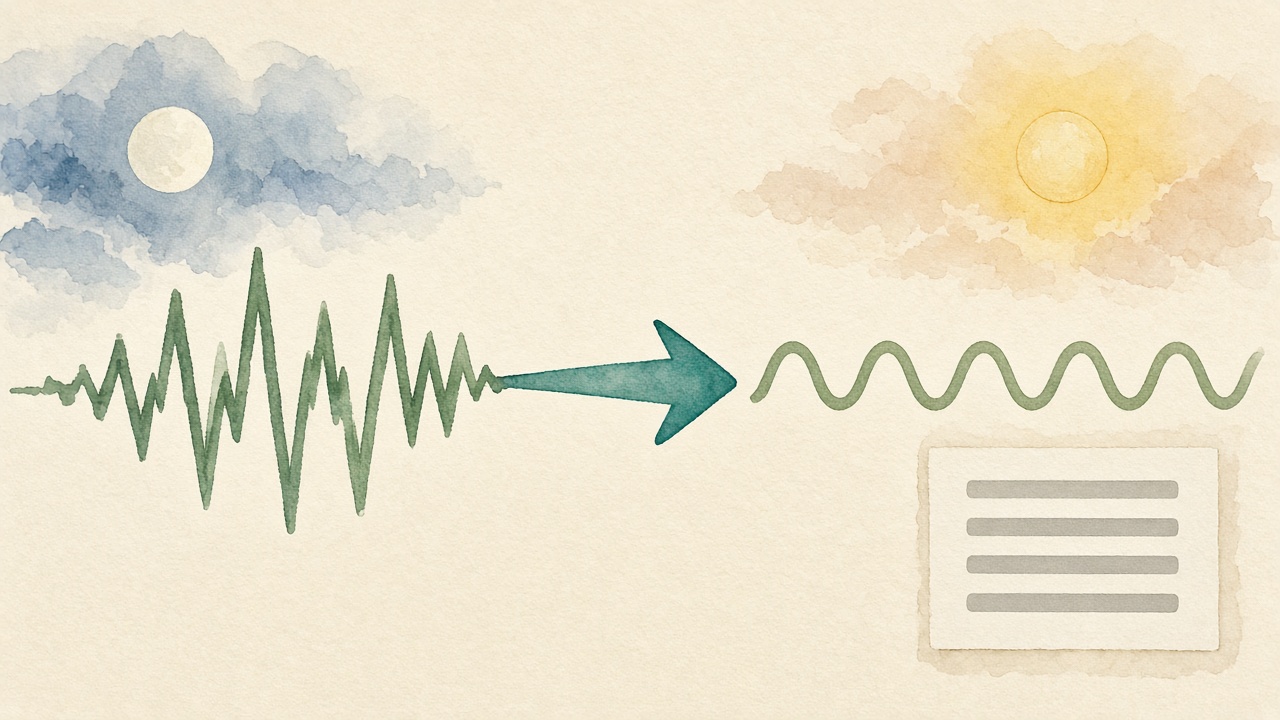
VClar’s role (clear, no re-record)
VClar is the pass between the take and the channel. You record or upload. You tap Enhance. Filler, spoken grammar, and clarity are cleaned together. You read the original wording next to the cleaned wording. If the other office needs another supported language, you translate the cleaned meaning, not the false start. You download the audio or copy the text. The workflow guide is that order in full. The technology guide is why an “um” comes out as a language decision rather than as a noise gate.
The no-re-record rule is narrow. If the meaning is right and the wording is messy, keep the take. Tone, accent, rhythm, and speaking style stay recognizable, which is the entire point of sending voice to people who know you and cannot see you. The non-native speakers guide is the teammate whose accent is how the other office recognizes them. If the day is wrong, the name is wrong, or you were angry and the heat is what you do not want waiting in their morning, re-record or type. Polish does not launder a mood, and it does not invent a fact you never said. VClar has not published an accuracy percentage. The diff is the check.
Translation is optional and bounded. The public languages are Hindi, English, French, Japanese, Korean, German, Russian, Portuguese, Spanish, Italian, and Chinese, 110 directions. A Berlin note in English for a São Paulo teammate can become Portuguese after the English is clean. A language outside that list is a stop. The languages hub lists that set. The multilingual teams guide is the language layer. This page stays on the clock. Do not promise both a time-zone handoff and a language the product does not list.
A handoff, written as an illustration
This is not a customer story and not a measured time saving. It is the shape of one evening.
| What Berlin records at 18:40 local | What Toronto should have at 09:00 local | |
|---|---|---|
| Raw take | Um, hey, so the build, uh, I’m not blocked on the login, it’s the webhook, Tuesday is fine, no, we need a call if it isn’t green by Wednesday morning your time. | A teammate can hear “Tuesday” and miss the webhook. |
| After the wording pass | The build is blocked on the webhook, not on login. Tuesday is fine only if it is green. If it is not, we need a call Wednesday morning Toronto time. | The stance is calm and specific. The condition is still a condition. |
| Text line in the ticket | Blocked on the webhook, not login. Green by Tuesday is fine. If not, call Wednesday 09:30 America/Toronto. | |
The dangerous tokens are “not the login” and “Tuesday is fine, no.” A transcript that keeps the first noun, or a cleanup that drops the “no,” sends Toronto to the wrong bug. The text line uses a clock and a zone name so “morning” does not have to be translated across the Atlantic. The audio is there so Toronto hears that Berlin is not panicking, which a red ticket label cannot say. If the cleaned line had turned the condition into “the call is Wednesday” with no “if,” you would reject it. The uncertainty was the message.
Collaboration tips
Send at the end of your day when their day has not started, and do not expect a listen in your evening. That is the time-zone habit. The note is a queue item, not a ping. If something is truly blocking before they wake, the text line says so with a clock: “Need a yes before 09:30 America/Toronto.” “EOD” is an idiom. It means a different hour in every city, and it means nothing to someone who read the message at their own end of day. Name the zone every time the hour matters. Name it in the text, not only in minute two of the audio.
One topic. GitLab’s one-question rule maps directly onto a waveform, which is even harder to scan than an email. A blocker and a piece of product feedback are two notes, or one note plus a text line that separates them with two sentences. Product feedback has a shape of its own: what you heard, who it was for, and what you are not asking them to build tonight. “Users stumbled on the webhook error, and I am not asking for a redesign before Wednesday” is a gift to a designer who will otherwise hear a complaint and start a spec. Say the boundary out loud. Then type the boundary, because the designer may be in a critique and will read before they listen.

Lead with the decision even if you explain after. Remote listeners often play at 1.5x or they play the first fifteen seconds and then open the ticket. You cannot control their speed. You can control whether the decision is in the part they will hear if they stop early. The best-practices guide is the recording floor under this: quiet room, finished consonants, under about two minutes for a routine update, listen once. A lesson someone asked to hear can run longer. A blocker should not.
Match the channel the team already trusts. If decisions live in the issue tracker, the tracker gets the sentence and the chat gets the audio for people who want the voice. If the team lives in Slack, Slack can carry both. Slack’s help on clips says you can share audio and video clips up to five minutes in a channel or direct message, so a team can communicate regardless of time zone. Anyone there can play the clip and reply in thread with a clip of their own. You can generate a transcript after an audio clip is shared. That transcript is Slack’s. It is not a cleaned wording pass, and VClar is not a button inside the Slack composer. Record or upload in VClar, export, and attach or paste. A clip recorded only inside Slack is fine when you are already happy with the words. It is the wrong path when the words need the diff first.
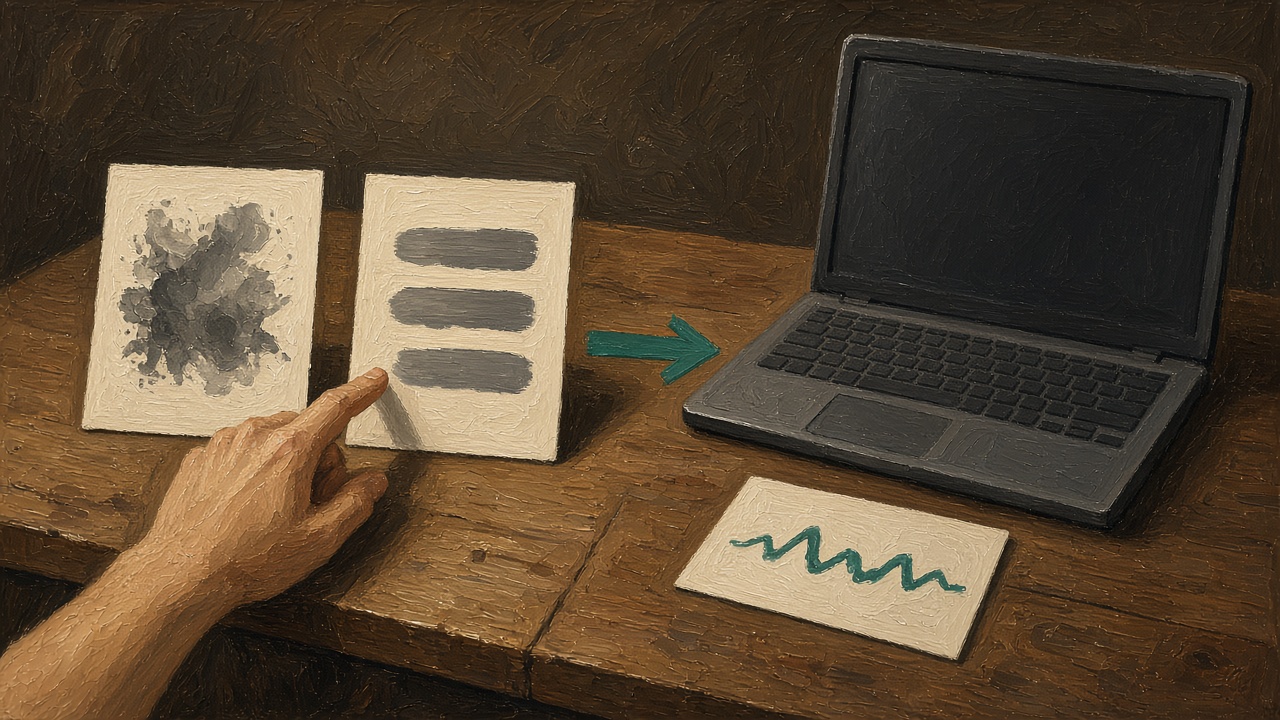
There is no VClar integration with Slack and none with Microsoft Teams. No bot joins the channel. No voice message is pulled out of a huddle or a Teams call. You post the file yourself. Companies that need a connector approved before anyone may upload audio should say so on the contact page. Waiting for a connector that is not shipping does not move tomorrow’s blocker. The file and the sentence do.
Where voice should stay out of the queue
Skip voice when the content is a password, a payment number, a one-time code, or a medical detail. Type those through the path the company already uses for secrets. Skip voice when you are still angry. Emphasis survives cleanup, and a remote teammate will hear it at the start of their day with no chance to see that you cooled off. Skip voice when the decision is not made. “I think maybe the webhook” is a question and belongs in text where they can answer it without replaying you. Skip voice when someone has said they cannot listen, or they have asked for writing. Believe them. The voice versus text guide is that choice in full. On this page the default for a remote status is both: audio for the stance, text for the fact.
Skip a second topic that is really feedback about a person. A voice note about a teammate’s work, forwarded into a channel they are not in, arrives harder than you remember feeling, and it can be replayed. Praise in public audio is welcome when it is specific. Criticism of a person belongs in a live conversation in the overlap you do have, or in a careful written note to them, not in a file the whole channel can play on Monday.
Status, decision, and question
Remote voice notes collapse three jobs into one file, and that is why they feel noisy. A status says where the work is. A decision says what you already chose. A question asks them to choose. Put them in one clip and the listener has to replay to find which sentence needs an answer. Split them. Status can be a sentence in the ticket with no audio at all. A decision earns the voice, because the stance matters: you are comfortable slipping, or you are not. A question should be text, because they can reply in a thread without wearing headphones, and because a question buried at minute three of a clip is the item GitLab’s one-topic rule was written to save.
If you truly have all three, send three objects. The ticket gets the status. The voice note gets the decision and the reason in your voice. The question gets its own message, with the ticket link, so a person scanning chat can answer it without playing you. “Quick update plus one question” is how the question dies. The word “quick” is doing the hiding. Say the question first if you must combine them, and type it above the file so a person who never presses play still sees it.
A decision that is still a proposal is a question. “I am going to slip Tuesday unless you object by 09:30 America/Toronto” is a decision with a window, and the window has to be in the text line. “Should we slip Tuesday?” is a question. Do not dress the question as a voice memo so it feels more decided than it is. The other office will hear confidence you did not mean, and they will build on it while you sleep.
What the listener owes the note
The person who wakes up to the file has a job too. Play it once before you reply in public, so you are answering the condition and not the first noun. If the text line and the audio disagree, trust neither until you have asked. Reply in the tracker with the fact, and reply in the thread with the tone if tone is what they needed. Do not forward the file into a channel the speaker did not name. A note recorded for one designer is not a broadcast. Remote teams leak context by dragging a clip into a larger room because it was easy. Ask, or leave it where it was posted.
If you cannot listen, say so in text the same day. “I read the sentence, I have not played the audio, the webhook plan stands” is a complete reply. Pretending you heard the stance when you only read the label is how the office feeling gets wasted and then resented. If the audio is longer than the agreement you have as a team, you can ask for the text line and stop. You do not owe a full replay of a six-minute tour of someone’s afternoon. The sender owed you a short decision. You owe them an honest answer about what you consumed.
When you are the listener in the other language, read the translation against the original if both are in the diff, the way the multilingual guide describes. A time zone does not make a translated condition safer. “If it is not green” can become “it is not green” in a hurry. The original column is still the source. Reply in the language the tracker uses for decisions, and keep the voice reply in the language you actually speak. Do not perform a language you do not have in order to sound local. VClar can translate the cleaned meaning into a supported language. It should not be how you invent fluency you will have to defend on a call.
The overlap you still keep
Async is the default for status. It is not a ban on meetings. Keep a small overlap for the argument that cannot be left in a file: a disagreement about the product, a person who is struggling, a customer who is angry and needs a live voice. Book that overlap on the calendar as a real hour, with a zone name, and protect it. Do not fill it with round-robin updates that could have been the note this page describes. A meeting that only reads tickets aloud is the waste an async record is meant to avoid. HBR’s piece is about the skill of working with people who are not in the same hour. The meeting that survives should be the one where people change each other’s minds, not the one where they read tickets aloud to prove they were awake.
Write the agenda as decisions, not as topics. “Webhook: slip or cut scope” is an agenda. “Webhook update” is an invitation to narrate. If the decision is already made, cancel the meeting and send the voice note. If the decision is not made and both sides need to see a diagram, keep the meeting and do not pretend a clip will do it. A remote team that records everything and meets about everything pays twice. Pick the object that matches the job.
Standup is the usual place this goes wrong. A spoken standup across eight time zones means someone is always early or late, and the content is status. Replace the spoken tour with the text line, and keep voice for the one person who has a decision or a blocker with a feeling in it. The others can write “no change” without a waveform. That is not colder. It is how you stop making the person in the worst time zone perform presence.
A day that crosses the map
Morning in Toronto, the webhook note is already in the ticket with the clock time, and the audio is there for anyone who wants the tone. They do not call Berlin, because Berlin is asleep and the note said the call is conditional. They fix or they schedule. That is the handoff working.

Afternoon in Toronto, someone has product feedback from a user call. They record it for a designer in Lisbon who has finished for the day. The note leads with “not a redesign,” then the stumble they saw, then the text line with the ticket link. One topic. The designer plays it with coffee, not as a surprise spec. If the wording was full of “um” and a repaired screen name, it was cleaned before it was posted, and the screen name was checked against the original column.
Evening in Lisbon, the designer records a short reply: the stumble is real, the fix is a label, not a flow change, and they will not start until the webhook blocker is green. That file is cleaned, the label text is pasted in the ticket, and Toronto gets it overnight. Nobody added a meeting. The condition stayed a condition because someone read the diff.
The next morning, look at whether the text lines and the audio still agree. Remote threads rot when the ticket is updated and the audio is not, or the reverse. The durable object is the ticket. The voice is for the hour they listen. If your retention setting deletes the VClar file after 14 or 30 days, the ticket sentence has to have been copied while the diff was on screen. New accounts keep recordings until you delete them. Automatic deletion is optional. The privacy policy is the document. A blocker that names a customer is still customer data. Do not upload a recording you were told not to keep.
How this stays distinct from the other guides
A founder directing the company still uses the founder guide for investor and staff notes. An instructor still uses the instructor guide for a lesson. A freelancer explaining status to a client still uses the freelancer guide. A support agent after a call still uses the support guide. Those listeners are different. What they share, when the company is distributed, is the clock. Use this page for the handoff, and the role page for the words that role owes. Do not merge them into one URL. A remote founder is both. The founder page says what an investor note contains. This page says when to record it so the other city wakes up to it, and how the sentence survives in the tracker.
Language is the other split. A time zone and a language barrier often arrive together, and they are still two jobs. Clean the note, then translate if the pair is supported, using the multilingual guide. Do not skip the text line because you also made audio in their language. A person in a meeting can read Hindi or Portuguese faster than they can find headphones. The digit stays in text in any case.
The WhatsApp how-to is the export when the file is already a WhatsApp voice note from someone on the team. VClar does not read the chat. You bring the audio out, then this handoff applies: one topic, a diff, a text line, a zone name if the hour matters.
A checklist for the note you leave behind
- Write the decision, the condition, and the ask. If you are still deciding, send a question in text instead.
- Record one topic, in a quiet place, starting on the decision.
- Enhance. Read the diff. Reject a flipped “not” or a condition that became an order.
- Paste one text sentence where the team searches. Include a clock and a time zone if an hour matters.
- Attach the audio only if it matches the sentence and the voice is still yours.
- Do not expect a reply on your clock. Say so if a reply is actually due before a named hour on theirs.
That list is the whole remote practice. The tools around it, Slack clips, tickets, VClar, a translator, are how you carry the list. None of them is the list. A five-minute Slack clip with three topics and no sentence still fails. A beautifully cleaned note that never reaches the tracker still fails. The other office has to be able to act without you in the room. Build the note for that absence.
Questions remote teams ask before they record
The role pages stay on the listener. The channel help, including Slack’s, stays on the channel. These answers stay on the handoff.
Are voice messages effective for remote work?
They are effective when the note is short, the decision is in the first sentences, and a text line carries any fact someone must copy or find later. They fail when they are long, muddy, or the only place a date exists. A remote teammate cannot tap you on the shoulder to ask you to repeat the day. Cleaning the wording, and writing the decision beside the audio, is what makes the voice note fair across a time zone.
How do remote teams communicate asynchronously?
They leave an object the other person can use when they are free: a ticket, a short text line, and sometimes a voice note for the stance. GitLab’s remote-communication guidance defines asynchronous as getting information when you can handle it, usually not live, and asks for one topic per message. A meeting is for an argument that needs everyone awake. A voice update is for a decision that already exists and has to travel to an office that is asleep.
What is asynchronous voice messaging?
You record when you are free. They listen when they are free. Nobody is on the line together. The note has to stand alone: who it is for, the decision, and the ask. VClar is the cleanup between those two moments, so the listener is not paying for your false starts. It is not a live call, and it does not join Slack or Microsoft Teams.
Can I send voice messages in Slack?
Slack can. Slack’s own help describes audio and video clips up to five minutes in a channel or direct message, which teammates can play later and answer in thread with a clip of their own. You can generate a transcript after an audio clip is shared. VClar does not sit inside Slack. You clean a voice message in VClar, then attach the audio or paste the text into the Slack message. Slack’s recorder and VClar’s wording pass are two different tools.
What are the best practices for a remote team update?
One topic. Lead with the decision. Name the time zone instead of saying “end of day.” Keep a routine note under about two minutes. Listen once. If the facts are right and the wording is messy, polish instead of re-recording. Put the date and the owner in text under the audio. The best-practices guide is the longer version of the recording habits. This page is the handoff across the clock.
What tools allow voice notes for teams?
The channel you already use can carry the file. Slack documents its own audio clips. WhatsApp, email, and a ticket can carry an attachment or a pasted sentence. VClar is the step before the channel: record or upload, clean filler and spoken grammar, translate the cleaned meaning if the other office needs one of the 11 supported languages, and export audio or text. It is not a replacement for the channel.
Does VClar integrate with Slack or Teams?
No. There is no Slack connector and no Microsoft Teams bot. You download the audio or copy the text and post it yourself. If you need a workflow your company has to approve, write through the contact page. Do not wait on an integration that is not in the product. The handoff works today with a file and a sentence.
Leave the note their morning can use
Take one decision you have already made. Record it at the end of your day. Clean it if the wording is messy and the facts are right. Put the fact in the tracker with a time zone if an hour matters. Attach the voice if the stance will help, and only if it matches the sentence. If a Slack or Teams connection is a procurement question, use the contact page. The handoff itself does not wait on one.