

Use cases
Support Teams: Use VClar to Streamline Documentation
Support teams use VClar to turn a spoken call note or a customer follow-up into a clearer message: filler and broken grammar come out, the agent’s voice stays, and the cleaned meaning can be translated when the customer uses one of the 11 supported languages.

A support agent ends a call with the answer still in their mouth and a ticket still empty. The customer is waiting on a refund status, a replacement, or a password that never arrived. The next agent on the queue will inherit whatever gets written down. Typing that note from scratch, after a full conversation, is where shifts lose their minutes. Speaking it is faster. Sending the spoken version raw is how a careful agent sounds unsure, and how a wrong product name becomes the official story.
This page is about that job only. It is the customer-support guide in the use-case hub. Founders recording an investor update, and salespeople sending a follow-up after a demo, have their own guides. An agent writing the record of a problem, or sending the customer the outcome, is here. The product is the same. The listener is different, and the cost of a muddy sentence is different. A buyer can ask the salesperson to repeat themselves. A ticket that says the wrong SKU sends the warehouse the wrong box.
Benefits: speed, clarity, and empathy
Support leaders look at voice for three reasons that have to stay tied together. Speed is why the agent speaks the note instead of typing it. Clarity is why the spoken note still has to be edited before anyone else relies on it. Empathy is why some of those notes should be heard, not only read. Drop any one of the three and the workflow gets worse: a fast transcript nobody trusts, a polished paragraph that sounds like a macro, or a warm message that never states what happens next.
| Benefit | What the agent needs | What fails if it is missing |
|---|---|---|
| Speed | A note captured while the call is still in memory | The queue waits, or the handoff is a one-line placeholder |
| Clarity | A next step a stranger can follow on the first read or the first play | The next agent re-asks the customer, or ships the wrong fix |
| Empathy | A voice that still sounds like the person who handled the case | The customer hears a script, or hears a stumble and doubts the answer |
Speed
People often round the gap between speaking and typing to about 150 words a minute spoken and about 40 typed. That pair is a shorthand, and it is rough. The measurement to use is the one a lab actually published. In “Speech Is 3x Faster than Typing for English and Mandarin Text Entry on Mobile Devices,” researchers from Stanford, the University of Washington, and Baidu had people enter short phrases on a phone. Mean English speech entry was 161.20 words per minute. Mean keyboard entry on the same task was 53.46. Speech was about three times faster, and on that copying task the speech error rate was lower than the keyboard error rate, 2.93 percent against 3.68 percent.
Read the setup before you put those numbers on a support dashboard. The task was transcription of phrases that already existed. Participants were not deciding what a refund policy allowed. The keyboard was a phone keyboard, not the desktop keyboard an agent uses with a headset and a ticket form. A desktop typist who already knows the sentence will be faster than 53 words a minute. An agent composing a case note, choosing which fact matters, will be slower than 161. The study is still the right citation for the direction of the gap: getting words out by voice is a large head start when the words are already known.
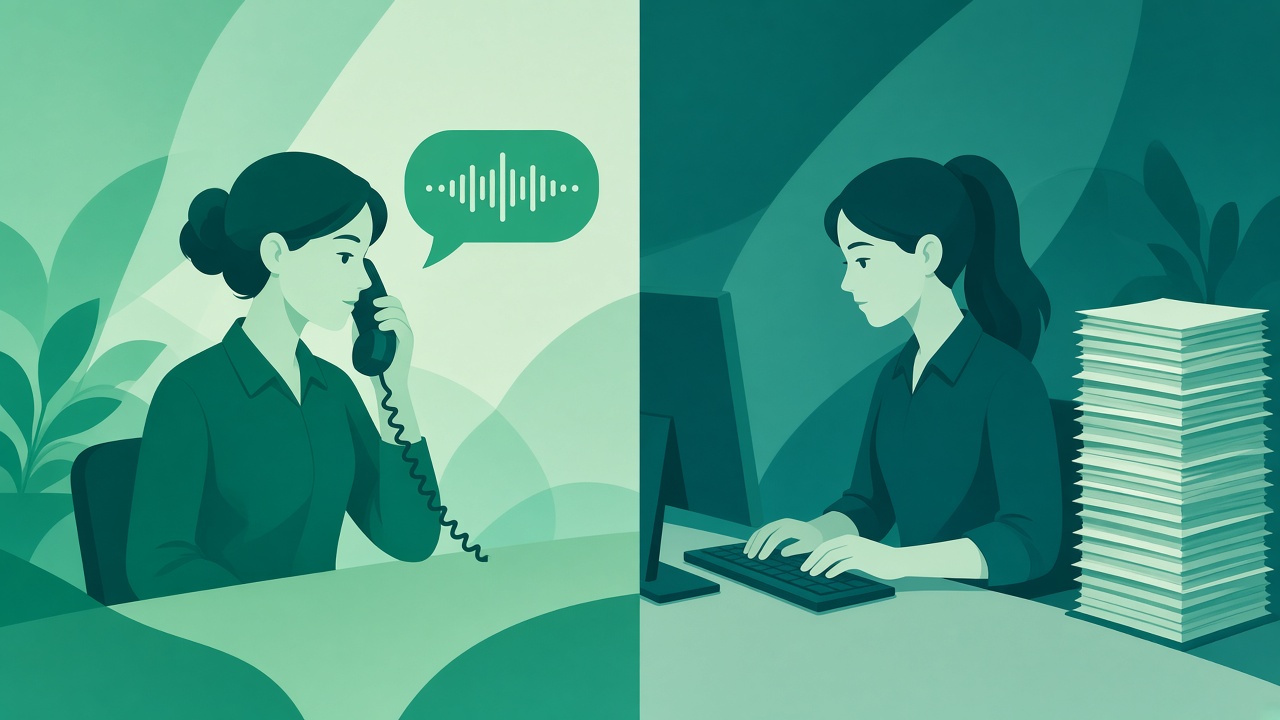
Composition is the support job, and composition has a caution attached. The same paper cites an earlier IBM study by Karat, Halverson, Horn, and Karat, presented at CHI 1999. In that study, people composing text by speech managed 7.8 corrected words per minute, and people transcribing by speech managed 13.6, against 32.5 corrected words per minute for a keyboard-and-mouse method. Recognition errors, and the time to repair them, ate the speed of speaking. Speech recognizers in 1999 are not the recognizers on a desk in 2026. The operational lesson did not expire with the software. If the agent speaks a note and then spends the saved minutes hunting a wrong word, the queue did not get faster. It only moved the work from the keyboard to the proofreading pass.
The closest published numbers on “write the note after the conversation” come from clinics, not contact centers, and they should be labeled that way. A systematic review archived by the U.S. National Library of Medicine, “The impact of using AI-powered voice-to-text technology for clinical documentation,” includes a 2024 primary-care study in which average documentation time per patient fell from 5.3 minutes to 4.54 minutes for the clinicians using voice-to-text. The same study recorded a small rise in after-hours charting, so the minutes saved on each note did not automatically become a shorter day. Another study in that review, a 2019 survey of 245 clinicians, found that 77.2 percent reported increased efficiency, while 21.2 percent said they spent 25 percent or more of their documentation time editing. In that survey, 19.6 percent of users estimated that half or more of the errors they saw were clinically significant.
A contact center is not a clinic. A wrong drug name and a wrong order number are different harms, and this page will not pretend a hospital study is a VClar benchmark. The shape is the shape support managers already know. The note after the conversation is where time goes. A fast capture that still needs a heavy edit is only a partial win. An error that survives into the record is not a typo. It is the instruction the next person follows. Speed for a support team is therefore two clocks: how fast the words leave the agent, and how fast a trustworthy note is filed. Voice helps the first clock. Cleanup, with the changes visible, is what protects the second.
Put the clocks on a normal ticket and the arithmetic is ordinary. A 120-word summary at a careful desktop pace of about 40 words a minute is three minutes of typing, before you fix the sentence you disliked. Speaking those 120 words, even with a breath and a pause to remember the courier scan, is well under a minute at the conversational rates below. The risk is the repair. If the transcript says the customer wanted a replacement when they wanted a refund, the minute you saved becomes a second contact. The agent has to hear that difference, or see it in a diff, before the ticket is saved. That is the support version of the Karat finding: uncorrected speed is not throughput.
The University of Minnesota’s open textbook on communication puts ordinary speech at about 125 to 150 words per minute. A 45-second follow-up is roughly 90 to 110 words. That is enough for what broke, what you did, and what the customer should do. A three-minute voice note is a short meeting. Customers who are already annoyed will not thank you for it. Agents who are already behind will not file a three-minute internal memo either, which is why the spoken note has to be structured before the record button, not discovered during the recording.
Clarity
Support language has a narrow job. The next person, who may be the customer or the agent on the next shift, needs to know the object, the state, and the action. “The blue one, not the, wait, the replacement” is a sentence a human in the room can repair with a glance. A ticket cannot glance. A customer listening on a sidewalk cannot ask the recording which object you meant. Clarity in this setting is not elegant prose. It is a sentence that survives being read by someone who was not on the call.
Spoken drafts fail in predictable ways. The agent starts, hears that the opening is wrong, and repairs it in the same breath. They fill the search for an order number with “um” and “so.” They soften a policy with “basically” and “I think” until a firm answer sounds optional. None of that means the agent is bad at the job. It means they are doing two jobs at once: remembering the case, and performing a clean paragraph. Splitting those jobs is the point of a cleanup step. Speak the memory. Then remove the search noise, and keep the decision.
Listeners treat that search noise as information. A paper in the National Library of Medicine, “Inferring difficulty: Flexibility in the real-time processing of disfluency,” reviews evidence that people become more disfluent when planning is hard, and that listeners use the disfluency as a cue that the next part may be difficult. In a conversation, that cue can be helpful. The listener leans in. In a refund explanation, the same cue can sound like doubt about the policy. The customer does not know you were searching for the RMA number. They know the voice hesitated before the promise. Cleaning the hesitation lets the promise stand on the words you meant.
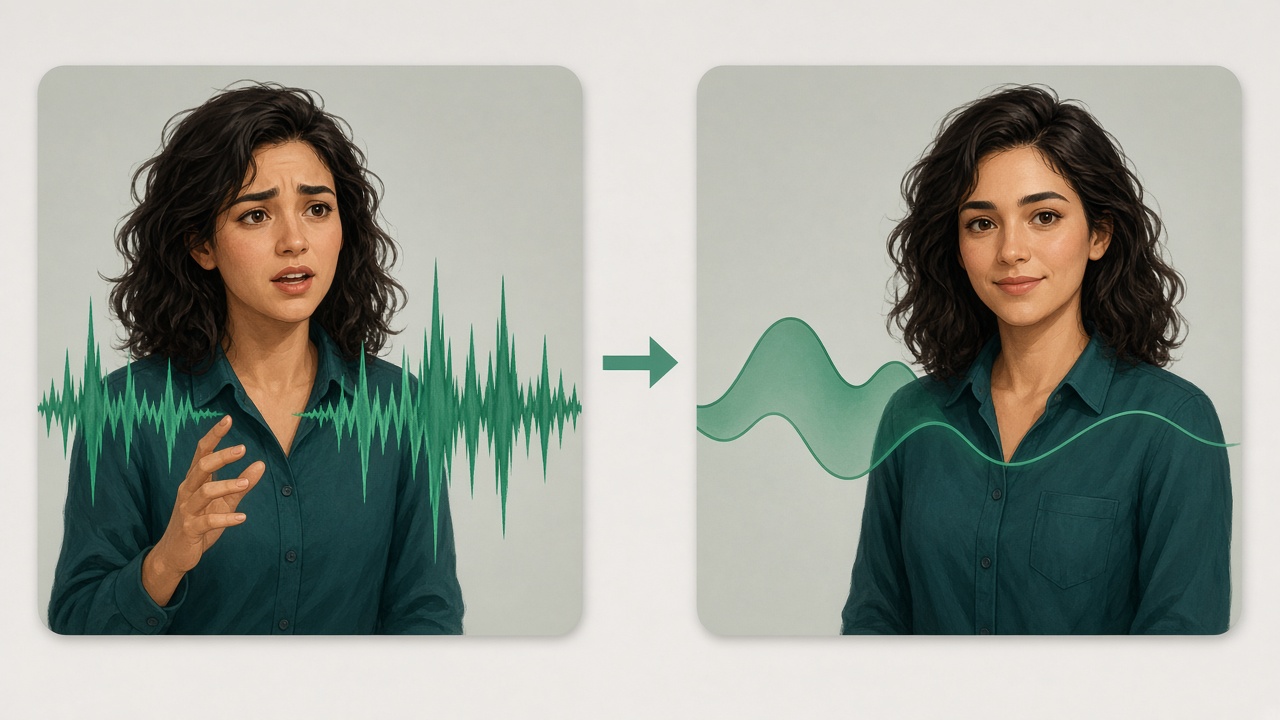
There is a second clarity problem that dictation alone does not solve. The words can be recognized perfectly and still be the wrong words for a ticket. “We’ll just send another” may be what the agent said while thinking aloud. It may not be what the policy allows. A transcript that is faithful to the stumble is a faithful record of a draft, not a customer commitment. The grammar guide and the filler-word guide go into how a spoken sentence gets repaired without a full retake. On this page the rule is simpler. The agent compares the original wording with the improved wording before the ticket is saved and before the customer hears it. VClar shows what changed. The agent decides whether the change is what they meant.
Internal notes and customer-facing notes do not have the same tolerance. An internal handoff can keep a fragment if the next agent shares the shorthand: “SKU 441, hub scan yesterday, reship if no delivery by Thursday.” A customer-facing note has to be a sentence a person outside the company can act on. Teams get into trouble when one recording is asked to do both. Speak the handoff, clean it, and paste the tight version into the private note. If the customer should hear it, record a second pass aimed at them, or edit the first until it no longer assumes the listener knows your queue codes. The diff is there so you can see which version you are about to send.
Empathy
Tone is the reason a customer-facing update is voice at all. A typed “Your replacement left the hub yesterday” can be read as indifference even when the fact is correct. The same sentence, said by the person who looked up the scan, can sound like the company is still on the case. That is the empathy argument for voice, and it is easy to overspend. A message that is mostly apology, and only eventually the tracking fact, spends the customer’s patience on the feeling and withholds the fix.
“Sorry” Is Not Enough, in Harvard Business Review, reports service research with a blunt result. When customers are under time pressure, an apology that runs on can reduce satisfaction. What moved satisfaction was the solving work: creative, competent options, delivered with energy. Warmth that crowded out the next step was heard as delay. The researchers were studying live service interactions, not voice notes, so the transfer is a judgment, not a quote about audio files. The judgment fits the follow-up an agent sends after the call. Open with the fact. Put the apology where it belongs, short and after the plan. Do not make the customer sit through thirty seconds of “so sorry” before they learn whether the box is coming.
Empathy is still part of the job. A later Harvard Business Review article, “Customers Expect Empathy. Here’s How to Deliver It,” describes a global survey of nearly 12,000 consumers across 11 countries and the gap between the empathy customers expect and what many companies deliver. Empathy, in that framing, is understanding the customer’s situation and caring what happens to them. Voice is one of the few channels that can carry that care without a paragraph of adjectives. The two articles belong together. Customers want to be understood, and they want the solution in the same breath. A cleaned voice note can hold a human pace and a concrete next step. A raw one often holds the human pace and a tangle.
Scripts are the usual attempt to manufacture that balance, and they have a known failure. Agents who are told to say the customer’s name, say they are sorry, and then read the policy, sound like they are reading the policy. The customer can hear the seam. A voice note works when the agent already knows the case and is allowed to say it in their own words, with the clutter removed afterward. VClar keeps tone, accent, rhythm, and speaking style. It does not hand the agent a synthetic voice that sounds like a brand character. For support, that limit is a feature. The customer who spoke to Priya should hear Priya, not a studio version of “the brand.”

Post-call summaries and follow-ups
The two uses have to stay separate in the agent’s head even when they happen five minutes apart. A post-call summary is for the company. A follow-up is for the customer. Mixing them produces tickets full of comfort language and customer messages full of internal codes. The speaking is similar. The edit is not.
The summary that becomes the ticket
The useful moment is the minute after the call ends, before the next chat lights up. The agent speaks four beats, in order. Who the customer is, in whatever identifier the desk already uses. What they asked for. What the agent found. What was promised, including the date if there is one. Anything that is not one of those four beats can wait, or it can stay out. A feeling about the customer’s mood belongs in the note only when the next agent needs it to avoid repeating a mistake: “Customer was promised a supervisor callback. Do not send another macro.”
Speaking those four beats is where the speed research earns its place. The facts are fresh, so the task is closer to retelling than to inventing. Retelling is where voice entry has the advantage the Stanford-led study measured. The Karat caution still applies if the recognizer, or the agent’s own restart, leaves two versions of the promise in the same paragraph. The cleanup should leave one version. The agent should be the person who checks that the remaining version is the one they are willing to own. A QA reviewer who samples tickets later is checking the same thing: could a stranger act on this note without calling the customer back to ask what you meant?
Handoffs across shifts are the harsh test. The night agent will not hear the tone of the original call. They will read the note, or they will play the voice summary if you stored one. A voice summary helps when the case is emotionally loaded and the next agent should hear that the customer was calm, or was not. It hurts when the file is three minutes of searching. Clean the summary to the four beats, keep the voice if the tone matters, and put the order number in text beside it. Voice is a poor database. Text is a poor apology. The ticket can hold both, on purpose.
New agents feel this more than seniors. A senior can type the four beats from habit. A new agent is still translating the call into the company’s nouns, and their typed notes either take too long or leave out the promise. Letting them speak the note, then showing them the cleaned sentence next to the sentence they actually said, is a coaching loop as well as a speed tool. They can see that “the blue one, I think” became a specific product only if they confirm the product. They can see that a hedge they did not mean was the thing a customer would have heard. That is training on the agent’s own case, which is the only training that tends to stick on a busy desk.
The follow-up the customer hears
A customer follow-up has a different listener and a shorter leash. They did not ask for your troubleshooting path. They asked whether the thing they care about is handled. The spoken note should answer that in the first sentence. “Your replacement left the hub yesterday and should arrive tomorrow” is a first sentence. “Hi, I just wanted to reach out regarding your recent inquiry” is a delay. After the fact, give the condition: what they should do if the box does not arrive, and how to reply. An apology, if one is owed, fits in a clause. It should not be the structure of the message.
This is where the HBR finding about solving work becomes practical. The customer playing the note on a phone is under the same time pressure as the customer in the study. They are judging whether you are doing something. A voice note that is mostly relational work, with the scan result buried at the end, will be scrubbed backward or abandoned. Put the scan result first. Let the voice, which is still the agent’s voice, carry the care. You do not need extra sentences to prove you care if the first sentence is the solution and the delivery is human.
Length is a service decision. At 125 to 150 words a minute, forty-five seconds is a complete update. Ninety seconds is a generous one. Past two minutes, you are asking the customer to attend a meeting they did not book. If the case truly needs two minutes of explanation, say so in the first line and then be worth it: the reason the policy applies, the option they have, and the date. If you cannot say those three things, you are not ready to record, and typing will not save you either. The sales voice-note guide is about a buyer and a next step in a deal. Use it when the listener is deciding whether to purchase. Use this page when the listener is deciding whether the company kept its word.
Some customers should not get a voice note. If they have said they want email, send email. If the content is a password, a full card number, or a string they must copy exactly, the written ticket reply is the right object. Voice is for the explanation around those facts. The fact itself stays in text, where it can be selected and checked. Teams that send a voice note containing a spoken account number create a new problem: the customer writes it down wrong, or a person nearby hears it. Speak the meaning. Write the secret and the identifier.
A support note, before and after
The example below is an illustration written for this page. It is not a recording from a VClar customer, and it is not a measured case study. It is the shape of the edit a support follow-up needs. The left column is the way an agent talks while looking at a scan and choosing words. The right column is a version a customer can play once.
| What the agent said | What the customer can hear |
|---|---|
| Hi, um, this is Priya from support, so, uh, I looked at your order, the blue one, not the, wait, the replacement, and basically the courier scan shows it left the hub yesterday so it should, um, be there tomorrow, and if it isn’t just reply and we’ll, you know, send another. Sorry about that, really sorry for the hassle. | Hi, this is Priya from support. I checked the replacement order. The courier scan shows it left the hub yesterday, so it should arrive tomorrow. If it does not, reply to this message and we will send another. Sorry for the delay. |
Count what changed, because the change is the product. The fillers are gone: um, uh, so, basically, you know. The self-repair is resolved: the listener no longer hears “the blue one, not the, wait.” The promise is one promise, not a promise plus a fog of apology. The apology is still there, in Priya’s voice, after the plan. Nothing in the cleaned version adds a fact Priya did not say. If the “blue one” had been the real object and the replacement had been the mistake, the diff would have shown the agent the wrong resolution, and Priya would reject it. That review is the difference between a faster note and a faster mistake.
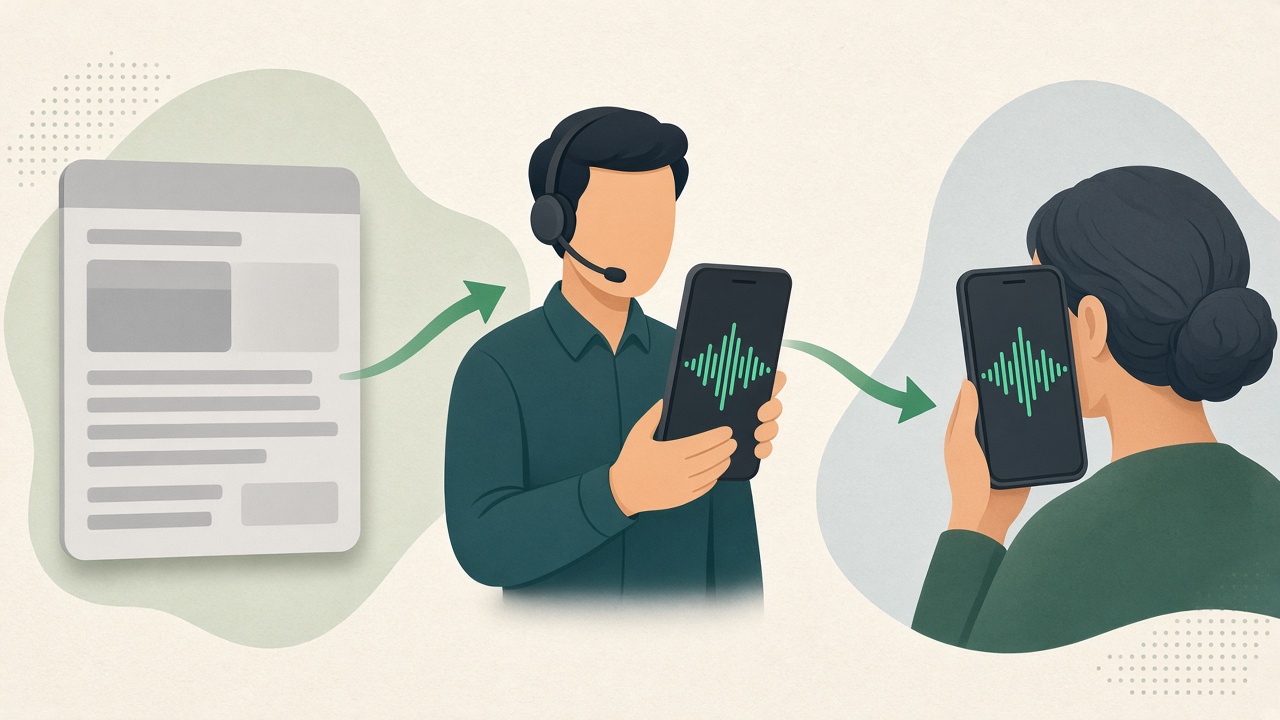
The same recording can feed the ticket as text. The cleaned wording is what gets pasted into the private note, next to the order number typed in the field where your help desk expects it. The audio is what the customer receives if a voice reply is appropriate. One capture, two outputs, and a human check between them. The voicemail page covers the case where the input is a message the customer already left, rather than a note the agent is composing. The steps rhyme. Clean first, then decide what the listener needs to receive.
Here is the internal version of the same moment, which should not be sent to the customer. “Replacement for order 18442. Hub scan yesterday. Told customer delivery expected tomorrow. If no scan by end of day Thursday, reship. Customer was polite and does not want a refund.” That note is ugly and useful. It is what the Thursday agent needs. Speaking it raw, with the searching left in, makes the Thursday agent replay you. Cleaning it makes the handoff a paragraph. You can store the voice if the tone of “does not want a refund” matters. You should store the order number as text either way.
A third version shows the failure mode the clinical literature is warning about. Suppose the recognizer, or a hasty cleanup, writes “refund” where Priya said “reship.” The customer who hears “we will refund you” now has a promise the warehouse cannot see, and the ticket says the opposite. The 2019 clinician survey in the documentation review is relevant here in spirit: a share of recognition errors were significant to the work, and the people who saw more errors were much less satisfied with the tool. Support should treat the diff as part of the send button. If the team disables the review to go faster, they have chosen the Karat failure mode on purpose.
When the customer uses another language
Multilingual support is where a cleaned note earns a second use. An agent who handles the case in English may need the customer to hear the outcome in Spanish, French, Hindi, or another language the customer actually reads and speaks. Translating the raw recording translates the fillers and the false start too. “Not the blue one, wait, the replacement” becomes a confusing instruction in the other language, and it sounds more official because it arrived as a translation. Clean the meaning first. Then translate the meaning you are willing to stand behind. The multilingual teams guide is that order for a company that works across the supported languages. This section is the support reason for using it.

VClar’s public language set is Hindi, English, French, Japanese, Korean, German, Russian, Portuguese, Spanish, Italian, and Chinese, in 110 directions. That is 11 source languages and 10 targets for each, not a promise of every language a help desk might meet. The languages hub and the language-pair hub are where a team checks that the pair they need exists. The voice message translator is the long guide to the clean-then-translate order. This page only needs the support reason: the customer should hear the decision, in a language they use, in a voice that is still the agent’s.
Accent is not the thing being translated away. An agent who speaks the customer’s language as a second language may be on the non-native speaker guide as well as this one. That guide is about wording and grammar while the accent stays. This guide is about the support workflow. Use both when the agent is documenting in a language they are still building and the customer needs that language. Use translation when the language of the recording and the language of the listener should differ. VClar is not a voice clone, and it is not a tool for replacing an accent with a different identity. Listeners use accent as a sign of who is speaking. In support, that sign is trust. A customer who recognizes the agent from the call should still recognize them in the follow-up.
A practical pattern for a bilingual queue looks like this. The agent handles the call in the language they can resolve the case in. They speak the four-beat summary in that language and file the cleaned text. If the customer’s preferred language is different and supported, they produce a translated voice reply from the cleaned meaning, listen to it, and send that. They do not ask a teammate to re-record a translation from a messy transcript unless the automatic version failed the listen. The listen is mandatory. A translation that is fluent and wrong is worse than a short written sentence the customer can question.
Calls, tickets, and the help desk
Voice calls, tickets, and voice messages answer different questions, and support teams get slower when they force one object to answer all three. A call is synchronous. Both people can repair a misunderstanding while it is happening. A ticket is durable and searchable. A supervisor can audit it, a warehouse can read the SKU, and a customer can be quoted the promise later. A voice message is asynchronous speech. It carries tone to someone who is not in the room, and it cannot be scanned for an order number the way a field can. The voice versus text guide is that choice in general. The table below is the support version: the call, the ticket, and the voice note each keep one job.
| Object | Use it for | Keep it out of |
|---|---|---|
| Live call | Solving the problem while the customer can respond | The only record of what was promised |
| Ticket | Identifiers, dates, amounts, and the promise in words a search can find | A substitute for an explanation the customer needs to hear |
| Voice message | A short outcome the customer can play, or a spoken handoff while memory is fresh | Passwords, full payment numbers, and anything that must be copied exactly |
Help desk software stays the system of record. Macros, statuses, SLAs, and required fields are the desk’s job. VClar does not file the ticket, change the status, or open a side conversation inside a specific product. The agent’s path is the one they already have: finish the call, speak the note, clean it, review the diff, paste the wording into the ticket, and attach or send the audio if the customer should hear it. Teams that want a deeper connector should treat that as a separate project. This guide will not imply a button that is not part of the product.
Quality assurance changes in a useful way when the note is spoken and then cleaned. A reviewer can listen to the original, read the improved wording, and see whether the agent accepted a change that altered a promise. That is a better sample than a typed ticket which hides how the agent actually talked themselves into the sentence. It is also a fairer sample. Agents who think clearly and speak with fillers are no longer punished twice, once by the clock and once by a note that looks careless. The careless thing is sending the filler, or accepting a cleanup that changed the decision. Both are visible.
Peak volume is where the method either holds or gets abandoned. On a quiet Tuesday the agent can type. On a Monday after an outage, typing the four beats for every case is how the backlog grows. The spoken capture is for that Monday. The review still happens, and it can be shorter because the template of the four beats is already in the agent’s mouth. What should not happen on Monday is turning off the review. The outage is exactly when a wrong promise spreads fastest. A 20-second listen is cheaper than a second contact.
What the workflow looks like on a shift
The steps are short on purpose. A support workflow that needs a training deck before the first ticket will be skipped by Friday.
- End the contact. Do not start recording while you are still negotiating the answer. Know the four beats.
- Record or upload. Internal summary first if the ticket is the urgent object. Customer follow-up second, aimed at a person who was not in your tools.
- Clean the message. Filler comes out. Spoken grammar gets repaired. The voice stays the agent’s: tone, accent, rhythm, and speaking style.
- Read the diff. Confirm the object, the promise, and the date. Reject any change that adds a commitment you did not make.
- If the customer needs another supported language, translate the cleaned meaning and listen to that version before it leaves.
- File the text in the ticket. Send the audio only where a voice reply belongs. Leave secrets and copyable strings in the written fields.
That sequence is the whole integration story. It works beside a help desk because it does not try to be the help desk. Agents who already dictate into a ticket can keep that habit for the typed fields and use this path when the output should be a voice the customer hears, or when the typed draft is full of the restarts they do not want in the record. The workflow guide is the same order for any role: upload, clean, review the diff, export. The spoken-grammar page is the feature-level explanation of the cleanup step. Stay on this page for the reason the step exists in a queue.
Coaching leads can use the same six steps in a weekly sample. Pull five cleaned notes. Ask whether the first sentence of each customer-facing message is the outcome. Ask whether any internal code leaked into the audio. Ask whether the apology outran the plan, which is the failure mode the HBR service research describes. The sample takes less time than a calibration meeting about “tone,” because the tone is audible and the structure is either in the first sentence or it is not.
Privacy when the recording is about a customer
A support voice note is not a personal memo. It contains someone else’s problem, often with an order, an address detail, or a complaint they would not want forwarded. The agent’s account controls are the published answer, and they should be set with that in mind. New VClar accounts save recordings, transcripts, and outputs until the person deletes them. There is no automatic expiry on that default. Teams that do not want customer audio sitting in an account indefinitely can turn on automatic deletion after 14 days or after 30 days. They can also delete their data without closing the account, and they can delete the account from settings. The privacy policy is the full document.
Buyers sometimes ask for a compliance badge in the same breath as the product demo. The honest answer is the one in the questions at the bottom of this page. VClar has published those retention controls. It has not published a SOC 2 report or a HIPAA attestation. A clinic workflow that legally requires HIPAA, or a procurement checklist that requires SOC 2, is looking for a document this product has not issued. Do not describe the clinical research above as evidence that VClar meets a healthcare rule. That research is about documentation time and error, cited so a support leader can see the shape of voice notes. It is not a certification, and it is not a claim about VClar’s accuracy. There is no accuracy percentage on this page because VClar has not published one. What the agent can verify is the diff on the note they are about to file.
Retention is also a queue design choice. A team that keeps every customer recording until someone remembers to delete it will eventually hold more customer stories than it meant to. A team that auto-deletes at 14 days needs another home for anything the ticket must retain, which it should have had anyway: the help desk. Put the durable facts in the ticket. Let the voice file expire on the schedule you chose. If a case is in dispute, export what you need before the window closes. The setting does not know which ticket is in dispute. The agent does.
How this stays different from a dictation tool
Dictation’s promise is text on a screen. That promise is real, and the studies above are about that promise: words per minute, minutes per note, time spent editing. Support teams that only need a draft inside a ticket can use a dictation feature and stop there. They should still proofread, because the clinical survey is clear that editing time and significant errors do not vanish just because the words arrived by voice.
VClar’s support job starts where a transcript is not the thing you wanted to send. The customer is supposed to hear a person. The next agent is supposed to see a sentence that already had the false start removed. The other language, when there is one, is supposed to carry the cleaned decision. The original wording stays available so the cleanup is a review, not a silent rewrite. Tone, accent, rhythm, and speaking style stay, which is the opposite of generating a new performance. If a workflow needs a synthetic voice, a noise-only studio effect, or a live interpreter on a phone call, it is a different product category. This one is the message the agent already spoke, made fit to file and fit to hear.
That boundary is also how this page avoids becoming the sales guide or the freelancer guide with the nouns swapped. Sales follow-ups are about a buyer’s next step. Freelancer updates are about a project status for a client who hired you. Support documentation is about a problem the company already owns, a record the next employee must trust, and a customer who is often already unhappy. The speed, the diff, and the short spoken outcome matter more here than a clever opening. Use the other guides when the listener is a buyer or a client of your own. Use this one when the listener is a customer of the company, or the colleague who takes the ticket after you.
Questions support teams ask
The questions below are the ones that show up before a team decides whether voice belongs in the queue. The longer feature pages stay the right place for how filler removal, spoken grammar, and translation work in general. These answers stay on the support job.
How do support teams use voice messages?
Support teams use voice messages in two places. After a call, an agent speaks the summary while the conversation is still fresh, then uses the cleaned wording in the ticket. After the case moves, the same agent can send the customer a short spoken follow-up: what was found, what was done, and what happens next. The ticket keeps the searchable facts. The voice message carries the explanation and the tone.
Can voice notes improve customer service?
They can, when the note spends its time on the next step and still sounds like the person who handled the case. Customers expect to be understood, and they also judge whether the agent is solving the problem. A short voice follow-up can do both. A long one, full of filler and a sentence that repairs itself, makes the customer replay the message and trust it less. Cleaning the recording is what makes the voice note worth sending.
Is dictation useful for support agents?
Dictation is useful for getting words out of the agent’s head and into a draft. It is not the whole job. Studies of speech entry show that speaking can be much faster than typing when the task is to capture words, and real clinical documentation has also shown small drops in time per note. The same literature shows that editing and recognition mistakes can consume that gain. For a support ticket, useful dictation is dictation you can check. VClar shows the original wording and the improved wording so the agent can catch a wrong order number before it becomes the record.
How do you send a voice message to a customer?
Record or upload the message, clean the filler and the spoken grammar, and listen once before you send. If the customer uses another of VClar’s supported languages, translate the cleaned meaning and send that version. Then deliver it through the channel you already use: the help desk’s reply, email, or the messaging thread on the case. Keep the voice note short enough to play between the customer’s own tasks, and leave dates, links, and amounts in the written ticket where they can be copied.
How does voice messaging fit with help desk software?
The help desk remains the system of record. VClar does not replace the queue, the macros, or the ticket fields. It is the step that cleans a spoken note and, when you ask, translates it. Agents paste the cleaned wording into the ticket, or attach the cleaned audio to the reply they were going to send anyway. A team should not expect a built-in connector for a specific help desk from this page. The workflow is upload, clean, review, then file the result where the next agent will look.
Are voice calls better than tickets?
A live call is how you work the problem while the customer is present. A ticket is how the next person finds the order number, the promise, and the time. One is not a substitute for the other. A voice message is a third thing: an explanation the customer can play later, or a summary the agent speaks before the details fade. Teams that replace tickets with calls lose the record. Teams that replace every explanation with a typed paragraph lose the tone. Use the call, the ticket, and the voice note for the job each one actually does.
Can you translate a customer voicemail?
Yes, when the voicemail’s language and the language you need are both in VClar’s set: Hindi, English, French, Japanese, Korean, German, Russian, Portuguese, Spanish, Italian, and Chinese. VClar cleans the message first, then translates the cleaned meaning, and can speak that meaning back in the target language while the speaker’s delivery stays recognizable. The voicemail guide is the format page. This support guide is about who is listening and why the note exists.
What is voice dictation?
Voice dictation is speaking so a system can turn the speech into text. Support agents use it to draft a ticket without typing every sentence. Dictation by itself produces a transcript of what was said, including the false starts and the fillers. A support note still has to be clear enough for the next agent and, when it is customer-facing, clear enough to send. That second step is cleanup: remove the clutter, fix the spoken grammar, and show what changed.
Does VClar comply with security standards?
VClar publishes account controls and a privacy policy, not a SOC 2 report and not a HIPAA attestation. New accounts keep recordings, transcripts, and outputs until the person deletes them. Automatic deletion can be set to 14 days or 30 days. The account holder can delete their data without closing the account, and can delete the account from settings. If a workflow legally requires a certification VClar has not published, choose a program that has published it. Customer recordings are still the account holder’s data, with a delete path they control.
Where a support team starts
Pick one queue and one kind of note for a week. Post-call summaries are the safer start, because a bad sentence is caught by the next agent instead of by a customer. Agree the four beats. Speak them. Clean them. Paste them. At the end of the week, sample ten notes and ask whether a stranger could act without reopening the case. If the answer is yes, add customer follow-ups for cases where a voice reply is welcome, keep them under a minute, and lead with the outcome. If the customer’s language is one of the eleven, add translation only after the team is already in the habit of listening to the cleaned version.
The use-case hub is still the map if this is not your listener. If you want to hear a cleaned note before you upload a real ticket summary, open the live demo. The button below is the product, for a recording you already have. Bring a real ticket summary, not a script written to sound impressive. The diff will tell you whether the cleanup kept the promise you meant to make.