

Guides
Communicate across Languages with Voice Messages
A global team can record an update in one language, clean it, and send the meaning in another, in a voice that still sounds like the person who recorded it. VClar does that among 11 languages and 110 directions. It does not join a live meeting, and it does not cover every language a company might speak.

Picture a manager in the United States who needs the Bangalore team to change a launch day before they leave the office. The clocks do not overlap. A meeting would pull people back in the evening or the early morning. An English email arrives, and the people who read English easily will get it. The people who think in Hindi, and who are tired at the end of a shift, may get the tone wrong or miss the “not Friday.” A voice note in the manager’s own English, cleaned and then spoken in Hindi, can carry the decision and the person who made it. That is the job this page describes.
The use-case hub is organized by role. The voice versus text guide is the choice between speaking and typing. The best-practices guide is how to record once you have chosen voice. This page is the language layer on top of those: what a multinational team should send, which languages VClar actually supports, and which problems belong to a live meeting product instead.
Voice vs text for global teams
English is the language many global companies pick as the shared one. Harvard Business Review’s “What’s Your Language Strategy?” treats language as a management problem. Tsedal Neeley and Robert Steven Kaplan write that unrestricted multilingualism creates inefficiency and friction in cross-border work, and that a deliberate language strategy is how a global company handles it. A shared company language is one such strategy. It does not, by itself, give every office the same ease with the words. People who learned that language later spend effort on the wording and have less left for the decision. A voice note that assumes everyone hears English the way the sender speaks it still leaves that office doing extra work. A translation of a cleaned note narrows the gap for one update. It does not abolish it.

Text still has a job. A date, a build number, a customer name, and a yes or no must be readable by someone who cannot put headphones on. Text can be searched next week. Text can be pasted into the tracker where the team already stores decisions. Voice has the other job: stance. “I am comfortable slipping to Monday” is a different message from “Monday,” and the difference lives in pace and emphasis. Across a language boundary, that stance is useful only if the words are also right. The practical pattern is both. Speak the stance. Type the fact. Translate the spoken meaning from the cleaned line, not from the false start.
HBR’s “What’s the Best Way to Communicate on a Global Team?” points at a specific failure mode inside the shared language: slang, idioms, and jargon are tied to one culture, and another office will not hear them the way you do. “Let’s punt this” and “circle back after the holiday” are not neutral English. In a translation they can become nonsense or, worse, a confident instruction that was never the point. The recording habit for a global team is plain verbs. Name the day. Name the owner. Name the thing that changed. Save the local color for a conversation where someone can ask what you meant.

Time zones make the async version of this more important than the live version. HBR’s asynchronous communication piece is about work that has to move when people are not in the same hour. A voice update recorded at the end of the US day can be waiting when India opens. A meeting that exists only to read a decision out loud is the expensive way to do the same thing. Hold the meeting when you need to argue. Send the note when you have already decided and the other office needs to hear it in their language before they plan the day. The remote teams guide is that handoff across the clock.

What a live meeting tool is for
Some translation products are built for the room, not for the file. Google Meet’s Speech Translation help says Meet can translate what people say during the meeting, in real time, in a voice like yours. It depends on the plan. Google’s 22 October 2026 Workspace update says the feature now spans 63 languages, with automatic language detection, after an earlier setup that used one language pair for the whole meeting. Scheduled-release domains were still receiving that rollout through mid-November. Google also says translations created in real time have more errors than translations from a recording or text. That sentence is the reason a launch-day change should not live only inside a live render. Use Meet when people must talk now. After the decision exists, record it, clean it, and send a version someone can replay and check.
DeepL’s help for Voice for Online Meetings describes a different live setup. You connect a Microsoft Teams, Zoom, or Google Meet call. A DeepL bot joins. Participants open a link from the meeting chat and follow live subtitles, and eligible plans can hear voice-to-voice translation. DeepL says it does not permanently store the meeting transcription or translation, and that it deletes that data from memory when the call ends. Copies a participant opens can remain on that person’s device for up to 30 days, under an admin setting. That is a meeting product. It is not an upload box for a voice memo you recorded in a hallway. VClar does not join Teams, Zoom, or Meet. If the team is in the call, use the call’s translator. If the team is asleep, send the note.

Google’s warning about real-time errors is also a reason to be modest about any automatic wording. A review of speech recognition in real interviews, published through the National Library of Medicine, notes that English recognition can look very accurate in clean tests and much worse on messy speech, including error rates above 20 percent for non-native English in the studies it cites. That paper is about interview audio, not about VClar, and it is not a score for this product. The useful part for a global team is the direction: a voice note from a noisy desk, or from a speaker using a second language, is not a clean studio take. Read the cleaned line before you trust the translation of it. The link is here: “The development of an automatic speech recognition model using interview data from long-term care for older adults.”
VClar’s multilingual workflow
The workflow is short because the decision should already be made. You are not using the microphone to invent the launch plan. You are delivering a plan that fits in a few sentences.
- Write the decision, the reason, and the ask in the language you will speak. Read them. If an idiom is doing the work of a verb, replace the idiom.
- Record in a quiet place, or upload a voice note you already have permission to translate. One topic.
- Let VClar remove filler and repair spoken grammar. Read the improved wording against the original. The diff is where a flipped “not” shows up.
- Translate the cleaned meaning. Choose a direction that is actually in the 110. English to Hindi is in range. English to Arabic is not, on the public list.
- Read the translation, or have a bilingual teammate read the first ones. Listen if you are sending audio. The voice should still be recognizable as the speaker: tone, accent, rhythm, and speaking style.
- Send the audio, the text, or both, in the channel the team already uses. Put the date and the owner in text even if the audio says them well.
The longer version of clean-then-translate, without the team framing, is the voice message translation guide. The workflow guide is that same order once the file is in VClar. The language list and the per-language pages live on the languages hub. A note that is stuck inside WhatsApp has export steps on the WhatsApp how-to before this workflow can start. VClar never sees the chat. It sees the file you upload.
Before and after
This table is an illustration for the US-to-India example. It is not a customer recording, not a measured accuracy score, and not a screenshot. The Hindi line is here so you can see the contrast that has to survive: not Friday, Monday, Priya owns the checklist, tell Bangalore before they leave. If you were sending this for real, you would still read the product’s own translation and correct any name it mishandled.
| Before | After | |
|---|---|---|
| What was said | Uh, so the launch, let’s punt Friday, actually Monday is safer, and Priya’s got the checklist, ping Bangalore before they bounce. | The launch moves to Monday, not Friday. Priya owns the checklist. Please tell the Bangalore team before they leave for the day. |
| What the other office can use | An English idiom, a repaired day, and no text line. Easy to hear “Friday” and miss “Monday.” | A Hindi telling of that cleaned meaning, in a voice that still sounds like the manager, plus a text line: “Launch: Monday, not Friday. Checklist: Priya. Tell Bangalore before end of day.” |
The raw note fails in three places that matter more across languages than they do in a single office. “Punt” and “bounce” are not international English. The day is repaired in the middle of the sentence, so a translation can freeze the wrong day into a smooth sentence. There is no written token, so a person who only has a minute cannot confirm Monday without replaying the file. The cleaned note fixes the verbs. The translation carries those verbs. The text line makes the day scannable. Accent stays. The manager does not have to perform a Hindi voice they do not have. The listener hears the manager’s delivery in the language they need.
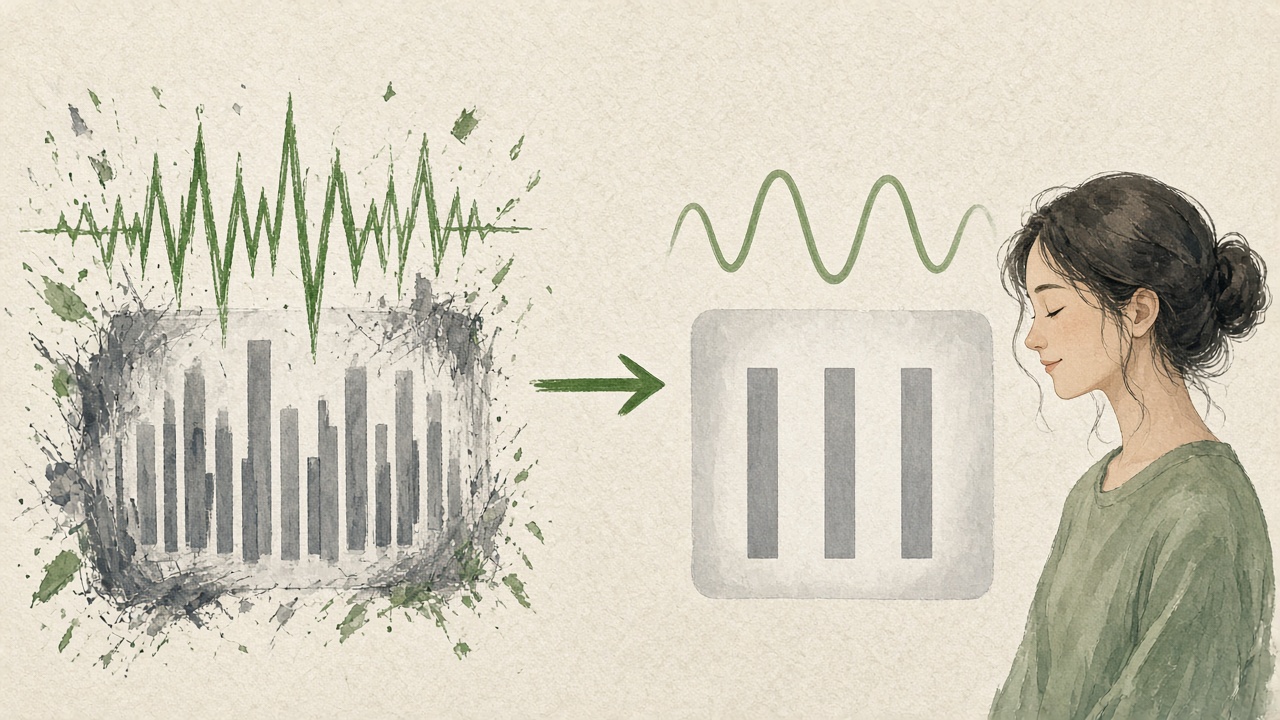
If the improved English had said Friday, you would stop. Polish and translation are not allowed to overrule the decision you wrote down before you recorded. That rule is the whole safety check. It is also why this is not a live caption you accept because the meeting has already moved on. You have the file. You can reject a line.
Who sends it, and who checks it
The sender is the person who owns the decision. A chief of staff can record a note the CEO already approved, and should say so in the first sentence. A teammate should not translate a side conversation and present it as the company’s position. On a global team the dangerous habit is a fluent speaker “helping” by paraphrasing a less fluent colleague into a stronger claim. VClar shows what changed so that paraphrase is visible. Use it. Do not hide the original.
The checker, for the first weeks, is someone who can read both languages and knows the work. They are not a permanent bottleneck. They are how you learn which kinds of sentences the direction handles and which kinds you should type. Product names, legal clauses, and dosages stay in text in the original language plus a careful translation, and a person still looks. A status update about a meeting move is a better first candidate than a contract.
Agencies with clients in several countries already have a version of this problem on the agency guide. Support teams have it when the customer recorded in another language, on the support guide. This page stays with the internal team update. The same clean-then-translate order applies. The audience and the channel change.
Supported languages (11+)
The plus is the pairs, not a mystery twelfth language. VClar’s public set is eleven languages. Each can go to each of the other ten, which is 110 directions. The guides on this site are written in English. Each language also has its own page so a team can confirm the pair before they promise anything. Those pages are language support guides. They are not translated copies of the whole website, and they are not a claim that the VClar interface itself is localized into eleven languages.
| Language | Guide | A team use that fits |
|---|---|---|
| English | English | The shared company language, cleaned before it is translated outward. |
| Hindi | Hindi | The US-to-India update in this guide, and the reverse when India records for a US office. |
| French | French | A Paris or Montreal office that should hear the decision in French, not only in English. |
| Japanese | Japanese | A status note for a Tokyo team, with the date also written in text. |
| Korean | Korean | A Seoul update where the spoken form is how the team already shares status. |
| German | German | A Berlin or Munich office that needs the ask in German before the local day starts. |
| Russian | Russian | A note to colleagues who work in Russian, checked for names before it is forwarded. |
| Portuguese | Portuguese | A São Paulo or Lisbon team receiving the same decision their English-speaking peers already heard. |
| Spanish | Spanish | A Madrid or Mexico City update, with the number written as a digit beside the audio. |
| Italian | Italian | A Milan team that should hear the stance, not only read an English ticket. |
| Chinese | Chinese | A Shanghai or Taipei update. Confirm the wording with someone who reads the script you will send. |
Direction matters. English to Hindi is one run. Hindi to English is another. A team that replies in voice runs the reply as its own file. You do not get a bilingual meeting bot by uploading one note. You get a translation of that note. If both offices need the same decision in both languages, send the text line in both and the audio in the language of the people who will listen. Do not make the office with weaker English fluency be the only office that has to listen twice.
Languages outside the eleven are a stop, not a workaround. Do not tell a colleague you will “just run it through” when their language is not listed. The voice message translator is the product page for the 110 directions. If a pair is missing there, it is missing here. Arabic and Danish are examples of languages this public list does not include. A team that works in those languages needs a person or a different tool for that note.
Accent is part of the message
A global team already knows one another’s voices. Replacing the manager with a generic narrator makes the translation sound like an announcement from nowhere. VClar keeps a natural spoken delivery in the speaker’s voice. Tone, accent, rhythm, and speaking style stay recognizable. That is not a claim that the translation copies every breath, and it is not a cloned identity you can aim at a celebrity. It is the same speaker, with the wording cleaned and the meaning in the other language. If the audio comes back unrecognizable, send the text and skip the audio. Recognition is the reason to include the voice at all.
Accent is also why you do not “fix” a colleague’s English into a prestige accent before you translate. The grammar repair is about the sentence they were aiming at. It is not about erasing where they are from. If their meaning is clear and their accent is theirs, keep it. The non-native speakers guide is that person: already speaking the listener’s language, and still needing the sentence to hold. If a word is ambiguous, ask in text. A question is cheaper than a wrong city.
How a team adopts it without creating a second process
Pick one kind of message for the first month. A launch move, a staffing change, or a customer escalation that already has an owner. Do not start with performance feedback or anything legal. Write a one-line rule in the team channel: voice for the stance, text for the fact, translation only when the listeners need another supported language, and a person checks names until the team has seen ten good diffs.
Put the text line where the team already looks. If decisions live in the issue tracker, the tracker gets the sentence and the chat gets the audio for people who want the voice. If decisions live in chat, the text line sits directly under the audio with the date written as a digit. A voice file with no label becomes a rumor by Friday. Label the note with the decision in the first line of text, in the language of the listeners and, when the company requires it, in the shared language too.
Urgency has to be visible without pressing play. “Need a yes before Bangalore closes” belongs in the text line, with a clock time and a time zone named. “EOD” is an idiom. “17:00 India time” is a fact. The async bargain only works when the deadline is not hidden inside the second minute of audio that someone will play tomorrow.
Privacy is part of adoption because these notes mention customers, employees, and dates. On a new VClar account, recordings, transcripts, and outputs stay until the person deletes them. Automatic deletion can be set to 14 days or 30 days. Data can be deleted without closing the account. The privacy policy is the document. A meeting bot that discards audio when the call ends is a different retention model. Do not describe an upload to VClar as if it vanished at the end of a call. If the update includes a password, a payment number, or a medical detail, do not upload it. Type those through the channel that team already uses for secrets.
A week of notes, and what to listen for
Day one, the US manager records the Monday launch change, cleans it, translates it to Hindi, and sends audio plus the text line. A bilingual teammate in India replies with one correction if a name moved. The correction goes into the text line before anyone treats the audio as final.
Day two, someone in Bangalore records the reply in Hindi: the checklist is done, one vendor is late, no change to Monday. That file is cleaned and translated to English for the US manager. Same order. The vendor’s name is checked against the contract, not against the fluency of the translation. If the name is wrong, the translation is wrong, no matter how smooth it sounds.
Day three, the team is tempted to translate a joke, a nickname, or a complaint about a person. Skip it. Voice stores emphasis. A complaint translated into someone’s language arrives harder than the sender remembers feeling. Feedback about a person belongs in a live conversation or in a careful written note, not in a forwarded audio file that can be replayed out of context.
Day four, a meeting still has to happen, because the vendor delay has three options and the team needs to argue. Use the meeting. Turn on the meeting translator if the people in the room need it. When the meeting ends, the owner records a thirty-second decision note and runs this workflow. The meeting was for the argument. The note is for the people who were asleep, and for the people who were in the room and need the decision in a form they can forward.
Day five, look at the diffs from the week. If the same kind of repair keeps appearing, the script is the problem. People are still opening with “quick one” and burying the day. The filler-word guide and the spoken-grammar guide are there when the wording is the only mess. They do not replace the three beats. A clean translation of a vague note is still vague, in two languages.
One decision, several offices
A launch change rarely has one listener. Bangalore needs Hindi. A partner in Paris may need French. The US office needs the English text line in the tracker. Do not record three different decisions. Record one, clean it once, and translate that same cleaned meaning into each language the listeners actually need. If you re-explain the change from memory for each office, the offices will hear different days. The diff from the first run is the source. Later translations start from that improved wording, not from a new ramble.
Order the sends by the clock, not by the sender’s preference. The office that is about to open gets the note first. Name the time zone in the text line so “tomorrow” never has to be translated. Tomorrow is a trap across the international date line and across a simple night shift. “Monday 17:00 India time” survives translation better than “end of day tomorrow,” because the words refer to a clock both sides can look up. If the translation renders the clock awkwardly, fix the text line by hand. The audio can keep the spoken form. The text is the record.
When more than one language is required, say so in the tracker in the shared language as well. A French audio file that is the only copy of a decision will be invisible to the person who searches the tracker in English next month. The voice is for the people who will listen this week. The sentence in the system of record is for the company. Skipping the sentence because the audio “felt complete” is how global teams lose the decision inside a chat scroll.
Reply in the language you can check. If Bangalore answers in Hindi and you do not read Hindi, run that reply through the same workflow into English and read it before you act. Do not assume a thumbs-up emoji confirmed Monday. Ask for the day in digits if the reply is ambiguous. The person who owns the decision owns the confirmation. Translation does not transfer ownership.
What fluency still requires from the sender
A translation does not make a vague manager specific. If the English beats are “we should probably look at the date,” the Hindi will be a polite version of a shrug. Write the verb you mean: move, keep, cancel, assign. Global teams lose days to softened verbs. “I suggest we consider Monday” is not “the launch is Monday.” Say the second sentence if the second sentence is true. Say the first only if you truly want a discussion, and then do not be surprised when the other office waits for a meeting.
Names of people, products, and cities should be spoken the way the team already writes them, then copied into the text line in that same spelling. A translation may transliterate “Bangalore” or “Bengaluru,” or a product name that was never meant to be translated. Pick the spelling the tracker uses and put it in text. Tell the checker that names are not to be “improved.” The same rule covers legal entities and error codes. An error code is not prose. Leave it in Latin characters in the text line even when the sentence around it is Hindi, Japanese, or Chinese.
Humor, sarcasm, and urgency that depends on pitch are the last things to translate and the first things to cut. Pitch does travel with the voice, which is useful for a real emphasis and risky for a joke. If you would not want the joke replayed in a staff meeting with no one there to smile, it does not belong in the file. Replace it with the fact. The listener in another language cannot reliably tell that you were kidding, and a smoothed translation will often drop the kidding and keep the insult.
After ten notes, read them as a set. You are looking for a repeated miss: a day that moved, a name that transliterated, an idiom you thought was plain. Change the script, not the listener. The offices that are less fluent in the company language are not the bottleneck. The note that made them guess is the bottleneck. A shorter note with a text line will outperform a warmer, longer note that makes the other office decode you.
Questions global teams ask before they send
These answers stay on the team workflow. A specific language pair is documented on that language’s page. A live meeting is documented by the meeting product, not by VClar.
How do I send a voice message to someone who does not speak my language?
Record the update in the language you speak, with the decision, the reason, and the ask. Upload it to VClar. Clean the filler and the spoken grammar, then translate the cleaned meaning into one of the supported languages. Read the original, the improved wording, and the translation. Send the spoken translation when the voice will help, and send a text line with any date, name, or amount. The listener should still recognize the speaker. This is a file you send, not a live call.
What is a good translation tool for voice messages?
For a voice note you have already recorded, use a tool that cleans the wording and then translates that cleaned meaning. That is VClar’s job, across 11 languages and 110 directions, with the speaker’s voice still recognizable. For a meeting that is happening now, use the meeting’s own translation. Google Meet Speech Translation and DeepL Voice for Online Meetings are built for live calls. They are the wrong tool for a note you will send tonight, and VClar is the wrong tool for a live agenda.
How do I make sure a voice note is understood on a global team?
Lead with the decision. Skip idioms, jokes that depend on one country, and a second topic. Keep names and numbers intact, and repeat them in a text line. Clean the take before you translate it, so a false start does not become a confident sentence in the other language. Ask one person who knows both languages to check the first few notes until you trust the pattern. A shared company language does not remove this step, because fluency on a global team is uneven.
Do voice translators work in meetings?
Live meeting products do. Google Meet can translate speech during a meeting, in a voice like yours, on eligible plans. Google’s October 2026 update says that now covers 63 languages, with automatic language detection. DeepL Voice for Online Meetings can put live subtitles and voice-to-voice translation on Teams, Zoom, and Google Meet after a bot joins the call. VClar does not join a meeting. Record the decision after the call, or send the update as a voice message, and translate that file.
Can VClar translate all languages?
No. The public list is Hindi, English, French, Japanese, Korean, German, Russian, Portuguese, Spanish, Italian, and Chinese. Each can be translated to the other ten, which is 110 directions. Arabic and Danish are not in that list. A team that needs a language outside the eleven should not promise a VClar translation of that note. Type the decision in a language both sides can read, or use a person.
Do I need several apps to translate a team voice note?
For the note itself, no. Record or upload, clean, translate, and review inside VClar, then send the audio or the text from the channel you already use. You do not also run the file through a meeting bot. You do need the meeting product when the conversation is live. Pick the moment. A voice note and a meeting are two different jobs, and stacking both tools on the same audio does not make the decision clearer.
Is the translation accurate?
Check it. VClar shows the original wording, the improved wording, and the translation, and it has not published an accuracy percentage. Google’s own Meet help says translations created in real time have more errors than translations from a recording or text, which is a reason to prefer a checked recording for a decision that has to last. Names, dates, negatives, and amounts still need a human look. If the improved line flips a day or drops a “not,” reject it.
Send the update the other office can use tomorrow
Take one decision you have already made. Write it in plain verbs. Record it. Clean it. Translate it only if the listeners’ language is one of the eleven. Read the diff. Put the date in text. Send it so the office that is about to start the day does not have to wait for a meeting to learn what changed. If you want to hear a cleaned note before you use a real team update, open the live demo.