

How to
Your Voice Cleaner: Step-by-Step Workflow
Record or upload the voice message, tap Enhance, and review the original wording next to the cleaned wording before you send anything. Translation is optional. You do not re-record a take whose meaning is already right. VClar improves the message. It does not replace your voice with someone else.
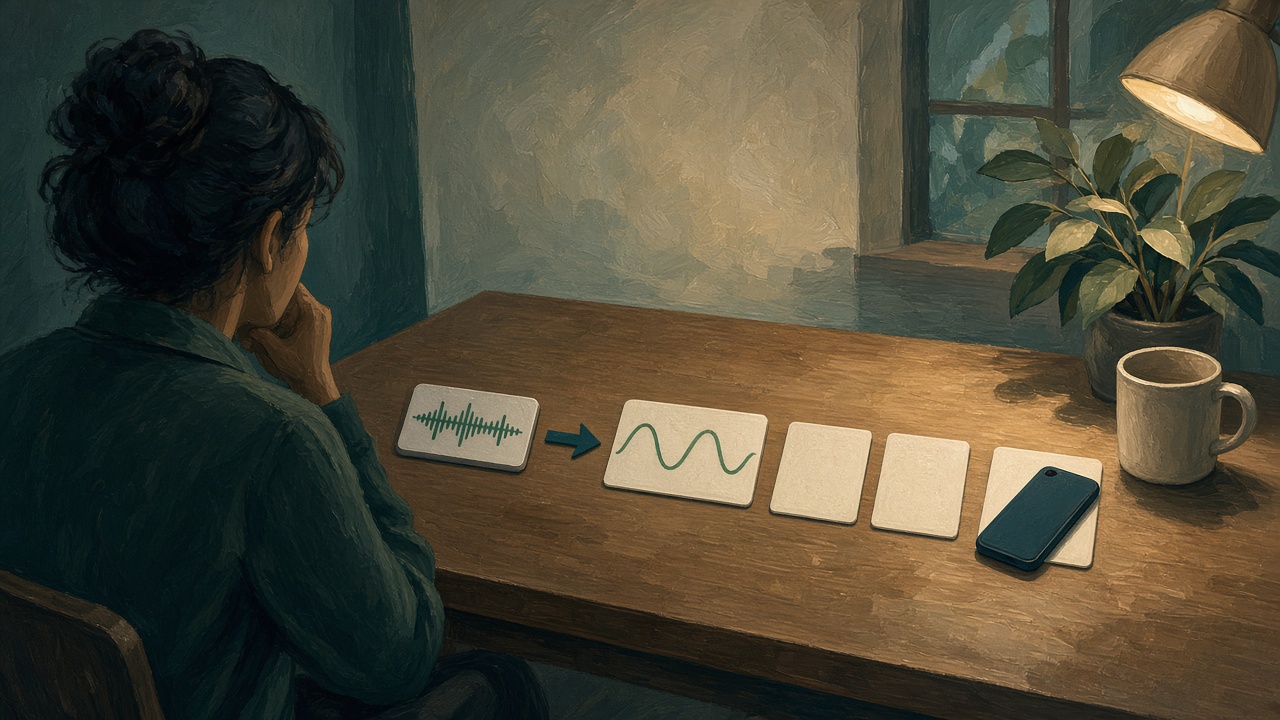
Most people meet VClar at the moment a take is almost good. The decision is right. A name is right. An “um,” a restarted sentence, or a spoken tense is in the way, and the instinct is to press record again until the waveform sounds like a script. That second and third take are where the fact usually changes, because you are inventing and performing at the same time. This workflow is the other path. You keep the take whose meaning is right. You let Enhance clean the wording. You read what changed. You export the audio, the text, or both.
The live demo plays that sequence on a sample message so you can see the shape before you bring your own file. The filler-word guide and the spoken-grammar guide explain the two kinds of edit. The translation guide is the optional language step. This page is the order you do them in, from the file to the send.
Upload
The workflow starts with a voice message you already mean. Record it in the browser, or upload a file you exported from a chat or a voice memo app. The formats VClar publishes for upload are MP3, WAV, M4A, and OGG. A video, a meeting recording full of other people, and a music file are outside this path. If the audio is a WhatsApp voice note, the WhatsApp guide is how you get the file out of the chat first. VClar does not sit inside the chat and pull it.
Before you upload, know which fact has to survive. A day, a name, an amount, a yes or a no. If you do not know it yet, the microphone is the wrong place to decide, and Enhance will not decide it for you. A paper from Stanford, the University of Washington, and Baidu on entering short phrases found speech fast when people were copying words they already knew: a mean of 161.20 words per minute against 53.46 for a phone keyboard. The same paper cites earlier composition research in which speech, after people went back and corrected it, was the slow path: 7.8 corrected words per minute against 32.5 for keyboard and mouse. The link is the paper itself, “Speech Is 3x Faster than Typing for English and Mandarin Text Entry on Mobile Devices.” The workflow reading is narrow. Upload a message whose point exists. Do not use the upload as a place to discover the point and then re-record your way out of the discovery.
Permission matters at this step and not later. Upload a note you are allowed to process. A view-once voice note the sender marked to disappear is not yours to export. A recording of someone else, made without their knowledge, is not a clarity problem. The retention that follows the upload is yours to understand before you press Enhance. On a new account, recordings, transcripts, and outputs stay until you delete them. You can choose automatic deletion after 14 days or after 30 days. You can delete the data without closing the account. The privacy policy is the full document. The original is kept so the review step has something to compare. That is a feature of the workflow. It is also a reason to leave secrets, passwords, and payment numbers out of the file.
Length is metered by the audio, not by how polished you feel. The live demo uses a 12-second message and shows it as 12 credits, one credit for one second. Your own file follows that same second-by-second measure. A two-minute update is a two-minute file. Trimming a silent tail in the voice-memo app before you upload is reasonable. Cutting out the sentence that contains the decision, in order to look shorter, is how the review step later has nothing to approve.
When you really do re-record
Re-record when the fact is wrong, the name is wrong, or you were angry and the heat is the part you do not want to send. Do not re-record because you said “um,” restarted a noun, or tangled a verb. Those are the clean step. People burn the good take by chasing a performance, then send the fifth take, which is fluent and slightly different. The mantra is specific. No new take when the meaning is already the one you would sign. A new take when the meaning is not.
Clean
Tap Enhance. That is the cleanup. VClar removes filler words, fixes spoken grammar, and improves clarity in the same pass. You are not asked to pick “grammar only” and leave the hesitations in the audio, and you are not asked to pick “filler only” and leave a broken tense. The filler page and the grammar page exist so you can study each kind of change. In the product they arrive together, and the diff lists them so you can accept or reject what you see.
Why filler is part of a message cleanup, and not a cosmetic, is described in listening research rather than in a slogan. A National Library of Medicine paper on disfluency and cognitive load finds that as a speaker’s cognitive load rises, speech becomes more disfluent, and listeners treat those filled pauses and repairs as a sign the speaker is working hard to plan the next words. If you already planned the point before you uploaded, the leftover “um” is no longer evidence of a hard decision. It is residue. Cleaning it keeps the listener’s attention on the decision. Leaving it in is reasonable for a friend who likes the mess. For a note someone must act on, the residue attaches to the ask.
A second paper, on filled pauses in lecture speech, says the practical half of the same problem. “Filled Pause Refinement Based on the Pronunciation Probability for Lecture Speech” notes that automatic recognition handles well-prepared fluent speech more reliably than spontaneous speech full of disfluency, and that filled pauses are easily confused with ordinary short words. A voice message is spontaneous. If the words Enhance writes down still contain a false start, the later translation can promote that false start into a smooth sentence. Clean first so the sentence you review is the one you meant.
What clean does not do is give you a different person. Tone, accent, rhythm, and speaking style stay recognizable. The design of the step is “only the message is improved.” A listener who knows you should still know you. Accent is not a defect to be sanded off. The non-native speakers guide is that person: already speaking the listener’s language, and still needing the sentence to hold. A prestige voice, a celebrity imitation, or a cloned identity is a different product, and it is not this step. If the audio comes back and you would not claim it in the same room, do not export the audio. Export the text, or reject the run. The technology guide is the longer account of the pass. This page stays on the order.

Clean also does not repair a missing fact. If the original never said Thursday, the cleaned line must not grow a Thursday. If it does, the review step exists to catch it. Fluency is cheap. The diff is the part you are paying attention for. People get into trouble when they hear a smoother voice and stop reading. The smoother voice is the delivery. The words beside it are the decision. Read the words.
Translate
Translation is a choice you make before Enhance, by the language you pick. Keep the original language and this step is a skip. Choose a supported target and VClar translates the cleaned meaning, not the raw false start. The public languages are Hindi, English, French, Japanese, Korean, German, Russian, Portuguese, Spanish, Italian, and Chinese. Each to each of the others is 110 directions. The languages hub is the list, with a page for each language you might be sending to. Arabic and Danish are not on that public list. Do not promise a direction the hub does not show.
The order is the whole safety property. Clean, then translate the cleaned line. A translation of “Tuesday, no, Thursday” can freeze Tuesday, because translation likes a finished sentence. A translation of “The invoice is due Thursday” has one day in it. You still read it. Names and codes are where a model guesses. The multilingual teams guide is what to do with that translation once it exists: a text line with the digit, a checker for the first weeks, and no idioms doing the work of a verb.

You do not need a second app to skip translation, and you do not stack a meeting translator on the same file to “be sure.” Google Meet and DeepL Voice are for a live call. This workflow is for a file. If you are in the call, use the call. If you are holding a recording, stay here. Running both and then merging the sentences by hand is how two days end up in one message.
Same-language cleanup is a complete workflow. A founder sending English to an English-speaking team, a support agent writing a follow-up in the customer’s language because they already spoke it, a learner who wants the grammar diff and not a translation: all of them stop after clean and review. Translation is not a toll you pay to be allowed to export. It is the step you add when the listener needs another language.
Review
Review is the step that makes the others safe. You see the original wording, the cleaned wording, and the translation if there is one. You see what changed: fillers that left, grammar that moved, a phrase that tightened. You listen if you plan to send audio. You do not send because the button is available. You send because the cleaned line still says the thing you meant.
Use a short checklist, in this order, every time the note will leave your account.
- The decision is the same decision. A softened verb is a different message. “Thursday works” is not “I moved it to Thursday” unless you moved it.
- Negatives survived. “Not the morning flight” is still a negative in the cleaned line and in any translation.
- Names, amounts, and dates match the original and match the text you will paste. If the original was fuzzy, the cleaned line may have guessed. Mark the guess or re-record.
- The voice, if you will send it, is still yours. Accent and pace should be recognizable. A stranger’s voice is a failed export even when the words are right.
- Nothing you meant to withhold is now in the transcript. A side comment you hoped was inaudible may be in the text. Delete it before you copy the paragraph into a chat.
Purdue OWL’s guidance for conference talks is about a larger room, and the review habit scales down. Speak so a listener can hold the sentence. A paper written to be read silently is the wrong script, because it lacks the simple shape a listener needs. Your cleaned voice message should pass that test in miniature. If the improved line reads like a memo nobody would say, and you would not say it, reject the phrasing even if the grammar is tidy. The goal is a sentence a person can hear once. Purdue also says to speak slowly and clearly and to take less time than you were given. Review is where you notice you did the opposite: a rush, two topics, an apology that ate the opening. You can still fix the text you export. You re-record only when the audio itself contains the wrong fact.
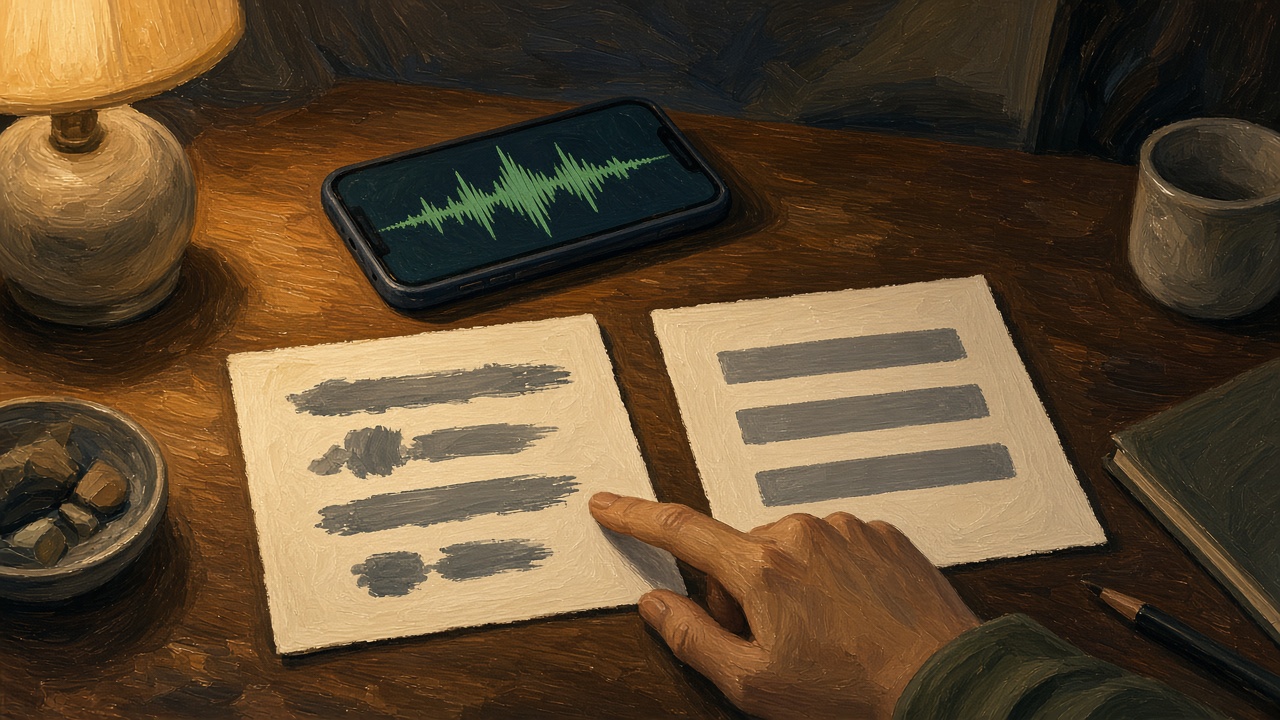
VClar does not publish a fixed processing time, so review starts when the comparison is on the screen and not before. There is no honest sentence of the form “it takes eight seconds.” Waiting for the diff is part of the workflow. Sending a summary you typed from memory, while Enhance is still working, splits the story into two versions. The listener will believe one of them. Make them the same version.
The best-practices guide is the etiquette around this moment: one topic, a calm pace, a text line when a fact must travel. Review is where that etiquette becomes a yes or a no on a specific file. If the file fails the checklist, it does not go out, however close it felt.
Export
Export is download or copy. Download the resulting audio when the listener should hear you. Copy the improved text, or the translation, when they should read or forward a fact. Many notes need both, and the two must match. If you edit the text after you listen, edit until the audio you send says the same thing, or do not send the audio.
Where it goes is the channel you already use. WhatsApp, email, Slack, a ticket, a doc. VClar does not become that channel. You paste or attach. A one-line label helps the person who will not press play: the decision and the digit. The Nielsen Norman Group’s “How Users Read on the Web” is about web pages, not about chat, and it should be cited as that. In their study, 79 percent of users scanned and 16 percent read word by word. A waveform cannot be scanned. The sentence you copy can. The voice versus text guide is the longer version of when that sentence should exist. On this page the export rule is mechanical. If the review passed, the audio and the text leave together or the text leaves alone. They do not leave in disagreement.
Keep a copy of the checked sentence in the system that will still exist next month. Chat scrolls. The tracker, the brief, or the calendar is where a Thursday decision has to live. When the listener is in another hour, the remote teams guide is that handoff. The voice file can follow your retention setting and disappear after 14 or 30 days if you chose that. The decision should not disappear with it. Export is finished when the durable place has the sentence, not when the chat shows a waveform.
What an audio editor does instead
A typical audio editor is a waveform tool. You cut silence, move clips, lower a noise floor, and export a new sound file. That work is real, and it is a different job. The Audacity manual’s page on noise reduction is a clear example: you select a region of noise, take a profile, and reduce that noise in the selection. You are editing the sound. You are not being shown that “Tuesday, no, Thursday” became one day, and you are not offered the sentence in another language in your own recognizable delivery.
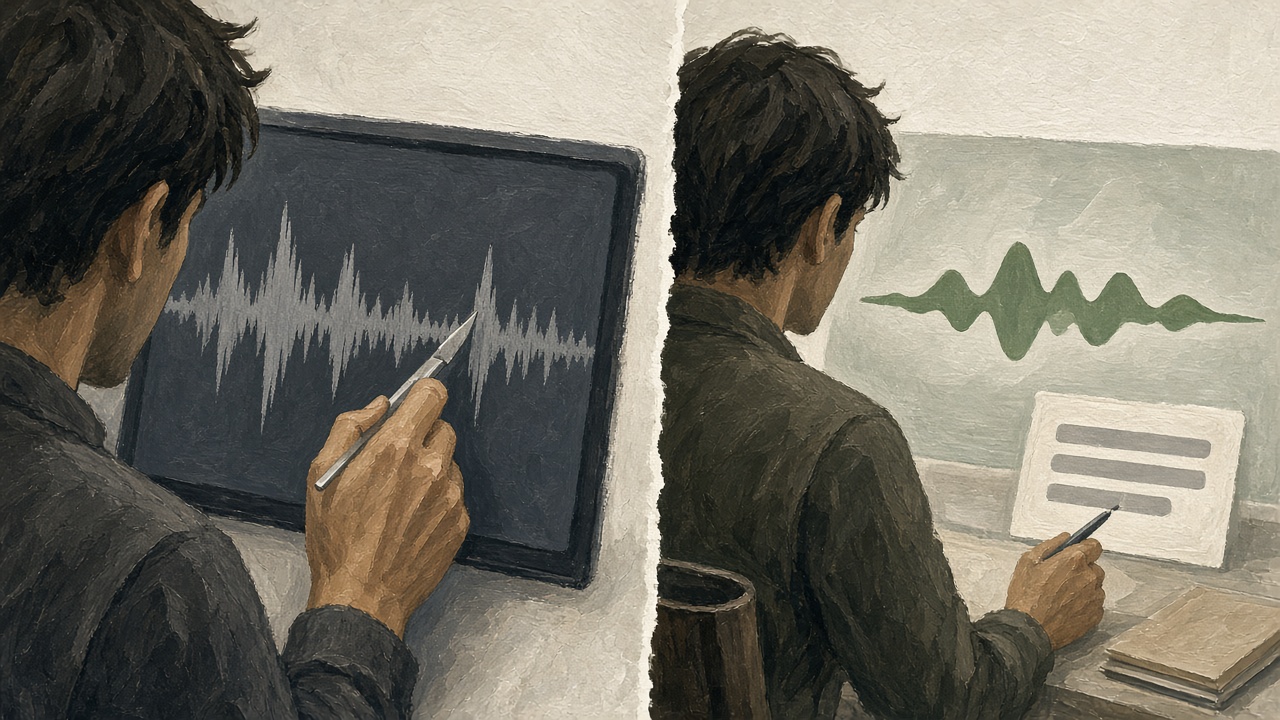
| Waveform editor | This workflow | |
|---|---|---|
| What you change | The sound: cuts, levels, a noise profile. | The message: filler, spoken grammar, clarity, and a translation if you asked. |
| How you fix a wrong word | Re-record, or splice a new take into the timeline. | Read the diff. Re-record only when the fact itself is wrong. |
| What the listener gets | A cleaner file of whatever you said, including the false start. | The cleaned sentence, still in a voice that should sound like you, plus text you can copy. |
Use an editor when the problem is a door slam, a clipped start, or a file that is the wrong length. Use this workflow when the problem is the sentence. Doing both is allowed and should stay in that order: a file you can hear, then a message you can trust. Running noise reduction until the voice sounds like a booth, and then skipping the diff, produces a polished wrong day. The polish was never the point.
One note, from upload to send
This is an illustration, not a customer file and not a measured score. The only day that should survive is Thursday.
| Step | What you have |
|---|---|
| Upload | Um, so the invoice, uh, is due Tuesday, no, Thursday, if that’s still okay with you. |
| Clean | The invoice is due Thursday. |
| Translate | Skipped, because the listener reads English. If they needed another supported language, the translation would start from “Thursday,” not from “Tuesday, no.” |
| Review | You confirm Thursday is the day you meant, that “if that’s still okay” was a softener you are willing to drop, and that the voice is yours. |
| Export | The audio, plus the text line “Invoice due Thursday.” |
The dangerous token is the repaired day. A waveform editor can make this file quieter and still contain both days. A cleanup that you do not read can drop “no” and keep Tuesday. The workflow’s value is that both the original and the cleaned line are on screen together, and you are the person who picks Thursday before anyone else hears it. If you would not drop the softener, reject that part of the clean and keep a sentence that still asks. The tool proposes. You dispose.
Where people skip a step, and what it costs
Skipping upload discipline is how the wrong file gets cleaned beautifully. A stack of voice notes in a chat, and you grab the one above the one you meant. Play the first five seconds before Enhance. If it is not the note, stop. Cleaning the wrong note is a perfect workflow applied to the wrong decision.
Skipping clean is the re-record loop. You hear one “um,” you delete the take, you speak again, and the amount changes by a hundred because you were performing. The research on corrected speech being slow is this loop in a lab. Stay with the take. Let the diff do the wording. Re-record only for a fact.
Skipping the choice about translation is how an English note goes to an office that needed Hindi, or how a Hindi note is translated when the listener asked for the original. The language picker is a decision, not a default you leave on from last time. Look at it. Last week’s target language is a common way to surprise a domestic client with a translation they did not ask for.
Skipping review is the expensive one. The screen is doing the work of showing you a change, and sending without looking throws that work away. A single flipped negative is enough to schedule the wrong flight, pay the wrong invoice, or tell a customer the opposite of what you decided. The time you save by not reading is smaller than the time you spend correcting the send. Read it.
Skipping a matched export is how the audio says Thursday and the paste says Tuesday, because you copied an earlier draft. After review, the text you copy is the text on the screen now. If you tweak it in the chat box, tweak it until it matches, or do not attach the audio.
What this workflow will not do
It will not join a meeting, dub a video, or write a script you have not spoken. It will not publish an accuracy percentage, because VClar has not published one. It will not turn a vague note into a specific one. It will not hide the original. It will not pretend the upload expires the moment you click Enhance. It will not give you a grammar-only switch that preserves every filler, or a filler-only switch that preserves a broken sentence. It will not translate a language outside the eleven. It will not be the channel you send through. You still paste, attach, and label.
It will, if you follow the five steps, leave you with a message you can defend. The meaning you uploaded, the wording cleaned, the translation only if you asked, the diff read, the file and the sentence in agreement. That is the whole product in one pass. The use-case hub is who you are when you send it. This page is the order of operations, whoever you are.
If you want to see the sequence before you record, the demo is the place. It is a sample, with a sample length and a sample language choice, and it is there so the first time you tap Enhance on your own file the screen is not a surprise. Your file still gets the same review. The demo does not approve your Thursday.
After you have done it once
The second file should be faster, and it should not be sloppier. You already know where the language picker sits and what the diff looks like. The temptation on the second file is to trust the pattern and skip the read. Do not. The second file is where a repeated target language, left over from the first run, translates a note that was supposed to stay in English. Look at the language every time. The few seconds are the whole difference between a client who asked for English and a client who receives a language they did not ask for.
Keep the durable sentence. After you export, paste the checked line into the tracker, the brief, or the calendar, in the same words as the text you sent. A week later nobody should have to replay the audio to learn the day. The audio was for the person who needed your voice that afternoon. The sentence is for the person who searches next month. If your retention setting deletes the file in 14 or 30 days, the sentence is what remains, and it should have been copied while the diff was still on screen.
Your own recording happens in the panel, which is also where an upload starts. The demo does not replace that. Use the demo to learn the shape. Use the panel when the file is yours and the listener is real. Then come back to this page only if a step felt unclear. The order does not grow new steps because the note is for a client, a class, or a teammate. Upload, clean, translate only if needed, review, export.
Questions people ask before they tap Enhance
The short answers are the workflow. The feature pages stay on filler, grammar, and translation. The privacy policy stays on retention. Nothing here replaces those.
How does voice message AI work?
You give VClar a voice message, not a video and not a live meeting. Enhance reads the wording, removes filler, repairs spoken grammar, and improves clarity. If you chose another supported language, it translates the cleaned meaning and can speak that meaning in a delivery that stays recognizable as you. You then compare what you said with what changed, and you download the audio or copy the text. The message is what changes. Your identity is not replaced.
What happens when I upload audio to VClar?
The file needs to be a voice message in MP3, WAV, M4A, or OGG, or a recording you make in the browser. You keep the original language or pick a supported target. You tap Enhance. The screen you review shows the original, the cleaned version, and a translation when you asked for one. New accounts keep the recording, the transcript, and the outputs until you delete them. You can turn on automatic deletion after 14 days or 30 days. Uploading is a copy under that retention setting, which the privacy policy describes.
Can I choose to only fix grammar?
Enhance treats filler, spoken grammar, and clarity as one cleanup of the message. There is not a separate switch that repairs a verb and leaves every “um” in the audio. The grammar guide and the filler guide explain those two changes, and both show up in the diff so you can see each one. What you can skip is translation: keep the original language and you stay on the same-language workflow.
Does VClar change my voice?
It changes the wording. Tone, accent, rhythm, and speaking style stay recognizable. That is not a clone of someone else, and it is not a new accent. If a result does not sound like you, send the text and skip the audio. If the wording changed a fact, reject that line. The voice you already have is the voice the listener should recognize.
Is the original audio saved?
Yes, until you delete it, unless you turn on automatic deletion. The default for a new account is to keep recordings, transcripts, and outputs until you delete them. Optional automatic deletion is 14 days or 30 days. You can delete the data without closing the account. The original has to remain available for the comparison. VClar has not described the upload as something that vanishes the moment Enhance finishes.
Can I skip translation?
Yes. Keep the message in its original language. Enhance still removes filler, fixes spoken grammar, and improves clarity. Translation is the extra step you take only when you choose a supported target language. You do not need a second app to skip it. You simply do not pick another language.
How long does processing take?
VClar does not publish a fixed number of seconds. The result is ready to review when the original and the cleaned version are both on screen, with a translation beside them if you asked for one. Do not send a paraphrase from memory while that comparison is still loading. A wrong send is slower than the wait. The live demo shows the sequence on a sample message so you can see the shape before you spend a take of your own.
Run it on a take you already trust
Pick a voice message whose decision is right and whose wording is messy. Upload it or record it. Tap Enhance. If you need another supported language, choose it. If you do not, leave the original language. Read the diff before you send. Download the audio or copy the text, and keep them in agreement.
The button below opens the live demo, which walks a sample message through the same shape. When the file is yours, record or upload it in the panel. The demo is the rehearsal. The diff on your file is the decision.