


What people mean when they search for a filler word counter
People do not search for a filler word counter because they want a linguistics paper. They just recorded something and winced. A founder hears three “you knows” in a twelve-second client update. A student plays back a class presentation and counts the ums without meaning to. A job candidate leaves an interview convinced the answer was fine until the word like shows up in the transcript. A coach asks for a number, not a vibe. The search is practical: how many fillers are in this talk, which ones, and is it bad enough to rerecord?
This page is that check for English text. Paste the transcript. The counter marks the phrases in the mode you pick, totals them, and divides by the word count so a 40-word voice note and a 1,200-word keynote are comparable. Fillers per 100 words is the number to remember. A raw total of 14 means something very different in a one-minute note than in a ten-minute talk. The percentage beside it is the same ratio written the other way: 4.0 per 100 words is 4% of the words.
The tool is deliberately small. It does not listen to audio, it does not guess your intent with a model, and it does not send the paste anywhere. That last part matters if the transcript is a customer call, a medical-school practice answer, a performance review, or a voice message you have not sent yet. You get a ceiling and a highlighted list. You still decide which marks are noise.
Filler words, discourse markers, and words that only look lazy
A filler, in the narrow sense, is a sound that holds the floor while the next word is not ready. Um, uh, uhm, erm, er, ah, and hmm are the usual English spellings. They rarely change the claim of the sentence. Cut them and the sentence still says what it said. Listeners still notice them, especially in a recording they can replay. In a live room, a few ums disappear. In a voice message, a podcast intro, or an interview answer that will be quoted, they pile up because nothing else is competing for attention.
A second group is doing social work and clutter at the same time. You know invites the listener in, and it also pads. I mean signals a repair, and it also delays the repair. Sort of and kind of soften a claim, which is useful when the claim should be soft and useless when you are stating a date, a price, or a decision. Like can introduce an example, a comparison, or a stall. Basically, actually, and literally can be precise, and they are often decoration. Spoken clutter mode counts this whole group because this is the list behind the searches “you know counter,” “like counter,” and “verbal tic counter.”
A third group is ordinary English that becomes a problem only when it is a habit. So at the start of every answer. Well before every explanation. Just as a softener on every request. Really before every adjective. Right as a tag that asks for agreement the listener cannot give, because this is a recording. Okay as a reset. Broad mode flags these so you can see the habit. It will also flag the so in “so that we can ship,” the well in “the well is dry,” the just in “just after noon,” the really in “really finished,” the right in “right side,” and the okay in “the change is okay.” Read those highlights. Do not treat the broad total as a grade.
The honest summary is the one the counter prints under the box. Pause sounds are almost always safe to cut. Discourse fillers are often safe to cut, with a read-through. Broad-mode words are a review list. If a tool pretends every like is a moral failure, it is counting the verb “I like this” as a mistake. This one would rather show you the mark and let you keep the sentence.
How the three modes change the number
Use Pause sounds only when you want the number you could defend in a meeting. The list is um, uhm, uh, erm, er, ah, and hmm, including stretched spellings such as umm and hmm. It will not flag like, and it will not flag you know. A transcript can be full of verbal tics and still look clean in this mode. That is not a bug. It is the mode doing the narrow job. Pick it for a formal script where the only question is hesitation noise, or when you already know your like problem and you want to see the ums underneath it.
Spoken clutter is the default because it matches the search. On top of the pause sounds it counts you know, I mean, sort of, kind of, sorta, kinda, like, basically, actually, and literally. Phrases are matched as phrases, so you know is one filler, not a hit on you plus a hit on know. Longer phrases are kept when they overlap a shorter one. The cleaned draft removes the whole phrase and then tidies the double spaces and the space left in front of a comma. It does not try to be a writer. “We should, like, wait” becomes “We should, wait” until you delete the comma yourself. That leftover is a feature of a counter, and it is why the draft is labeled a draft.
Broad review adds so, well, just, really, right, and okay, including the spelling ok. Turn it on when a talk feels fluffy and you cannot see why the strict count looks fine. A founder update that starts every sentence with so can read as nervous even when there is not a single um. A sales voicemail that leans on just (“just circling back,” “just checking,” “just a quick one”) can sound smaller than the offer. Broad mode makes that pattern countable. Publish the spoken-clutter number if you are comparing takes. Keep the broad number for the rewrite.
A worked count you can check by hand
The sample button loads a short client-style note. Spoken clutter mode marks six fillers: um, you know, I mean, like, literally, and basically. It leaves so, just, and right alone. Those three show up only in Broad review. The sample is 63 words. Six divided by 63, times 100, is 9.5 fillers per 100 words, and the verdict line calls that hard to follow. The cleaned draft still needs a human pass, because the sentences were built around the fillers. The point of the sample is the arithmetic, not a model paragraph.
Here is the formula with round numbers, so you can trust the box later. Fillers per 100 words = filler count ÷ word count × 100. A 200-word answer with 6 fillers is 3.0 per 100 words. The same 6 fillers in an 80-word voice message is 7.5 per 100 words. Same bad habit, very different listener experience, because the short message has almost no other words to hide inside. Always look at the rate. The total is there so you can see whether one phrase is the whole problem. If 11 of 12 hits are like, you do not have an um problem. You have a like problem, and the practice is different.
What the rate means in real recordings
Under 2 fillers per 100 words, in Spoken clutter mode, is a tight spoken draft. A listener may still hear one um and not remember it. This is a reasonable target for a priced sales voicemail, a customer-success update, a lecture clip that will be replayed, and the first minute of a podcast. It is not a realistic target for a first take recorded while walking. First takes exist to be counted, not framed.
From 2 up to but not including 5 is the noticeable band. Friends will not mention it. A hiring panel might not mention it either, and they will still feel that the answer took longer than the idea. This band is acceptable for an internal voice note that is only replacing a Slack message. It is the band to leave if the same note is going to a client, a professor, or a public page. Cutting three you knows and two likes is often enough to drop a 4.5 down to a 2.5. You do not need a new personality. You need one quieter take.
From 5 up to but not including 8, the fillers are competing with the point. People start paraphrasing you poorly, because the quotable sentence never quite arrived. Class presentations land here when the script was written as writing and then performed as thinking out loud. Interview answers land here when the candidate is buying time. Founder updates land here when the decision is not actually made and the voice message is a way of not writing the decision down. The fix is usually a shorter script, not a faster voice.
At 8 or more per 100 words, rerecord or rewrite before anyone else has to listen. That rate means roughly one flagged word in every twelve. In a 30-second message it feels like static. Listeners are polite in person and brutal with the pause button. If the broad mode is the one showing 8 and spoken clutter is showing 2, believe the spoken-clutter number and use the broad list only as editing notes.
Voice messages
Voice messages are where filler counts hurt most, because they are short and they are optional. The recipient can read a text in less time than they can survive a rambling note. A 20-second message is often 45 to 60 words. Three fillers is already around 5 per 100 words. The message can still be kind and clear, and it will still feel longer than it is. The practical target for a voice message you are sending on purpose is under 3 per 100 words in Spoken clutter mode, with zero ums if you have one retake in you.
A useful routine is boring and fast. Record the note once, the way you actually talk. Transcribe it, or type the messy version if the caption tool deleted the ums. Paste it here. If the rate is under 2, send it. If a single phrase is the whole count, rerecord that one sentence. If the rate is over 5, do not polish the audio first. Write the decision in one line, then the reason in one line, then the ask in one line, and record those three lines. The counter is the mirror. The three lines are the script. People who try to “talk cleaner” without a shorter idea usually replace um with you know and call it progress. The phrase list will catch that trade.
When the take is already the right take and only the clutter is wrong, cleaning the audio is reasonable. VClar’s filler words remover is built for that: it works on the voice message itself and keeps the speaker’s voice, which a text counter cannot do. Use this page to decide whether a retake is worth it. Use the remover when the performance is good and the ums are the leftover. If the sentences are also grammatically broken, the grammar repair for voice messages is the next pass. Counting, cutting fillers, and fixing grammar are three different edits. Doing all three in your head while you record is why the second take often gets worse.

Before-and-after image for the filler word counter: the left side shows a messy voice-message transcript full of um and you know, and the right side shows the same note once those fillers are gone.
Interviews and spoken answers
Interview answers fail in a specific way. The candidate knows the story and does not trust the silence it would take to start the story cleanly. So the first three seconds become “yeah, so, I mean, that’s a great question, um.” None of that is the answer. A transcript of a two-minute answer is often 280 to 340 words. At a calm 150 words per minute, two minutes is 300 words. Ten fillers in that answer is 3.3 per 100 words, which is inside the noticeable band and usually all piled at the start and at each transition. Twenty fillers is 6.7, and the story is hard to retell afterward. Panels remember the shape of an answer more than the adjectives.
Count the answer in Spoken clutter mode, then look at where the marks sit. A cluster in the first sentence means you need a start line you can say from memory: the role, the year, the result. A cluster before every number means you do not trust the number, so look it up before the next mock. A cluster of likes inside a story means you are performing the story instead of telling it. Pause sounds only is useful here as a second pass. Some coaches ban um and allow you know. Run both modes and you can honor that rule without arguing about it.
Do not chase a zero. A single um while you recall a metric sounds like a person. A script with every human joint sanded off sounds like a cover letter being read aloud. The band under 2 per 100 words already gives you that room. If a mock interview is at 1.2 and the content is thin, the filler counter has finished its job. Go work on the story. Pair the timing with the speaking time calculator so the cleaner answer still fits the minute you were given. Cleaning fillers often shortens a talk by less than people hope, because the fillers were short words. The bigger shortening comes from deleting the sentence that only existed to house them.
Class talks, lessons, and presentations
Students get told to “stop saying like” without a count, which turns the advice into shame. A count turns it into a draft. Take a 5-minute class talk at 140 words per minute, which is a sensible teaching pace with a few pauses. That is about 700 words. At 2 per 100 words you have room for about 14 fillers in the whole talk, which is enough to sound alive. At 8 per 100 words you have about 56, and the grade comment will mention confidence even if the student knew the material. The material was fine. The playback was not.
Teachers and course instructors have the opposite problem. They speak for a long time, and a moderate rate becomes a large total. A 20-minute lesson at 150 words per minute is about 3,000 words. Three fillers per 100 words is 90 fillers. Nobody should try to delete 90 items live. Cut them in the opening, the transitions, and the sentences that state the rule. Leave the examples alone unless a like is replacing a precise verb. Students imitate the teacher’s transition style more than the teacher’s examples. “So, um, the next thing is, you know” teaches a habit even when the definition that follows is excellent.
Slides make this worse when the slide is the script. People read a bullet, then talk around it, and the around-it part is where sort of and basically live. Paste only the spoken transcript, not the slide text. If you paste both, the word count goes up, the rate goes down, and you will think the talk is cleaner than the room experienced. The counter has no idea which words were said.
Sales voicemails and founder updates
Sales voicemails are usually under 30 seconds, and the filler that shows up most in broad mode is just. “Just following up” shrinks a real offer. Spoken clutter mode will not save you from just, so use Broad review on the transcript of a voicemail even if you report the other number. The second pattern is a chain of you knows that asks the prospect to validate a claim they have not heard yet. Replace each you know with the fact. “You know, teams lose the thread” is weaker than “Replies sit for two days.” The counter will show you the places. It will not invent the fact.
Founder updates fail when the decision is buried. The transcript wanders through context, and the fillers mark the wander. If basically appears every time you summarize, you may not have a summary. Write the decision first, in words you would put in a changelog, then record. A 90-second investor or customer update at 160 words per minute is about 240 words. Eight fillers is 3.3 per 100 words. That can be a good update. Eighteen fillers is 7.5, and the listener will ask you to send a note anyway, which defeats the voice message. Founders who like voice because it is faster than writing still need one written sentence. The sentence is what you check the transcript against.
How to bring the count down without sounding rehearsed
Start with the phrase that won the list. If like is 70% of the hits, practice is about like, not about “fillers” as a fog. Read the highlighted lines and split them into three piles: delete, replace, keep. Delete the stalls. Replace sort of and kind of when a plain verb is true. Keep the likes that are verbs and the you knows that are real checks. Then read the remaining paragraph aloud once. If you stumble, the sentence was leaning on the filler for its rhythm. Break it in two. Short sentences need fewer joints, and fillers love joints.
Silence is the replacement that does not introduce a new tic. A half-second pause where an um used to be sounds like confidence on a recording, even though it feels like failure in your head. You do not have to fill air the way a live conversation seems to demand. The other person is not waiting in a voice message. They are going to hear the whole thing on their own clock. Practice the pause on purpose: say the sentence up to the sticky word, stop, then say the word. Do that five times before you record the take you will send. The counter on the next transcript should show the um gone and no new you know in its place. If a new phrase appeared, that is the trade the list is there to catch.
Do not memorize a ban list and then speak in fear of it. Fear produces a different clutter: restarts, “sorry,” and sentences that die. Ban one phrase per week. Week one can be um and uh, which Pause sounds only will verify. Week two can be you know. Week three can be the filler like, with permission to keep the verb. People who ban twelve phrases on Monday are exhausted by Wednesday and back to the original rate by Friday. One phrase is a small enough target to hear while you are also thinking about the actual subject.
Read the cleaned draft out loud before you treat it as a script. Some drafts are immediately better. Some have holes where a phrase was grammatical glue. “I mean” often sits in front of a correction that should simply replace the wrong phrase, so deleting I mean is right and deleting the correction is not. “Basically” often sits in front of a summary that should stay. The button that copies the cleaned text is there so you can paste into a notes app and edit, not so you can read the raw deletion aloud to a client.
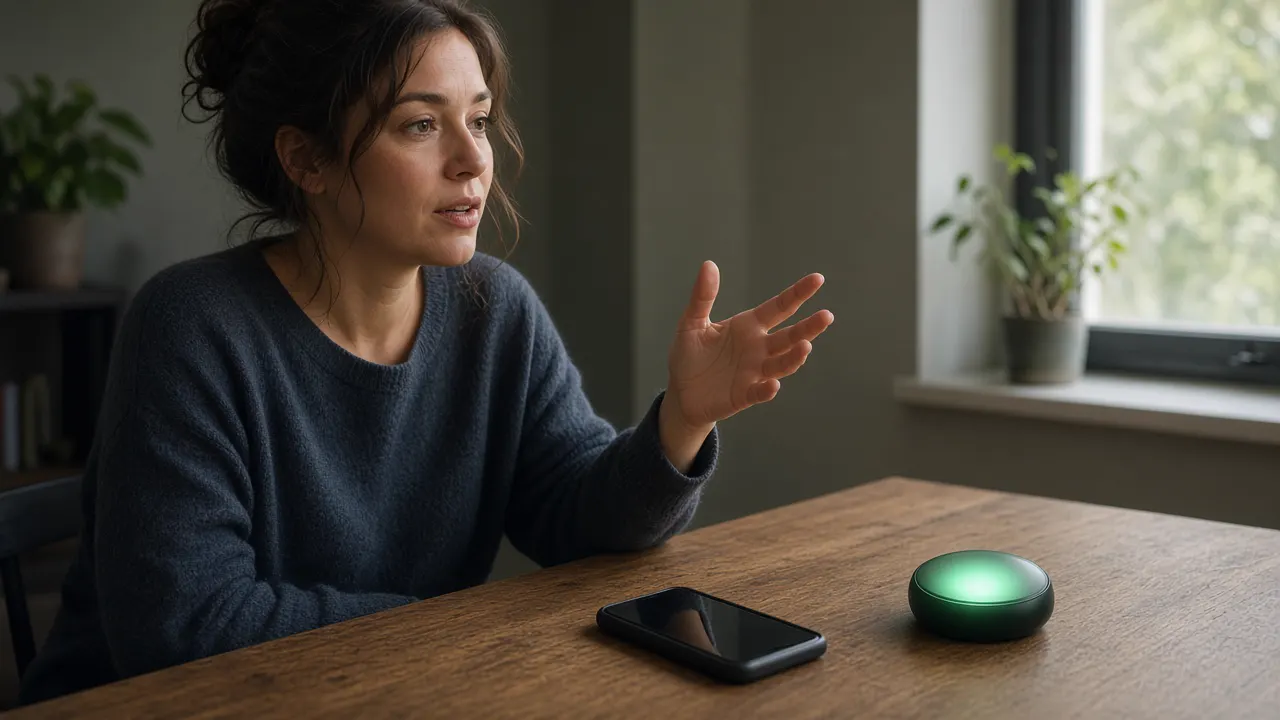
Practice image for the filler word counter: a speaker holds a phone to record a short take, with a glowing green disc marking the clean version they are aiming for.
A one-week practice that uses the counter once a day
Day one, record a 45-second explanation of what you do, the version you would leave a stranger. Paste the transcript in Spoken clutter mode. Write down the rate and the top phrase. Do not rerecord yet. You need a baseline that is allowed to be bad, or you will perform for the tool and learn nothing about your real first take.
Day two, rewrite only the sentences that contain the top phrase. Leave the rest of your wording alone. Record again. The rate should drop, and the rest of the talk should still sound like you. If the whole transcript changed, you wrote a new speech, and you cannot tell whether the phrase work mattered.
Day three, run Pause sounds only on both transcripts. If ums fell along with the discourse fillers, the rewrite gave you time to think. If ums rose, the new sentences are harder to say than the old ones. Prefer the version you can say. A slightly higher like count in a sentence you can finish is better than a clean sentence you restart twice. Restarts often never appear as the word um, so listen once with your ears too.
Day four, use Broad review on the better transcript and circle every just, really, and so that is not doing a job. Replace three of them, not all of them. Record. This is the day people over-edit and start sounding stiff. Stop at three.
Day five, send or deliver the better version in the real context: the client, the class, the standup, the mock interview. A practice file that never meets a listener does not tell you whether the new rate still has warmth. Afterward, if you have a transcript, count it once. Real stakes change the rate. That is the number to keep.
Day six and day seven, do not open the tool. Speak normally. Checking every sentence creates a second performance, and the second performance is where new fillers are born. Come back the following week with one new 45-second baseline. You want the first-take rate to move, not just the polished rate. A person who can hit 1.5 after six edits and still opens at 9 has not changed the habit. They have changed the editing session.
What a text counter cannot see
Audio fillers and transcript fillers are not the same list. A long “uuuuh” may be typed as uh, uhh, or nothing. A breath can be typed as a period. A restart (“we should— we should wait”) may contain no flagged word at all and still be the messiest moment in the clip. Auto captions are tuned to produce readable sentences, so they delete the very tokens you wanted counted. If you paste a cleaned caption, you will get a flattering number. For a serious check, use a transcript that was told to keep disfluencies, or listen and type the fillers back in before you paste. Ten minutes of that on a short note is enough. You do not need a perfect linguistic transcript to see that you know appears eight times.
The counter also cannot hear tone. Actually can be a precise contrast (“actually, the invoice was paid”) or a verbal shrug. Literally can be literal. Right can mean correct, the direction, or “agree with me.” The highlight is a location, not a judgment. This is also why the tool does not show a fake grade point or a “your speech is 82% confident” score. Those numbers pretend a word list understands status, dialect, and intent. It does not. Some varieties of English use you know and like as ordinary rhythm. A higher rate is not automatically a worse mind. It is a cue to ask whether this listener, in this recording, needs a tighter draft. A voice note to a close colleague can carry a rate that would be wrong in a keynote. Match the band to the room.
Word count itself is a convention. This page counts letter-and-number groups, so “well-known” is one word, “don’t” is one word, and “2026” is one word. A different editor might split the hyphen or the apostrophe another way. On a 100-word note the rate might move by a tenth. That is not enough to change a band. Do not compare a count from this page to a count from a word processor at the level of a single filler. Compare rates from the same page across your own takes. Consistency is the point.
Names and technical terms can collide with the list. A sentence about a product called Literally, or a quote that contains the word like, will light up. A line of dialogue you are reporting (“and she was like, no”) is a quotative like, which many speakers use on purpose. Leave reported speech marked if you are telling a story, and do not “clean” a quotation into a lie. The cleaned draft does not know about quotation marks. If the paste includes a quote, fix that part by hand.
English is the list. Um and uh travel, but the discourse phrases do not. If you paste a machine translation of a talk you gave in another language, you are grading the translator. A high like count in the English may be the translation of a filler, or it may be the translator’s own habit. Either way it is not a clean measure of the original. VClar’s language guides cover voice messages across the public languages on the site. This counter stays an English text tool. Use it on the English wording you are about to say or send.
Using the count with timing, not instead of it
Filler rate and speaking time answer different questions, and people mix them up because both feel like “delivery.” A crowded 3-minute talk can be crowded because it has 500 words, or because it has 40 fillers, or both. Time the script with the speech time calculator at the pace you can actually hold. Then count fillers on the same paste. If you are over time and over 5 fillers per 100 words, cut content first. The fillers are often attached to the sentences you did not need. If you are under time and the filler rate is high, you have room to pause, which means you can drop the ums without speeding up. Speeding up to hide fillers just makes the remaining ones harder to understand.
Reading time is a third number, and it is almost always shorter than speaking time. Someone who checks a script in the words to time calculator at a silent reading pace will think a talk fits that does not fit once it is spoken. Use reading time for articles and study. Use speaking time for anything that will be said. Use the filler counter for the words you wish were not said. The three tools sit together because a voice-first workflow keeps producing the same three doubts: how long is this, how long will it take to read, and why does the playback sound less sharp than the idea.
For teams, the useful shared rule is a mode plus a band, written down. “Client voice notes: Spoken clutter, under 3 per 100 words, retake once.” “Internal notes: under 6, send.” “Published lesson: under 2, Pause sounds only must be under 1.” Without the mode, people argue because one person counted like and the other did not. The counter does not settle taste. It settles the definition for the afternoon, so the retake is about the recording and not about the metric.
A few transcripts, counted in plain arithmetic
A 40-word apology voice note with two ums and one you know is 3 fillers, which is 7.5 per 100 words. The total looks tiny and the rate is in the cluttered band, because the note is tiny. Replace the you know with the specific thing you are sorry about, drop the ums, and a 38-word version can sit at zero. Short notes move bands fast. That is good news. One edit changes the listener’s whole impression, because there was never much else in the file.
A 180-word customer update with 4 ums, 3 you knows, 2 likes that are fillers, and 1 like that is a verb: if you leave the verb in the count, Spoken clutter shows 10 and a rate of 5.6. If you ignore the verb, the honest clutter is 9 and the rate is 5.0. Both say rewrite. The phrase list tells you the rewrite is not an um crisis. Six of the hits are discourse fillers. Write the status, the risk, and the ask as three sentences and the next take usually lands near 2 per 100 words without any vocal gymnastics.
A 900-word conference talk with 12 ums and 8 you knows is 20 fillers, or 2.2 per 100 words. That is just at the edge of tight, and it is a talk you can give. If 15 of those 20 sit in the first two minutes, the open is doing the damage and the rest is fine. Do not flatten the whole script to chase a 1.0. Rewrite the open until Pause sounds only on those 300 words is a handful, then leave the stories. Stories can carry a little rhythm. Definitions and asks should be clean, because those are the lines people write down.
A 1,500-word lesson transcript at 4.0 per 100 words is 60 fillers. Trying to delete all 60 in one pass will produce a stiff lesson. Delete them from the learning objectives and the summaries only, which might be 400 of the words. Getting those 400 down to 1.5 can remove a dozen fillers from the minutes students actually quote. The anecdotes in the middle can stay human. This is the same judgment a good editor makes on a written piece, applied to a phrase list instead of a hunch.
Privacy, limits, and what to do with the draft
The transcript never needs to leave the device for this count to work. There is no login on this page, no file picker, and no “improve my text” request waiting behind the button. Copy the cleaned draft if you want to keep it. Clear the box when the transcript includes anything you would not leave on a shared screen. Browser extensions and screen recordings are outside what this page can control. If that matters, disconnect those before you paste, the same way you would before opening any other sensitive note.
The counter will miss fillers spelled in a private way. “Uhhhhh” is caught by the stretched um pattern. “Errr” is caught as er. A typed “um,” with a comma is caught because the comma is not a word character. A filler glued to a word without a space, as in “umso,” is missed, because the match is a whole word. A filler in all caps is caught. A filler split by a line break in the middle of you know is missed. These edge cases are rare in normal transcripts and common in messy captions. If a number looks suspiciously low, skim once for the phrase you fear. Your ear is still the authority. The tool is the tally.
After the tally, pick one action. Send the take, rerecord from a shorter script, or clean the audio of a take that is otherwise right. Staring at a fourth mode will not make the message clearer. If you are moving the words into a voice message, record the cleaned draft in your own voice rather than reading the highlighted original and hoping. The highlight is for seeing. The draft is for saying. And if the draft sounds like nobody, put a little of your rhythm back. The goal people actually have, when they search for this, is to sound like themselves on a good day. A good day still has a pulse. It just does not have a you know in front of every clause.
Come back to the same mode next time so the rates compare. Spoken clutter for anything you might send or perform. Pause sounds only when ums are the assigned problem. Broad review when the talk feels padded and the default count looks innocent. Write the rate next to the take, the way you would write a duration. In a month you will know your real first-take number, which is more useful than any universal standard. The bands on this page are a starting map for English recordings that strangers will replay. Your map, after a few honest pastes, can be stricter or kinder, as long as you measure it the same way each time.
Questions about the filler word counter
What is a filler word counter?
A filler word counter is a tool that reads a transcript and tallies the pause sounds and verbal tics people search for when they want cleaner speech. This one counts um, uh, uhm, erm, er, ah, and hmm in every mode. Spoken clutter mode, the default, also counts like, you know, I mean, sort of, kind of, sorta, kinda, basically, actually, and literally. Broad mode adds so, well, just, really, right, and okay, with a warning that those words are often real content. You paste text, pick a mode, and the page shows a total, a rate per 100 words, a highlighted transcript, and a draft with the matches removed.
Is this filler word counter free?
Yes. The counter is free, with no account and no upload. The counting happens in the browser after the page loads. VClar does not receive the transcript, does not store it, and does not use it to train anything. If you refresh the page, the text is gone unless you pasted it again. That is the right trade for a private first pass on a client note, an interview answer, or a class script.
How many filler words per 100 words is too many?
Under 2 fillers per 100 words is tight for most spoken English. Between 2 and 5 is noticeable: fine for a casual voice note to a teammate, worth trimming before a client, an interview, or a class. Between 5 and 8, the fillers start competing with the point. Above 8, listeners work harder to find the sentence than they should. These bands are for Spoken clutter mode. Pause-sounds-only mode will almost always look cleaner, because it ignores like and you know. Broad mode will almost always look worse, because it flags so, well, and just even when they carry meaning.
Does the counter hear my voice?
No. It only reads the text you paste. It does not use the microphone, and it cannot hear a pause that never made it into the transcript. Auto captions often drop um and uh, or turn them into and or a. If the transcript is missing the sounds, the count will be too low. For a fair check, use a transcript that keeps the fillers, or type the messy version yourself from a recording. If you want a cleaned voice message in your own voice, that is a different job: record in VClar and use the filler words remover on the audio.
Why does “like” get counted when I meant the verb?
Because a text counter cannot reliably tell “I like this plan” from “it was, like, impossible.” Spoken clutter mode treats every standalone like as a possible filler so you can see the ceiling. That number is a review list, not a verdict. Read the highlights. Keep the likes that are verbs, comparisons, or examples, and delete the ones that only stall the sentence. If you want a count that never touches like, switch to Pause sounds only. That mode is limited to um, uh, uhm, erm, er, ah, and hmm.
Should I delete every “you know” and “I mean”?
Delete the ones that add no information. Keep a you know when you are genuinely checking that the listener shares a fact, and keep an I mean when you are correcting yourself on purpose. In a 60-second voice message, one of each is usually invisible. Six of each makes the message feel unfinished. The cleaned-text box removes every match in the current mode, so treat that box as a draft. Put back any phrase that was doing real work before you record again.
What is the difference between the three modes?
Pause sounds only counts hesitation noises: um, uh, uhm, erm, er, ah, and hmm. Use it when you want the strictest, least controversial number. Spoken clutter is the default, and it adds the discourse fillers people actually get coached on: like, you know, I mean, sort of, kind of, basically, actually, and literally, plus sorta and kinda. Broad mode adds so, well, just, really, right, and okay. Those six are often normal English. Broad mode is a stress test for a talk that feels padded, not a score you should publish.
Can I use this on a voice message transcript?
Yes. Paste the transcript of the voice message, run Spoken clutter mode, and look at fillers per 100 words before you send a second take. A 45-second update is often 110 to 140 words. Six fillers in that note is about 4 to 5 per 100 words, which is the “trim it” band. Twelve fillers puts it in the cluttered band. After you see the highlights, either rerecord the note or, if you want the same take cleaned, open the filler words remover and let VClar cut the fillers from the audio while keeping your voice.
Does it work for languages other than English?
The phrase lists are English. Um and uh appear in other languages, but you know, like, sort of, and the rest are English-specific. A French euh, a Spanish este or o sea, a Hindi matlab, or a Japanese ano will not be counted unless those exact English spellings appear. If you paste a translation, you are counting the translator’s English, not the original speech. For a non-English recording, use this page only on an English transcript, and treat the result as a check of that English text.
Will the cleaned text sound natural if I read it aloud?
Sometimes, and sometimes it will sound chopped. Removing um usually helps. Removing every so, well, and just in Broad mode often hurts, because those words hold sentences together. Read the cleaned draft out loud once. If a sentence lost its subject or now starts with a comma, fix it by hand. The counter does not rewrite grammar. For a voice message that also needs grammar repair, use fix grammar in voice message after the filler pass, or rerecord from the cleaned draft.
How is this different from a speech speed test?
Speed and clutter are different problems. A person can speak at a calm 140 words per minute and still say like every sentence, or race at 190 words per minute with almost no fillers. Use the filler word counter to see padding. Use the speaking and speech time calculator when you need duration, words per minute, or a target word count for a timed talk. A three-minute talk at 150 words per minute is about 450 words. If that script shows 30 fillers in Spoken clutter mode, that is about 6.7 per 100 words, which is worth a rewrite before you time the delivery.
Does the counter store what I paste?
No. There is no save button, no account, and no request that sends the transcript to VClar. The highlights and the cleaned draft are built on your device. Copy the cleaned text if you want to keep it, then clear the box when you are done. Shared or borrowed computers still show the text on screen until you clear it, so clear it before you walk away.
The filler word counter is a free VClar tool. For the audio itself, the filler words remover cleans a voice message in your own voice.