
You hit send on a voice note, replay it, and cringe at the first three seconds. So you delete it and record again, and again. That re-record loop is the most visible cost of voice note mistakes that sound unprepared. Almost every raw voice memo has them: fillers, stumbles, and sentences that trail off.
Picture a founder recording an investor update that opens with "um, so, basically." Before any news lands, the listener has already concluded the update was not thought through. The same pattern shows up in voice notes for founders, sales follow-ups, and client check-ins.
This guide names eight mistakes and gives a fix for each one that does not require a retake. You will also see why the most common fix makes it worse.
What voice note mistakes make you sound unprepared? The eight biggest are warming up out loud, filler words, false starts, trailing fragments, circular phrasing, a buried ask, background noise, and breath, click, or dead-air sounds. Each one tells the listener the message was improvised, not planned.
Which Voice Note Mistakes Make You Sound Unprepared?
The mistakes that make you sound unprepared fall into three groups based on what they cost the listener: trust, clarity, and attention. Each group leads the listener to a different conclusion about how much thought went into your message.
The Listener Cost framework is a way of sorting voice note mistakes by what each one costs the person receiving them. Think of it like a restaurant bill. Every stumble adds a line item, and the listener pays in patience.
| Listener Cost | Mistakes | What the Listener Concludes |
|---|---|---|
| Trust | Warming up out loud, filler words, false starts | "They didn't think this through." |
| Clarity | Trailing fragments, circular phrasing, buried ask | "What do they actually want?" |
| Attention | Background noise, breath sounds and mouth clicks, dead air | "I'll listen later." |
Filler words are sounds or phrases like "um," "like," and "you know" that fill a pause without adding meaning. Dead air is silence long enough that the listener wonders whether the message has ended.
Why do small mistakes in a voice note matter so much? A voice note has no visual cues, so the listener judges your preparation entirely by sound. Trust mistakes are the easiest to spot, because fillers in the opening seconds suggest you are working out the message as you record. Clarity mistakes go one level deeper. The words are clean, but the structure makes the listener hunt for the point. Attention mistakes are the hardest to catch yourself. Your brain tunes out the car engine or the long pause, but the listener hears all of it.
Trust mistakes are also the easiest to fix later. You can remove filler words from audio after recording and still keep your natural voice.
8 Voice Note Mistakes and How to Fix Each One
Each mistake has two fixes: a habit you build before you press record and a cleanup step you apply afterward. The list starts with the mistakes that shape first impressions most.
1. Warming Up Out Loud
Spending the first few seconds searching for your point ("hey, so, I just wanted to...") shows that you started recording before you knew what to say.
Habit fix: Write your first sentence down before you press record. After recording: Trim the warm-up so the message opens on your actual point.
2. Mid-Sentence Fillers
Fillers creep in whenever you pause to think: um, ah, like, basically, you know. A few sound human. A steady stream sounds hesitant.
Habit fix: Pause silently instead of filling the gap. After recording: VClar detects and removes fillers and cleans the audio timeline so the message sounds decisive.
3. False Starts and Restarts
A false start is a sentence you begin, drop, and restart ("We should... actually, I think we need to..."). The listener hears you rewriting in real time.
Habit fix: Run your key point through your head once before you speak. After recording: Remove repeated false starts and keep the version you meant.
4. Trailing Fragments
A trailing fragment is an unfinished ending like "so yeah... anyway" that fades out instead of closing the message. It leaves the listener unsure whether you are done.
Habit fix: Decide your last sentence before you record. After recording: Cut the fragment so the message ends on your final clear point.
5. Circular Phrasing
Circular phrasing restates the same idea in new words without moving forward. Picture a sales rep following up with an enterprise buyer who says "the pricing is flexible" three different ways. The buyer hears uncertainty, not flexibility.
Habit fix: Make each point once. After recording: VClar tightens phrasing and corrects spoken grammar in a single pass.
If your follow-ups tend to loop, fix grammar in a voice message before sending, and build it into your daily voice notes for sales routine.
6. Burying the Ask
When context comes first and the request comes last, the listener has to wait for the point. Before: "So, about the revised plan, a few things changed, and, well, could you approve the budget?" After: "Can you approve the budget by Friday? Here's why."
Habit fix:
How to Fix a Voice Note Without Re-Recording
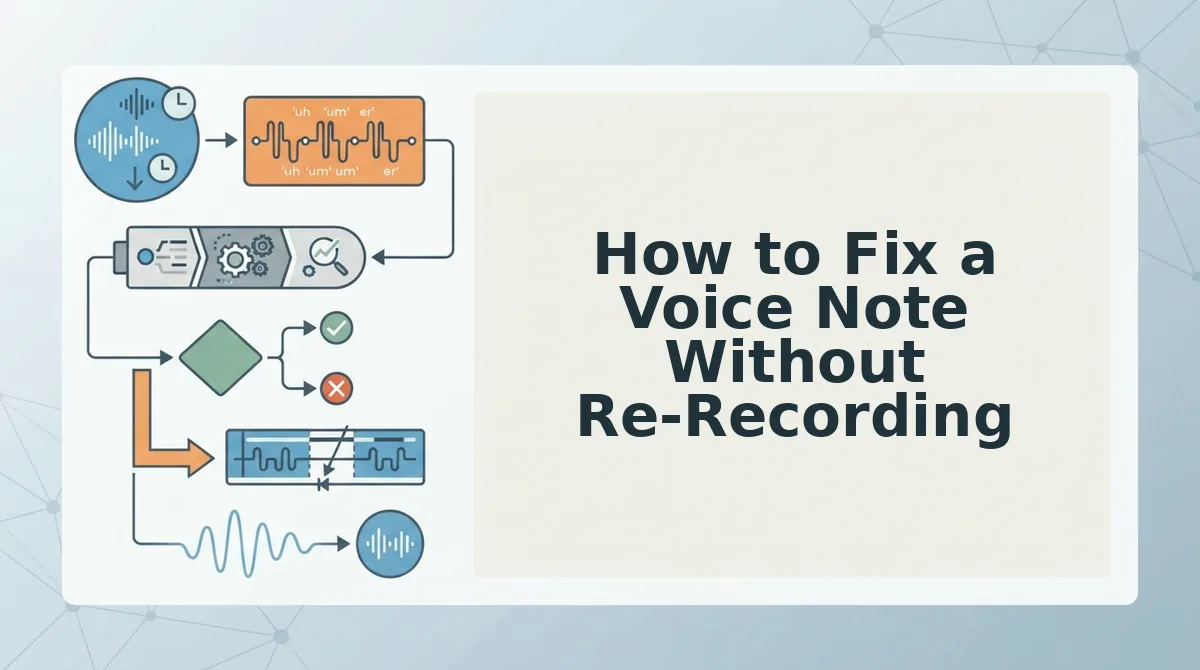
To fix a voice note without re-recording, keep one natural take and clean it afterward. Remove filler words, correct spoken grammar, tighten phrasing, and reduce background noise. Re-recording often makes a message worse, because each new take adds self-consciousness and stiffness that the listener hears.
The re-record loop is the real problem. You stumble, delete, try again, and by the fourth take you sound rehearsed instead of confident. One take plus cleanup keeps the energy of the first attempt and drops the hesitations.
| Option | How it works | Honest strength | Best for |
|---|---|---|---|
| Re-recording | Start over until it sounds right | No tool needed, and you can rewrite wrong facts | Notes where the content itself was wrong |
| Quick cleanup (VClar) | Record once; fillers, grammar slips, and noise are cleaned automatically | Keeps your tone, accent, and rhythm with no editing skills | Founders, sales reps, and freelancers sending daily updates |
| Studio-style timeline editing (Descript) | Edit audio through a transcript and timeline | Precise, cut-by-cut control and production features | Podcasters and creators publishing produced content |
Timeline editors are excellent for published media but more work than a two-minute update needs. See how VClar cleans audio without timeline editing.
| Mistake | Before you record | After you record |
|---|---|---|
| Burying the ask | Write your first sentence | Trim the warm-up so the ask leads |
| Filler opener | Pause one beat, then speak | Remove the opening "um" or "so" |
| False starts | Know your first three words | Cut repeated restarts |
| Rambling | List two or three points | Tighten loose phrasing |
| Grammar slips | Speak in short sentences | Correct spoken grammar |
| Background noise | Move away from fans and traffic | Reduce noise, breaths, and mouth clicks |
| Running too long | Aim for one topic | Cut tangents and repetition |
| No clear next step | Decide the reply you need | Confirm the close states it |
How do I fix a voice note without re-recording? Keep your first take, even if it has stumbles. Run it through a cleanup tool that removes filler words, false starts, and background noise, and corrects spoken grammar while preserving your natural voice. Avoid recording again, because repeated takes usually sound stiffer and more rehearsed than the original. Then replay the cleaned version at normal speed before sending. Check three things: the ask lands in the first sentence, no filler word opens the message, and your tone still sounds like you. If all three pass, send it. If the facts were wrong, that is the only real reason to re-record.
- The ask lands in the first sentence.
- No filler opens the message.
- Your natural tone is intact.
Voice Note FAQ
Some of the things people worry about most in voice notes are not mistakes at all. These answers cover accent, the sound of your recorded voice, length, and warmth.
Is my accent a voice note mistake?
No, your accent is not a mistake. Clarity comes from structure, a clear ask, and clean audio, not from sounding like a native speaker. VClar removes fillers and fixes grammar while preserving your accent and rhythm. Learn more about voice notes for non-native speakers.
Why does my voice sound weird in voice notes?
Your voice sounds weird because you normally hear yourself two ways: through vibrations inside your head and through sound traveling in the air. A recording captures only the airborne sound, so it seems thinner and unfamiliar. Listeners hear this voice every day. The discomfort is yours, not a flaw they notice.
How long should a work voice note be?
A work voice note should run about 45 to 90 seconds. That range gives enough room for context and a clear ask without making the listener scrub through a monologue. If your message needs more time, split it into separate notes by topic or send the details in writing.
Should I remove all warmth to sound professional?
No, conversational warmth is not a mistake. A friendly greeting or a natural laugh makes a voice note feel human, which is the main reason to send audio instead of text. Cut fillers and rambling, but keep the tone that sounds like you.
Send Your Next Voice Note in One Take
The fix for sounding unprepared is not more takes. It is one natural take, cleaned. Re-recording trades your real voice for a stiffer version of it.
Picture a freelancer sending a client update. They record once, stumbles included, clean out the fillers and background noise, and send a message that still sounds like them. No script, no fourth attempt. See more voice notes for freelancers.
- Write your first sentence before you hit record.
- Put the ask first so the listener knows why you called.
- Clean instead of re-recording to keep your natural tone.
Record once and clean your next voice note with VClar. Your first take is usually your most confident one.