
You recorded a 60-second investor update in one take, played it back, and heard four ums before the second sentence. Should you open an editor or just record it again? Many people pick the second option and get stuck in a re-record loop.
Founders who use voice notes for founders often hit this before every send. Choosing between Descript or VClar for removing ums depends on what you're making. Filler words are the hesitations in speech: um, ah, "like," "you know," and false starts.
Both tools remove fillers, but only one workflow fits a single short message, and the deciding factor isn't the um. Below, you'll compare time-to-send, follow the steps in each tool, learn how to check the result, and see what each tool fixes beyond fillers.
Key Takeaway: Both remove ums. Descript is built for editing produced video and podcasts. VClar cleans short voice messages in the browser with no timeline, and also fixes grammar and translates. For the broad feature breakdown, read the full VClar vs Descript comparison.
Is Descript or VClar Faster for Removing Ums from a Short Voice Message?
For a single 45 to 90 second voice message, VClar has fewer stages because you don't create a project or edit on a timeline. You record, clean, review, and send. For produced video or podcasts, Descript's editor is the better fit because those projects need its timeline and multi-track tools.
Timeline editing means cutting audio or video clips on a visual track. Transcript-based editing means changing media by editing its text transcript, the way you would edit a document.
| Stage | Descript | VClar |
|---|---|---|
| Record | Record or import audio into an editor project | Record or upload directly in the browser |
| Clean | Run filler detection, then remove fillers in the transcript | Clean fillers, grammar, and noise in one pass |
| Review | Play back the edited project and check the transcript | Check the transcript and the side-by-side comparison |
| Send | Export a file, then attach it to your message | Send or download the cleaned message |
Descript's filler removal is quick. Digital How To's 2023 tutorial puts it at about "1 minute" inside the editor. The difference is in the steps around that minute, such as setting up a project and exporting a file afterward.
Is Descript or VClar faster for removing ums? For one short voice message, VClar has fewer workflow stages. You record or upload in the browser, clean the audio, review the transcript, and send, with no project setup or timeline. Descript also removes fillers quickly, but that step happens inside an editor project, so you still create the project before and export afterward. The extra stages make sense for edited video and podcasts. They add friction to a 60-second update. This answers the open loop: the output you need decides the tool, not the um. Both tools remove the filler.
Best for founders, sales reps, and cross-border operators: VClar. It sends clean, one-take messages and can translate them across 11 languages.
Best for podcasters and YouTube creators: Descript.
Use Descript if you produce podcasts, YouTube videos, or multi-track edits. For that work, its editor is the stronger tool.
How to Remove Ums from a 60-Second Voice Message in Each Tool
In Descript, you import audio into a project and remove detected fillers from the transcript. In VClar, you record or upload in the browser, clean the message, review it, and send. Plan on about 60 seconds of playback for review in either tool.
Before you start: You need your audio file or a working microphone. Descript also needs an editor project. VClar needs only a browser and has no editing timeline.
Descript Steps
- Open Descript and create a new project. An empty project appears in the editor.
- Import or record your audio. Descript transcribes the audio, and the text appears next to your media.
- Run the built-in filler word detection. Descript's demo, "From Cluttered Speech to Perfect Audio," shows this feature flagging ums and similar fillers in the transcript.
- Remove the flagged fillers. The fillers disappear from both the transcript and the audio.
- Play back and export. You should hear clean audio, and an exported file is ready to attach to your message.
VClar Steps
- Open VClar in your browser. Go to the remove filler words from audio tool. You don't need to set up a project.
- Record or upload your message. Your 60-second clip loads and is ready to clean.
- Click to clean the audio. VClar removes ums, ahs, "like," and false starts, fixes spoken grammar, and reduces background noise. Your voice, tone, and accent stay the same.
- Review the transcript and side-by-side comparison. Compare the original against the cleaned version. You should hear the same voice without the hesitations.
- Send or download. Your polished message is ready to share.
Worked example: A B2B sales rep records a follow-up voice note to an enterprise buyer. They upload it to VClar, clean it, check the transcript for a clear pricing mention, and send it without re-recording. See more workflows for voice notes for sales.
If your messages take several tries to record, try cleaning the first take in VClar instead of recording it again.
Next, confirm that the cleanup worked and see what each tool fixes beyond the um.
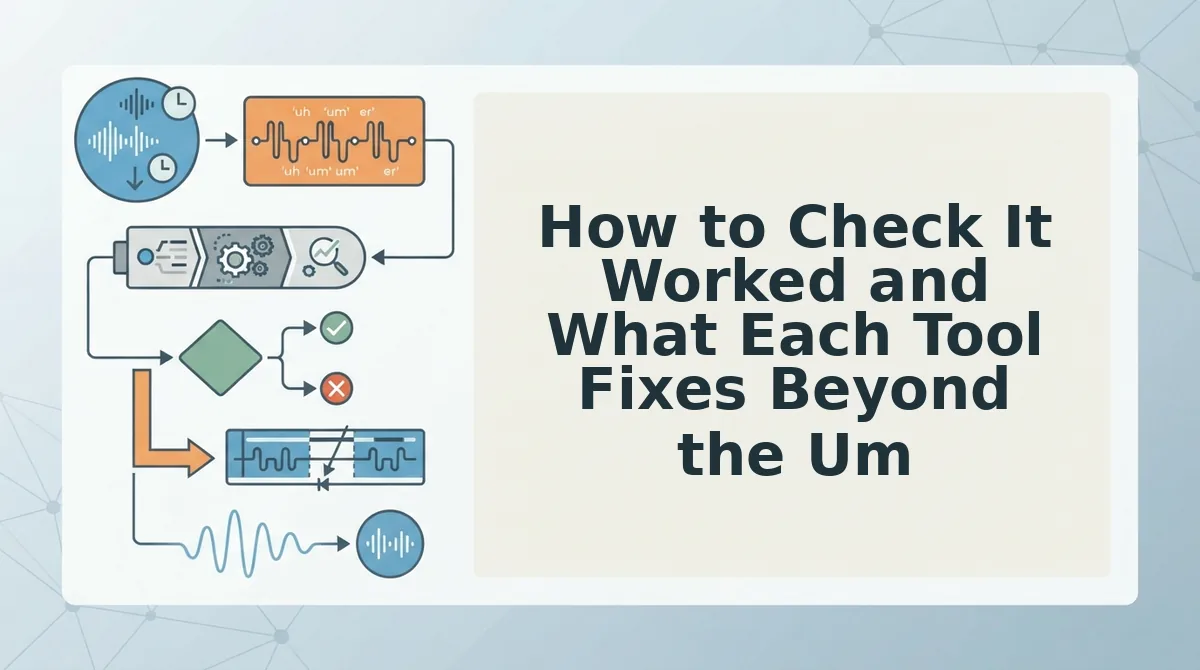
How to Check It Worked and What Each Tool Fixes Beyond the Um
Play the cleaned message once and run three checks before you hit send. Then look past the ums, because a 60-second take usually has other problems too.
- Fillers gone: no leftover ums, ahs, "like," or "you know."
- Nothing clipped: words near each cut start and end cleanly.
- Still you: your tone, accent, and pace sound unchanged.
| Capability | VClar | Descript |
|---|---|---|
| Filler words | Yes | Yes |
| False starts | Yes | Check Descript's current documentation |
| Sentence fragments and spoken grammar | Yes | Check Descript's current documentation |
| Background noise | Yes | Check Descript's current documentation |
| Breath sounds and mouth clicks | Yes | Check Descript's current documentation |
| Translation | 11 languages, 110 directions | Check Descript's current documentation |
| Tone, accent, and cadence preservation | Yes | Check Descript's current documentation |
Descript's strength is depth. Its timeline gives you precise, cut-by-cut control for produced video and podcasts.
VClar targets the message itself. It can fix grammar in a voice message while keeping your natural tone, accent, and rhythm, so the result does not sound robotic.
Example: Picture a consultant recording a client update in rough French. With the voice note translator, they can clean the recording and send it in the client's language without re-recording.
Best for: Descript suits video editors and podcasters. VClar suits founders, sales reps, and freelancers who send voice messages in one take.
If you keep re-recording the same update, try recording once and letting VClar clean it.
Descript vs VClar for Filler Words FAQ
Both tools remove filler words automatically. Descript works inside an editing timeline, and VClar cleans a single recorded message.
Does Descript remove filler words automatically?
Yes. Descript's own demo shows it detecting and removing filler words like "um" and "uh" automatically. It works inside its editor, so you review the cuts in a project timeline. That suits produced video or podcast work more than quick one-off messages.
Can I remove ums without editing a timeline?
Yes. VClar removes ums without a timeline. You record or upload a voice message, and it detects and cuts fillers such as ums, ahs, "like," "basically," "you know," and repeated false starts. It also smooths the audio where each cut was made, so you never drag clips or trim waveforms. The same pass can fix spoken grammar and reduce background noise. That makes it a practical choice for a 60-second message you want to send in one take.
Will removing ums make my voice sound robotic?
No, not with VClar. It preserves your natural tone, accent, and cadence instead of replacing your delivery with a synthetic cloned voice. It only cuts the hesitations, so the listener still hears you, just more direct.
What else does VClar fix besides ums?
VClar also fixes spoken grammar, tightens phrasing, and reduces background noise, breath sounds, and mouth clicks. It can translate the cleaned message across 11 languages.
Which Should You Pick for Your Next Message?
Choose based on what you are making, not which tool has more features. The real cost of a short message is the re-record loop, not the ums.
- Produced video, podcast, or multi-track edit: use Descript for timeline control.
- A 60-second voice message you send once: use VClar, especially if it needs grammar repair or translation.
If you are still weighing broader features, read the full VClar vs Descript comparison. For your next update, record it once, rough and unscripted, and let VClar handle the cleanup.
Clean your next voice message in one take.