
VClar is better for sales follow-up voice notes because it cleans fillers, fixes spoken grammar and removes noise in one pass while keeping your voice. Descript is better when the follow-up is an edited video pitch.
You just finished a strong call with an enterprise buyer. You hit record for a quick follow-up, then stop. You hit record again, then stop again. Three takes in, you are still saying "um" and losing the thread of your pricing sentence, and every stumble chips away at the authority you built on the call.
You are right to use voice. A spoken follow-up carries warmth and intent that a typed recap rarely does. This guide on VClar vs Descript for sales follow-up gives a verdict scoped only to sales voice notes, not podcasts or video projects. For the broader picture, see the full VClar vs Descript comparison.
Below, you will find the criteria that matter for a buyer follow-up, the two tools side by side, and the one-take VClar workflow. One step in that send loop decides which tool wins, and it is not the step most reps expect.
Which tool fits a sales follow-up voice note?
VClar fits a sales follow-up voice note better because it turns a single rough take into a cleaned message in your own voice. Descript fits reps who build edited video or podcast-style pitches and want transcript-based control over every cut.
Most comparisons judge these tools through a video-creator lens. This table judges them on a 60-second follow-up to a buyer.
| Criterion | VClar | Descript |
|---|---|---|
| Core purpose | AI voice message translator and speech enhancer | Video and podcast production editor |
| Output | Cleaned voice message and transcript | Edited video or audio project |
| Editing model | One pass on your recording | Text-based editing on a transcript and timeline |
| Filler handling | Removes ums, ahs, "like," "you know" and false starts | Offers filler word removal inside the editor |
| Spoken grammar repair | Fixes spoken grammar and tightens phrasing | You restructure sentences by editing the transcript |
| Noise cleanup | Reduces background noise, breath sounds and mouth clicks | Studio Sound enhancement |
| Voice handling | Keeps your real tone, accent and rhythm | Your recording, plus an optional AI voice-cloning feature (historically called Overdub) |
| Languages | Translates across 11 languages and 110 directions | Check descript.com for current transcription and translation support |
Descript earns its reputation. Its transcript-and-timeline editor gives precise control over multi-track projects, and Studio Sound is a strong option for recorded content. That depth is what a video producer needs.
A follow-up voice note needs something narrower: a decisive message, sent minutes after the call, without opening a project.
- Best for VClar: B2B reps, founders and cross-border sellers who send voice follow-ups daily and want one-take confidence in their own voice, including in a buyer's language.
- Best for Descript: Sales enablement teams and creator-sellers producing edited video pitches, demos or podcast-style content.
Pull up the last follow-up you re-recorded and run it through VClar once. You will hear the fillers and noise removed while your voice stays yours.
How does VClar clean a follow-up in one take?
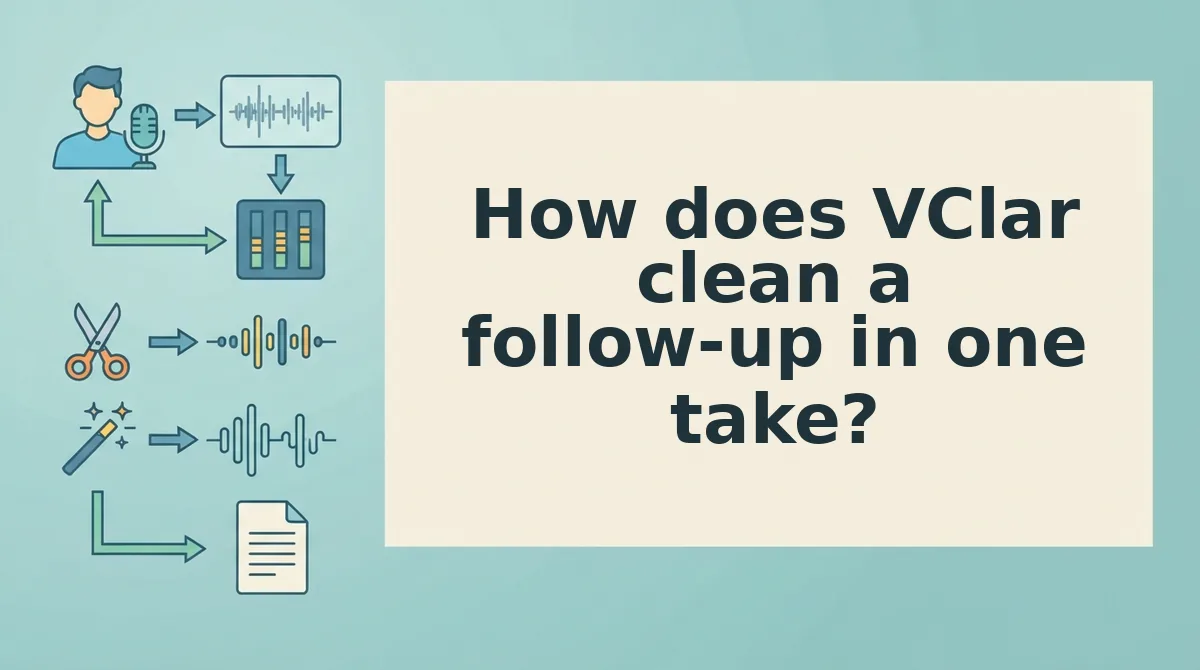
VClar cleans a follow-up in four steps: record once, clean, review side by side, then send. The deciding step is the clean, because VClar repairs broken phrasing instead of only deleting fillers.
Before you start: you need a phone or laptop with a microphone and access to VClar. No editing software or audio skills are required.
- Record your follow-up in one take (about 60 seconds). Speak naturally and do not stop for stumbles. You should end with one raw file, not three abandoned attempts.
- Upload or submit the recording for cleanup. VClar removes fillers and false starts, fixes spoken grammar and reduces background noise, breath sounds and mouth clicks. You should see a cleaned transcript alongside the audio.
- Review the original and cleaned versions side by side (under a minute). Listen for your tone and pacing, and confirm the message still says what you meant. Your accent and rhythm should remain intact.
- Send the cleaned message. Share it through your usual channel, or translate it first if the buyer works in another language.
Follow-Up Friction Count for VClar: 4 steps, with no re-record loop.
Delete vs repair: why phrasing decides it
Removing filler words only deletes sounds; repairing spoken grammar rebuilds the sentence the speaker meant. A filler remover cuts "um" and leaves a broken fragment, which still sounds hesitant to a buyer. VClar does both: it deletes fillers, then restructures fragments into a complete sentence in the rep's own voice. Illustrative example only. Before: "so the thing with the pricing, we, um, I think we can..." After: "On pricing, I think we can find an option that works for your team." The "um" is deleted, while "so the thing with" and "we, I think" are repaired. That repair is why the cleaned note sounds decisive instead of edited.
Worked example: after a buyer call, a rep records a 60-second follow-up from a parked car with traffic passing outside. VClar removes the road noise and fillers, and the rep reviews the cleaned version before sending.
If stumbles are what keep you re-recording, start with the tool that removes filler words from audio, then use VClar to fix grammar in a voice message so every follow-up lands in one take.
Descript still has a clear role, so here is when it wins.

When is Descript the better choice for sales follow-up?
Descript is the better choice when your follow-up is a video, a screen-recorded demo, or produced content rather than a quick voice note. Descript is an audio and video editor that lets you edit a recording by editing its text transcript.
A typical voice-note follow-up in Descript looks like this:
- Import or record the audio.
- Generate the transcript.
- Review the transcript for mistakes.
- Cut fillers by hand or with its filler-removal feature.
- Export the cleaned file.
- Send it through your messaging app or CRM.
Friction Count: 6 steps. That count is fine for a produced asset. It adds up when you send dozens of short replies a day.
Can Descript remove filler words automatically? Yes, it offers a filler-word detection and removal feature. Options and settings change often, so check descript.com for its current behavior before you build a workflow around it.
Transcript editing works like the delete key in a word processor. You can cross out "um" and "you know," but deleting words does not repair a broken sentence. A fragment like "So the pricing, we could, the annual plan" stays a fragment unless you re-record or rewrite it.
Descript still wins in several sales situations:
- Personalized video pitches: Descript's own sales positioning centers on this use case. One example is the video "Descript for Sales: Send Personalized Video Pitches Without a Video Team" (PixiNews).
- Screen-recorded demos: It lets you capture and trim a product walkthrough in one tool.
- Multi-track editing: It layers voice, music, and screen footage on one timeline.
- Podcast or YouTube content: It suits long-form episodes that need detailed cuts.
Descript also offers a voice-cloning option that can generate new words in a synthetic version of your voice. VClar takes the opposite approach. It cleans and translates your real recording, so the prospect hears you, not a model of you.
What VClar won't do for sales reps
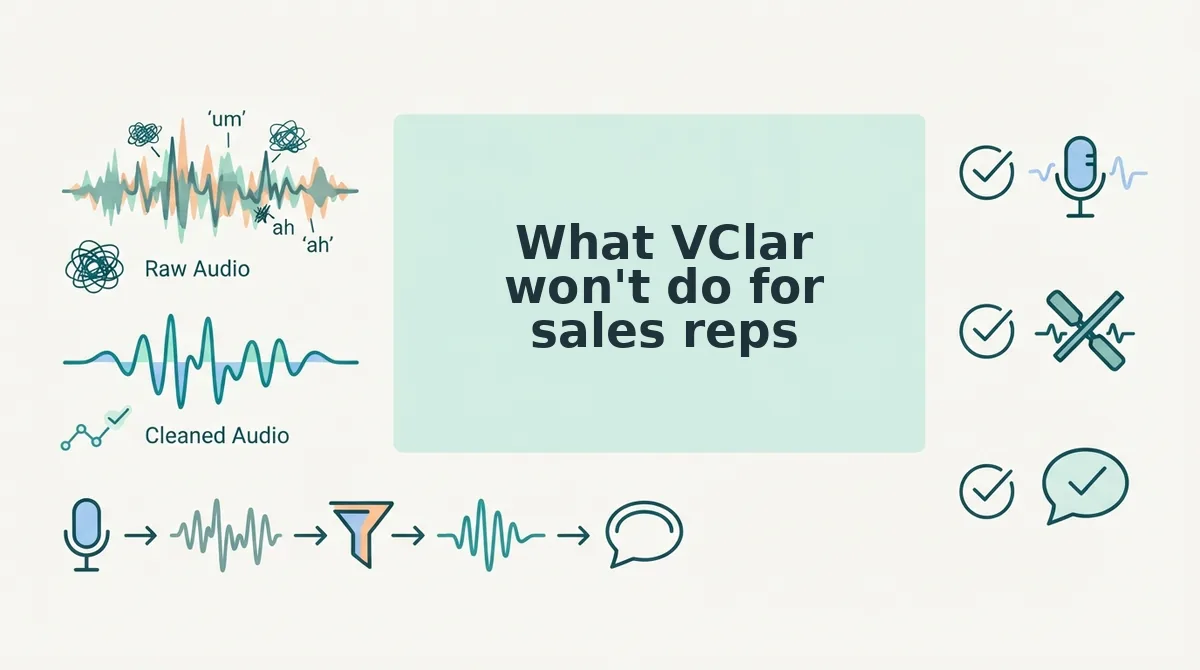
VClar is built for clean, one-take messages, not video production. These are its limits, ranked by how often they matter for voice notes for sales.
- No synthetic voices or clones. VClar never generates new speech in a cloned voice, by design. Your prospect always hears your real recording, cleaned up.
- No video editing. VClar does not cut, trim, or caption video. Use a video editor for pitches and demos.
- No multi-track timeline. VClar cannot layer music, screen audio, and voice. Keep layered projects in a production tool.
- Translation is limited to 11 languages. It covers Hindi, English, French, Japanese, Korean, German, Russian, Portuguese, Spanish, Italian, and Chinese. Check that your buyer's language is on that list first.
- Not built for long-form production. VClar is designed for messages, not podcasts or webinars. Use it for replies, check-ins, and recaps.
Why does a real voice matter in sales follow-up? In a buyer relationship, your voice is part of your credibility. The prospect hears your actual accent, cadence, and tone, which are the same ones they will hear on the next call. A cloned voice can sound smooth, but it puts a layer of synthesis between you and the person deciding whether to trust you. VClar removes fillers, fixes spoken grammar, and reduces noise while leaving your voice intact. Polishing what you said keeps that trust. Replacing how you sound puts it at risk.
Which tool should you use for each type of follow-up?
Pick the tool by the format of the follow-up:
- Use VClar for quick voice notes, noisy recordings, and non-English buyers.
- Use Descript for screen-recorded demos, personalized video pitches, and podcast-style content.
- Use both if you send audio replies and produce video assets.
| Follow-up type | VClar | Descript | Why |
|---|---|---|---|
| Quick voice note | Best fit | Works | VClar cleans fillers and fixes spoken grammar in one take. Descript takes a 6-step edit-and-export loop. |
| Voice note recorded in a car | Best fit | Works | VClar reduces background noise, breath sounds, and mouth clicks while keeping your natural tone. |
| Non-English buyer | Best fit | Limited | A rep cleans a reply and translates it for a Spanish-speaking buyer, and the buyer still hears the rep's own voice. |
| Screen-recorded demo video | Not supported | Best fit | Descript handles screen capture and video trimming. VClar does not edit video. |
| Podcast-style content | Not supported | Best fit | Descript's multi-track timeline suits long-form production. |
For cross-border deals, VClar's voice note translator in 11 languages covers 110 translation directions. That lets a rep reach buyers in any pairing of those languages without switching tools.
Verdicts by rep profile:
- Best for a high-volume SDR sending voice notes: VClar, because it skips the transcript-editing loop on every reply.
- Best for an account exec sending video pitches: Descript, because video editing and screen recording are its core strengths.
- Best for a cross-border rep: VClar, because it pairs cleanup with translation and keeps your real voice.
If voice notes are your main channel, the next step is simple.
Send your next follow-up in one take
The fastest follow-up is the one you record once and send without a retake. Cleaning up after the take ends the re-record loop for good.
- Count your Friction Count steps. Tally every retake, edit, and export between pressing record and pressing send.
- Route video pitches to Descript. Keep on-camera outreach in its editing workflow.
- Route voice notes to VClar. Use it for quick audio follow-ups and for buyers who prefer a language other than English.
Picture the next morning. A rep records a follow-up once, with every "um," false start, and loose sentence left in. VClar removes the fillers, fixes the spoken grammar, and reduces background noise while keeping the rep's own tone and accent. For a buyer in another market, the rep translates the cleaned note into one of VClar's 11 languages. The message goes out without a second recording.
A follow-up should sound like your best take, even when you only recorded it once.
Clean your next follow-up with VClar.