
You just hung up with an enterprise buyer. You open your phone and record a 45-90 second follow-up recap. Near the end you hear yourself say "um," so you delete it and start over, and then you do it again.
That re-record loop happens because the follow-up matters. Raw voice memos carry fillers, awkward pauses, and disjointed grammar, and an enterprise buyer hears each one as a signal about how you will handle their account. This guide to grammarly vs vclar for sales voice notes shows you how to choose a tool based on the format your buyer actually receives.
Use it as a sales-specific companion to the full product comparison, written for reps who send voice notes for sales. It covers the verdict, a decision matrix by deal situation, what each tool does and where it stops, and the limits of both. Along the way, look for the hybrid move most reps miss.
Key Takeaway: Grammarly polishes what you type. VClar cleans what you say. Choose by the deliverable your buyer receives: a typed email or spoken audio.
Should Sales Reps Use Grammarly or VClar for Voice Note Follow-Ups?
If your follow-up is typed, use Grammarly. If it is a voice note, use VClar, because Grammarly cannot clean audio. VClar removes filler words, fixes spoken grammar, and reduces background noise in the recording itself, so the two tools are not substitutes.
A sales voice note follow-up is a short recorded message that a rep sends a buyer after a call to recap next steps in the rep's own voice.
Fix the Artifact You Actually Send
Improve the exact thing that lands in the buyer's inbox. A tool that edits a photo caption cannot fix a blurry photo, and a text checker works the same way when the message is audio.
Some of the confusion comes from marketing language. Grammarly's promo titled "Your Credibility Is in Your Voice" refers to your writing voice, meaning the tone of your typed words, not spoken audio. Its "Proofreader Agent" video also positions the product as a text proofreader. If you send a voice note, Grammarly has no text to check unless you transcribe the recording first. Even then, the buyer still hears every original "um." VClar works on the recording and outputs cleaned audio plus a transcript, while it keeps your tone, accent, and cadence.
For a feature-by-feature breakdown, see the full VClar vs Grammarly comparison.
- Grammarly is best for: typed emails, proposals, and chat messages where written tone carries the deal.
- VClar is best for: one-take voice notes with the filler words removed and your natural voice preserved.
Typed Email or Voice Note? A Decision Matrix by Deal Situation
Match the channel to the deal moment. Use a typed email with Grammarly for long written proposals. Use a voice note with VClar for warm touches, cross-border buyers, and recording on the move. Use a hybrid voice note with a transcript for recaps that procurement will forward.
| Deal situation | Typed + Grammarly | Voice + VClar | Hybrid (voice + transcript) | Best pick |
|---|---|---|---|---|
| Forwardable recap for procurement | Easy to skim and forward, but the personal warmth is lost | Personal, but some stakeholders will not play audio | A cleaned voice note plus a transcript lets each reader listen or skim | Hybrid |
| Warm relationship touch after a call | Polished, but it reads like every other email | Your own tone and cadence build rapport, with the fillers removed | Works well, and the transcript is optional | Voice + VClar |
| Cross-border buyer who speaks another language | Clear writing in your working language | Translates the cleaned voice message across 11 languages while keeping your voice | Translated audio plus a transcript the buyer can refer back to | Voice + VClar |
| Recording on the move between meetings | Typing a careful email on a phone takes time | Record once, and background noise and false starts are cleaned up | The transcript is ready to paste into your CRM later | Voice + VClar |
| Long written proposal | Built for checking dense, long-form text | Audio is the wrong format for detailed terms | Add a short voice intro that points to the document | Typed + Grammarly |
Grammarly has a real advantage in written depth. When a buyer needs to review scope, pricing language, or legal detail, a carefully checked document is the right deliverable.
- Best for account executives drafting proposals: Typed + Grammarly, because precision in text matters more than voice.
- Best for SDRs and AEs who run back-to-back calls: Voice + VClar, because you can send one take without the re-record loop.
- Best for cross-border operators: Voice + VClar, because translation keeps your accent and intent.
- Best for reps selling to buying committees: Hybrid, because the transcript travels to stakeholders who never press play.
Next, here is what Grammarly does well for sales follow-ups and where it stops.
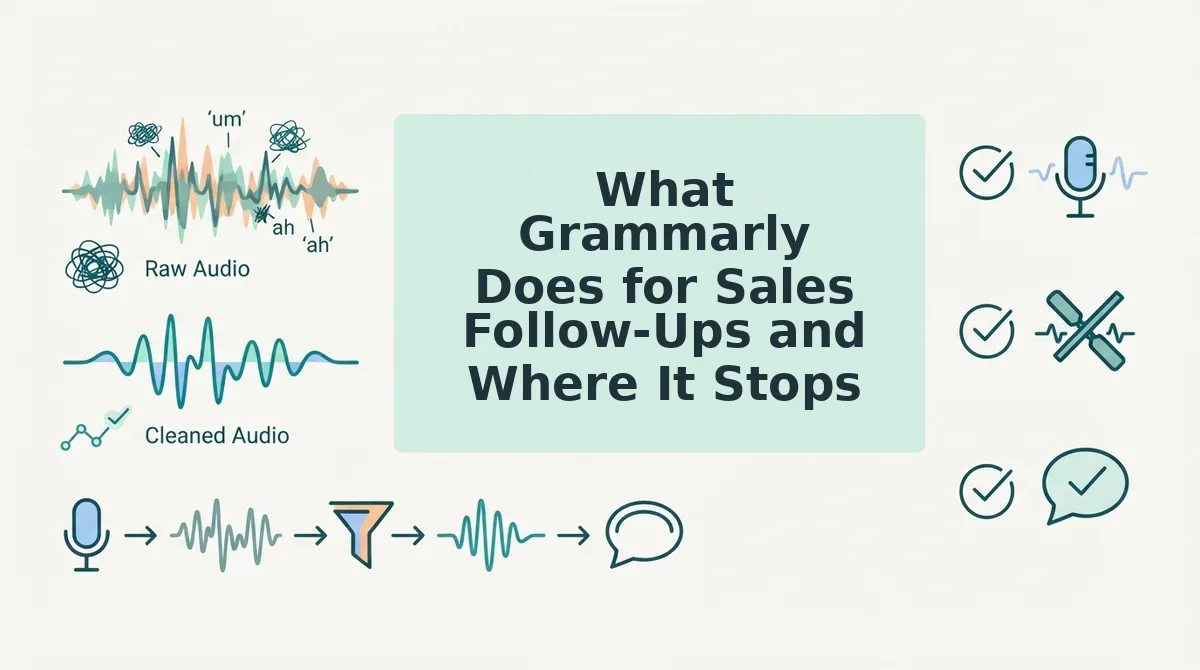
What Grammarly Does for Sales Follow-Ups and Where It Stops
Grammarly polishes typed sales follow-ups, from short recap emails to long written proposals, but it works only on text. It cannot edit the audio inside a voice note.
Grammarly is a text-based writing assistant that checks grammar, spelling, clarity, and tone in what you type. The company positions it as a writing and proofreading tool, as the name of its Proofreader Agent makes clear.
Where Grammarly helps a sales rep
- Simple: It catches typos and missing words in a quick "thanks for your time" email.
- Intermediate: It tightens a multi-paragraph recap after a discovery call, the first meeting where you learn the buyer's needs.
- Advanced: It is the better fit for long written proposals that procurement and legal teams will read line by line.
Think of Grammarly as a copy editor with a red pen. That editor is excellent on a printed page, but you cannot hand them a cassette tape and ask them to remove a cough.
Can Grammarly fix a voice note?
No. Grammarly cannot fix a voice note because it is a text-based writing assistant that reviews words you type, not sound you record. It cannot remove spoken fillers such as "um" or "you know" from the audio, correct a grammar slip you made out loud, or cut background noise like traffic or office chatter from the recording. The closest workaround is to transcribe the voice note, paste the text into Grammarly, and send a corrected written version. That produces a cleaner email, but the buyer no longer hears your voice, and the original audio still contains every hesitation. To fix the recording itself, you need a speech enhancer that works on audio.
Voice-to-email tools do not close this gap. In the Genie 007 demo, speech goes in and text comes out, so the buyer still receives typed words rather than a cleaned recording.

What VClar Does for Sales Voice Notes to Enterprise Buyers
VClar cleans the voice note itself. It removes fillers, fixes spoken grammar, and reduces background noise while keeping your real voice, so you can record once and send a message that sounds decisive.
What you need before you start: a phone or laptop microphone, access to VClar, and your buyer's preferred language and channel, such as LinkedIn, WhatsApp, or email.
The re-record loop vs. recording once
| Re-record loop | Record once and clean |
|---|---|
| Record, hear an "um," delete, start over | Record the full thought in one take |
| Script the message to avoid mistakes, so it sounds stiff | Speak naturally and let VClar remove the slips |
| Settle for a "good enough" take after several tries | Review one cleaned version and send it |
What VClar fixes, and what it keeps
- Fixes: filler words, false starts, and spoken grammar errors. You can fix grammar in a voice message without rewriting it by hand.
- Tightens: rambling phrasing, so your point arrives faster.
- Reduces: background noise, breath sounds, and mouth clicks.
- Keeps: your natural tone, accent, and rhythm. VClar does not swap your voice for a synthetic text-to-speech clone, so you will not sound robotic.
Picture a rep recording a follow-up in a parked car after a site visit. VClar strips out the road noise and the "ums," and the buyer hears the same rep, just clearer.
Cross-border follow-ups
VClar translates cleaned voice notes across 11 languages: Hindi, English, French, Japanese, Korean, German, Russian, Portuguese, Spanish, Italian, and Chinese. That covers 110 translation directions, so a voice note translator for 11 languages can reach a buying committee in Tokyo or Munich in its own language.
The hybrid follow-up workflow
- Record your follow-up in one take, covering the next step, the timeline, and any open question. Time: the length of your message. You should have one raw recording, mistakes included.
- Upload the recording to VClar for cleaning. You should hear the fillers, false starts, and background noise gone, with your voice intact.
- Translate the note if the buyer prefers another language. You should get a version in the target language that still carries your tone.
- Review the cleaned audio and transcript once. You should be able to confirm names, figures, and dates in a single listen.
- Send the audio plus the transcript together. The buyer can listen, skim, or forward the text to procurement.
If your follow-ups stall in re-record loops, start with your next post-call voice note: record it once, let VClar clean it, and send it with the transcript attached.
Where VClar Falls Short for Sales Teams
VClar is built for spoken follow-ups, not every sales document. Four limits are worth knowing before you switch.
- Long written proposals. VClar is not designed to draft or proofread multi-page proposals, where Grammarly is the stronger tool. Use Grammarly for the proposal and a VClar voice note to introduce it.
- Skimmability for some buyers. Some enterprise buyers find voice notes slower to scan than text. The transcript reduces this friction, but it does not remove it, so lead with the key ask in your first sentence.
- Complex audio editing. VClar deliberately avoids timeline-based editing, so you cannot cut and arrange tracks like in a full editor. See why VClar is not a full audio editor if you need that level of control.
- Email-only buyers. When a buyer or their procurement policy requires email only, a typed follow-up wins. Match the channel they asked for, and save voice for warmer contacts.
For most follow-ups, though, the fastest path is simple.
Record Your Next Follow-Up Once and Clean It
Choose your tool based on what you send. Use Grammarly for typed emails and VClar for voice notes.
- Match the tool to the artifact. Text needs a text editor. Audio needs audio cleanup.
- Check the matrix for each deal. The deal situation decides whether you send email or voice.
- Default to hybrid for enterprise. Send the audio with its transcript so forwarded messages still land.
Remember the rep from the intro who was stuck re-recording the same follow-up? This time they record once, stumbles and all. VClar strips the ums and false starts, fixes the spoken grammar, and keeps their own voice and accent. They send the clean audio with its transcript, and the buyer can forward both internally.
There's no re-record loop, just one-take confidence.
Clean voice memos online before your next send. Remove filler words from your audio and hear the difference.
Enterprise buyers judge the message they can forward, so send one that sounds like you on your best take.