
You recorded it in 60 seconds. Now it needs to land in German, and the version on your phone has "ums," restarts, and a sentence that changes direction halfway through.
This is the point where people compare Grammarly vs VClar for translated messages. Both tools promise a cleaner message, and both do the job they were built for well. People also search for walkthroughs on how to translate with Grammarly, which shows that many writers want one tool that can both polish and translate.
The useful question is not which tool is "better." It is where your message starts: on a keyboard or in your voice.
This guide gives you a clear rule for choosing. You will get the verdict first, then a criteria table, a short look at each tool, and VClar's limits. For a full feature-by-feature breakdown, see our full VClar vs Grammarly comparison.
One point surprises most readers. The order of your steps matters more than the tool you pick. Read the next section before you translate your next message.
Is Grammarly or VClar Better When a Message Needs Translating?
Use Grammarly when your message starts as typed text. Use VClar when it starts as a voice message. VClar removes filler words and fixes spoken grammar before it translates across 11 languages. The output keeps your own tone, accent, and rhythm instead of replacing your voice with a synthetic one.
The Origin Rule means you fix a message in the format it was created in, and then you translate it. A typed draft gets edited as text. A voice note gets cleaned as audio.
Think of it like photocopying a stained page. Every copy carries the stain, so you clean the original before you make copies.
Simple case: You typed an email. Grammarly edits the text where you wrote it, and the Origin Rule is satisfied.
Harder case: You recorded a voice note. If you transcribe it and then run a text checker, the edit happens in the wrong format. Your voice drops out, and fillers such as "you know" become clutter in the transcript. Spoken grammar is the set of slips that feel natural in speech, such as mismatched tenses or sentences that restart. It needs fixing at the source.
Most demanding case: Translation spreads every flaw into the new version. A false start in English becomes a false start in Japanese. VClar works with 11 languages, which gives you 110 translation directions. That is a lot of chances for an uncleaned mistake to spread.
Worked example: A founder needs to send an investor update to a German-speaking partner.
- Record the update once, without retakes.
- Let VClar remove fillers, fix spoken grammar, and reduce background noise.
- Translate the cleaned message into German.
- Send the audio and the transcript.
You can see more workflows like this on our page about voice notes for founders. The VClar blog also covers one-take recording habits that pair well with filler removal.
Grammarly vs VClar Side by Side for Translated Messages
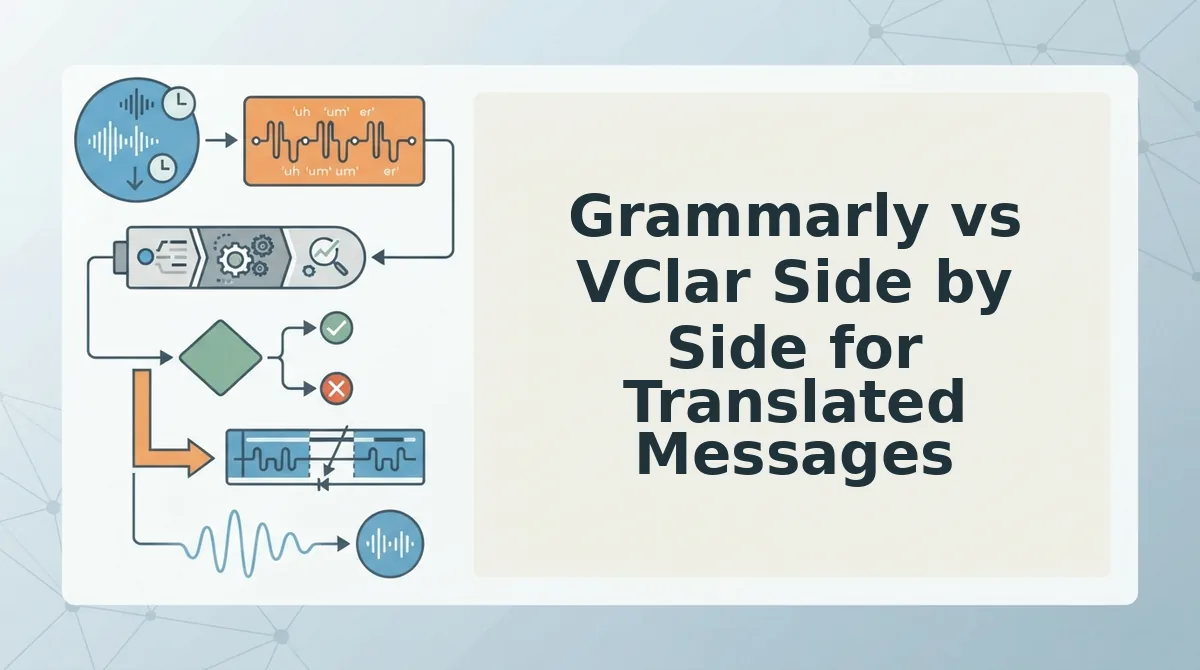
Grammarly is a text-first tool and VClar is a voice-first tool. Grammarly edits typed text and offers translation through an inline popup. VClar takes voice input, removes fillers, fixes spoken grammar, reduces noise and breath sounds, and translates across 11 languages. You get cleaned audio plus a transcript, and your voice stays your own.
Use the table below to check the verdict against five criteria. Any cell marked "verify" needs confirming in Grammarly's current documentation.
| Criterion | Grammarly | VClar |
|---|---|---|
| Input format | Typed text | Recorded or uploaded voice messages |
| Output format | Edited text | Cleaned audio plus a transcript |
| Filler handling | [verify against Grammarly docs] | Removes "um," "ah," "like," "basically," "you know," and repeated false starts |
| Voice preservation | Not applicable, because it works on text | Keeps the speaker's tone, accent, and rhythm. Also reduces noise, breath sounds, and mouth clicks. |
| Translation scope | Inline translation popup, shown in Google Docs [verify languages and supported apps against Grammarly docs] | 11 languages, 110 translation directions |
Grammarly deserves credit where it is strong. If you work in Google Docs, the inline popup keeps translation inside your writing flow, so you do not need to switch apps. For long written documents, editing text where it lives is the efficient choice.
VClar solves a different problem. It is built for people who think faster than they type. It cleans the message in the same format you created it in, so you do not have to re-record before translating.
- Best for written drafts and long documents: Grammarly, especially for writers who already work in Google Docs.
- Best for async voice updates: VClar, for founders, sales teams, creators, and cross-border operators who send voice messages and need them clear in another language.
That leaves one practical question: what can Grammarly's translation actually do with your message?
Can Grammarly Translate Your Message?
Yes, but only typed text. Tutorials such as Guides by Leonard show Grammarly translating text through an inline popup in Google Docs. The result is written words, not audio.
Inline translation is a feature that converts selected text into another language inside the document you are already editing. You highlight a sentence, a popup appears, and the translated version shows up next to your draft.
Grammarly's strengths are real. For typed drafts, it catches grammar slips and flags unclear phrasing. It also keeps you in one editor, so you are not switching between tabs.
The friction starts when your message begins as speech. Grammarly needs text to work on. You first have to produce a transcript, which is a written record of what you said. You either type it out or run your audio through a separate transcription tool.
Think of Grammarly as a tailor who only alters clothes that are already finished. If your message is still a spoken idea, you have to make the garment yourself before the tailor can touch it.
The harder problem is the return trip. Grammarly produces no audio, so the recipient gets a block of translated text instead of your voice, tone, and cadence. If you want to send a voice message, you would need to read that translation aloud in a language you may not speak fluently.
Most tutorials show where the translate button sits but skip this scope. Creators like Kevin Stratvert have already raised the broader question readers are asking: does Grammarly still earn its place now that general AI tools can rewrite and translate text too?
How VClar Cleans Then Translates a Voice Message
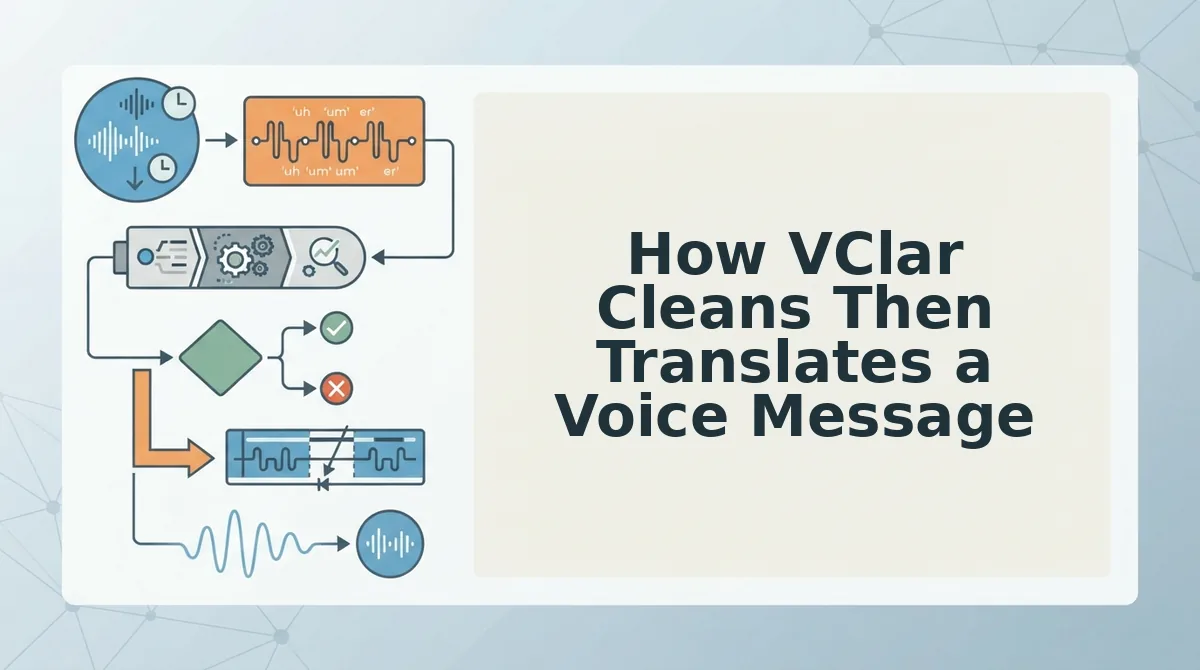
VClar cleans your recording first, then translates it, so the message arrives polished in the target language and still sounds like you. All you need is a voice message, either recorded in the moment or uploaded as an existing audio file, and a target language from VClar's 11 supported languages.
- Record or upload your message. Speak naturally in one take, or upload raw audio. Recording takes only as long as the message itself, and the file is then ready for processing.
- Remove filler words. VClar detects ums, ahs, "like," "basically," "you know," and repeated false starts, then cuts them from the audio timeline. You can remove filler words from audio without re-recording, and the message should now sound decisive.
- Fix spoken grammar. The engine corrects slips such as mismatched tenses or broken sentences. When you fix grammar in a voice message this way, you get correct sentences in your own voice.
- Tighten phrasing. Rambling clauses are trimmed so your point comes through faster. The message keeps your intent but loses the detours.
- Reduce background noise, breath sounds, and mouth clicks. Acoustic distractions drop away, leaving clean speech on a quiet background.
- Select a target language and translate. Choose the recipient's language. The translated message keeps your tone, cadence, and accent, with no synthetic voice clone.
Why Cleaning Before Translating Matters
Cleaning before translating matters because translation carries over whatever is in the source, including mistakes. If your original recording contains fillers, false starts, and half-finished sentences, a translation engine treats them as content and reproduces them in the target language. A stray "you know" becomes awkward padding in Japanese or German, and a broken sentence becomes a confusing one for the listener. By removing fillers and fixing spoken grammar first, VClar gives the translator a clean, complete message to work from. The recipient then hears a clear statement in their own language instead of your hesitations translated word for word.
The step count shows the difference between the two workflows:
- Voice-first path (4 steps): record, clean, translate, send.
- Text path (6+ steps): record, transcribe, paste into Grammarly, fix, translate, then retype or re-record in the new language. At that last step, your voice is lost.
Worked example: A B2B sales rep needs to follow up with an enterprise buyer who prefers Spanish. The rep records a quick recap of the call, runs it through VClar to clean it, translates it into Spanish, and sends it in their own voice.
If your best follow-ups happen out loud, not at a keyboard, try VClar on your next voice message and send it in one take, in any of its 11 languages.
Where VClar Is Not the Right Tool
VClar is not the right tool for long written documents, for languages outside its 11, or for creating synthetic voices. Knowing these limits helps you choose the right tool for each job.
- Long written documents. VClar is built for voice messages, not typed drafts or reports. For written work, Grammarly is the better choice.
- Unsupported languages. Translation covers Hindi, English, French, Japanese, Korean, German, Russian, Portuguese, Spanish, Italian, and Chinese, which makes 110 language directions. Any other language is not supported.
- Synthetic voices or avatars. VClar does not generate text-to-speech clones. It refines your real recording, so you still need to speak the message yourself.
Who should use which tool? Founders, sales reps, and cross-border teams who send voice messages should use VClar. It cleans spoken notes and translates them while keeping each speaker's natural tone and accent. Writers and anyone doing document-heavy work should use Grammarly, which is built to polish typed text. Many professionals need both, split by format.
Worked example: A consultant writes a long client report and edits it in Grammarly. Later, they record a quick voice update for the same client and send it through VClar.
That split points to one simple rule.
Pick the Tool by Where Your Message Starts
Choose by origin. If your message starts as typed text, use Grammarly. If it starts as your voice, use VClar, which cleans the recording first and then translates it.
That is the Origin Rule promised at the start. Order matters most once a message crosses languages.
A filler, a false start, or a broken clause doesn't disappear in translation. It gets carried into the other language and becomes harder to spot. Cleaning before translating stops those errors from following your message across the border.
Your next steps:
- Typed draft: Polish it in Grammarly and send it as text.
- Spoken note: Record once in VClar. You skip the re-record loop and keep your own tone, accent, and rhythm.
- Different language: Choose from 11 languages and 110 translation directions.
Record once, send it in 11 languages. You can browse all 11 supported languages before your next voice note.
A message translates only as cleanly as it starts, so fix it where it begins.